How to Find Email Addresses for a Company Like a Pro
Learn how to find email addresses for a company with proven methods. This guide covers smart tools and manual tricks for effective B2B prospecting and outreach.
Finding the right email addresses for a company is part art, part science. It’s a mix of smart guesswork, manual digging, and leaning on the right tools. For a quick win, you might turn to Google search operators or email lookup tools, but building a truly sustainable outreach engine demands a more thoughtful approach.
Why Accurate Email Addresses Matter More Than Ever
In the world of B2B sales and marketing, a verified email address is everything. It’s the key that unlocks the door to a real conversation. It’s the difference between a carefully crafted message landing in the right inbox and a bounce-back that screams "wasted effort."
Let's be honest, without good contact data, even the most brilliant outreach strategy is dead on arrival.
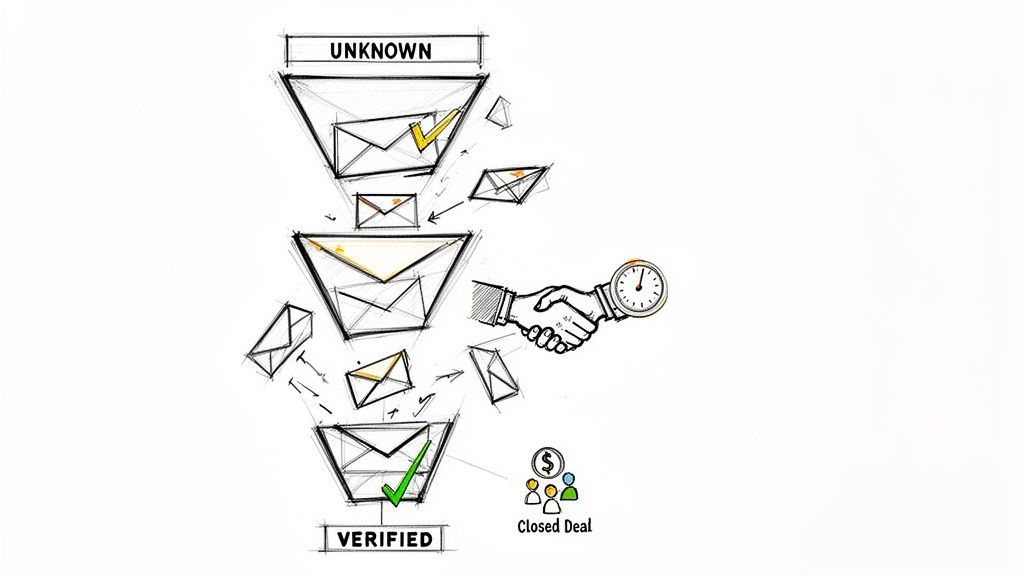
Trying to find company email addresses with old-school, manual methods just doesn't cut it anymore. The digital noise is deafening. With professionals getting an average of 120 work emails a day, your message has to be spot-on to even get a glance. It's no surprise that 93% of B2B marketers rely on email to share content and nurture leads, making accuracy an absolute must-have. You can explore more email marketing trends to see just how competitive the inbox has become.
The Hidden Costs of Inaccurate Data
Bad data isn't just a minor headache; it’s a silent killer of productivity and revenue. It actively drains your resources and sabotages your sales team's best efforts. Every single incorrect email sends ripples of negative consequences across your entire operation.
- Wasted Sales Hours: Your team burns precious time hunting for contact info instead of what they should be doing—building relationships and closing deals.
- Damaged Sender Reputation: High bounce rates are a massive red flag for email providers. They signal that you're sending low-quality campaigns, which is a fast track to the spam folder for all your future outreach.
- Missed Revenue Opportunities: When you reach out to the wrong person—or no one at all—your ideal customers never even get the chance to hear how you can solve their problems.
The real issue here is that manual prospecting just can't keep up with the speed of modern B2B. This guide is all about shifting your focus to a tool-assisted strategy, one that will completely change how you build a reliable and scalable outreach engine.
We're moving away from guesswork and toward precision and automation. The goal is to arm your team with the verified data they need to connect with key decision-makers, every single time.
Getting Your Hands Dirty: Manual Email Discovery
Before you even think about paying for a tool, you have to learn the art of finding emails by hand. These skills are the bedrock of good prospecting. Not only will they save you money, but they’ll give you a much better feel for how information actually lives online.
It all starts with a little digital detective work. By mastering a few simple search commands and knowing where to look on a company’s website, you can often find exactly what you need without spending a dime.
Wielding Advanced Search Operators Like a Pro
Google is more than just a search bar—it's a powerful discovery engine, but only if you know how to talk to it. Advanced search operators are the special commands that let you cut through the noise and get straight to the good stuff.
Let's run through a real-world scenario. Say you’re trying to find Jane Smith, a marketing manager at Acme Corp. A lazy search for "Jane Smith Acme Corp email" will probably spit back a bunch of junk.
Instead, you need to get specific. Try this in Google:
("Jane Smith" OR "J. Smith") AND ("Acme Corp" OR "acme.com") AND (email OR contact)
This one query is doing a ton of work. It tells Google to find pages that mention her full name or her first initial and last name, along with the company name or its domain, and the word "email" or "contact."
Those little quotation marks force an exact match, while OR and AND act like filters. This simple trick alone will often surface hidden contact pages, press releases, or staff directories that a basic search completely misses.
Scouring Company Websites for Clues
Your prospect's website is a goldmine, but you can't just stick to the homepage. The best clues are usually buried a few clicks deep.
Your main goal here is to find the company's email pattern. Most organizations are predictable and use a standard format for everyone on the team.
- Check the "About Us" page: This is the obvious first stop. Even if it doesn't list emails directly, it confirms names and job titles, which is half the battle.
- Dig into press releases: The media contact listed at the bottom of a press release is often a real person. Finding just one email, like
john.doe@acme.com, instantly tells you the company's format. - Read the blog author bios: If the company runs a blog, click on the author's name. Sometimes they'll link to a personal site or social profile where their email is listed.
Once you find just one person's email address from a company, you've likely cracked the code for everyone else. If you find
john.doe@acme.com, it's a very safe bet that Jane Smith's email isjane.smith@acme.com.
This "educated guess" method is surprisingly effective. Keep an eye out for the most common formats, which you'll see again and again:
f.lastname@domain.com(j.smith@acme.com)firstnamel@domain.com(janes@acme.com)firstname_lastname@domain.com(jane_smith@acme.com)
When you combine smart Google searches with a systematic look at a company's website, you create a powerful, no-cost discovery process. Master these fundamentals first, and you'll know exactly how to find anyone's contact information before you ever turn to an automated tool.

Turn LinkedIn® profiles into CRM contacts
Add to CRM finds verified emails, phone numbers, and job titles on LinkedIn® — then adds them to your CRM in one click.
Start Free Trial


 Trusted by 2,500+ users4.5
Using Smart Tools for Maximum Efficiency
Manual searching is a fantastic starting point, but it just doesn't scale. When you need to find email addresses for a company at volume, you have to shift from painstaking manual effort to intelligent automation. This is where your prospecting workflow goes from a slow grind to a high-speed engine.
The right tools solve the two biggest problems in prospecting: speed and accuracy. They plug directly into your daily routine, especially on professional networking sites, turning a multi-step research project into a single click.
The Power of Browser Extensions
Imagine browsing a prospect's professional profile and instantly seeing their verified work email appear on the screen. That’s the core benefit of an email lookup extension. These tools live in your browser and work quietly in the background, ready to supply contact data the moment you need it.
They completely eliminate the tedious cycle of searching Google, analyzing company email patterns, and making educated guesses.
This old, manual process is exactly what modern tools help you skip.
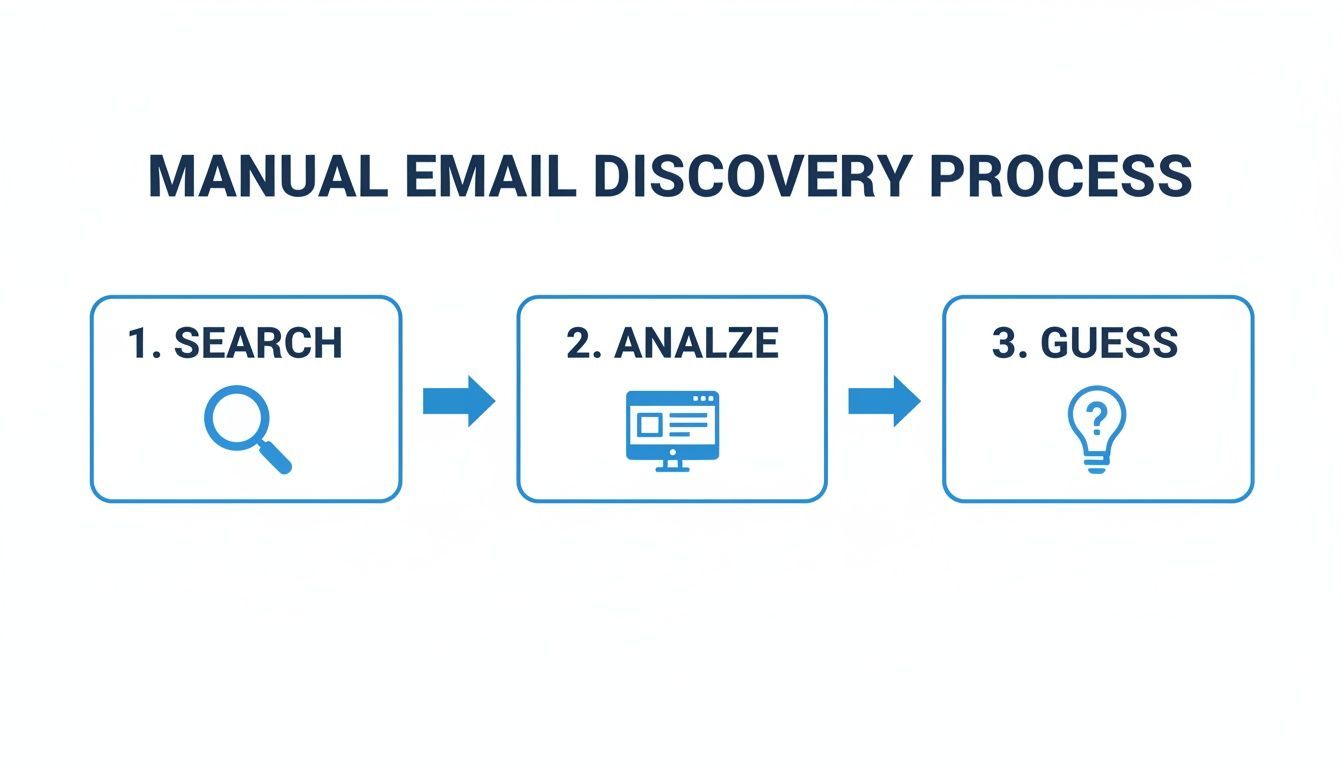
This workflow is incredibly time-consuming and riddled with potential errors. Instead of spending hours on these manual steps, you can focus your energy on what actually matters—building relationships and personalizing your outreach.
Choosing between manual and automated methods often comes down to balancing cost, time, and scale. Here’s a quick breakdown to help you decide.
Email Finding Methods Comparison Manual vs Automated Tools
| Feature | Manual Techniques | Automated Tools |
|---|---|---|
| Cost | Free (but time-intensive) | Subscription-based (monthly or per-credit) |
| Speed | Slow; minutes per contact | Instant; seconds per contact |
| Scalability | Very low; not viable for large lists | High; can process hundreds of contacts quickly |
| Accuracy | Varies; prone to human error and guesswork | High; often includes real-time verification |
| Data Points | Typically just an email address | Rich data: emails, phone numbers, company info |
| Workflow | Clunky; involves multiple tabs and tools | Seamless; often a one-click browser extension |
| Best For | Finding a few specific contacts; zero-budget needs | Sales teams, recruiters, and marketers needing volume |
While manual methods have their place for one-off searches, automated tools are the clear winner for anyone serious about building a predictable sales pipeline.
Beyond the Email Address Data Enrichment
Top-tier tools do more than just find an email. They perform data enrichment, which means they take a single piece of information—like a name and company—and flesh it out into a complete, detailed profile. This is the ultimate productivity hack for SDRs and founders alike.
Instead of just an email, you can get over 30 valuable data points, including:
- Verified Work and Personal Emails: Multiple contact options to boost your chances of connecting.
- Direct-Dial Phone Numbers: Get straight to the decision-maker without navigating a phone tree.
- Company Information: Access details like industry, employee count, and annual revenue.
- Role-Specific Details: Understand their seniority, department, and specific job function.
This level of detail is what allows for true hyper-personalization. You're no longer sending a generic cold email; you're starting a relevant conversation backed by solid data. For a deeper dive into the available options, check out our guide on the best email finder tools, which compares features and pricing across the market.
Real-Time Verification for Higher Deliverability
One of the most critical features of any modern email lookup tool is real-time verification. This process confirms that an email address is active and can receive mail at the exact moment you look it up. It’s a game-changer for protecting your sender reputation.
An email verifier essentially pings the recipient's mail server to check if the address is valid without actually sending an email. This simple check drastically reduces bounce rates, ensuring your carefully crafted messages actually land in the inbox.
High bounce rates are a major red flag for email providers like Gmail and Outlook. If too many of your emails bounce back, your domain can be flagged as spam, crippling the deliverability for your entire team. Using verified data from the start keeps your sender score healthy and your campaigns effective.
By integrating these smart tools into your workflow, you save countless hours and equip your team with the accurate information needed to close more deals. It's the most direct path to maximizing both efficiency and revenue.
Integrating Prospect Data Directly into Your CRM
Finding a prospect's email is a great start, but the real magic happens when you get that info into your CRM—cleanly and accurately. This is the moment your prospecting efforts scale up and become a repeatable growth engine.
Without a disciplined process, your CRM quickly turns from an asset into a liability. The backbone of any sharp sales team is a pristine database, and manual data entry is its number one enemy.

The Chaos of Manual Data Entry
Every time a salesperson manually copies and pastes information, they open the door for costly mistakes. These tiny errors don't seem like much at first, but they pile up fast, creating massive data headaches that are a nightmare to fix later.
I've seen it happen a hundred times. The common pitfalls include:
- Frustrating Duplicates: Someone creates a second record for a contact who's already in the system. Suddenly, conversation history is split across two profiles and the team has no idea what's going on.
- Simple Typos: A single wrong letter in an email address or company name makes the entire contact record worthless.
- Incomplete Records: Reps are in a hurry. They skip important fields, leaving data gaps that make personalization and reporting impossible.
- Inconsistent Formatting: One person enters "VP of Sales," another "VP, Sales," and a third "VP Sales." Good luck trying to segment that list effectively.
This data decay creates a system nobody on the team trusts. Your CRM becomes a "single source of confusion" instead of a single source of truth.
Preventing Errors with Smart Integration
Modern tools are built to eliminate this chaos. Instead of tedious copy-pasting, they offer one-click record creation that pulls data directly from a prospect’s online profile straight into your CRM. It’s not just a time-saver; it’s a way to enforce data consistency across your entire team.
For instance, with custom field mapping, you can set rules to ensure that information like job titles, company size, and industry always lands in the correct fields in your CRM. This kind of structured approach is a lifesaver for RevOps leaders and sales managers who need clean data for forecasting and strategy. You can even learn how to import contacts lists in bulk without trashing your data integrity.
The most powerful feature, by far, is the ability to check for existing contacts right from a prospect's profile page. Before creating a new record, the tool alerts you if that person is already in your database, stopping duplicates before they even start.
This simple check is the key to maintaining a clean database. It ensures your team always has the full context of every single interaction with a lead or customer.
By automating this flow of information, you build a reliable operational foundation. Your team can finally stop worrying about administrative busywork and focus on what they do best: building relationships and closing deals. It's how you make all that effort to find email addresses for a company really pay off.
Best Practices for Outreach and Data Privacy
Finding a verified email is only half the battle. How you use that email is what truly defines your success and protects your company's reputation. Effective, ethical outreach is the critical last mile of prospecting, turning accurate data into meaningful conversations.
Let's be honest: generic templates get ignored. The goal isn't just to get a reply; it's to start a relationship built on relevance and respect. And that requires a smart blend of personalization and ethical data handling.
Crafting Outreach That Actually Connects
Personalization goes way deeper than just plugging in a {{first_name}} token. It's about showing you've done your homework and understand your prospect's world. A winning outreach strategy is built on genuine relevance, not just sheer volume.
Want to stand out in a crowded inbox? Focus on these elements:
- Reference a Specific Trigger: Mention a recent company announcement, a post they shared online, or a new role they’ve taken on. This immediately shows you're paying attention.
- Focus on Their Problem, Not Your Product: Frame your message around a challenge you know is relevant to their role or industry. Lead with value before you ever mention your solution.
- Keep It Short and Scannable: Decision-makers are busy. Use short sentences, bullet points, and a clear call-to-action that’s easy to act on.
This approach turns your outreach from a cold pitch into a warm, relevant conversation starter, which is exactly what you need to boost your reply rates.
Navigating Data Privacy and Compliance
When you learn how to find email addresses for a company, you also take on the responsibility of handling that data ethically. Data privacy isn't just a legal checkbox—it's a core part of building trust with potential customers.
Regulations like GDPR in Europe and the CAN-SPAM Act in the U.S. set clear rules for commercial email. For instance, under CAN-SPAM, each individual email sent in violation can bring penalties of up to $53,088. That's a risk no business can afford.
The key is to source B2B contact information from public data and always provide a clear, simple way for recipients to opt out of future communications. This practice ensures your team operates responsibly and respects an individual's right to privacy.
Using tools that prioritize compliance helps safeguard your operations. To better understand how your data is handled, you can learn more about our commitment by reviewing the Add to CRM privacy policy, which details our data sourcing and handling practices.
Ultimately, combining accurate data with thoughtful personalization and a deep respect for privacy is the formula for sustainable growth. This ethical approach doesn't just improve response rates—it builds a brand reputation that people actually want to do business with.
29+ CRMs supported. Try free for 7 days
Add to CRM finds verified emails, phone numbers, and job titles on LinkedIn® — then adds them to your CRM in one click.
Start Free TrialTrusted by 2,500+ users4.5Common Questions About Finding Company Emails
Jumping into email prospecting always brings up a few key questions. Is this even allowed? How good are these tools, really? And which method should I start with?
Let's clear the air so you can build an outreach strategy that's not just effective, but also smart and responsible.
Is It Legal to Find and Use Company Email Addresses?
Yes, it's generally legal to find and email people at their business addresses for commercial purposes, as long as you play by the rules. The big one in the United States is the CAN-SPAM Act. It’s less about stopping you from sending emails and more about how you send them.
The law basically says you can't be deceptive with your headers or subject lines, and you absolutely must give people a clear way to opt out. Follow those rules, and you're fine. Ignore them, and the penalties can be steep—up to $53,088 per email. The takeaway is simple: be transparent and always honor unsubscribe requests.
What Is the Typical Accuracy of Email Lookup Tools?
This is where things get interesting. The accuracy of email finders varies a lot, but the best ones—the tools that use real-time verification—routinely hit 95% accuracy or higher.
What does "real-time verification" actually mean? Instead of just pulling an email from an old, static database, the tool pings the company's mail server at the moment of your search to confirm the address actually exists.
This single step is a game-changer. It slashes your bounce rate, which is a huge factor in protecting your domain's sender reputation. Low bounce rates tell providers like Gmail and Outlook that you're a legitimate sender, which keeps your emails out of the spam folder.
Without it, you're just guessing, and that’s a quick way to get your domain blacklisted.
How Should I Choose the Right Method?
The best method really comes down to your specific goals. You need to balance scale, budget, and how much data you actually need for each contact.
Here’s how I think about it:
- Manual Techniques: Perfect if you're on a shoestring budget or you're doing hyper-targeted outreach to just a handful of VIPs. It takes time, but it costs nothing but your effort.
- Browser Extensions: This is the sweet spot for most sales reps and small teams. They give you verified data instantly, right inside your browser, without disrupting your workflow. It’s all about speed and convenience.
- Bulk Finders & APIs: Go this route when you're running large-scale campaigns or enriching your entire CRM database. This is for processing hundreds or thousands of contacts at once.
For most businesses, starting with a hybrid approach is the smartest move. Try the manual methods first to really understand the process. Once you’ve got the hang of it, graduate to a browser extension or a dedicated platform to scale up your efforts without sacrificing quality.
Ready to stop guessing and start connecting? AddToCRM provides verified emails, direct-dial numbers, and 30+ data points for over 220 million professionals. Find and save leads from anywhere on the web directly to your CRM in a single click. Start for free.
Start saving time and closing more deals.
Find verified contact info for your prospects on LinkedIn®, Gmail and Outlook — and add them to your CRM with 1-click.

 Loading...Trusted by 2,500+ founders, SDRs & more