How to Use ActiveCampaign in 2026: Setup & Automation
Set up ActiveCampaign for email marketing and sales automation. Use LinkCampaign to add LinkedIn leads to your CRM instantly.
Sync leads from professional networks to ActiveCampaign.
Save 4hrs per week on CRM data entry.
Learn more...Free ActiveCampaign integration
1. Why ActiveCampaign?
ActiveCampaign started as an email marketing platform, but over time has evolved to incorporate:
- Powerful Automations: Multi-step workflows, split actions, and advanced triggers.
- Sales & Pipeline Tools: Manage deals, track leads, and unify marketing with CRM data.
- Dynamic Segmentation: Tagging, scoring, and segmentation that changes based on behavior.
- Intuitive Landing Pages and Forms: Build opt-in forms, run lead magnets, or set up entire pages.
ActiveCampaign’s strength lies in its depth of automation capabilities. Whether you’re a small business needing basic campaigns or an enterprise requiring complex funnel journeys, it scales elegantly. Plus, with updates like site tracking, better deliverability setups, and deeper CRM integrations, you can orchestrate every part of the customer experience in one platform.
2. First Steps & Setup
Signing Up & Account Basics
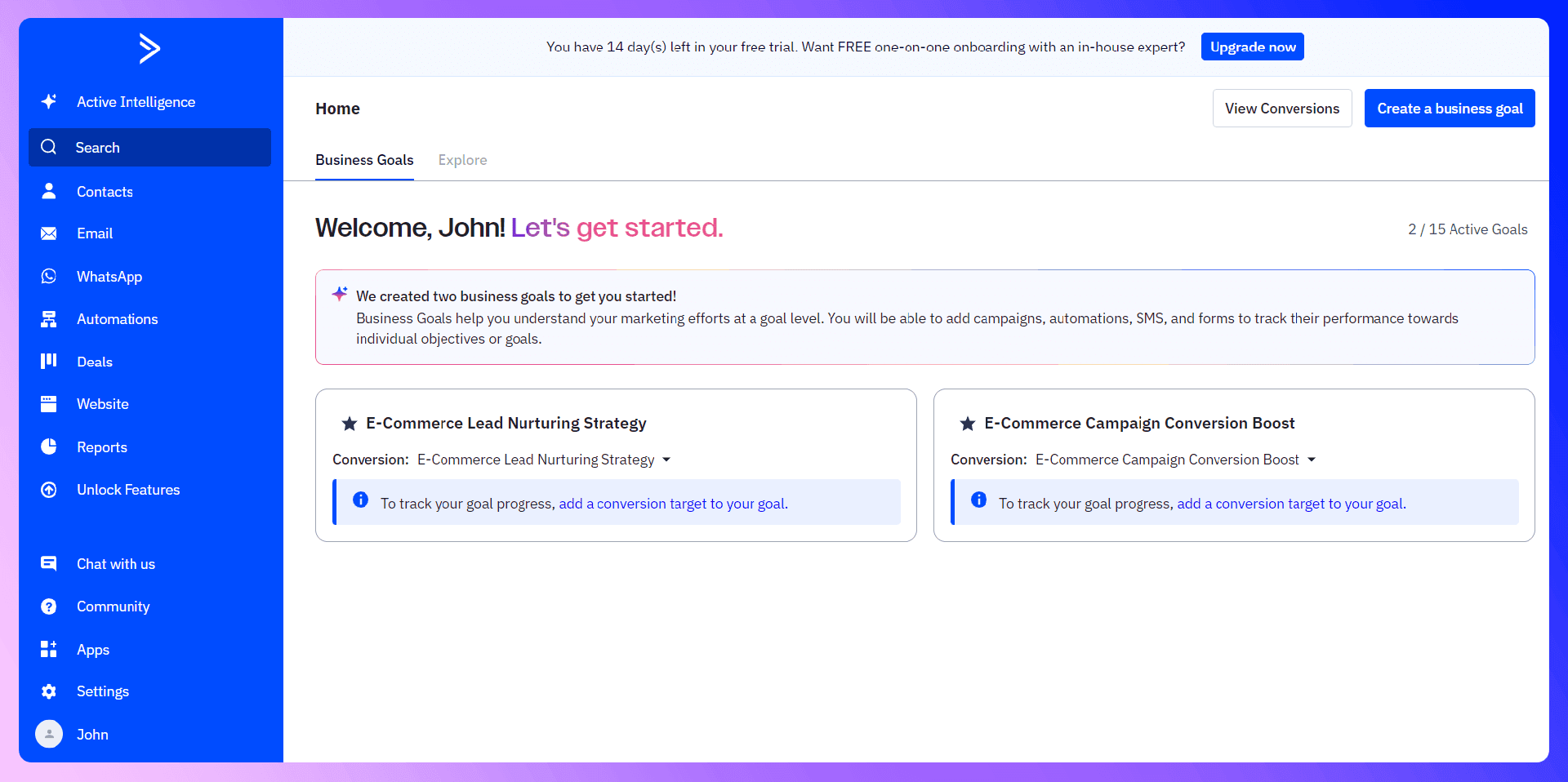
To get started, sign up for a free 14-day trial at ActiveCampaign.com. You’ll land in a dashboard prompting you to connect your domain for improved deliverability and to import your initial contacts. Make sure to pick a plan that matches your needs. ActiveCampaign offers tiers: Lite, Plus, Professional, and Enterprise.
Dashboard Overview
- Campaigns: One-time newsletters, date-based sends, or advanced automation triggers.
- Automations: Build workflows for lead nurturing, post-webinar follow-up, or cart abandonment sequences.
- Deals (CRM): Access your pipeline, track deals, forecast revenue, and assign tasks to reps.
- Website: Manage site tracking, forms, and landing pages, plus advanced customization settings.
- Lists & Segments: Where you store and group your contacts.
3. Email Authentication & Deliverability
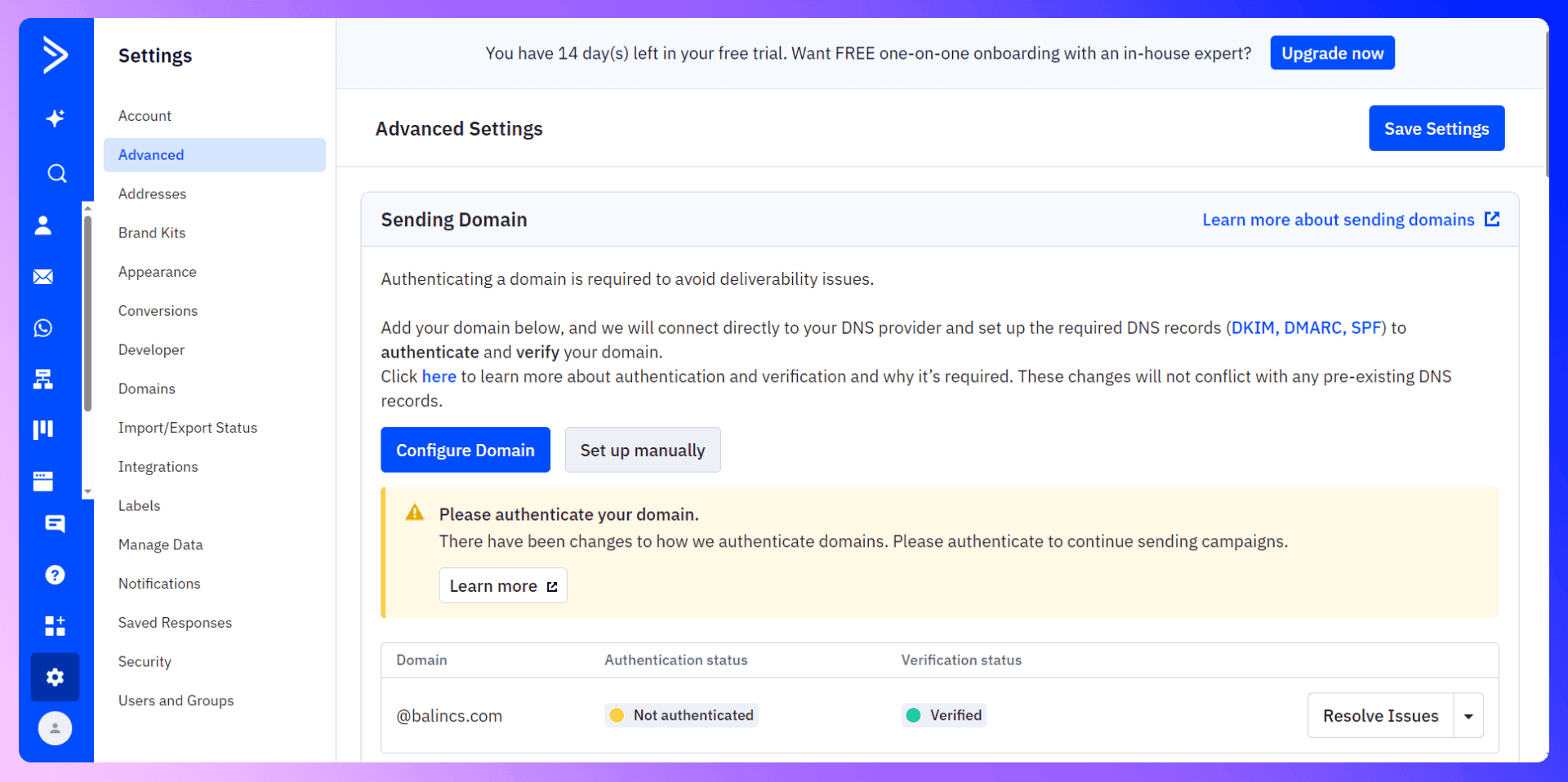
From February 2024 onward, Gmail and Yahoo strengthened their sender rules, requiring custom domain authentication for best deliverability. This means if you’re sending from john.doe@yourbusiness.com, you’ll need SPF, DKIM, and DMARC set up for that domain.
DKIM & SPF Setup
- DKIM: Tells ISPs that ActiveCampaign can send on behalf of your domain.
- SPF: A DNS record specifying which IP addresses can send using your domain.
You’ll add two CNAME records and a TXT record in your DNS (Cloudflare, GoDaddy, etc.). Then verify them in ActiveCampaign’s Settings > Advanced tab. You can also test your config by sending yourself a test campaign and checking the email headers in Gmail.
DMARC Policy
Though optional, setting a DMARC “none” policy is recommended. It helps validate your domain, gather feedback reports, and ensures maximum deliverability. If you want detailed step-by-step instructions, check out How to Find Your API Key in ActiveCampaign for additional references on advanced domain setup.
4. Importing Contacts and Data
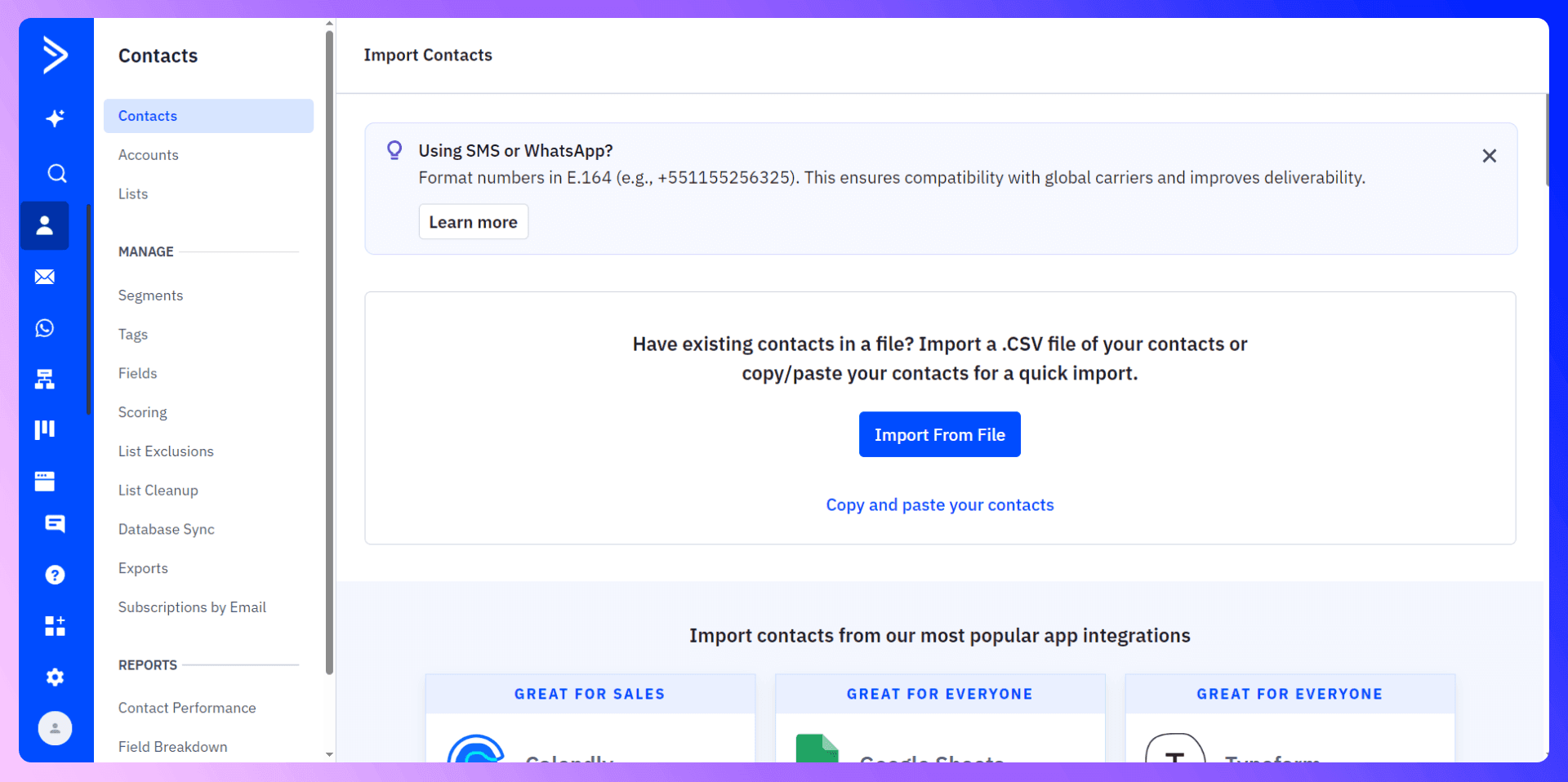
Bringing your existing subscriber list or CRM data into ActiveCampaign is straightforward. Go to Contacts > Import, choose your CSV file, and map columns (like first name, email, tags).
Mapping Fields
- Create Fields First: If you have extra fields (e.g., “Country” or “Budget”), add them in Contacts > Fields before the import.
- Match Columns: Align each CSV header to the correct AC field (First Name, Last Name, etc.).
- Tag for Context: If these contacts came from an event, add a “Event_2025” tag to filter them easily later on.
For an expanded tutorial on contact importing, check out How to Import Contacts into CRM .
5. Basic Campaigns & Key Features
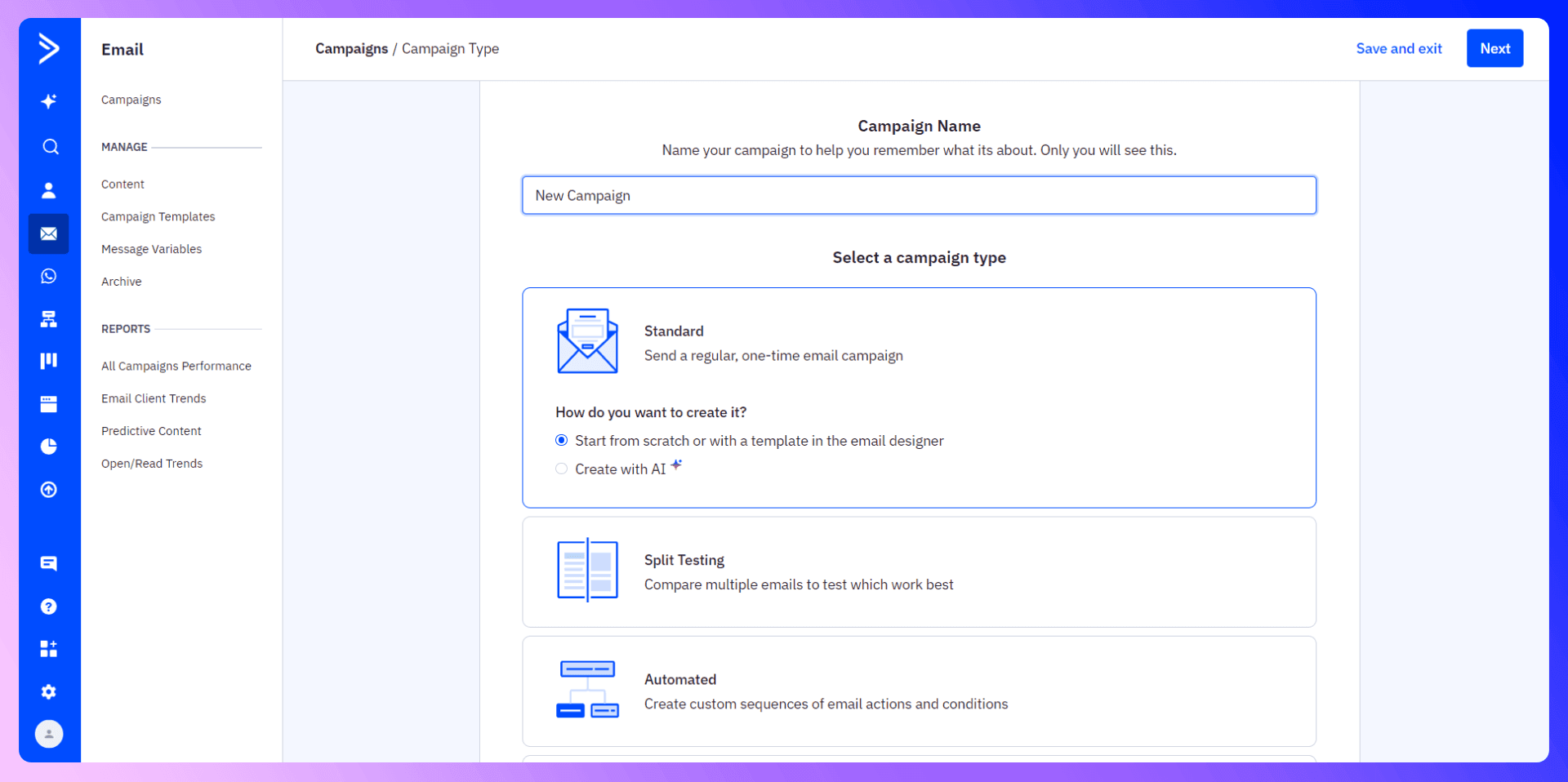
In ActiveCampaign, “Campaigns” are the central building block for newsletters, special promotions, or regular blasts. Here are the main campaign types:
- Standard Campaign: One-time email, e.g., “50% Off End-of-Year Sale.”
- Automated Campaign: Custom trigger-based sequences (part of an Automation).
- Auto Responder Campaign: Sends after a user subscribes to a list. Perfect for lead magnets or quick follow-ups.
- Split Testing Campaign: Compare multiple email variations to see which performs best.
- RSS Triggered Campaign: Auto-send whenever your blog’s RSS feed updates.
- Date Based Campaign: Perfect for birthdays, anniversaries, or time-sensitive messages.
Creating a Standard Newsletter
- Go to Campaigns > New Campaign
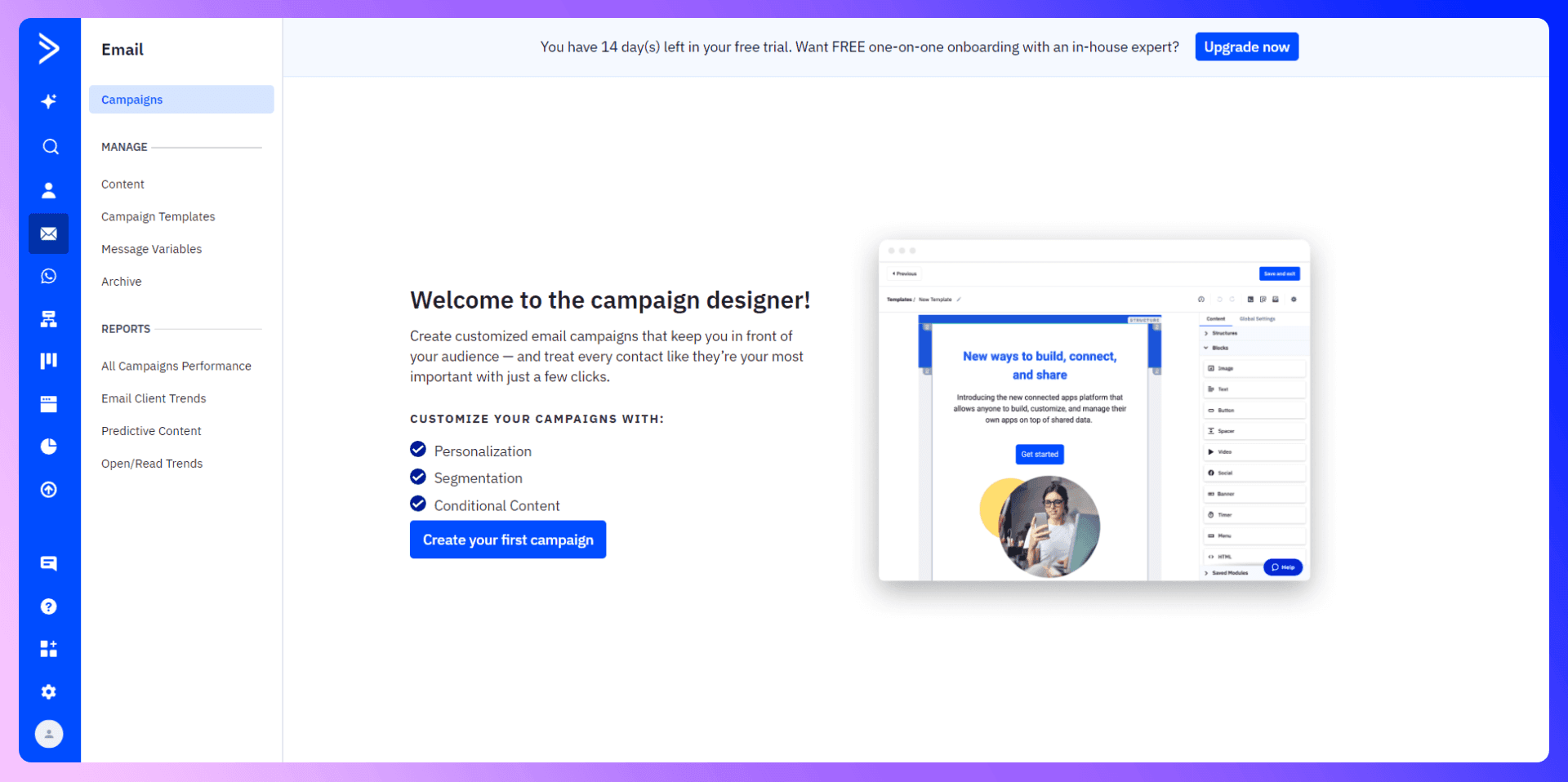
- Select Standard for a typical broadcast email.
- Choose your list or segment.
- Pick from built-in email templates or design from scratch.
- Review summary, spam-check, then Send Now or Schedule it.
Each campaign type opens possibilities for your marketing. For instance, an “Auto Responder” can deliver a quick PDF or coupon the moment someone joins your list—a frictionless way to share lead magnets or welcomes.

Find verified emails and enrich ActiveCampaign contacts
Add to CRM finds verified emails, phone numbers, and job titles on LinkedIn® — then adds them to ActiveCampaign in one click.
Start Free Trial


 Trusted by 2,500+ users4.5
6. Automation & Advanced Tactics
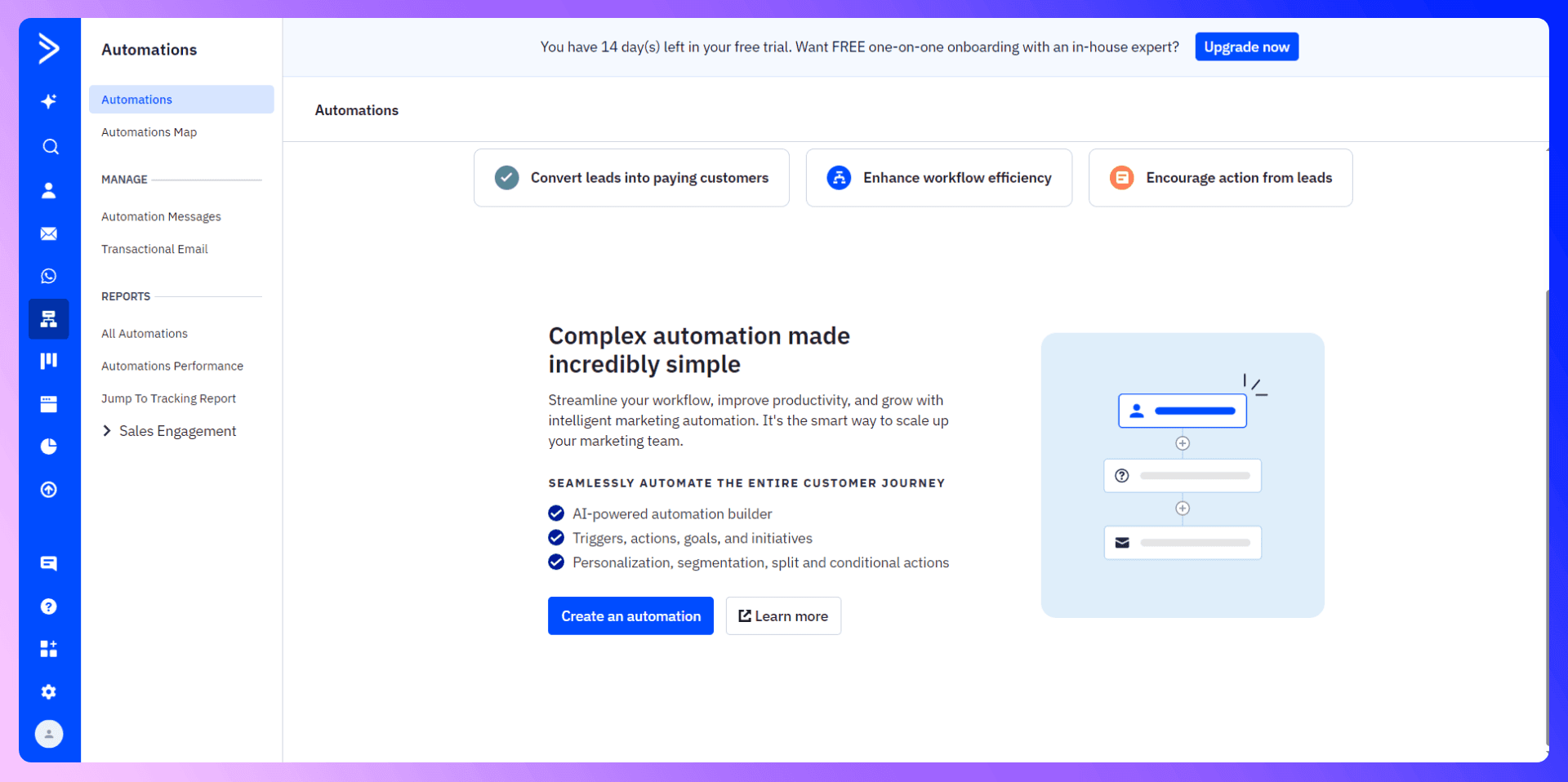
ActiveCampaign automations are where the real magic happens. From drip sequences to post-webinar nurtures, the drag-and-drop workflow builder lets you plan multi-step journeys with if/then branches, split logic, and more.
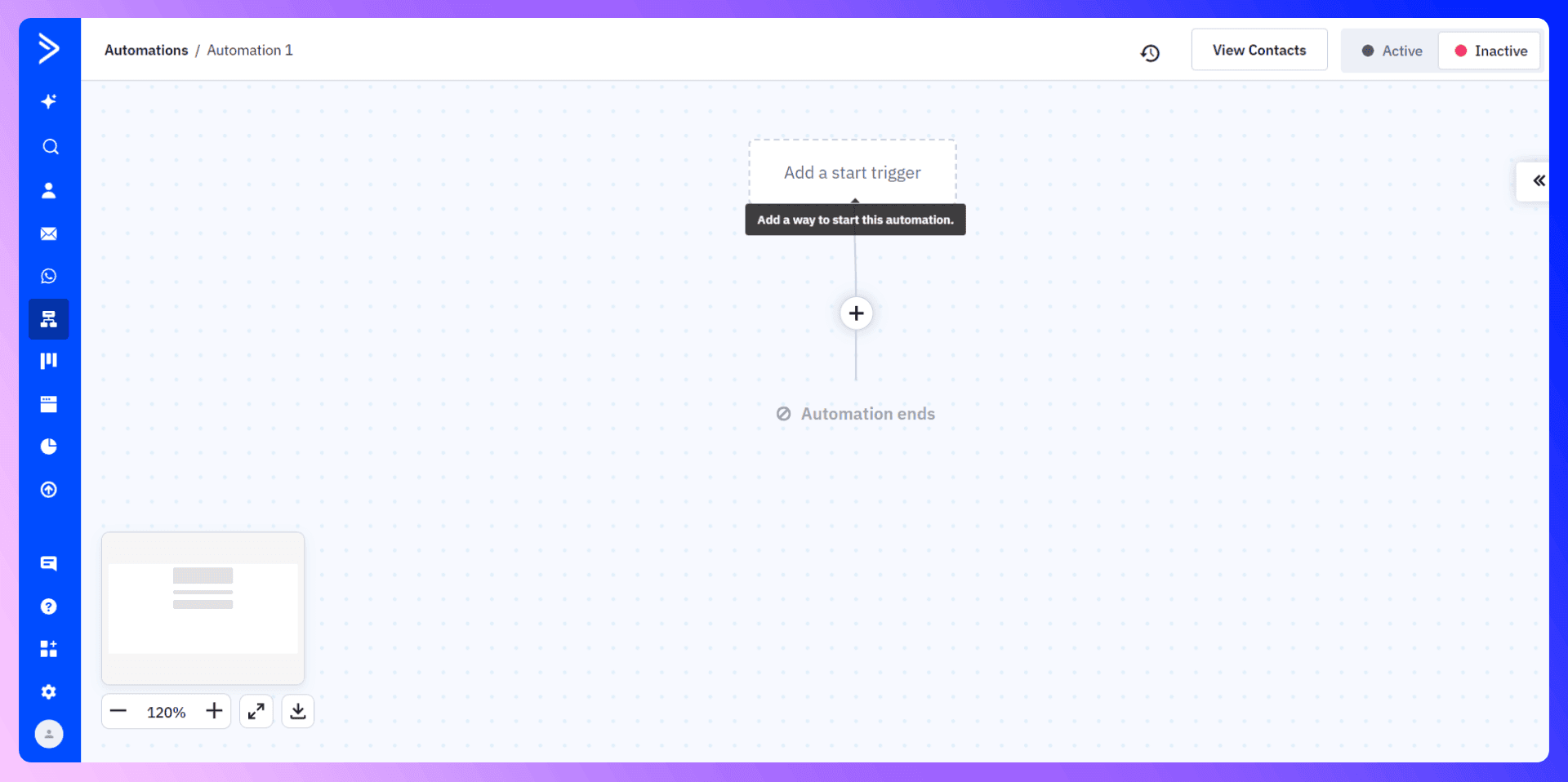
Building a Simple Welcome Automation
- Go to Automations > Create: Start from scratch or pick a template.
- Trigger: Subscribes to a specific list or Tag is added.
- Action: Send Email (the “Welcome” message).
- Optionally Wait: Add a delay, then send a follow-up or check if they opened the first email.
- End Automation: Or branch to more advanced steps (like adding them to a sales pipeline if they click a link).
Conditional Content & Tagging
If you want to show different content to subsets of your list in the same email, use conditional blocks. For instance, if someone has a “Webinar_Attendee” tag, they’ll see a special coupon, while non-attendees see a standard message. Conditional content can drastically boost open and click-through rates when used creatively.
7. Split Testing (A/B Testing)
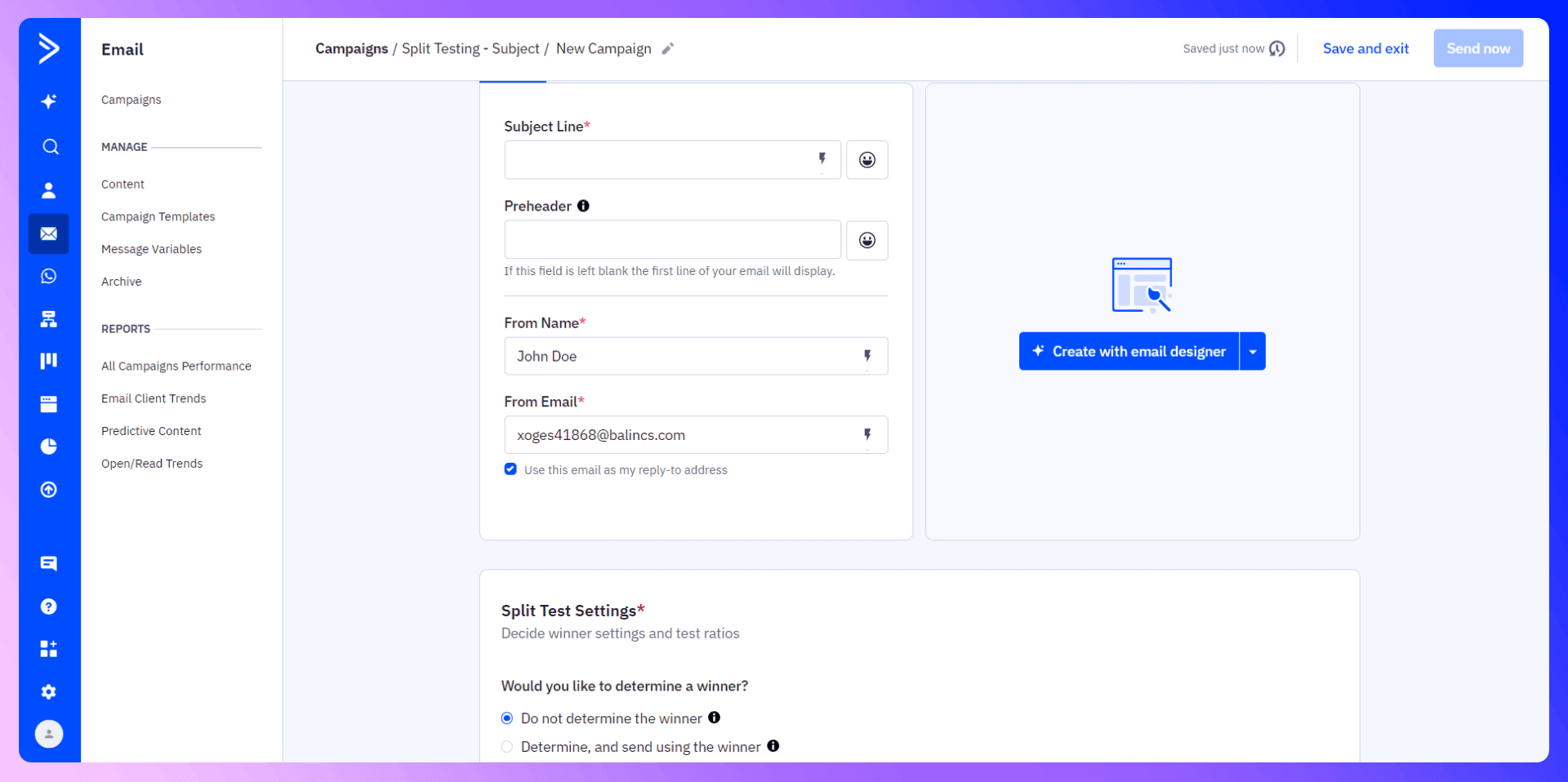
Trying out two subject lines or two distinct email bodies is a breeze with ActiveCampaign’s split testing. You can do simple one-off A/B subject lines in a campaign or do multi-step splits in the “Automations” section, using its Split action.
How It Works
- Step 1: Pick a campaign type: Split Testing.
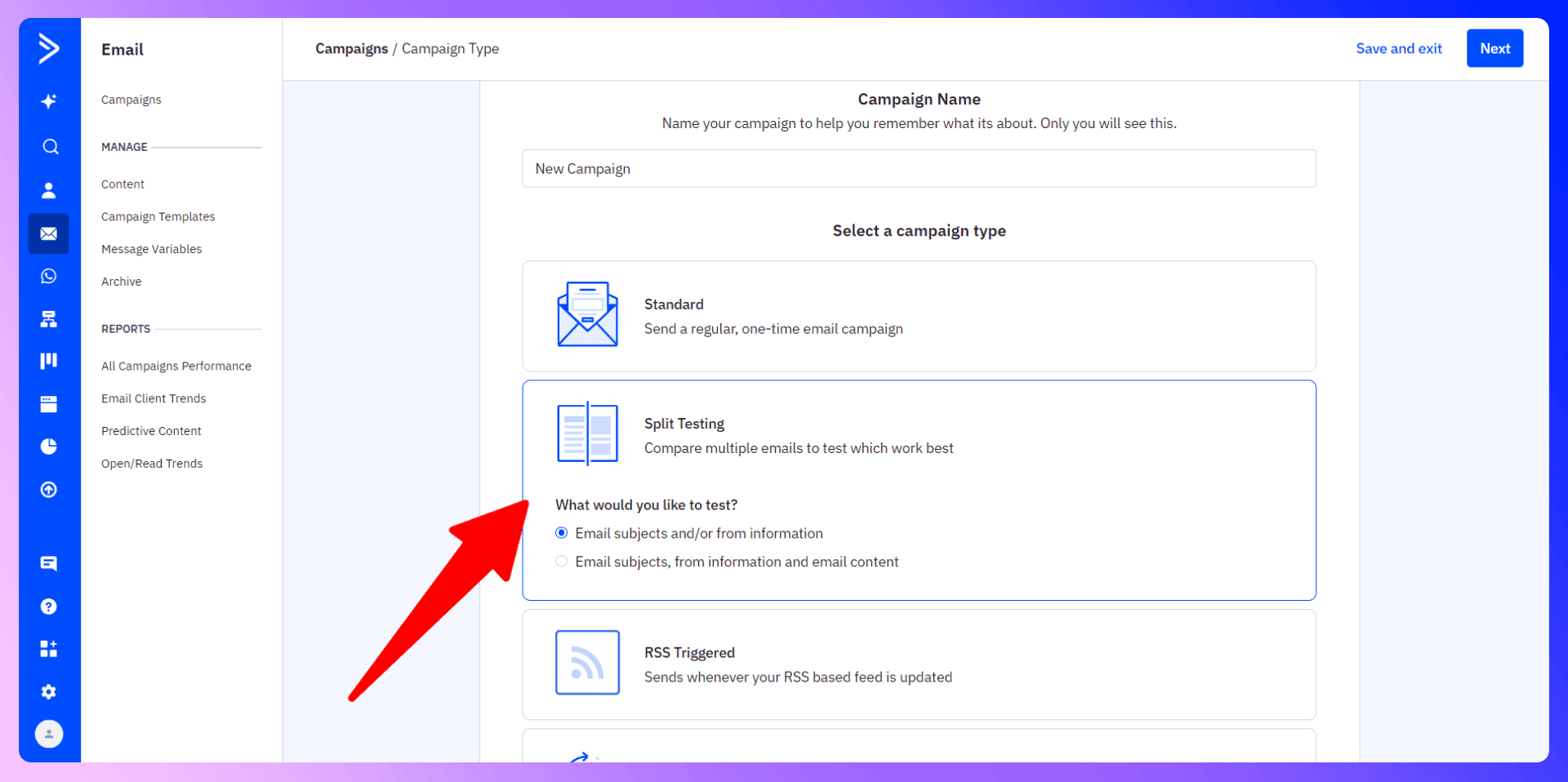
- Step 2: Define what you’re testing: “Subject line only” or “From name + Subject + Content.”
- Step 3: Decide how you want a winner declared: by open rate or click rate.
- Step 4: If you want AC to automatically pick a winner after X hours or X% of your list, set it in the summary screen.
Use the earlier step with a “sample size calculator” to ensure your test is statistically valid. Don’t jump to conclusions with tiny data sets—let enough contacts go through each variation to find a real winner.
8. Site Tracking & Segmentation
Imagine knowing exactly who visited your pricing page—and automatically sending them follow-up emails. That’s the Site Tracking feature in ActiveCampaign. You insert a small snippet of code into your website’s footer. Then, any contact who clicked through your emails is recognized, and their page visits can trigger automations.
Examples
- Webinar Follow-Up: See if they visited the “Bonus Offer” page post-webinar. If yes, tag them “Interested.” If no, send a gentle nudge.
- Shopping Behavior: A site tracking snippet can help segment contacts who view specific product pages multiple times—perfect for e-commerce reminders or retargeting sequences.
- Book a Call Nudges: If someone hits your “Contact Us” page thrice, you can automatically send an email offering them a direct link to schedule a call.
9. CRM & Sales Pipeline
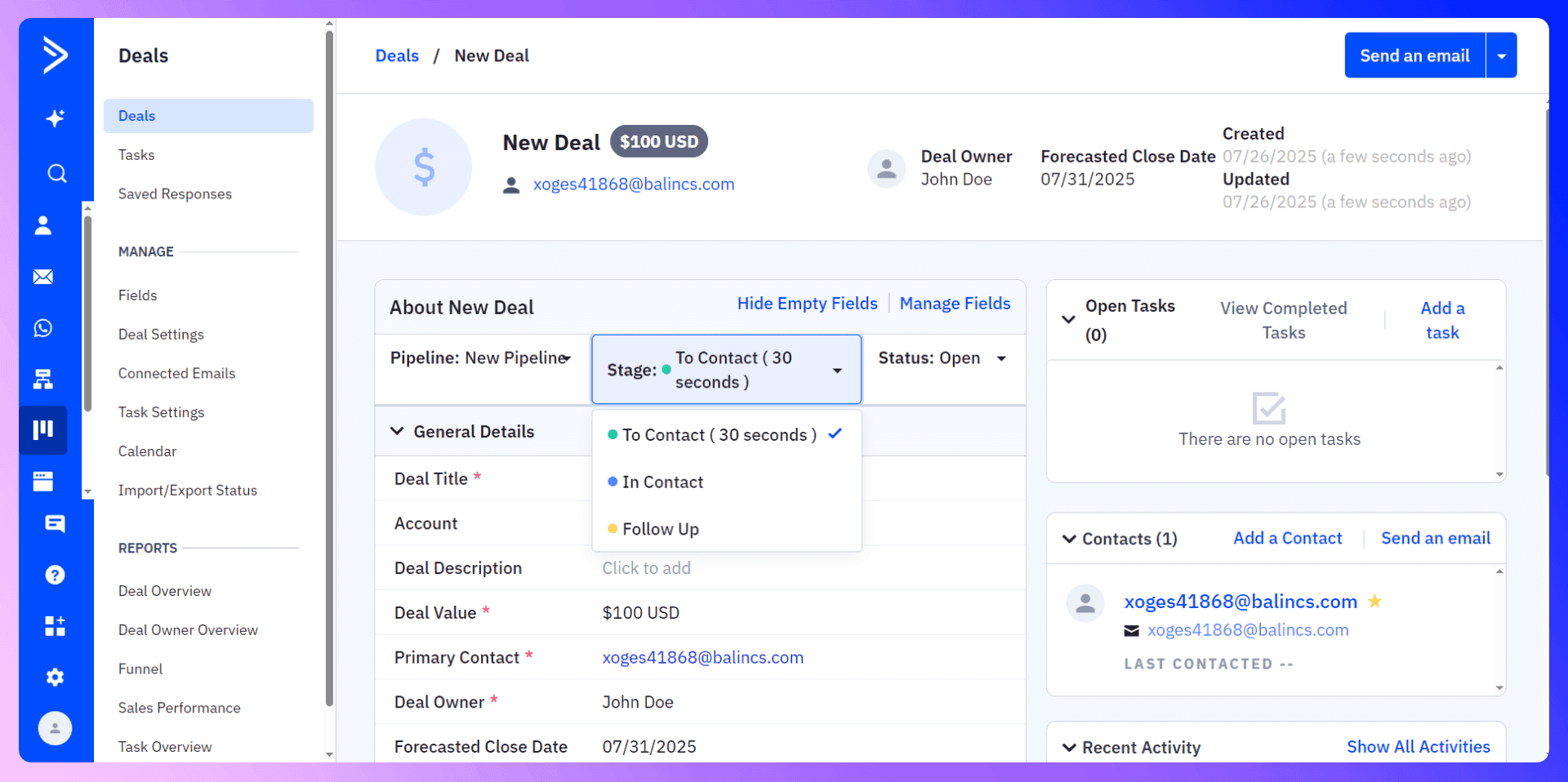
ActiveCampaign isn’t just about marketing. It also includes a basic CRM with pipelines, deal stages, tasks, and notes. You can push leads into a pipeline stage (like “Discovery Call” or “Negotiation”) and track them through to a “Won” or “Lost” outcome.
Creating Your Pipeline
- Go to Deals > Add Pipeline!
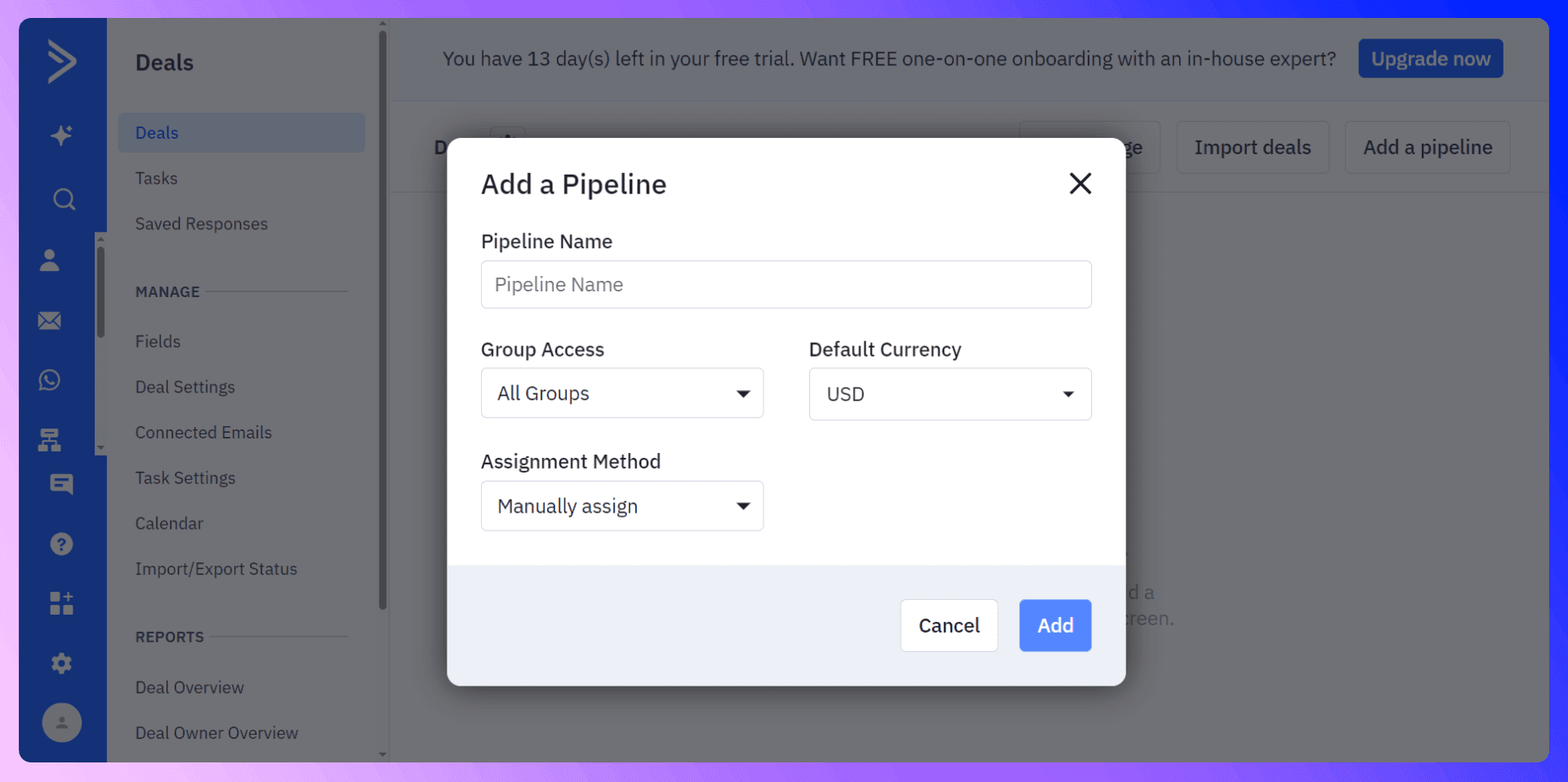
- Name it (e.g. “Coaching Sales Funnel”).
- Add Stages: e.g., “No Call Booked,” “Call Booked,” “Offer Made,” “Offer Accepted,” “Offer Declined,” etc.
- Drag & Drop: Move deals from stage to stage as prospects progress.
Automating Deal Creation
If you use a scheduling tool like Calendly (or LinkActive to unify data from LinkedIn or other sources), you can have an automation create a new deal in “Call Booked” whenever someone sets up a meeting. Likewise, sending a final “Welcome” email after you drag them to “Won Deal” is easy to configure in automations.
Save hours on ActiveCampaign data entry
Add to CRM finds verified emails, phone numbers, and job titles on LinkedIn® — then adds them to ActiveCampaign in one click.
Start Free TrialTrusted by 2,500+ users4.510. ActiveCampaign LinkedIn Integration
Often, your best leads come from professional connections or LinkedIn outreach. But manually transferring those leads into ActiveCampaign can be time-consuming—or error-prone.
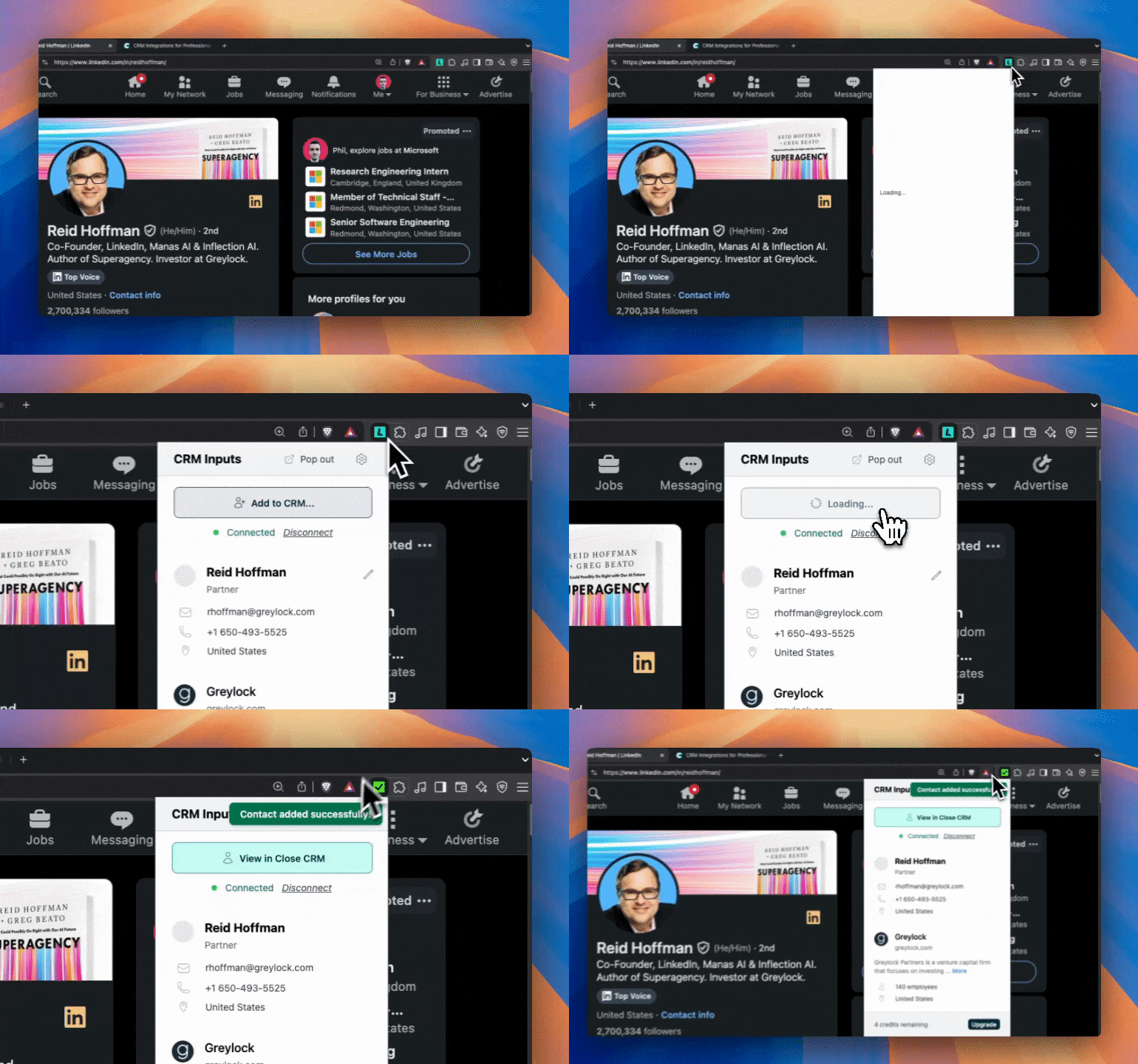
LinkActive aim to solve this. It’s a Chrome extension that seamlessly pulls LinkedIn contact details into ActiveCampaign in one click, creating or updating contacts automatically.
Key Benefits
- One-Click Sync: Save hours each week by eliminating copy-paste routines.
- No Missed Connections: Always have an up-to-date AC contact with notes from LinkedIn.
- Better Targeting: Tag, segment, or enroll these new leads in relevant automations the moment they appear in ActiveCampaign.
For more details, check out LinkActive. If you’re using ActiveCampaign for building B2B relationships, it might be the time-saver you didn’t know you needed.
11. Useful Links
- Importing Contacts: How to Import Contacts into CRM
- Finding Your API Key: How to Find Your API Key in ActiveCampaign
- Official AC Campaigns Guide: A Guide to Campaigns from ActiveCampaign
12. Conclusion & Next Steps
ActiveCampaign offers a robust blend of email marketing, marketing automation, site tracking, and CRM functionality—all under one roof. Whether you’re drumming up new leads via webinars, building advanced sales pipelines, or personalizing every campaign with if/then logic, ActiveCampaign can handle it.
Set up your custom domain authentication first, import your data, build out targeted campaigns, and connect site tracking to glean real-time engagement insights. Then, leverage the integrated CRM to track deals from “Call Booked” to “Won.” If you want an even faster route to robust pipeline creation, use LinkActive to transfer data from your professional network to ActiveCampaign in seconds.
Happy sending!
This app will save you hours using ActiveCampaign

 ActiveCampaign Integration
Add contacts to ActiveCampaign from LinkedIn®
Enrich profiles with verified emails and phone numbers. Sync to ActiveCampaign in one click.
Try ActiveCampaign Extension7-day free trial · Cancel anytime
Save 4+ hrs / week on ActiveCampaign data entry.
Find verified contact info for your prospects on LinkedIn®, Gmail, Outlook & company websites. Add them to your ActiveCampaign with 1-click.
 Loading...Trusted by 2,500+ founders, SDRs & more