A Guide to Contact Management for Small Business
Tired of messy spreadsheets? Learn smart contact management for small business. This guide covers choosing a CRM, automating data entry, and boosting sales.
Let's be honest, juggling scattered spreadsheets, random notes, and manual data entry is holding your business back. We've all been there: one contact's details are in your email, another's are on a sticky note, and a third is lost in a sea of spreadsheet tabs. This isn't just an administrative headache; it's a strategic bottleneck that actively slows down growth.
This is where smart contact management for small business becomes a game-changer. It’s all about shifting from that chaotic, reactive approach to a streamlined, proactive one. The core idea is to establish a single source of truth—one centralized hub where every piece of information about every contact lives.

The True Cost of Sticking with Spreadsheets
When your team spends hours just hunting for information, they aren't selling or building relationships. That wasted time hits your bottom line directly. Worse, it creates frustrating experiences for potential customers who get inconsistent follow-ups or have to repeat their story to different team members.
The fallout from sticking with manual methods is very real:
- Lost Leads: Promising prospects fall through the cracks simply because no one was assigned to follow up.
- Inefficient Sales Cycles: Sales reps burn valuable time on data entry instead of actually engaging with potential clients.
- Poor Customer Service: Without a complete conversation history, your support team can't provide informed, personalized help.
- Zero Real Insight: It’s nearly impossible to spot trends, measure performance, or make informed decisions when your data is all over the place.
The table below gives a quick snapshot of just how different your daily operations look when you move from manual tracking to an automated system.
Manual Spreadsheets vs. Automated CRM
| Activity | Manual Method (Spreadsheets) | Automated Method (CRM + Tools) |
|---|---|---|
| Adding a New Contact | Manually copy-paste name, email, company, and notes from a social profile or an email. | One-click capture from a social profile or email automatically creates a complete contact profile. |
| Logging an Interaction | Type up call notes, dates, and outcomes into a cell. Hope you remember to do it. | Calls, emails, and meetings are logged automatically to the contact's timeline. |
| Following Up | Set a manual calendar reminder (or try to remember). Search for the last email to get context. | Get an automated task reminder with full contact history and past conversations visible. |
| Team Collaboration | "Who spoke to Jane last?" Email chains and Slack messages to find out. Version control chaos. | Everyone sees the same unified contact record, updated in real-time. No more guesswork. |
| Finding Information | Ctrl+F through multiple tabs and files, hoping the data is even there. | Instantly search and filter all contacts by any field—deal stage, location, last contact date, etc. |
As you can see, the difference isn't just about being "more organized." It’s about reclaiming hours of lost productivity and creating a system that actively helps you grow.
Embracing a Single Source of Truth
A dedicated contact management system, usually a Customer Relationship Management (CRM) platform, solves these problems for good. It ensures that every single interaction—from an initial email to a final sale—is logged in one place, accessible to everyone who needs it.
This unified view is more than just convenient; it's the foundation for building a scalable business. When your entire team operates from the same playbook, you can deliver a consistent and professional experience at every single touchpoint.
This shift isn't just for large corporations anymore. A staggering 71% of small businesses worldwide now rely on CRM systems to manage their operations effectively. That number alone shows just how indispensable organized contact management has become for small teams trying to stay competitive.
As these CRM adoption trends show, teams that don't adapt get left behind. Modern tools even automate the capture process, pulling contacts directly from your email or social platforms, setting the stage for smarter, more efficient growth.
Choosing the Right Tools for Your Business
Jumping into the world of CRMs can feel like you're trying to drink from a firehose. Every platform claims to be the best, the simplest, the most powerful. But here’s the truth: the "perfect" tool doesn't exist. The goal is to find the right foundation for your business as it is today, with an eye toward where you're headed.
This starts with a brutally honest assessment of what you actually need versus what looks cool on a pricing page. This is the single most important step in contact management for small business. Without a clear picture of your day-to-day, you’ll end up paying for a complicated system you hate using, when a simpler tool would have done the job beautifully.
A Practical Needs Assessment Checklist
Before you even open a new browser tab, grab a pen and paper. Answering these questions will give you a filter to cut through the marketing fluff and focus on what truly matters.
- Your Sales Process: Seriously, map it out. How does a lead get from "hello" to a closed deal? Is it a quick handshake, or do you have multiple stages like qualification, a proposal, and negotiation?
- Team Access: Who needs to see this contact info? Is it just you? A small sales team? Do your customer support and marketing folks need a window into customer history, too?
- Must-Have Integrations: What tools do you live in every day? Your email (Gmail or Outlook?), your calendar, your accounting software. If a CRM can't talk to these, you're just creating more work for yourself.
- The Data That Matters: What information, if you had it, would change the game? Is it just a name and email, or do you need to know their industry, company size, or exactly how they found you?
Once you’ve answered these, you'll have a solid profile of your ideal tool. For a deeper dive, check out our guide on the best contact management software to see how different platforms compare.
The best CRM is the one your team will actually use. Always prioritize simplicity and ease of use over a long list of fancy features that will end up collecting digital dust.
Configuring Your Contact Fields for Actionable Insights
Got a system? Great. Now it's time to make it smart. A standard contact record with just a name and email is a digital Rolodex—a missed opportunity. Custom fields are what turn your CRM from a simple address book into a source of genuine business intelligence.
This is where you build the data structure that will fuel every sales and marketing move you make. Think beyond the basics. Add fields that tell a story about each person and their journey with your business.
Essential Custom Fields to Add:
- Lead Source: How did this person find you? (e.g., Website, Referral, Social Media, Event). This is non-negotiable for measuring marketing ROI.
- Last Contact Date: This should update automatically after any interaction. It’s the easiest way to spot who's going cold so you can re-engage them.
- Deal Stage: For multi-step sales processes, this tracks where every prospect is in your pipeline (e.g., New Lead, Qualified, Proposal Sent, Closed-Won).
- Customer Type: Segment your contacts to stop sending generic blasts (e.g., Prospect, Current Customer, Partner, Former Customer).
Setting these up from day one saves you from the inevitable, painful cleanup of thousands of records months down the road. It also starts automating the soul-crushing tasks that eat up your team's day.
Think about it. The startup founder manually punching in leads isn't just wasting time; they're falling behind. In fact, 32% of sales reps spend over an hour a day on manual data entry. That’s an hour they could have spent selling. This is where tools like Add to CRM come in, turning a social profile or email signature into a pristine CRM record in one click. By automating enrichment and checking for duplicates, it gives teams back over 4 hours a week. Want to see more stats on how this impacts the bottom line? Explore the latest CRM statistics and see for yourself.
Automating How You Capture and Enrich Contacts
The real magic of a modern CRM isn't just storing information—it's about reclaiming your most valuable asset: time. Once you have a solid CRM foundation in place, the very next step is to get rid of the soul-crushing manual data entry for good.
This means building a system where contacts flow into your CRM automatically, without you ever having to copy and paste again. It’s a small shift that turns your CRM from a passive database into an active part of your growth engine. Instead of spending hours keying in details from an email signature, you can focus on building relationships.
The Power of One-Click Capture
We've all been there. You find a promising lead on a professional social network. The old way involved opening your CRM in another tab, creating a new contact, and manually typing their name, company, job title, and anything else you could find. It’s slow, tedious, and a perfect recipe for typos.
This is where one-click capture tools come in.
These tools, usually browser extensions, completely flip the script. With a single click on someone's profile, the tool instantly scrapes all the relevant public information and creates a perfect, well-formatted record directly in your CRM.
This is what it looks like in practice. A tool like Add to CRM spots a contact in your inbox and preps it for instant capture.
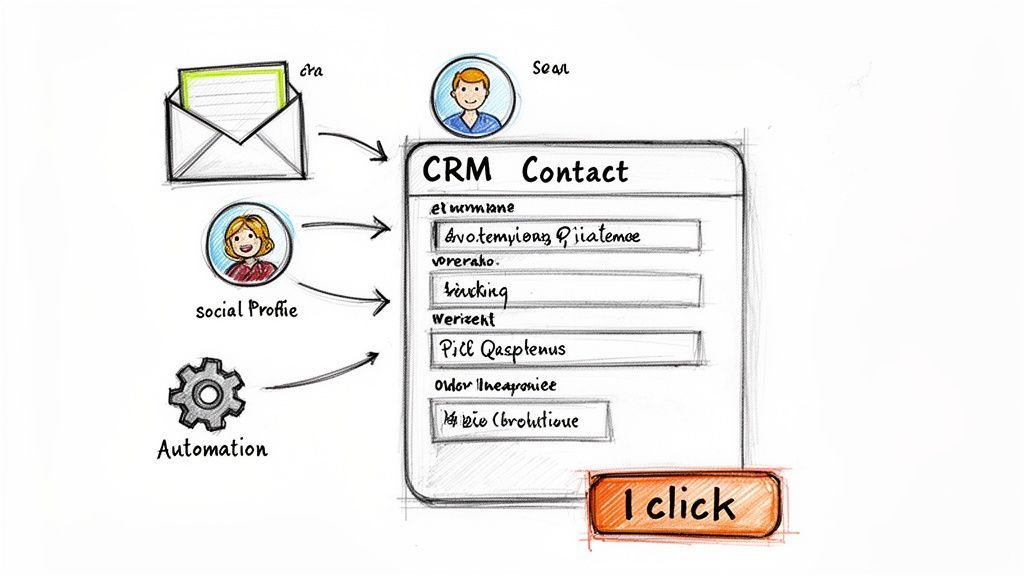
The efficiency gain is massive. What used to be a clunky, multi-step chore is now a seamless, one-second action. This is the heart of smart automation.
Mapping Your Data for Consistency
Of course, automated capture only works if the data lands in the right place. This is where field mapping comes in. Think of it as giving your capture tool a set of instructions, telling it exactly where each piece of information from a source (like a social profile) should go in your CRM.
For example, you can set up simple rules like:
- Map the "Headline" from a social profile to your CRM's "Job Title" field.
- Map the "Company Industry" to your custom "Industry" field.
- Make sure the "Website" from a profile always goes into the "Company Website" field.
Setting up proper field mapping is a one-time task that pays dividends forever. It ensures every new contact is added with the same consistent structure, making your data clean, searchable, and infinitely more valuable.
Without this step, you risk creating a new kind of chaos, with data dumped into the wrong places. Taking 30 minutes to configure your mappings ensures your database stays organized from day one. To see how it's done, you can learn more about how to automate data entry with these techniques.
From Basic Contact to Rich Prospect Profile
Just capturing a name and email is the starting line. The real competitive advantage comes from data enrichment.
This is an automated process where third-party tools take a single piece of information—like an email address—and append dozens of valuable data points to it. A simple contact record instantly becomes a rich, detailed prospect profile.
Instead of just a name, you suddenly have a complete picture.
Common Data Points Added Through Enrichment:
- Professional Details: Verified job title, seniority level, and role.
- Company Information: Company size (employee count), annual revenue, and industry.
- Contact Information: Verified corporate phone numbers and alternative emails.
- Social Profiles: Links to their other professional social media accounts.
With this enriched data, you can run incredibly precise searches. Imagine filtering your contacts to find "all VPs of Marketing at SaaS companies with 50-200 employees in California." That level of targeting is impossible with manual entry but becomes effortless with automation, giving your sales team the context they need for more relevant conversations right from the start.

Find verified contact data on LinkedIn®
Add to CRM finds verified emails, phone numbers, and job titles on LinkedIn® — then adds them to your CRM in one click.
Start Free Trial


 Trusted by 2,500+ users4.7
Keeping Your Contact Data Clean and Accurate
Automating how you capture contacts is a huge efficiency boost. The catch? You now have a firehose of information coming in, and you need to keep it clean, accurate, and reliable.
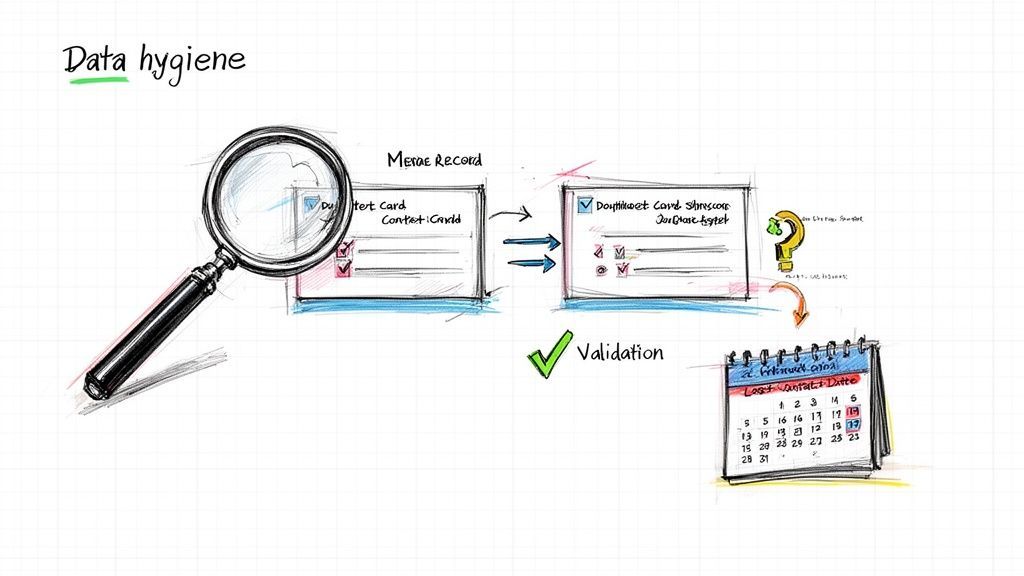
Your CRM is only as good as the data you put in it. A database cluttered with errors, duplicates, and outdated info quickly becomes more of a liability than an asset. This is where data hygiene stops being a "nice-to-have" and becomes a non-negotiable part of your workflow.
Think of your contact database like a busy stockroom. When everything is in its right place and properly labeled, you can grab what you need in seconds. But if items are duplicated, misplaced, or mislabeled, the whole operation grinds to a halt. The exact same thing happens with your contact data—clean data powers reliable reports, effective outreach, and insights you can actually trust.
Setting the Ground Rules for Quality Data
The easiest way to keep your database clean is to stop bad data from getting in. This isn't about complex technical hurdles; it's about setting a few firm-but-simple rules from day one. By establishing a consistent format for data entry, you ensure every new contact record is complete and structured the right way.
Two of the most powerful tools for this are validation rules and mandatory fields.
- Mandatory Fields: Make crucial fields like 'Lead Source' or 'Email' required before a new contact can be saved. This one simple step prevents hollow, incomplete records from ever cluttering your system.
- Validation Rules: Enforce specific formatting for certain fields. For example, a rule can ensure a phone number field only accepts numbers, or that an email address always contains an "@" symbol.
Think of these as simple guardrails. They maintain the integrity of your data over the long haul, no matter who on your team is adding new people.
The Never-Ending Fight Against Duplicates
Duplicate entries are the single biggest headache for any growing business. They split conversation histories, throw off your reporting, and lead to those embarrassing moments where multiple team members contact the same person about the same thing. It just makes you look disorganized.
Thankfully, modern CRMs and capture tools are built to fight this problem head-on. Many have built-in duplicate detection that scans your database before a new record is created. If it finds a match based on an email address or company name, it will flag the existing record, prompting you to update it instead of creating a new one.
This automatic check is your first line of defense. It turns the painful, reactive chore of cleaning up duplicates into a proactive, preventative habit that saves countless hours down the road.
A Simple Workflow for Regular Database Cleaning
Even with the best preventative measures, some bad data will eventually slip through the cracks. That's why a regular cleaning schedule is so important. This doesn't have to be some massive, all-consuming project. Just setting aside a couple of hours each quarter is usually enough to keep things in great shape.
Your Quarterly Data Hygiene Checklist:
- Merge Duplicates: Run your CRM’s built-in duplicate finder. Go through the flagged records and merge them, making sure you keep the most accurate and complete information from each entry.
- Archive Inactive Contacts: Create a filter to find contacts you haven't spoken with in over a year. Don't delete them—archive them. This cleans up your active lists but saves their history in case they pop back up later.
- Update Key Records: Pinpoint your top customers or most promising prospects. Spend a few minutes manually reviewing their records to update job titles, phone numbers, or any other details you can find.
This centralized approach makes sure all the details are verified and accurate. The cloud CRM market is projected to hit $175.82 billion by 2031, and a big reason is that 65% of small businesses adopt these systems within their first five years to streamline exactly this process. To see how these trends are shaping the industry, you can discover more insights about CRM statistics.
Proactive data management isn't just about being tidy—it's about making sure your most valuable business asset is always ready to use.
How to Measure Your Contact Management ROI
Investing in a new contact management system feels like a win, but how do you actually prove it's moving the needle? Tracking your return on investment (ROI) isn’t just about justifying an expense—it's about understanding how your system is creating predictable growth.
The good news is you don't need a data science degree to do it. The value shows up in both hard numbers (the quantitative stuff) and in the less tangible, day-to-day improvements (the qualitative wins). Both are crucial parts of the story.
Let's break down what to track.
Key Performance Indicators to Track
Don't get lost in a sea of data. For most small businesses, a handful of key performance indicators (KPIs) will tell you everything you need to know. These are the metrics that connect your contact management efforts directly to your bottom line.
Here’s what you should be watching:
- Time Saved on Data Entry: This is usually the first and most satisfying return. How many hours is your team not spending on manual data entry or updating spreadsheets?
- Lead Conversion Rate: A clean, organized database should make nurturing leads much easier. Track the percentage of new leads that actually become paying customers.
- Sales Cycle Length: How long does it take to get a prospect from that first "hello" to a closed deal? Better contact management gives your team the right info at the right time, which should shrink this cycle.
- Customer Retention Rate: We all know it's cheaper to keep a customer than to find a new one. Your system should help you track interactions and nail your follow-ups, which builds loyalty and cuts down on churn.
Calculating the Value of Time Saved
Let's put a dollar figure on all that newfound efficiency. Say you have two sales reps who now save four hours a week each because they’re not manually typing in contact info anymore.
Here’s a back-of-the-napkin formula to see what that’s worth:
(Hours Saved per Week) x (Number of Employees) x (Average Hourly Wage) x (4 Weeks)
If your reps earn $30 per hour, the math looks like this: (4 hours x 2 employees x $30/hour x 4 weeks) = $960 per month. That's a whopping $11,520 in reclaimed productivity every single year.
That's time they can now spend on high-value activities that actually generate revenue. Want to run your own numbers? Our CRM ROI calculator can help you figure it out.
The most powerful ROI isn't just about saving money—it's about reallocating your team's most valuable resource, their time, from low-value admin work to high-value relationship building.
The Impact on Sales Efficiency
Great contact management is a direct injection of fuel into your sales engine. With lead generation being a top challenge for 29.7% of small businesses, every little efficiency gain adds up.
Just having mobile access to a CRM can boost sales efficiency by 14.6%, since reps can update records from anywhere. In fact, a full 70% of companies now use their CRM on a smartphone for this very reason. It means those critical details from a client lunch are captured immediately, not lost by the time they get back to the office. You can dig into more of these trends and discover more insights about CRM statistics.
Don't Forget the Qualitative Benefits
Not every win shows up on a spreadsheet, but these qualitative improvements are just as important for the health of your business.
- Stronger Customer Relationships: When your team can pull up a complete history of every interaction, conversations get a lot more personal and relevant. No more asking the same questions twice.
- Improved Team Collaboration: A single source of truth ends the "who spoke to them last?" chaos. Everyone is on the same page, all the time.
- Better Decision-Making: With clean, reliable data, you can finally spot trends, forecast with confidence, and make strategic calls based on facts, not guesswork.
When you track both the hard numbers and these qualitative wins, you get a full picture. You'll see that good contact management for your small business isn’t just another tool—it's a genuine driver of sustainable growth.
Your Simple Contact Management Workflow
So, how do we pull all these strategies together into a plan that actually works? The best contact management for small business isn't about buying the most expensive, complicated software. It’s about building smart, repeatable processes.
A clear workflow is your safety net. It makes sure no lead ever falls through the cracks and, maybe more importantly, frees up your team to do what they do best: build relationships and close deals.
Think about it. You're a B2B consultant and spot a promising lead on a professional social network. Without a solid workflow, you're stuck manually copying and pasting their details. With a smart workflow? You use a one-click capture tool, and a rich contact record is instantly created in your CRM. Done.
From Discovery to Follow-Up
The journey for a new contact should feel almost invisible. Once you've captured that lead, the system should jump into action. It automatically enriches the profile with crucial data points like company size, industry, and a verified email.
This step alone is huge. It turns a simple name into a detailed prospect profile without a single minute of manual Googling.
Next, your workflow automatically assigns this fresh lead to the right salesperson based on rules you’ve already set, like their territory or industry focus. At the exact same moment, it creates a follow-up task in their name, ensuring they engage while the lead is still hot. This entire sequence happens in the background, transforming a tedious manual chore into a fast, error-free process.
The goal is to turn manual, repetitive actions into a reliable, automated system. This doesn't just save a ton of time—it guarantees a consistent and professional experience for every single prospect you talk to.
This isn’t just theory. You can see how a structured workflow directly impacts the metrics that matter, like time saved, conversion rates, and the length of your sales cycle.
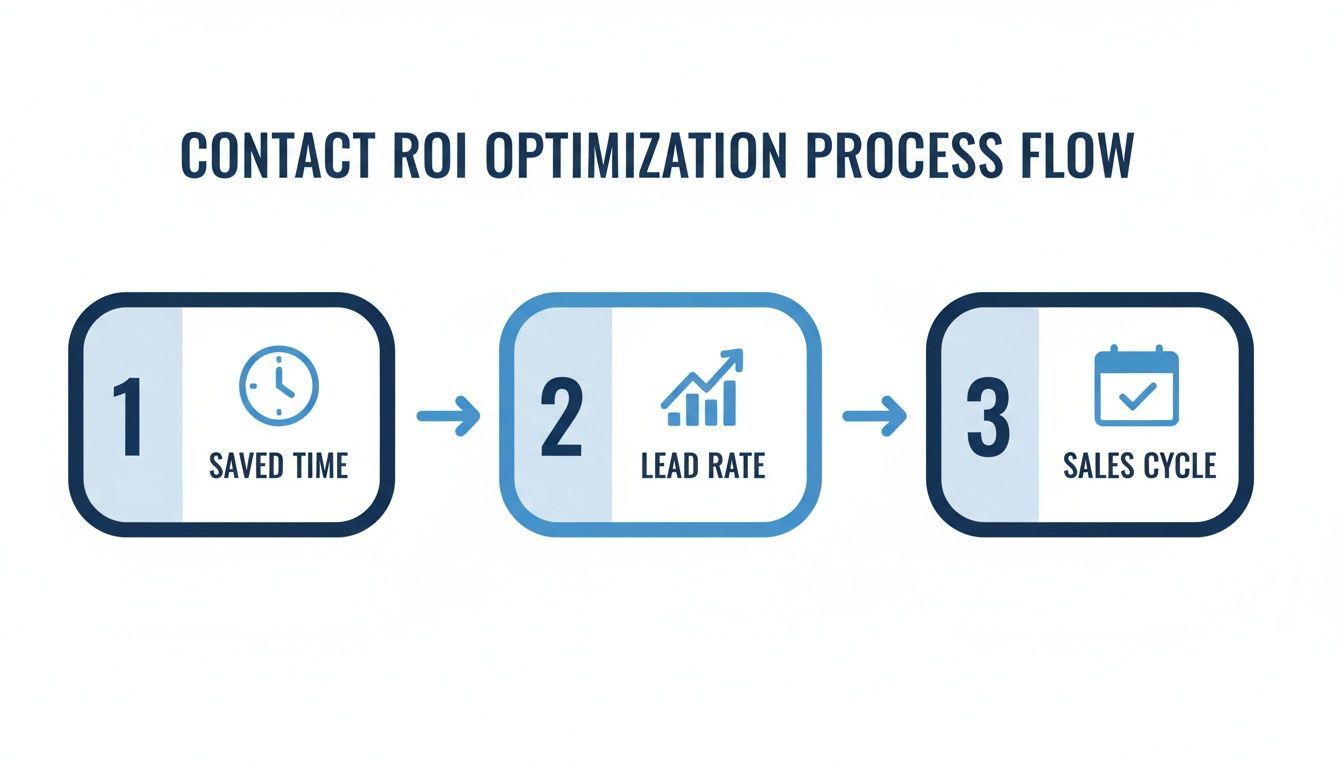
As the flow shows, every step you optimize shaves off administrative friction. The result? A shorter sales cycle and a higher lead rate.
Why a Defined Workflow Is Non-Negotiable
This kind of structured approach has quickly gone from a "nice-to-have" to a necessity. In fact, by 2025, surveys showed 91% of companies with 10+ employees were already using a CRM.
But just having a CRM isn't enough. Without a defined workflow, an estimated 90% of businesses barely scratch the surface of what their system can do. It's features like custom field mapping and team collaboration tools that let even small teams nurture leads like a massive enterprise.
This isn't just about efficiency; it's about building a foundation for sustainable growth, even when you're on a tight budget. You can explore more data on CRM adoption here.
Your first step is simple: map out that capture-enrich-assign-follow-up workflow we just discussed, and start building it today.
Works with 29+ CRMs
Add to CRM finds verified emails, phone numbers, and job titles on LinkedIn® — then adds them to your CRM in one click.
Start Free TrialTrusted by 2,500+ users4.7Still Have Questions? Let’s Clear Things Up.
Diving into the world of contact management can feel a bit overwhelming, especially if you're just graduating from spreadsheets. It's totally normal to second-guess your choices. Are you picking the right tool? Will the team even use it?
Let's tackle some of the most common questions I hear from small business owners.
"When Should We Switch from Spreadsheets to a CRM?"
This is the big one. And the answer has nothing to do with hitting a magic number of contacts. Forget 500 or 1,000.
Instead, look for the pain. Are deals falling through the cracks? Is your team wasting precious time digging through old emails just to find a phone number? When the chaos of manual tracking starts costing you real time and opportunities, that's your cue. It’s not about size; it’s about complexity and lost revenue.
"How Do I Get My Team to Actually Use It?"
Ah, the classic adoption hurdle. You can buy the fanciest software on the planet, but if your team doesn't use it, it's worthless. The secret? Don't force it on them. Involve them from the very beginning.
Ask about their biggest daily frustrations. What tedious tasks do they hate? Frame the CRM as the solution to their problems—not just another box for management to check.
Keep it simple. Start with hands-on training for the few core features they'll use every single day. For instance, show them a one-click capture tool that turns a messy social profile into a perfect CRM record in two seconds flat. When they see it saving them from mind-numbing data entry, you'll have them hooked.
Remember, the goal isn't to roll out a complex system. It's to solve real-world headaches for your team. Show them the direct, immediate payoff, and they'll get on board fast.
"What Are the Must-Have Features on a Tight Budget?"
Finally, the budget question. Small businesses are rightly worried about costs. You absolutely do not need a sprawling enterprise system with a thousand bells and whistles you'll never touch.
Focus on the non-negotiables. The fundamentals.
- A Centralized Contact Hub: One single source of truth for every contact, every email, every note. No more guessing games.
- Task Management & Reminders: The simple ability to create follow-up tasks and get pinged so nothing gets missed.
- Basic Automation: Simple workflows, like automatically sending a welcome email or assigning a new lead to the right person.
- Email Integration: A rock-solid connection to Gmail or Outlook is a must. It needs to log your conversations without you even thinking about it.
Plenty of modern CRMs offer free or seriously affordable plans that nail these basics. Effective contact management for small business isn’t about buying the most expensive tool; it’s about choosing one that solves today’s problems and can grow with you tomorrow—without breaking the bank.
Ready to eliminate copy-pasting and save your team hours every week? Add to CRM turns any social or email profile into a clean CRM record in one click. Start your 7-day free trial.
Start saving time and closing more deals.
Find verified contact info for your prospects on LinkedIn®, Gmail and Outlook — and add them to your CRM with 1-click.

 Loading...Trusted by 2,500+ founders, SDRs & more