The 12 Best Email Finder Tools for Sales Teams in 2025

Discover the 12 best email finder tools for accuracy and efficiency. Compare features, pricing, and integrations to find the perfect fit for your team.

Published on December 19, 2025

In sales, a correct email address isn't just a contact detail; it's the key that unlocks conversations, demos, and deals. But with contacts changing roles and companies faster than ever, manual prospecting is a recipe for bounced emails and wasted time. The right email finder tool transforms this guesswork into a predictable science, ensuring your message lands in the right inbox every time. This guide cuts through the noise to help you find the best email finder tools for your specific needs.

This article provides a comprehensive comparison of 12 leading solutions, moving beyond marketing claims to deliver real-world insights. We've evaluated each platform based on accuracy, CRM integration, workflow speed, and overall value. You will see how each tool performs in practical scenarios, from one-click CRM enrichment to building massive outreach lists for B2B campaigns. Our goal is to equip your team with a solution that actually accelerates revenue, instead of just adding another subscription to your tech stack.

We'll cover top options like Hunter.io, Apollo.io, Lusha, and Snov.io, while also detailing how our own tool, Add to CRM, fits into the ecosystem and when it’s the ideal choice for sales teams focused on speed and data quality. Each review includes:

  • Honest Pros and Cons: A balanced look at strengths and limitations.
  • Best-For Recommendations: Clear guidance on who will benefit most from each tool.
  • Pricing Breakdowns: Straightforward analysis of plans and value.
  • Screenshots and Links: Visual references and direct access to explore further.

Let's dive in and find the perfect tool to stop guessing and start connecting.

1. Add to CRM

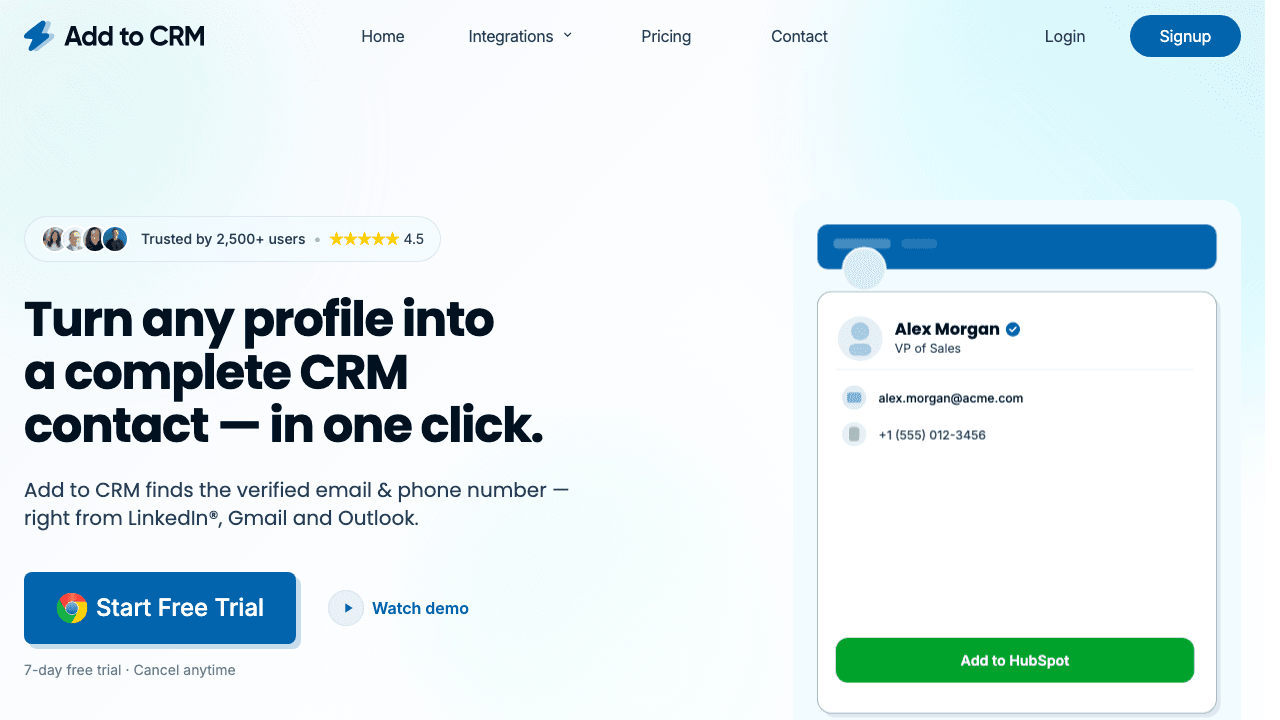
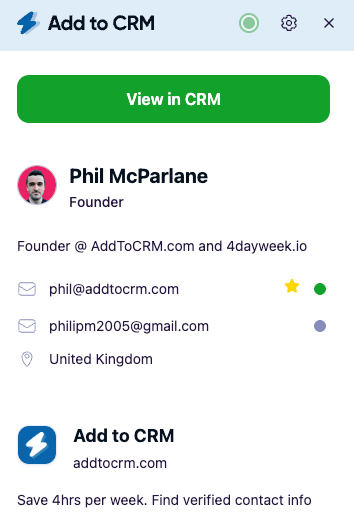
Add to CRM stands out as more than just an email finder; it's a comprehensive prospecting and CRM data-enrichment tool designed to eliminate manual data entry. Built as a Chrome extension, it integrates seamlessly into your workflow on professional networks, Gmail, Outlook, or any company website, allowing you to capture and enrich leads with a single click. This makes it an exceptionally powerful choice for founders, SDRs, and RevOps teams who prioritize both speed and data quality.

What sets Add to CRM apart is its deep integration with over 27 CRMs. It doesn't just find an email; it turns a profile into a complete, clean CRM record. The tool provides verified contact details for a database of over 220 million professionals, boasting an impressive real-time email verification accuracy of approximately 96%. This focus on accuracy is crucial for maintaining a healthy sender reputation and maximizing outreach effectiveness.

Add to CRM showing its CRM integration capabilities

Why It’s a Top-Tier Tool

The platform's core strength lies in its ability to maintain CRM hygiene. Before adding a new contact, it performs duplicate checks and allows for custom field mapping, ensuring data consistency across your team. Users consistently report saving over four hours per week, a testament to its efficiency. This tool is ideal for sales professionals looking to enhance their sales prospecting toolkit on addtocram.com with a solution that finds contact info and ensures it's correctly logged.

The pricing structure is transparent and accessible, featuring a free plan for light users, a Standard tier (€14/month for 100 credits), and a Pro tier (€49/month for 500 credits) that includes priority support and dedicated onboarding.

  • Best For: Sales teams, founders, and RevOps professionals who live in their CRM and need to enrich lead data quickly without manual copy-pasting.
  • Standout Feature: One-click lead creation and enrichment directly into 27+ CRMs with built-in duplicate checks and custom field mapping.
  • Pricing: Free plan available (10 credits/month). Paid plans start at €14/month.
ProsCons
Saves Significant Time: One-click CRM sync saves teams 4+ hours per week on manual data entry.Chrome-Only: Requires the Chrome browser or a Chromium-based alternative.
High-Quality Data: ~96% real-time email accuracy and 31 enrichment data points per contact.Credit and Rate Limits: The free plan has constraints on heavy usage.
Excellent CRM Integration: Supports 27+ CRMs with advanced data hygiene features.
Transparent Pricing & Support: Offers a free starter plan and robust support on paid tiers.

Website: https://addtocrm.com

2. Hunter.io

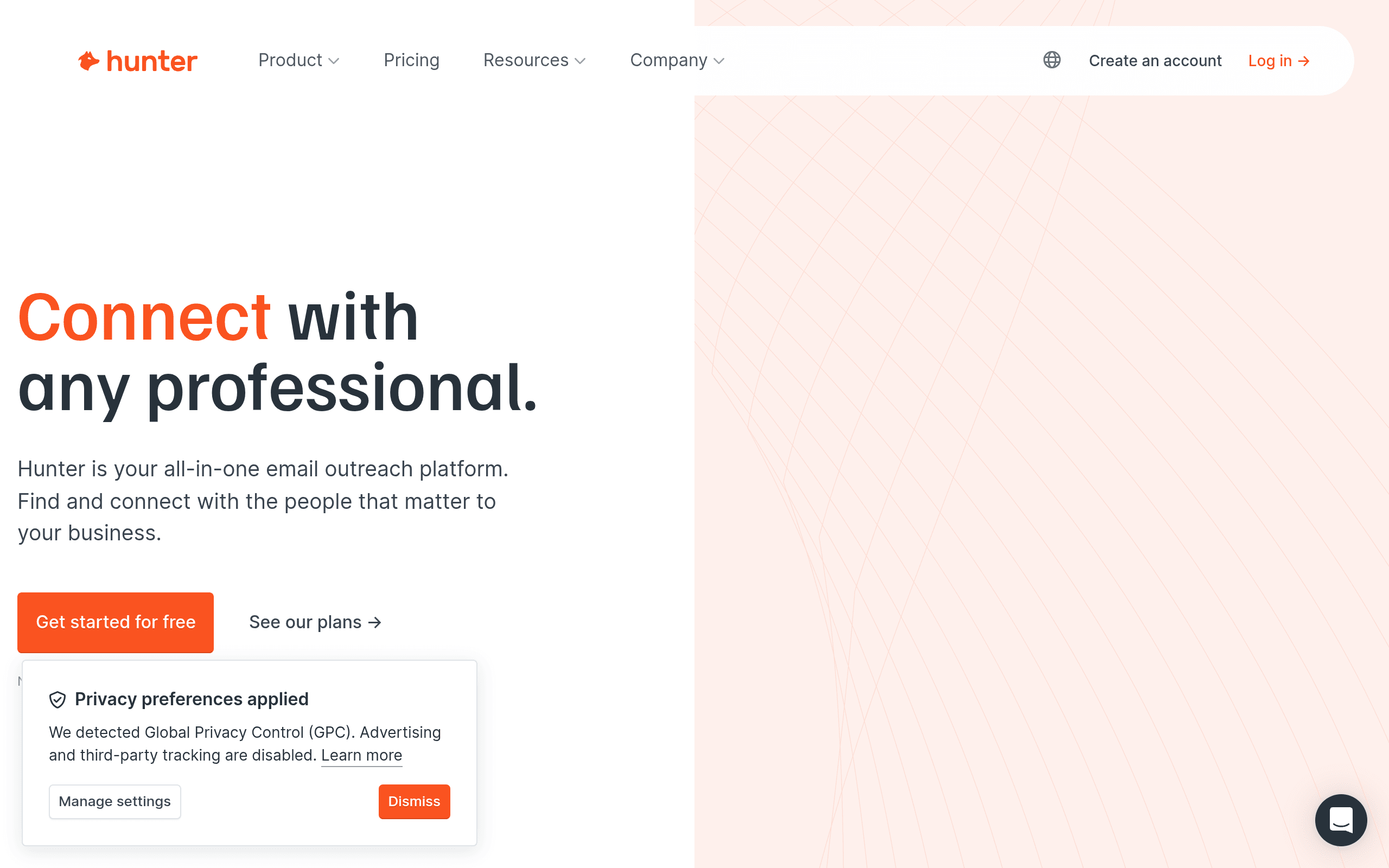
Hunter.io is one of the most recognized and established B2B email finder tools, offering a comprehensive suite for sales and marketing professionals. It provides a strong balance of accuracy, speed, and transparent credit accounting, making it a reliable choice for teams just starting or scaling their outbound prospecting efforts. Its core strength lies in its Domain Search feature, which quickly surfaces all publicly indexed email addresses associated with a specific company website.

Hunter.io interface showing email search results

The platform also includes a person-based Email Finder that provides confidence scores and cites the sources where the email was found, adding a layer of transparency. The user interface is clean and straightforward, making it easy to navigate without a steep learning curve.

Key Features and Pricing

Hunter's built-in email verifier is a crucial component, though it's important to note that verifications consume credits. While this ensures you're working with valid data, it's a cost factor to consider. For a deeper dive into this process, you can explore the essentials of how to verify email addresses to maximize data quality.

  • Pricing: Offers a free plan with 25 searches and 50 verifications per month. Paid plans start at $49/month for 500 searches and 1,000 verifications.
  • Best For: Teams that need a reliable, all-in-one tool with a large database and clear, predictable credit usage.
  • Pros: Transparent pricing, extensive integrations, and a generous free tier for testing.
  • Cons: Verification costs credits (half a credit per check), and its built-in outreach features are less robust than dedicated sequencing platforms.

Website: https://hunter.io/

3. Snov.io

Snov.io positions itself as an all-in-one cold outreach platform, combining a powerful email finder with a full suite of tools for verification, drip campaigns, and even deliverability. This makes it an excellent choice for small to medium-sized businesses looking for a single solution to manage their entire outbound process, from prospecting to follow-up. Its strength is its unified ecosystem, where credits can be used flexibly across different features.

Snov.io interface showing its email campaign builder

The platform includes a Chrome extension for finding emails on company websites and social profiles, a bulk domain search, and a native verifier. Once you've built your prospect list, you can seamlessly push it into an automated email sequence. If you're looking for guidance on moving data, you can learn more about how to import your contact lists into other platforms for broader use.

Key Features and Pricing

Snov.io's integrated approach means you are not just getting one of the best email finder tools, but also a campaign sender and CRM in one package. While the user interface can feel dense due to the sheer number of features, the value proposition is hard to ignore for teams wanting to consolidate their sales stack.

  • Pricing: Offers a free trial plan. Paid plans start at $39/month for 1,000 credits and 5,000 unique recipients.
  • Best For: Sales teams and marketers who need an integrated solution for finding, verifying, and nurturing leads within one platform.
  • Pros: Generous feature set for the price, flexible credit system, and unlimited follow-ups in email campaigns.
  • Cons: The UI can be overwhelming for new users, and its social network automation features require a paid add-on for each slot.

Website: https://snov.io/

4. Apollo.io

Apollo.io has evolved from a simple data provider into a comprehensive sales intelligence and engagement platform. It offers a massive B2B database combined with integrated sequencing, a dialer, and buying-intent signals, making it a powerful, all-in-one solution for sales teams. Its key differentiator is this unified approach, which allows users to find prospects, verify their contact information, and engage with them without ever leaving the platform.

The platform's strength lies in its extensive filtering capabilities, which include firmographic, technographic, and intent data to help users build highly targeted lead lists. While the interface is feature-rich, it can feel more complex than single-purpose email finder tools. However, for teams looking to consolidate their tech stack, this integrated functionality is a significant advantage.

Key Features and Pricing

Apollo's real-time email verification is a core part of its offering, ensuring data is validated upon export or when added to a sequence. The platform's credit system has undergone changes, so users should carefully review the current structure to understand costs associated with data enrichment and outreach.

  • Pricing: Provides a free plan with 60 email credits per year. Paid plans start at $49/user/month, offering more credits and advanced features.
  • Best For: Mid-market sales teams that want a single platform for data acquisition, contact verification, and sales engagement.
  • Pros: Strong integrated approach combining data and outreach, active product development, and a broad US-focused dataset.
  • Cons: Pricing and credit structures can be complex, and the quality of phone data can vary by industry and region.

Website: https://www.apollo.io/

5. Lusha

Lusha is an extension-first email and phone number finder designed for sales teams that live on professional networking sites and various CRMs. It excels at surfacing contact data directly within a user's existing workflow, making it a frictionless addition to the prospecting process. Its core strength is its simplicity and clear credit-based system, which is particularly appealing to US-based sales teams who want a straightforward way to access both email addresses and direct phone numbers.

Lusha interface showing contact data over a profile

The platform's browser extension seamlessly integrates into company websites and social profiles, allowing users to reveal contact information with a single click. This immediate access to verified data helps accelerate the top-of-funnel activities, making it one of the best email finder tools for teams focused on high-velocity outreach.

Key Features and Pricing

Lusha's model is built around credits, with a clear distinction between email and phone number costs. This transparent approach helps teams manage their budgets effectively. Bulk enrichment and CRM integrations are available on higher-tier plans, allowing for automated data enhancement directly within your existing systems.

  • Pricing: Offers a free plan with 5 credits per month. Paid plans start at $36 per user/month for 480 credits annually.
  • Best For: Sales teams that prioritize phone outreach alongside email and need a simple, extension-focused tool for prospecting on professional networks.
  • Pros: Simple extension-first workflow, clear credit accounting for emails vs. phones, and unused credits roll over on monthly plans.
  • Cons: The per-phone credit cost is relatively high, and data coverage can be stronger in certain regions and roles, so it's best to test it against your ideal customer profile.

Website: https://www.lusha.com/

6. RocketReach

RocketReach is a long-standing person and company lookup platform that excels at quick, in-context contact discovery. Its robust database and popular browser extension make it a go-to choice for sales professionals who need to find contact details directly from social profiles or company websites without switching tabs. This seamless workflow is one of its primary advantages, allowing for rapid list building and efficient prospecting.

RocketReach interface showing lead intelligence and contact search

The platform is more than just a simple email finder; it provides a comprehensive profile including direct dials, job history, and company information. While its pricing can sometimes be opaque depending on where you look, the ease of adoption and the powerful in-browser experience secure its spot among the best email finder tools for teams that prioritize speed and convenience.

Key Features and Pricing

RocketReach’s core value lies in its extensive database and the accessibility provided by its browser extension. Users can search for people or companies, export findings to CSV, and connect to other tools via basic automation hooks or a full-featured API on higher-tier plans.

  • Pricing: Paid plans start at $53/month (billed annually) for 125 lookups per month. A very limited free trial is available for testing.
  • Best For: Individuals and small teams needing a quick, reliable way to find contacts directly within their browser during prospecting sessions.
  • Pros: Easy to adopt with a great in-browser workflow, widely referenced for pricing benchmarks, and offers a large contact database.
  • Cons: Official site pricing can be confusing, and lower tiers have strict monthly lookup caps and potential export limits.

Website: https://rocketreach.co/

7. ContactOut

ContactOut is a powerful recruiting and sales intelligence platform designed to seamlessly integrate with a workflow centered on professional networks. Its primary strength is its Chrome extension, which overlays on professional profiles to reveal personal and work emails, along with direct dial phone numbers. This one-click data capture makes it a favorite among recruiters and B2B sales teams who spend significant time prospecting on the platform.

ContactOut interface showing contact details retrieved from a professional profile

Beyond the extension, ContactOut maintains a vast database of over 350 million professional profiles accessible through its search portal. This allows users to build targeted lists based on specific criteria without relying solely on social media. The platform also offers basic email campaign functionality and direct exports to popular CRMs and Applicant Tracking Systems (ATS), streamlining the initial outreach process.

Key Features and Pricing

While its core function is data enrichment, ContactOut also provides an API for teams looking to programmatically integrate contact data into their own systems. This makes it one of the more versatile email finder tools for custom tech stacks. However, it's best paired with a separate verification tool to ensure maximum deliverability and protect sender reputation, as verification is not its primary focus.

  • Pricing: A free plan is available with a limited number of credits. Paid plans start at $29/month, but pricing for team and enterprise tiers requires contacting sales.
  • Best For: Recruiters and sales teams who need reliable email and phone number data directly from professional profiles.
  • Pros: Excellent one-click integration for professional networks, strong coverage of personal emails, and API access for developers.
  • Cons: Higher-tier pricing is not transparent, and it's recommended to use a dedicated verifier for optimal data hygiene.

Website: https://contactout.com/

8. UpLead

UpLead positions itself as a high-accuracy B2B contact database, prioritizing verified data to minimize bounce rates and improve outreach effectiveness. Its core value proposition lies in providing not just emails but also direct-dial phone numbers, making it a comprehensive solution for sales teams that blend email and phone prospecting. The platform's straightforward credit model and deep filtering capabilities make it one of the best email finder tools for targeted list building.

UpLead's interface showing contact search filters

The user experience is clean, with advanced search filters including technographics, which allow users to identify prospects based on the software they use. Its real-time email verification process is a key differentiator, ensuring you only pay for valid contacts. This focus on data quality extends to its CRM enrichment features, helping teams maintain a clean and actionable database.

Key Features and Pricing

UpLead’s simple "1 credit = 1 contact" model is a major draw, eliminating confusion about how different actions consume your monthly allowance. The platform also offers robust integrations with major CRMs like Salesforce and HubSpot, enabling seamless data export and list suppression to avoid contacting existing customers or leads.

  • Pricing: Offers a free trial with 5 credits. Paid plans start at $74/month for 170 credits.
  • Best For: SMBs and sales teams needing a reliable source of verified emails and direct-dial phone numbers with a predictable pricing structure.
  • Pros: Transparent credit system, high claimed data accuracy with real-time verification, and extensive CRM integrations.
  • Cons: Credits can be used up quickly on high-volume campaigns, and the availability of direct-dial numbers can vary significantly by industry and seniority level.

Website: https://www.uplead.com/

9. Skrapp

Skrapp is an email finder and verifier that excels in prospecting on professional networks, offering robust extensions for both standard and premium versions of the site. It provides an approachable pricing model and fair credit rules, making it a strong value proposition for sales teams who source most of their leads from the professional networking platform. Its ability to capture contacts directly from profiles and enrich bulk CSV files streamlines the top-of-funnel workflow efficiently.

Skrapp interface showing contact enrichment features

The platform stands out with its user-friendly credit policy; it only charges for 'Valid' or 'Catch-all' results and does not re-charge for duplicate searches. This transparency is a significant advantage for managing prospecting budgets. The interface is clean, with helpful documentation available for its API, allowing for more custom integrations.

Key Features and Pricing

Skrapp's core value is its deep integration with professional networking sites, allowing users to find and verify emails in real-time without leaving their prospecting environment. The rollover of unused credits on paid plans is another user-centric feature that adds to its appeal, preventing the loss of monthly credit allowances and making it one of the more flexible email finder tools available.

  • Pricing: Offers a free plan with 100 emails per month. Paid plans start at $49/month for 1,000 emails and 2,000 verifications.
  • Best For: Sales development teams and individuals who heavily rely on professional networking sites for lead generation.
  • Pros: Good value for prospecting on professional networks, clear credit rules that charge only for valid results, and helpful API access.
  • Cons: Some bulk features for premium social network accounts are restricted to premium plans, and its ecosystem is smaller compared to major vendors.

Website: https://skrapp.io/

10. AnyMail Finder

AnyMail Finder distinguishes itself with a compelling and cost-effective credit model: you only pay for verified, deliverable emails. This approach is highly attractive for sales and marketing teams that prioritize email deliverability and want to ensure every credit spent translates directly into a usable contact. The platform focuses on providing high-confidence data, making it a strong contender among the best email finder tools for users who need to maximize their budget and minimize bounce rates.

AnyMail Finder interface showing bulk email search options

The service provides essential features like bulk search by name or company domain, a robust API for integrations, and a straightforward verification tool. Its core value proposition is its directness; it forgoes the complex features of a full sales engagement platform to excel at its primary function of finding accurate emails efficiently and affordably.

Key Features and Pricing

A standout feature is the ability to roll over unused credits up to double your plan's monthly allowance, offering flexibility for campaigns with fluctuating needs. This simple but powerful feature prevents budget waste during slower months. AnyMail Finder's focus on verified-only results and its clear quality policy provide peace of mind for users building high-stakes outreach lists.

  • Pricing: Offers a free trial with 90 verified emails. Paid plans start at approximately $49/month for 1,000 verified emails. Note that pricing is often displayed in GBP/EUR, so US buyers should account for currency conversion.
  • Best For: Budget-conscious teams and individuals who need a reliable source of verified emails and want to avoid paying for unverified or low-confidence results.
  • Pros: Cost-efficient "pay-only-for-verified-emails" model, simple and effective API for bulk processing, and generous credit rollover policy.
  • Cons: Has a narrower feature set compared to all-in-one sales suites, and non-US pricing can be a minor hurdle for some buyers.

Website: https://anymailfinder.com/

11. GetProspect

GetProspect is an effective email finder and verifier known for its powerful social network extension and a unique 'pay only for valid emails' model. This approach makes it a compelling choice for small to medium-sized businesses looking to manage costs while scaling their outreach. It is particularly strong for professionals who source leads from professional networking sites, offering advanced filters and bulk enrichment capabilities directly within its Chrome extension.

GetProspect interface showing prospect search results

The platform’s strength lies in its flexible and transparent credit system. Unused credits roll over to the next month, and team plans allow for shared credit pools, which is ideal for growing sales teams. Its clean interface and seamless integration with tools like Zapier and major CRMs help streamline the entire prospecting workflow from discovery to outreach.

Key Features and Pricing

GetProspect's pricing structure is designed for flexibility, with separate, non-expiring credit packs available for verification services if needed. This separation ensures you are not spending your primary search credits on cleaning existing lists. Its valid-only charging policy removes the risk of paying for bounced or unverified contacts, making it one of the more cost-effective email finder tools available.

  • Pricing: Free plan includes 50 valid emails per month. Paid plans start at $49/month for 1,000 valid emails.
  • Best For: Sales teams and SMBs that prioritize cost-predictability and source many of their leads from professional networks.
  • Pros: Valid-only charging keeps costs predictable, clear growth tiers from starter to high-volume plans, and rollover of unused credits month-to-month.
  • Cons: Phone number credits are limited on lower plans, and its cold email sending limits require careful setup to protect domain reputation.

Website: https://getpropsect.com/

12. SignalHire

SignalHire operates as a comprehensive, aggregated contact database, pulling information from a wide range of sources including social networks like X and GitHub, and professional networking sites. Its browser extension makes it a powerful supplemental tool for sourcing both emails and direct phone numbers right from a prospect’s profile. It’s particularly useful for teams looking to enrich their data beyond what a single primary email finder can provide.

SignalHire interface showing contact information

The platform’s strength lies in its broad data aggregation and flexible team management options. It offers dedicated plans focused solely on email credits, which is a straightforward option for teams that only need that specific functionality. However, its user interface and overall data presentation feel less polished than some of the top-tier competitors in this list of best email finder tools.

Key Features and Pricing

SignalHire's model is credit-based, but its plans offer unique flexibility, such as unlimited users at certain tiers, making it cost-effective for larger teams. A key tip for new users is to always run its findings through a separate email verifier, as accuracy can be inconsistent due to the aggregated nature of its data. The free credits offered upon installing the extension provide an easy way to test its capabilities.

  • Pricing: Provides a free plan with 5 email credits per month. Paid plans start at $49/month for 100 email credits.
  • Best For: Sales and recruiting teams needing a supplemental data source with phone numbers and flexible user management.
  • Pros: Browser extension works across multiple social platforms, generous free credits to start, and flexible team plans.
  • Cons: Data accuracy can vary and requires external verification, and the interface is less refined than leading tools.

Website: https://www.signalhire.com/

Top 12 Email Finder Tools — Feature & CRM Integration Comparison

ProductCore featuresData quality & coverageTarget audiencePricing & limitsUnique selling point
Add to CRM (Recommended)One-click CRM record from professional networks/Gmail/Outlook; 27+ CRM integrations; duplicate checks; custom field mappingVerified data for 220M+ profiles; 31 data points; real-time email verification ~96%; GDPR-compliantFounders, SDRs, AEs, RevOps, SMBsFree (10 credits/mo, 1 add/min); Standard €14 (100 credits); Pro €49 (500 credits)Instant CRM enrichment + broad CRM coverage and team collaboration
Hunter.ioDomain & person search, email verifier, browser extensions, Sheets add-onConfidence scores and sources; established datasetTeams testing/scaling outboundClear credit rules; free tier for trialsStrong domain search + transparent verification credits
Snov.ioEmail finder, verifier, prospect capture, multichannel campaigns & warm-up toolsCredits usable across find/verify; deliverability toolkitSMBs wanting finder + outreach in one toolCompetitive credits model; campaigns includedBuilt-in deliverability + campaign automation
Apollo.ioLarge B2B database, real-time verification, sequencing, dialer, analyticsAdvanced filters, technographic data; US-focused strengthMid-market GTM and sales teamsTiered credit/pricing (varies); active devIntegrated data + outreach + intent signals
LushaBrowser extension for social networks/CRMs, bulk enrichment, CRM integrationsCredit-based (1 email / 10 phone); strong US coverage in many rolesUS sales teams using professional networking sitesSimple credit accounting; rollover up to 2× on plansExtension-first workflow and clear email vs phone credits
RocketReachPerson/company search, browser extension, CSV export, API on higher tiersLong-standing dataset; good for quick lookupsSmall teams and quick-research workflowsPublic pricing varies; lookup caps on lower tiersFast in-browser lookups and easy trial adoption
ContactOutProfile overlay to reveal emails/phones; search portal350M+ profiles; good personal email coverageRecruiters and outbound teams on professional networksHigher tiers sales-led; basic export optionsOne-click capture focused on recruiter workflows
UpLeadVerified emails & dials, technographic filters, enrichment, CRM integrationsClaimed high email accuracy; clear 1 credit = 1 contact modelSMBs needing reliable exports and enrichmentTransparent pricing; 7-day free trialVerified contacts with straightforward credit model
SkrappExtensions for professional networks, bulk CSV enrichment, APICharges only for Valid/Catch-all results; duplicates not rechargedProspecting teams focused on professional networksFair-use rules; rollover on paid plansPay-for-valid results → better cost-per-verified lead
AnyMail FinderBulk/domain/name find, verifier, API; pay-only-for-verified modelOnly billed for verified (Valid) emailsTeams prioritizing deliverability & cost controlPay-for-verified credits; rollover up to 2×Cost-efficient—you pay only for verified emails
GetProspectExtension for professional networks, advanced filters, CSV enrichment, team credit sharingValid-only charging keeps costs predictableSMBs needing team credit sharing & growth tiersGrowth tiers, verification packs that don't expireTeam credit sharing + non-expiring verification packs
SignalHireExtension across multiple social platforms; CSV exports; team managementAggregated dataset from many networks; accuracy variesSupplemental source for contacts; larger teamsFlexible team tiers; free starter creditsBroad social-network coverage and flexible team options

How to Choose the Right Email Finder for Your Workflow

Navigating the landscape of the best email finder tools can feel overwhelming, but the perfect solution isn't about finding a single "best" tool for everyone. It's about identifying the one that aligns perfectly with your team's specific sales motion, technical stack, and strategic goals. We've explored a dozen powerful contenders, from all-in-one sales intelligence platforms like Apollo.io and Snov.io to specialized, highly accurate finders like UpLead and Hunter.io. The key takeaway is that the right tool doesn't just find an email address; it accelerates your entire prospecting workflow.

Your final decision hinges on a clear-eyed assessment of your priorities. A high-volume BDR team running large-scale, automated campaigns will have vastly different needs than a startup founder focused on high-touch, personalized outreach. The former might prioritize bulk processing and sequence integration, while the latter needs speed, accuracy, and seamless CRM data entry to maintain momentum without getting bogged down in administrative tasks.

Synthesizing Your Decision: Key Factors Revisited

As you weigh your options, distill your choice down to a few critical, non-negotiable factors. Reflect on the detailed comparisons in this article and ask yourself how each tool stacks up against these core pillars of your sales process.

  • Workflow Integration vs. Standalone Power: Do you need a tool that lives inside your CRM and social prospecting platforms, or are you comfortable with a separate application that requires exporting and importing data? Tools like Add to CRM are built for the former, prioritizing in-workflow efficiency, while platforms like RocketReach or SignalHire offer massive standalone databases.
  • Data Accuracy and Verification: A low-quality email list is worse than no list at all. Prioritize tools that offer real-time verification or have a strong, publicly stated accuracy guarantee. An unverified email wastes your credits, hurts your sender reputation, and kills your team's momentum.
  • CRM as the Source of Truth: Your CRM is your most valuable sales asset. The ideal email finder tool respects this by preventing duplicate records and simplifying data enrichment. If maintaining a clean, reliable CRM is a top priority for your RevOps team, a tool with deep, native CRM integration is essential. Avoid solutions that encourage messy CSV uploads.
  • User Experience and Adoption: The most feature-rich tool is useless if your team finds it clunky or confusing. Consider the learning curve. Is the interface intuitive? Can a new SDR get up and running in minutes? A simple, focused user experience often drives higher adoption and better results than a complex, "do-everything" platform.
  • Scalability and Pricing Model: Analyze the pricing structures carefully. Pay-as-you-go credits might suit a team with fluctuating needs, while a seat-based subscription can be more predictable for a stable, growing sales team. Ensure the plan you choose provides enough credits for your prospecting goals without locking you into expensive features you won't use.

Your Next Step: From Evaluation to Action

The ultimate goal of using any of the best email finder tools is to spend less time on manual data entry and more time building relationships and closing deals. The right tool should feel like a natural extension of your sales process, removing friction at every step.

Consider where your team loses the most time. Is it switching between a social platform and your CRM? Is it manually typing in names, titles, and company information? Is it cleaning up duplicate contacts created by other tools? Pinpoint your biggest bottleneck, and you will find the tool best suited to solve it. Don't just chase the largest database or the lowest price per credit. Instead, invest in the solution that delivers the highest ROI on your team's most valuable resource: their time.

Ready to eliminate manual data entry and ensure every prospect you find on a social platform lands perfectly in your CRM in one click? Add to CRM is designed specifically for sales professionals who value speed, accuracy, and a clean database. Stop juggling tabs and start building your pipeline faster.

Try Add to CRM for free today.

Start saving time and closing more deals.

Find contact info for your prospects on the #1 business social network and add them to your CRM with 1-click.

arrow
chrome iconLoading...
arrow

Trusted by 1000s of founders, SDRs & more

starstarstarstarstar