How to Find Your API Key in Close.com
Learn the simple process to find your API key in Close.com. Enhance your workflow and streamline your integrations with our comprehensive guide.
Watch this 45 sec video on how to Find Your Close CRM API Key

To connect your Close CRM to third-party applications, such as automation tools or Chrome extensions, you’ll need to generate and use your Close CRM API key. Below are the steps to access your API key safely within Close CRM.
Steps to Access Your API Key in Close CRM
- Log into Your Close CRM Account
Go to Close CRM and sign in using your login credentials. - Navigate to the Settings Menu
In the left-hand sidebar of the Close dashboard, click on Settings to access your account settings. - Go to the Developer Settings
Under the Settings menu, scroll down and click on Developer. This section will have all the API-related settings and options.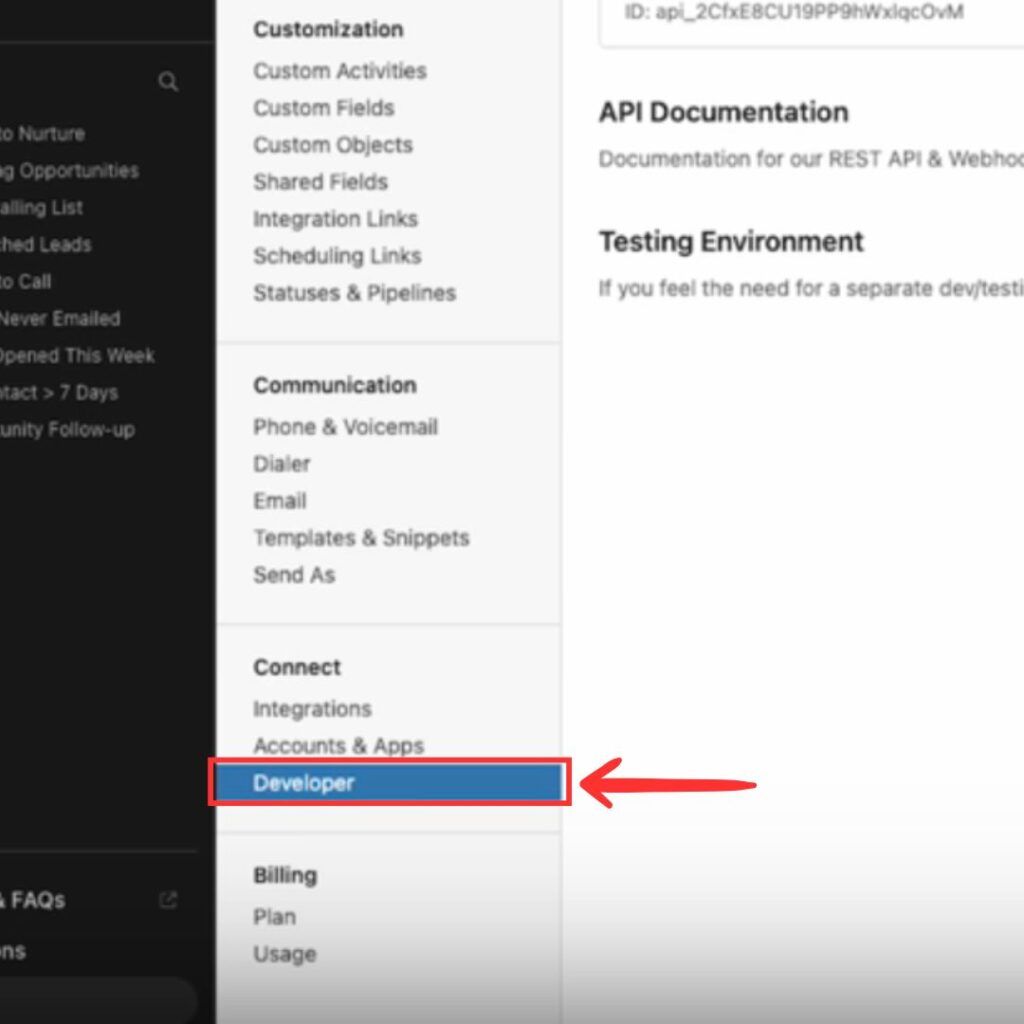
- Create a New API Key
In the Developer section, locate the API Keys option and click on Create New API Key. Enter a name for the key (e.g., “LinkClose Integration”) and click Generate.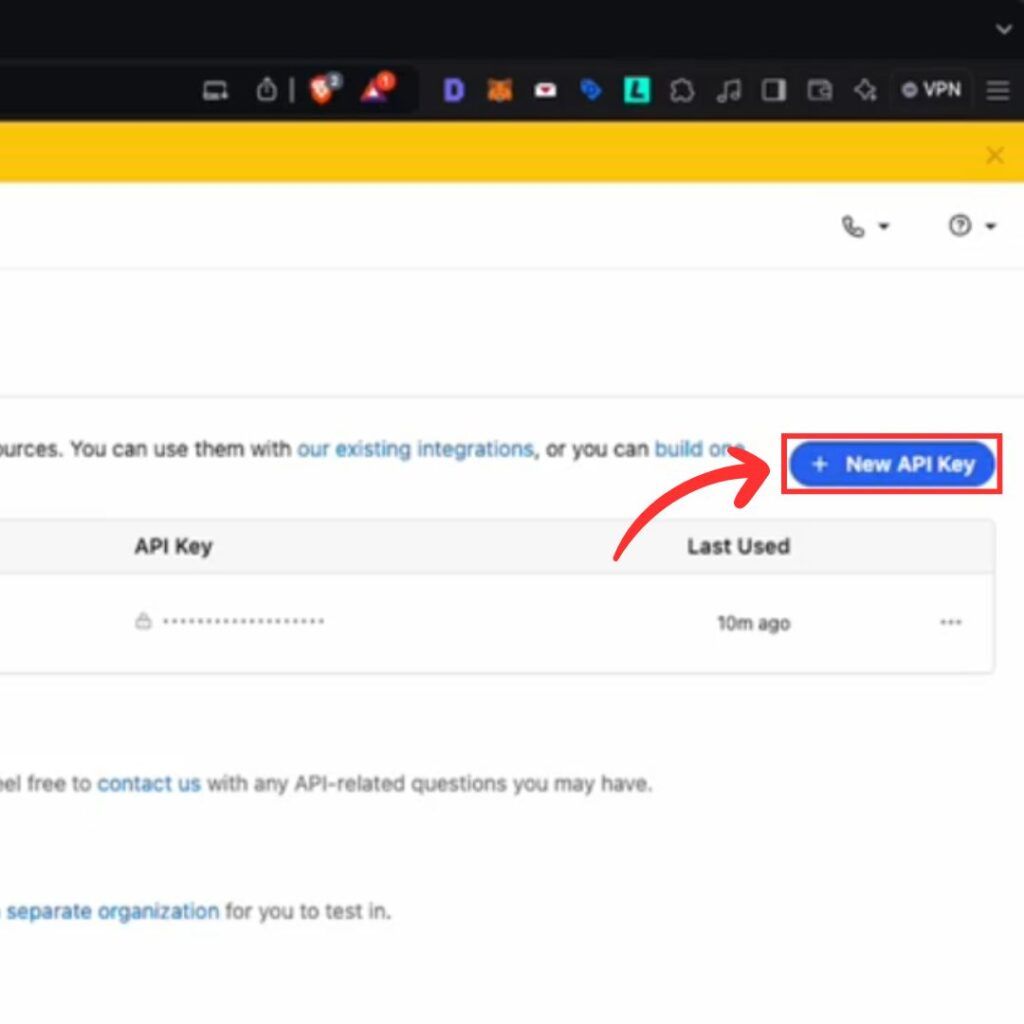
- Copy the API Key
Once the key is generated, copy the API key by clicking on the Copy button next to the key. Keep this key secure, as it provides access to your Close CRM data.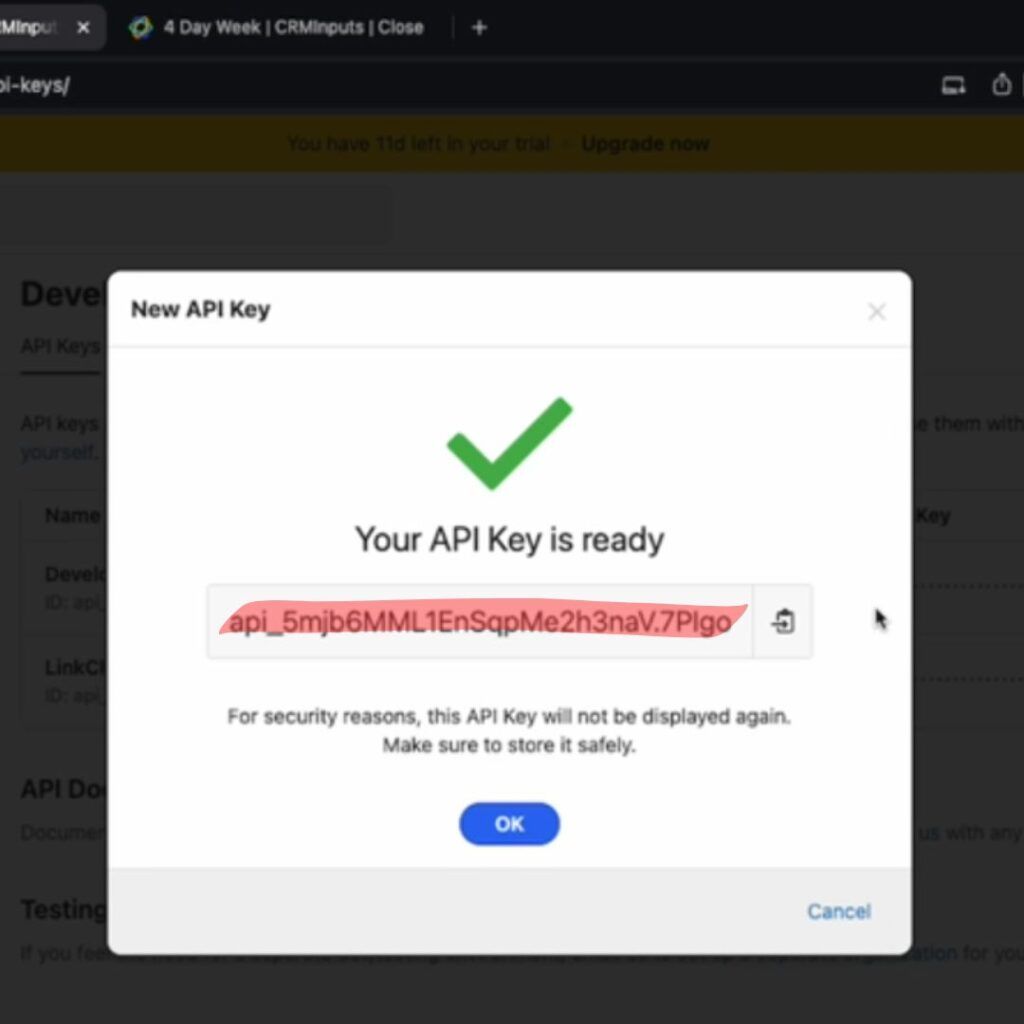
- Use the API Key in Your Integration
Paste the copied API key into the relevant field of the tool or extension that you are setting up.
That’s it! You’ve successfully accessed your API key in Close CRM.
For quick access to the API key section, you can navigate directly to: https://app.close.com/settings/developer/api-keys/.
 Close CRM Integration
Add contacts to Close CRM from LinkedIn®
Enrich profiles with verified emails and phone numbers. Sync to Close CRM in one click.
Try Close CRM Extension7-day free trial · Cancel anytime
Save 4+ hrs / week on Close CRM data entry.
Find verified contact info for your prospects on LinkedIn®, Gmail, Outlook & company websites. Add them to your Close CRM with 1-click.
 Loading...


 Trusted by 2,500+ founders, SDRs & more