12 Best CRM Tools for Startups in 2026 (Free + Paid)
Compare the top CRM tools built for startups. From free options like HubSpot CRM to affordable picks like Pipedrive. Find the right fit for your team size and budget.
Finding the right CRM is a foundational decision for any startup. It's the central nervous system for your sales and marketing efforts, yet the selection process is often overwhelming. With hundreds of platforms available, each claiming to be the best, it’s difficult to distinguish marketing hype from practical reality. Founders and sales leaders need a tool that not only fits their current budget but can also scale with their go-to-market strategy. The wrong choice can lead to wasted time, frustrated teams, and lost revenue opportunities due to poor data management or a clunky user interface.
This guide is designed to eliminate that friction. We've created a definitive playbook to help you select the best CRM tools for startups, moving beyond generic feature lists to provide actionable insights. We'll break down the top platforms, from established giants like Salesforce and HubSpot to nimble solutions like Close and Streak, analyzing them specifically through the lens of a growing business.
Here's what you will find in this comprehensive resource:
- Detailed breakdowns of 10+ recommended CRMs, complete with pros, cons, ideal use cases, and direct links.
- Practical implementation advice to get your team up and running quickly.
- An honest look at limitations and scalability concerns for each platform.
- A quick-start migration checklist for moving from spreadsheets.
- Essential add-ons and integrations to supercharge your sales stack.
Our goal is to equip you with the clarity needed to make a confident decision, ensuring your chosen CRM becomes a growth asset, not a costly bottleneck. Let's find the right system for your business.
1. Salesforce Starter Suite (Salesforce)
Salesforce is often perceived as an enterprise-level behemoth, but its Starter Suite is an all-in-one package designed specifically for small, growing teams. It bundles core sales, service, and marketing features, offering a structured entry point into a powerful ecosystem. This makes it one of the better crm tools for startups that anticipate rapid scaling and require a platform that can grow with them without needing to migrate later.
The platform stands out by providing a clear, documented upgrade path. Startups can begin with essential features like lead and opportunity management, web-to-lead capture, and email integration, then seamlessly transition to more advanced tiers like Professional or Enterprise as their needs for automation, APIs, and complex forecasting evolve. For those new to CRM implementation, understanding the fundamentals is key. You can learn more about how to effectively leverage its core features by exploring key CRM strategies.
Ideal Use Case and Key Features
This suite is perfect for startups that prioritize long-term scalability and access to a vast integration marketplace (AppExchange) from day one.
- Core Functionality: Comes with out-of-the-box management for leads, accounts, contacts, and opportunities.
- Built-in Sales Flows: Includes guided processes for lead routing and duplicate blocking to maintain data hygiene.
- Pricing: The Starter Suite begins at a competitive price point, typically around $25 per user/month (billed annually), making it accessible for small teams.
Pros:
- Unmatched scalability within the Salesforce ecosystem.
- Access to the extensive AppExchange for countless integrations.
Cons:
- Advanced customization and APIs are locked behind higher-priced tiers.
- Can feel complex for teams needing only basic CRM functions.
Website: https://www.salesforce.com/sales/pricing/
2. HubSpot CRM (HubSpot)
HubSpot is renowned for its powerful, free-to-start CRM platform, making it a go-to choice for early-stage companies. It provides an all-in-one solution by combining sales, marketing, service, and content management hubs that can be adopted as a business grows. This modular approach makes it one of the most flexible crm tools for startups that need to manage customer relationships without a significant initial investment.
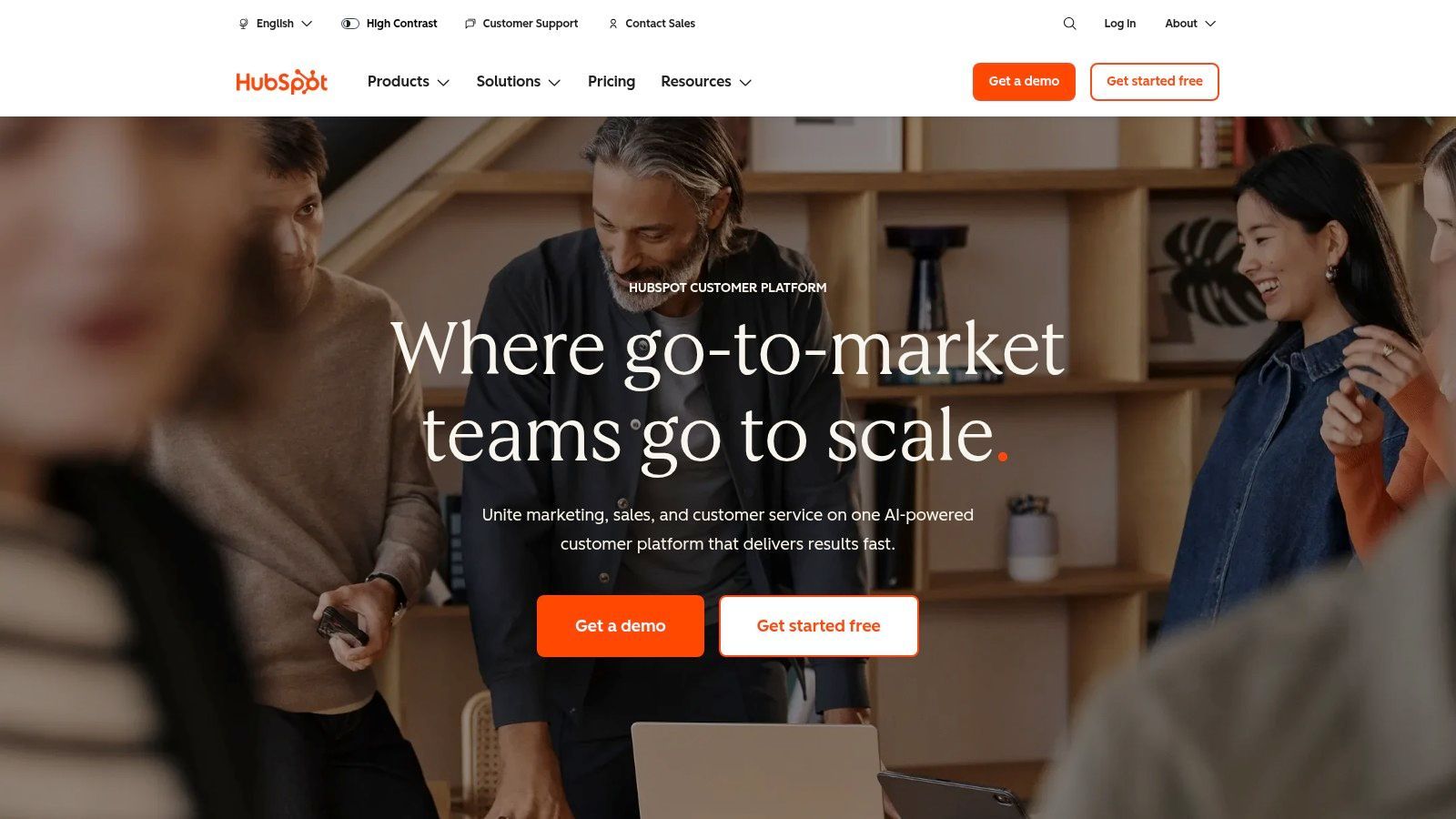
The platform's strength lies in its user-friendly interface and extensive free learning resources through HubSpot Academy. Startups can quickly get up to speed on core functionalities like contact and deal tracking, email monitoring, and meeting scheduling. As teams expand, they can add paid hubs for advanced automation and reporting, ensuring the CRM scales alongside their operational complexity. The platform also offers free view-only seats on paid plans, which is a cost-effective way to give visibility to the wider team.
Ideal Use Case and Key Features
HubSpot is perfect for startups that want a robust, free CRM with a gentle learning curve and the option to expand into a full marketing and sales automation suite.
- Generous Free Tier: Includes core CRM features like contact, company, and deal management, plus email tracking and a meeting scheduler.
- Integrated Hubs: Offers optional marketing, sales, and service hubs for features like live chat, ticketing, and email campaigns.
- Extensive Integrations: Provides a large app marketplace and native connections for Gmail and Outlook to streamline workflows.
- Pricing: The core CRM is free forever. Paid "Hub" plans (like Sales Hub or Marketing Hub) start around $20 per seat/month (billed annually) and scale up significantly.
Pros:
- Excellent free tier that provides substantial value for new businesses.
- Smooth onboarding process supported by extensive tutorials and resources.
Cons:
- Costs can escalate quickly when moving to the Professional or Enterprise tiers.
- Advanced automation and reporting are often gated behind more expensive plans.
Website: https://www.hubspot.com
3. Pipedrive
Pipedrive is a sales-focused CRM celebrated for its highly visual, pipeline-centric interface that simplifies deal management. Designed for ease of use and rapid setup, it’s one of the best crm tools for startups whose founders and sales teams want to prioritize clarity and action over complexity. Its drag-and-drop functionality allows users to intuitively track progress and identify bottlenecks without extensive training.
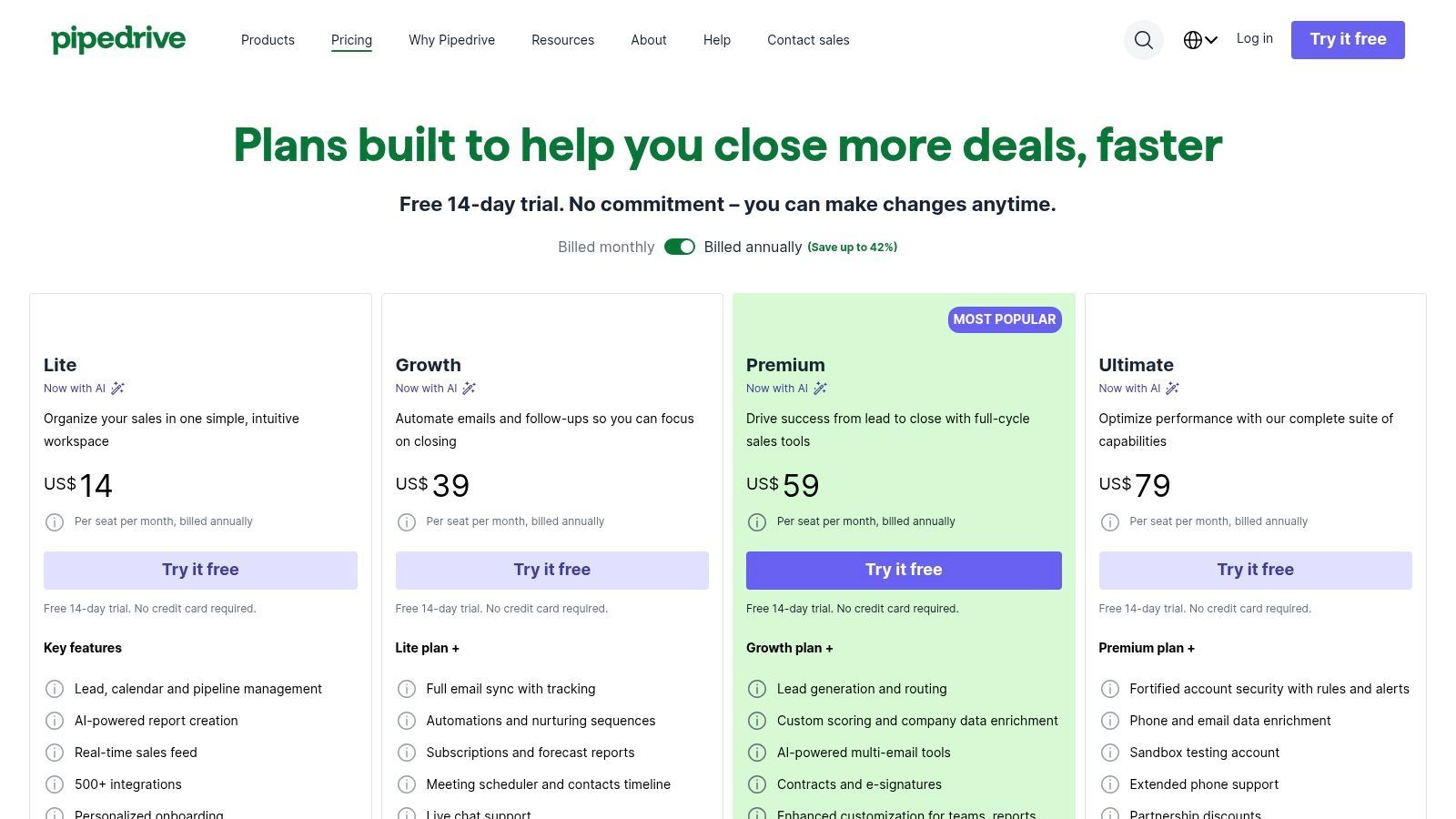
The platform’s strength lies in its unwavering focus on the sales process, making it a powerful tool for teams that live and breathe their pipeline. Higher-tier plans introduce AI-powered reporting and multi-email tools to further streamline outreach and analysis. Pipedrive is often recognized as a top CRM for smaller operations due to its user-friendly nature, and you can see how it stacks up by exploring a breakdown of the best CRMs for small business. This focus makes it a go-to for startups that need to get their sales engine running quickly.
Ideal Use Case and Key Features
Pipedrive is ideal for sales-driven startups that need a visual, straightforward tool for managing deals and forecasting revenue with minimal setup.
- Core Functionality: Features highly intuitive drag-and-drop deal pipelines, activity reminders, and sales forecasting.
- Integrations and Add-ons: Offers over 500 integrations and a marketplace for add-ons like Web Visitors for lead capture and Projects for post-sale management.
- Pricing: Plans start around $14 per user/month (billed annually), with more advanced features like automation and AI available in higher-priced tiers.
Pros:
- Extremely intuitive user interface leads to fast team adoption.
- Flexible and extensive integrations ecosystem.
Cons:
- Lacks a perpetual free plan, offering only a trial period.
- Key marketing functions often require paid add-ons.
Website: https://www.pipedrive.com/pricing
4. Zoho CRM
Zoho CRM is a powerhouse for startups seeking an affordable, yet deeply customizable platform. It offers a comprehensive suite of tools that extends far beyond basic contact management, positioning itself as a central operating system for a growing business. This makes it one of the most versatile crm tools for startups, especially for those who want to unify sales, marketing, and support without breaking the bank.
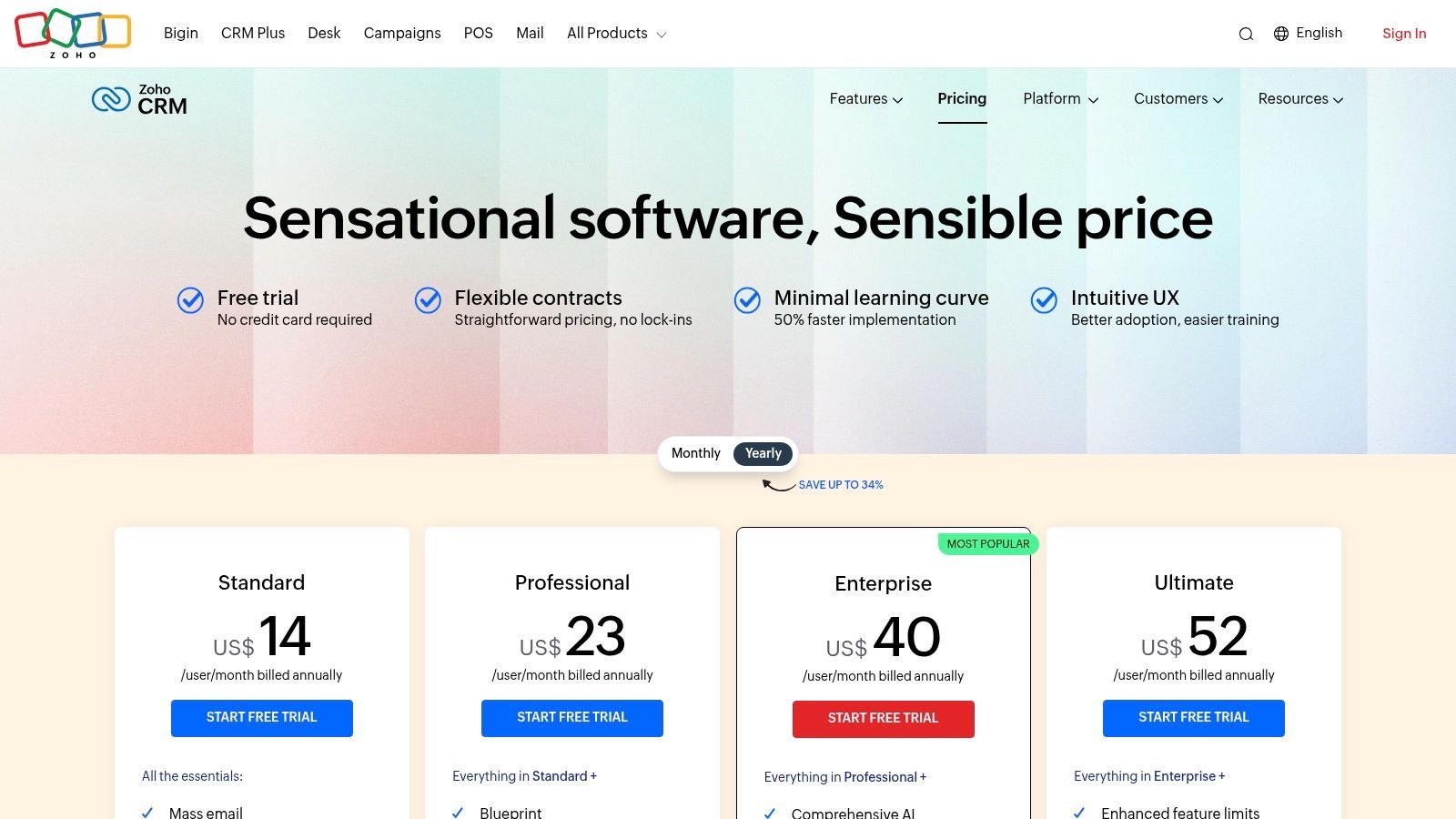
The platform's strength lies in its tight integration with the broader Zoho ecosystem, which includes over 50 business apps. Startups can begin with the free-forever plan for up to three users and scale into paid tiers that unlock advanced features like workflow automation, sales forecasting, and the AI-powered assistant, Zia. For teams getting started, ensuring a clean data import is crucial for long-term success, and you can get guidance by learning how to import contacts into Zoho.
Ideal Use Case and Key Features
Zoho CRM is ideal for budget-conscious startups that need a highly adaptable CRM and plan to use other Zoho products for a unified tech stack.
- Extensive Customization: Use Canvas, a drag-and-drop editor, to design custom layouts and modules tailored to your specific sales process.
- Powerful Automation: Build multichannel workflows that trigger actions across email, social media, and other customer touchpoints.
- Pricing: A generous free plan is available for up to 3 users. Paid plans start at $14 per user/month (billed annually), offering significant value.
Pros:
- Strong value at lower price points with a robust feature set.
- Seamless integration with the vast Zoho application ecosystem.
Cons:
- Customer support quality can be inconsistent without purchasing a premium support plan.
- Advanced AI and analytics features are reserved for higher-priced tiers.
Website: https://www.zoho.com/crm/zohocrm-pricing.html
5. Freshsales by Freshworks
Freshworks offers Freshsales, a sales-focused CRM designed for speed and ease of use, making it an excellent choice for startups needing to get up and running quickly. It differentiates itself by integrating communication tools directly into the platform, including built-in phone, email, and chat capabilities. This all-in-one approach simplifies the tech stack for sales teams and provides a 360-degree view of customer interactions without needing multiple subscriptions, positioning it as one of the most practical crm tools for startups.
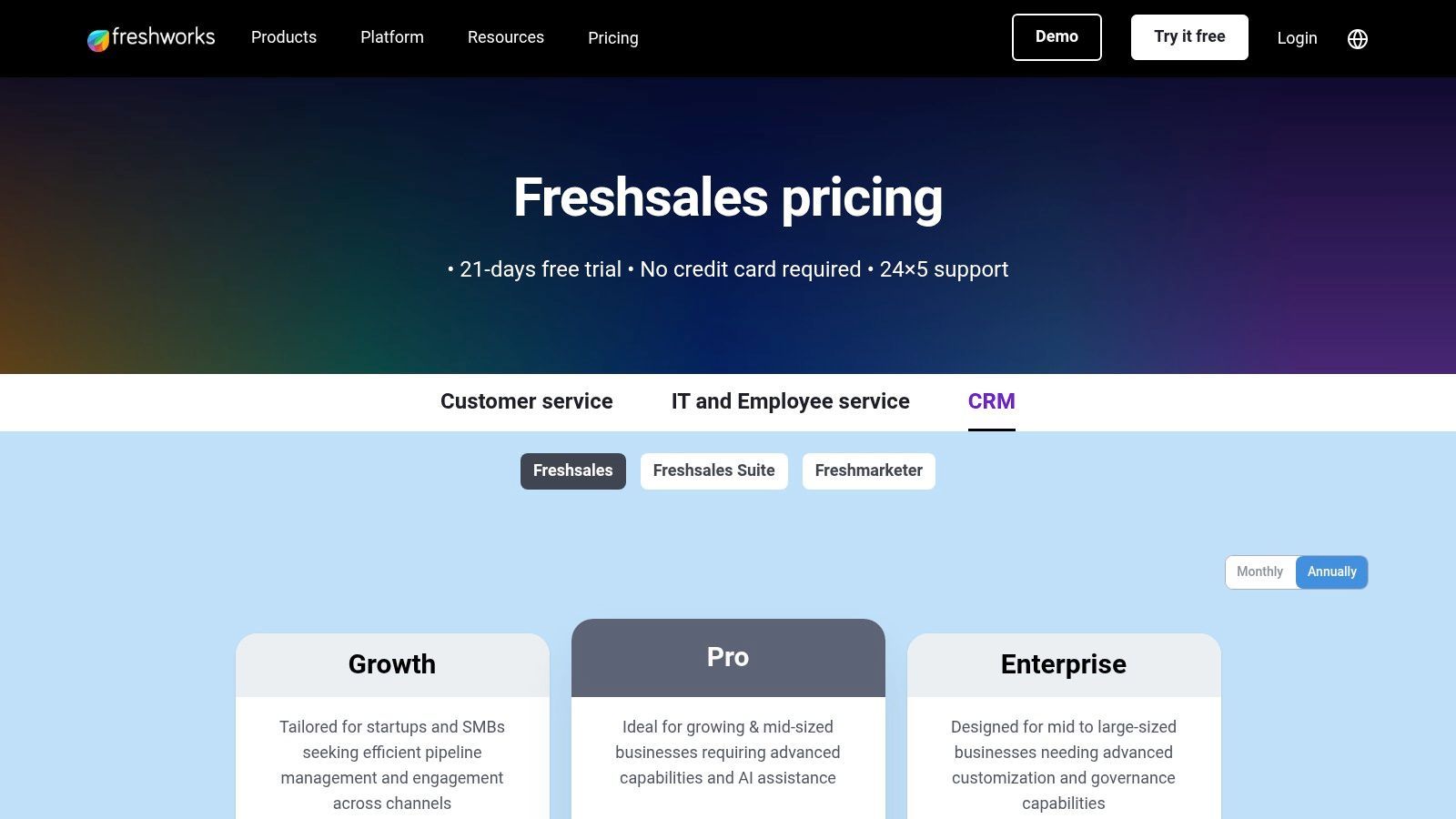
The platform is built to support a fast-moving sales cycle with AI-powered insights, lead scoring, and clear pipeline visualization. Startups can leverage its user-friendly interface to manage contacts, deals, and accounts through intuitive Kanban boards, which helps teams stay organized and focused. Freshsales also offers a generous free-forever plan and a 21-day trial for its paid tiers, allowing teams to fully evaluate its capabilities before committing.
Ideal Use Case and Key Features
Freshsales is ideal for small to medium-sized sales teams that need a straightforward, affordable CRM with strong native communication features.
- Integrated Communication Suite: Includes built-in phone with call recording, bulk email capabilities with templates, and chat for real-time engagement.
- AI-Powered Insights: Features "Freddy AI," which provides predictive lead scoring, deal insights, and identifies at-risk opportunities.
- Visual Sales Pipeline: Offers a drag-and-drop Kanban view for managing deals across different stages, improving visibility and workflow management.
- Pricing: Offers a free plan for basic needs, with paid plans starting at $15 per user/month (billed annually), providing a low-cost entry point.
Pros:
- Excellent value with an all-in-one communication and sales platform.
- Quick setup and an intuitive interface that requires minimal training.
Cons:
- Advanced reporting and deep customization options are less extensive than enterprise-level CRMs.
- The most powerful features are part of the broader Freshworks ecosystem, which may require additional products.
Website: https://www.freshworks.com/crm/pricing/
6. Close
Close is a high-velocity sales CRM built specifically for outbound teams that need communication tools embedded directly into their workflow. It combines a powerful CRM with native calling, SMS, and email functionalities, eliminating the need for separate sales engagement platforms. This makes it one of the most efficient crm tools for startups focused on founder-led selling or deploying small, aggressive sales development teams.
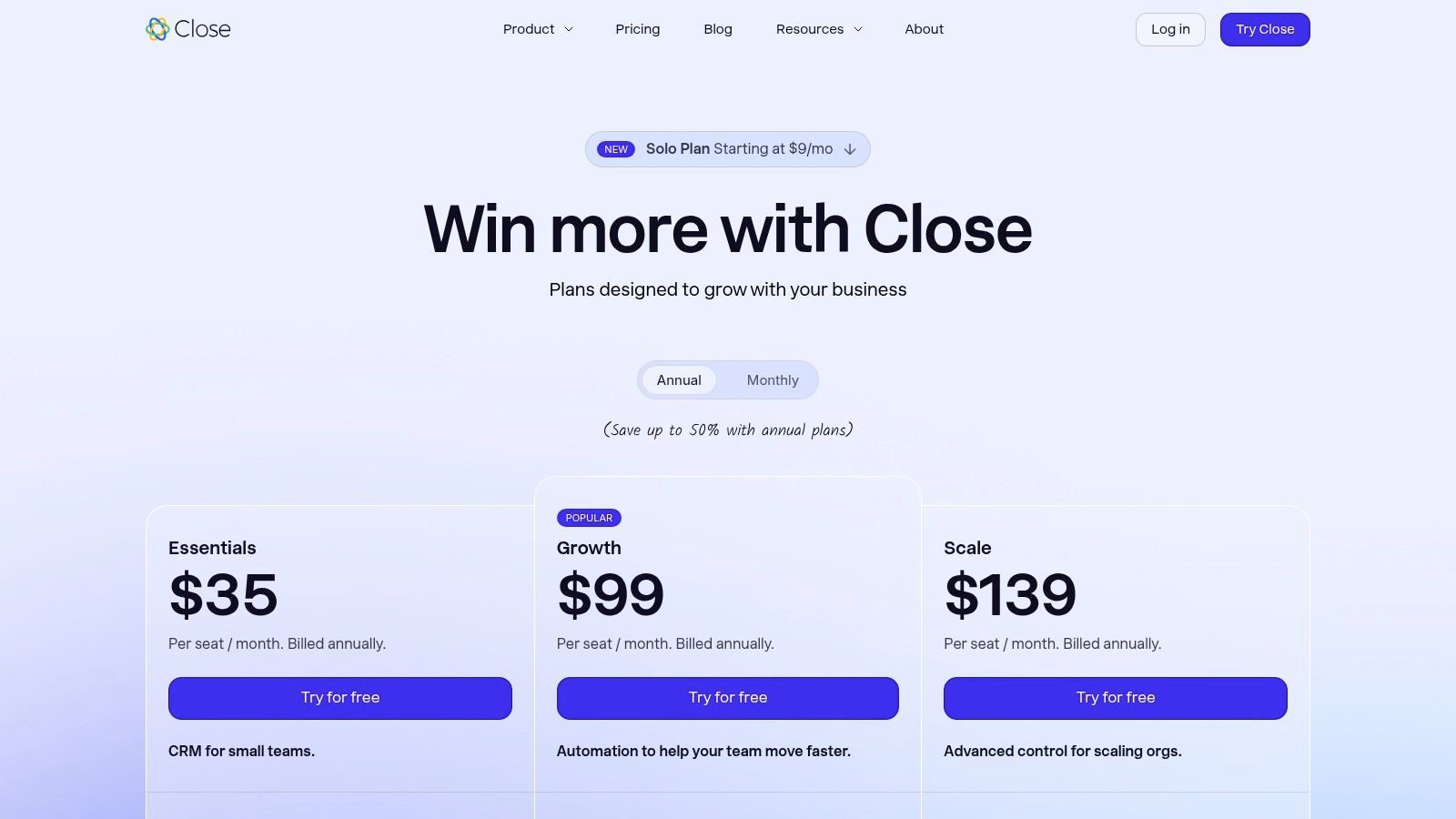
The platform’s strength lies in its all-in-one approach. Reps can manage their entire sales cycle from a single screen, using features like a built-in Power Dialer to call through lists, send automated email sequences, and track every interaction without switching tabs. This unified experience is designed to maximize activity levels and minimize administrative overhead, allowing small teams to compete with much larger organizations by focusing purely on selling.
Ideal Use Case and Key Features
Close is ideal for startups that run a high-touch, high-volume outbound sales motion and want to equip their team with integrated communication tools from the start.
- Integrated Communications: Features a built-in global dialer, SMS capabilities, and two-way email sync, all logged automatically to contact records.
- Sales Productivity: Includes a Power Dialer and workflow automation (Growth plan and above), plus a centralized inbox to streamline daily tasks for sales reps.
- Pricing: Plans start with "Solo" at $9/month billed annually for individual founders; team plans run from "Essentials" at $35 to "Scale" at $139 per user/month billed annually, with calling and SMS billed on usage (prices checked September 2026).
Pros:
- Excellent all-in-one communication tools reduce vendor complexity.
- Intuitive interface designed for speed and high-volume sales.
Cons:
- Telephony usage is billed separately based on consumption.
- Some advanced administrative features are reserved for the highest-tier plan.
Website: https://www.close.com/pricing

One Chrome extension for all your CRM enrichment
Find verified emails, phone numbers, and job titles on LinkedIn®. Add contacts to any of 29+ supported CRMs in one click.
Start Free Trial


 Trusted by 2,500+ users4.7
7. monday sales CRM (monday.com)
Originally known for its work management capabilities, monday.com has evolved into a powerful and highly visual platform with its dedicated monday sales CRM. It leverages its iconic board-based interface to manage sales pipelines, contacts, and deals, making it one of the most intuitive crm tools for startups that prioritize flexibility and operational alignment. This system is ideal for teams where the sales process is closely tied to project delivery or other internal workflows.
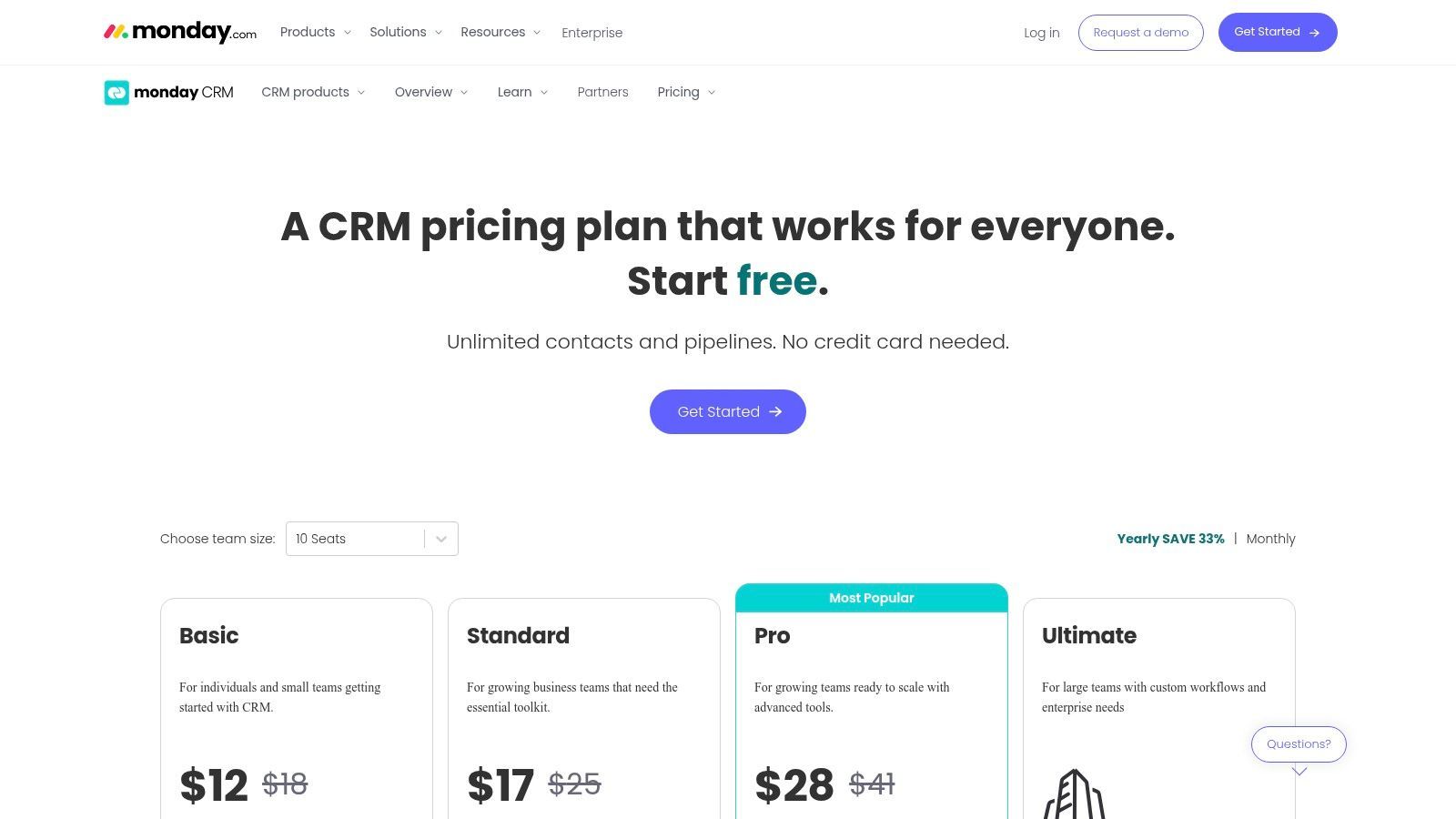
The platform’s strength lies in its customization. Startups can easily adapt boards to fit unique, non-linear sales processes, moving beyond the rigid structures of traditional CRMs. Automations are a core component, allowing teams to set up rules that trigger notifications, create tasks, and move deals between stages automatically, which helps maintain momentum without manual intervention. This approach is perfect for integrating sales activities with post-sale handoffs to delivery or customer success teams, all within a single environment.
Ideal Use Case and Key Features
This CRM is best for startups that need a unified platform to manage both their sales pipeline and subsequent project or client onboarding workflows.
- Customizable Visual Pipelines: Utilize flexible, board-based views to track deals, contacts, and accounts in a way that matches your team’s process.
- Built-in Automation: Automate repetitive tasks like follow-up reminders, lead assignment, and status updates to improve efficiency.
- Pricing: Plans have a 3-seat minimum, with pricing starting around $10 per user/month (billed annually) for the Basic plan, though more advanced CRM features require higher tiers.
Pros:
- Highly flexible and visual system that adapts to complex or non-linear processes.
- Excellent for teams managing post-sale delivery and operations alongside sales.
Cons:
- The 3-seat minimum can be a barrier for very small teams or solo founders.
- Per-seat pricing can be confusing as it is based on the selected number of users.
Website: https://monday.com/crm/pricing
8. Copper
Copper is a Google-native CRM built for teams that live and breathe inside Google Workspace. It's designed to minimize administrative overhead by deeply integrating with Gmail, Calendar, and Drive, effectively eliminating the need for constant context switching between your inbox and your CRM. This makes it one of the most intuitive crm tools for startups that have already standardized on Google's productivity suite and want a system that feels like a natural extension of their existing workflow.
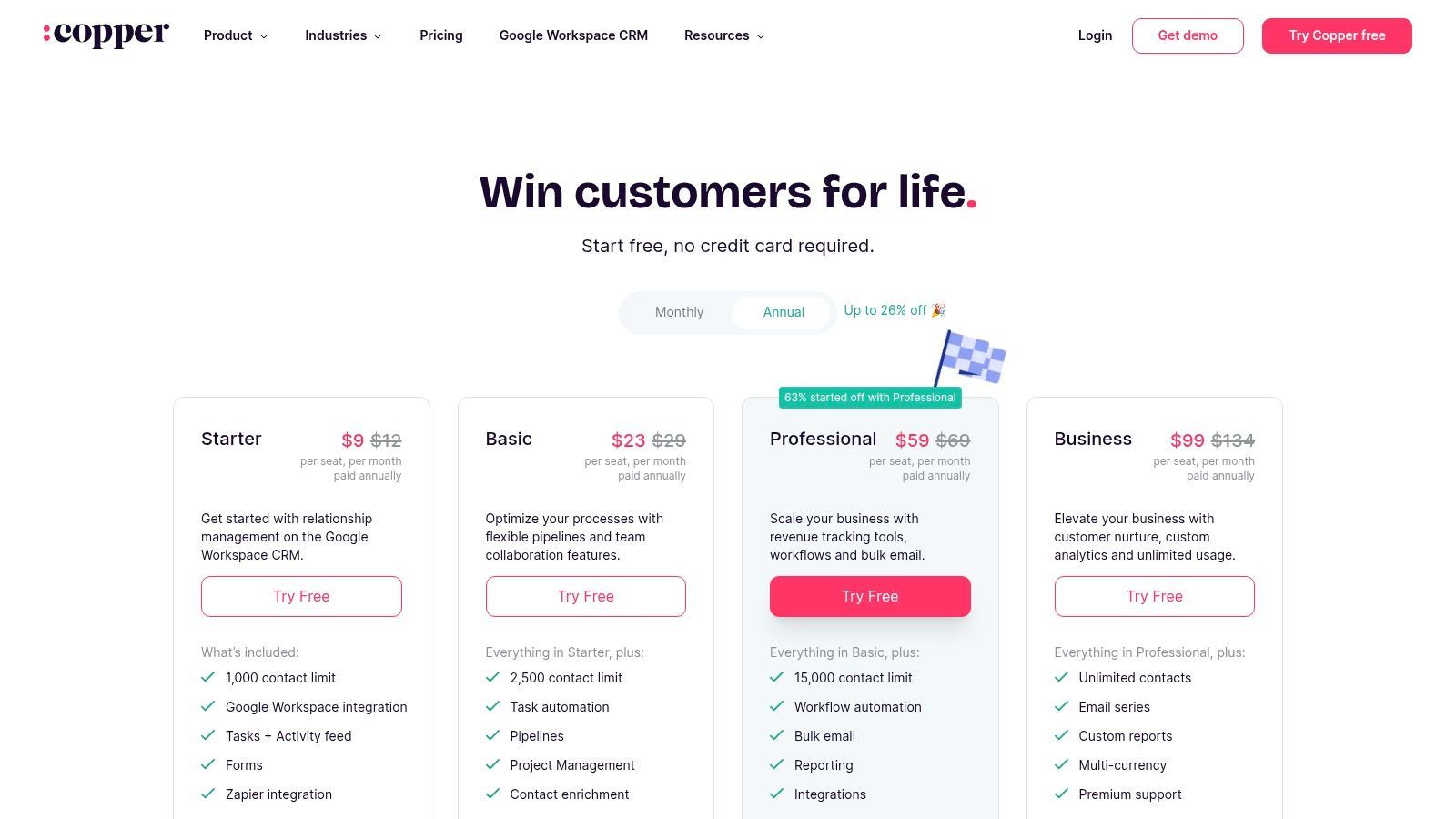
The platform stands out by bringing CRM functionality directly into the Gmail interface via a Chrome extension. Users can update opportunities, add contacts, and log activities without ever leaving their inbox. This focus on a seamless, low-friction user experience reduces the learning curve and encourages high adoption rates, a common challenge for startups implementing their first CRM. Copper's design philosophy is centered on making data entry effortless, so your team can focus on selling.
Ideal Use Case and Key Features
This CRM is perfect for startups heavily invested in the Google Workspace ecosystem that prioritize user adoption and simplicity over complex, enterprise-grade customization.
- Deep Google Workspace Integration: Automatically syncs contacts, emails, and calendar events, with a powerful Chrome extension that embeds the CRM directly into Gmail.
- Visual Sales Pipelines: Offers clear, drag-and-drop pipeline management, allowing teams to track deals and visualize their sales process with ease.
- Contact Enrichment: Higher-tier plans automatically find and add contact details, social profiles, and company information to reduce manual research.
- Pricing: The Basic plan starts at $29 per user/month (billed annually), with more advanced features available in Professional and Business tiers.
Pros:
- Extremely low learning curve for teams already using Google Workspace.
- Significantly reduces manual data entry and context switching.
Cons:
- Contact limits on lower-tier plans can be restrictive for growing teams.
- Advanced automation and analytics are reserved for more expensive plans.
Website: https://www.copper.com/pricing
9. Streak CRM for Gmail
Streak is a unique CRM that lives entirely inside your Gmail inbox, eliminating the need to switch between tabs or applications to manage your sales pipeline. It transforms Gmail into a flexible, fully-featured CRM, making it one of the most intuitive crm tools for startups that run their entire sales process from their inbox. Its seamless integration means there is virtually no learning curve for anyone already proficient with Gmail.
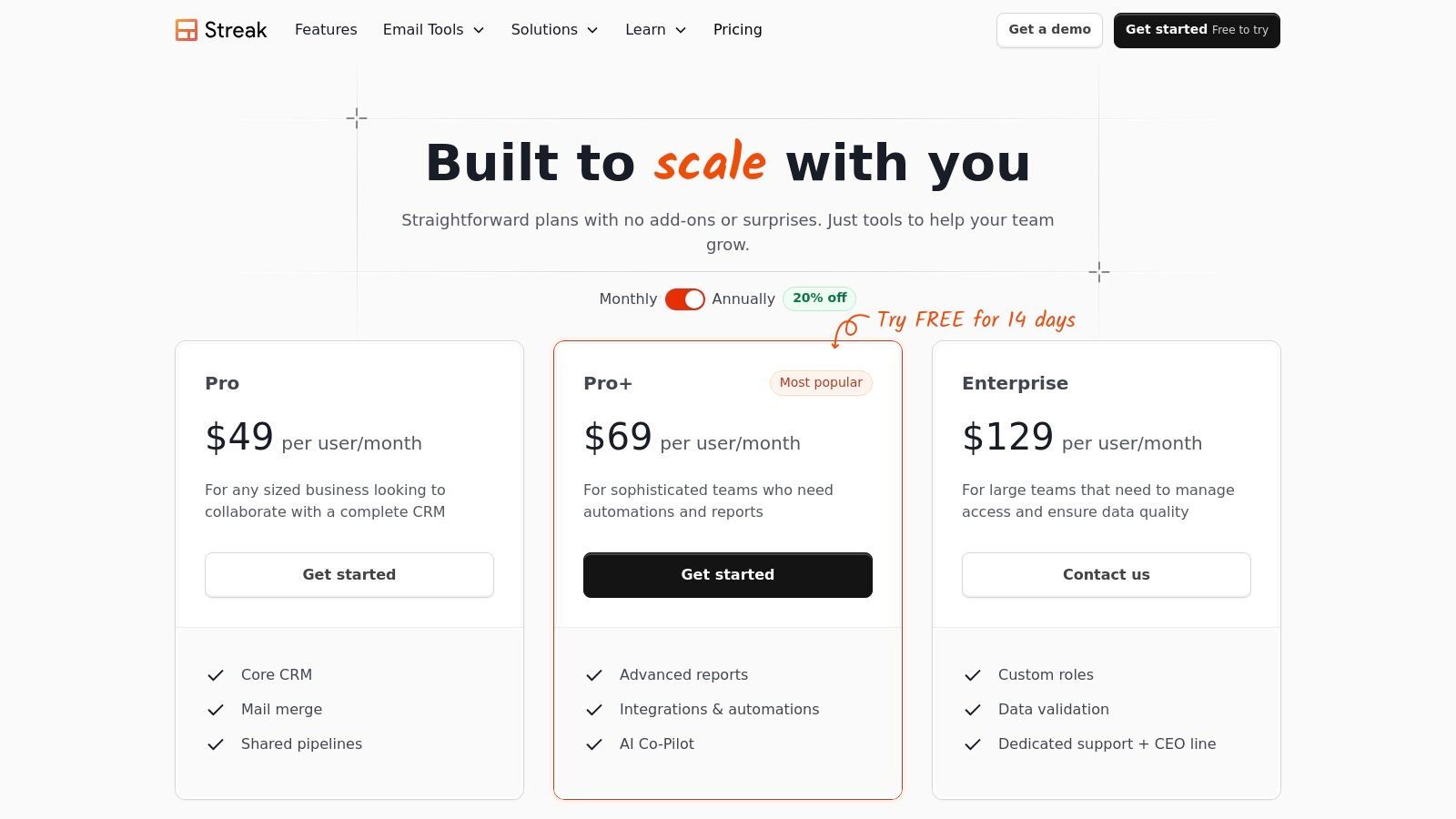
The platform excels by embedding visual pipelines directly alongside your emails, allowing you to track deals from lead to close without ever leaving your workflow. This setup is ideal for individual founders, freelancers, or small sales teams who value speed and simplicity. You can customize pipelines for any process, whether it's sales, hiring, or support, making it a surprisingly versatile tool for managing relationships and tasks in a familiar environment.
Ideal Use Case and Key Features
Streak is perfect for Gmail-centric startups and solopreneurs who want a lightweight, fast-to-implement CRM to manage deals and communication in one place.
- Gmail Integration: Manage contacts, pipelines, and emails in a single view directly within your inbox.
- Email Power Tools: Includes email and link tracking, mail merge for sending personalized mass emails, and reusable snippets to save time.
- Pricing: Offers a free plan for basic CRM features and individual use. Paid plans like Solo start at $15 per user/month, with team plans offering more advanced features and collaboration.
Pros:
- Extremely fast to adopt with minimal context switching for Gmail users.
- Simple, straightforward pricing with powerful free tools.
Cons:
- Limited utility for teams not heavily reliant on the Google Workspace ecosystem.
- Advanced automation and the Enterprise plan require a commitment of 10+ seats.
Website: https://www.streak.com/pricing
10. Capsule CRM
Capsule CRM is designed for startups and small businesses moving away from spreadsheets and seeking an intuitive, straightforward solution. Its strength lies in its simplicity and clean user interface, which significantly reduces the learning curve often associated with more complex systems. By focusing on core sales functionalities without overwhelming users, it stands out as one of the best crm tools for startups that need to get organized quickly and efficiently.
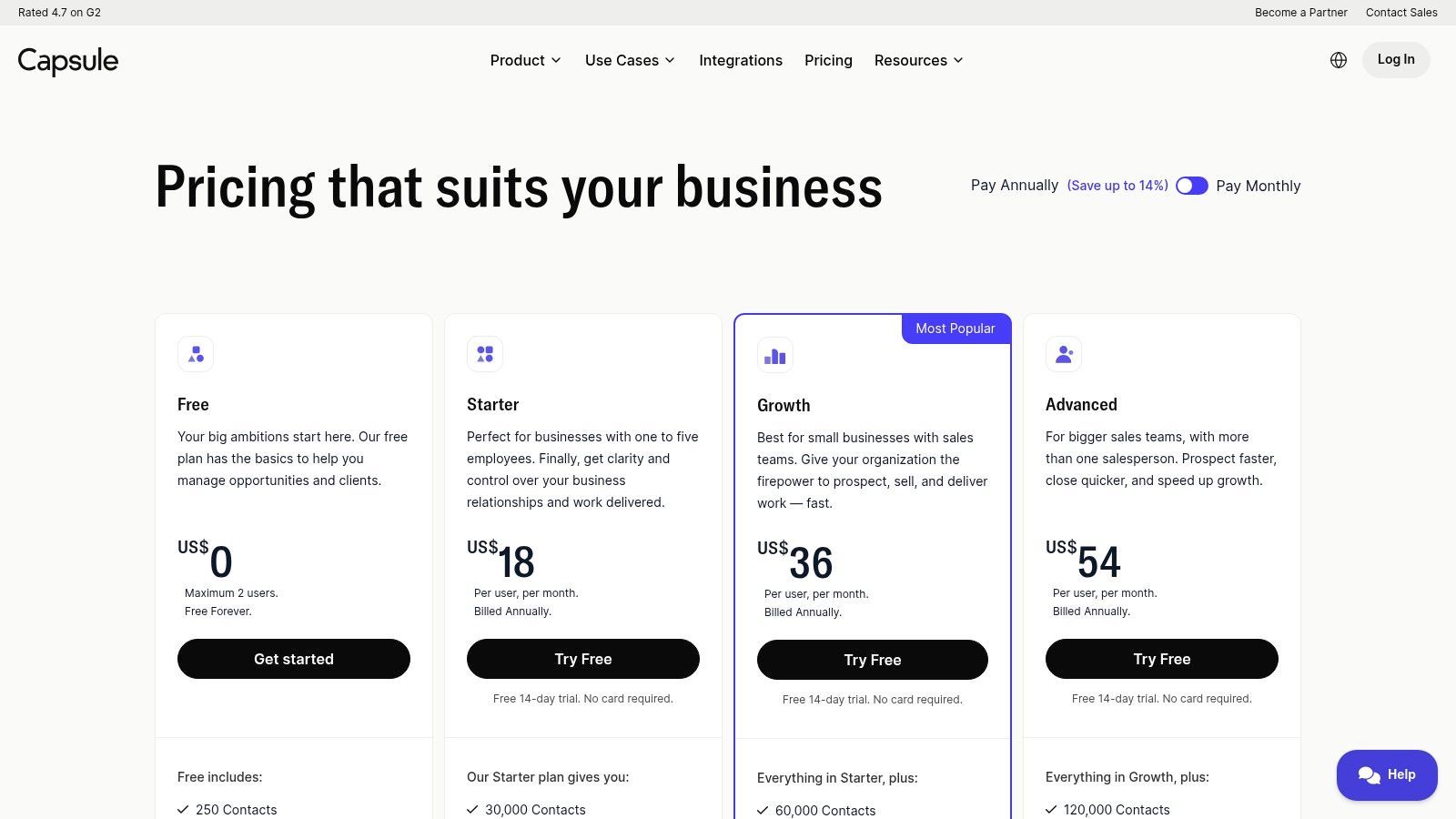
The platform offers a well-rounded set of features that cover the essentials of contact management and sales pipeline tracking. It integrates smoothly with key business tools like Google Workspace, Microsoft 365, Mailchimp, and Xero, allowing teams to connect their existing workflows with minimal friction. This makes it a practical choice for teams that value ease of use and quick implementation over deep customization and advanced automation.
Ideal Use Case and Key Features
This CRM is ideal for small, service-based businesses or startups that prioritize a clean interface, essential sales tracking, and strong mobile access over complex marketing automation.
- Core Functionality: Provides clear contact management, customizable sales pipelines, and basic project management boards.
- Key Integrations: Connects with popular tools including Google Workspace, Microsoft 365, Mailchimp, Xero, and Zapier for extended functionality.
- Pricing: Offers a free plan for up to two users and 250 contacts. Paid plans start around $18 per user/month, offering more features and higher limits.
Pros:
- Extremely simple to learn and use, making it great for CRM beginners.
- The mobile experience is well-designed and highly functional.
Cons:
- Lacks the advanced marketing automation and in-depth analytics found in larger platforms.
- Customer support is primarily available through email.
Website: https://capsulecrm.com/signup/
11. G2 – CRM Software Category
When the CRM market feels overwhelming, G2 serves as an essential research and comparison platform. Instead of being a CRM itself, it's a software marketplace filled with verified user reviews, detailed reports, and filters that help startups shortlist the best tools for their specific needs. It provides a crucial layer of social proof, allowing founders to see how different crm tools for startups perform in real-world scenarios.
G2 stands out by aggregating user sentiment into digestible "Grid" reports, which plot platforms based on market presence and user satisfaction. Startups can filter the CRM category by company size, required features, and user ratings, making it easy to move from a long list of options to a few strong contenders. This data-driven approach helps teams validate their choices and uncover potential pros and cons that vendor websites might not highlight.
Ideal Use Case and Key Features
G2 is the ideal starting point for startups in the discovery and validation phase of choosing a CRM. It helps teams create a data-backed shortlist before committing to demos.
- Verified User Reviews: Access a large volume of recent, verified reviews from real users, providing authentic insights into usability and support.
- Advanced Filtering: Narrow down the vast CRM market by company size (SMB, Mid-Market), specific features (e.g., email marketing, lead scoring), and overall satisfaction scores.
- Comparative Analysis: Use comparison grids and reports to see how different CRMs stack up against each other on key metrics.
- Pricing Information: Provides general pricing references, although it's best to verify this directly with the vendor for the most up-to-date information.
Pros:
- Large volume of recent, verified reviews offers credible social proof.
- Helpful filters to narrow choices based on specific startup needs.
Cons:
- Sponsored placements and vendor promotions can influence visibility.
- Pricing information shown may not always be current; always verify with the vendor.
Website: https://www.g2.com/categories/crm
Start your 7-day free trial of Standard
Find verified emails, phone numbers, and job titles on LinkedIn®. Add contacts to any of 29+ supported CRMs in one click.
Start Free TrialTrusted by 2,500+ users4.712. Capterra – CRM Software Category
While not a CRM itself, Capterra is an indispensable resource for comparing crm tools for startups before making a commitment. This comprehensive software directory provides detailed buyers' guides, user reviews, and robust filtering options, allowing founders to evaluate vendors based on features, pricing models, and deployment types. It helps cut through marketing jargon by offering a standardized format for comparison.
Using Capterra effectively means leveraging its filters to narrow down the vast market. Startups can specifically look for platforms with free trials, freemium versions, or essential capabilities like lead scoring and email marketing integration. The platform’s shortlisting feature allows you to create a curated list of top contenders and compare their key attributes side-by-side, which is invaluable for a structured decision-making process.
Ideal Use Case and Key Features
Capterra is perfect for startups in the initial research phase, helping them create a data-backed shortlist of potential CRM solutions tailored to their specific needs and budget.
- Advanced Filtering: Search for CRMs based on features (e.g., pipeline management, contact database), pricing (free, one-time payment), and user count.
- User Reviews and Ratings: Access genuine feedback from other businesses to gauge real-world performance and customer support quality.
- Comparison Tools: Directly compare up to four different software options on a single page, highlighting differences in features and pricing.
Pros:
- Extensive directory with a massive number of CRM vendors.
- Standardized feature lists and user ratings simplify the evaluation process.
Cons:
- Sponsored placements can influence the top results, requiring careful review.
- Pricing information is often indicative and should be verified on the vendor’s website.
Website: https://www.capterra.com/customer-relationship-management-software/
Top 12 CRM Tools for Startups — Comparison
| Product | Core features | Ease of use & adoption | Pricing & value | Best for | Unique selling point |
|---|---|---|---|---|---|
| Salesforce Starter Suite (Salesforce) | Lead/account/contact/opportunity management; email sync; lead routing | Powerful but can be complex to customize | Tiered plans; scales costly with advanced APIs/add-ons | Startups planning to scale and integrate | Massive ecosystem & AppExchange |
| HubSpot CRM (HubSpot) | Contact/deal tracking; marketing & service hubs; email tracking | Smooth onboarding; generous free tier | Free start; costs rise on Professional/Enterprise | Early-stage teams and marketers | Integrated hubs + HubSpot Academy |
| Pipedrive | Visual drag-and-drop pipelines; forecasting; 500+ integrations | Very intuitive; fast team adoption | Multiple paid tiers; no perpetual free plan | Sales-first teams wanting simple pipelines | Pipeline-centric UX and ease of use |
| Zoho CRM | Deep customization, workflows, forecasting; 900+ extensions | Feature-rich with steeper learning curve | Budget-friendly tiers; strong lower-tier value | Cost-conscious teams needing customization | Broad native app ecosystem (Zoho suite) |
| Freshsales by Freshworks | Kanban views; native telephony, chat & email; AI insights | Quick setup; startup-friendly | Affordable tiers; 21-day free trial | Small teams needing built-in communications | Native phone+chat+CRM with AI assistance |
| Close | Built-in dialer, SMS, two-way email; power dialers & workflows | Streamlined for outbound teams | Tiered pricing; telephony/AI often billed usage/add-ons | Outbound/SDR teams and founder-led selling | All-in-one communications for sales |
| monday sales CRM (monday.com) | Visual boards, automations, templates, dashboards | Flexible but requires setup and templates | Seat-based pricing; 3-seat minimum can increase cost | Product/project-centric teams | Combines CRM with delivery/workflow tracking |
| Copper | Deep Gmail & Calendar sync; pipelines; contact enrichment | Gmail-native; low learning curve for Google users | Seat tiers with contact limits | Teams that live in Google Workspace | Google-native CRM embedded in Gmail/Calendar |
| Streak CRM for Gmail | Pipelines, mail merge, email tracking & snippets inside Gmail | Extremely fast adoption for Gmail users | Free options; enterprise requires larger annual seats | Single sellers and inbox-based teams | CRM that runs entirely inside Gmail |
| Capsule CRM | Contact/opportunity tracking; simple pipelines; mobile apps | Clean UI; easy to learn | Good value for SMBs | Small teams moving off spreadsheets | Lightweight, mobile-friendly CRM |
| G2 – CRM Software Category | User reviews, category grids, filters, comparisons | Easy to shortlist via reviews and ratings | Free access; vendor pricing may vary | Buyers researching and shortlisting CRMs | Large volume of verified user reviews |
| Capterra – CRM Software Category | Buyers' guides, feature filters, standardized tags | Helpful for feature/pricing comparisons | Free access; verify vendor pricing with sellers | Buyers comparing feature sets and deployments | Standardized tags and buyer-focused guides |
Making the Right Choice for Your Startup's Growth
Choosing from the myriad of CRM tools for startups is a foundational decision, one that directly impacts your ability to build a scalable sales machine. As we've explored, the landscape is vast, ranging from comprehensive, all-in-one platforms like HubSpot and Salesforce to specialized, sales-focused powerhouses like Close and Pipedrive. The ideal choice is not about finding a single "best" CRM, but about identifying the right system for your specific stage, budget, and operational needs.
The right platform is far more than a digital rolodex. It's the strategic central nervous system for your revenue engine, providing critical clarity into your pipeline, enforcing a repeatable sales process, and, most importantly, freeing up your team to focus on high-value activities: building relationships and closing deals.
From Selection to Successful Implementation
Making a choice is just the first step. The true value of a CRM is realized through adoption and integration. A complex system that your team refuses to use is worse than no system at all. Prioritize user experience and a minimal learning curve, especially in the early days.
Remember these key principles as you move forward:
- Start Simple, Then Scale: Avoid the temptation to implement an enterprise-grade system with features you won't use for years. A tool like Streak or Capsule CRM might be the perfect starting point, allowing you to establish good habits before graduating to a more robust platform.
- Prioritize User Adoption: The best CRM is the one your team actually uses. Involve your sales reps in the selection process. Focus on tools with intuitive interfaces and mobile access to encourage consistent data entry and pipeline management.
- Leverage Critical Integrations: Your CRM should not exist in a silo. Native integrations with your email client (like Copper's deep G-Suite integration) or marketing automation tools are essential. More importantly, powerful browser extensions can bridge the gap between prospecting and data entry, eliminating tedious manual work.
- Define Your Process First: A CRM will not magically create a sales process for you. It is a tool designed to support and automate an existing one. Before you commit, map out your ideal sales stages, lead qualification criteria, and key data points you need to track.
Your First CRM Won't Be Your Last
It's a crucial reality for every growing startup to accept: your first CRM is unlikely to be your forever CRM. The needs of a two-person founding team are fundamentally different from those of a 20-person sales organization. The goal today is to select a tool that solves your immediate problems while laying a solid data foundation for the future.
By choosing a system that fits your current workflow, you empower your team to build momentum. As you grow, you'll gain a clearer understanding of your long-term requirements, making the eventual migration to a more powerful system a strategic and data-driven decision. The right choice today paves the way for predictable revenue and sustainable growth tomorrow.
Ready to eliminate the biggest CRM adoption hurdle: manual data entry? Add to CRM streamlines your prospecting workflow by instantly capturing contact information from social and professional networking sites directly into your CRM with a single click. Stop the copy-paste grind and ensure your new CRM is always up-to-date by trying Add to CRM today.
Start saving time and closing more deals.
Find verified contact info for your prospects on LinkedIn®, Gmail and Outlook — and add them to your CRM with 1-click.

 Loading...Trusted by 2,500+ founders, SDRs & more