How to Use Zoho CRM in 2026: Setup & Contacts Guide
Stop wasting time on manual Zoho CRM updates. Use LinkZoho to export contacts, add LinkedIn leads instantly, and keep your database clean.
Sync leads from professional networks to Zoho.
Save 4hrs per week on CRM data entry.
Learn more...Free Zoho integration
As experts in CRM efficiency at Add to CRM, we know that a well-utilized CRM can be a sales team's greatest asset. Zoho is an incredibly powerful, all-in-one platform, but many teams only scratch the surface of what it can do. We created this guide to walk you through using Zoho effectively, from initial setup to advanced sales strategies. We'll also reveal how to supercharge your prospecting and eliminate manual data entry with modern tools designed to work seamlessly with your CRM.
Getting Started with Zoho
Initial Setup and Configuration
Getting your Zoho account up and running is the first step. The process is straightforward:
- Sign Up: Head to the Zoho CRM website. You can start with a free plan, which is perfect for small teams of up to three users, or choose a paid plan for more advanced features.
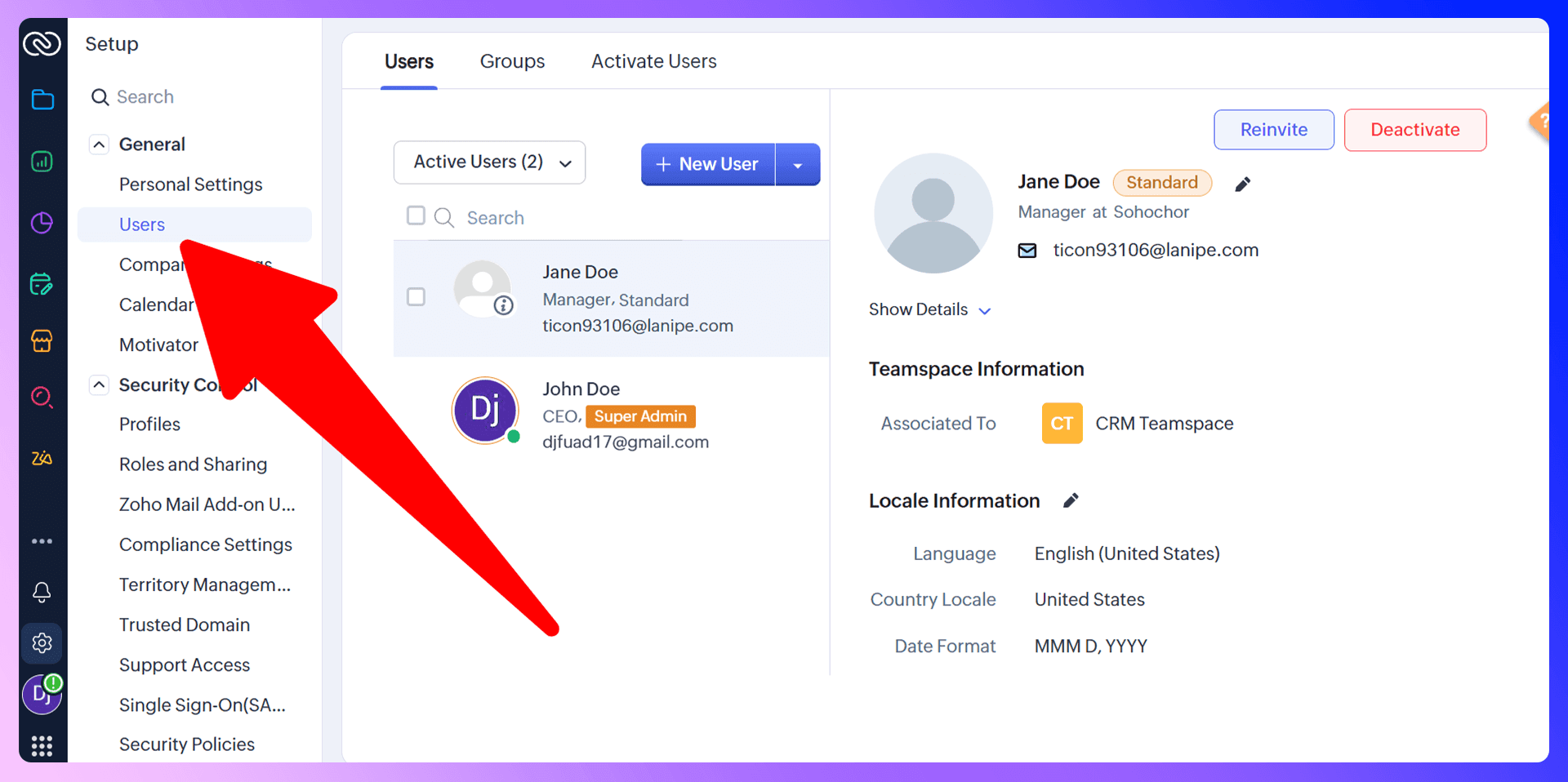
- Add Your Team: Once your account is created, navigate to Setup > Users & Control > Users. Here, you can invite your team members by entering their email addresses and assigning them a role (like Administrator or Standard User).
- Company Details: Fill out your organization's details under Setup > General > Company Details. This ensures all your communications and records have the correct information.
Customizing Your Dashboard
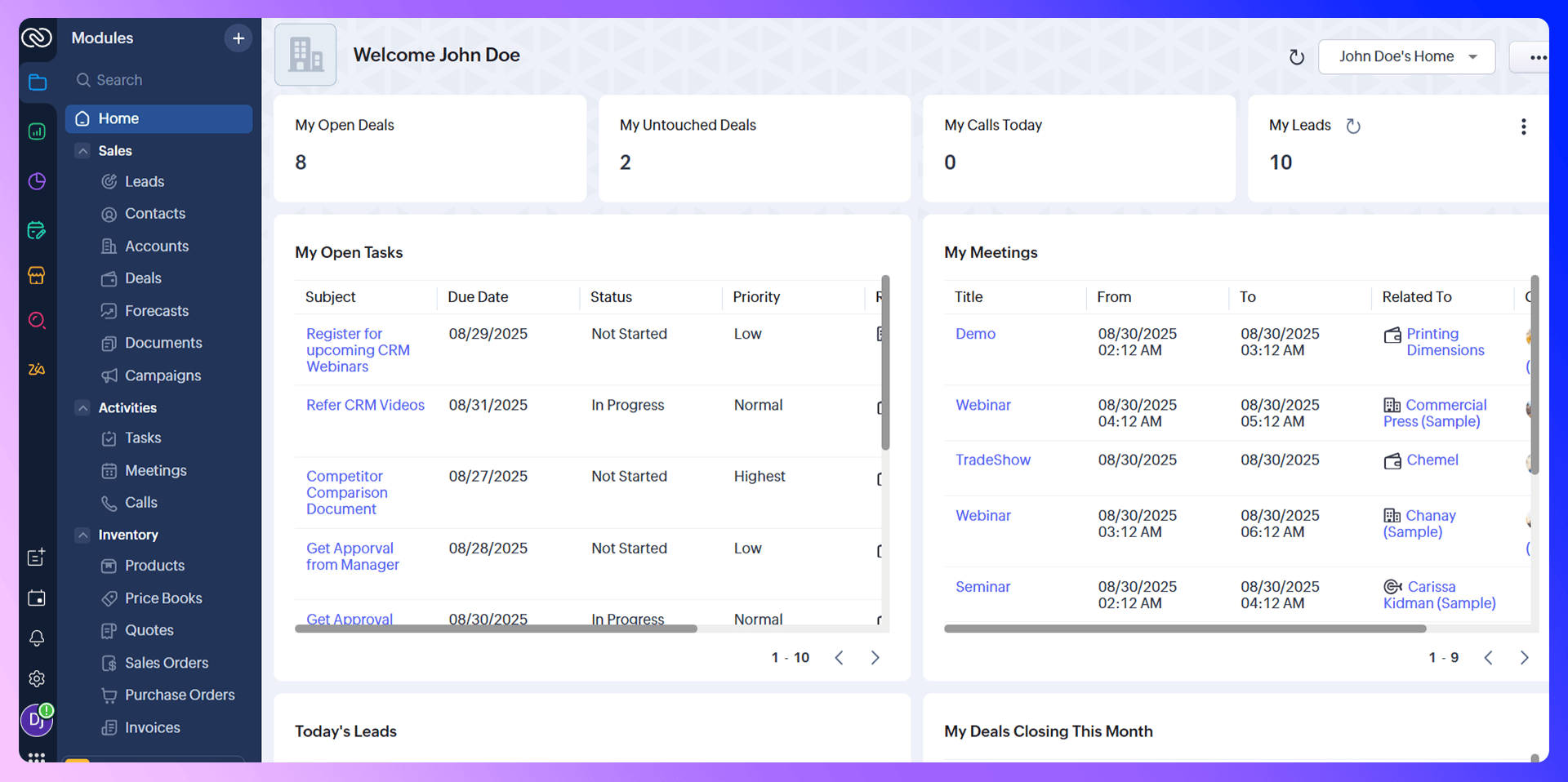
Your Zoho dashboard is your command center. Don't stick with the default view; customize it to see the information that matters most to you. You can add, remove, and reorder components like:
- Open Tasks: See your to-do list at a glance.
- Today's Leads: Track new prospects as they come in.
- Deals Closing This Month: Keep your focus on deals nearing the finish line.
To do this, simply click the three dots on your dashboard, select "Add Component," and choose the module you want to display.
Managing Contacts and Leads
Adding Contacts Manually
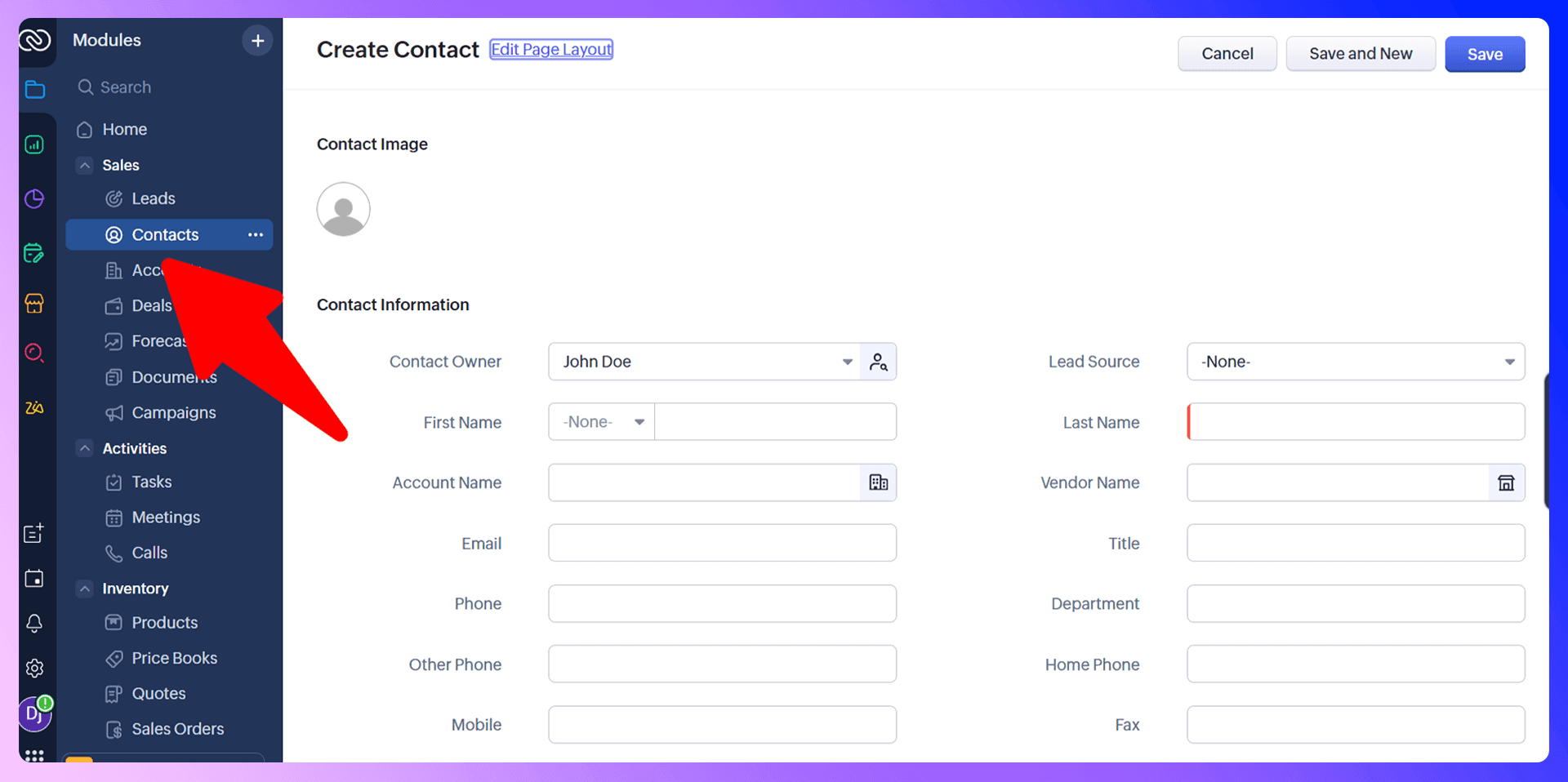
The traditional way to add a contact or lead in Zoho is to click the "Create Lead" or "Create Contact" button and manually type in all their information—name, company, email, phone number, and so on. While functional, this process is slow, repetitive, and prone to typos. For a busy sales team, this time adds up quickly.
Importing Contacts Efficiently with LinkZoho
Instead of tedious manual entry, there's a much faster and more accurate way. Our Chrome extension, LinkZoho, is designed to solve this exact problem. When you're on a prospect's LinkedIn profile, LinkZoho finds their verified email address and phone number and lets you add them to Zoho as a lead or contact in a single click. It eliminates copy-pasting and ensures your data is accurate from the start, saving your team hours every week.
Organizing and Segmenting Contacts
Once contacts are in Zoho, organization is key. Use tags, custom fields, and filters to segment your audience. For example, you can create custom views to see:
- Leads from a specific industry.
- Contacts located in a certain region.
- High-priority prospects you need to follow up with.
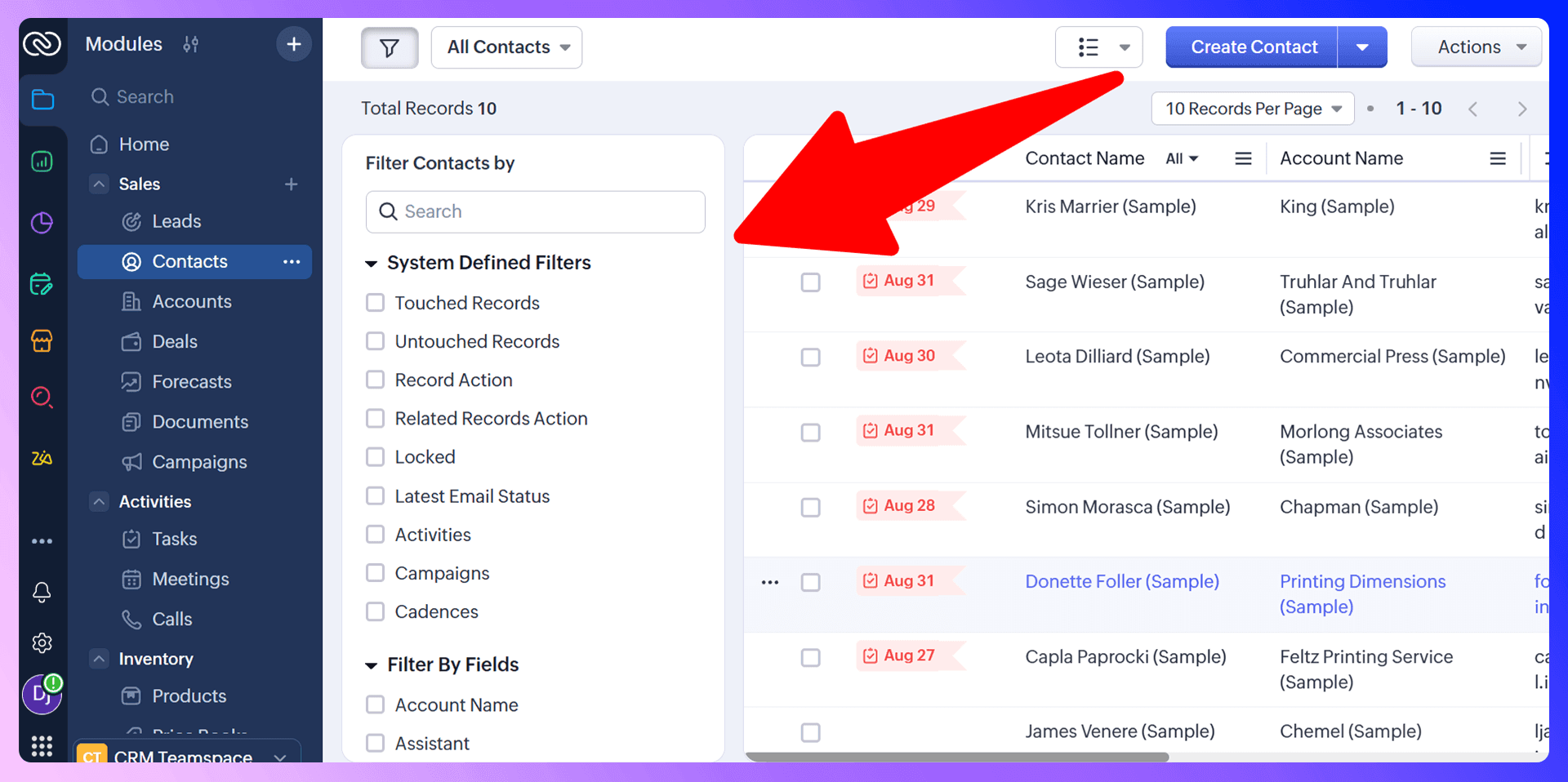
This segmentation allows for more targeted and effective communication.
Zoho CRM LinkedIn Integration
LinkZoho is a Chrome extension that revolutionizes how sales teams add prospects to Zoho. It bridges the gap between prospecting on LinkedIn and managing relationships in your CRM, turning a multi-step, manual process into a single click.
Getting Started with LinkZoho
It couldn't be simpler to get started:
- Install the extension: Get the LinkZoho extension from the Chrome Web Store and connect it to your Zoho account.
- Navigate to a LinkedIn profile: Go to the profile of a prospect you want to add.
- Find contact info: Use the extension to instantly find their verified email and phone number.
- Add directly to Zoho: Click the "Add to CRM" button to send the contact and all their information straight into Zoho.
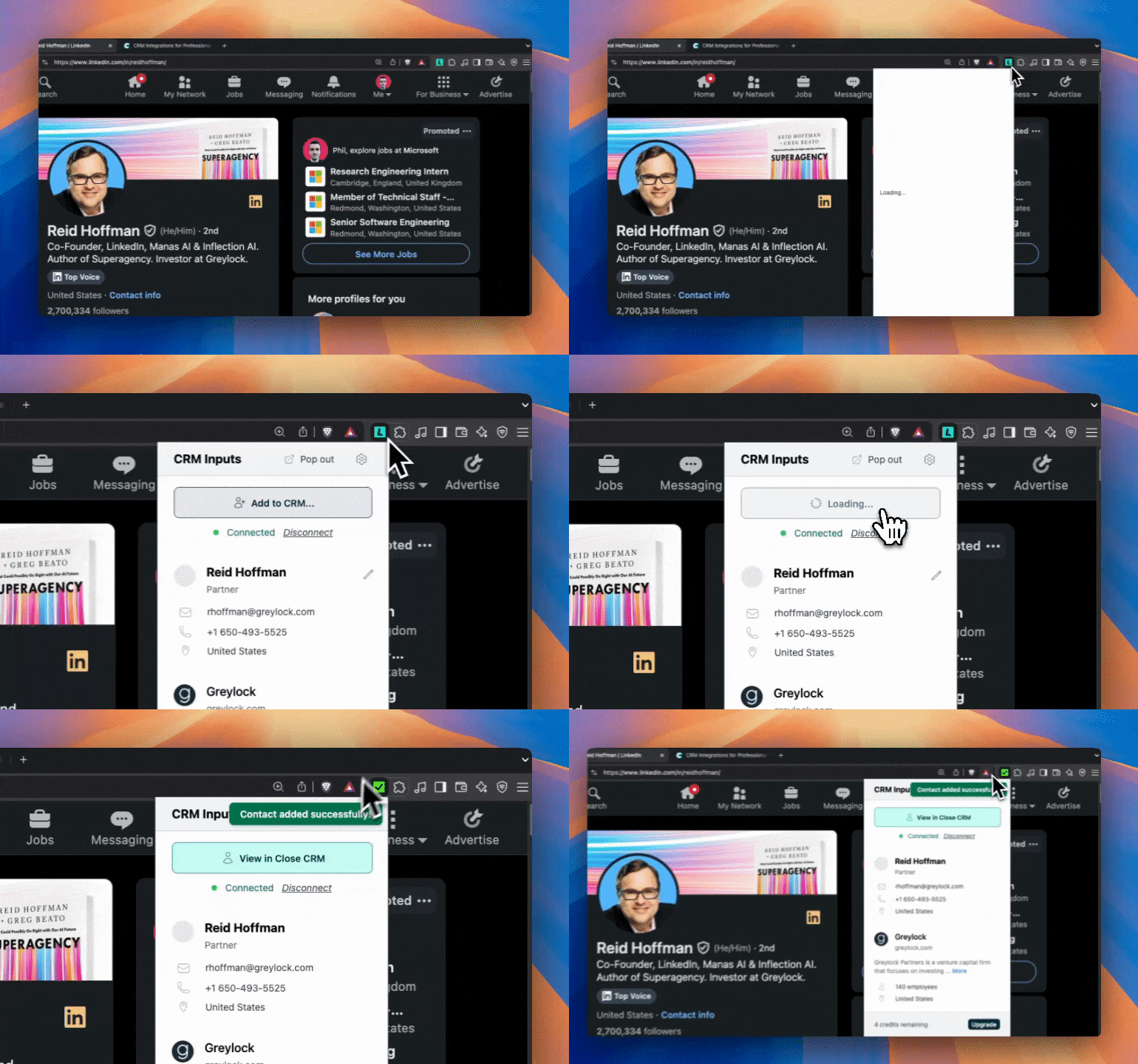
LinkZoho vs Traditional Prospecting
Let's compare the two approaches:
- Traditional Prospecting: Find a prospect on LinkedIn. Open a new tab. Search for their company website. Use a tool to guess their email. Copy their name, title, and company. Switch to Zoho. Click "Create Lead." Paste all the information. Time: 5-10 minutes per prospect.
- Prospecting with LinkZoho: Find a prospect on LinkedIn. Click the LinkZoho button to find verified contact info. Click "Add to CRM." Time: 10 seconds per prospect.
The difference is clear. LinkZoho not only saves an immense amount of time but also dramatically improves the accuracy of your CRM data.
Sales Pipeline Management
Setting Up Your Sales Pipeline
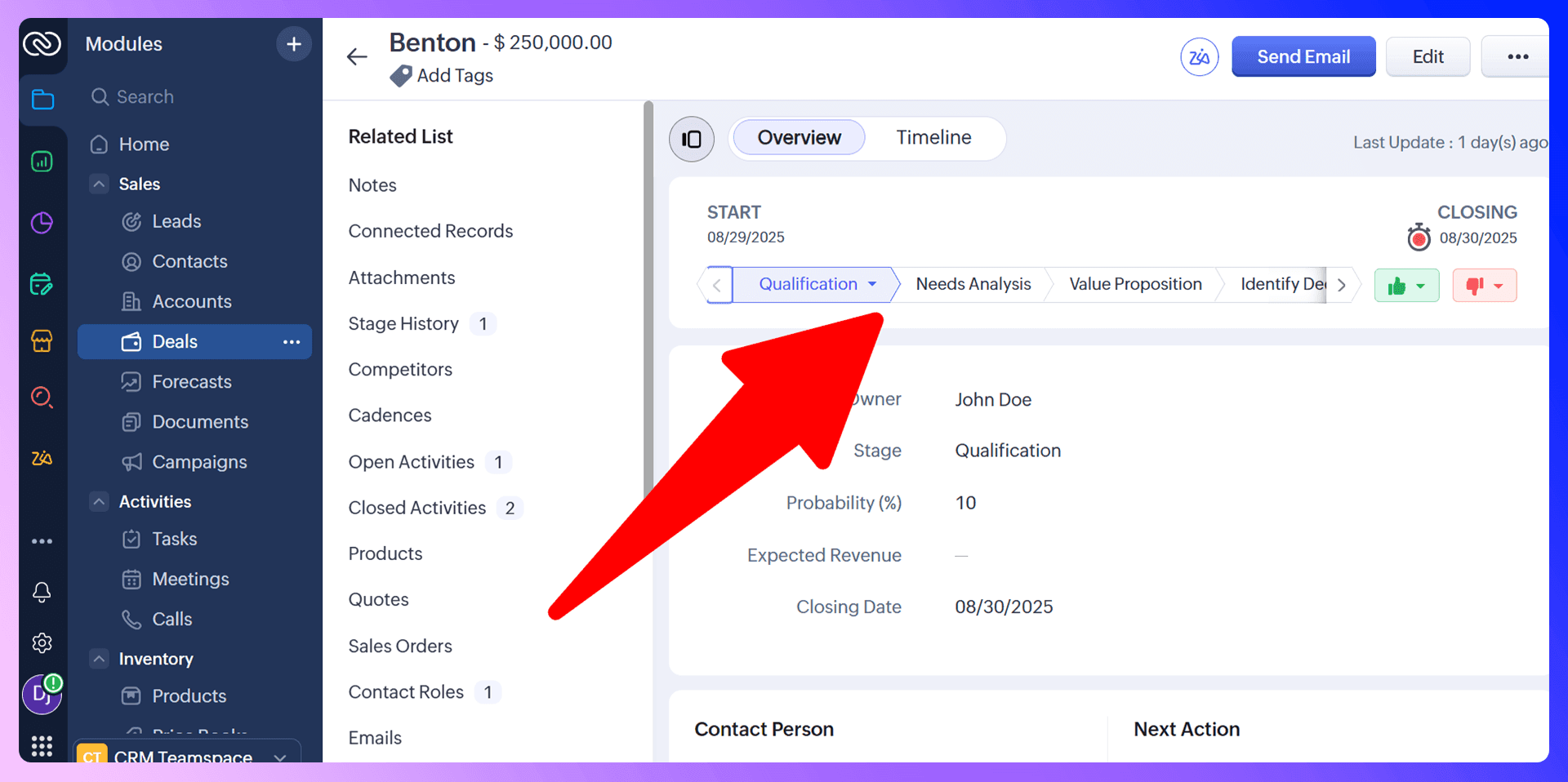
Your sales pipeline lives in the "Deals" module in Zoho. You can customize the stages to match your exact sales process. Common stages include:
- Qualification: The initial stage where you determine if the lead is a good fit.
- Needs Analysis: Understanding the prospect's challenges and goals.
- Proposal/Quote Sent: You've presented your solution.
- Negotiation/Review: Final discussions before closing.
- Closed Won / Closed Lost: The outcome of the deal.
Setting up a clear pipeline is crucial for tracking progress and forecasting revenue.
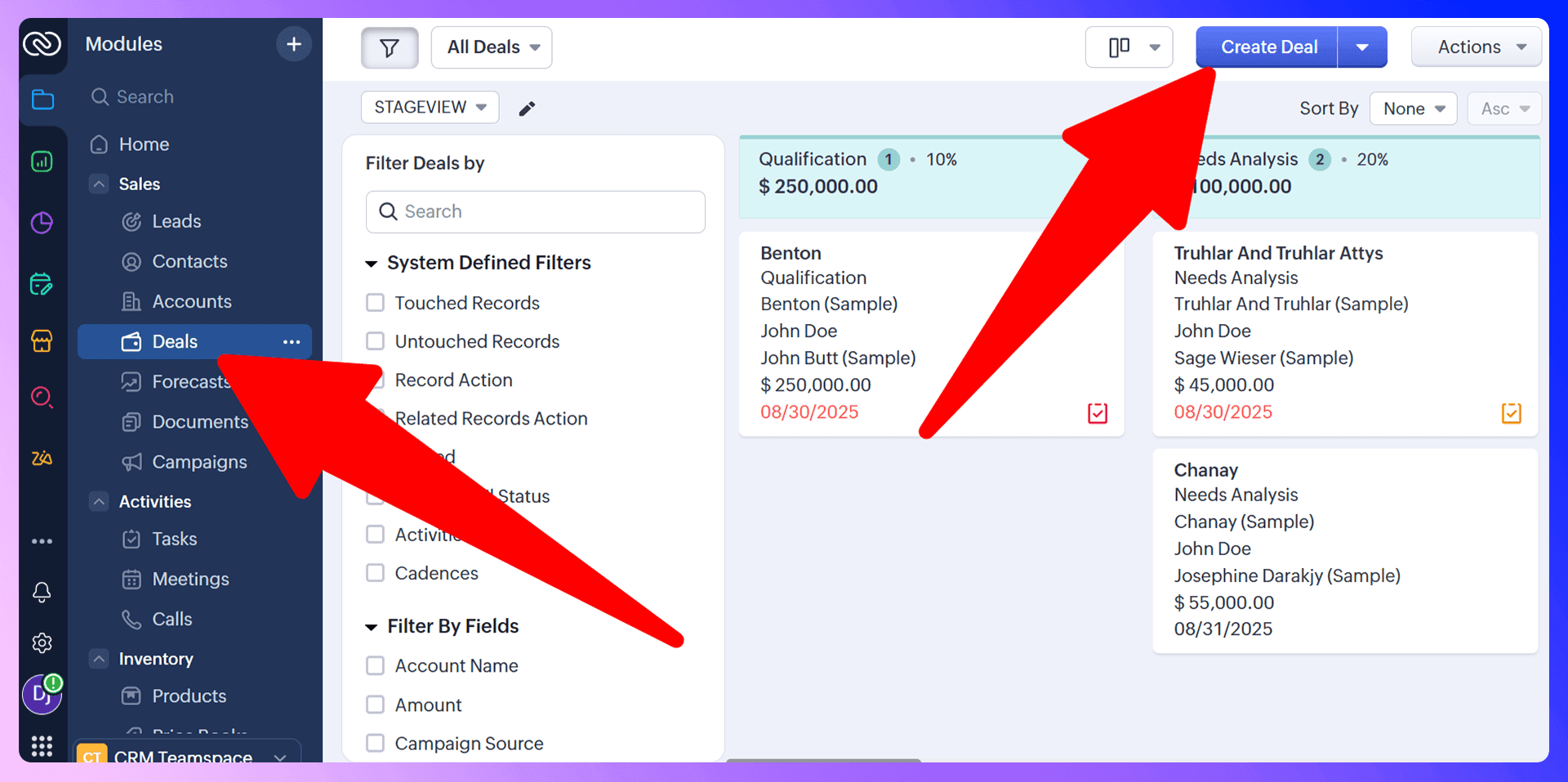
Moving Deals Through Your Pipeline
Zoho offers a visual, Kanban-style view of your deals. This allows you to drag and drop deals from one stage to the next as they progress. It provides a clear, immediate overview of your entire pipeline, showing where every opportunity stands.
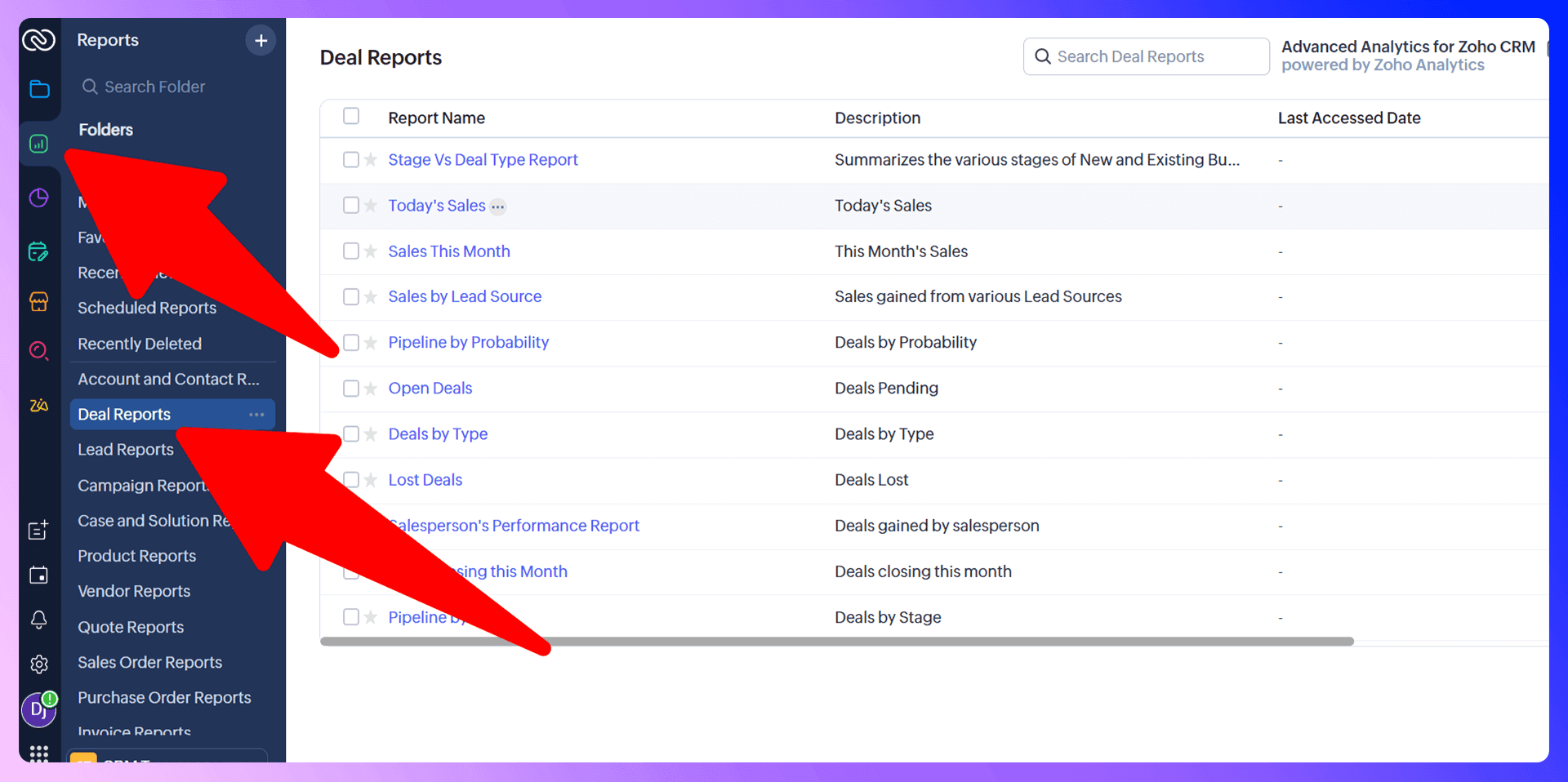
Pipeline Reporting and Analysis
Zoho's reporting features let you analyze your pipeline's health. You can track metrics like deal velocity, conversion rates between stages, and reasons for lost deals. This data is invaluable for identifying bottlenecks and improving your sales strategy.

Find verified emails and enrich Zoho contacts
Add to CRM finds verified emails, phone numbers, and job titles on LinkedIn® — then adds them to Zoho in one click.
Start Free Trial


 Trusted by 2,500+ users4.5
Prospecting and Lead Generation
Traditional Prospecting Methods
Traditional prospecting often involves hours spent scouring LinkedIn, trying to guess email formats, and then manually entering that information into your CRM. It's a numbers game that burns valuable time your sales reps could be spending on building relationships and closing deals.
Modern Prospecting with LinkZoho
LinkZoho transforms this process. It turns LinkedIn into a seamless extension of your CRM. When you find a promising prospect, you no longer need to switch tabs or copy-paste. Simply use the extension to find their verified contact information and add them directly to Zoho. This modern approach makes prospecting faster, more accurate, and far more efficient.
Communication and Follow-up
Email Integration and Management
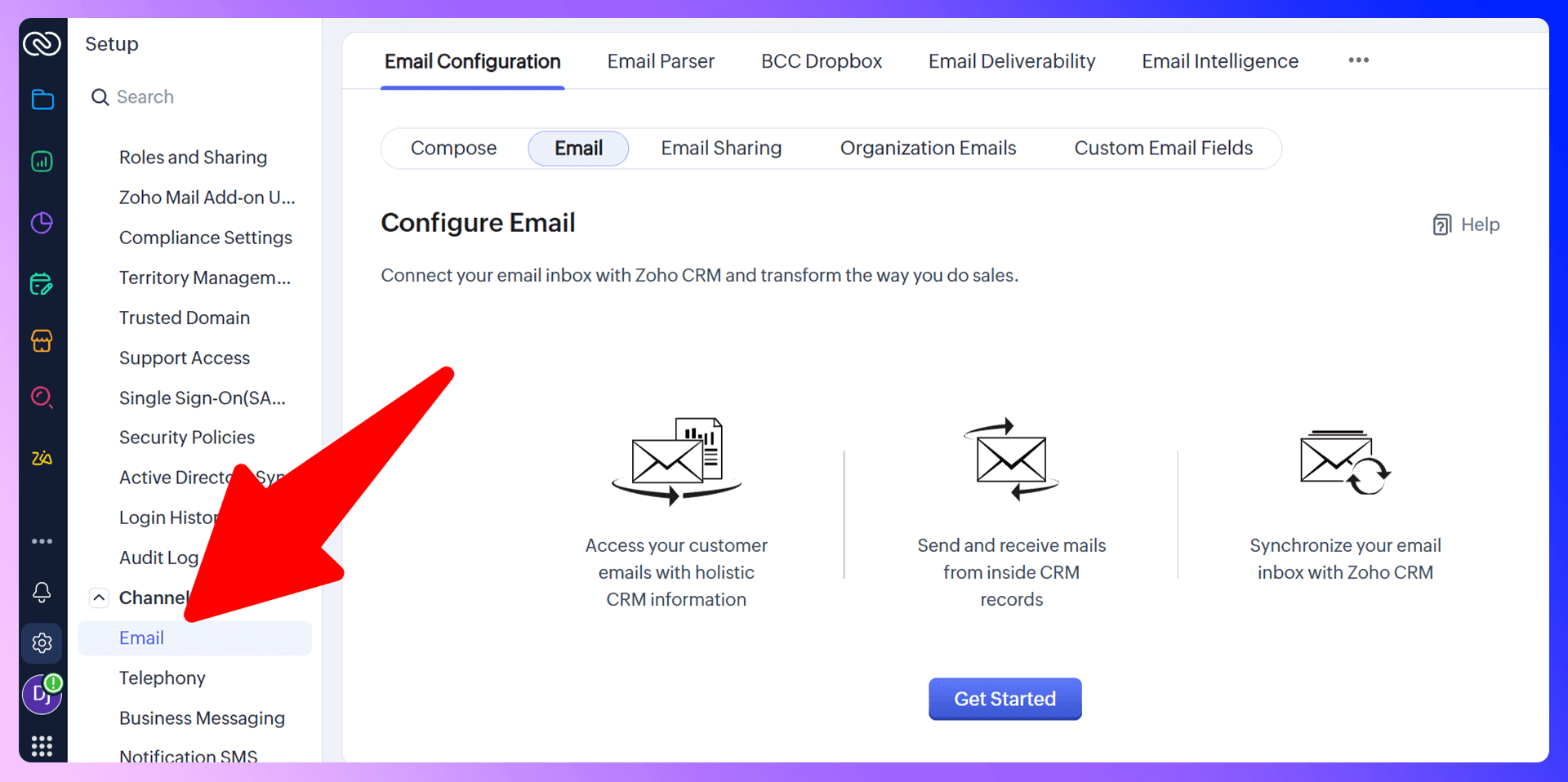
Integrate your email account with Zoho to track every conversation automatically. All emails sent and received will appear within the corresponding contact's record, giving you a complete communication history without any extra effort.
Task Management and Reminders
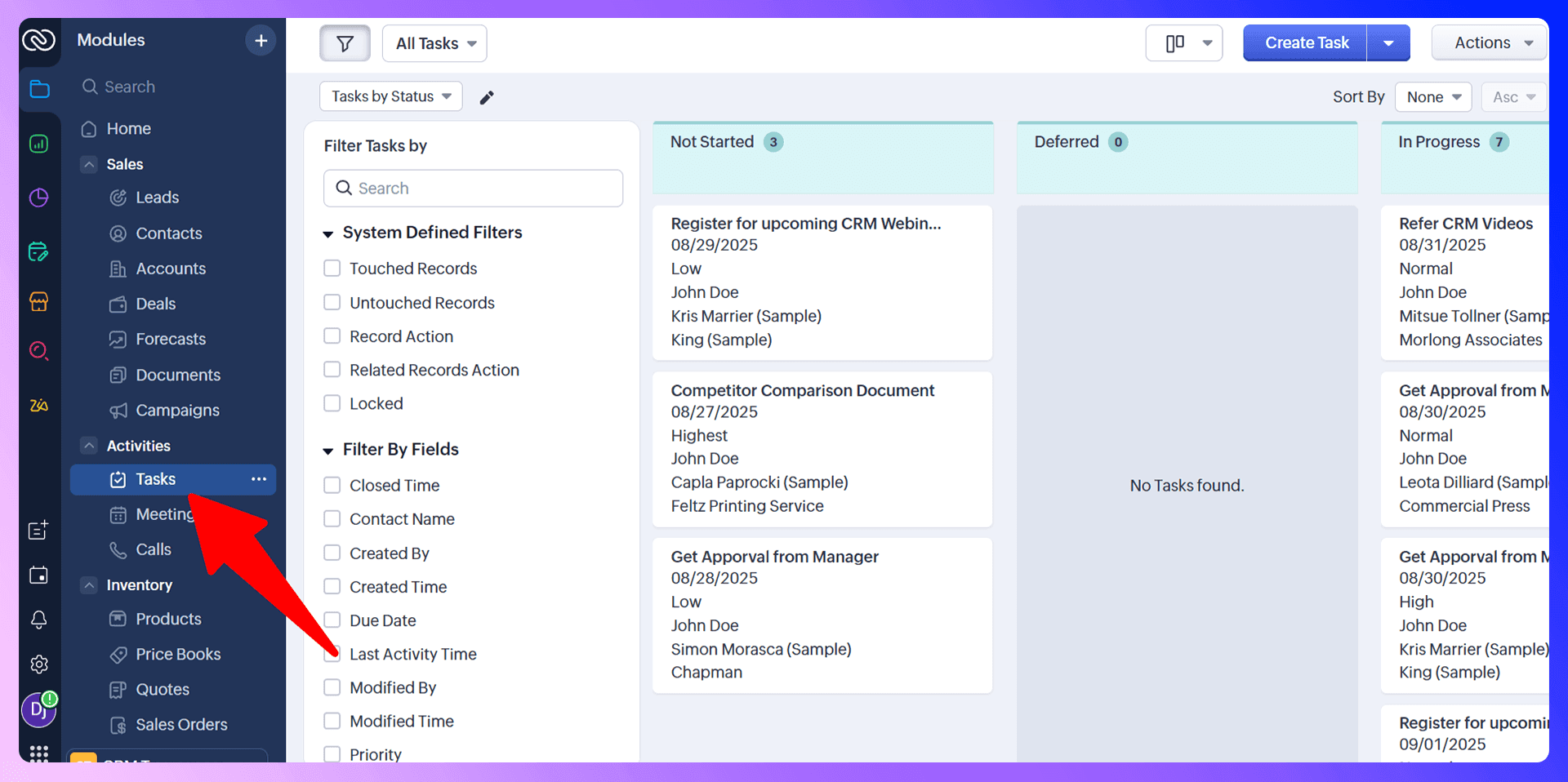
Never let a lead fall through the cracks. Use the "Activities" module in Zoho to create tasks, schedule meetings, and set reminders for follow-ups. When you create a task, associate it with a contact or deal so you always have context.
Call Logging and Communication History
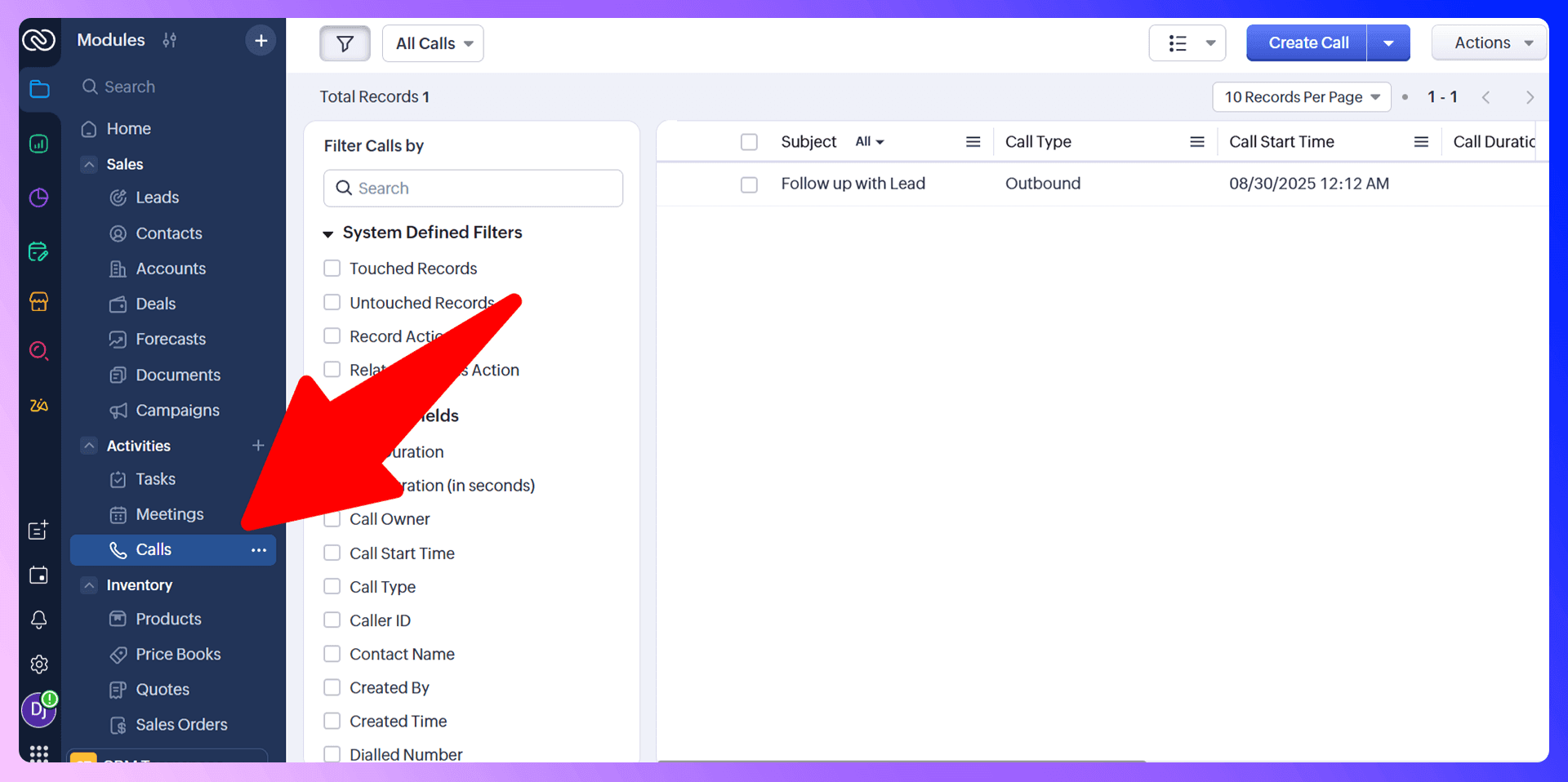
Log every call with a prospect or customer. You can add notes from the conversation, schedule the next step, and maintain a comprehensive record of all interactions. This ensures anyone on your team can pick up the conversation at any time.
Reporting and Analytics
Key Metrics to Track
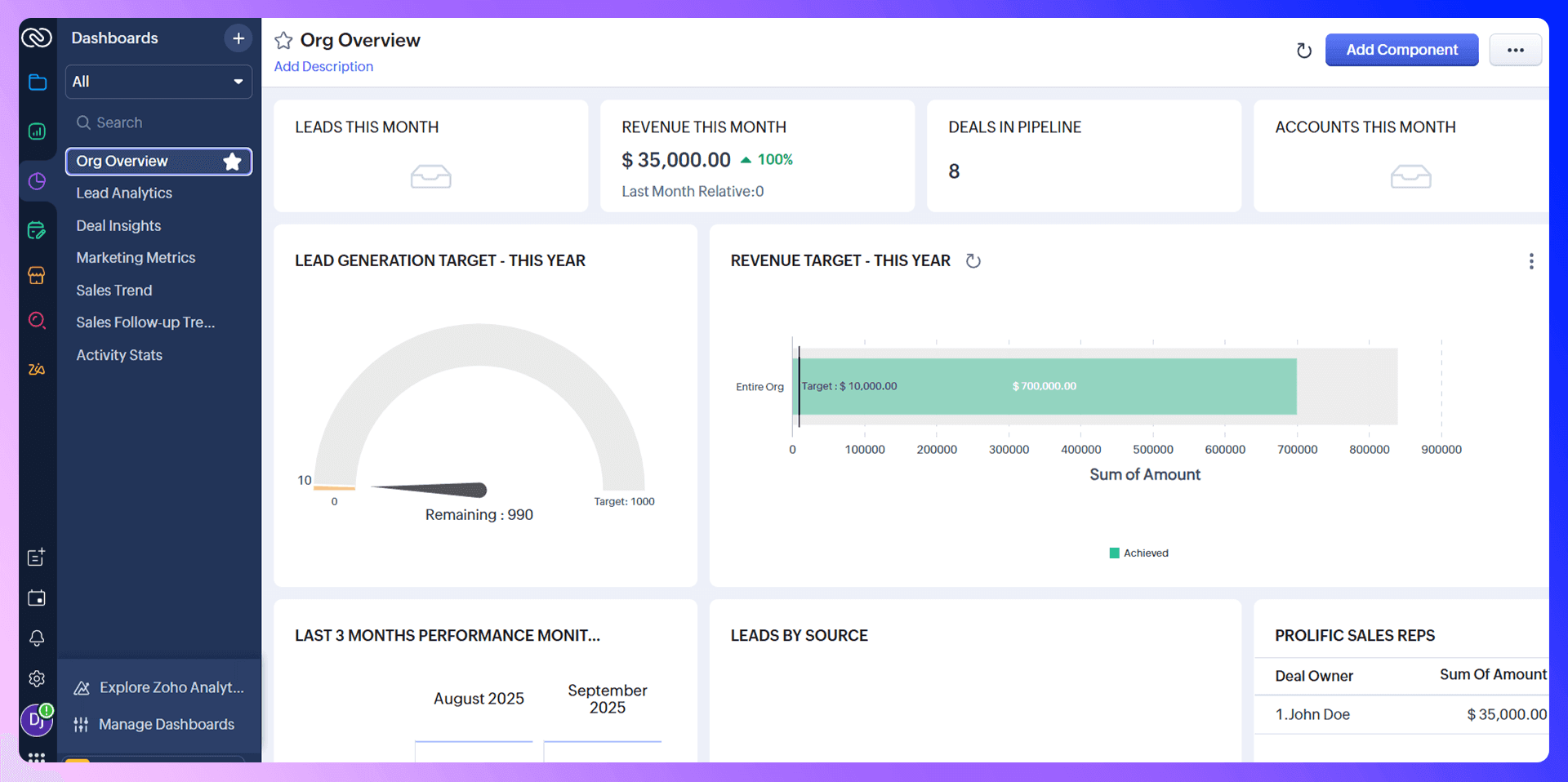
Data-driven sales teams are successful sales teams. In Zoho, you should be tracking:
- Lead Conversion Rate: How many leads become customers?
- Sales Cycle Length: How long does it take to close a deal?
- Leads by Source: Which channels are bringing in the best prospects?
- Pipeline Value: What is the total value of opportunities in your pipeline?
Creating Custom Reports
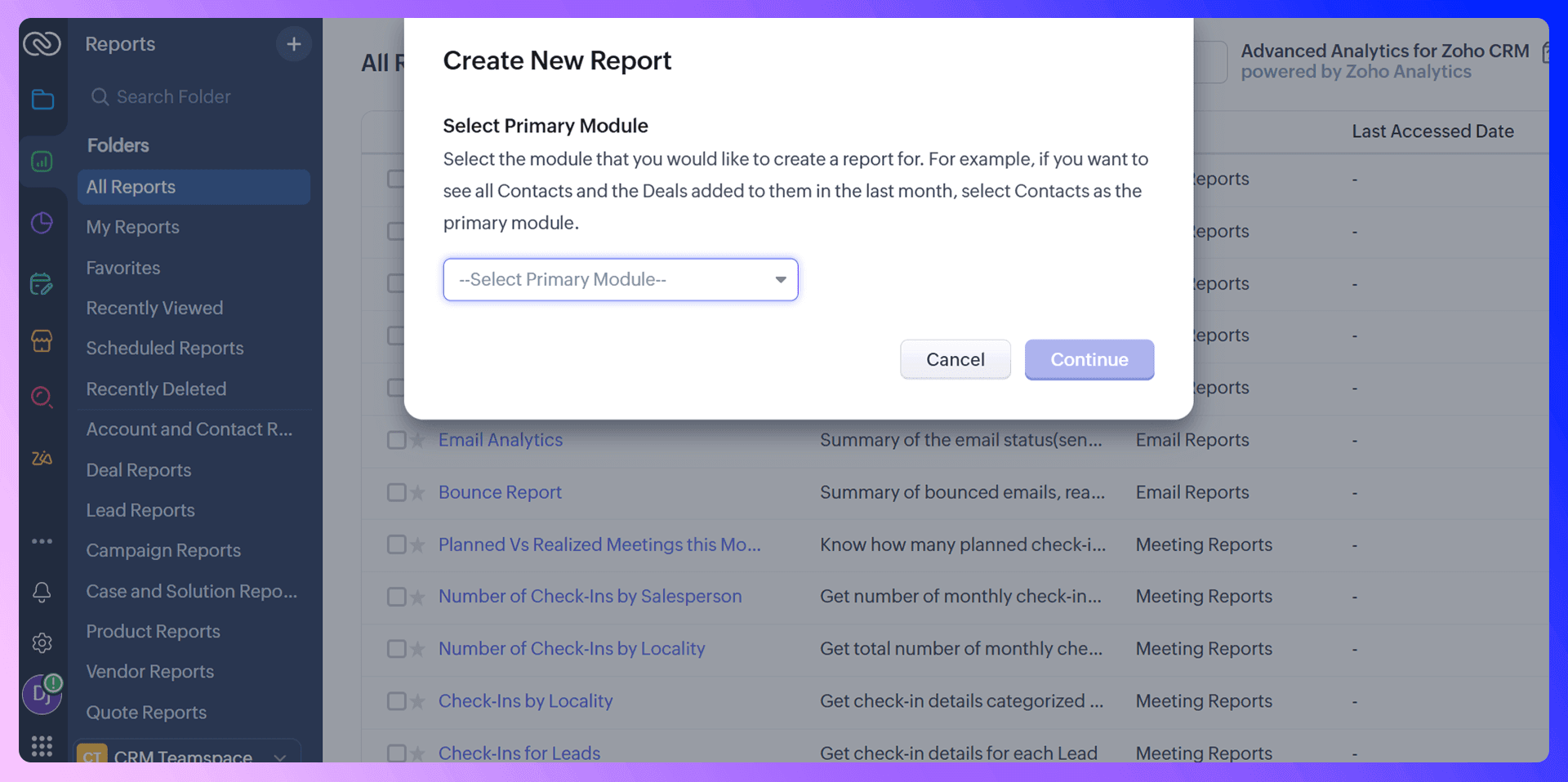
While Zoho comes with many pre-built reports, its true power lies in customization. You can build reports from scratch to measure the specific KPIs that drive your business. This allows you to get granular insights tailored to your team's goals.
Using Data for Sales Optimization
Use your reports to make informed decisions. If you notice deals are stalling at the negotiation stage, you can provide your team with more training. If a certain lead source has a high conversion rate, you can double down on that channel.
Team Collaboration Features
User Permissions and Access Control
As your team grows, you need to control who sees what. Zoho allows you to create different profiles (e.g., Sales Rep, Sales Manager) and set granular permissions. This ensures team members only have access to the data relevant to their role.
Sharing and Collaboration Tools
Zoho's "Feeds" feature acts like a social media feed for your team, providing real-time updates on deals, leads, and tasks. You can @mention colleagues to bring them into a conversation, share files, and collaborate directly on records.
Save hours on Zoho data entry
Add to CRM finds verified emails, phone numbers, and job titles on LinkedIn® — then adds them to Zoho in one click.
Start Free TrialTrusted by 2,500+ users4.5Advanced Features and Integrations
Automation and Workflows
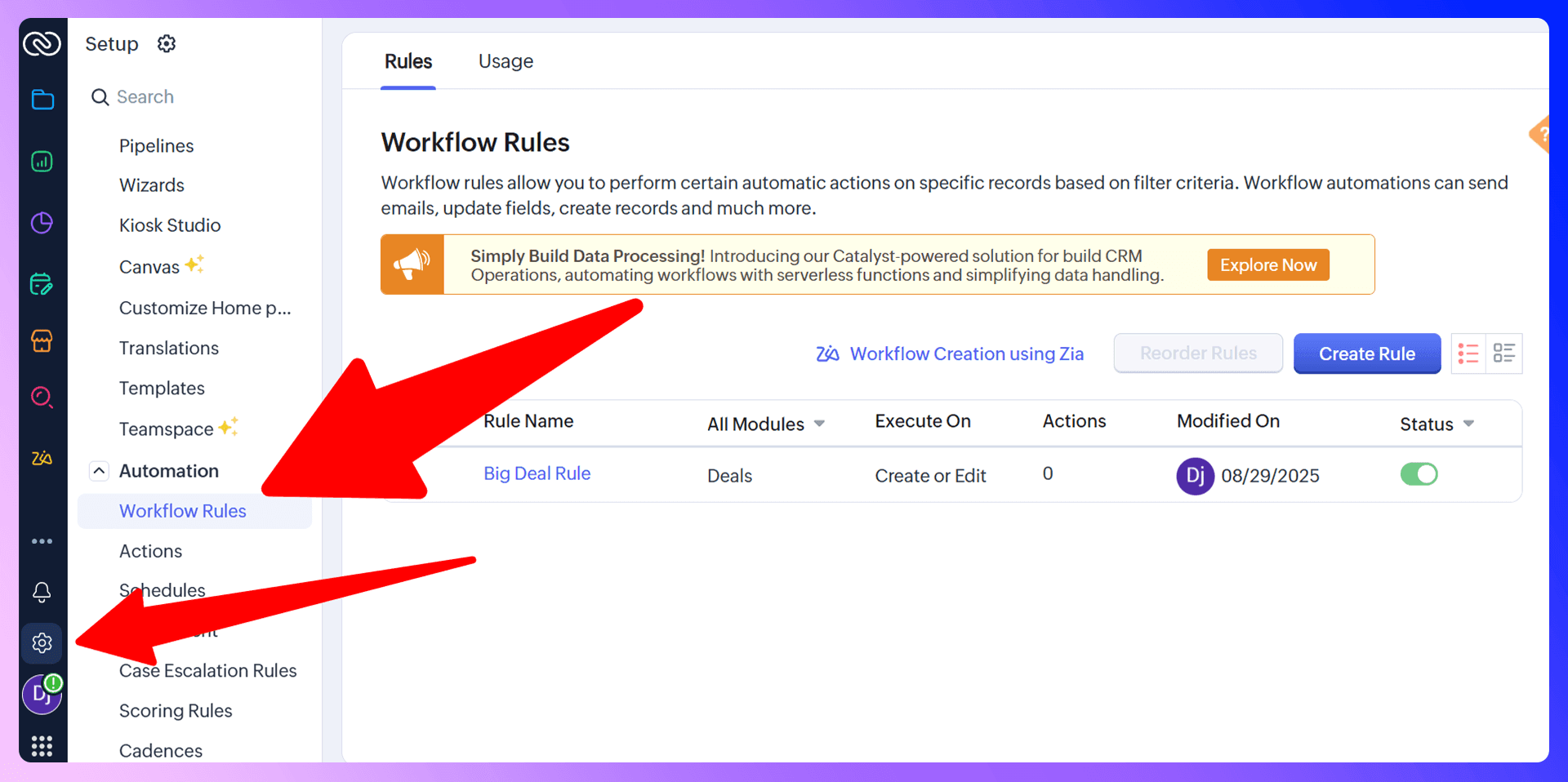
Automate repetitive tasks with Zoho's workflow rules. For example, you can set up a rule to automatically send a welcome email to a new lead or create a follow-up task for a sales rep three days after a proposal is sent. This saves time and ensures consistency.
Third-Party Integrations
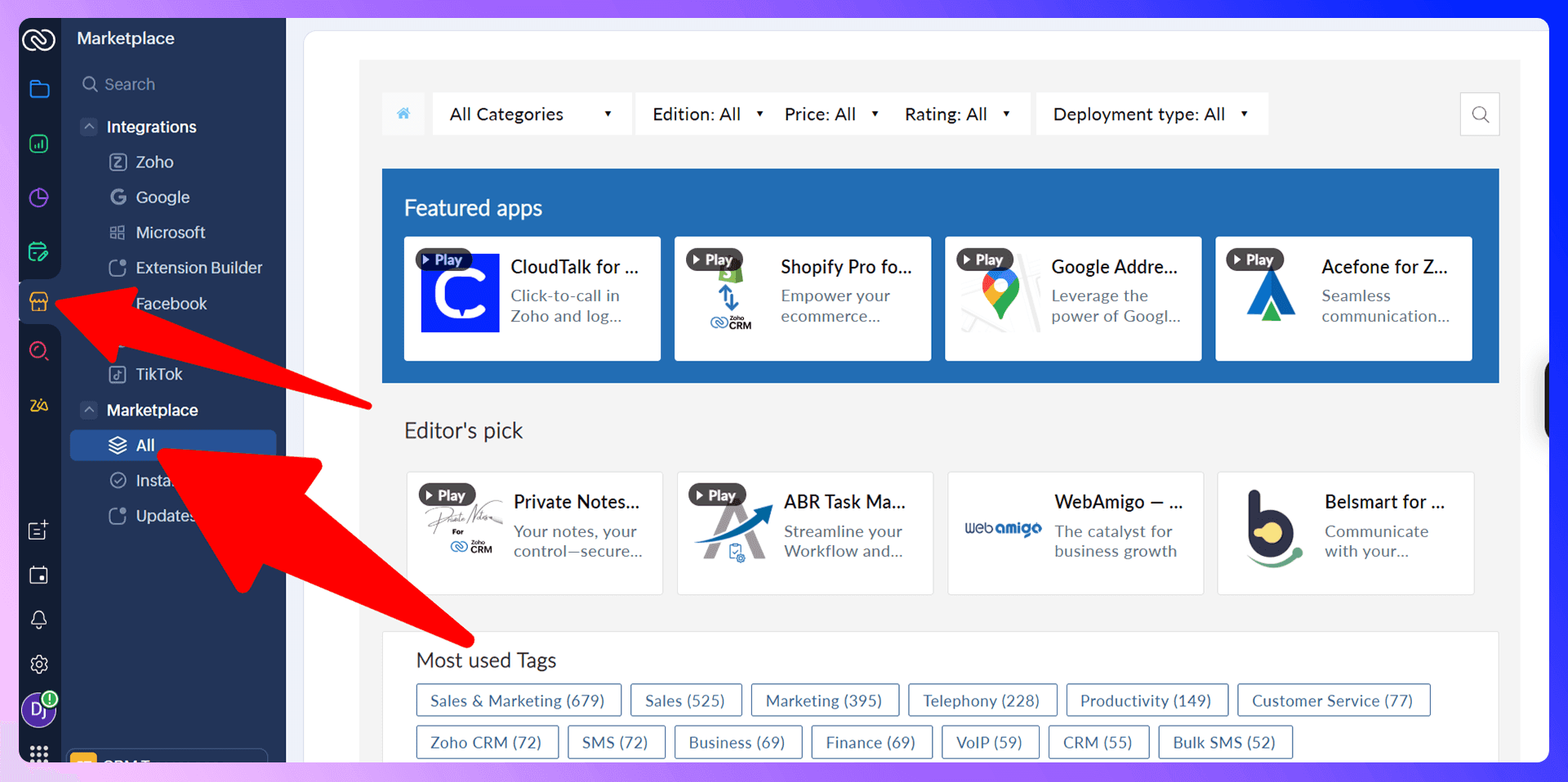
Zoho Marketplace offers hundreds of integrations with other business tools. Connecting your favorite apps extends Zoho's functionality and keeps all your data in sync. This is where tools that enhance core processes, like prospecting, become invaluable.
Mobile App Usage
Sales doesn't just happen at a desk. The Zoho CRM mobile app lets you manage your pipeline, update contacts, and log activities from anywhere, ensuring you're always on top of your deals.
Best Practices and Common Mistakes
Data Quality Best Practices
Your CRM is only as good as the data inside it. Maintaining clean, accurate data is non-negotiable. The best way to ensure high-quality data is to automate data entry wherever possible. Tools like LinkZoho are essential for this, as they pull verified, correctly formatted information directly into your CRM, minimizing human error.
Common Mistakes to Avoid
We often see teams make a few common mistakes:
- Failing to customize: Using Zoho out-of-the-box without tailoring it to your sales process.
- Inconsistent data entry: Having reps enter data differently, leading to a messy database.
- Ignoring automation: Wasting time on manual tasks that could easily be automated.
Optimization Tips
To get the most out of Zoho, regularly review your reports, conduct data cleanup sessions, and provide ongoing training for your team. A small investment in optimization pays huge dividends in efficiency and revenue.
Conclusion: Maximize Your Sales Success
Zoho is a fantastic CRM that can organize and streamline your entire sales operation. By following the best practices in this guide—customizing your pipeline, leveraging automation, and analyzing your data—you can build a powerful sales engine.
But for modern sales teams, the missing piece is often efficient prospecting. Manually adding contacts from LinkedIn is a bottleneck that slows down growth. LinkZoho is the tool that removes this friction, making your CRM truly powerful. Ready to stop wasting time on data entry and start closing more deals? Try LinkZoho for free today.
This app will save you hours using Zoho

 Zoho Integration
Add contacts to Zoho from LinkedIn®
Enrich profiles with verified emails and phone numbers. Sync to Zoho in one click.
Try Zoho Extension7-day free trial · Cancel anytime
Save 4+ hrs / week on Zoho data entry.
Find verified contact info for your prospects on LinkedIn®, Gmail, Outlook & company websites. Add them to your Zoho with 1-click.
 Loading...Trusted by 2,500+ founders, SDRs & more