12 Best CRMs for Small Business in 2026 (Compared)
Compare 12 top small business CRMs by features, pricing, and ease of use. Find the perfect fit to grow your company.
Choosing the right Customer Relationship Management (CRM) platform is a pivotal decision for any scaling company. It’s more than a digital address book; it’s the central nervous system for your sales pipeline, marketing outreach, and customer service efforts. A well-implemented CRM automates manual tasks, provides critical insights into your pipeline health, and ensures no lead or customer interaction falls through the cracks. For small businesses, where every resource counts, finding the perfect fit can be the difference between stagnating and achieving exponential growth.
This guide is designed to be your definitive resource for selecting the best crm for small business operations. We've moved beyond generic feature lists and marketing jargon to provide a comprehensive, hands-on analysis of the top 12 contenders in the market. You won't find vague promises here. Instead, you'll get a detailed breakdown of each platform, complete with screenshots, direct links, and practical insights.
We will evaluate each CRM based on its core strengths, potential limitations, and specific use-case scenarios. Whether you're a startup founder focused on outbound prospecting, a sales manager needing clear pipeline visibility, or a RevOps administrator tasked with maintaining data integrity, this list has you covered. We'll explore everything from HubSpot and Salesforce to specialized tools like Copper and Less Annoying CRM, helping you pinpoint the exact solution that aligns with your budget, team size, and strategic goals. Let's find the platform that will power your business's next big move.
1. HubSpot CRM
HubSpot CRM has solidified its place as a top contender for the best CRM for small business due to its powerful, forever-free foundation and exceptional scalability. It acts as a central database for all customer interactions, allowing startups and small teams to organize, track, and nurture leads without an initial investment. The platform's core strength is its unified "Customer Platform" model, which means you can start with the free tools and later add paid features from Marketing, Sales, or Service Hubs as you grow, all without complex data migration.
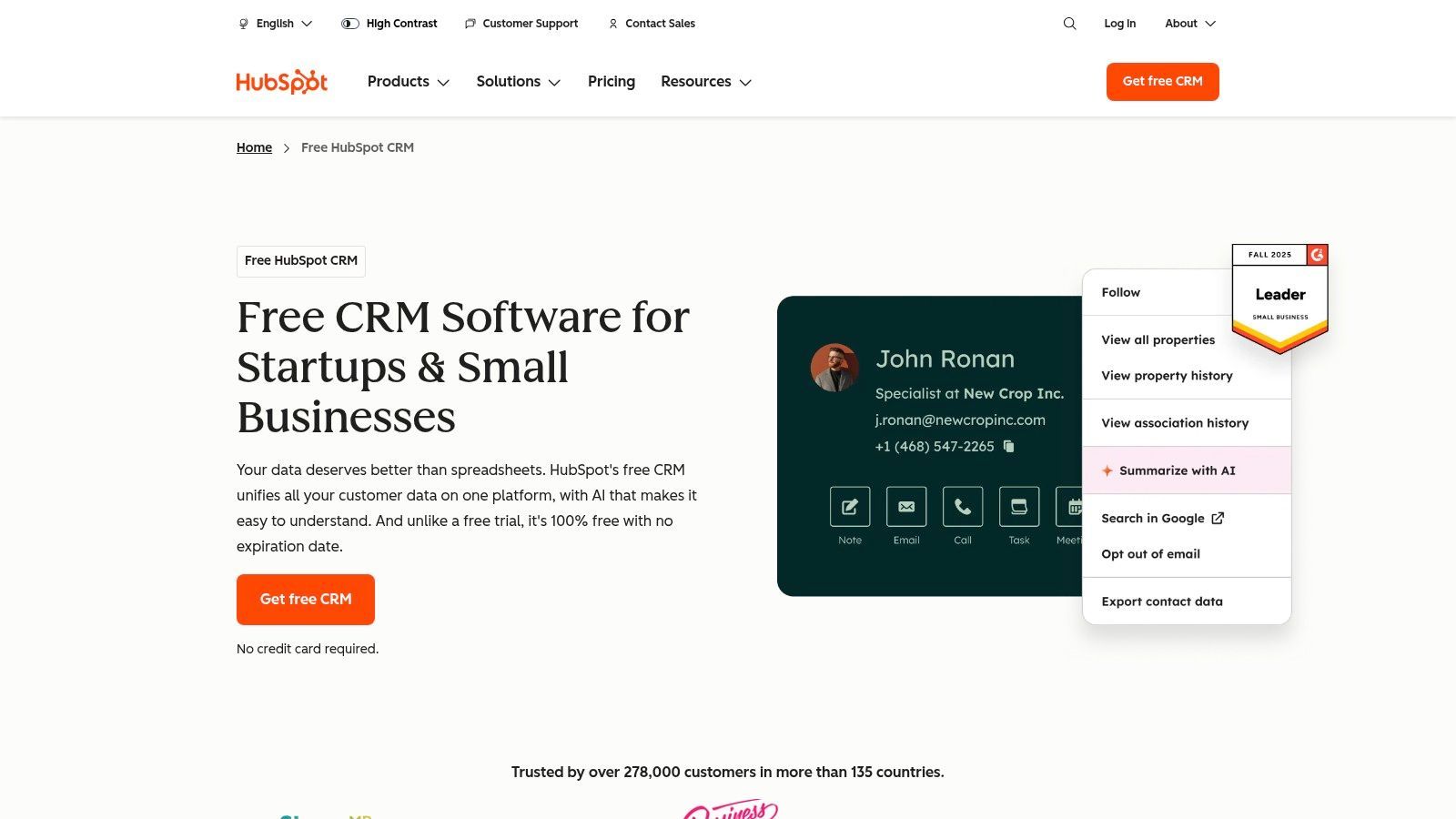
The user interface is notably clean and intuitive, supported by one of the most extensive free educational resource libraries available (HubSpot Academy). This makes onboarding new team members straightforward. For sales reps and BDRs, its contact management, deal pipelines, and reporting dashboards provide immediate value right out of the box.
Key Details & Analysis
- Ideal Use Case: Startups and SMBs needing a free, feature-rich CRM with the option to scale into an all-in-one marketing, sales, and service platform.
- Pricing: Offers a comprehensive Forever-Free Plan with unlimited users and up to 1 million contacts. Paid "Starter" plans begin at around $20 per seat/month, unlocking more automation and feature depth.
- Implementation: Guided onboarding and a vast integration marketplace simplify setup. Connecting tools like Gmail, Outlook, and various marketing apps is typically a quick, wizard-driven process.
Our Take: HubSpot's free plan isn't a stripped-down trial; it's a genuinely useful tool that can serve a small business indefinitely. The real power lies in its seamless, modular upgrade path, making it a CRM that grows with you. However, be mindful that costs can escalate quickly as you add more seats and move to higher-tier Professional or Enterprise Hubs.
Website: https://www.hubspot.com/products/crm
2. Salesforce (Small Business suites)
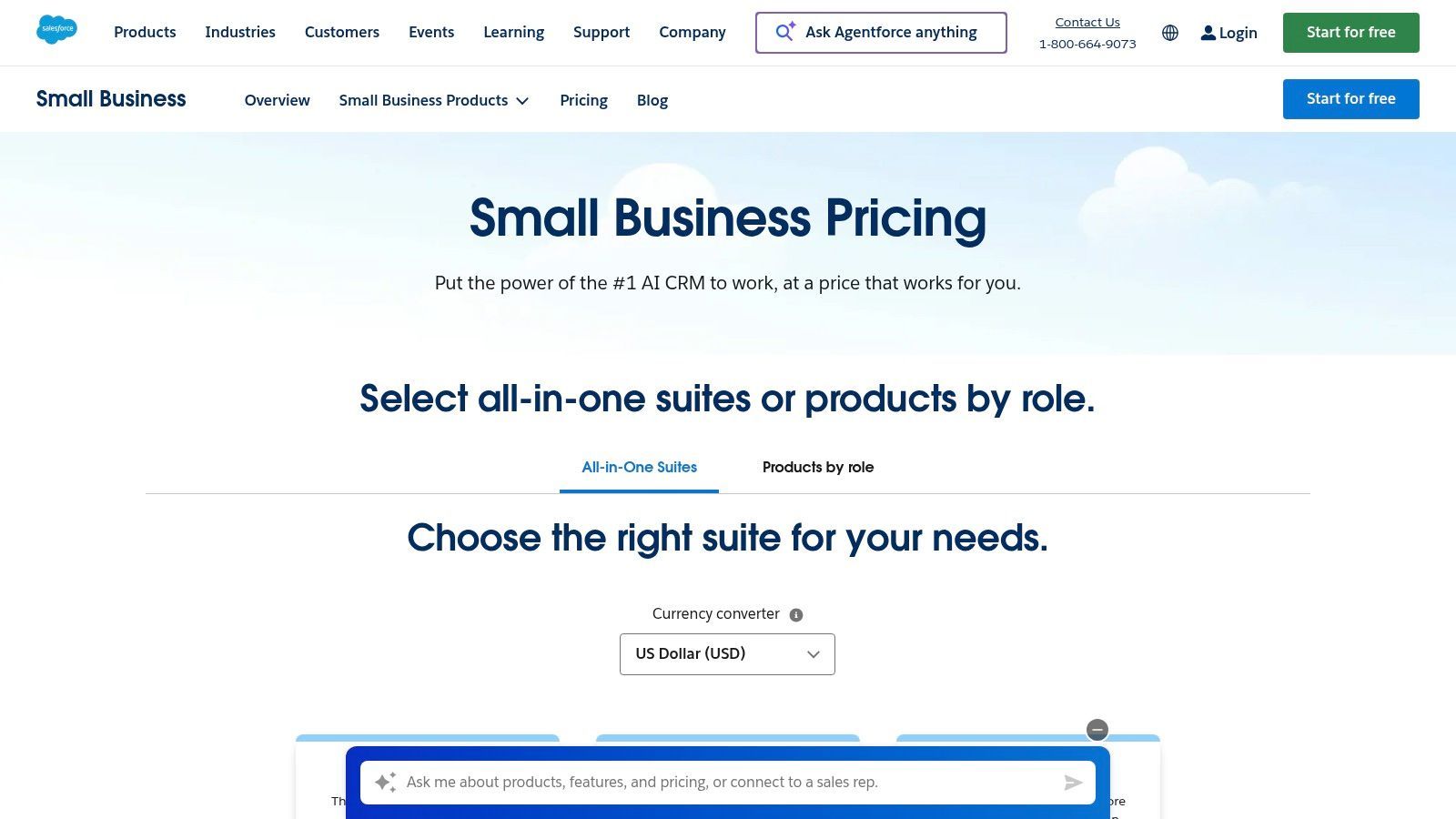
Salesforce is renowned as an enterprise giant, but its small business suites make it a surprisingly accessible option for companies with high growth ambitions. These bundled packages (Starter and Pro) combine core sales, service, and marketing tools into a simplified platform with guided onboarding. For small businesses that plan to scale aggressively, starting with Salesforce provides a direct path into a powerful, enterprise-grade ecosystem without needing to migrate data down the line, making it a strong contender for the best crm for small business.
The platform’s key advantage is its unparalleled customizability and the vast AppExchange marketplace, which offers thousands of integrations to tailor the CRM to any specific industry or need. While the interface is more complex than some simpler CRMs, its depth in features like forecasting, quoting, and process automation is hard to match. This makes it ideal for teams who are willing to invest time in learning a system that can support complex operations as they grow.
Key Details & Analysis
- Ideal Use Case: Ambitious SMBs and startups that anticipate rapid growth and require a highly scalable, customizable CRM from the outset.
- Pricing: The "Starter" suite begins at around $25 per user/month (billed annually). Higher tiers like "Pro" add more advanced features like quoting and forecasting.
- Implementation: Offers guided setup for small business suites. However, the learning curve is steeper than many competitors, and leveraging its full potential may require more dedicated setup time or external help.
Our Take: Salesforce for small business is an investment in your future. It’s not the simplest plug-and-play option, but it provides an incredibly robust foundation that you will never outgrow. The access to the AppExchange alone is a significant benefit, though be aware that costs for both the core product and add-ons can increase as your needs become more sophisticated.
Website: https://www.salesforce.com/small-business/pricing/
3. Zoho CRM
Zoho CRM is a powerhouse for small businesses looking for a comprehensive, highly customizable CRM without the enterprise-level price tag. Its biggest advantage is its seamless integration into the massive Zoho ecosystem, which includes over 50 business apps. This allows SMBs to build a fully connected tech stack covering everything from sales and marketing to finance and HR, all under one roof, often at a fraction of the cost of competitors.
The platform itself is robust, offering deep lead and deal management, workflow automation, and powerful analytics. While the interface can feel more complex than some streamlined alternatives, its customizability is a major draw for businesses with unique sales processes. Zoho empowers users to tailor modules, fields, and layouts to precisely match their operational needs, making it a truly flexible best crm for small business. You can learn more about using Zoho CRM to get started.
Key Details & Analysis
- Ideal Use Case: Small to mid-sized businesses that need a customizable CRM and plan to use other Zoho products for an all-in-one business management solution.
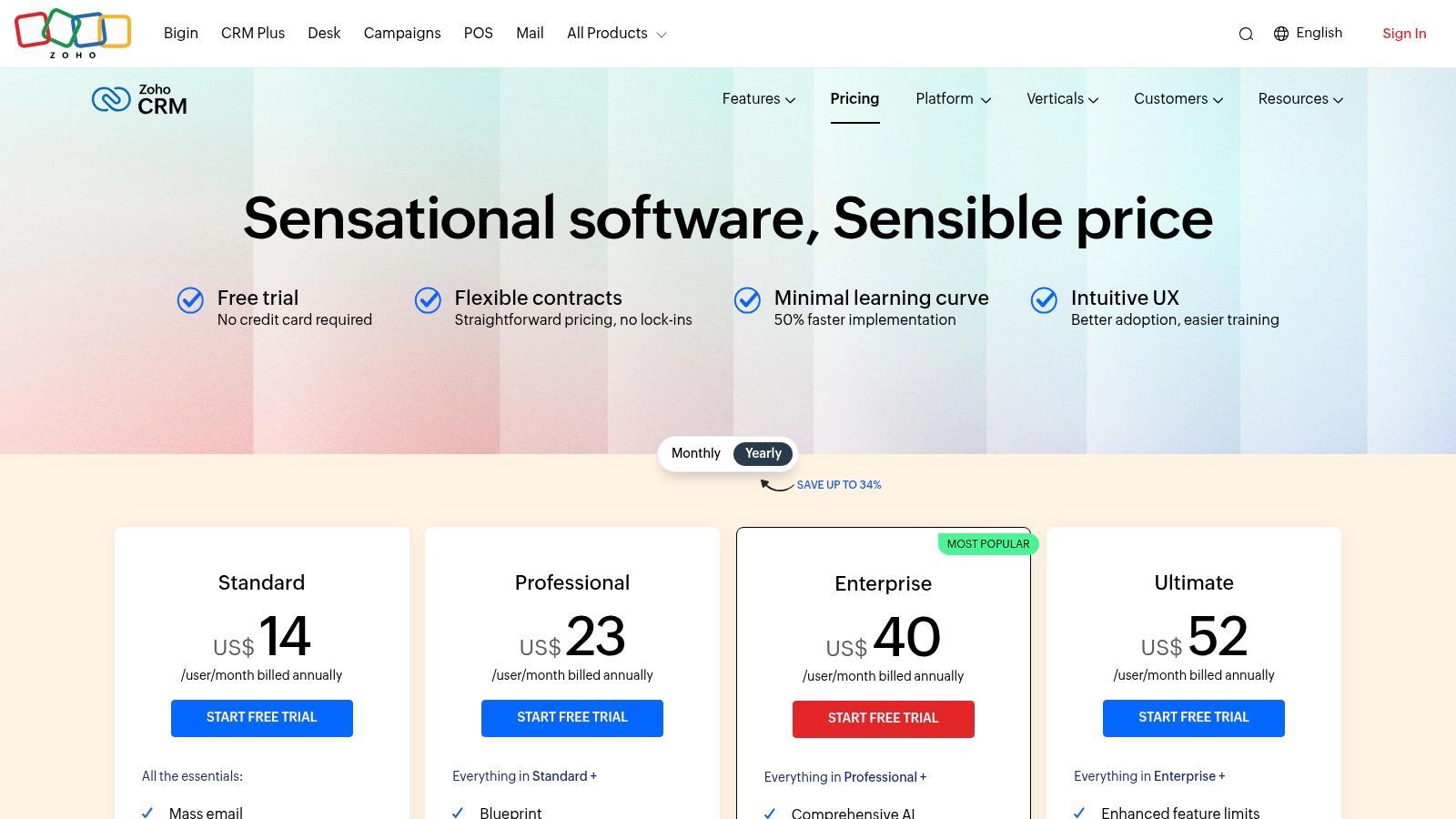
- Pricing: Offers a generous Free Plan for up to 3 users. Paid plans are very competitive, starting at around $14 per user/month (billed annually) for the Standard tier.
- Implementation: Setup can be more involved due to its high degree of customization, but it offers a wide range of third-party integrations and its own marketplace.
Our Take: Zoho CRM delivers exceptional value, especially for businesses already invested or planning to invest in the Zoho suite. The free plan is great for small teams, and the paid tiers offer an incredible depth of features for the price. However, new users may face a steeper learning curve, and customer support quality can vary depending on your subscription level.
Website: https://www.zoho.com/crm/zohocrm-pricing.html
4. Pipedrive
Pipedrive is a sales-first CRM designed for one primary purpose: to help teams visualize their sales process and close deals faster. It stands out by centering its entire user experience around a clear, drag-and-drop sales pipeline, making it incredibly intuitive for sales reps to manage their activities. For small businesses that prioritize sales velocity and a straightforward, activity-based selling methodology, Pipedrive offers an uncluttered and highly effective solution that minimizes administrative busywork.
The platform is built for quick adoption, allowing teams to get up and running in minutes, not weeks. Its visual nature means sales managers can immediately see the health of their pipeline, identify bottlenecks, and forecast revenue with greater accuracy. This focus on usability and core sales functions makes it a strong candidate for the best CRM for small business, especially for teams that find all-in-one platforms overly complex for their needs.
Key Details & Analysis
- Ideal Use Case: Sales-focused SMBs and teams that need a highly visual, easy-to-use tool to manage deals and sales activities without extensive marketing or service features.
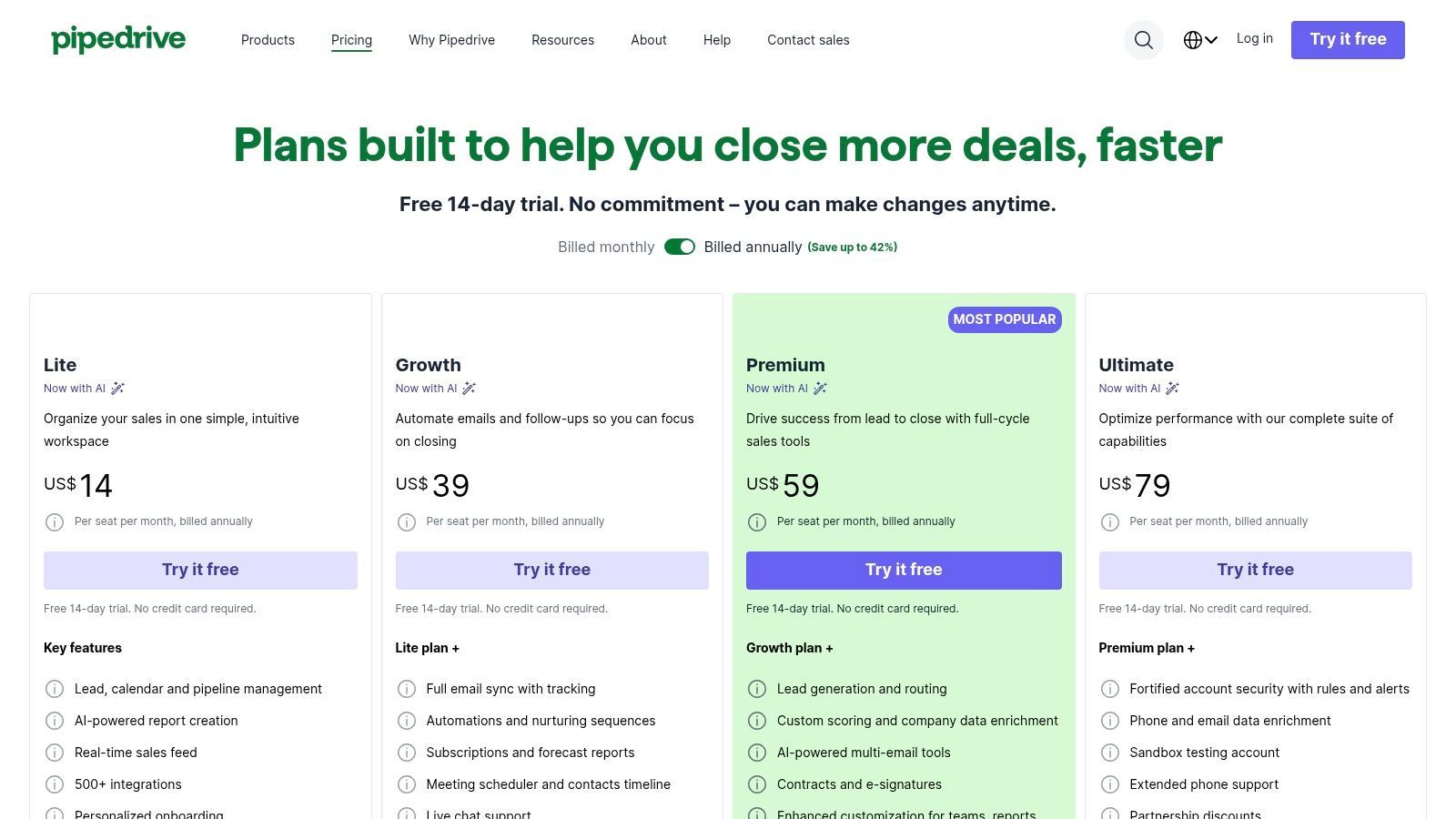
- Pricing: Plans start with the "Essential" tier at around $14 per user/month (billed annually). More advanced features like workflow automation and integrations are available in higher tiers like "Advanced" and "Professional."
- Implementation: The setup is fast and simple. Its marketplace features over 500 integrations, and powerful add-ons like Smart Docs (for document management) can be added to customize the platform to specific needs.
Our Take: Pipedrive excels at its core competency: pipeline management. It's a fantastic choice for teams who want to log in, see exactly what needs to be done to move deals forward, and log out. While its marketing features are light compared to competitors, its singular focus on sales makes it exceptionally powerful and easy to master for that purpose. Learn more about Pipedrive and its integration capabilities.
Website: https://www.pipedrive.com/en/pricing
5. Nutshell
Nutshell is an easy-to-use CRM designed specifically for small B2B teams, earning its spot as one of the best crm for small business options by combining simplicity with powerful sales features. It stands out by offering unlimited contacts and data storage on all plans, which removes a common growth barrier for many SMBs. The platform is built around a clear, intuitive pipeline management system that helps teams visualize and advance deals effectively.
Its core offering focuses on sales pipeline management, contact organization, and basic email marketing functionality. Nutshell's approach is to provide a solid sales foundation and then allow businesses to layer on additional capabilities, such as advanced email marketing or invoicing, through transparently priced add-ons. This modular strategy prevents users from paying for complex tools they don't need from day one.
Key Details & Analysis
- Ideal Use Case: Small B2B sales teams that need a straightforward, sales-focused CRM with unlimited contacts and predictable pricing.
- Pricing: Starts at $16 per user/month (billed annually) for the Foundation plan. The Pro plan adds sales automation and full reporting for $42 per user/month. A 14-day free trial is available.
- Implementation: Known for its fast setup and user-friendly interface. Onboarding is supported by free data import assistance and responsive customer support, making the transition smooth for teams with limited IT resources.
Our Take: Nutshell hits a sweet spot between ease of use and functionality. The unlimited contacts and storage are a huge advantage, and its clear focus on sales pipelines makes it incredibly effective for teams that prioritize deal management. While some advanced automation and marketing features require higher tiers or add-ons, this à la carte model provides excellent flexibility and cost control for a growing business.
Website: nutshell.com
6. Freshsales by Freshworks
Freshsales earns its spot as a leading best CRM for small business by integrating core communication channels directly into its platform. Designed for high-velocity sales teams, it bundles phone, email, chat, and SMS capabilities, reducing the need for multiple third-party tools. This all-in-one approach simplifies the sales process, allowing reps to engage with prospects across various touchpoints from a single, unified interface.
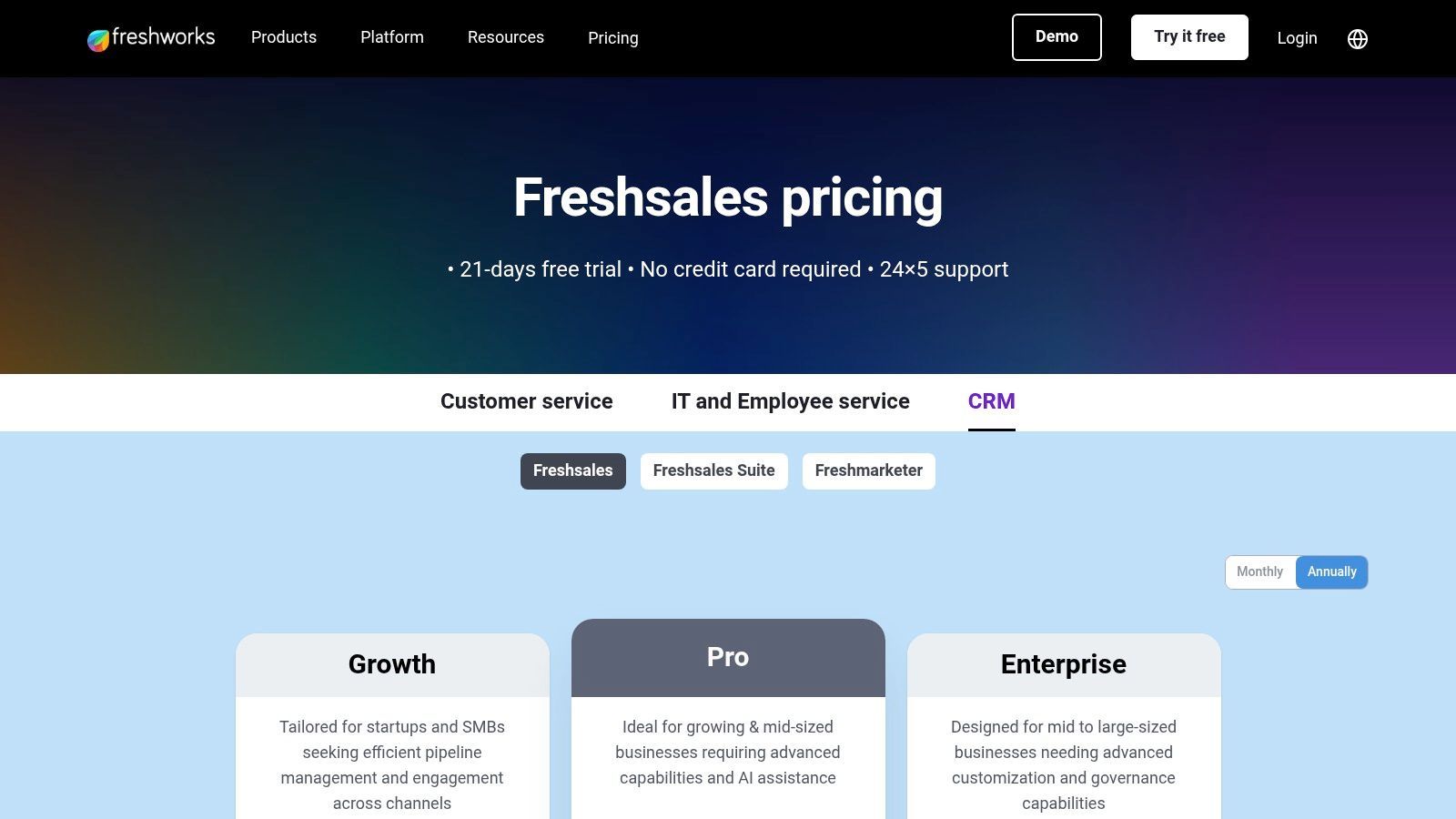
The platform is known for its clean, modern UI featuring Kanban-style deal pipelines and intuitive contact management. Its standout feature is Freddy AI, an artificial intelligence assistant that provides predictive insights, lead scoring, and automates repetitive tasks, helping teams prioritize their most promising opportunities. The focus on built-in communication makes it a powerful and cost-effective solution for small businesses looking to consolidate their tech stack.
Key Details & Analysis
- Ideal Use Case: SMBs and sales teams that prioritize direct communication (phone, email, chat) and want a CRM with strong native engagement tools built-in.
- Pricing: A free plan is available for up to three users. Paid plans start at $15 per user/month (billed annually), with more advanced AI and automation features included in higher tiers. A 21-day free trial is also offered.
- Implementation: Setup is straightforward with guided onboarding. The platform is designed for quick adoption, though integrating its full suite of communication tools may require some initial configuration. You can learn more about how to set up and use Freshsales in our guide.
Our Take: Freshsales is an excellent choice for teams that live on the phone and in their email inbox. The value of having communication tools natively integrated cannot be overstated for efficiency. While its app marketplace is smaller than giants like HubSpot, its core offering is robust and competitively priced, providing immense value right out of the box.

One Chrome extension for all your CRM enrichment
Find verified emails, phone numbers, and job titles on LinkedIn®. Add contacts to any of 29+ supported CRMs in one click.
Start Free Trial


 Trusted by 2,500+ users4.7
7. monday sales CRM
monday sales CRM leverages the power and flexibility of the popular monday.com Work OS, transforming its visual, board-based interface into a fully functional CRM. Its core strength is its extreme customizability, allowing small businesses to build sales pipelines, contact management boards, and post-sales workflows that perfectly match their unique processes. For teams already using monday.com for project management, it offers a unified environment, eliminating the need to switch between platforms.
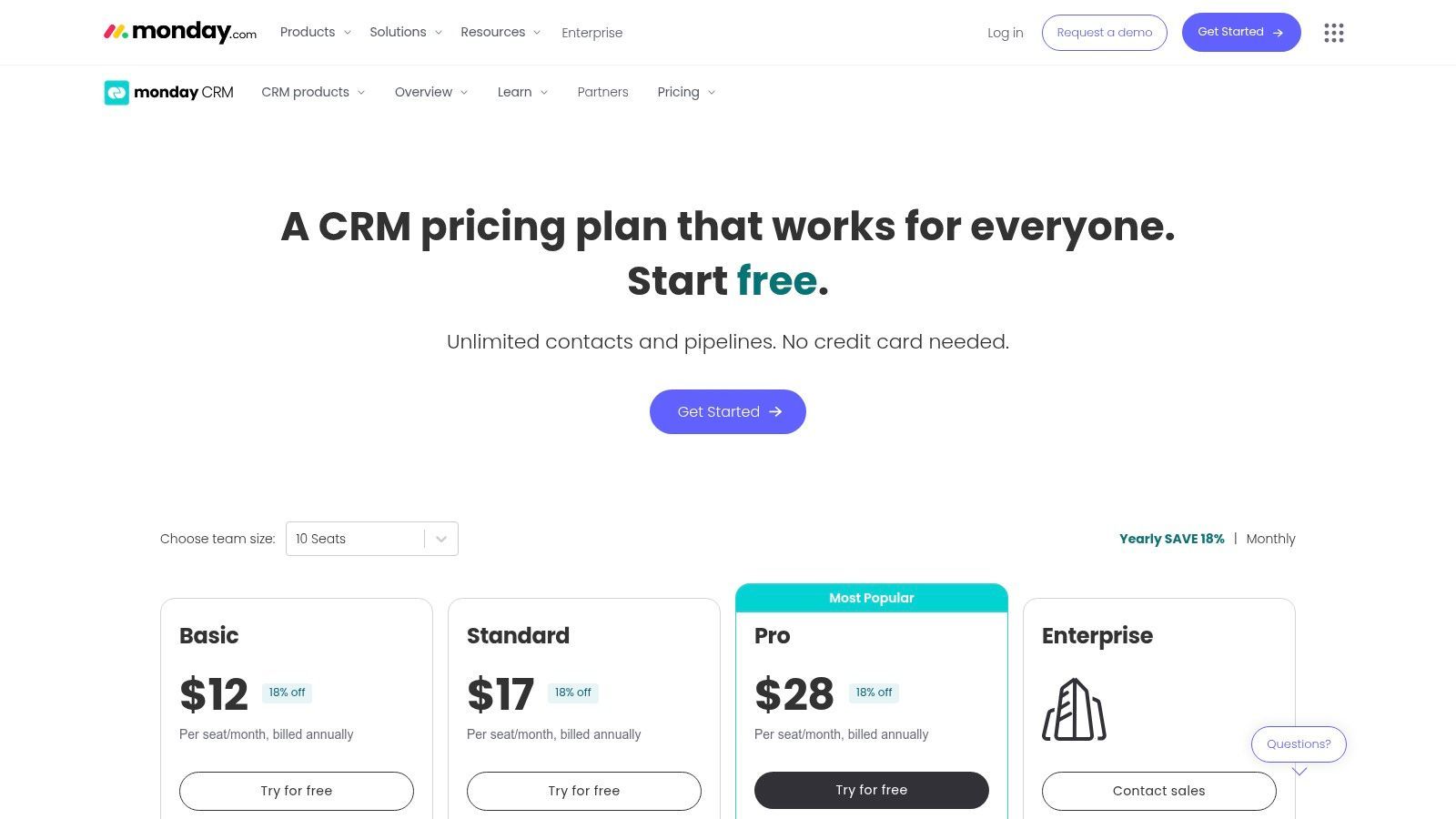
The platform excels at visualizing data and automating repetitive tasks. Sales teams can easily track leads through custom stages, set up automated email sequences, and generate insightful dashboard reports without needing deep technical expertise. This visual-first approach makes it an intuitive and engaging best CRM for small business choice, especially for those who prefer a more graphical, less-traditional CRM layout.
Key Details & Analysis
- Ideal Use Case: Small businesses that need a highly visual and customizable CRM, particularly those already invested in the monday.com ecosystem for project management.
- Pricing: No forever-free plan is offered. Paid plans start with a minimum of 3 seats, with the "Basic CRM" tier starting around $10 per seat/month (billed as a bundle).
- Implementation: Setup is relatively straightforward with pre-built templates for sales pipelines and contact management. Customization is drag-and-drop, though building complex automations may have a slight learning curve.
Our Take: monday sales CRM is an excellent choice for teams that think and work visually. Its flexibility is nearly unmatched, but the lack of a permanent free tier and the multi-seat minimum make it a commitment from day one. It shines brightest when used as an integrated part of the broader monday.com work platform.
Website: https://monday.com/crm/pricing
8. Keap (formerly Infusionsoft)
Keap positions itself as the best CRM for small business owners who prioritize advanced sales and marketing automation from day one. Formerly known as Infusionsoft, the platform excels at combining CRM functionalities with robust automation workflows, invoicing, and payment processing, creating a unified hub for service-based businesses to manage the entire client lifecycle. It's designed to help you capture leads, automatically follow up, and get paid without juggling multiple disconnected tools.
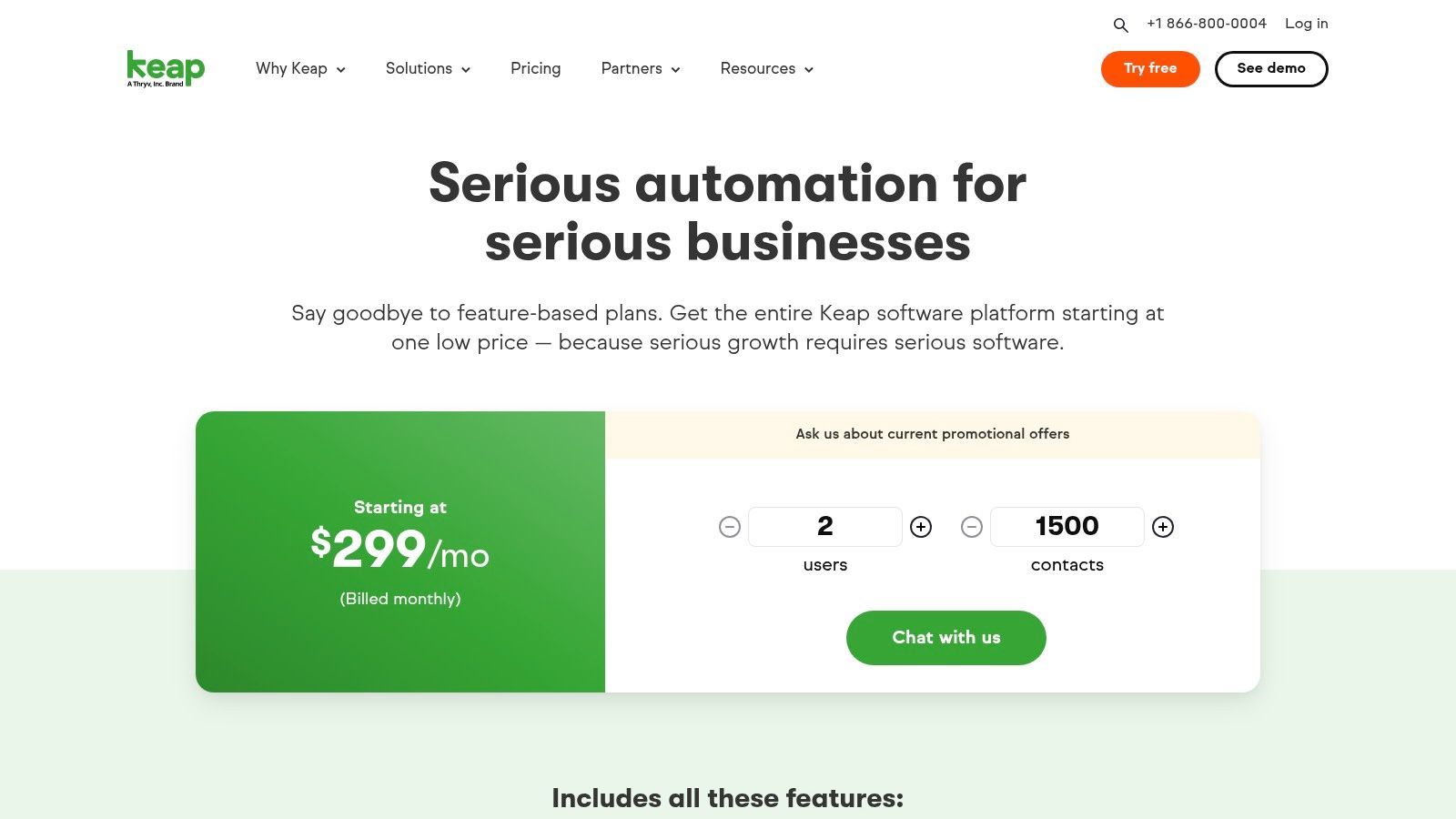
The platform's core strength lies in its "Easy Automations" and "Advanced Automations" builders, which allow for sophisticated, multi-step campaigns triggered by user behavior. This makes it ideal for nurturing leads over a long sales cycle or automating client onboarding sequences. With integrated features like appointment scheduling and one-click invoicing, Keap helps streamline administrative tasks so owners can focus more on service delivery and growth.
Key Details & Analysis
- Ideal Use Case: Service-based small businesses, coaches, and consultants who need a single platform to automate marketing, manage sales pipelines, and handle client billing.
- Pricing: Plans start with "Pro" at around $159/month for two users, with pricing scaling based on contact and user count. A free trial is available. Expert coaching and implementation packages are often required for new users, which adds to the initial cost.
- Implementation: Setup is more involved than simpler CRMs due to its automation depth. Keap strongly encourages (and sometimes requires) paid onboarding services to ensure users can leverage its powerful features effectively.
Our Take: Keap is a powerhouse for business owners who are serious about automation. Its ability to connect marketing funnels directly to invoicing and payments is a significant advantage. However, the steeper learning curve and mandatory implementation fees mean it's a bigger commitment than many other CRMs on this list.
Website: https://keap.com/pricing
9. Insightly
Insightly carves out a unique niche by deeply integrating project management into its core CRM functionality. This makes it an exceptional choice for small businesses whose work doesn't end when a deal is closed, such as service-based companies, consultants, or agencies. It allows teams to convert a won opportunity directly into a project, carrying over all relevant contact information and history, which streamlines the transition from sales to delivery and ensures a smoother client onboarding experience.
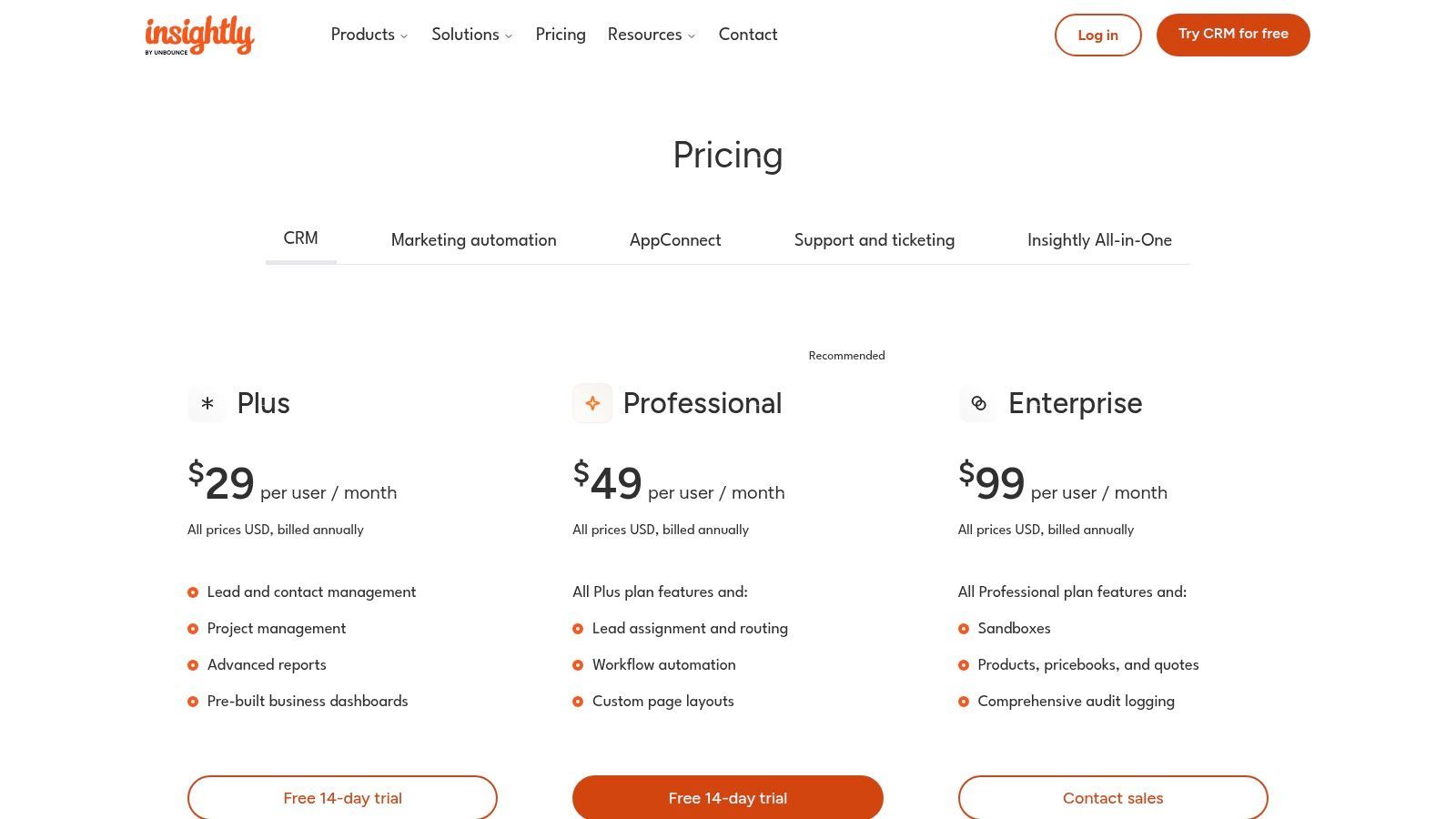
The platform offers a unified view where you can manage leads and opportunities alongside project pipelines, tasks, and milestones. This holistic approach prevents crucial information from getting lost between departments. Insightly’s workflow automation helps standardize processes for both sales and project execution, making it a powerful tool for maintaining quality and efficiency as the business scales.
Key Details & Analysis
- Ideal Use Case: Service-based small businesses, agencies, and consultancies that require robust post-sale project management directly linked to their sales data.
- Pricing: Offers a free plan for up to 2 users. Paid "Plus" plans start at $29 per user/month (billed annually), which unlocks project management features. Optional marketing and service bundles are also available.
- Implementation: The platform is straightforward for core CRM functions. Setting up project templates and workflow automation may require a more hands-on approach, but Insightly provides support and learning resources to guide the process.
Our Take: For businesses where the sale is just the beginning of the customer relationship, Insightly is a standout contender for the best CRM for small business. Its built-in project management eliminates the need for a separate tool, reducing costs and data silos. However, be aware that premium support and dedicated onboarding services come at an additional cost, and some advanced features are locked behind higher-priced tiers.
Website: https://www.insightly.com/pricing-plans/
10. Copper
Copper has carved out a niche as the best CRM for small business for teams deeply embedded in the Google Workspace ecosystem. Its core value proposition is its native integration with Gmail, Google Calendar, and Google Drive, allowing users to manage leads, track deals, and update contacts without ever leaving their inbox. This eliminates the friction of context-switching, making it incredibly intuitive for teams who live and breathe Google's productivity suite. The platform is designed for rapid adoption, turning a familiar interface like Gmail into a powerful sales tool.
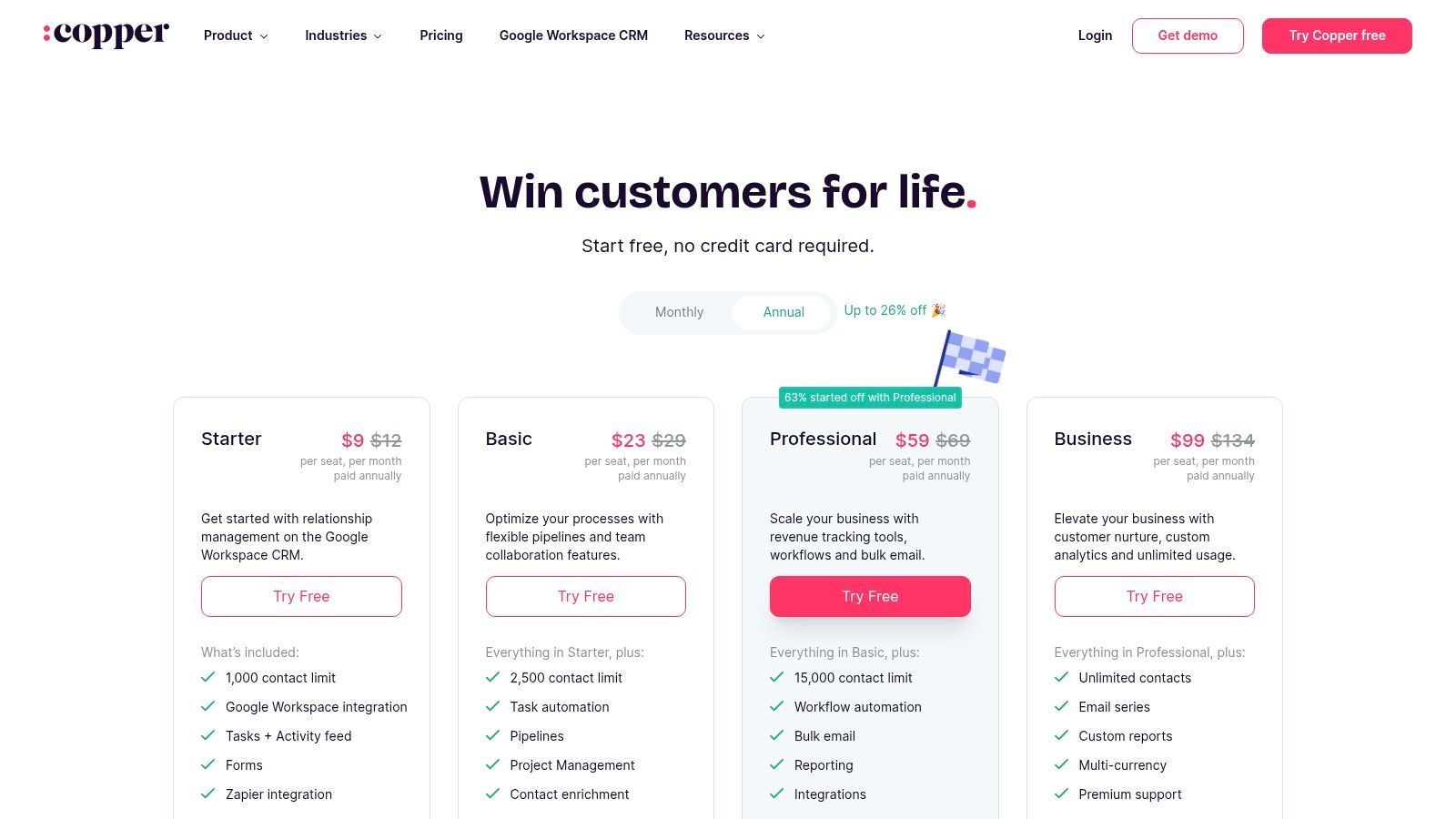
The user experience feels less like a separate application and more like an enhancement of the Google tools you already use daily. Copper automatically captures contact details and email threads, populating your CRM with minimal manual entry. For small businesses that have standardized on Google Workspace, this seamless workflow is a significant competitive advantage, boosting productivity from day one.
Key Details & Analysis
- Ideal Use Case: Small businesses and teams that operate entirely within Google Workspace (Gmail, Calendar, Drive) and need a CRM that requires almost no training to adopt.
- Pricing: Plans start with the "Basic" tier at around $29 per user/month. The most popular "Professional" plan is about $69 per user/month and adds workflow automation. A "Business" tier unlocks more customization and integrations.
- Implementation: The setup is exceptionally fast for Google users. You simply connect your Google account, and Copper begins syncing data and integrating into your existing tools via its Chrome extension.
Our Take: If your business runs on Google, Copper is a game-changer. Its seamless, in-inbox experience is unmatched for this specific use case. However, its strength is also its limitation; businesses not using Google Workspace won't experience its core benefits. Be mindful of contact limits on lower-tier plans, as you may need to upgrade for more advanced reporting and unlimited records.
Website: https://www.copper.com/pricing
11. Capsule CRM
Capsule CRM is a refreshingly simple and user-friendly platform, making it a strong contender for the best CRM for small business for teams who prioritize ease of use and affordability. It excels at core contact management, sales pipeline tracking, and task organization without overwhelming users with unnecessary complexity. This straightforward approach allows small businesses to get up and running in minutes, not days, making it ideal for those adopting a CRM for the very first time.
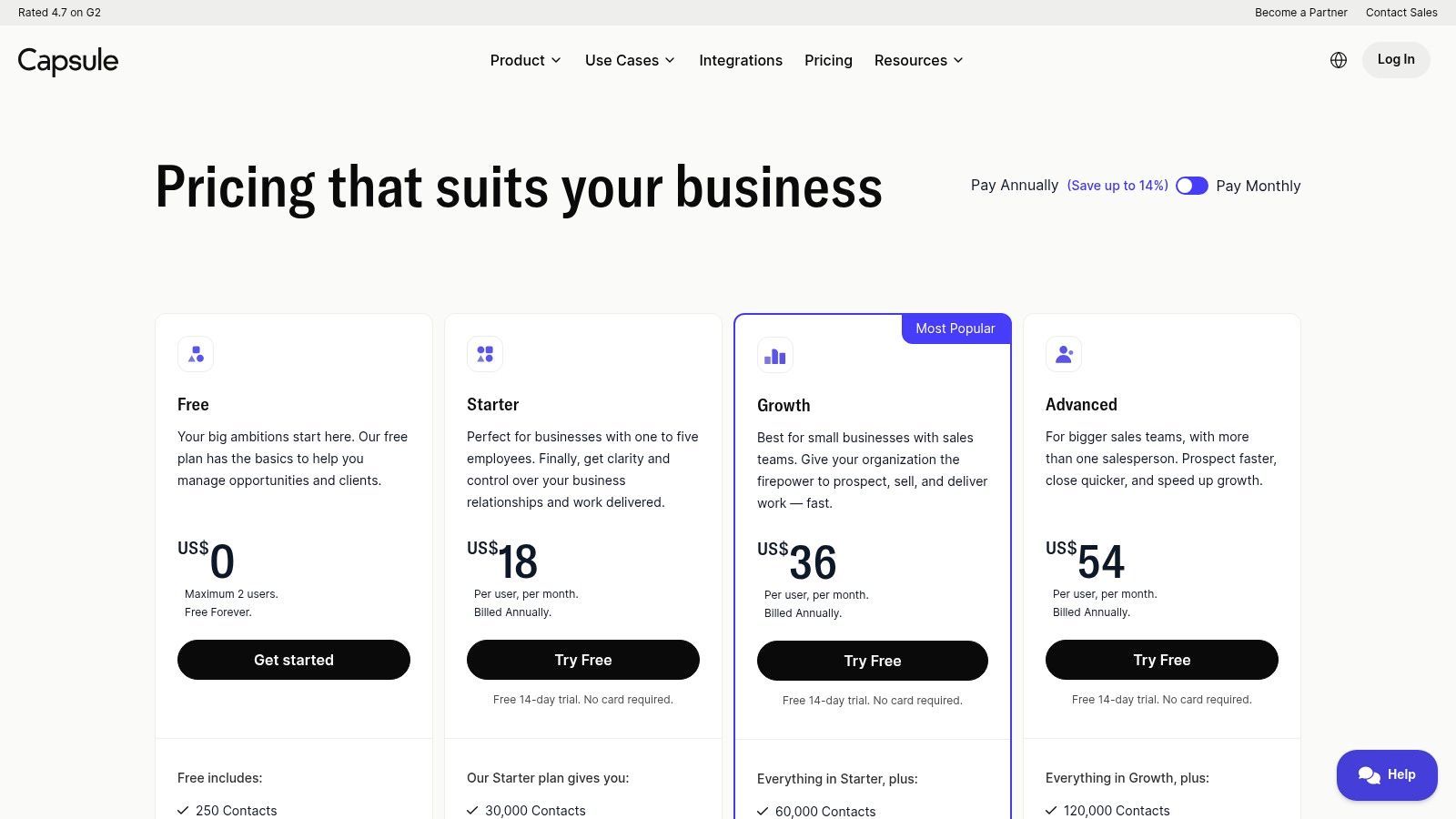
The platform is built for clarity, presenting a clean interface where all contacts, communications, and sales opportunities are easily accessible. While it may not have the expansive feature set of larger enterprise systems, it provides powerful integrations with key tools like Xero, QuickBooks, and Google Workspace, allowing it to serve as a central hub for businesses that value simplicity and efficiency.
Key Details & Analysis
- Ideal Use Case: Small businesses, freelancers, and micro-teams needing a no-fuss, intuitive CRM for managing contacts and sales pipelines without a steep learning curve.
- Pricing: Offers a Free Plan for up to 2 users and 250 contacts. Paid plans with more features and higher contact limits start at around $18 per user/month. A 14-day free trial is available for paid tiers.
- Implementation: Setup is exceptionally fast due to its simple design. Connecting to email and accounting software is straightforward, and the user interface requires minimal training to master.
Our Take: Capsule's strength is its simplicity. It's a get-in-and-get-to-work CRM that avoids feature bloat. The free plan is excellent for very small teams, but be mindful of the contact limits on paid tiers, as they can become restrictive as you grow. It's a fantastic starting point for businesses prioritizing quick adoption over deep customization.
Website: https://capsulecrm.com/signup/
Start your 7-day free trial of Standard
Find verified emails, phone numbers, and job titles on LinkedIn®. Add contacts to any of 29+ supported CRMs in one click.
Start Free TrialTrusted by 2,500+ users4.712. Less Annoying CRM
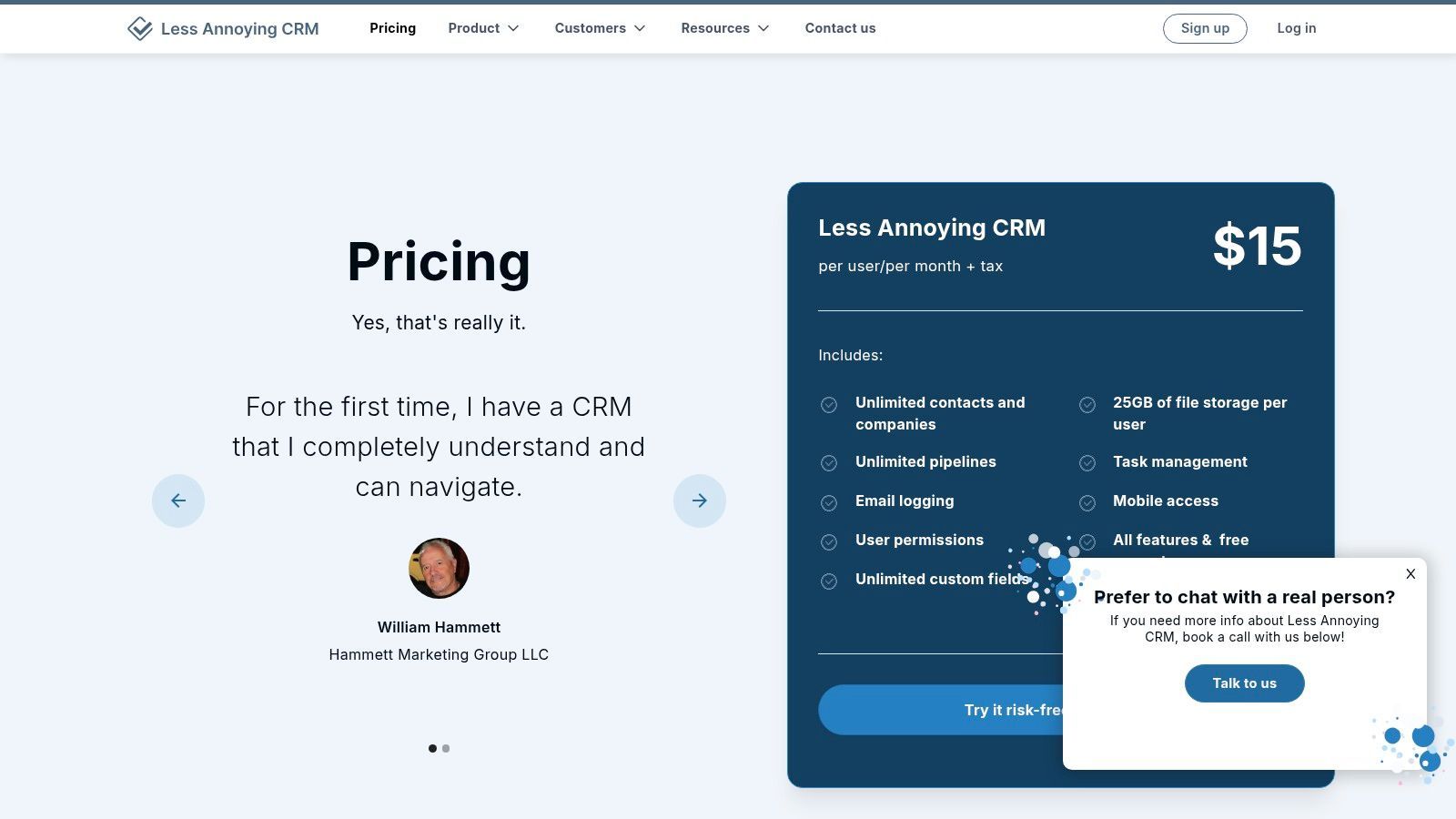
Less Annoying CRM (LACRM) lives up to its name by delivering an ultra-simple, no-nonsense platform designed exclusively for small businesses that find other systems too complex. It stands out by rejecting tiered pricing, feature gates, and long-term contracts. Instead, it offers one straightforward plan with all its features, making it a refreshingly transparent choice for solo entrepreneurs and small teams who need a core CRM without the enterprise-level bloat.
The platform focuses on the fundamentals: contact management, calendaring, and sales pipelines. Its interface is clean and immediately understandable, significantly reducing the typical CRM learning curve. This commitment to simplicity is backed by widely praised free phone and email support, ensuring users can get help from a real person without hassle, a key differentiator in the low-cost CRM market.
Key Details & Analysis
- Ideal Use Case: Solo entrepreneurs and small businesses that need a simple, affordable, and easy-to-learn CRM for basic contact and pipeline management.
- Pricing: A single, flat-rate plan at $15 per user/month. No contracts, setup fees, or tiered limitations. A 30-day free trial is available.
- Implementation: Setup is exceptionally fast due to the platform's simplicity. Basic integrations with tools like Google Calendar and Mailchimp are straightforward, while more complex connections rely on Zapier or its API.
Our Take: Less Annoying CRM is the perfect antidote to overly complicated and expensive systems. Its predictable pricing and ease of use make it the best CRM for small business owners who prioritize function over flash. However, businesses seeking advanced automation, built-in marketing suites, or extensive native integrations will likely outgrow it quickly.
Website: https://www.lessannoyingcrm.com/pricing
Top 12 Small-Business CRM Comparison
| CRM | Core focus / key features | User experience | Best for | Unique selling point | Pricing snapshot |
|---|---|---|---|---|---|
| HubSpot CRM | Contact/deal management, reporting, modular Sales/Marketing/Service hubs, large integrations | Polished UI, guided onboarding, scalable | Growing SMBs to mid‑market, marketing + sales teams | Generous forever‑free tier, unified platform & app marketplace | Forever‑free; paid hubs per seat (can rise with scale) |
| Salesforce (Small Business) | Starter/Pro suites, core CRM objects, AppExchange, forecasting/quoting | Powerful but steeper learning curve; guided setup available | SMBs seeking enterprise‑grade ecosystem and scale | Vast integration ecosystem (AppExchange), clear upgrade path | Starter/Pro tiers; some features require annual billing or add‑ons |
| Zoho CRM | Lead/deal workflows, analytics, mobile apps, Zoho suite integration | Feature‑rich, moderately complex but cost‑effective | Price‑sensitive SMBs and existing Zoho customers | Deep suite integration, competitive pricing | Free for up to 3 users; multiple paid tiers |
| Pipedrive | Visual, customizable sales pipelines, automation, 500+ integrations | Very intuitive, fast time‑to‑value | Sales‑first SMBs focused on pipeline activity | Highly visual pipeline UX for sales teams | Free trial; per‑seat paid plans (mid‑range pricing) |
| Freshsales (Freshworks) | Built‑in email/phone/chat, kanban views, AI insights | Native comms simplify setup, easy adoption | SMBs needing integrated communications (email/phone/chat) | Strong native multichannel engagement tools | 21‑day trial; aggressive entry‑level pricing |
| monday sales CRM | Custom boards, automations, dashboards, centralized timeline | Flexible but requires setup, integrates with monday.com | Teams already using monday.com or needing custom workflows | Workflow customization across work management & CRM | No permanent free tier; seat‑based pricing, multi‑seat minimums |
| Keap | Email/SMS automation, payments, appointments, pipelines | Automation‑first, onboarding/implementation support | Service providers, solo entrepreneurs needing automation + payments | Robust automation + payments, US phone support | Tiered plans, texting add‑ons/usage fees, implementation costs |
| Insightly | CRM + built‑in project management, dashboards, workflows | Useful for post‑sale delivery, moderate complexity | Teams that need CRM + project delivery in one tool | Integrated project management after the sale | Tiered plans; premium support/onboarding extra |
| Copper | Deep Gmail/Calendar/Drive integration, pipelines, Zapier | Seamless for Google Workspace users, quick adoption | Google‑centric small businesses | Native Google Workspace CRM experience (Gmail‑first) | Seat‑based plans, contact limits on lower tiers |
| Nutshell | Pipelines, automation, reporting, email marketing base, AI agents | Easy to use, clear upgrade path via add‑ons | SMBs wanting simple CRM with unlimited contacts | Unlimited contacts/storage across plans, add‑on model | 14‑day trial; add‑ons for quoting/invoicing |
| Capsule CRM | Contact management, pipelines, tasks, basic reports, integrations | Lightweight, very quick to implement | Micro‑teams and small businesses testing CRM | Free plan for micro‑teams, friendly UI | Free for up to 2 users; paid tiers with contact limits |
| Less Annoying CRM | Contacts, pipelines, tasks/calendar, basic reporting, Zapier integrations | Ultra‑simple UI, very low learning curve, responsive support | Very small businesses wanting straightforward CRM | Flat, transparent pricing and free phone/email support | Flat monthly price per account, 30‑day trial, month‑to‑month billing |
Making Your Final Decision: The Quick-Buy Checklist
Choosing a CRM is one of the most impactful technology decisions a small business can make. The right platform becomes the central nervous system for your sales, marketing, and customer service efforts, while the wrong one can become a costly, underutilized piece of software. After analyzing twelve of the top contenders, from comprehensive powerhouses like HubSpot and Salesforce to focused, user-friendly options like Pipedrive and Less Annoying CRM, it’s clear there is no single "best" solution. The best CRM for your small business is the one that aligns with your specific operational needs, team size, budget, and growth trajectory.
This guide was designed to move you past surface-level feature comparisons and into a deeper understanding of how each platform functions in the real world. We've seen that while a tool like Keap excels at sophisticated marketing automation for service-based businesses, a platform like Copper offers unparalleled simplicity for teams living inside the Google Workspace ecosystem. Similarly, monday sales CRM provides incredible workflow customization for visually-oriented teams, whereas Zoho CRM presents an unbeatable value proposition for businesses seeking an all-in-one suite on a budget.
Your Final Selection Framework
Don't let analysis paralysis stall your progress. The goal is to make an informed decision and move forward. Use this quick-buy checklist to narrow down your options and select the right tool with confidence.
1. Re-evaluate Your Core Needs (The "Must-Haves"):
- What is the single biggest problem you need to solve? Is it lead organization (Pipedrive, Nutshell), marketing automation (HubSpot, Keap), or project management (Insightly, monday.com)? Be brutally honest. A CRM loaded with features you'll never use is just expensive clutter.
- Who will be using it daily? If your team is not tech-savvy, prioritize simplicity and ease of use above all else. A CRM like Less Annoying CRM or Capsule CRM might deliver more value than a more complex system simply because your team will actually adopt it.
- What are your key integrations? List the non-negotiable tools your CRM must connect with, such as your email client (Gmail, Outlook), accounting software, or e-commerce platform. Double-check the native integration capabilities of your top contenders.
2. Assess Scalability and Total Cost of Ownership:
- Look beyond the introductory price. Map out your expected costs for the number of users you anticipate having in 12-24 months. Does the pricing jump significantly between tiers? Are essential features locked behind expensive plans? Salesforce and HubSpot can get pricey quickly, while Zoho and Freshsales often offer more predictable scaling costs.
- Factor in implementation time. A "simple" CRM might be up and running in a day. A more complex system could require weeks of setup, data migration, and team training. Consider the internal resources or external consulting costs associated with this process.
3. Test Drive Before You Buy:
- Never skip the free trial. This is the most critical step. Shortlist your top two or three choices and sign up for their trial periods. Don't just click around; run a real-world scenario.
- Import a small sample of real contacts. See how the import process works and how your data looks inside the system.
- Run a mock sales process. Move a test lead through your entire sales pipeline, from initial contact to a closed deal. Note any friction points or confusing steps.
- Test customer support. Ask a question during the trial period to gauge the responsiveness and helpfulness of their support team.
By taking a methodical approach, you transform a daunting decision into a manageable process. Your goal isn't to find a flawless, magical platform but to select a strong, reliable partner that will help you build better customer relationships and drive sustainable growth. The perfect CRM is the one your team uses consistently to close more deals and delight customers. Start with your most pressing need, choose a system that solves it elegantly, and commit to making it an integral part of your daily workflow.
Ready to ensure your new CRM is filled with clean, accurate data from day one? Instead of tedious copy-pasting, use Add to CRM to instantly save contacts from websites directly to your chosen platform. Get started for free and make data entry a problem of the past with Add to CRM.
Start saving time and closing more deals.
Find verified contact info for your prospects on LinkedIn®, Gmail and Outlook — and add them to your CRM with 1-click.

 Loading...Trusted by 2,500+ founders, SDRs & more