A Guide to Find Someone on LinkedIn Like a Pro
Learn how to find someone on LinkedIn using advanced search filters, Boolean logic, and external tools. Turn profiles into actionable leads with this guide.
To find someone on LinkedIn, your first stop is almost always the search bar at the top of the page. But the real magic happens when you start layering on filters like Connections, Locations, and Current Company. This is how you cut through the noise and zero in on the exact person you're looking for, whether it's an old colleague, a new sales lead, or a potential hire.
Mastering LinkedIn Search From the Start
Before you start messing around with complex search strings or external tools, you need to nail the basics. LinkedIn's native search is surprisingly powerful, but most people barely scratch the surface. Moving beyond just typing a name and hitting 'Enter' is the first step to becoming a prospecting pro.
Think of the platform as a massive digital Rolodex. With 1.2 billion members worldwide, finding one specific person can feel like a needle-in-a-haystack situation. In the US alone, a staggering 250 million professionals have profiles. That's about 72% of everyone aged 25-34—a prime demographic for B2B prospecting.
Manually digging through profiles to find contact details is a huge time sink; SDRs and RevOps pros often spend 4+ hours a week on it. This is where tools like Add to CRM flip the script, turning any profile on the platform into a CRM-ready record in a single click. If you really want to understand the scale, it's worth checking out the latest LinkedIn statistics to see just how big the user base is.
Combine Filters for Targeted Results
The real power of the platform's search comes from layering multiple filters. Treat it like a funnel—each filter you add strips away irrelevant results, leaving you with a clean, highly targeted list.
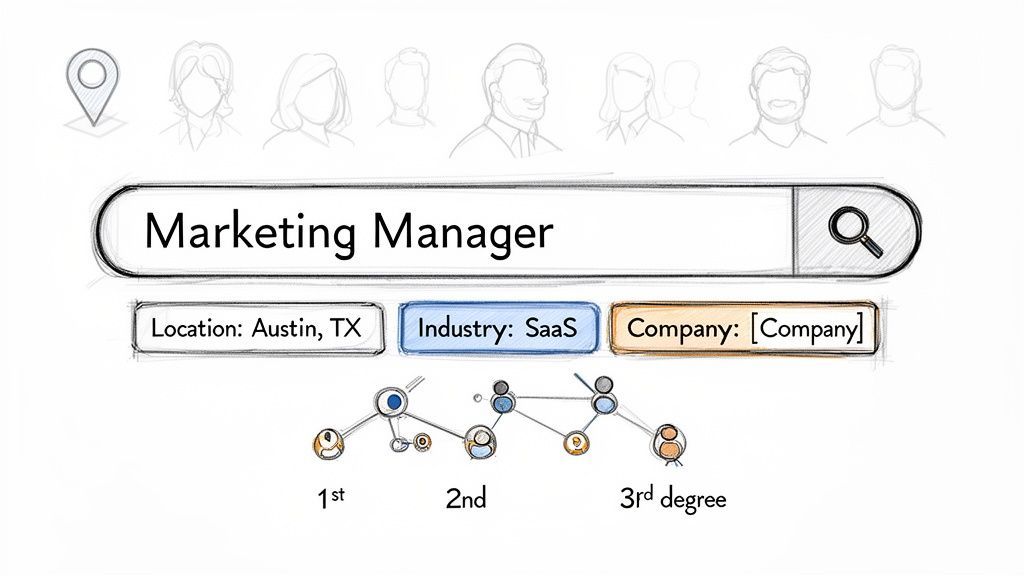
Let's say you're looking for a 'Marketing Manager' in 'Austin, Texas' who works in the 'Software as a Service (SaaS)' industry.
Instead of just searching "Marketing Manager," you'd:
- Type "Marketing Manager" in the search bar.
- Click the "People" filter button.
- Apply the "Austin, Texas Metropolitan Area" location filter.
- Add "Software Development" or a similar industry filter.
This multi-filter approach instantly takes your search from thousands of generic results to a manageable list of people who actually fit your criteria.
A common mistake is ignoring the "Current Company" filter. If you already know where a prospect works, adding that filter is the quickest way to find their profile, even if you don't know their exact job title.
Use Your Network Connections
Your existing network is a goldmine. The platform breaks down your connections into three degrees, and knowing the difference is crucial for an effective search:
- 1st-degree: People you're directly connected to.
- 2nd-degree: People connected to your 1st-degree connections (friends of friends).
- 3rd-degree: People connected to your 2nd-degree connections.
When you filter by 2nd-degree connections, the platform shows you who your mutual contacts are. This gives you a natural, warm path for an introduction, which dramatically increases your chances of getting a positive response.
Getting these fundamentals down sets the stage for finding the right people, every single time. To get even more specific, let's break down the most useful filters you have at your disposal.
The table below is a quick reference guide for the most impactful free filters and how to use them to find exactly who you're looking for.
Essential Search Filters and Their Uses
| Filter | What It Does | Best Use Case Example |
|---|---|---|
| Connections | Narrows results to 1st, 2nd, or 3rd-degree connections. | Find people you have a mutual connection with for a warm introduction. |
| Locations | Limits the search to specific geographic areas (city, state, country). | Target leads in a specific sales territory, like "San Francisco Bay Area." |
| Current Company | Shows people who currently work at one or more specified companies. | Identify all the decision-makers at a target account like "Microsoft." |
| Past Company | Finds people who have previously worked at certain companies. | Track down former colleagues or find experienced talent from a competitor. |
| Industry | Focuses on profiles within specific industries, from "Marketing & Advertising" to "Aviation & Aerospace." | Pinpoint prospects in a niche market, like "Renewable Energy." |
| School | Filters by educational institution. | Find alumni from your university for networking or recruiting. |
| Keywords | Searches the entire profile for keywords (Title, Headline, About, etc.). | Find people with specific skills by searching for terms like "SEO" or "Python." |
Combining just two or three of these filters is often all you need to turn a vague search into a highly actionable list of prospects. Mastering them is the first real step toward becoming a search expert on the platform.
Unlock Precision with Boolean Search
When you need to find someone on the platform with laser focus, the standard filters won't always cut it. This is where Boolean search comes in. It’s a game-changer, letting you move from casting a wide net to launching a targeted strike.
Think of it as giving the platform’s search algorithm a very specific set of instructions. You're telling it exactly what to find and, just as importantly, what to ignore.
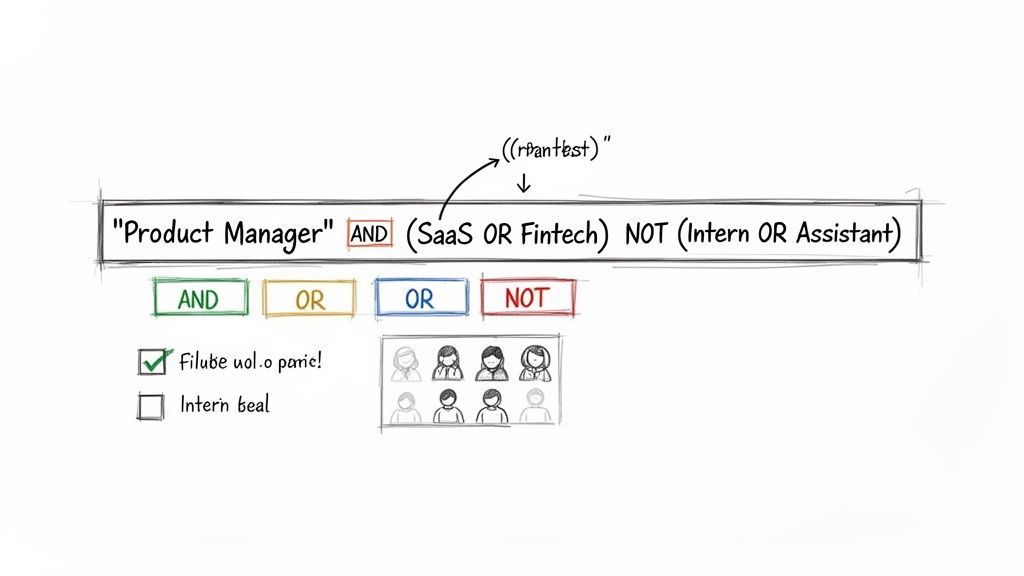
Instead of just searching for a "Product Manager," you can tell the search engine you want a "Product Manager" in tech, but not an intern. That level of control saves you from manually sifting through hundreds of irrelevant profiles. It’s the difference between a good search and a great one.
Mastering the Core Boolean Operators
At its heart, Boolean search is just about using a few simple commands, called operators, to combine or exclude keywords. Once you nail these three, you're well on your way.
- AND: Use this to find profiles containing all your keywords. For example,
sales AND marketingonly shows people with both terms in their profile. - OR: This broadens your search.
SaaS OR Fintechwill pull up profiles that mention either of those industries, giving you a wider pool of relevant people. - NOT: The exclusion command.
Director NOT Assistantfinds you directors while kicking out anyone with "Assistant" in their profile.
By weaving these together, you can build some seriously powerful search strings. For a deeper look at these techniques, check out our complete guide to LinkedIn advanced search.
Quick tip: The operators MUST be in all caps. If you type
sales and marketing, the platform just sees "and" as another keyword, not a command. Always use AND, OR, and NOT.
Adding Nuance with Modifiers
Ready to get even more specific? Two simple symbols add another layer of control, helping you group terms and search for exact phrases.
Quotation Marks ("") When you’re looking for a multi-word title, quotes are your best friend. Searching for "Product Manager" tells the search engine to find that exact phrase, not just profiles that happen to contain the words "product" and "manager" somewhere on the page.
Parentheses (()) Just like in a math equation, parentheses group parts of your search together. This is where things get really powerful, because it lets you combine different operators without confusing the algorithm.
Let's say you want to find a Product Manager in either the SaaS or Fintech space, but you need to filter out junior roles like "Intern" or "Assistant."
Here’s what that looks like:
"Product Manager" AND (SaaS OR Fintech) NOT (Intern OR Assistant)
That one line is a sophisticated command that tells the platform to perform a highly specific, multi-layered search. Mastering these combos will completely change how you find people on the platform.

Find verified contact data on LinkedIn®
Add to CRM finds verified emails, phone numbers, and job titles on LinkedIn® — then adds them to your CRM in one click.
Start Free Trial


 Trusted by 2,500+ users4.7
Searching LinkedIn from the Outside with Google
Sometimes, the best way to find someone on LinkedIn is to stop using its search bar altogether. It sounds counterintuitive, I know. But when you hit a wall with filters or Boolean strings, stepping outside the platform and letting Google do the heavy lifting can uncover profiles that were completely invisible before.
This trick is often called an "X-ray search," and it’s a go-to method for bypassing the commercial use limit on a free account or finding profiles that just don't seem to surface in a standard search.
The Magic of the Site Operator
The whole technique hinges on one simple Google search command: the site: operator. This little command tells Google to restrict its search to one specific website. Since we know public profile URLs all follow a predictable pattern, we can target them with surgical precision.
The command you need to know is: site:linkedin.com/in/
By putting that at the front of your search, you're essentially telling Google, "Hey, ignore the rest of the internet and only show me results from public profiles." Anything you type after that phrase will search the text within those profiles—think headlines, job titles, and summaries.
Building Your First X-ray Search
Let's make this real. Imagine you need to track down a Head of Sales in New York who works in the software industry. Instead of clicking through filters, you can build a clean, powerful search string right in Google.
Here’s a copy-and-paste example to get you started:
site:linkedin.com/in/ "Head of Sales" "New York" "Software"
This string combines the site operator with exact-phrase searches (by using quotation marks) to zero in on the most relevant people. It’s fast, brutally effective, and works without you even needing to be logged into the platform. Just swap out the job title, location, and industry to fit whoever you're looking for.
Why is this so often better than a native search? Google's indexing is incredibly deep and isn't handcuffed by the platform's connection-based rules. You can easily find 3rd-degree connections or people far outside your network who would never appear in a regular on-platform search.
Refining Your Search Queries
That basic structure is just the starting point. The real power comes from layering in the same Boolean operators you’d use inside the platform to make your external searches even sharper.
Here are a few ways to level up your queries:
- Exclude terms with NOT (-): Need a "Marketing Director" but want to skip anyone in an "Assistant" role? Try this:
site:linkedin.com/in/ "Marketing Director" -Assistant - Broaden with OR: If you're open to someone in either "Finance" or "Accounting," you can combine them:
site:linkedin.com/in/ "Accountant" (Finance OR Accounting) - Hunt for specific skills: You can even search for keywords you expect to be in their profile summary or skills section:
site:linkedin.com/in/ "Software Engineer" "San Francisco" "Python"
This external approach gives you a ton of flexibility. Next time the platform's own tools feel too restrictive, remember that a well-crafted Google X-ray search is often the fastest way to find exactly who you need.
Using Premium Tools for Advanced Prospecting
While the free search is fine for a one-off lookup, serious prospecting and recruiting demand more firepower. When your goal is to consistently find the right people with precision and speed, premium tools like Sales Navigator and Recruiter become non-negotiable. They take you beyond basic filters and into a world of advanced, strategic targeting.
These paid tiers aren't just about getting unlimited searches; they unlock a much deeper layer of data. Instead of just filtering by industry, you can suddenly drill down into company size, annual revenue, and even headcount growth over the last year. This lets you build incredibly specific, dynamic lead lists that practically find prospects for you.
Why Premium Tools Are Worth It
Imagine you need to find VPs of Engineering at Series B tech companies with 50-200 employees, but only those that have grown their engineering team by over 20% in the last year. That kind of granularity is flat-out impossible with a standard account. With Sales Navigator, you can build that exact search in a matter of minutes.
For anyone in talent acquisition using Recruiter, the options get even more specialized:
- Years of Experience: Pinpoint candidates with the precise seniority you need.
- Specific Skills: Filter for professionals who explicitly list key skills like "Python" or "AWS" on their profiles.
- Company Tenure: Identify people who have been at their current company for a specific length of time—often a strong indicator they might be ready for a new role.
Turning Data into Opportunity
The real magic of these tools isn't just in the one-time search; it's in the strategic application. You can save a complex search and get automatic alerts whenever new people match your criteria. This transforms a static search into a continuous lead-generation machine, ensuring you never miss a new prospect who fits your ideal customer profile.
The goal isn't just access to more filters. It's about using those filters to find the right people, faster. The time you save by not having to manually sift through irrelevant profiles often justifies the subscription cost in the first month alone.
Prospecting on the platform means navigating a sea of 1.2 billion profiles, a number that has nearly doubled since 2019. To get an edge, professionals are paying up—premium subscriptions shot up 85% in that same period, according to data from Buffer.
But even with the best tools, manual data entry can still eat up 4+ hours per week. This is where a workflow tool like Add to CRM comes in, instantly turning an enriched profile into a clean CRM entry with emails verified at 95%+ accuracy.
Ultimately, tools like Sales Navigator and Recruiter are designed to deliver tangible results. If your job is to find someone for sales or hiring, they provide the focused, actionable data you need to win. To get the most out of these platforms, it pays to explore how you can streamline your workflow even further. You can learn more about effective LinkedIn automation strategies in our dedicated guide.
Turning Found Profiles into Actionable Leads
Okay, you found them. You've pinpointed the perfect person. But finding them is only half the battle, especially if you're in sales or recruiting.
The real challenge—and where most workflows fall apart—is getting that goldmine of information out of the platform and into your CRM without spending hours on mind-numbing data entry. This is the critical step that separates discovery from action.
The best prospecting funnels follow a simple, powerful logic: start broad, filter down, and then capture only the most qualified leads.
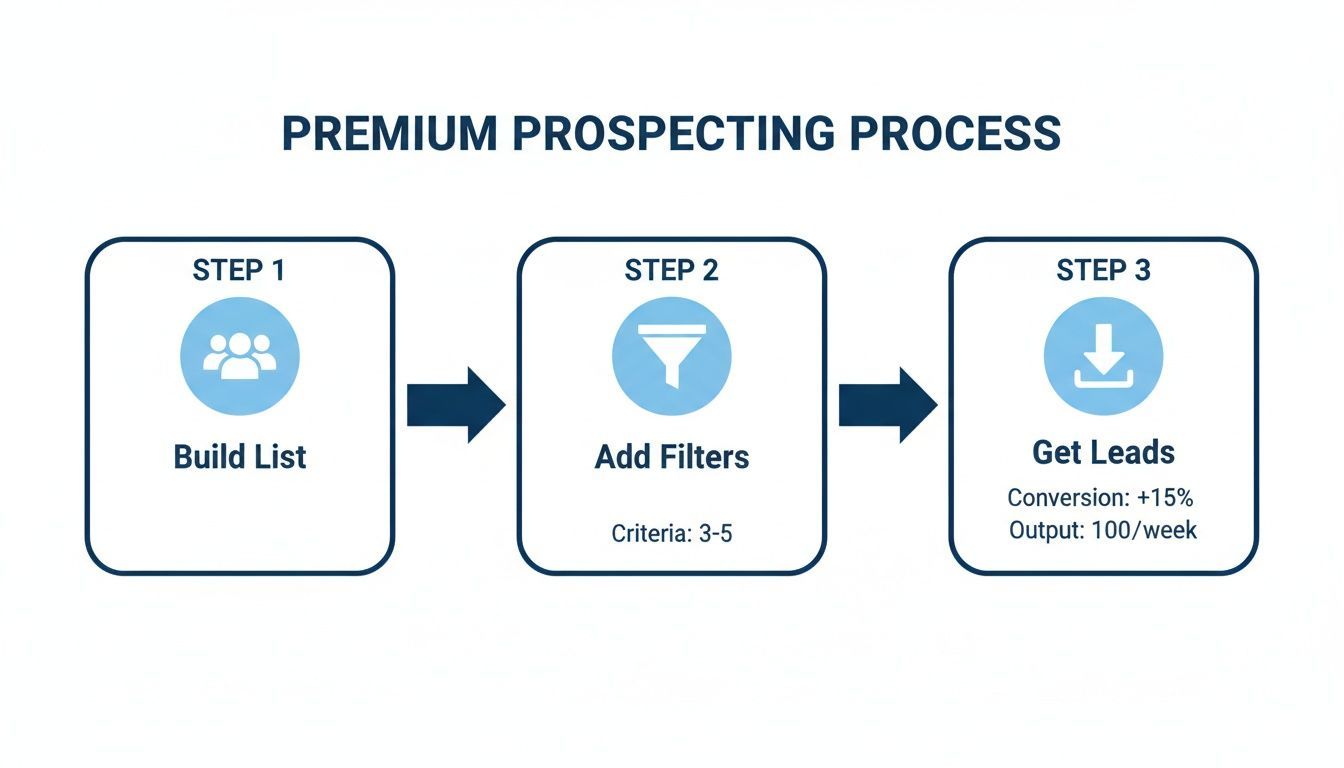
This isn't about hoarding contacts; it's about systematically turning a search into a tangible opportunity.
From a Profile to a Healthy Pipeline
Let's be honest, the old copy-and-paste routine is a disaster. It’s not just slow; it’s a recipe for typos, outdated info, and messy data that can poison your entire CRM. Inaccurate data is worse than no data at all.
This is exactly why verifying contact info and enriching profiles are non-negotiable steps for any serious sales or recruiting team.
The professional networking site is a treasure trove. A staggering 47.3% of its 1.2 billion users are in the prime 25-34 age demographic, as Statista points out—a key target for decision-makers. But manually moving that data into your CRM wastes 4+ hours per week and is riddled with human error. That’s where a one-click solution like Add to CRM changes everything.
It converts a profile directly into a clean Salesforce or HubSpot record, verifies contact details with 95%+ accuracy, and enriches each lead with 20+ data points. You get all the value from the platform’s 310 million monthly active users, minus the grind.
Make Data Entry Effortless and Accurate
Imagine this: you find the perfect prospect on the platform. You click one button. Instantly, their complete, verified profile is synced to your CRM. That’s the kind of efficiency modern tools deliver. No more juggling tabs or manually typing names, titles, and companies. The whole process becomes automatic.
Here's how it works:
- Real-Time Duplicate Checks: Before creating a new contact, the tool automatically scans your CRM to see if they already exist. This feature alone is a lifesaver for database integrity, preventing the messy duplicates that confuse sales teams.
- Custom Field Mapping: You can automatically map information from a profile to the right fields in your CRM, ensuring total data consistency. "Job Title" goes to the right place, a custom "Lead Source" field gets populated—everything lands exactly where it should.
- Comprehensive Data Enrichment: This goes way beyond the basics. A single click can pull not just the name and company, but also verified email addresses, phone numbers, company size, revenue, and more.
This isn't just about saving time; it's about making every single lead more valuable. Clean, enriched data empowers your team to have smarter, more personalized conversations from the very first outreach.
By closing the loop between finding a profile and acting on it, you transform a successful search into a genuine sales opportunity. For a deeper dive into making these platforms work together, explore our guide on effective CRM and platform integration. This is how you stop collecting names and start building a powerful, actionable pipeline.
Works with 29+ CRMs
Add to CRM finds verified emails, phone numbers, and job titles on LinkedIn® — then adds them to your CRM in one click.
Start Free TrialTrusted by 2,500+ users4.7Common LinkedIn Search Questions
Even with the best techniques, you'll eventually hit a wall. Finding someone on the platform can feel like a moving target, especially when you’re up against a common name or only have a scrap of information.
Think of this section as your troubleshooting guide. These are the practical, everyday hurdles that even seasoned pros run into. The solutions are simple but powerful enough to get you past those frustrating dead ends.
What if the Person Has a Common Name?
Searching for "John Smith" is the classic prospecting nightmare. You hit "enter" and get back thousands of results, making it nearly impossible to spot your target without more to go on. This is where your filtering skills really shine.
When this happens, you have to layer on every extra detail you know. Don't just rely on the name.
- Add a Company: If you know where they work (or used to work), the "Current Company" or "Past Company" filter is your best friend. This alone can shrink thousands of results down to just a handful.
- Use Location: Combining the name with a city or region cuts down the list dramatically. "John Smith" in the "Dallas-Fort Worth Metroplex" is a much, much smaller pond.
- Filter by School or Industry: Did they go to a specific university? Do they work in a niche industry like "Renewable Energy"? Every additional filter gives your search more focus.
The trick is to think beyond just the name. Use every piece of data you have to build a more complete search query.
Can I Find Someone Without Logging In?
Yes, you absolutely can. This is where a Google X-ray search comes in handy.
As we covered earlier, using the site:linkedin.com/in/ operator in Google lets you search public profiles without needing an account or even being logged in. It’s perfect for quick lookups or when you’ve hit the commercial use limit on a free account. This method taps into Google’s massive index to find profiles that might not surface otherwise.
Why Can’t I See Their Full Profile?
You found the right person, but their profile is mostly blank. Frustrating, right? This almost always comes down to one of two things: your connection level or their privacy settings.
- Connection Degree: The platform naturally limits what you can see for people outside your immediate network (meaning 3rd-degree connections and beyond). You might get a name and headline, but their full experience and skills section will be hidden.
- Privacy Settings: Users can lock down their profiles, making key details like their full work history or even their profile photo visible only to their 1st-degree connections.
Your best bet here is to find a mutual connection who can make an introduction. Failing that, send a personalized connection request yourself. A well-written note explaining why you want to connect often gets them to accept, which unlocks their full profile for you.
How Can I Find a Profile with Just an Email Address?
The platform got rid of its direct email search feature years ago, so you can’t just paste an email into the main search bar anymore. But there are still a few solid workarounds.
The simplest approach? Just search for the email address in Google. If that email is listed publicly anywhere—on a personal blog, a Twitter bio, a company’s team page—Google will probably find it. This often leads you straight to their name, which you can then use to find their profile. For more advanced or bulk searches, you’ll want to look into data enrichment tools that are built to match emails to social profiles with high accuracy.
Finding the right person is just the first step. Turning that discovery into a real lead in your pipeline requires a smooth, fast workflow.
Add to CRM completely eliminates the manual data entry that kills momentum. With a single click, you can capture any profile, enrich it with verified contact info, and sync it directly to your CRM. It literally saves your team hours every single week.
Start saving time and closing more deals.
Find verified contact info for your prospects on LinkedIn®, Gmail and Outlook — and add them to your CRM with 1-click.

 Loading...Trusted by 2,500+ founders, SDRs & more