A Practical Guide to CRM Integration Software
Discover how CRM integration software connects your business tools to automate sales and marketing. This guide covers benefits, features, and implementation.
CRM integration software is the crucial link connecting all your business tools. Think of it as a universal translator between applications that don't naturally speak the same language. It creates a unified system where data flows automatically, saving your team from the soul-crushing, error-prone task of manual data entry.
What Is CRM Integration Software Really?
Imagine your key business tools—your sales platform, marketing automation system, email client, and customer support desk—as skilled specialists. Each one is a rockstar at its job, but they all work in separate offices and never talk to each other.
To get a full picture of a customer's journey, you're forced to run back and forth, grabbing notes from each specialist and piecing the story together yourself. It's slow, wildly inefficient, and far too easy to miss critical details. This is exactly what running a business with disconnected tools feels like.
CRM integration software is the fix. It’s the central communication hub that builds digital bridges between all these isolated applications, letting them finally talk.
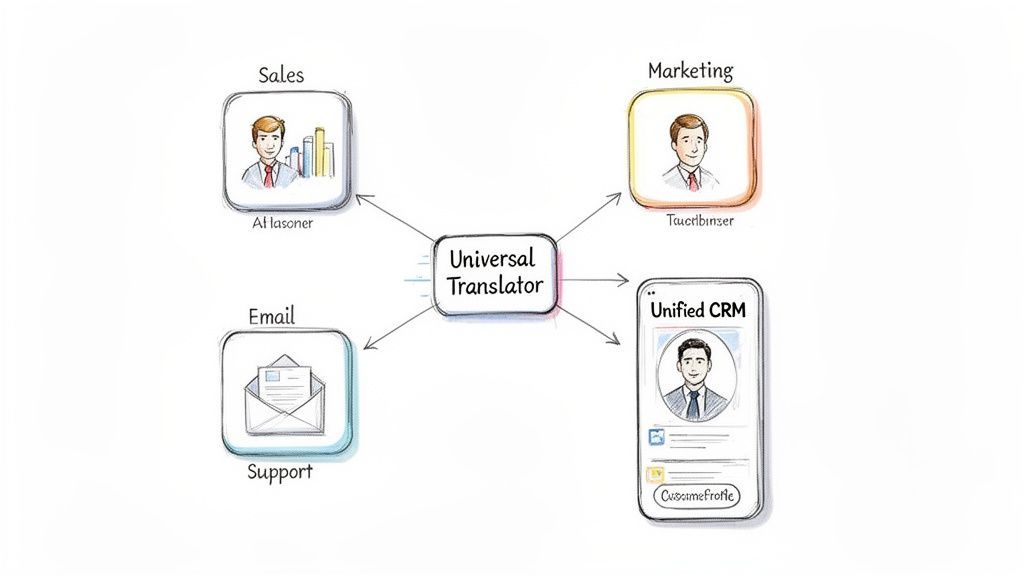
Breaking Down Data Silos
The core problem this software solves is the dreaded data silo. A data silo is just a fancy term for a stash of information that’s locked away in one department, completely isolated from the rest of the company. This separation creates a disjointed, incomplete, and often flat-out wrong view of your customers.
For example, your sales team might have notes on a prospect's budget tucked away in the CRM, while the marketing team has data showing which emails that same prospect opened. Without integration, neither team sees the full picture. This leads to awkward conversations, missed opportunities, and a crummy customer experience.
The Power of a Unified System
By plugging these systems together, CRM integration software makes sure information is shared automatically and in real time. It creates a single source of truth, giving every team a complete and up-to-date view of every single customer interaction.
This opens up some powerful, immediate benefits for your entire business. To put it simply, here's what you get right out of the box.
Core Benefits of CRM Integration at a Glance
| Benefit | Impact on Business Operations |
|---|---|
| Eliminate Manual Work | No more copy-pasting data between apps. This frees up hundreds of hours and cuts down on human error. |
| Improve Data Accuracy | Automated syncing keeps customer records current and reliable across every connected tool. Everyone trusts the data. |
| Enhance Team Collaboration | Sales, marketing, and support can finally work as a cohesive unit, all operating from the same complete customer profile. |
Ultimately, a connected system means your teams are smarter, faster, and more aligned.
In essence, CRM integration software turns a jumbled collection of standalone apps into a powerful, cohesive ecosystem. It’s no longer a nice-to-have but a foundational piece of the puzzle for any competitive business that relies on accurate data to make smart decisions.
The Hidden Costs of Disconnected Business Tools
The true cost of skipping CRM integration isn't just the mild annoyance of copy-pasting data. When your tech stack is a collection of disconnected islands, you're quietly bleeding resources, sabotaging your own strategy, and burning out your team. These hidden costs show up as wasted hours, bad data, and opportunities that simply vanish into thin air.
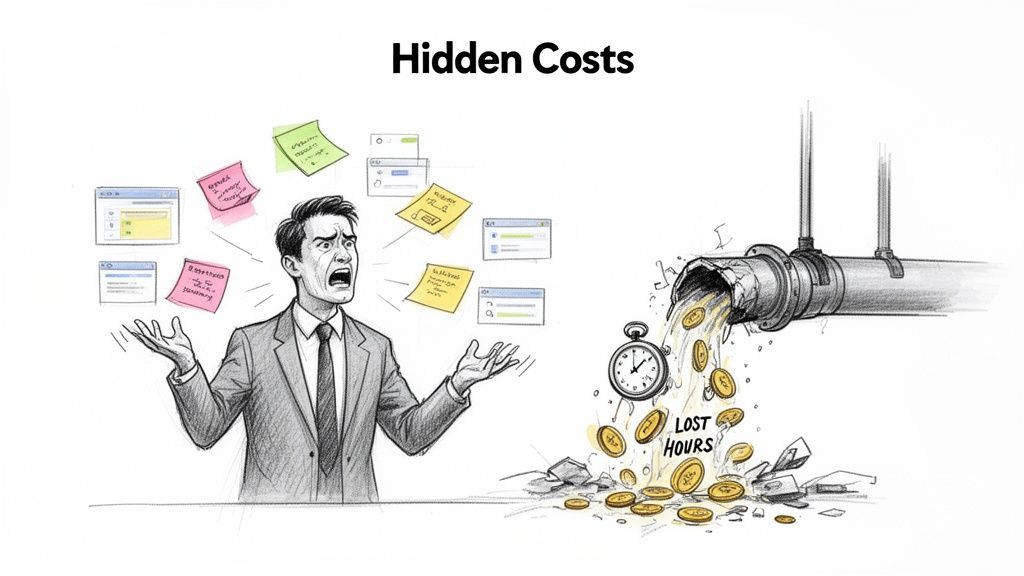
Manual data entry is the most obvious offender. Your team spends hours shuttling information between platforms—a mind-numbing task that’s expensive and crushes morale. Worse, every manual entry is a chance for human error. A typo in a phone number, a zero missing from a deal size, or a forgotten follow-up note degrades your data quality and leads to decisions based on flawed intel.
A Fragmented View of the Customer
When information is trapped in separate systems, you get a shattered view of your customer. Marketing sees campaign clicks, sales sees deal progress, and support sees service tickets. But no one sees the whole person. This disconnect leads to clunky, inconsistent service because every team is operating with blinders on.
This fractured reality has real consequences:
- Missed Sales Opportunities: A sales rep has no idea a prospect just downloaded a key whitepaper, missing the perfect window for a timely, relevant follow-up.
- Poor Customer Experience: A support agent, unaware of a customer's recent huge purchase, fails to provide the white-glove service they now expect.
- Damaged Team Morale: Employees get frustrated trying to piece together a coherent story, which leads to burnout and kills productivity.
A Day in the Life of Disconnected Tools
Think about a common scenario: a sales rep uncovers a great lead. Their day immediately dissolves into a series of manual chores. They copy contact details from an email, hunt for company info, paste it all into the CRM, and then jump over to the support desk to check for past interactions. This daily friction is where productivity goes to die. The lost time is huge, and the risk of creating duplicate or incorrect data is off the charts.
A disconnected tech stack doesn't just slow you down; it actively works against you. It creates friction, introduces errors, and prevents your teams from collaborating effectively, ultimately costing you revenue and customer loyalty.
The numbers don't lie. The global CRM market is on track to hit $262 billion by 2032, and 91% of companies with 10+ employees already use one. This isn't a trend; it's standard business infrastructure. It also validates the investment in seamless integrations—like those connecting CRMs with prospecting tools—that save teams over 4 hours weekly on manual data entry alone. You can dig into more CRM market insights to see just how critical this has become.
Understanding the Key Types of CRM Integrations
Not all integrations are built to solve the same problems. Getting a handle on the different types is the first step toward building a business that actually feels connected.
Think of your CRM as the central hub of a wheel. Each integration is a spoke, linking that hub to another essential business tool. This structure makes sure every scrap of customer information flows back to the center, creating a single, complete picture you can actually use.
Each type of integration solves a specific business headache, whether it's automating marketing campaigns or giving your support team the context they need. Let's break down the most important categories.
Marketing Automation Integrations
This is one of the most common—and powerful—types of CRM integration software. It exists to solve one core problem: the massive disconnect between what marketing does and what sales sees. Without it, your sales team is flying blind, totally unaware of which leads are heating up or what content they’ve been reading.
An integration with a tool like HubSpot or Marketo automatically syncs campaign data, email opens, and website activity right into a lead’s CRM profile.
- Before Integration: A lead downloads a whitepaper. Marketing knows, but sales won’t see that critical buying signal for days, if ever. The lead goes cold.
- After Integration: The download instantly updates the lead's record in the CRM. It might even trigger an alert, telling a sales rep to follow up right now.
Email and Communication Integrations
Your team’s inbox is a goldmine of customer interactions, but most of the time, it’s a completely separate data silo. An email integration hooks up platforms like Gmail or Outlook directly to your CRM, making sure no conversation ever gets lost in the shuffle.
The goal is simple: log every email, call, and meeting automatically. This creates a complete, chronological history of every interaction without forcing your team to manually copy and paste messages.
This gives you an unbroken record of communication, which is invaluable for adding context to a sales call or a support ticket. For sales teams who live and breathe in their inbox, our guide on CRM integration with Gmail offers a deeper look into making this connection seamless.
E-commerce Platform Integrations
For any business selling products online, connecting your e-commerce platform isn't just a nice-to-have—it's non-negotiable. An integration with a tool like Shopify or BigCommerce pipes crucial purchase data directly into customer profiles inside your CRM.
Suddenly, your sales and support teams can see a customer's full purchase history, their average order value, and the products they’re interested in.
For example, when a customer calls support, the agent can instantly see their entire order history without ever leaving the CRM. No more logging into another system. That context allows for faster, more personalized service that actually solves the problem.
Customer Support System Integrations
When a customer has a problem, they don't know (or care) that your support and sales teams use different software. They just want a solution.
Integrating your CRM with a support system like Zendesk or Help Scout provides a true 360-degree view of the customer. Sales reps can see open support tickets before they call a client, and support agents can see a customer’s sales history to better understand their value and context.
This simple connection eliminates those awkward "let me check with another department" moments. It ensures every team member has the full story, turning a fragmented customer experience into a unified one.

Find verified contact data on LinkedIn®
Add to CRM finds verified emails, phone numbers, and job titles on LinkedIn® — then adds them to your CRM in one click.
Start Free Trial


 Trusted by 2,500+ users4.7
Must-Have Features in Your CRM Integration Software
Picking the right CRM integration software can feel like a chore. With so many tools promising perfect connectivity, how do you know which ones actually deliver? The secret is knowing exactly which features separate a smart investment from a frustrating waste of time.
A good integration tool should be a reliable bridge between your apps, not a flimsy pipe. That means looking past basic connectivity and focusing on features that solve real-world problems. It's not just about moving data; it’s about moving the right data, at the right time, while keeping it clean.
Core Capabilities for Data Integrity
First things first: the quality and timeliness of your information. If you get this wrong, you risk making decisions based on bad data, which defeats the whole purpose of integrating your tools in the first place.
- Real-Time Data Syncing: This is non-negotiable. Real-time syncing means that when a record gets updated in one system—like a new lead from your marketing platform—it shows up instantly in your CRM. No more delays, no more missed opportunities.
- Duplicate Detection: A clean database is a happy database. The best integration tools automatically check for existing contacts before creating new ones. This simple check prevents the duplicate records that drive sales teams crazy.
These two features are the bedrock of a trustworthy system. They ensure your customer data is both current and clean, giving your team the confidence they need to act on it.
This visual shows how a central CRM can act as a hub, connecting marketing, email, and e-commerce into one synchronized system.
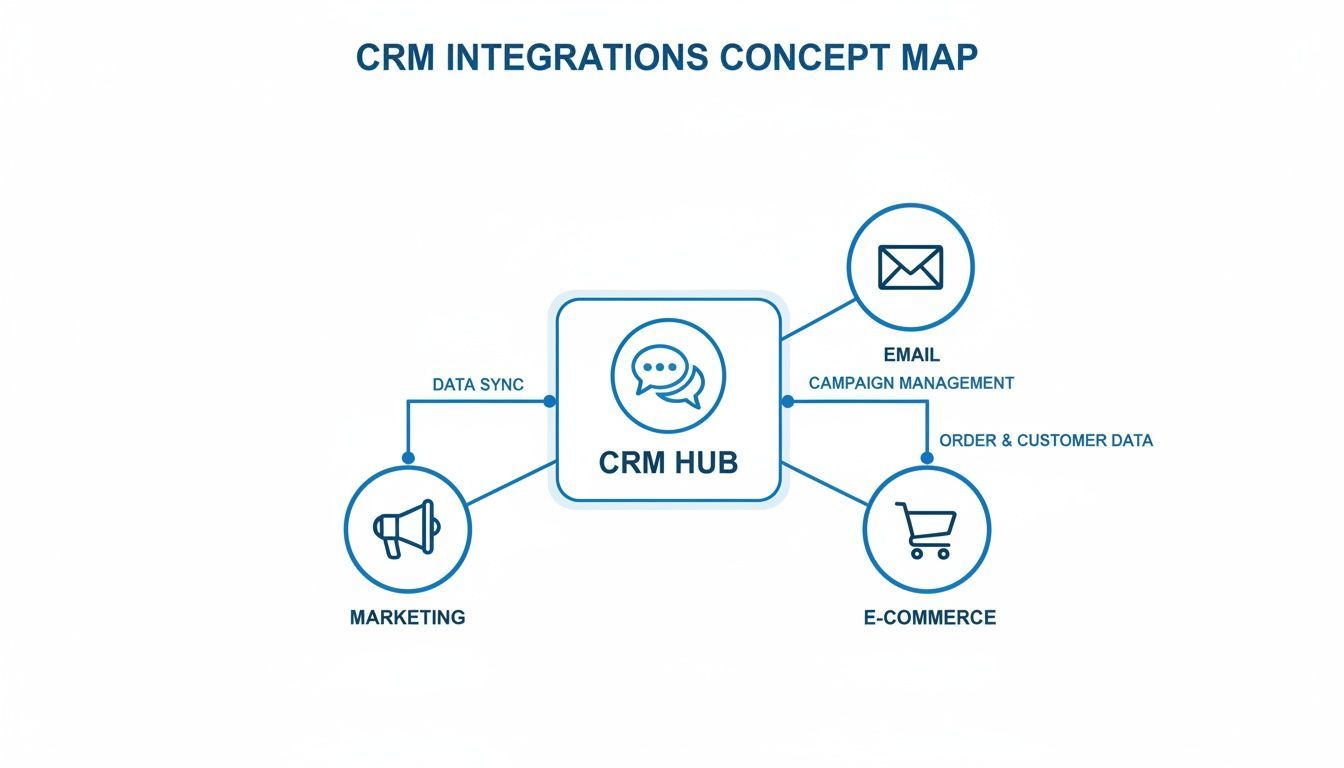
The goal is to create a single source of truth, where data from every customer touchpoint flows seamlessly back to your CRM.
Automation and Customization Features
Beyond keeping data clean, the best software lets you mold the integration to fit your unique business processes. One-size-fits-all solutions rarely work because every company’s tech stack and workflow is different.
The real power of CRM integration software lies in its ability to adapt to your needs, not force you into a rigid box. It should automate your unique processes, saving time and reducing manual work.
This is where automation and custom mapping make all the difference:
- Automated Workflows: This feature lets you build simple "if-this-then-that" rules. For instance, if a new lead from the manufacturing industry signs up, the software can automatically assign it to the right sales rep.
- Custom Field Mapping: Your CRM and other tools probably have custom fields. Good mapping lets you connect a specific field in one app to another, making sure no critical, non-standard information gets lost in translation.
These are the features that transform a simple data pipe into an intelligent, automated workflow. To see just how much this can impact your team, check out our guide on how to automate data entry.
Ultimately, a great integration tool should work quietly in the background, making your entire operation smarter and more efficient without you even noticing it.
How Smart Integration Solves Prospecting Headaches
Let's be honest: sales prospecting can be a real grind. It often feels like a high-stakes scavenger hunt where your reps spend hours manually digging for prospect details, only to follow it up with a soul-crushing copy-paste routine to get that data into the CRM.
This is where smart CRM integration software comes in and completely changes the game.
Imagine a tool that acts like an intelligent assistant, living right inside your web browser. Instead of constantly flipping between tabs and manually typing out information, your team can capture and enrich leads from professional networks with a single click. This isn't just a small convenience—it's a total shift in how they work.
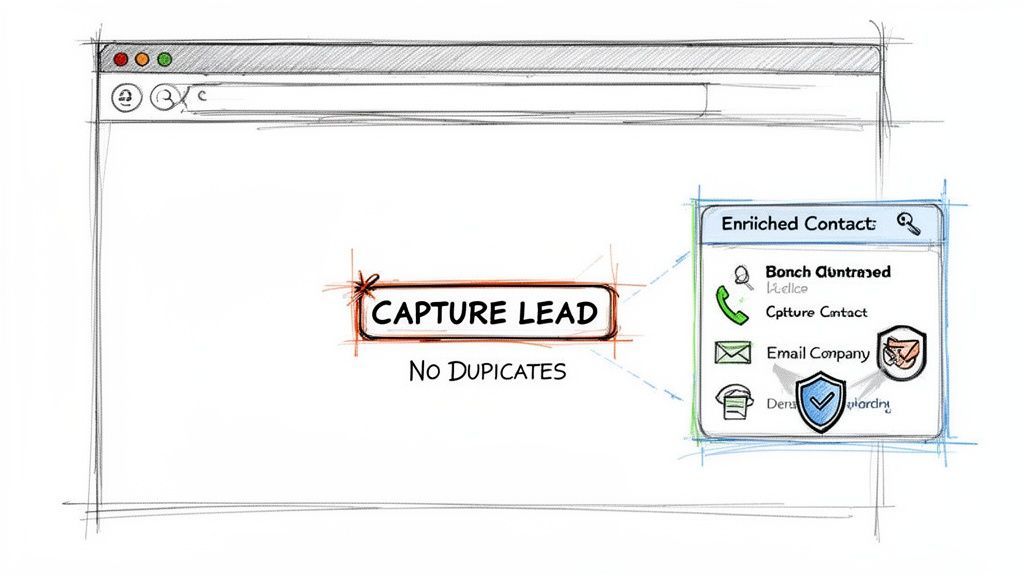
This simple change turns a slow, error-prone task into a seamless and efficient process. The benefits are immediate and hit on the biggest daily frustrations that sales development reps face.
Eliminating Manual Work and Human Error
The most obvious win is the huge reduction in manual labor. Sales reps can save over four hours per week that would otherwise be wasted on mind-numbing data entry. That’s time they get back to focus on what they do best: building relationships and closing deals.
But just as importantly, automating this process kills the human error that always creeps into manual data entry. We’ve all seen it happen. A single typo in an email address or a swapped digit in a phone number can make a hot lead go cold instantly. Smart integration makes sure the data is accurate from the start.
Ensuring Data Accuracy and Preventing Duplicates
The best integration tools don't just stop at capturing data. They automatically check if a contact already exists in your CRM before adding a new one, preventing duplicates from cluttering your database. This keeps your system clean, reliable, and trustworthy.
But the real magic is in the data enrichment. Instead of just grabbing a name and title, the software automatically finds and adds dozens of verified data points, turning a basic contact into a rich, detailed profile.
This enriched data often includes:
- Verified Contact Information: Get accurate, up-to-date email addresses and phone numbers that actually work.
- Detailed Company Data: Instantly see a company’s size, industry, location, and even annual revenue.
- Key Personal Details: Understand a prospect’s role, seniority level, and other professional details that give you context.
This level of detail gives your sales team the intel they need to have smarter, more personalized conversations. The integration software essentially becomes an automated research assistant, arming your team with critical information without any of the legwork.
Ultimately, this transforms prospecting from a tedious chore into a strategic advantage. It’s a perfect, real-world example of how the right integration solves a massive business headache.
Works with 29+ CRMs
Add to CRM finds verified emails, phone numbers, and job titles on LinkedIn® — then adds them to your CRM in one click.
Start Free TrialTrusted by 2,500+ users4.7Your Step-by-Step Implementation Strategy
Rolling out CRM integration software doesn't have to be a massive headache. The key is having a clear roadmap. If you break the process down into manageable steps, you can connect your tools smoothly and start seeing the benefits almost immediately.
Think of it like building a bridge. You wouldn't just start pouring concrete into a river. You’d survey the land, draw up blueprints, and gather the right materials first. Taking a methodical approach here is just as critical—it prevents costly mistakes and ensures the whole system is solid from day one.
Phase 1: Auditing and Goal Setting
Before you even look at a single piece of software, you need to know your starting point and where you're trying to go. This whole first phase is about discovery and planning.
Audit Your Current Tools and Pinpoint Bottlenecks: Make a list of every single app your team uses to touch a customer. Where does data get stuck? Find the exact friction points—like sales reps manually copy-pasting lead info or support agents having no clue about a customer's purchase history.
Define Your Core Integration Goals: Get super specific about what success actually looks like. Is the main goal to cut lead processing time by 50%? Or maybe it's to completely eliminate duplicate contacts. Having clear, measurable goals is what will guide every other decision you make.
Phase 2: Software Selection and Planning
With your goals locked in, you can finally start looking for the right tools and designing how everything will connect. This is where your blueprint starts to take shape.
- Choose the Right Software: Go back to that checklist of must-have features we talked about. Pick a tool that not only connects the apps you use today but is also flexible enough to scale with you. Prioritize features like real-time syncing and custom field mapping.
A successful implementation isn't just about connecting apps; it's about making your team's daily workflow smarter and more efficient. The right software should feel like a natural extension of their process, not another tool they have to manage.
- Plan Your Data Mapping and Workflow Rules: This is a make-or-break step. You need to decide exactly which pieces of information will sync between your systems. For example, you might map the "Job Title" field from a prospecting tool directly to the "Title" field in your CRM. You'll also need to get your systems connected, which means you'll probably want to learn how to find API keys for the apps you're using.
Phase 3: Testing and Launch
It’s time to build, test, and roll out your new, connected system. This final push ensures a smooth transition for your entire team.
Test Everything in a Safe Environment: Before going live, use a sandbox or a testing environment to run through your most common scenarios. Create a test lead, update a contact—make sure the data flows exactly how it's supposed to without messing with your live database.
Train Your Team and Launch: Don't just flip a switch and walk away. Host a training session to walk your team through the new, faster workflow. Give them clear documentation and be ready to answer a lot of questions. A confident team is the key to getting this adopted, making sure your new integration delivers maximum value from the get-go.
Still Have Questions? Let’s Clear Things Up
Whenever you’re looking at new tech, a few questions always pop up. Here are the quick-fire answers to the most common ones we hear about CRM integration.
What does it cost?
This is the big one, and the honest answer is: it varies. You can find simple subscription tools that charge a small fee per user, per month. On the other end, you have massive, custom-built enterprise solutions that are a significant investment.
How secure is my data?
It has to be rock-solid. Any reputable integration tool makes security priority number one. Look for platforms that use end-to-end data encryption and follow strict compliance standards like GDPR and SOC 2. Your customer data is your most valuable asset, and these tools are built to protect it.
Will it work with our custom-built tools?
In most cases, yes. Modern integration platforms are designed for flexibility. Thanks to robust APIs (Application Programming Interfaces), they can usually connect to homegrown or legacy systems right alongside off-the-shelf apps. This ensures your entire tech stack talks to each other, leaving no tool behind.
Ready to eliminate manual prospecting and keep your CRM clean? Add to CRM lets you capture and enrich leads from anywhere online in one click. Start your free trial today.
Start saving time and closing more deals.
Find verified contact info for your prospects on LinkedIn®, Gmail and Outlook — and add them to your CRM with 1-click.

 Loading...Trusted by 2,500+ founders, SDRs & more