The 12 Best Contact Management Software for Startups in 2026
Discover the best contact management software for startups and SDRs. Compare features, pricing, and pros/cons to find the perfect tool for your team.
Scattered contacts in spreadsheets, missed follow-ups, and hours lost to manual data entry sound familiar? For growing startups, SDRs, and RevOps teams, this operational drag isn't just an annoyance; it's a bottleneck to revenue. Effective contact management is the bedrock of a scalable sales process, yet disorganized data remains a primary obstacle to hitting sales targets. When contact information lives across different platforms, from professional networking sites to email inboxes, teams waste valuable time on administrative tasks instead of building relationships and closing deals.
This guide cuts through the noise to help you find the best contact management software for your specific needs. We're moving beyond generic feature lists to provide a comprehensive breakdown of the top 12 tools on the market. Whether you're a startup founder needing a lightweight solution or a RevOps leader focused on maintaining pristine CRM data, this resource is built to provide actionable clarity.
Inside, you'll find a detailed analysis of each platform, complete with screenshots, direct links, and practical insights. We cover everything from dedicated CRM systems like HubSpot and Salesforce to specialized tools like Streak and Copper. You'll learn:
- Ideal Use-Cases: Discover which software is best for your team's size and workflow.
- Key Features & Limitations: Get an honest assessment of what each tool does well and where it falls short.
- Pricing & Implementation: Understand the investment required and what to expect during setup.
- Integration with Add to CRM: See how you can enhance each platform to streamline prospecting and eliminate manual data entry.
Our goal is to help you select a system that transforms contact chaos into a predictable, revenue-generating engine. Let's find the right fit for your team.
1. Add to CRM
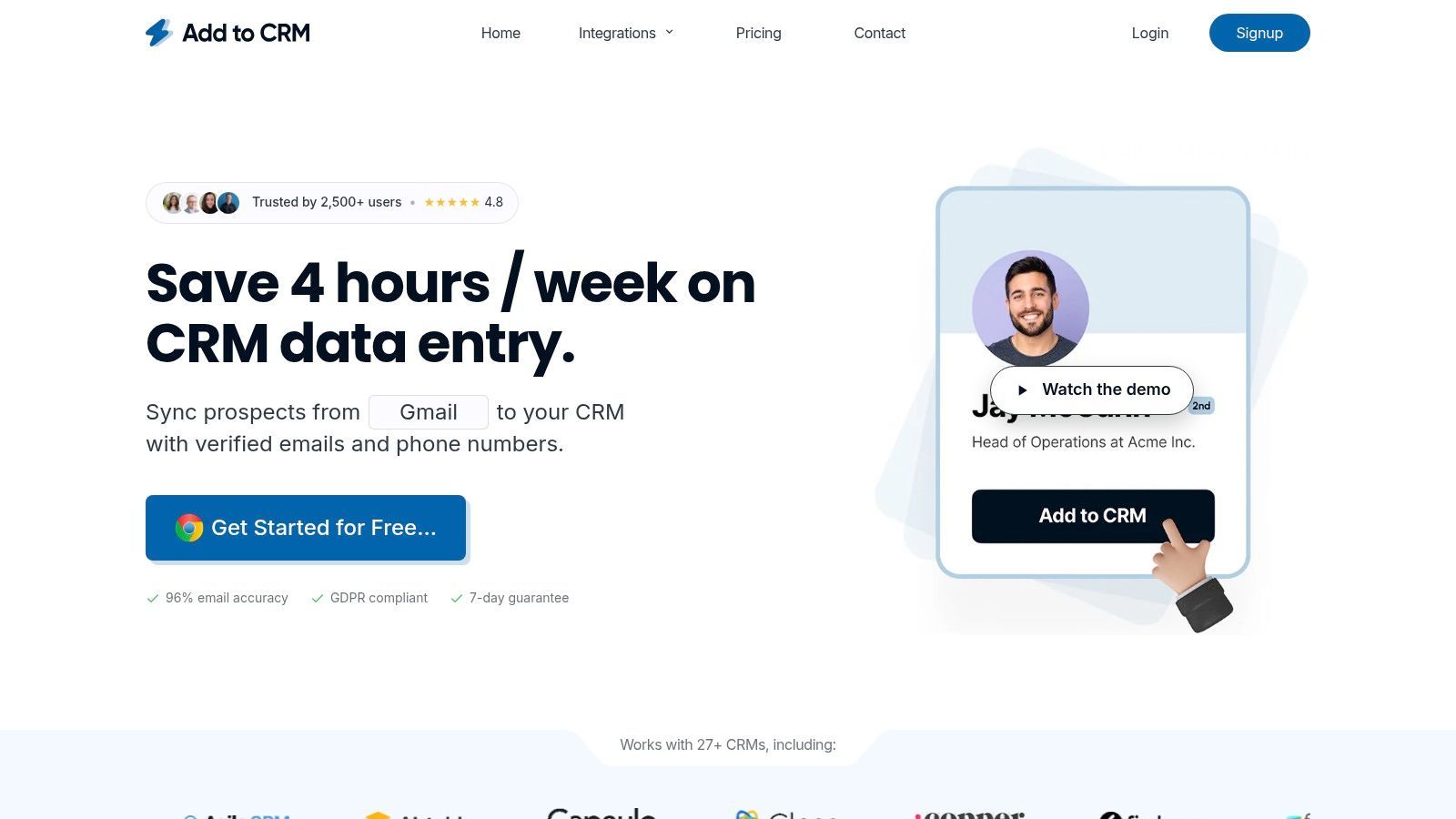
Add to CRM stands out as a premier choice for teams seeking to eliminate the friction between prospecting and CRM data entry. It is a productivity-first Chrome extension engineered to solve one of the most persistent bottlenecks in sales workflows: manually transferring contact information from professional networks, email clients, or websites into your CRM. Its one-click functionality is built for high-velocity teams, including SDRs, founders, and RevOps professionals who value both speed and data integrity.
This tool transforms a multi-step, copy-paste process into an instantaneous action. By detecting profiles on platforms like professional networking sites, Gmail, and Outlook, it allows users to create enriched, duplicate-checked CRM records without ever leaving the page. This capability alone helps teams reclaim an estimated four hours per week, making it a powerful contender for the best contact management software focused on workflow efficiency.
Key Features & Use Cases
Add to CRM excels with a feature set designed for practical, real-world application, bridging the gap between raw prospect data and an organized CRM.
- 1-Click Contact Creation: Its core strength is turning any online profile into a clean CRM record instantly. A green checkmark appears next to names already in your system, preventing duplicate entries before they happen.
- Data Enrichment & Verification: The extension doesn't just copy data; it enriches it. Tapping into a verified database of 220 million professionals, it populates records with 20+ data points (like seniority, industry, and company revenue) and performs real-time email verification with 95%+ accuracy, significantly reducing bounce rates.
- Broad CRM Integration: With native connections to 29+ popular CRMs, including HubSpot, Salesforce, and Pipedrive, it fits seamlessly into existing tech stacks. Custom field mapping ensures data lands exactly where it needs to, maintaining organizational consistency.
- Team Collaboration: Admin-friendly settings allow for centralized management of field mappings and integrations, ensuring the entire team operates from a single source of truth.
Pricing Structure
The platform offers a transparent, credit-based model suitable for various team sizes and prospecting volumes.
| Plan | Price | Credits/Month | Key Features |
|---|---|---|---|
| Standard | €25/month | 250 | 1-click add, enrichment, duplicate check |
| Pro | €89/month | 1,000 | Priority support, dedicated onboarding, phone support |
Pros & Cons
Pros:
- Massive time savings: The one-click workflow drastically reduces manual data entry.
- High-quality, enriched data: Provides verified emails and deep company insights to improve outreach.
- Excellent data hygiene: Built-in duplicate detection and custom mapping keep CRM data clean.
- Scalable pricing: A 7-day free trial allows for testing, with affordable plans for growing teams.
Cons:
- Browser limitation: It is a Chrome-only extension, which may be a hurdle for teams using Firefox, Safari, or non-Chromium browsers.
- Credit-based model: Enrichment draws on a monthly credit allowance, so high-volume prospectors should pick the plan that matches their volume.
For teams looking to optimize their sales funnel from the very first touchpoint, Add to CRM provides a robust, user-friendly solution. By automating the foundational step of contact creation, it frees up valuable time for relationship-building and closing deals. To better understand how this tool fits into a larger strategy, you can explore detailed guides on how to effectively use CRMs.
Website: addtocrm.com
2. HubSpot Sales Hub (Smart CRM)
HubSpot’s Smart CRM, which powers its Sales Hub, is an industry-defining platform for a reason: it offers an exceptionally user-friendly path to sophisticated contact management. Its core strength lies in its unified contact timeline, which consolidates every touchpoint - emails, meetings, calls, and notes - into a single, chronological view. This makes it one of the best contact management software options for teams needing immediate context without digging through disparate apps.
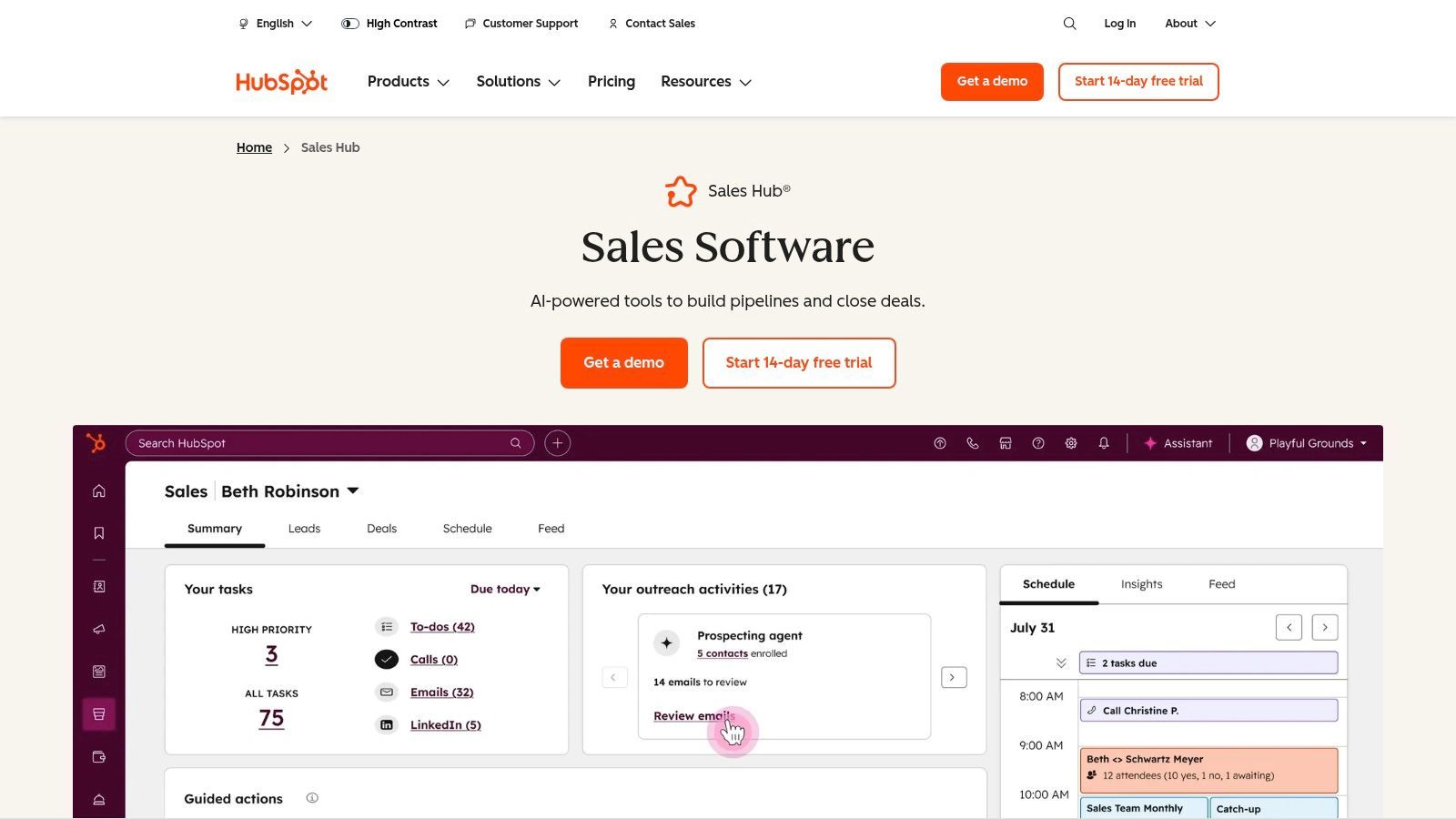
The platform scales gracefully from a robust free tier to powerful enterprise plans, allowing startups to establish good data habits early and grow into advanced automation later. Its deep integrations with Gmail and Outlook are seamless, turning your inbox into a command center for CRM updates and tracking.
Key Features & Use Case
- Ideal Use Case: Startups and SMBs needing a free, scalable CRM that sales reps will actually adopt and use daily.
- Unified Timeline: Every interaction is logged automatically, providing full visibility for sales managers and reps.
- Sales Tools: Includes meeting scheduling links, email templates, and tracking, even on the free plan.
- Integrations: A massive App Marketplace ensures HubSpot connects with virtually any tool in your existing tech stack.
Pricing & Onboarding
HubSpot’s pricing structure is a key differentiator. The free tools are powerful enough for early-stage teams to manage contacts effectively. Paid tiers start with the Starter plan (from $15/seat/month), adding simple automation. Professional and Enterprise tiers unlock advanced features like sales sequences and predictive lead scoring but come with mandatory onboarding fees.
How Add to CRM Complements HubSpot: Use Add to CRM to instantly capture contact and company data from professional networking profiles and save it directly to HubSpot. This bypasses manual data entry, eliminates copy-paste errors, and ensures your HubSpot records are always enriched with the latest professional information, keeping your pipeline data clean and actionable.
Website: https://www.hubspot.com/products/sales
3. Salesforce Sales Cloud
Salesforce Sales Cloud is the undisputed enterprise leader, offering a platform designed for deep customization and scalability. For larger teams with complex sales processes, it provides unparalleled control over data models, workflows, and reporting. Its strength lies in its ability to be molded to fit any business process through custom objects, advanced permissions, and a vast ecosystem of third-party apps, making it more than just a contact manager but a central business operating system.
While its power is immense, this flexibility introduces a steeper learning curve and a higher total cost of ownership compared to simpler tools. It's the best contact management software for organizations that need enterprise-grade security, governance, and the ability to build sophisticated, multi-departmental automations on a single, unified platform.
Key Features & Use Case
- Ideal Use Case: Mid-market and enterprise companies with dedicated admin resources needing a highly configurable CRM for complex, multi-stage sales cycles.
- Customization: Rich contact and account objects can be extended with custom fields and entirely new custom objects to track unique business data.
- AppExchange Ecosystem: The largest B2B app marketplace provides thousands of pre-built integrations to connect Salesforce with virtually any tool.
- Advanced Governance: Enterprise-tier plans offer sandboxes for development, advanced user roles, and permissions for granular data control.
Pricing & Onboarding
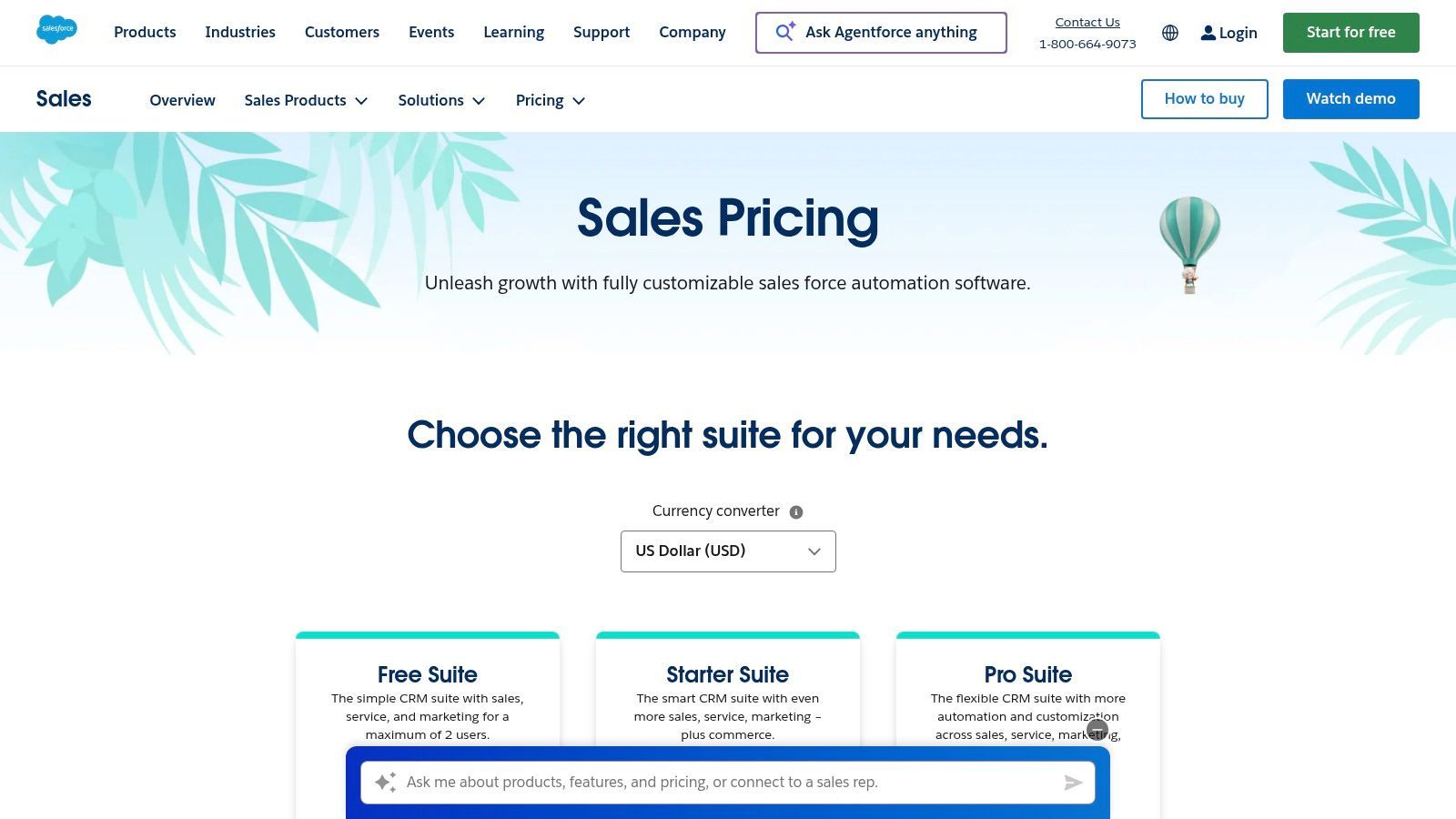
Salesforce pricing is geared toward established teams. The Starter Suite begins at $25/user/month for a more bundled, out-of-the-box solution. Core editions like Professional (from $80/user/month) and Enterprise unlock API access and workflow automation. The platform's complexity often necessitates professional implementation partners or dedicated in-house administrators, adding to the overall investment.
How Add to CRM Complements Salesforce: Instantly capture contact and lead data from professional networking sites and save it directly to Salesforce. This eliminates manual data entry, reduces errors, and ensures your Salesforce records are enriched with up-to-date information, which is critical for maintaining data integrity in a large-scale CRM deployment.
Website: https://www.salesforce.com/sales/pricing/
4. Microsoft Dynamics 365 Sales
For organizations already embedded in the Microsoft ecosystem, Dynamics 365 Sales offers a powerful and native contact management solution. Its greatest strength is the deep, first-party integration with Outlook, Teams, and the wider Microsoft 365 suite. This creates a cohesive environment where contact data, communications, and sales activities sync almost invisibly, making it one of the best contact management software choices for teams prioritizing workflow consolidation.
The platform leverages its native AI, Copilot, to provide contextual summaries, generate email drafts, and offer meeting preparation assistance directly within the tools your team already uses. This embedded intelligence, combined with enterprise-grade security and governance, makes it a compelling option for businesses that run on Microsoft and require a scalable, secure CRM.
Key Features & Use Case
- Ideal Use Case: Mid-market to enterprise companies heavily invested in Microsoft 365 seeking a native CRM with strong security and AI capabilities.
- Deep Microsoft 365 Integration: Natively syncs contacts, emails, and meetings from Outlook and Teams, reducing manual data entry.
- Embedded Copilot AI: Provides AI-driven assistance for summarizing conversations, drafting emails, and preparing for meetings.
- Relationship Sales: Offers a bundled option with a popular professional networking tool for a deeply integrated prospecting and relationship-building workflow.
Pricing & Onboarding
Dynamics 365 Sales offers tiered pricing to fit different business needs. The Sales Professional plan (starting at $65/user/month) covers core contact, lead, and opportunity management. The Sales Enterprise plan ($95/user/month) adds customization and sales playbooks. Premium features like Sales Insights and Relationship Sales are available as add-ons, increasing the total cost. The platform's complexity can mean a steeper learning curve for teams unfamiliar with the Dynamics ecosystem.
How Add to CRM Complements Dynamics 365: While Dynamics has its own connectors, Add to CRM provides a fast, lightweight way for sales reps to capture contact and company details from professional networking profiles directly into Dynamics 365. This streamlines prospecting by ensuring lead data is captured accurately and instantly, enriching your CRM records without navigating away from your source.
Website: https://www.microsoft.com/en-us/dynamics-365/products/sales/pricing
5. Zoho CRM
Zoho CRM stands out as a value-packed platform for SMBs ready to graduate from spreadsheets into a more structured system. Its core strength is offering a highly customizable yet affordable environment. Teams can modify contact modules, build unique layouts with its Canvas editor, and create a centralized database that fits their specific sales process. This adaptability makes it one of the best contact management software choices for businesses that need more than a one-size-fits-all solution without an enterprise-level budget.
The platform is part of a much larger ecosystem of business apps (Zoho One), offering seamless integration for functions like finance, marketing, and support. Even as a standalone product, its automation and reporting capabilities are robust for the price, providing a scalable path for growing sales teams to manage relationships effectively.
Key Features & Use Case
- Ideal Use Case: SMBs and mid-market companies wanting a powerful, all-in-one CRM with extensive customization at a competitive price point.
- Customizable Modules: Tailor layouts and fields for contacts, accounts, and deals to match your unique data requirements.
- Workflow Automation: Automate routine tasks, set up email cadences, and trigger actions based on contact behavior.
- Broad App Ecosystem: Integrates deeply with the extensive Zoho suite and other popular third-party tools.
Pricing & Onboarding
Zoho offers a compelling free edition for up to three users, making it accessible for small teams. Paid plans begin with the Standard tier (from $14/user/month), unlocking scoring rules and workflows. The Professional and Enterprise plans add more advanced features like inventory management and AI-powered tools. While generally intuitive, users can find more details on how to import contacts to Zoho CRM to streamline their initial setup.
How Add to CRM Complements Zoho CRM: Drastically cut down on manual data entry by using Add to CRM to save contacts from online profiles directly into Zoho CRM. This one-click process ensures new leads are captured accurately and instantly, enriching your Zoho records with up-to-date professional details and freeing up your sales team to focus on building relationships, not data entry.
Website: https://www.zoho.com/crm/
6. Pipedrive
Pipedrive is a sales-first CRM built around a visual pipeline, making it one of the best contact management software choices for teams that thrive on clarity and momentum. Its core philosophy is activity-based selling, prompting reps to focus on the next actionable step for every contact. This design minimizes administrative overhead and keeps sales teams focused on closing deals rather than managing complex software.
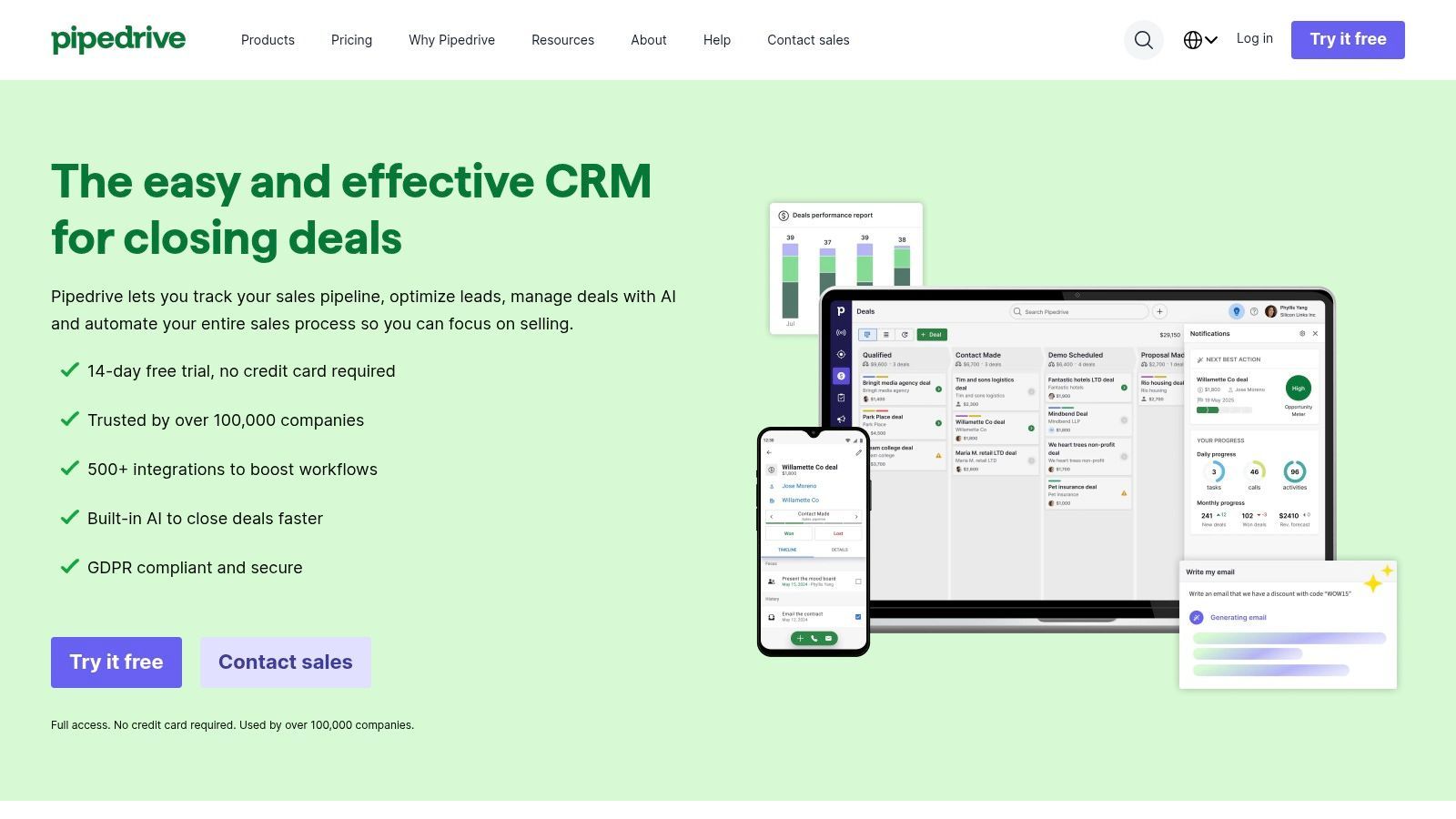
The platform is exceptionally intuitive, allowing for rapid adoption with minimal training. Its drag-and-drop interface for managing deals through stages provides an at-a-glance overview of the entire sales funnel. This visual approach is perfect for sales managers who need a quick, accurate forecast and for reps who want a clear, motivating picture of their pipeline.
Key Features & Use Case
- Ideal Use Case: Sales teams (SDRs/AEs) in SMBs who need a straightforward, visually-driven CRM to manage deals and activities without a steep learning curve.
- Visual Sales Pipeline: A clear, drag-and-drop interface to track deal progress and identify bottlenecks.
- Activity-Driven Workflow: Prompts users to schedule a next action (call, email, meeting) for every contact, ensuring no lead goes cold.
- Email & Comms Integration: Syncs with your inbox to track conversations, use templates, and schedule emails directly from the CRM.
Pricing & Onboarding
Pipedrive offers a 14-day free trial and transparent plan packaging. Paid tiers begin with the Essential plan (from $14/seat/month), covering core pipeline and contact management. The Advanced plan adds more automation and email features, while the Professional and Enterprise tiers unlock deeper analytics, team management, and security features.
How Add to CRM Complements Pipedrive: While prospecting on social platforms, use Add to CRM to instantly create a new person, deal, and activity in your Pipedrive pipeline. This one-click workflow ensures every prospect is captured and assigned a next step, perfectly aligning with Pipedrive’s activity-based selling model and keeping your funnel consistently full.
Website: https://www.pipedrive.com/

One Chrome extension for all your CRM enrichment
Find verified emails, phone numbers, and job titles on LinkedIn®. Add contacts to any of 29+ supported CRMs in one click.
Start Free Trial


 Trusted by 2,500+ users4.7
7. monday sales CRM
monday sales CRM leverages the highly visual and flexible monday.com Work OS to create a contact and deal management system that goes beyond traditional CRM boundaries. Its core strength is its board-based interface, which allows teams to customize pipelines, track leads, and manage client projects all within a single, collaborative workspace. This makes it one of the best contact management software choices for businesses that need to seamlessly blend sales activities with operational and post-sale workflows.
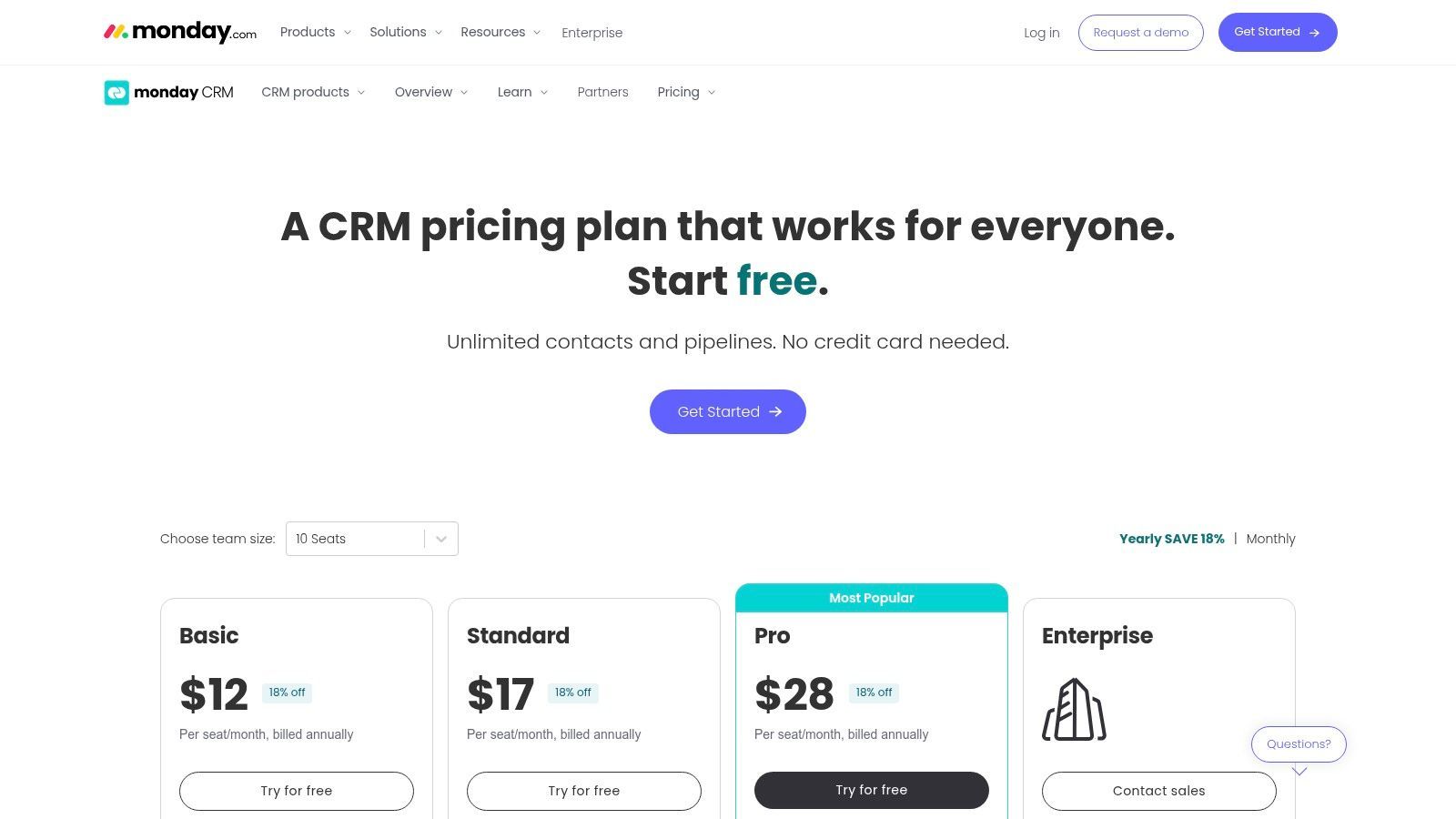
The platform is designed for teams that thrive on visual task management and cross-departmental collaboration. Its flexibility means it can be configured for complex sales cycles just as easily as it can manage simple contact lists, while strong reporting dashboards provide clear visibility into team performance and pipeline health.
Key Features & Use Case
- Ideal Use Case: Startups and SMBs that want an all-in-one platform for sales, project management, and operational workflows.
- Customizable Boards: Build and adapt visual pipelines for leads, deals, contacts, and accounts to match your exact sales process.
- Centralized Communication: Track all emails, activities, and notes for each contact in one place, eliminating scattered information.
- Automation & Integrations: Automate repetitive tasks like follow-up reminders and status updates, and connect with a wide range of business tools.
Pricing & Onboarding
monday sales CRM offers several tiers, starting with a free Individual plan for up to two users. Paid plans begin with Basic ($10/seat/month), Standard ($14/seat/month), and Pro ($24/seat/month), each with seat minimums and increasing limits on features like automation and dashboards. The Enterprise tier offers advanced security and governance for larger teams. The platform's highly intuitive design simplifies onboarding.
How Add to CRM Complements monday sales CRM: Streamline your prospecting by using Add to CRM to capture contact details from professional network profiles and send them directly to your monday sales CRM boards. This instantly creates new items or updates existing ones, ensuring your sales pipeline is always populated with accurate, up-to-date information without manual data entry.
Website: https://monday.com/crm/pricing
8. Copper (Google Workspace‑native CRM)
Copper is the premier contact management software for teams deeply embedded in the Google Workspace ecosystem. Its core differentiator is its native integration with Gmail, Calendar, and Drive, which allows users to manage contacts, track deals, and view interaction history directly from their inbox. This eliminates the constant app-switching that plagues many sales workflows, making contact updates feel like a natural extension of daily email and meeting activities.
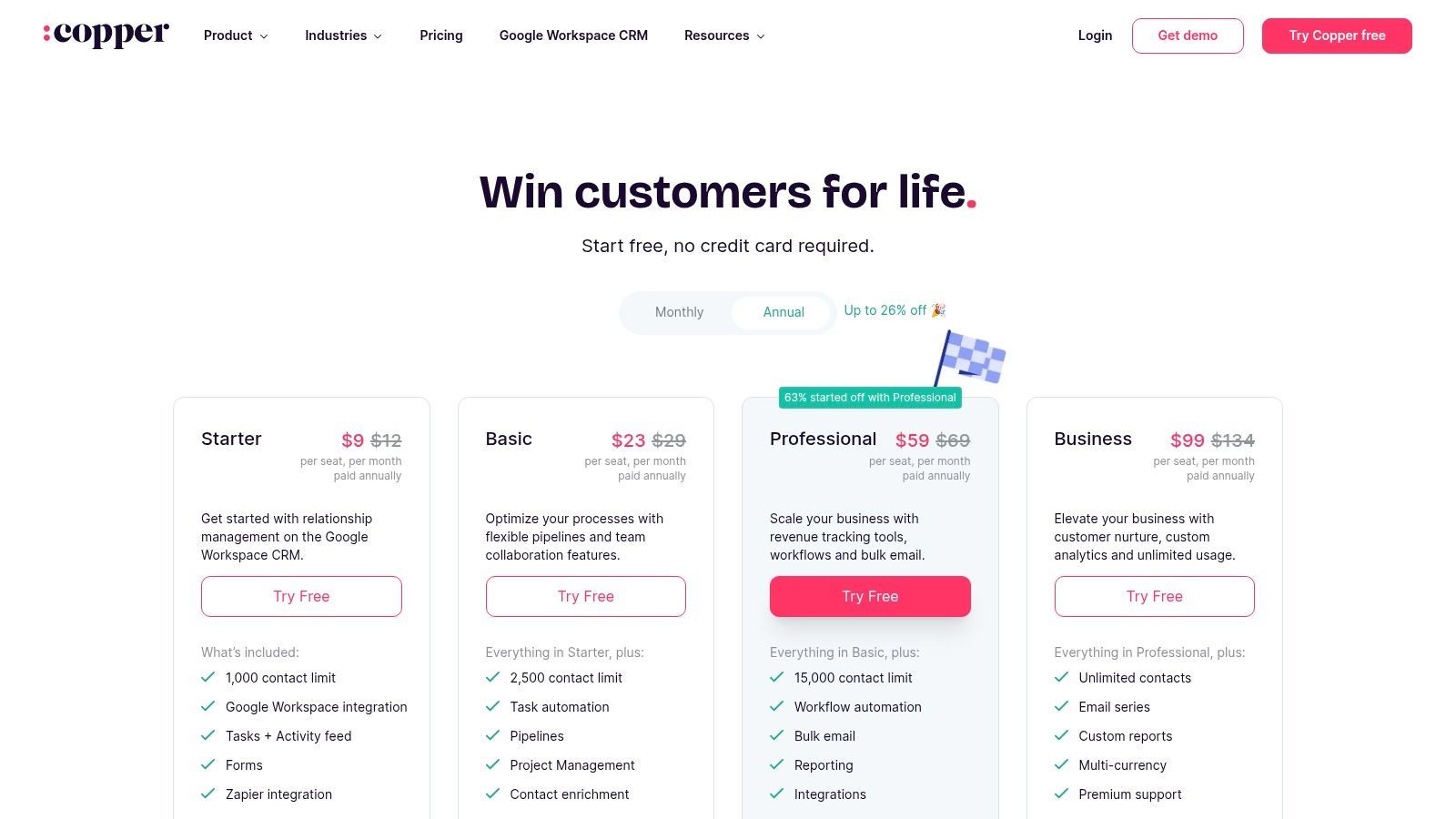
By living inside Google apps via a Chrome extension, Copper dramatically lowers the adoption barrier for teams already comfortable with that environment. It automatically scrapes contact details from email signatures and conversations, populating records without manual effort and ensuring that crucial context is never lost. This seamless workflow makes it a top choice for service-based businesses and agencies that live in their inbox.
Key Features & Use Case
- Ideal Use Case: Google Workspace-centric businesses (agencies, consulting, real estate) seeking a CRM that requires minimal training and context switching.
- Deep Google Integration: Manages contacts, pipelines, and tasks directly within Gmail, and syncs meetings and files with Calendar and Drive.
- Automated Data Entry: Automatically identifies and captures new contacts from email conversations, reducing manual input.
- Workflow Automation: Higher-tier plans include automation for tasks like lead assignment and follow-up reminders.
Pricing & Onboarding
Copper offers a 14-day free trial across its plans. The Basic plan (from $23/user/month) covers core contact management for up to 2,500 contacts. The Professional plan (from $59/user/month) adds more automation and increases the contact limit, while the Business plan (from $99/user/month) unlocks unlimited contacts and advanced reporting features. Its straightforward pricing makes it easy to choose the right tier without hidden onboarding costs.
How Add to CRM Complements Copper: Since Copper is focused on your inbox, use Add to CRM to bridge the gap with your social prospecting. Instantly send verified contact and company data from professional networking profiles directly into your Copper pipelines. This ensures that prospects found on social networks are captured with the same efficiency as those in your email, keeping your entire lead generation process streamlined and your data centralized.
Website: https://www.copper.com/pricing
9. Streak for Gmail
Streak transforms your Gmail inbox into a lightweight, fully-functional CRM, making it an exceptional choice for individuals and small teams who live in their email. Its core innovation is embedding customizable pipelines directly into the Gmail interface, allowing users to track deals, candidates, or support tickets without ever switching tabs. This native integration is what makes it one of the best contact management software options for founders and solopreneurs prioritizing speed and simplicity.
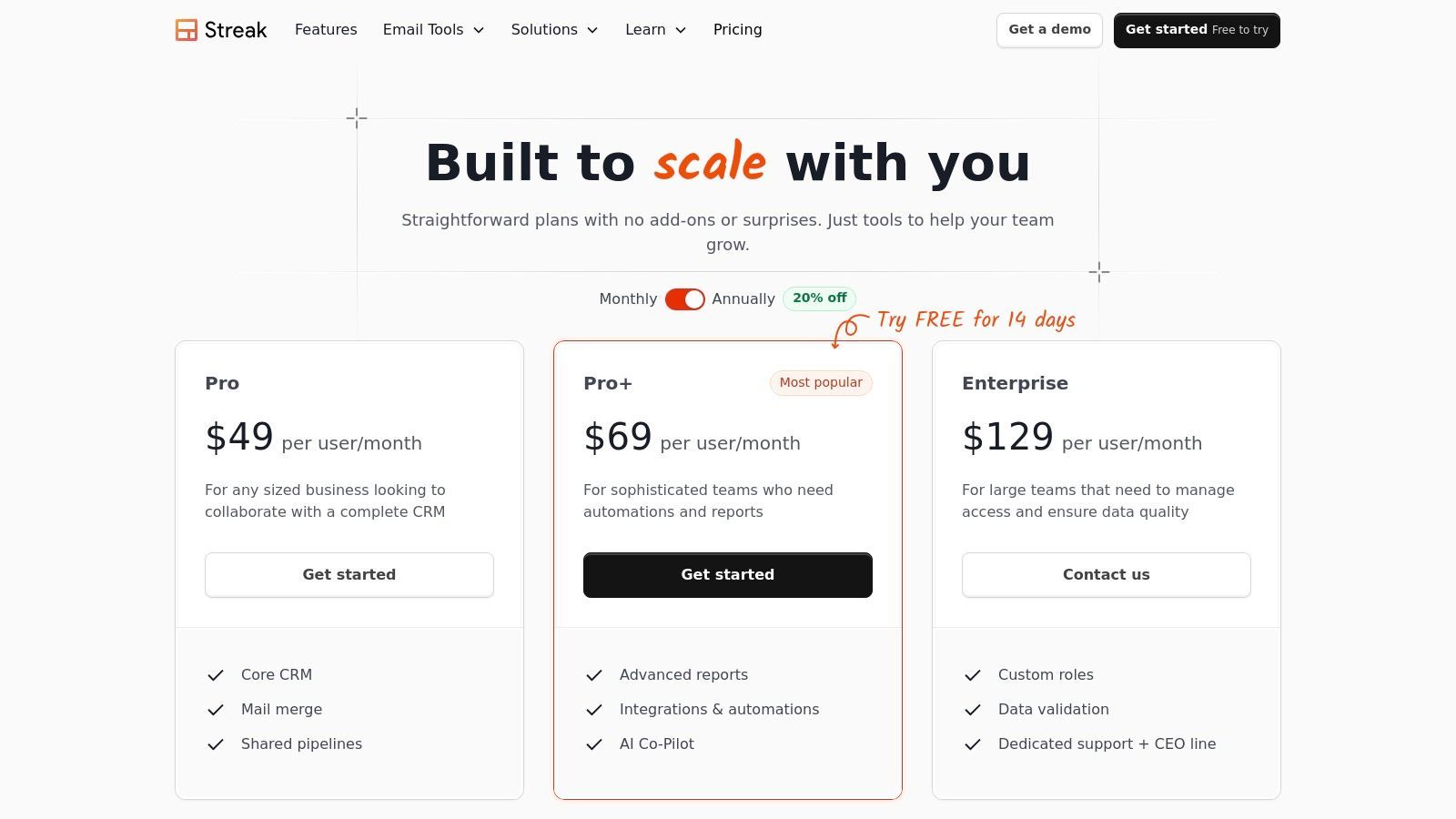
The platform eliminates the friction of adopting a separate CRM system by leveraging an environment users already know. Email threads are automatically linked to contacts and deals, and features like mail merge with tracking are built right in. For anyone overwhelmed by traditional CRMs, Streak offers a refreshingly direct approach to managing relationships and workflows.
Key Features & Use Case
- Ideal Use Case: Solopreneurs, freelancers, and small sales teams who manage their entire pipeline from their Gmail inbox.
- Native Gmail Pipelines: Visually track contacts through custom stages directly alongside your emails.
- Email Power Tools: Includes mail merge, email tracking, snippets, and a 'send later' function to streamline outreach.
- Shared Workflows: Pro and Pro+ plans allow teams to collaborate on shared pipelines and contacts for unified visibility.
Pricing & Onboarding
Streak offers a free-forever plan suitable for individual use with basic CRM features. Paid plans provide more advanced capabilities. The Solo plan ($15/user/month) is for individual professionals, while the Pro plan ($49/user/month) unlocks shared pipelines and advanced CRM features. The Pro+ plan ($69/user/month) adds automation and advanced reporting. Onboarding is self-service, as the tool's native Gmail integration makes it intuitive to learn. For an in-depth look at this kind of setup, you can learn more about CRM integration with Gmail.
How Add to CRM Complements Streak: While Streak lives in Gmail, your contacts often start on professional networks. Use Add to CRM to instantly pull contact details from a profile and send them to a Google Sheet. You can then use Zapier to automatically create a new box (contact) in your Streak pipeline, bridging the gap between prospecting and pipeline management.
Website: https://www.streak.com/pricing
10. Nimble
Nimble positions itself as the "relationship-focused CRM," a title it earns by automatically unifying contact data from various sources into a single, enriched profile. It excels at pulling in social media profiles, communication history, and calendar events from Microsoft 365 and Google Workspace. This makes it one of the best contact management software choices for individuals and small teams who value context and relationship history over complex sales pipelines.
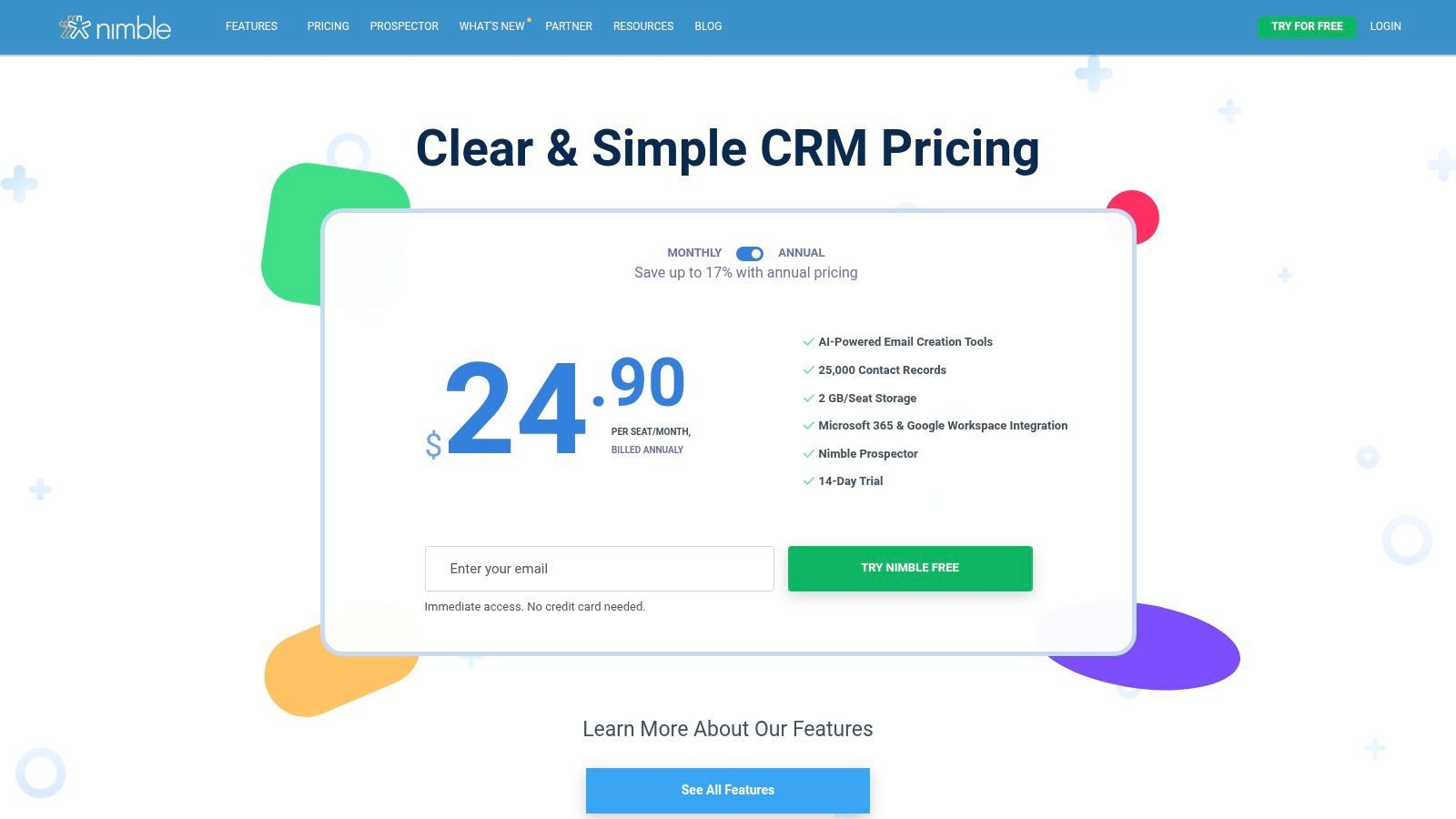
The platform’s strength is its simplicity and its powerful enrichment tool, Nimble Prospector. This browser extension allows users to capture contact information from anywhere on the web, including professional networking sites, and build out detailed profiles on the fly. Its straightforward approach makes it highly accessible for users who find traditional CRMs overly cumbersome.
Key Features & Use Case
- Ideal Use Case: Solopreneurs, consultants, and small teams needing an easy-to-use tool to manage and enrich their professional network.
- Social & Inbox Integration: Deeply integrates with Microsoft 365 and Google Workspace to build unified contact records automatically.
- Nimble Prospector: A browser extension for capturing and enriching contact data from social profiles and company websites.
- Generous Contact Limits: The core plan includes a substantial 25,000 contact records, which is more than enough for most small businesses.
Pricing & Onboarding
Nimble’s pricing is refreshingly simple, with a single core plan at $29.90/user/month (billed monthly) or $24.90 (billed annually). This plan includes all key CRM and contact management features. However, marketing-focused tools like bulk email sends, web forms, and targeted email marketing campaigns are available as separate add-ons, which can increase the overall cost.
How Add to CRM Complements Nimble: While Nimble Prospector is great for enrichment, use Add to CRM for its specialized, one-click capture from professional networking profiles. This workflow ensures that crucial lead data is sent directly to Nimble with precision, reducing manual steps and keeping your relationship-focused records accurate and ready for outreach.
Website: https://www.nimble.com/pricing/
11. G2 – Contact Management Software category
Instead of a single tool, G2’s dedicated category for contact management software acts as a meta-resource for your research process. It’s a comprehensive software marketplace that aggregates millions of peer reviews, feature comparisons, and vendor data. This allows you to discover, compare, and shortlist potential solutions based on real user feedback, making it an indispensable first stop before committing to a platform.
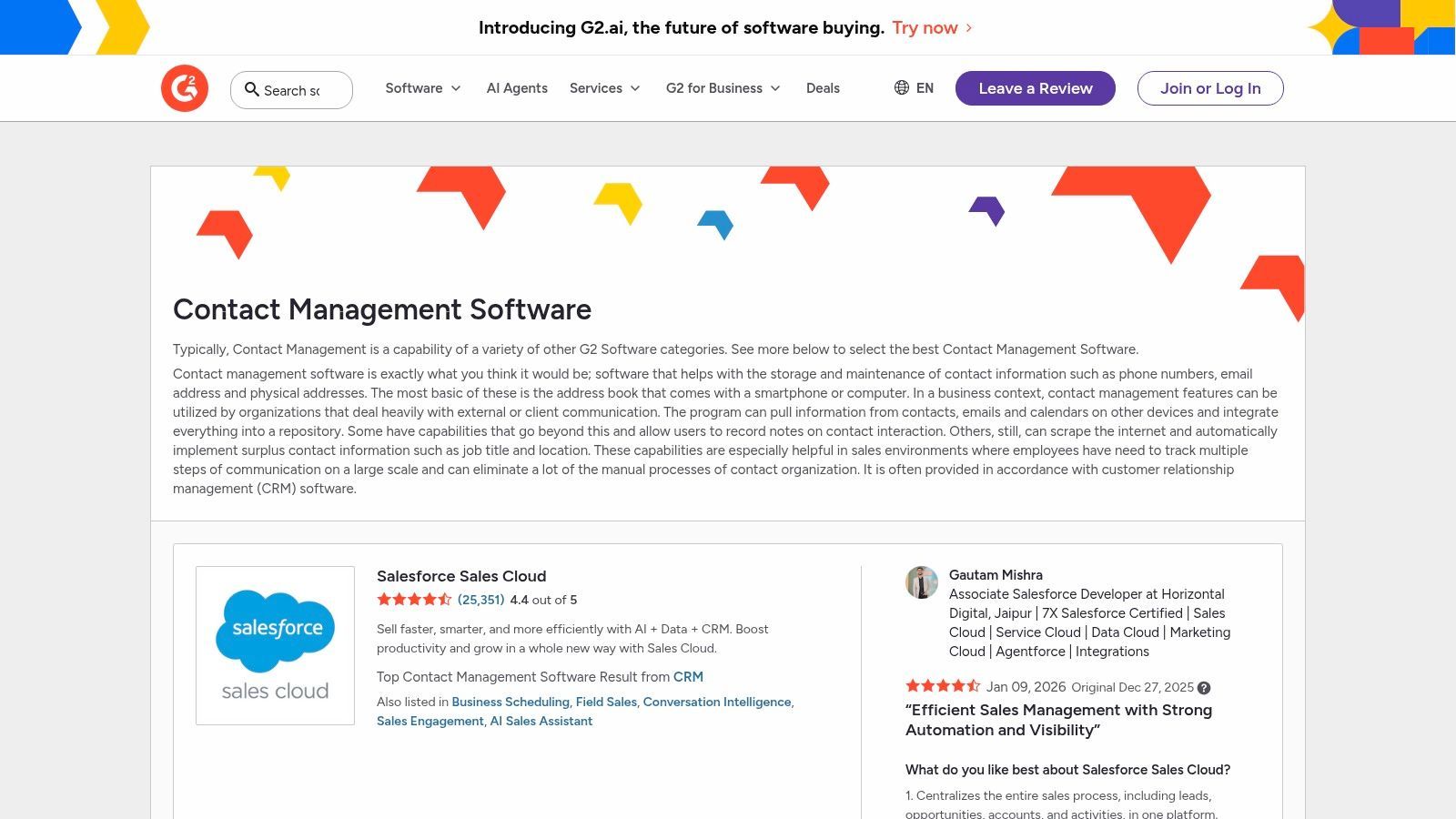
The platform’s real strength is its granular filtering and side-by-side comparison grids. You can sort the best contact management software by company size, user satisfaction, specific features, and more. This data-driven approach helps you move beyond marketing claims and see how tools actually perform for businesses similar to your own, preventing costly mismatches.
Key Features & Use Case
- Ideal Use Case: Research and discovery phase for teams wanting to compare multiple contact management tools using verified, unbiased user reviews.
- Verified User Reviews: Access detailed feedback on pros, cons, and specific use cases from a massive community of authenticated users.
- Comparison Grids: Place tools head-to-head to evaluate features, pricing, and satisfaction ratings in a clear, structured format.
- Buyer-Intent Resources: Provides reports, guides, and category-level insights to help inform your purchasing decision.
Pricing & Onboarding
Access to G2 for research and comparison is completely free for users. The platform is supported by vendors who pay for enhanced profiles and access to buyer intent data. Pricing information for the software listed is often high-level; for exact quotes and onboarding details, you will need to click through to the individual vendor websites.
How Add to CRM Complements G2: After using G2 to shortlist and choose the perfect CRM, use Add to CRM to populate it with clean, accurate contact data from professional networks. This ensures that from day one, your newly selected system is filled with high-quality information, accelerating your team's ability to start selling effectively.
Start your 7-day free trial of Standard
Find verified emails, phone numbers, and job titles on LinkedIn®. Add contacts to any of 29+ supported CRMs in one click.
Start Free TrialTrusted by 2,500+ users4.712. GetApp – Contact Management Software Listings
GetApp, part of the Gartner Digital Markets family, isn't a contact management tool itself but rather a powerful discovery platform. It serves as a comprehensive directory where SMB buyers can compare dozens of the best contact management software solutions side-by-side. The platform excels at helping teams build a shortlist by filtering vendors based on pricing, user ratings, key features, and business size, providing a clear starting point for a complex purchasing decision.
This resource is particularly valuable for teams without a dedicated procurement department. Its user-friendly interface allows for a quick scan of the market landscape, highlighting starting prices and summarizing verified user reviews to gauge real-world performance. While it doesn't sell software directly, it provides the essential vetting tools needed before you commit to vendor demos.
Key Features & Use Case
- Ideal Use Case: Startups and SMBs in the initial research phase, needing to compare pricing, features, and user sentiment across multiple CRM and contact management vendors.
- Filterable Directory: Narrow down options by pricing models, device compatibility, business size, and specific features.
- Verified Reviews: Access summaries and ratings from actual users to understand the pros and cons of each platform.
- Comparison Tools: Select multiple products to view a side-by-side feature and rating comparison, helping to identify the best fit.
Pricing & Onboarding
GetApp is completely free for users. Its business model relies on vendor listings, so there are no fees or subscriptions required to access the research and comparison tools. Keep in mind that sponsored placements can appear within the listings, so it's wise to use the filters to create an objective view. Users must click through to individual vendor sites for purchasing and onboarding information.
How Add to CRM Complements Your Final Choice: Once you use GetApp to select your ideal CRM, supercharge it with Add to CRM. No matter which platform you choose from the listings (like HubSpot, Salesforce, or Pipedrive), our tool ensures you can instantly capture leads from professional networks directly into your new system, starting you off with clean, accurate, and enriched contact data from day one.
Website: https://www.getapp.com/sales-software/contact-management/
Top 12 Contact Management Software Comparison
| Product | Core features | UX & quality | Key benefits | Best for & Pricing |
|---|---|---|---|---|
| Add to CRM (Recommended) | Chrome extension: 1‑click add from professional networks/Gmail/Outlook, 220M profiles, 20+ data points, real‑time email verification, 29+ CRM connectors, duplicate checks, custom field mapping | Saves ~4+ hrs/week, 95%+ email verification accuracy, GDPR compliant | Eliminates copy‑paste, fast lead creation & enrichment, consistent data hygiene, team collaboration & admin controls | Founders, SDRs, RevOps; 7-day free trial, Standard €25 (250/mo), Pro €89 (1,000/mo) |
| HubSpot Sales Hub | Unified contact timeline, Gmail/Outlook sync, meeting links, workflows, large App Marketplace | Intuitive UI, fast onboarding, strong free tier | Easy adoption that scales into automation and reporting | SMBs to scale‑ups; generous free plan, seat‑based paid tiers |
| Salesforce Sales Cloud | Rich contact/account/custom objects, deep APIs, AppExchange, AI & analytics add‑ons | Enterprise‑grade power, steeper learning curve, strong partner ecosystem | Highly extensible, advanced forecasting & governance | Large enterprises or complex processes; premium pricing and TCO |
| Microsoft Dynamics 365 Sales | Contact/opportunity mgmt, native M365/Outlook/Teams integration, embedded Copilot, security & compliance | Seamless Microsoft ecosystem UX, complex admin for small teams | First‑party MS integrations, embedded AI assistance | Microsoft‑centric orgs; tiered pricing, premium AI/features cost extra |
| Zoho CRM | Customizable modules (Canvas), workflows, mass email, integrates with Zoho One, free edition for 3 users | Solid mobile apps, good price‑to‑capability ratio | Cost‑effective CRM with broad native app ecosystem | SMBs moving from spreadsheets; competitive pricing, free starter plan |
| Pipedrive | Visual pipeline, activity‑driven workflows, email sync & tracking, 500+ integrations | Very quick to adopt, low admin overhead | Sales‑first simplicity for reps, fast ramp | SDR/AE teams; clear plan tiers, 14‑day trial |
| monday sales CRM | Board‑based CRM, customizable workflows, dashboards, email sequences, automation quotas by tier | Flexible, strong collaboration & reporting | Combines CRM with project/ops workflows in one platform | Startups needing CRM + ops; seat‑based pricing that scales |
| Copper (Google Workspace‑native) | Deep Gmail/Calendar/Drive sync, Chrome extension, automated enrichment, workflow automation | Familiar in Google apps, lowers adoption friction | Inbox‑native experience for Google users, reduces context switching | Google Workspace teams; tiered plans, contact caps on lower tiers |
| Streak for Gmail | Pipelines inside Gmail, mail merge, open/click tracking, Chrome extension | Zero context‑switching, affordable | Lightweight inbox CRM for solo sellers & founders | Solo founders and small teams; low‑cost plans |
| Nimble | Relationship CRM, profile enrichment (Nimble Prospector), 25k contacts incl., M365/Google integrations | Approachable UX, simple pricing | Unified contact profiles and enrichment for prospecting | Small teams & solopreneurs; modest pricing, add‑ons for marketing |
| G2 – Contact Management category | Curated category pages, verified user reviews, comparison & filter tools, vendor links | Broad coverage, up‑to‑date user sentiment; sponsored placements possible | Research, discover, and shortlist CRM/contact tools with peer insights | Buyers researching options; free to use |
| GetApp – Contact Management listings | Filterable listings, starting price callouts, review summaries, shortlist tools | Quick pricing comparison, SMB‑focused filters | Fast shortlist building and price benchmarking for SMB buyers | SMB buyers vetting budget & fit; free to use |
Making Your Final Choice: From Data Entry to Revenue Engine
Navigating the crowded market for the best contact management software can feel overwhelming. We've explored everything from enterprise powerhouses like Salesforce and Microsoft Dynamics 365 Sales to nimble, user-friendly platforms like Pipedrive and Copper. We've seen how specialized tools like Streak can transform your inbox into a lightweight CRM, and how platforms like monday sales CRM bring a visual, project-management approach to the sales process.
Yet, after comparing features, pricing, and ideal use cases, a critical truth emerges: the most powerful software is only as good as the data it contains. An empty or outdated CRM is just a glorified, expensive spreadsheet. The real challenge isn't just picking a platform; it's ensuring your team consistently and accurately populates it with high-quality contact and company information. This is the friction point where most implementations stumble and where the promised ROI evaporates.
From System of Record to System of Action
The core function of any CRM is to be your single source of truth. However, manual data entry creates a bottleneck that slows down your sales cycle and introduces human error. Prospecting on platforms like professional networking sites or company websites becomes a tedious copy-and-paste exercise. Your sales development representatives (SDRs) spend more time on administrative tasks than on building relationships and booking meetings.
This is why the modern sales stack must be viewed as an ecosystem, not a monolith. Your chosen CRM, be it HubSpot's intuitive platform or Zoho's comprehensive suite, serves as the foundation. The next essential layer is an automation tool that bridges the gap between where your team finds information and where they store it. By automating the data capture and enrichment process, you transform your CRM from a passive database into a dynamic, actionable revenue engine.
Key Factors for Your Final Decision
As you make your final selection, move beyond a simple feature-for-feature comparison. Instead, filter your options through the lens of your team's specific reality. Consider these crucial factors:
- Workflow Integration: How does this tool fit into your team's existing daily habits? A Google Workspace-centric team will find Copper or Streak exceptionally easy to adopt, while a team heavily invested in the Microsoft ecosystem might naturally gravitate toward Dynamics 365. The less friction you introduce, the higher the adoption rate will be.
- Scalability and Complexity: Be honest about your current needs versus your future ambitions. A startup or small business may find the extensive customization of Salesforce to be overkill. A platform like Pipedrive or monday sales CRM offers robust functionality without the steep learning curve and implementation costs. Choose a tool that solves today's problems without creating tomorrow's complexity.
- Data Quality and Automation: What is your strategy for maintaining data integrity from day one? Relying on manual entry is not a strategy; it's a liability. The best contact management software for your business is one that pairs seamlessly with tools that automate data capture. This ensures your contacts are always up-to-date, enriched with relevant details, and free from duplicates, making your outreach more effective and your reporting more reliable.
Ultimately, choosing the right contact management platform is about empowering your team to do what they do best: sell. By selecting a CRM that aligns with your workflow and pairing it with an intelligent automation layer, you eliminate the administrative burden that plagues so many sales organizations. This strategic combination doesn't just store contacts; it accelerates your pipeline, enhances customer relationships, and drives sustainable growth.
Ready to eliminate manual data entry and ensure your CRM is always filled with clean, actionable data? See how Add to CRM works with your chosen contact management software to automate prospecting and save your team hours every week. Explore Add to CRM to supercharge your sales workflow.
Start saving time and closing more deals.
Find verified contact info for your prospects on LinkedIn®, Gmail and Outlook — and add them to your CRM with 1-click.

 Loading...Trusted by 2,500+ founders, SDRs & more