What Is Sales Automation and How Does It Drive Growth
Understand what is sales automation and how it empowers teams to sell smarter. Learn how to automate tasks, nurture leads, and build a winning sales engine.
Published on February 5, 2026
- Unlocking Your Team's True Potential
- The Core Components of a Sales Automation Engine
- Real-World Benefits of Automating Your Sales Process
- Essential Workflows You Can Implement Today
- How to Build Your First Sales Automation Stack
- Common Pitfalls to Avoid in Sales Automation
- Your Top Sales Automation Questions, Answered
Sales automation is all about using software to handle the repetitive, manual junk that eats up a salesperson's day. Think of it as a digital assistant that manages the grunt work, freeing up your team to focus on what humans do best: building relationships and closing deals.
Unlocking Your Team's True Potential
Imagine you run a restaurant with a world-class chef. This chef can create Michelin-star-worthy dishes, but they spend half their day washing dishes, clearing tables, and taking out the trash. The result? Fewer incredible meals get served, and your best talent is completely wasted on busywork.
This is exactly what a sales team without automation looks like.
Your salespeople are your chefs. Their real craft is connecting with people and showing them value—not manually logging calls, copy-pasting contact info, or setting a dozen follow-up reminders. When they get bogged down by administrative tasks, they have far less time for the activities that actually bring in revenue.
This is where sales automation fundamentally changes the game.
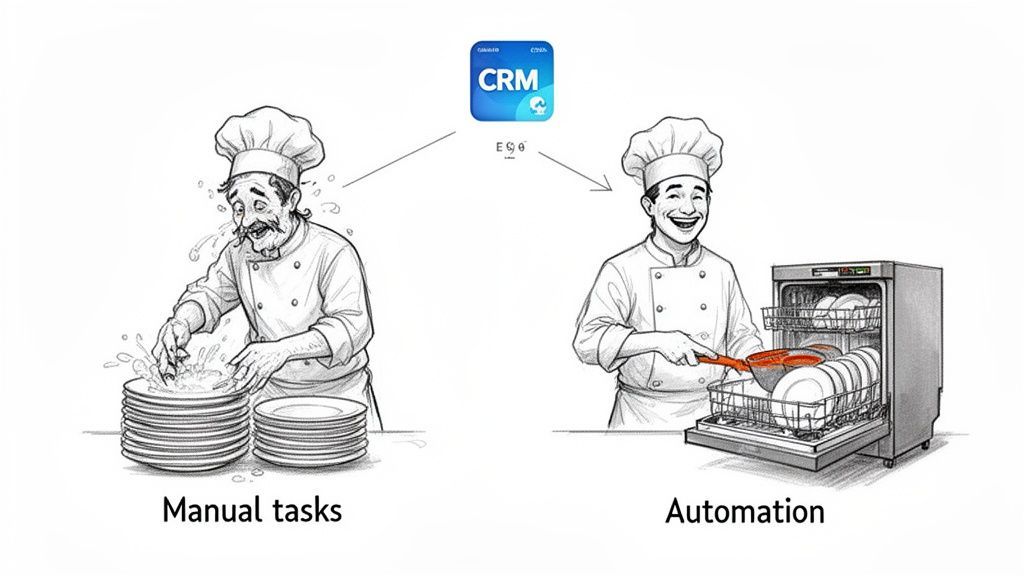
From Manual Grind to Automated Engine
Sales automation acts like the restaurant's fully equipped kitchen staff, handling all the background tasks instantly and flawlessly. It doesn’t replace the chef; it empowers them to focus entirely on cooking.
And this strategic shift is catching on fast. The global sales force automation market was valued at $8.6 billion in 2023 and is projected to hit $19.5 billion by 2030. That explosive growth isn't just hype; it reflects a deep, industry-wide understanding of how critical efficiency is to modern sales success. You can dive deeper into these figures with our guide on sales automation statistics and trends.
At its core, sales automation is not about removing humans from the sales process. It's about removing the robotic tasks from the human's day.
To really see the difference, let’s look at how automation transforms common sales activities. The whole point is to turn those time-sucking manual steps into efficient, hands-off workflows that just run in the background, making sure nothing ever falls through the cracks.
Manual Sales Tasks vs Automated Workflows
Here’s a simple breakdown of the before-and-after picture when you introduce sales automation.
| Manual Sales Task | Automated Workflow Solution |
|---|---|
| Manually copy-pasting lead data from a social profile into your CRM. | Instantly capture and enrich a new lead with one click using a browser extension. |
| Remembering to send a follow-up email three days after a demo. | Automatically schedule and send a personalized follow-up email sequence. |
| Forgetting to log a call or update a deal stage in the CRM. | Automatically log calls, emails, and meetings under the correct contact record. |
The contrast is stark. One side is prone to human error, forgetfulness, and wasted time. The other is precise, consistent, and frees up your team to focus on generating revenue.
The Core Components of a Sales Automation Engine
To really get what sales automation is all about, you have to look under the hood. A good automation system isn't just a single piece of software; it's more like an interconnected engine, with a few core parts all working in sync. Each piece has a specific job, turning what used to be manual grunt work into a smooth, hands-off process.
Think of your Customer Relationship Management (CRM) platform as the central brain of the whole operation. It’s where all your critical data lives—contact info, deal stages, communication history, every little interaction. Without a clean, organized CRM, your automation has no reliable information to act on. It's the non-negotiable foundation.
Branching out from that central brain is a nervous system made of workflows. These are the automated sequences that bring your sales strategy to life, all running on a simple but powerful "If This, Then That" logic.
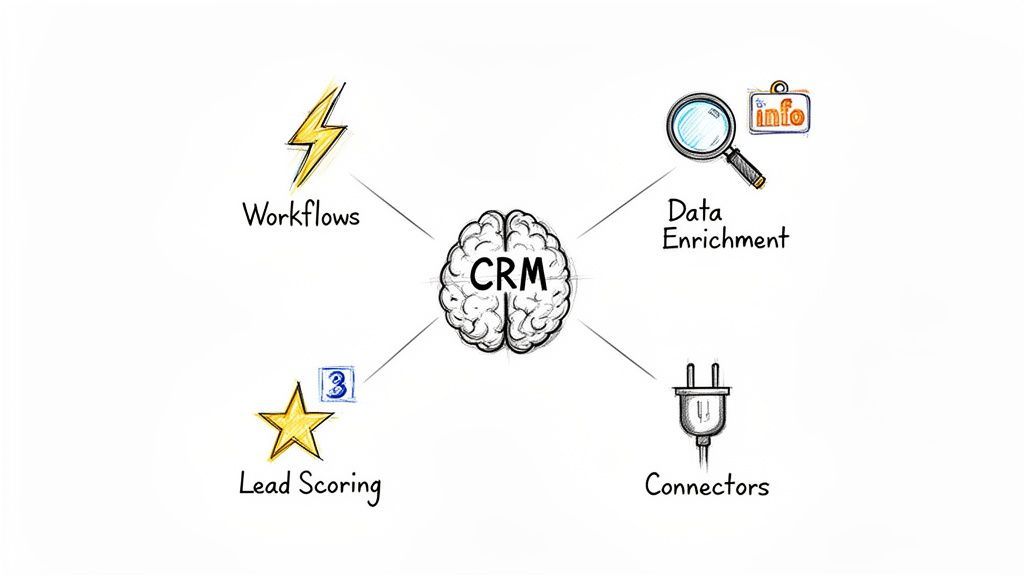
Workflows: Triggers and Actions
At their core, workflows are built from two simple parts: a trigger and an action. The trigger is the event that kicks off the automation, and the action is what the system does in response.
Let's say a new lead fills out a "Request a Demo" form on your website. That’s a trigger. This single event can set off a whole chain of automated actions:
- Action 1: The lead gets instantly added to your CRM.
- Action 2: A personalized "Welcome" email shoots out from the assigned sales rep.
- Action 3: A follow-up task is created in that rep's calendar for two days later.
- Action 4: The lead is tagged as a "Hot Lead" so you can easily track them.
This entire sequence unfolds in seconds, without a single manual click. It guarantees a fast, consistent response every single time.
A well-designed workflow doesn't just save time—it enforces your sales process. It guarantees that best practices are followed consistently, preventing leads from falling through the cracks due to human error.
Data Enrichment and Lead Scoring
But modern sales automation is also about working smarter, not just faster. This is where intelligence comes in.
Data enrichment tools act like automated research assistants. A new lead might come in with just a name and an email, but these tools automatically go out and find valuable context—like their job title, company size, location, and industry—and add it right to the contact record.
This richer data then fuels lead scoring, another critical piece of the puzzle. Lead scoring automatically assigns points to prospects based on who they are and what they do, like visiting your pricing page or having a C-suite title. This system lets your team see at a glance which opportunities are the most promising and where they should focus their energy.
And now, Artificial Intelligence is making these components even sharper. AI in sales is already mainstream, with 87% of sales organizations using it for things like prospecting, lead scoring, and drafting emails. Reps are feeling the impact, too—89% report that AI helps them understand their customers better and even makes their jobs less stressful. You can dig into more of these insights in this Salesforce State of Sales report.
When you put it all together, the CRM, workflows, enrichment, and scoring create a dynamic system that doesn't just automate tasks. It helps your team work smarter, faster, and far more effectively.
Real-World Benefits of Automating Your Sales Process
Knowing the theory behind sales automation is one thing, but seeing the real-world impact it has on your bottom line is what really matters. Bringing automation into your sales process isn’t just about getting new software; it’s about building a smarter, more predictable revenue machine. The benefits ripple out far beyond just saving time—they create a more intelligent and effective sales motion from the top of the funnel to the bottom.
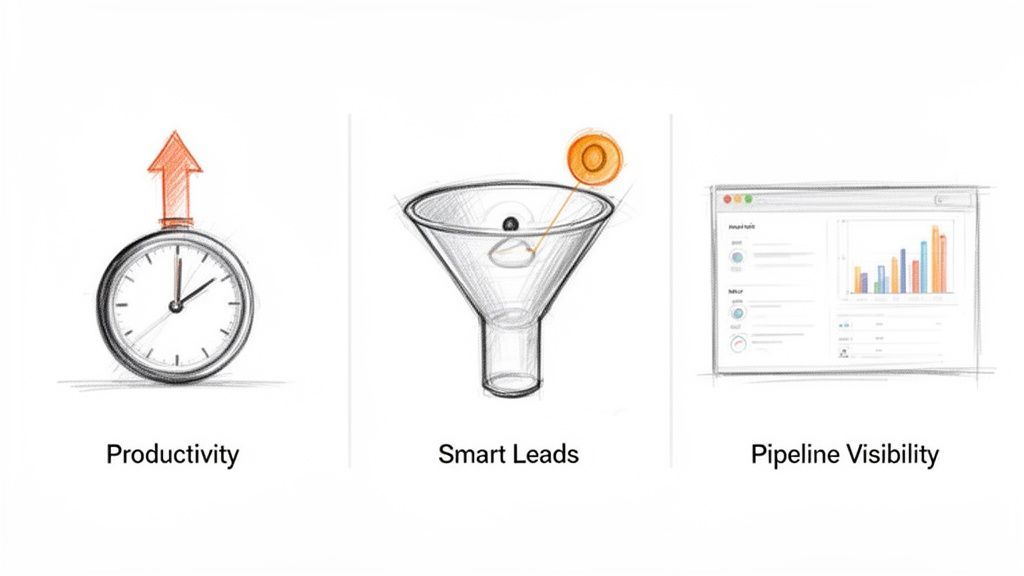
The first thing you'll notice is a huge jump in productivity. Research shows that sales reps spend up to 70% of their time bogged down by non-selling tasks like manual data entry, scheduling meetings, and other admin work. Automation puts all of that on autopilot, handing those hours back to your team.
Think about it: instead of a rep spending 15 minutes manually creating a new CRM record and hunting for contact info, a tool does it in a single click. That small win, multiplied across an entire team every day, frees up hundreds of hours a month for actual selling.
Achieve Smarter Lead Management
Without a system, good leads inevitably fall through the cracks. A hot inbound prospect might go cold waiting hours for a response, while a long-term opportunity gets completely forgotten. Automation acts as your safety net, making sure every lead is handled perfectly.
For example, when a high-intent prospect visits your pricing page, a workflow can instantly ping the right sales rep and create a priority task in the CRM. This guarantees your best leads get attention the moment they show interest.
On the flip side, a cooler lead can be automatically dropped into a long-term nurturing sequence, receiving helpful content over a few weeks or months. This keeps your brand top-of-mind, warming them up until they’re finally ready to talk.
The real power of sales automation is that it enforces consistency at scale. It guarantees that the right actions are taken for every lead, every single time, eliminating the chaos of manual follow-up.
Gain Crystal-Clear Pipeline Visibility
Manual data entry isn't just a time-sink; it's a breeding ground for errors. A single typo in a deal value or a forgotten pipeline update can throw your entire sales forecast off, forcing leaders to make big decisions with bad data.
Automation cleans this up by making data capture seamless and accurate.
- Automatic Logging: Every call, email, and meeting gets logged to the right contact record without anyone lifting a finger.
- Real-Time Updates: Deal stages update automatically based on triggers you set, like when a prospect opens a proposal or a contract is signed.
- Accurate Reporting: With clean, live data flowing in, your CRM dashboards finally become a reliable source of truth for pipeline health and forecasting.
This kind of accuracy gives sales leaders a clear, honest view of what’s working and what isn’t, allowing for much smarter strategic pivots. To dig deeper, you can learn more about building greater efficiency in sales with the right processes and tools. Ultimately, this visibility turns your sales pipeline from a rough guess into a predictable, data-backed forecast.
Essential Workflows You Can Implement Today
Okay, theory is great, but let's talk about putting sales automation to work. The good news is you don't need a massive, complicated system to see a real impact. A few smart workflows can instantly claw back hours from your day and make sure good leads never fall through the cracks again.
Below are three high-impact plays that any sales team can run right now. Each one is designed to fix a common bottleneck in the sales process, turning a manual headache into a smooth, automated action. Think of these as your starter kit for building a smarter sales engine.
Capture and Enrich Leads Instantly
This is ground zero for sales automation. Manually creating a new contact in your CRM every time you find a prospect is a soul-crushing time-suck—and a breeding ground for typos. This workflow kills that problem for good.
- Goal: To instantly create a detailed, accurate contact record in your CRM from a social profile or email signature with one click.
- Tools Required: A CRM and a browser extension that connects to it.
- The Workflow: An SDR finds a great prospect online. Instead of the old copy-paste routine, they click a button in their browser extension. In about three seconds, the tool grabs all the public data, enriches it with a verified email and phone number, and creates a perfectly formatted record in the CRM. Done.
This simple move wipes out one of the most tedious parts of prospecting. For a deeper look at just how much time this saves, check out our guide on how to automate data entry.
Launch Automated Nurture Sequences
Let's be real: not every lead is ready to buy the second you meet them. This workflow keeps those cooler prospects engaged over time without any manual effort from your reps. It keeps your name top-of-mind, so when they are ready, you're the first person they call.
The whole point of a nurture sequence is to build trust and offer value over time. It’s the automated version of a friendly check-in that shows you know your stuff and keeps the conversation warm.
A solid nurture sequence is simple:
- Trigger: A new lead gets tagged in the CRM as "long-term interest" or "not ready."
- Action: That tag automatically enrolls the contact into a pre-written email sequence.
- Sequence: The lead gets a series of 3-5 emails, spaced out over a few weeks. Each one offers something genuinely helpful—a case study, a relevant blog post, or a quick industry tip.
- Goal: To gently warm the lead up so that when they finally decide to look for a solution, your company is already on their shortlist.
Create Smart Follow-Up Tasks
One of the sneakiest ways deals die is plain old forgetfulness. An SDR has a great call, means to follow up in a week, but gets slammed with other tasks. The opportunity goes cold. This workflow is your automated safety net.
- Goal: To automatically create a follow-up task for a rep the moment a prospect shows high buying intent.
- Tools Required: A CRM with workflow capabilities and website tracking.
- The Workflow: A prospect you've already talked to visits your pricing page. That's a huge buying signal. Your system sees this, and bam—it instantly creates a high-priority task in your CRM, assigned to the lead's owner, telling them to follow up within 24 hours.
Here's a quick look at how these workflows stack up for a small, scrappy team.
Top 3 Sales Automation Workflows for Startups
For startups and small sales teams, the goal is maximum impact with minimal complexity. These three workflows deliver just that, tackling the biggest time-wasters first.
| Workflow Goal | Essential Tools | Primary Benefit |
|---|---|---|
| Instant Lead Capture | CRM + Browser Extension | Frees up hours of manual data entry and ensures clean, accurate contact data from day one. |
| Automated Nurturing | Email Marketing Tool / CRM | Keeps "not-yet-ready" leads engaged and warm, preventing them from being forgotten. |
| Smart Follow-Up Tasks | CRM with Web Tracking | Creates an automated safety net to alert reps when a cold lead suddenly heats up. |
Implementing even one of these can fundamentally change your team's productivity. You move from reactive, manual work to a proactive, system-driven approach where nothing important gets missed.
How to Build Your First Sales Automation Stack
Picking the right sales automation tools can feel overwhelming, but it doesn’t have to be. Building your "tech stack" is all about layering a few core components. Start simple, then scale as your team and its needs grow.
The biggest mistake is over-investing in a complex, all-in-one system you don't actually need yet.
Think of it like building with LEGO bricks. You don't start with the tiny, specialized pieces; you start with a solid baseplate and build up from there. Your tech stack follows the same logic.
Start with a Solid Foundation: The CRM
Your Customer Relationship Management (CRM) platform is the heart of your entire sales operation. It's the central source of truth—the database holding every shred of customer information, from contact details to conversation history and deal status.
Every other automation tool you add will plug into and rely on the data inside your CRM. Without a clean, well-organized CRM, your automation efforts are built on quicksand. It's the first and most critical piece of the puzzle.
Add Connectors for Seamless Data Entry
Once your CRM is in place, the next layer is all about feeding it clean, accurate data without soul-crushing manual work. This is where connector tools, like simple browser extensions, come in.
These tools act as a bridge between where you find prospects (like on their website or in your inbox) and your CRM. A good connector, for instance, lets you capture a lead's complete profile with a single click, killing the copy-paste routine for good. This simple step ensures your CRM is always full of high-quality, usable data.
To see how powerful this is in practice, check out our guide on CRM integration with Gmail, which breaks down exactly how to make this connection work.
Power Up Your Outreach Engine
With clean data flowing smoothly into your CRM, the next step is automating your communication. This is the job of an outreach engine—a tool designed to manage email sequences and automated follow-ups.
This part of your stack handles things like:
- Sending a personalized welcome series to new leads.
- Nurturing cooler prospects with helpful content over time.
- Re-engaging contacts who have gone quiet.
It ensures consistent, timely communication without a sales rep having to manually hit "send" on every single message. This frees them up for the high-value conversations that actually close deals.
The infographic below shows how these pieces fit together in a basic workflow, moving a prospect from capture to close.
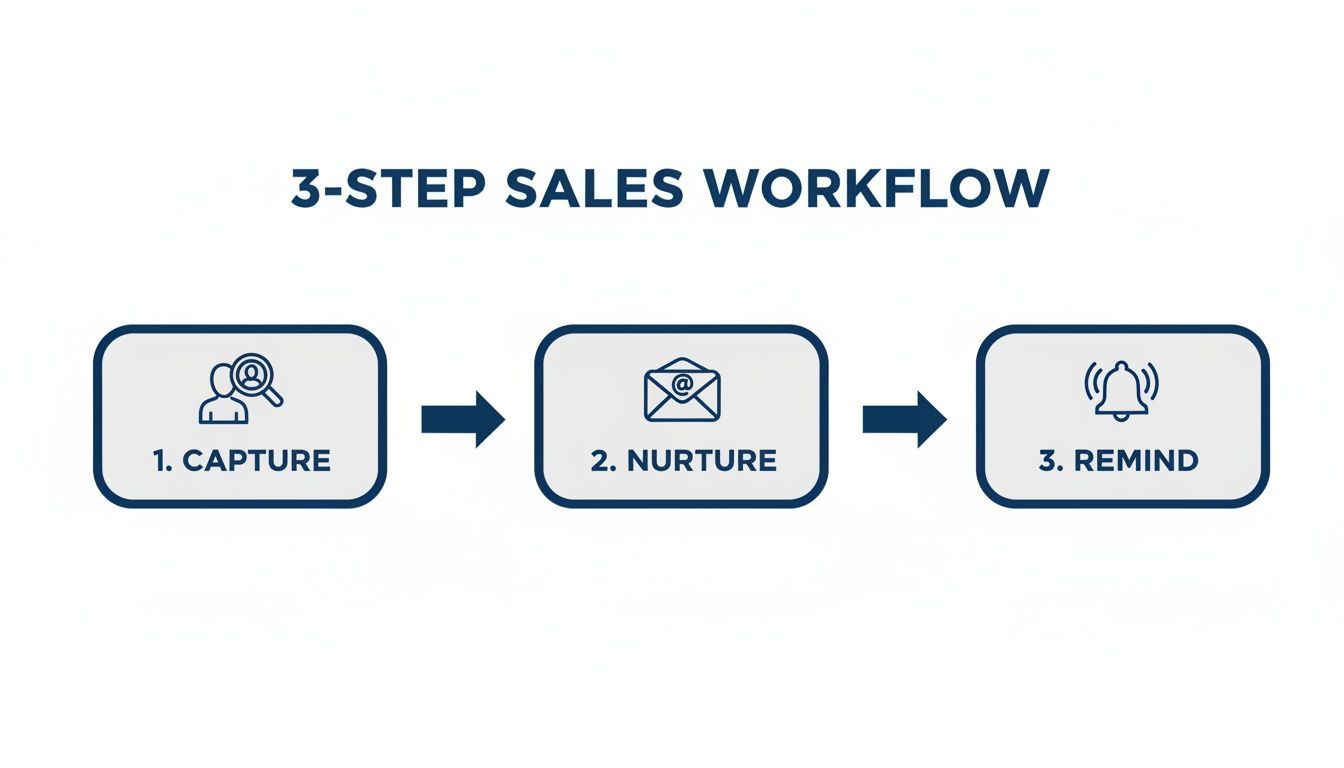
This workflow visualizes how distinct tools can work in concert, making sure no opportunity is ever forgotten.
A strong tech stack isn't about having the most tools; it's about having the right tools working together seamlessly. Start with a solid CRM, add a smart connector, and then build your outreach capabilities.
From there, you can layer on more advanced tools like intelligence services that enrich your records with data like company size, industry, or annual revenue. By starting with the foundation and adding layers thoughtfully, you’ll build a powerful sales automation stack that grows right alongside your business.
Common Pitfalls to Avoid in Sales Automation
Look, implementing sales automation can absolutely change the game for your team. But it's not a magic wand you can wave to instantly hit quota. Without a smart strategy, even the slickest tools can create more headaches than they solve.
The real goal is to give your reps leverage—not to build a robotic, impersonal sales machine that turns off prospects.
Over-Automating and Losing the Human Touch
It’s easy to get excited by the tech and try to automate every single touchpoint, from the first cold email to the final "just checking in" nudge. This is a massive trap. This approach strips all the personality out of your sales motion and makes prospects feel like another number in your sequence.
Complex deals are closed by humans, not by bots. A prospect can spot a generic, mass-produced email from a mile away, and when they do, engagement tanks.
It all comes down to the classic "garbage in, garbage out" problem. An automated workflow running on bad data will send the wrong message to the wrong person at the wrong time, actively torching your reputation and wasting your team's effort.
So, do this, not that:
- DON'T: Set up a 10-email sequence that runs on autopilot with zero human intervention planned.
- DO: Automate the first two touches, then create a task for a rep to record a personal Loom video or make a quick call. Blend the scale of automation with the impact of a human.
Neglecting Your Data Hygiene
Here’s a hard truth: your automation engine is only as smart as the data you feed it. If your CRM is a graveyard of outdated contacts, duplicate records, and just plain wrong information, your workflows won't just fail—they'll fail spectacularly.
This isn't just about inefficiency; it's about actively doing damage. Bad data leads to embarrassing personalization fails ("Hi [FirstName],") and missed opportunities.
Forgetting About Team Training and Adoption
You can drop five figures on the most advanced platform on the market, but if your team doesn't know how to use it—or worse, doesn't want to—it's a worthless investment. Poor adoption is a silent killer of ROI.
It usually happens for one of two reasons: the tool is way too complicated for what the team actually needs, or nobody bothered to show them how it makes their life easier. If reps see the new system as just another box to check, they’ll find workarounds. And that leads right back to inconsistent data and broken processes.
A better way to roll it out:
- DON'T: Surprise your team with a new, complex tool on a Monday morning and expect them to just "figure it out."
- DO: Bring your top reps into the evaluation process. Ask them what their biggest time-sinks are. Then, provide hands-on training that focuses only on how the tool solves those specific, daily frustrations.
Ultimately, great sales automation is all about balance. You use technology to handle the grunt work, freeing up your team to do what they do best: build genuine relationships and solve real problems for your customers. That's the one thing automation can never, ever replace.
Your Top Sales Automation Questions, Answered
Jumping into sales automation brings up a lot of questions. Let's cut through the noise and get straight to the answers for the most common things we hear from founders and sales leaders.
Is Sales Automation Just for Big Companies?
Not at all. While giant corporations have sprawling automation systems, the tools today are more accessible than ever for small businesses and startups. In fact, lean teams often get the biggest bang for their buck, and fast.
For a startup founder, just automating lead capture or setting up simple follow-up reminders can free up massive chunks of time to focus on building the product or talking to investors. The goal isn't to build some complex, enterprise-grade engine on day one. It's to find your biggest time-sinks and plug the leaks with simple, effective workflows.
Will Sales Automation Replace My Sales Reps?
This is a big one, but the fear is misplaced. Sales automation is here to empower your reps, not replace them. Its whole purpose is to take over the robotic, mind-numbing admin tasks that get in the way of actual selling.
Think of it like giving your sales team a super-powered assistant. The automation handles the repetitive stuff, freeing up your reps to do what humans do best: build relationships, listen to customer problems, and navigate tricky negotiations. It makes your best salespeople even better.
The real point of sales automation is to take the machine-like tasks off a human's plate. It lets them focus on connection and strategy—the things software will never be able to replicate.
How Much Does It Cost to Get Started?
The cost can be anything from $0 to thousands of dollars a month, but you can get started for a lot less than you think. Many of the best tools, from CRMs to browser extensions, have generous free plans or low-cost tiers to get you going.
You absolutely do not need a massive, all-in-one platform from the jump. A fantastic starting point might just be a free CRM and a simple connector tool for a small monthly fee. The key is to start small, prove the value, and only scale up your toolset as your needs—and revenue—grow.
What's the Single Most Important First Step?
Before you even look at a piece of software, your first step is to map out your current sales process. Seriously. Grab a whiteboard or a notebook and draw out every single step a lead takes, from the moment they first hear about you to the moment a deal is signed.
Once you see it all laid out, you'll immediately spot the bottlenecks and the most repetitive tasks. Is it manual data entry? Forgetting to follow up? Find the one thing that's costing you the most time or the most deals. That's your ground zero—the perfect place to start automating for the biggest and fastest impact.
Ready to eliminate manual data entry and give your sales team back hours every week? Add to CRM is a Chrome extension that lets you capture leads from anywhere online and add them to your CRM in one click. Start for free on addtocrm.com and see how much faster your team can move.
Start saving time and closing more deals.
Find contact info for your prospects on the #1 business social network and add them to your CRM with 1-click.

 Loading...



Trusted by 1000s of founders, SDRs & more
