12 Best Lead Generation Software Tools in 2026
Compare 12 top lead generation tools to capture, enrich, and convert more leads. Features, pricing, and integration details.
In a competitive market, finding and converting high-quality leads is the lifeblood of any growing business. The right tools can automate tedious tasks, provide critical data insights, and ultimately fill your pipeline with qualified prospects. But with so many options available-from all-in-one platforms to specialized browser extensions-choosing the best lead generation software can feel overwhelming. This guide cuts through the noise. We've analyzed the top 12 solutions, focusing on real-world use cases, practical features, and honest limitations to help you build the perfect lead generation stack for your team in 2025.
Our goal is to provide a clear, actionable resource for teams of all sizes. Whether you're a startup founder manually prospecting, a sales manager looking to optimize your CRM data, or a B2B marketer launching outbound campaigns, this list has a solution for you. We recognize that your time is valuable, so we've designed this article to be a practical evaluation tool, not just a list of features.
Inside, you will find a comprehensive breakdown of each platform, complete with:
- Concise summaries highlighting what each tool does best.
- Detailed feature analysis, covering everything from contact capture and data enrichment to CRM integration.
- Practical use cases for specific roles like SDRs, account executives, and RevOps administrators.
- Honest pros and cons to help you understand the real-world limitations.
- Screenshots and direct links to see the software in action and explore it yourself.
This isn't another generic roundup. It's a strategic guide to selecting the software that will directly impact your revenue growth. Let's find the right tools to connect you with your next customer.
1. Add to CRM
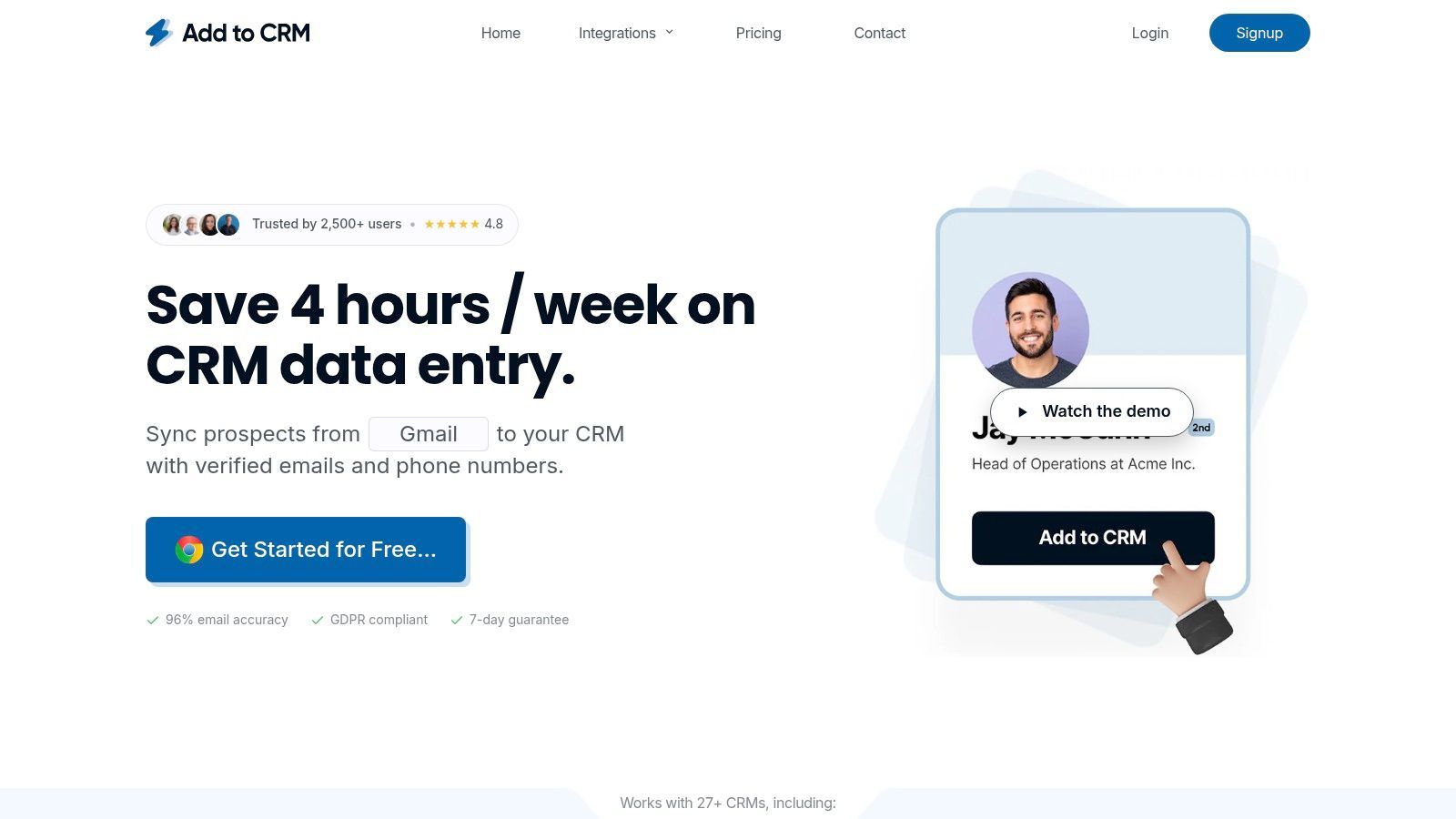
Add to CRM stands out as an exceptionally efficient and well-rounded choice for teams looking to accelerate their prospecting workflows and maintain pristine CRM data. It operates as a powerful Chrome extension that fundamentally eliminates the tedious, error-prone task of manual data entry. By integrating directly into LinkedIn, Gmail, Outlook, and company websites, it allows users to capture and sync comprehensive contact and company profiles to their CRM with a single click.
This tool is far more than a simple data scraper. It serves as a central hub for data enrichment and hygiene, providing 20+ data points like job title, company size, revenue, and location. This capability transforms a basic profile into a fully contextualized lead record, empowering sales teams to personalize outreach effectively. Its real-time verification process boasts a 95%+ email accuracy rate, making it a reliable pillar in any outbound strategy and one of the best lead generation software solutions for data quality.
Why It's Our Top Pick
Add to CRM masterfully combines speed, data accuracy, and seamless CRM integration. Its core strength lies in its ability to save teams over four hours per week by automating a critical yet time-consuming part of the sales process. The platform also actively prevents data decay and duplication. By checking if a contact already exists in your CRM before you add them and allowing for custom field mapping, it enforces data consistency across the entire organization. This focus on data hygiene is a significant differentiator.
Key Features:
- One-Click Data Capture: Instantly create new leads or contacts in your CRM from social profiles, email signatures, or websites.
- Broad CRM Integration: Natively connects with 29+ popular CRMs, including Salesforce, HubSpot, and Pipedrive.
- Advanced Data Enrichment: Automatically populates records with 20+ data points, providing deep context on leads and companies.
- Real-Time Verification: Ensures high-quality contact data with a 95%+ email accuracy rate and full GDPR compliance.
- Data Hygiene Tools: Includes built-in duplicate detection and custom field mapping to keep your CRM organized and reliable.
Pros:
- Drastically reduces manual data entry, saving significant time.
- High-quality, verified B2B data with extensive enrichment.
- Helps maintain a clean and duplicate-free CRM.
- Transparent, scalable pricing with a 7-day free trial.
Cons:
- Limited to the Chrome browser, which may not suit all team environments.
- The credit-based system requires high-volume users to upgrade to paid plans.
Website: https://addtocrm.com
2. HubSpot – Marketing Hub
HubSpot’s Marketing Hub is a true all-in-one platform designed to attract, engage, and delight customers, making it a powerhouse for inbound lead generation. It bundles everything from landing pages and forms to live chat and email marketing into a single, unified system. This integration with its native, free CRM is its biggest differentiator; every lead interaction is automatically logged on a contact's timeline, providing a complete history for sales and marketing teams.
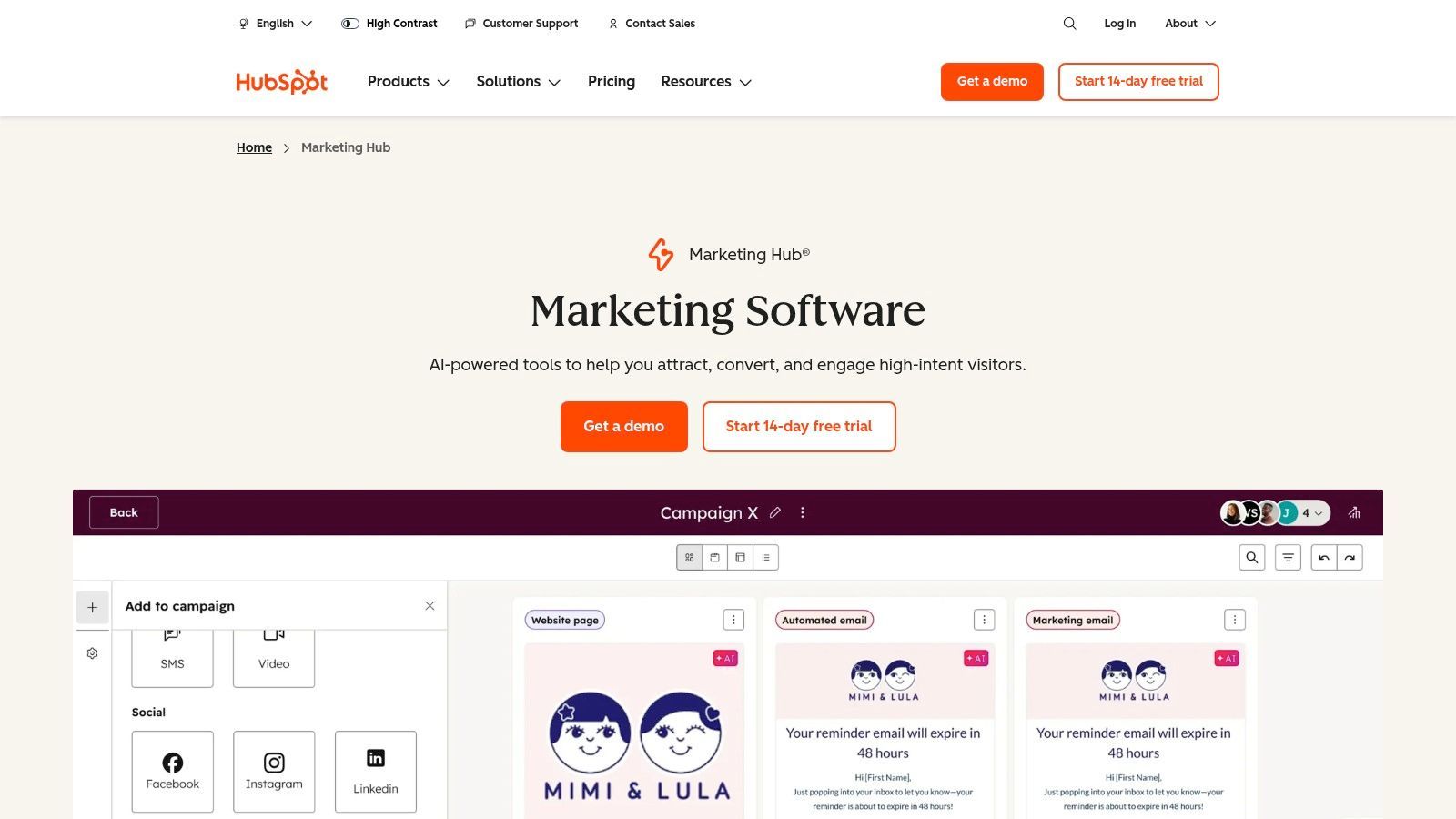
Unlike point solutions that require clunky integrations, HubSpot provides a seamless user experience right out of the box. Its intuitive drag-and-drop builders for pages, forms, and emails make it accessible even for non-technical users. The extensive HubSpot Academy offers free, high-quality training, empowering teams to get the most from the software quickly. This combination makes it some of the best lead generation software for businesses committed to an inbound marketing strategy.
Key Features & Pricing
- Lead Capture Tools: Includes forms, pop-ups, chatbots, and landing page builders.
- Built-in CRM: Every Marketing Hub plan comes with HubSpot’s powerful free CRM. Learn more about using HubSpot as a CRM for lead generation.
- Marketing Automation: Automate email campaigns and lead nurturing sequences.
- Pricing: Starts with a generous Free Tools plan. Paid tiers begin with the Starter plan at $18/month, Professional at $800/month, and Enterprise at $3,600/month (billed annually).
Pros & Cons
Pros:
- Excellent all-in-one functionality with a built-in CRM.
- Scales from free tools for startups to powerful enterprise features.
- Extensive learning resources and a massive integration marketplace.
Cons:
- Costs can increase significantly as your marketing contact list grows.
- Higher-tier plans often require a one-time onboarding fee.
3. LinkedIn Sales Navigator
LinkedIn Sales Navigator is the definitive B2B prospecting tool, leveraging the world’s largest professional network to help sales teams find and engage the right decision-makers. It operates as a premium layer on top of a major professional network, offering sophisticated search capabilities and lead-building features that go far beyond what a standard profile provides. Its core strength lies in its unparalleled access to up-to-date professional data, making it indispensable for account-based marketing and targeted outreach.
Unlike generic data providers, Sales Navigator provides real-time buying signals like job changes, company growth, and content engagement. This allows sales professionals to time their outreach perfectly, turning cold calls into warm conversations. By enabling users to build custom lead lists, save account searches, and integrate directly with major CRMs, it transforms a social network into one of the best lead generation software platforms for B2B sales intelligence and relationship building.
Key Features & Pricing
- Advanced Search: Utilize over 50 search filters for leads and accounts. Learn more about how to use advanced LinkedIn searches.
- Buyer Intent Signals: Get alerts on key activities like job changes, mentions in the news, and company growth.
- CRM & Workflow Integration: Sync leads, accounts, and activities with platforms like Salesforce and Microsoft Dynamics 365.
- Pricing: The Core plan starts at $99.99/user/month, with Advanced and Advanced Plus tiers offering more InMail credits and advanced enterprise features.
Pros & Cons
Pros:
- Best-in-class access to a massive professional network and data.
- Powerful alerts and signals help with timely and relevant outreach.
- Seamlessly saves leads and accounts for focused prospecting.
Cons:
- Significantly more expensive than premium social network accounts and can be costly at scale.
- Most effective when paired with a separate sales engagement tool or CRM.
4. Apollo.io
Apollo.io has become a go-to platform for B2B sales teams, combining a massive contact database with a full-featured sales engagement engine. It allows users to find prospects, enrich existing data, and execute outreach sequences with calls and emails, all within a single interface. Its core strength lies in unifying prospecting and outreach, which eliminates the need to pay for separate data and sequencing tools.
Unlike many competitors that focus solely on data or engagement, Apollo's integrated approach provides significant value, especially for startups and SMBs. The platform’s robust free tier makes it accessible for anyone to start prospecting immediately. This combination of a comprehensive database, sequencing tools, and an attractive price point makes it some of the best lead generation software for teams focused on building a scalable outbound sales motion.
Key Features & Pricing
- B2B Database & Enrichment: Access a database of over 275 million contacts with advanced filters, buying intent signals, and data enrichment capabilities. Learn more about using Apollo for data enrichment.
- Sales Engagement: Build and automate multichannel sequences with emails, calls (using an integrated dialer), and manual tasks.
- Credit-Based Model: Plans are built around credits for acquiring and enriching contact data, with API access for integrations.
- Pricing: A generous Free plan offers 60 mobile and 120 export credits annually. Paid plans start with Basic at $49/user/month, Professional at $79/user/month, and Organization at $119/user/month (billed annually).
Pros & Cons
Pros:
- Excellent all-in-one value, combining a large database with sequencing tools.
- Strong free plan makes it easy to get started and test functionality.
- Rapidly developing new features, including AI-powered writing and analytics.
Cons:
- The credit system and plan limits can be confusing to manage.
- Data quality and coverage can vary by industry and are strongest in the US.
5. ZoomInfo – SalesOS
ZoomInfo’s SalesOS is an enterprise-grade B2B intelligence platform built for sales teams that need deep, accurate contact and company data to fuel their pipeline. It provides a massive database of verified professional profiles and firmographic information, allowing teams to identify ideal customer profiles with precision. Its core strength lies in its data depth and breadth, which includes organizational charts, buying committee insights, and real-time intent signals that indicate which companies are actively researching solutions like yours.
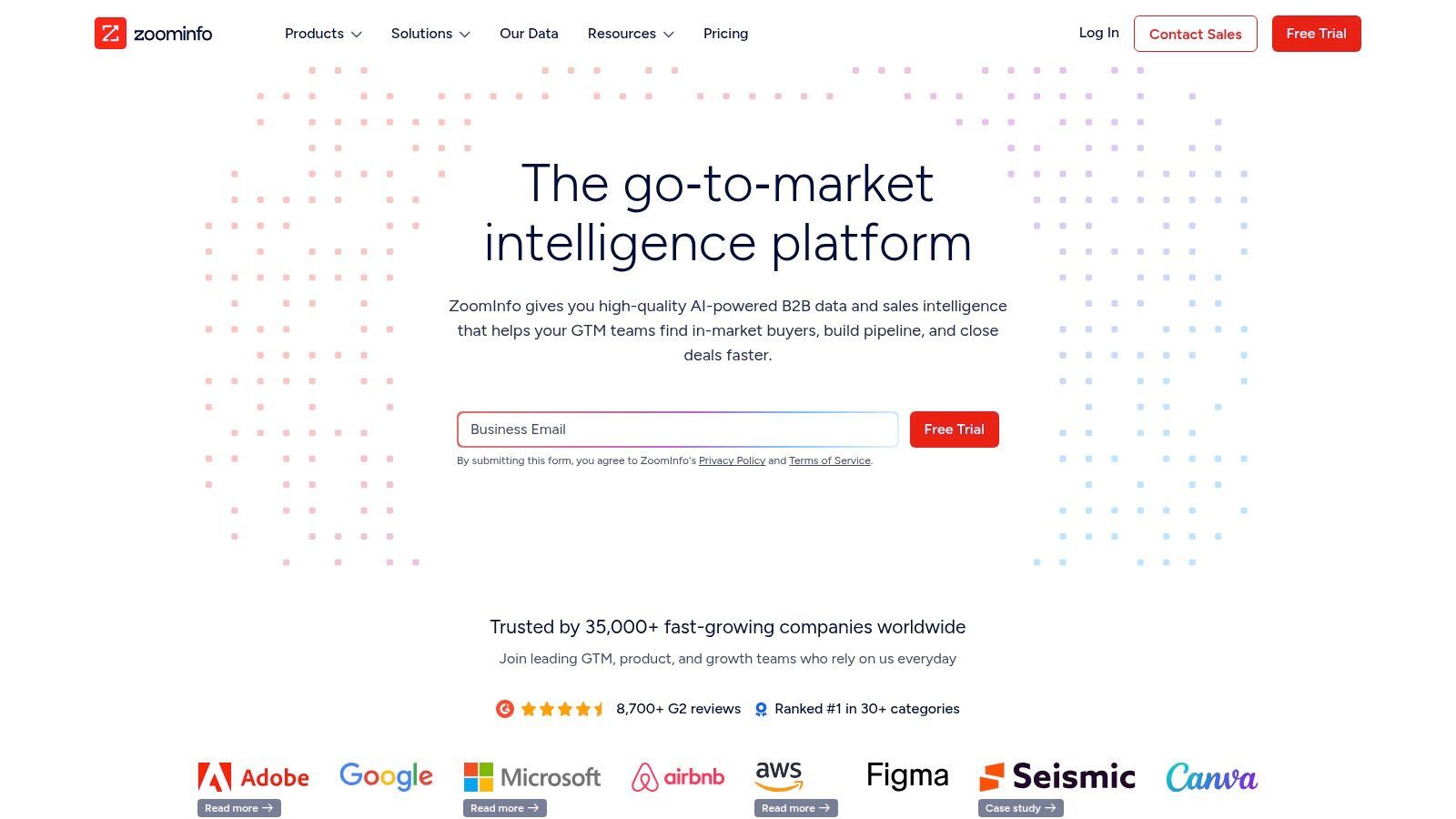
Unlike platforms focused solely on one aspect of lead generation, ZoomInfo combines data discovery, enrichment, and sales engagement into a unified ecosystem. This makes it some of the best lead generation software for established sales organizations that require robust data governance and seamless CRM integration. Its ability to enrich inbound leads automatically and identify anonymous website visitors provides sales and marketing teams with a comprehensive view of their total addressable market and active prospects.
Key Features & Pricing
- Extensive B2B Database: Access millions of direct dials, verified email addresses, and detailed company profiles with org charts.
- Intent Signals & Scoops: Identify companies actively researching your products or services and track key personnel changes.
- Data Enrichment & Integrations: Natively integrates with major CRMs like Salesforce and HubSpot to clean and enrich contact data automatically.
- Pricing: Custom quote-based pricing. Plans are typically sold via annual contracts, with costs varying significantly based on data credits, features, and user seats.
Pros & Cons
Pros:
- Vast and accurate contact data, particularly for the US market.
- Powerful intent data and website visitor identification features.
- Mature integrations and robust administrative controls for enterprise use.
Cons:
- High-cost platform, making it inaccessible for many small businesses.
- The final value is highly dependent on contract negotiation and the specific package purchased.
6. Clearbit (by HubSpot)
Clearbit, now part of the HubSpot ecosystem, operates as a powerful data enrichment and website intelligence engine. Its primary function is to provide real-time context on your leads by enriching sparse data (like just an email address) with over 100 firmographic and demographic data points. This allows for dynamic form shortening, which boosts conversion rates by reducing friction for visitors, and reveals the anonymous companies visiting your site.
Unlike simple contact lookup tools, Clearbit's deep integration with marketing automation and CRM platforms allows for immediate lead qualification and routing. By identifying high-value visitors the moment they land on your site, you can trigger personalized experiences or alert sales teams instantly. This proactive intelligence makes it some of the best lead generation software for B2B companies that prioritize speed-to-lead and have sufficient website traffic to analyze.
Key Features & Pricing
- Real-Time Data Enrichment: Automatically adds company size, industry, location, and role details to new leads from just an email.
- Website Visitor Identification: De-anonymizes website traffic, showing you which companies are browsing your site even if they don't fill out a form.
- Dynamic Form Shortening: Reduces the number of fields a user needs to complete, improving lead capture rates.
- Pricing: Clearbit's pricing is not publicly listed and is typically bundled into custom HubSpot packages or sold via a direct sales process based on usage and traffic volume.
Pros & Cons
Pros:
- Significantly improves lead data quality and completeness automatically.
- Seamlessly integrates with HubSpot, creating a powerful marketing stack.
- Boosts website form conversion rates by minimizing user friction.
Cons:
- Pricing is opaque and can be a significant investment.
- Effectiveness is dependent on having a substantial volume of quality website traffic.

One Chrome extension for all your CRM enrichment
Find verified emails, phone numbers, and job titles on LinkedIn®. Add contacts to any of 29+ supported CRMs in one click.
Start Free Trial


 Trusted by 2,500+ users4.7
7. Lusha
Lusha is a B2B contact database and sales intelligence tool designed to give outbound teams quick and easy access to verified prospect data. Its core strength lies in its browser extension, which seamlessly integrates with professional networking sites and company websites, allowing sales reps to find direct dials and email addresses in seconds. This direct integration into existing prospecting workflows dramatically reduces research time and increases SDR productivity.
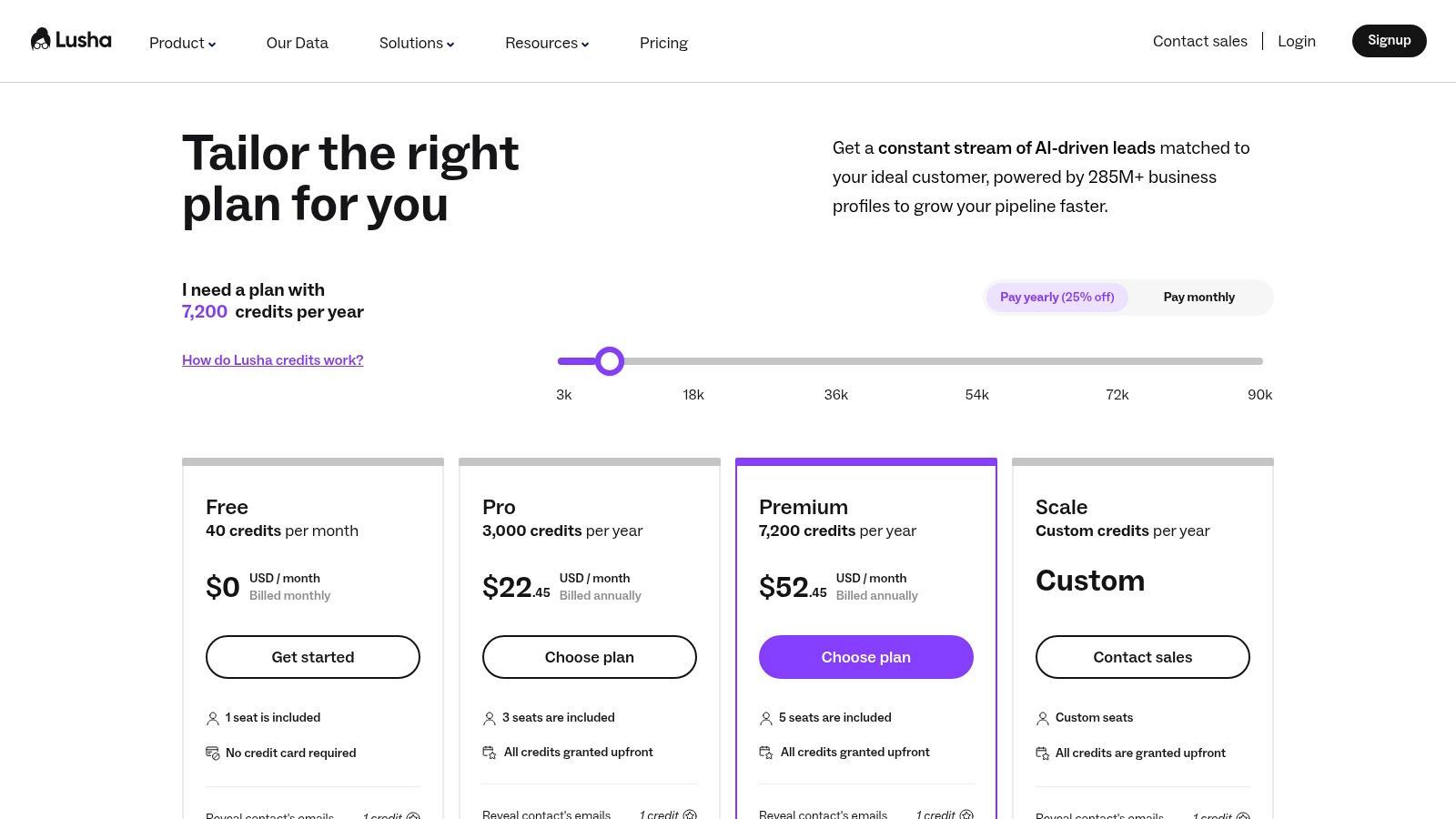
Unlike broad marketing platforms, Lusha is hyper-focused on providing high-quality contact information for targeted outreach. Its simple credit-based system is transparent and easy to understand, making it a favorite among sales teams that need to move fast. For businesses prioritizing outbound prospecting and sales development, Lusha is often considered some of the best lead generation software for its speed, simplicity, and direct impact on pipeline creation.
Key Features & Pricing
- Contact Data Retrieval: Provides verified B2B email addresses and direct phone numbers.
- Browser Extension: Works on professional networking sites, Salesforce, and company websites to find contact info instantly.
- CRM Integrations: Syncs contact data directly into popular CRMs like Salesforce, HubSpot, and Pipedrive.
- Pricing: Offers a Free plan with 5 credits/month. Paid plans start with the Pro tier at $29/user/month (billed annually) for 480 credits/year, Premium at $51/user/month for 960 credits/year, and custom Scale plans.
Pros & Cons
Pros:
- Extremely easy to use and provides a quick productivity lift for sales teams.
- Generous free plan makes it easy to trial and prove its value.
- Transparent credit-based system simplifies budget management.
Cons:
- Phone number credits are more expensive than email credits.
- Data accuracy can vary by region and industry.
- Advanced admin and team management features are locked behind higher-tier plans.
8. Hunter
Hunter is a specialized email-finding and verification tool designed to streamline outbound prospecting for sales and marketing teams. Its core strength lies in its ability to quickly find and validate professional email addresses from company domains, helping users build targeted contact lists while protecting their sender reputation. By focusing on email accuracy and deliverability, Hunter has become a go-to solution for SMBs and agencies that need a reliable, straightforward way to fuel their cold outreach efforts.
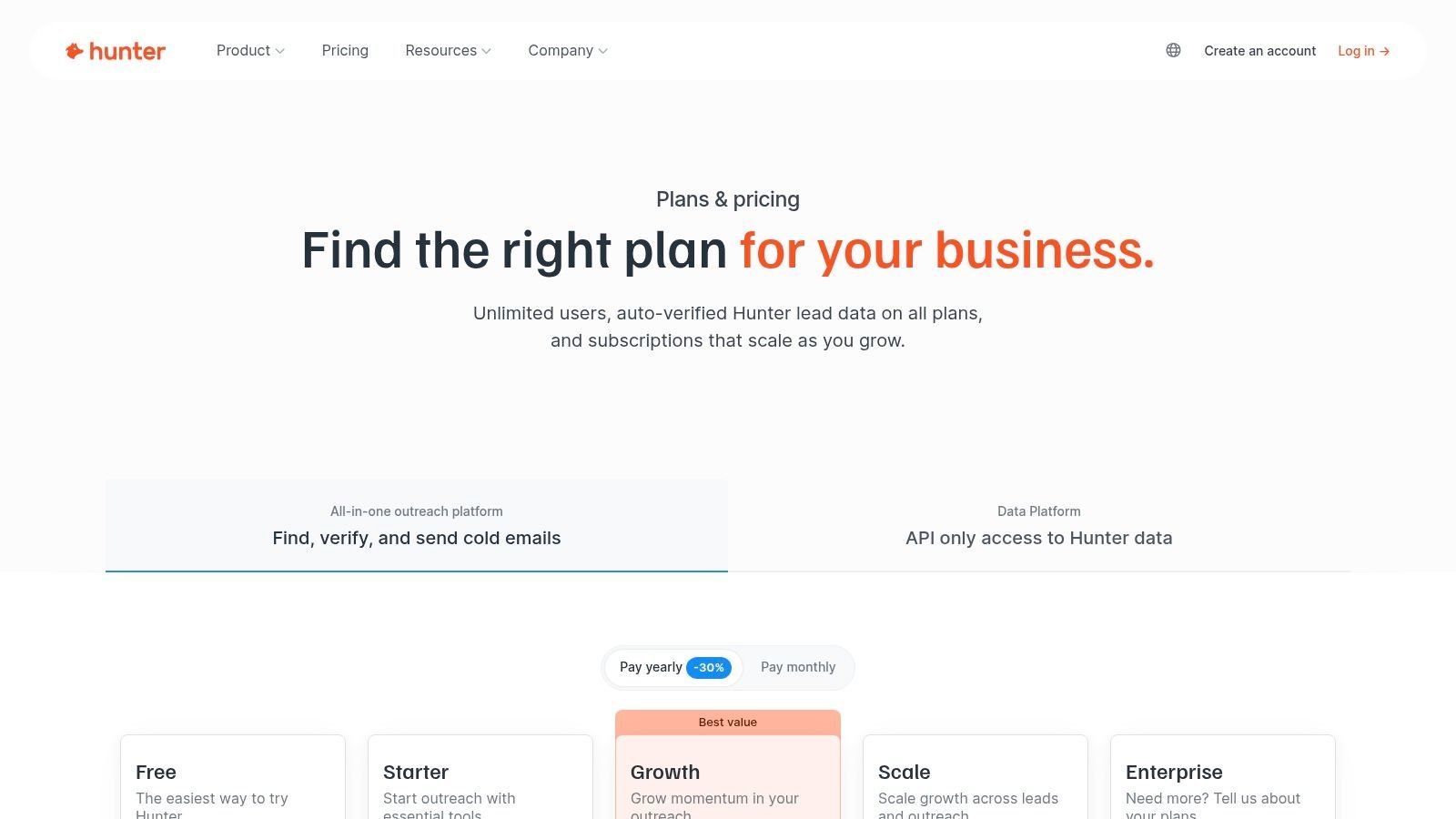
Unlike larger platforms that bundle countless features, Hunter excels at doing one thing exceptionally well: providing high-quality email data. This laser focus makes it incredibly user-friendly and efficient. Its simple interface, combined with a built-in campaign sender, allows teams to find prospects and launch outreach sequences without the complexity of more advanced sales engagement tools. This approach makes it some of the best lead generation software for teams prioritizing email data quality and simplicity in their outbound strategy.
Key Features & Pricing
- Email Finder & Verifier: Finds individual or bulk email addresses by domain and verifies them with high accuracy using a credit-based system.
- Campaigns: A lightweight cold email outreach tool with personalization, scheduling, and an AI writing assistant to help craft messages.
- Team & Integrations: Share credits and data across team members and connect with popular CRMs or Google Sheets for seamless workflows.
- Pricing: Offers a Free plan with 25 searches per month. Paid plans include Starter at $34/month, Growth at $104/month, and Pro at $209/month (billed annually).
Pros & Cons
Pros:
- Clear, affordable pricing with generous team sharing options.
- Strong email verification capabilities that protect sender deliverability.
- Extremely easy to use for finding and validating contact information.
Cons:
- Primarily focused on email; very limited phone number or direct-dial coverage.
- The outreach feature is simpler than dedicated sales sequencing platforms.
9. lemlist
lemlist is a multichannel outbound platform designed for sales teams that want to scale personalized outreach across email, LinkedIn, and cold calls. It moves beyond standard email automation by integrating multiple touchpoints into a single, cohesive sequence, allowing users to connect with prospects on their preferred channels. Its standout feature is its suite of deliverability tools, including an email warm-up service (lemwarm) and inbox rotation, which are crucial for maintaining high open rates.
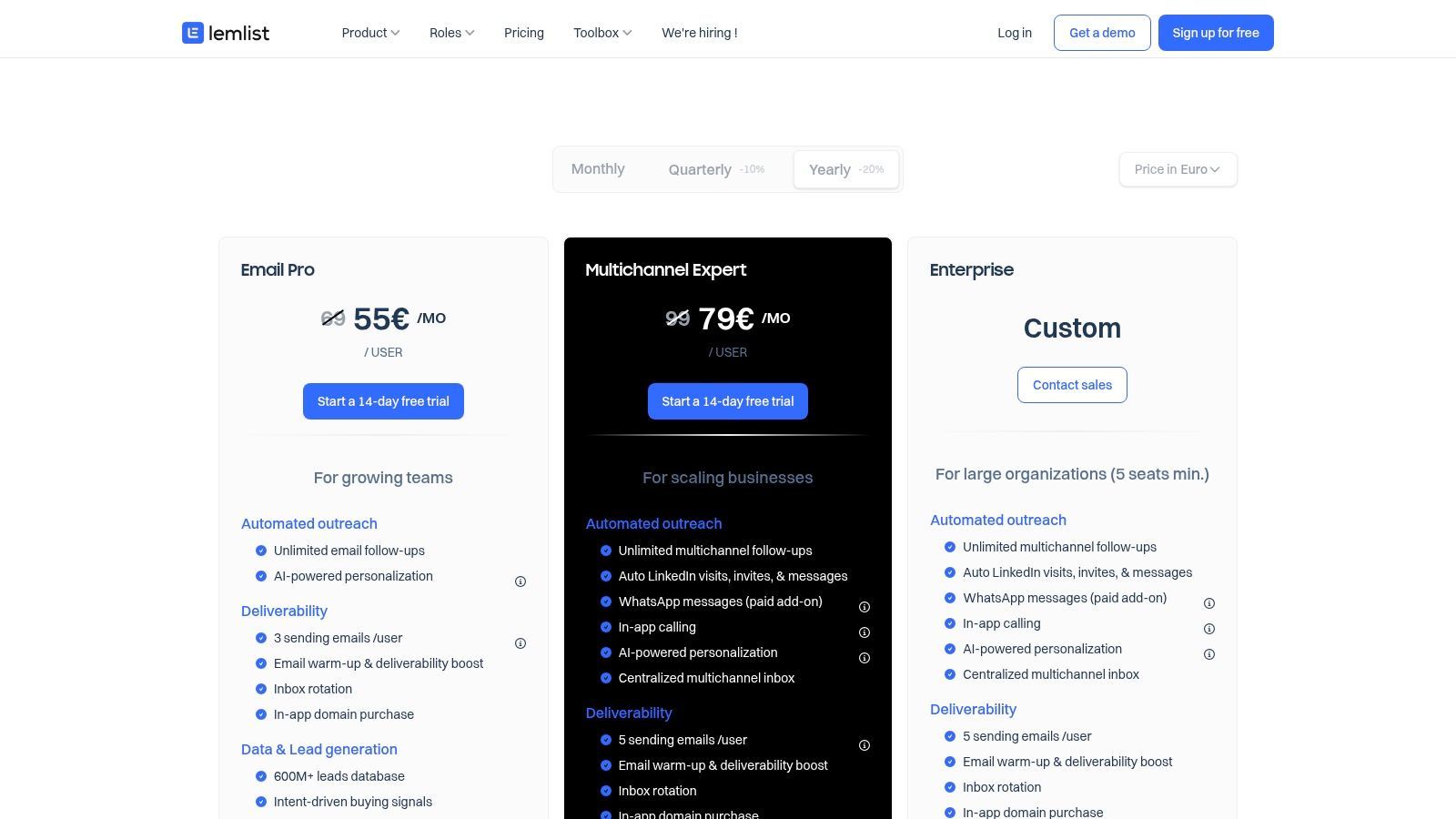
Unlike many competitors that focus solely on email, lemlist provides a more holistic approach to cold outreach. The platform also includes a built-in, verified B2B lead database with enrichment credits, allowing teams to find and engage prospects without needing a separate data provider. For SMBs and startups looking to execute sophisticated, multi-channel campaigns with a strong emphasis on email deliverability, lemlist is some of the best lead generation software available.
Key Features & Pricing
- Multichannel Sequences: Automate outreach across email, social network actions, and cold calls.
- Deliverability Tools: Includes lemwarm for email warm-up and inbox rotation to protect sender reputation.
- Built-in Lead Database: Access a verified B2B contact database with enrichment credits included in higher plans.
- Pricing: The Email Starter plan is $39/month. Email Pro is $69/month, and the Multichannel Expert plan is $99/month per user. An Outreach Scale plan is also available for larger teams.
Pros & Cons
Pros:
- Strong multichannel automation for personalized email and social outreach.
- Excellent built-in deliverability safeguards to improve inbox placement.
- Includes a B2B lead database, reducing the need for other tools.
Cons:
- Pricing is primarily shown in EUR, which may fluctuate for USD billing.
- Advanced telephony and WhatsApp features may require add-ons or higher-tier plans.
10. OptinMonster
OptinMonster is a powerful on-site conversion optimization tool designed to turn website visitors into subscribers and customers. It excels at capturing leads through a wide variety of high-converting campaigns like pop-ups, floating bars, slide-ins, and gamified wheels. Its standout feature is the proprietary Exit-Intent® technology, which detects when a user is about to leave your site and presents them with a targeted offer to keep them engaged.
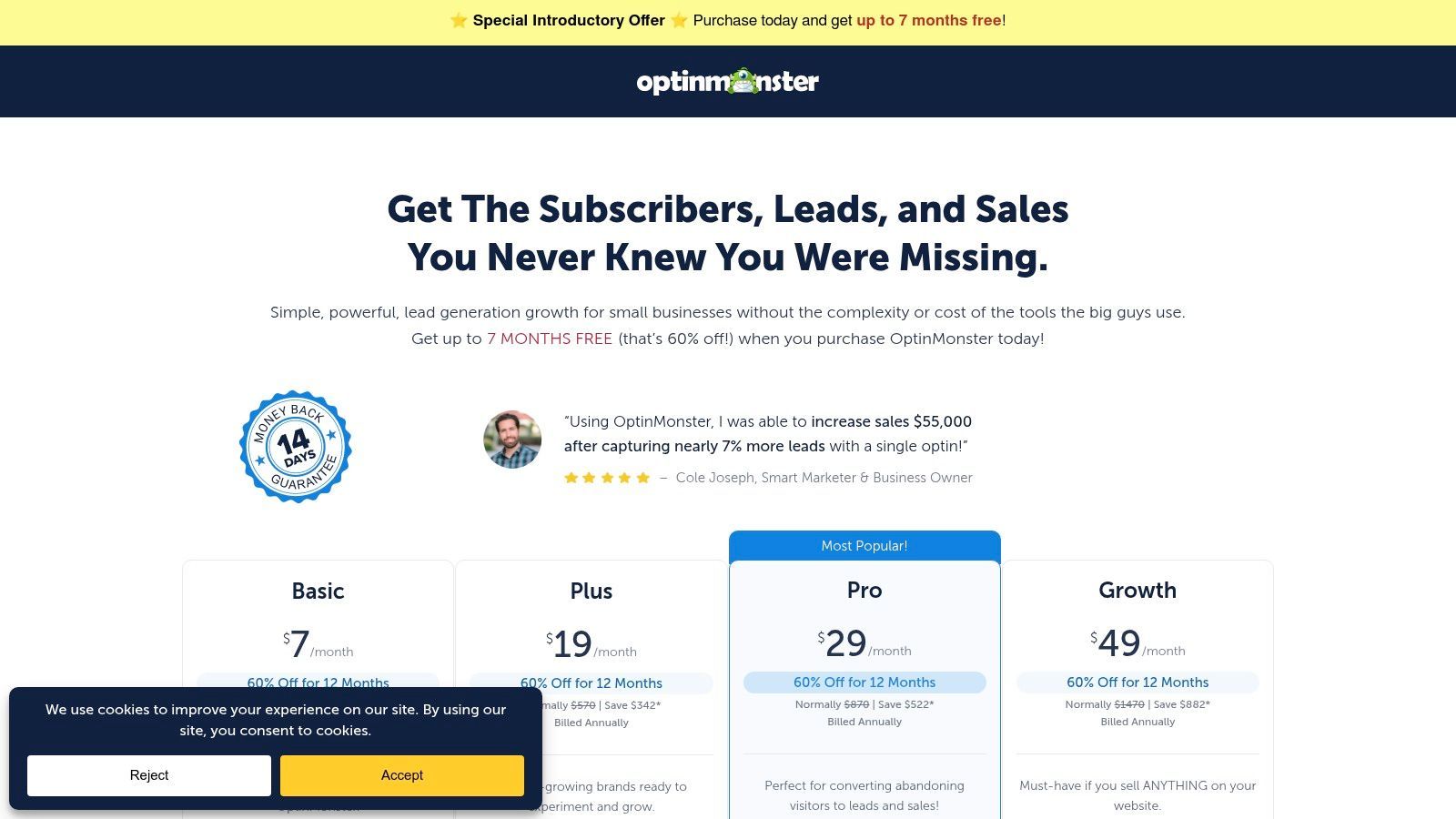
Unlike generic pop-up builders, OptinMonster offers sophisticated targeting and segmentation rules that allow you to show the right message to the right person at the right time. You can trigger campaigns based on user behavior, referral source, geographic location, and more. This level of personalization makes it some of the best lead generation software for e-commerce sites, publishers, and SMBs focused on maximizing conversions from their existing web traffic.
Key Features & Pricing
- Campaign Triggers: Includes Exit-Intent®, scroll triggers, inactivity sensors, and time-based triggers.
- Targeting Rules: Segment users by new vs. returning visitor, device, geolocation, and referral source.
- Extensive Templates: Over 700 professionally designed templates with a drag-and-drop builder.
- Pricing: Begins with the Basic plan at $9/month, Plus at $19/month, Pro at $29/month, and Growth at $49/month (billed annually). All plans offer unlimited campaigns, with pageview limits increasing at each tier.
Pros & Cons
Pros:
- Powerful Exit-Intent® technology is highly effective at recovering abandoning visitors.
- User-friendly interface with a huge library of templates makes setup fast.
- Advanced targeting rules allow for highly personalized campaigns.
Cons:
- The most powerful features are reserved for the higher-priced Pro and Growth plans.
- Works best when paired with a separate email marketing service or CRM, as it's not an all-in-one solution.
11. G2 – Lead Generation Category
While not a software tool itself, G2’s Lead Generation category is an indispensable resource for discovering and vetting potential solutions. It functions as a comprehensive marketplace and peer-review platform, aggregating user feedback, expert ratings, and detailed product comparisons. Instead of relying on vendor marketing materials alone, G2 provides crowdsourced insights that help teams understand how different platforms perform in real-world scenarios.
The platform’s strength lies in its Grid® reports, which visually map out market leaders, contenders, and niche players based on user satisfaction and market presence. This makes it an excellent starting point for shortlisting vendors and comparing features side-by-side. For anyone tasked with finding the best lead generation software, G2 offers the unfiltered user data needed to make an informed purchasing decision and avoid a costly mismatch.
Key Features & Pricing
- Verified User Reviews: Access thousands of authentic reviews and ratings from real software users.
- Grid® Reports and Rankings: Visually compare top products in the lead generation space based on satisfaction and market presence.
- Side-by-Side Comparisons: Directly compare features, pricing models, and user feedback for multiple tools.
- Pricing: Free to access for research and browsing. G2 also offers buyer intent data through its paid subscription plans.
Pros & Cons
Pros:
- Provides unbiased, crowdsourced reviews to validate vendor claims.
- Excellent for shortlisting and comparing multiple tools quickly.
- Detailed filtering options to find software for specific business sizes or industries.
Cons:
- Sponsored placements can influence product visibility on category pages.
- Ratings are a starting point; you must still conduct your own due diligence and demos.
Start your 7-day free trial of Standard
Find verified emails, phone numbers, and job titles on LinkedIn®. Add contacts to any of 29+ supported CRMs in one click.
Start Free TrialTrusted by 2,500+ users4.712. Salesforce AppExchange
For businesses deeply embedded in the Salesforce ecosystem, the Salesforce AppExchange isn't just a marketplace; it's a critical extension for supercharging lead generation. Rather than being a single tool, it’s a massive library of vetted, third-party applications specifically designed to integrate seamlessly with Salesforce. This allows companies to find and deploy powerful, niche solutions for everything from lead enrichment and data cleansing to advanced routing and account-based marketing, all within their core CRM environment.
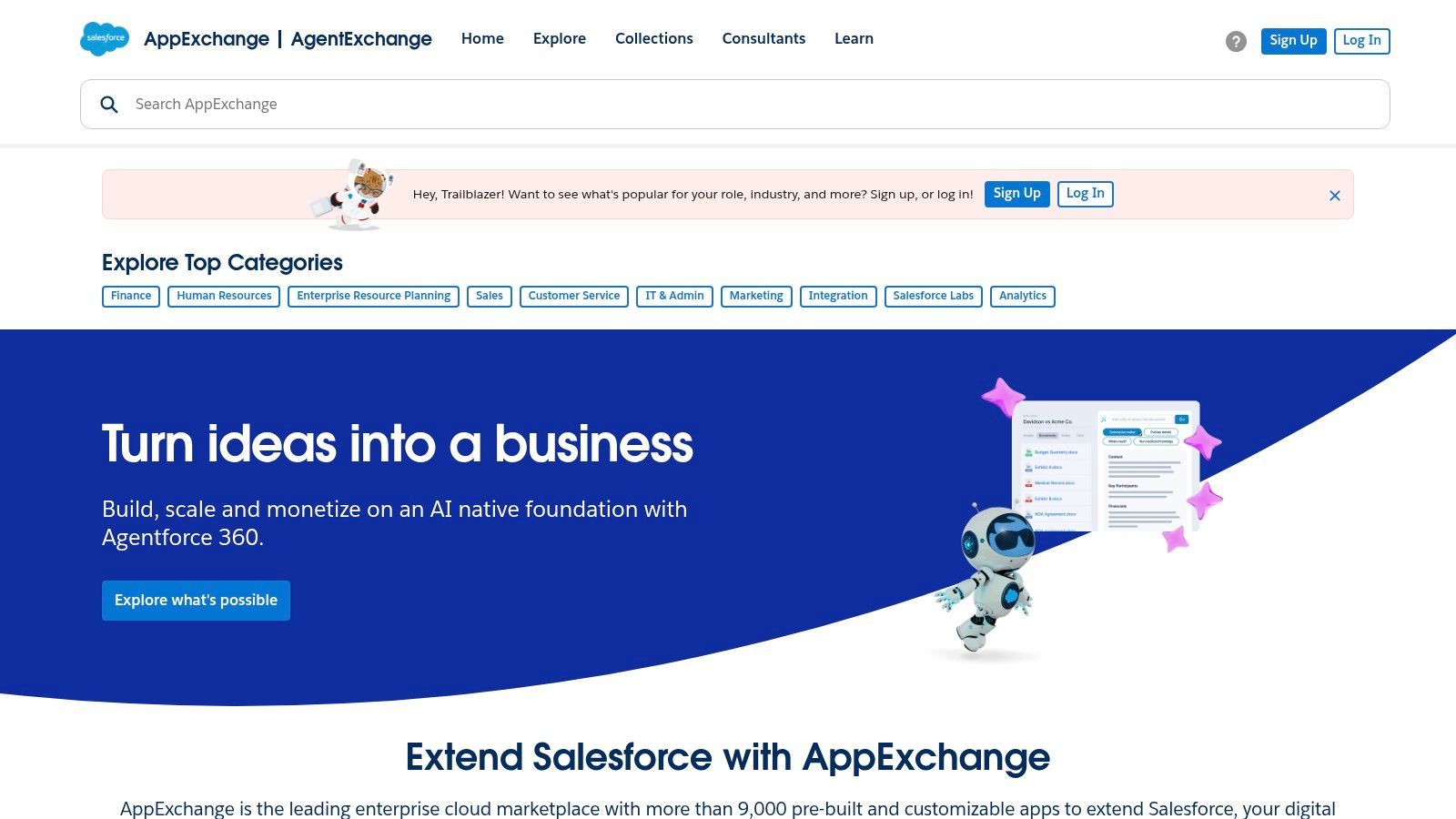
The primary advantage is trust and native integration. Apps like ZoomInfo, LeanData, or Crunchbase can be installed directly, enriching lead and account records automatically without complex API configurations. This makes it some of the best lead generation software for organizations that need to enhance their existing Salesforce instance rather than replace it. Instead of a one-size-fits-all approach, you can build a customized, best-in-class lead management stack that perfectly fits your sales process.
Key Features & Pricing
- Curated Collections: Features category filters for sales, lead routing, data enrichment, and marketing apps, simplifying discovery.
- Deep Salesforce-Native Integrations: Apps are built to work directly with Salesforce objects, workflows, and data structures.
- Trials & App-Level Pricing: Most apps offer free trials or demos, with pricing determined by the individual application vendor.
- Pricing: Access to the AppExchange is free for Salesforce users; however, each application has its own subscription cost, which can range from free add-ons to thousands per month for enterprise-grade tools.
Pros & Cons
Pros:
- Trusted, secure ecosystem with apps vetted by Salesforce.
- Seamless deployment and deep integration into your existing CRM.
- A vast range of tools, from simple add-ons to powerful enterprise platforms.
Cons:
- Requires an active Salesforce subscription to use any of the apps.
- The sheer number of options can be overwhelming, making it time-consuming to find the perfect solution.
Top 12 Lead Gen Tools Comparison
| Product | Core capability & USP | Data & quality metrics | Integrations & UX | Target audience & Pricing |
|---|---|---|---|---|
| Add to CRM | One‑click capture from professional networks/Gmail/Outlook; instant lead creation & dedupe | 220M+ profiles; 20+ data points; 95%+ real‑time email verification | Connects to 29+ CRMs; Chrome extension; custom field mapping | Founders, SDRs, RevOps; 7-day free trial, Standard $29/mo (250), Pro $99/mo (1,000) |
| HubSpot – Marketing Hub | All‑in‑one inbound capture, automation & reporting | Built‑in CRM with unified contact timeline; marketing attribution | Deep ecosystem; easy onboarding & resources | Marketing teams to enterprises; Free→paid tiers (cost rises with contacts) |
| LinkedIn Sales Navigator | Professional network prospecting & intent signals; advanced search | Best-in-class profile data & job/engagement alerts | CRM integrations; in‑platform messaging | B2B sellers/ABM teams; per‑seat pricing (higher tiers add cost) |
| Apollo.io | Database + enrichment + sequences & dialer | Large B2B dataset; US‑centric strength | Sequence builder, API access; credit model | Startups/SMBs for outbound; free tier + credit plans |
| ZoomInfo – SalesOS | Enterprise sales intelligence & intent; org charts | Extensive US coverage; rich company & contact attributes | Mature Salesforce/HubSpot integrations; admin controls | Mid-market & enterprise; quote‑based pricing (often costly) |
| Clearbit (by HubSpot) | Real‑time enrichment & IP visitor intelligence | Dynamic enrichment to shorten forms; visitor insights | Native HubSpot positioning; routes & scores leads | Marketers using HubSpot; pricing via HubSpot packaging |
| Lusha | Simple contact lookup via extension; verified contacts | Email & phone verification; global accuracy varies | Browser extension + CRM plugs; credit model | SDRs needing quick contacts; transparent credit pricing |
| Hunter | Email finder & verifier with campaign basics | Strong email verification to protect deliverability | Integrations (Sheets, CRMs); credit‑based usage | SMBs & agencies; clear, affordable credit plans |
| lemlist | Multichannel outreach (email, social networks, WhatsApp) & deliverability | Built‑in lead DB with enrichment credits; deliverability tools | Sequence automation; social actions; add‑ons | SMBs focused on personalized outbound; EUR‑based pricing |
| OptinMonster | On‑site conversion & lead capture (popups, overlays) | Templates + targeting; conversion‑focused metrics | Integrates with major email providers & CRMs | E‑commerce & content sites; impression‑based plans |
| G2 – Lead Generation Category | Marketplace for researching & shortlisting tools | Crowdsourced reviews & leader grids; buyer intent signals | Direct vendor links; side‑by‑side comparisons | Buyers researching vendors; free to use (vendor sponsorships) |
| Salesforce AppExchange | Curated marketplace for Salesforce-native lead tools | App reviews & trials vary by vendor | Deep native Salesforce integrations | Organizations centered on Salesforce; app pricing varies and requires Salesforce |
Choosing the Right Tool to Supercharge Your Pipeline
Navigating the crowded market for the best lead generation software can feel overwhelming, but the right choice ultimately hinges on your team’s unique needs, workflow, and strategic priorities. We’ve explored a wide spectrum of powerful solutions, from comprehensive inbound marketing platforms like HubSpot to enterprise-grade data behemoths like ZoomInfo and specialized outreach automation tools like lemlist. Each offers a distinct value proposition, tailored to different stages of the sales and marketing funnel.
The key takeaway is that there is no single "best" tool for everyone. Instead, the most effective approach is to build a strategic sales stack where each component excels at its specific job. Your decision should be guided by a clear understanding of your primary bottlenecks. Are you struggling to attract visitors and convert them into leads? An inbound-focused tool like OptinMonster or HubSpot might be your starting point. Is your main challenge finding accurate contact data for a large, well-defined market? A platform like Apollo.io or Lusha could provide the necessary fuel.
A Framework for Your Decision
Before committing to a new tool, consider these critical factors to ensure it aligns with your operational reality and growth objectives. A methodical evaluation will prevent you from investing in a solution that creates more friction than it resolves.
- Workflow Integration: How seamlessly does the software fit into your team's existing daily activities? The most powerful tool is useless if it requires a complete overhaul of your prospecting process or adds cumbersome extra steps. Prioritize solutions that enhance, rather than disrupt, your current workflow.
- Data Accuracy and Freshness: In the world of B2B sales, data is your most valuable asset. Stale or inaccurate contact information leads to wasted time, bounced emails, and missed opportunities. Scrutinize each vendor's data verification processes and seek out tools that prioritize real-time enrichment to maintain a clean CRM.
- Scalability and Cost: Consider both your immediate needs and your future growth. A tool that’s perfect for a solo founder might not support a team of ten SDRs. Evaluate pricing tiers carefully. Does the cost scale predictably with usage or team size? Ensure the return on investment justifies the subscription fee as your pipeline expands.
- Time to Value: How quickly can your team be onboarded and see a tangible impact? Complex enterprise platforms often require significant implementation time and training. For startups and agile sales teams, a tool that delivers value from day one, like Add to CRM, is often the more strategic choice, allowing you to accelerate pipeline growth immediately.
Final Thoughts: From Prospecting to Pipeline
Ultimately, the goal of any lead generation software is to eliminate manual, low-value tasks so your team can focus on what they do best: building relationships and closing deals. The most effective tools act as a bridge, seamlessly connecting your prospecting efforts with your system of record, your CRM. They ensure that every valuable contact you discover on platforms like professional networks or in your email inbox is captured accurately and instantly, ready for follow-up.
By carefully evaluating your specific challenges and applying the framework above, you can confidently select the best lead generation software to build a more efficient, predictable, and powerful sales engine. The right technology doesn't just fill your pipeline; it empowers your entire team to sell smarter and faster.
Ready to eliminate the tedious copy-pasting from your prospecting workflow and ensure your CRM is always up-to-date? Add to CRM provides the fastest, most reliable way to capture and enrich contacts from anywhere on the web with a single click. Start your free trial of Add to CRM today and spend more time selling, not on data entry.
Start saving time and closing more deals.
Find verified contact info for your prospects on LinkedIn®, Gmail and Outlook — and add them to your CRM with 1-click.

 Loading...Trusted by 2,500+ founders, SDRs & more