12 Best Sales Prospecting Tools in 2026 for Growth Teams
Compare the best sales prospecting tools to boost outreach, qualify leads faster, and accelerate growth. Features, pricing, and use cases.
In today's competitive sales landscape, manual prospecting is a recipe for falling behind. The average sales rep spends hours on administrative tasks like data entry and lead research instead of what they do best: selling. This inefficiency doesn't just slow down individual performance; it stunts revenue growth. The right sales prospecting tools automate the grunt work, enrich your CRM with accurate data, and surface high-intent leads, giving your team a critical competitive edge.
This guide cuts through the noise to provide a thorough analysis of the best platforms that empower modern sales teams. We move beyond generic feature lists to give you the context needed for an informed decision. For founders, SDRs, and RevOps leaders, choosing the correct tool isn't just about efficiency; it's about building a scalable, data-driven sales motion. A poorly chosen tool creates data silos and manual work, while the right one acts as a force multiplier for your entire go-to-market strategy.
Here, you'll find a detailed breakdown of the 12 best sales prospecting tools, designed to help you build a pipeline faster and more effectively. Each review includes:
- Core features and ideal use cases for specific roles.
- Pricing tiers and integration capabilities, particularly with major CRMs.
- An honest look at pros and cons based on real-world application.
- Screenshots and direct links to see the tool in action.
Our goal is simple: to help you identify the precise solution for your team’s unique challenges. We’ll examine everything from one-click CRM extensions that eliminate data entry to enterprise-grade data platforms for market intelligence. Let's find the tool that fuels your predictable growth.
1. Add to CRM
Add to CRM stands out as a premier choice among sales prospecting tools by targeting and solving one of the most persistent bottlenecks in the sales process: manual data entry. It operates as a streamlined Chrome extension that allows users to capture and enrich contact information directly from LinkedIn, Gmail, or Outlook, creating a clean CRM record in a single click. This elegant solution is engineered to save sales teams valuable time, eliminating the tedious copy-paste workflow and enabling them to focus on building relationships and closing deals.
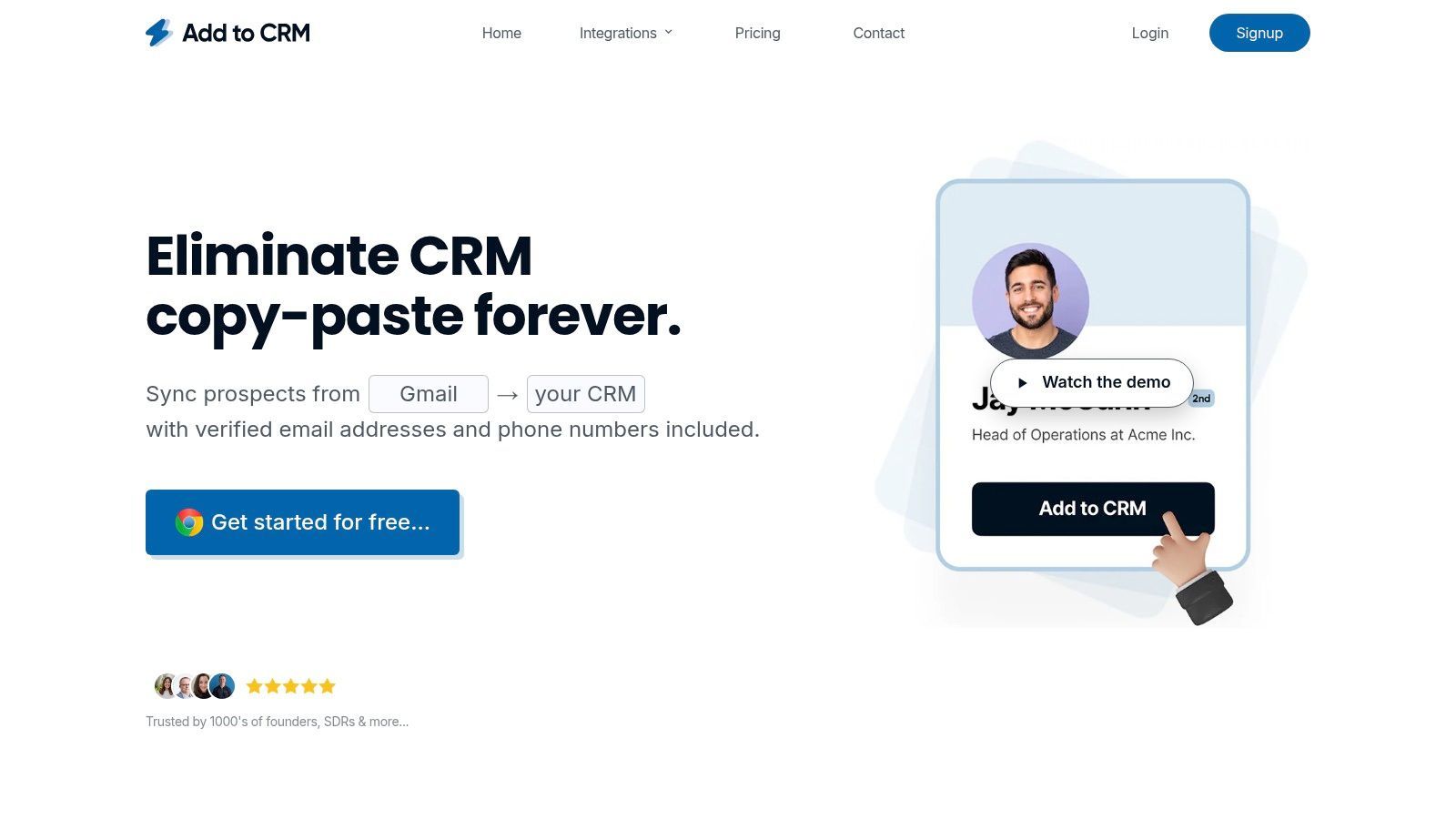
What truly distinguishes Add to CRM is its powerful combination of simplicity, data accuracy, and broad CRM compatibility. The tool provides access to a verified database of over 220 million professionals, enriching each new contact with 20+ data points. This includes critical information like job title, seniority level, company revenue, location, and verified contact details. Its real-time email verification boasts a 95%+ accuracy rate, significantly improving the quality of outbound campaigns and protecting sender reputation.
Key Features & Use Cases
- One-Click Data Capture: Instantly create enriched lead records from LinkedIn profiles or email signatures. This is ideal for SDRs and AEs who spend hours prospecting online and need a frictionless way to populate their pipeline without switching tabs.
- Deep Data Enrichment: Automatically appends 20+ data points to each contact, providing a holistic view of the prospect. This helps sales teams with segmentation, personalization, and lead scoring.
- Broad CRM Integration: Connects with 29+ popular CRMs, including Pipedrive, Zoho, and ActiveCampaign. It features intelligent duplicate checks and custom field mapping, which is a major benefit for RevOps teams focused on maintaining data hygiene. For a deeper dive, explore how to import contact lists effectively on addtocrm.com.
- Team Collaboration: Provides visibility into which prospects are already in the CRM, preventing duplicate outreach. Shared records and unified field mapping ensure the entire team operates from a single source of truth.
Pricing and Onboarding
Add to CRM offers a transparent, credit-based pricing model suitable for individuals and teams of all sizes.
- Standard: $29 per month for 250 credits per month.
- Pro: $99 per month for 1,000 credits per month, plus priority support and dedicated onboarding.
The setup process is straightforward, and the company supports users with extensive guides and a 30-day money-back guarantee on the first paid month, making it a low-risk, high-reward addition to any sales tech stack.
Pros & Cons
| Pros | Cons |
|---|---|
| Exceptional Time Savings: Eliminates 4+ hours/week of manual data entry, accelerating prospecting workflows. | Browser-Specific: As a Chrome extension, it is not available for users on other browsers like Safari or Firefox. |
| High-Quality, Verified Data: Access to 220M+ profiles and real-time email verification enhances data accuracy. | Credit-Based Model: High-volume teams may find the credit system constraining and need to plan usage carefully. |
| Extensive CRM Support: Integrates seamlessly with 29+ CRMs, ensuring data integrity with duplicate checks. | Admin Permissions: Some CRM integrations might require specific admin permissions or configuration to function fully. |
| User-Friendly and Scalable: Simple to install and use, with clear pricing tiers and robust support for growing teams. |
Who is Add to CRM best for?
This tool is a powerful asset for founders, SDRs, and RevOps professionals who rely on LinkedIn and email for prospecting and value both speed and data quality. Its ability to directly integrate with a wide range of CRMs makes it a versatile and indispensable part of modern sales prospecting tools.
2. LinkedIn Sales Navigator
LinkedIn Sales Navigator leverages its unparalleled first-party professional data, making it an indispensable tool for reps who rely on social selling and relationship-based prospecting. It transforms the standard LinkedIn experience into a focused B2B sales intelligence platform, excelling at identifying key decision-makers and tracking their movements.
The platform’s core strength lies in its Advanced Lead and Account Search, which allows you to build highly targeted prospect lists using filters like seniority, function, company headcount, and recent job changes. Real-time alerts on buyer activity, such as job changes or company mentions in the news, provide timely triggers for outreach. The TeamLink feature is a standout, revealing warm introduction paths by showing which prospects are connected to your colleagues. This turns cold outreach into a warmer, more effective conversation.
Core Features & Use Case
- Ideal Use Case: Best for sales reps and account managers focused on named accounts. Its real-time signals are perfect for identifying opportune moments to engage, such as when a key contact moves to a new role at a target company.
- Advanced Search: Pinpoint ideal prospects with dozens of filters far beyond what standard LinkedIn offers.
- Buyer Intent Signals: Get notified when target accounts post content, are mentioned in the news, or experience leadership changes.
- CRM Integration: Native integrations sync InMails, notes, and activities directly back to Salesforce and other major CRMs. For deeper integration needs, you can explore other tools that enhance how LinkedIn data is captured in your CRM.
Pricing & Tiers
- Core: ~$99/user/month (billed annually) - For individual professionals.
- Advanced: ~$159/user/month (billed annually) - Adds team features like TeamLink and deeper CRM integration.
- Advanced Plus: Custom pricing - For enterprise teams needing advanced admin and reporting capabilities.
| Pros | Cons |
|---|---|
| Unmatched accuracy of first-party data and job signals | High cost, especially for team-focused tiers |
| Excellent for relationship and warm-intro selling | InMail message limits can be restrictive |
| Seamless user experience native to LinkedIn | Data export capabilities are intentionally limited |
3. ZoomInfo SalesOS
ZoomInfo SalesOS is an enterprise-grade B2B intelligence platform known for its vast database of contact and company data, especially within the U.S. market. It's a powerhouse for sales teams needing high-volume, accurate direct dials and email addresses, combined with advanced firmographic details and intent signals to prioritize outreach effectively.
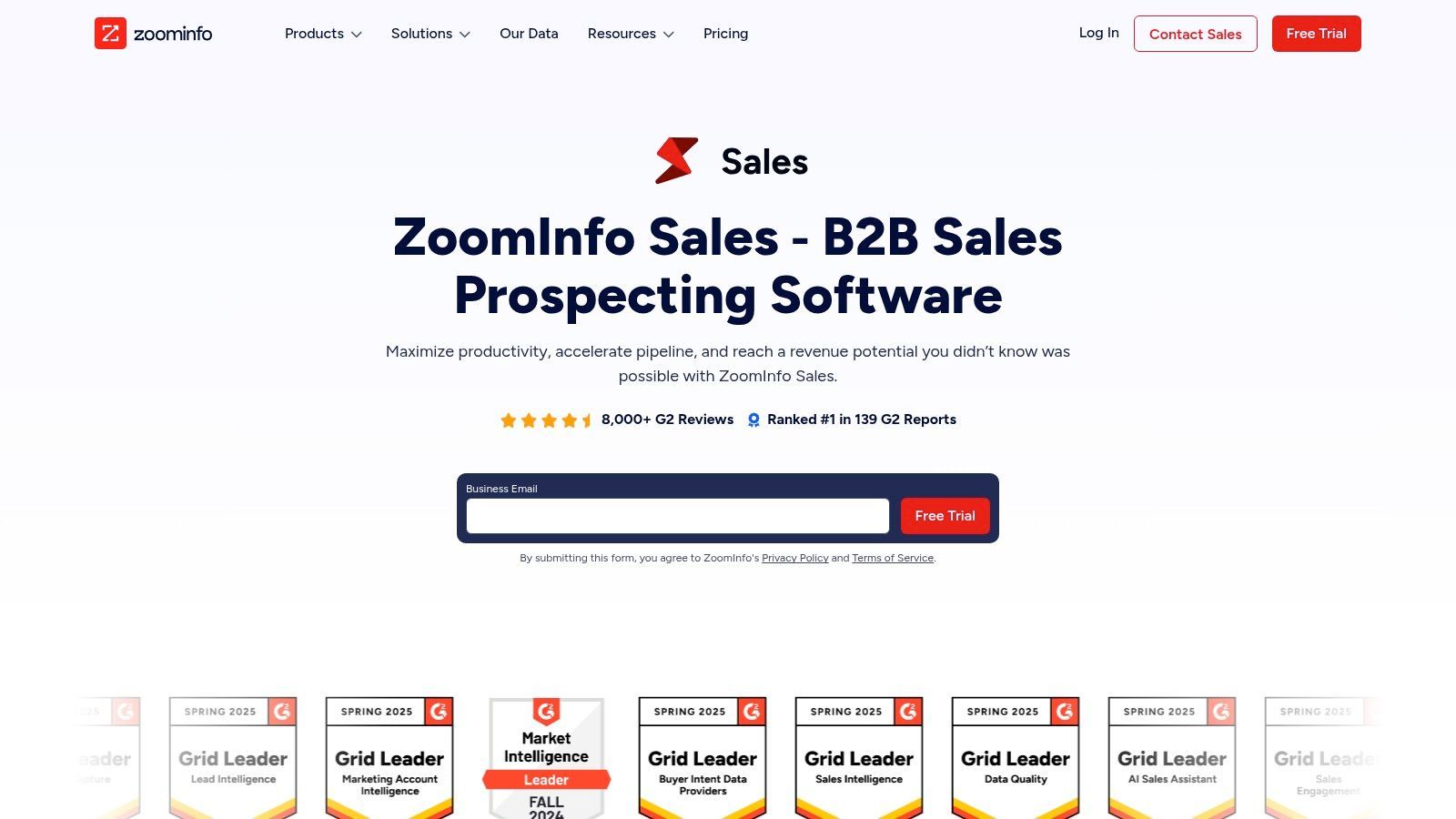
The platform’s key differentiator is the sheer breadth and depth of its data, which includes detailed org charts, technologies used, and buying intent signals that flag companies actively researching solutions like yours. Its Chrome Extension, ReachOut, allows reps to access this data directly on company websites or LinkedIn profiles, streamlining research. The ecosystem of add-ons, like Engage for sales automation and Chorus for conversation intelligence, creates a unified Go-To-Market suite.
Core Features & Use Case
- Ideal Use Case: Best suited for U.S.-focused mid-market and enterprise sales teams that require a large volume of direct dials and deep company insights. It is a foundational tool for organizations prioritizing high-velocity outbound prospecting.
- Extensive B2B Database: Access millions of direct dials, verified emails, and detailed company profiles.
- Buyer Intent Signals: Identify and prioritize accounts actively researching your solutions based on web activity.
- Data Enrichment & Integrations: Natively syncs with major CRMs and marketing automation platforms to cleanse and enrich existing data.
Pricing & Tiers
- Professional, Advanced & Elite: ZoomInfo uses a custom, quote-based pricing model. Pricing depends on the number of licenses, data credits needed, and any additional platform add-ons. Contracts are typically annual.
| Pros | Cons |
|---|---|
| High coverage for U.S. mid-market and enterprise accounts | Opaque, quote-based pricing and typically annual contracts |
| Robust ecosystem with add-ons for a unified platform | Can be expensive for SMBs and startups with credit-based models |
| Strong data accuracy, especially for direct-dial phone numbers | Data outside of North America can be less comprehensive |
4. Apollo.io
Apollo.io has established itself as a leading all-in-one sales intelligence and engagement platform, particularly popular with SMBs and mid-market teams. It uniquely combines a massive B2B contact database with built-in sequencing, a dialer, and powerful enrichment capabilities, consolidating multiple sales prospecting tools into a single, cohesive workflow. This unification of data and action is its core value proposition, allowing teams to find prospects and engage them without toggling between different applications.
The platform's strength is its breadth of features offered at a highly competitive price point. Its Chrome extension is a standout, enabling reps to find contact data, push prospects to sequences, and manage tasks directly from LinkedIn or a company website. This seamless integration into existing workflows makes it one of the most efficient sales prospecting Chrome extensions available. The combination of a robust, searchable database and native engagement tools makes it a go-to for teams looking to scale their outbound efforts quickly.
Core Features & Use Case
- Ideal Use Case: Excellent for SDR teams and startups that need both a contact database and an outreach platform without the enterprise-level price tag. Its free tier is perfect for founders or individual reps testing outbound motions.
- Unified Platform: Combines a B2B database, email sequencing, a sales dialer, and enrichment in a single interface.
- LinkedIn Prospector: A powerful Chrome extension allows users to find verified emails and phone numbers directly from LinkedIn profiles.
- API & Integrations: Provides data enrichment and syncs activities back to major CRMs like Salesforce, HubSpot, and Zoho.
Pricing & Tiers
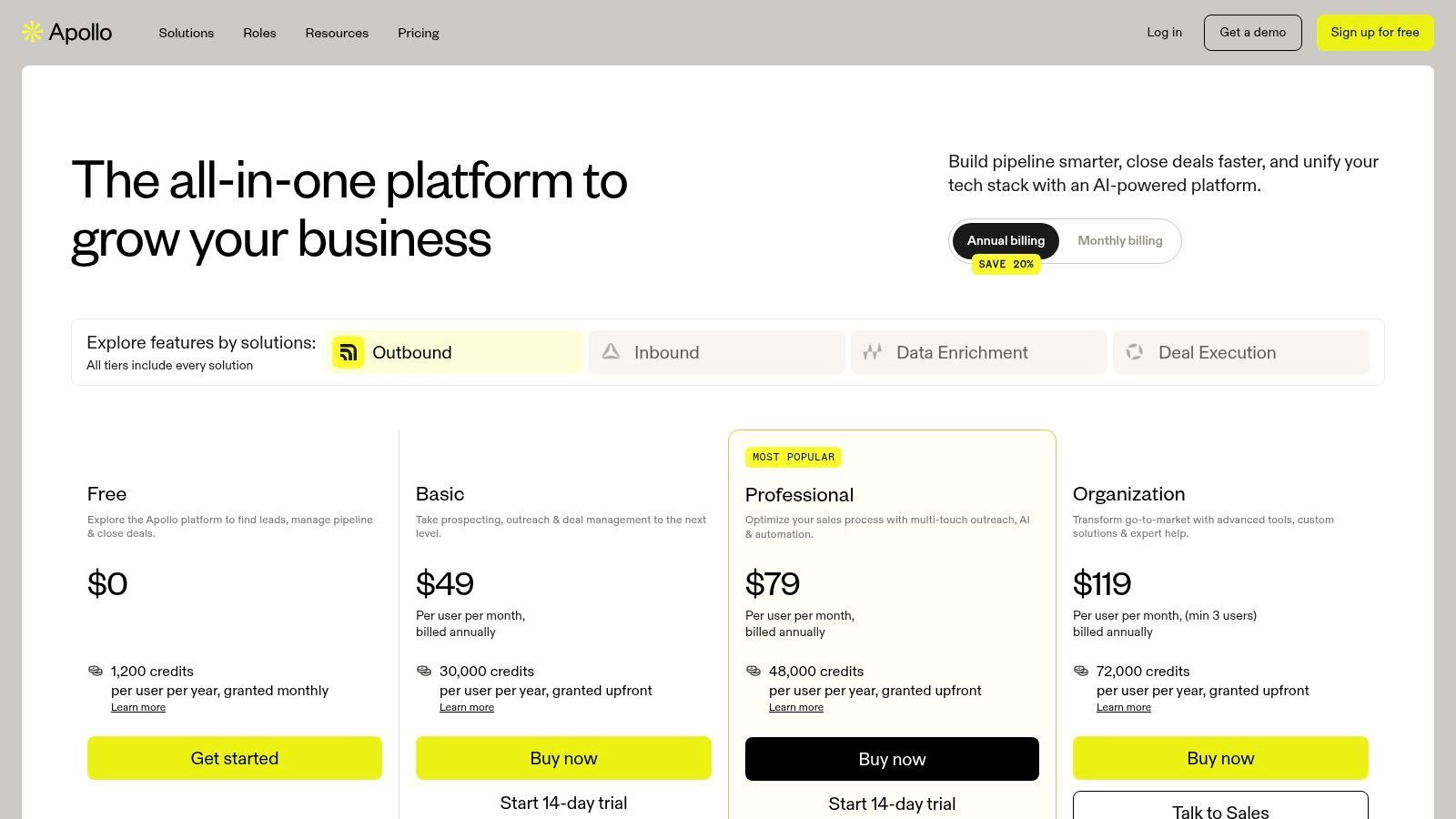
- Free: Generous free plan includes 60 mobile credits and 120 export credits annually.
- Basic: ~$49/user/month (billed annually) - Increases credit limits and removes sequence limits.
- Professional: ~$79/user/month (billed annually) - Adds features like the dialer, call recordings, and A/B testing.
- Organization: ~$119/user/month (billed annually) - Advanced permissions, custom fields, and higher API limits.
| Pros | Cons |
|---|---|
| Unbeatable value with data and engagement in one tool | Data accuracy can vary by industry and is sometimes inconsistent |
| Generous free tier makes it highly accessible | Credit system for mobile numbers and exports can become costly at scale |
| Active product development and a strong user community | Interface can feel cluttered due to the sheer number of features |
5. HubSpot Sales Hub
HubSpot Sales Hub is a CRM-native prospecting workspace designed for teams that want an all-in-one platform for sales engagement, automation, and reporting. It stands out by tightly integrating essential sales prospecting tools directly within its popular CRM, eliminating the need to stitch together multiple third-party applications and simplifying the tech stack for growing teams.
The platform's strength is its unified nature. Sales reps can manage their entire workflow from a single interface, from building targeted lists and enrolling prospects in automated email Sequences to making calls and booking meetings. This consolidation provides managers with a clear, holistic view of team activity and performance without exporting data or juggling different systems. For businesses already using HubSpot's Marketing or Service Hubs, it creates a powerful, integrated customer platform.
Core Features & Use Case
- Ideal Use Case: Best for small to mid-market sales teams standardizing on the HubSpot ecosystem. It is perfect for organizations seeking a single-vendor solution for CRM and sales engagement to ensure quick rollout and high user adoption.
- Prospecting Workspace: A centralized command center inside the CRM for managing tasks, sequences, and prospect activity.
- Built-in Sales Engagement: Includes email sequences, task queues, built-in calling, and meeting scheduling tools.
- Integrated Stack: Seamless connection with HubSpot Marketing Hub allows for powerful alignment between sales and marketing efforts, leveraging lead intelligence and website activity.
- Reporting & Forecasting: Offers scalable reporting, deal forecasting, and governance features that grow with your team’s needs.
Pricing & Tiers
- Free Tools: Basic free-forever plan with limited features.
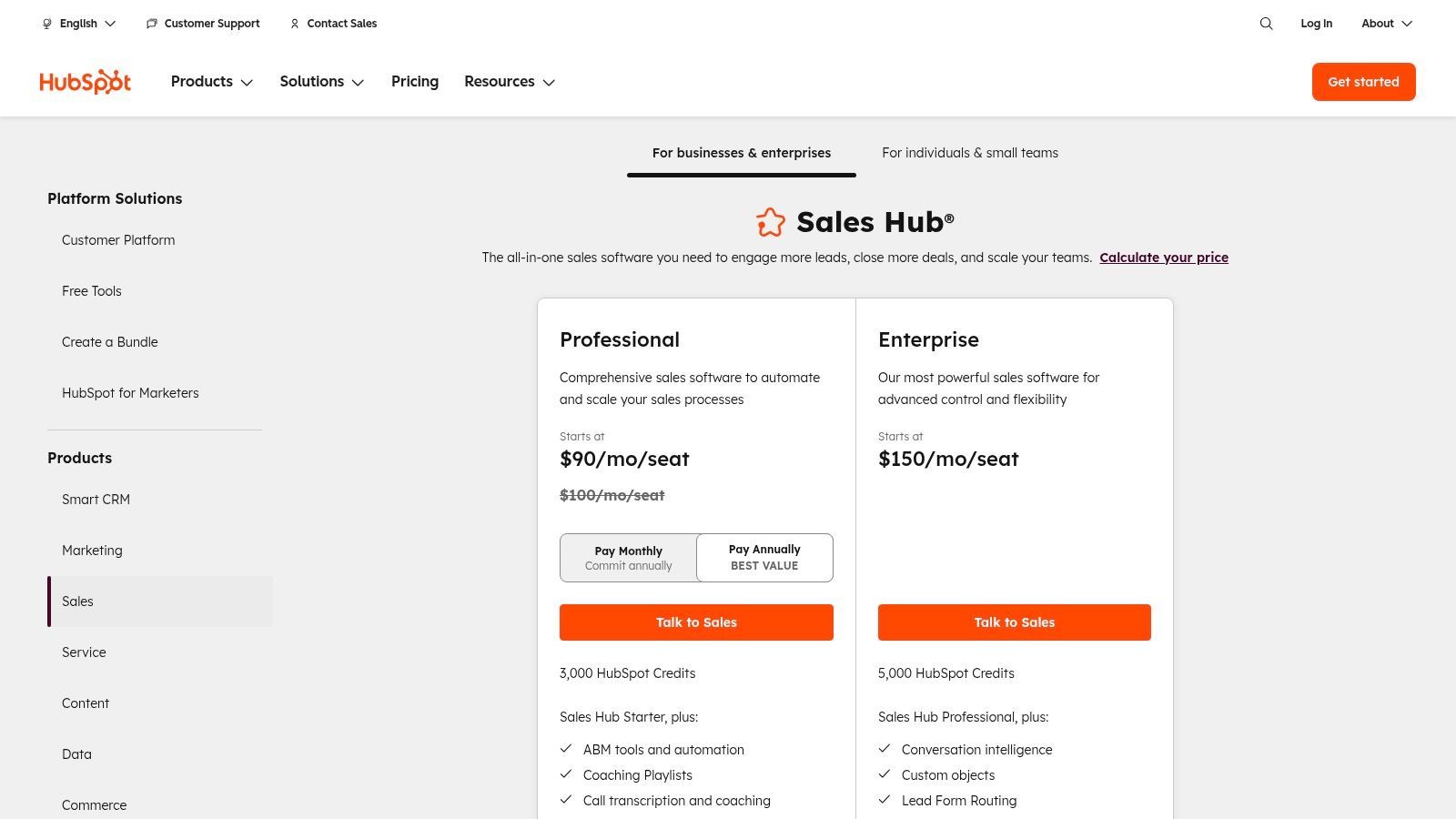
- Sales Starter: Starts at $20/user/month (billed annually) - For individuals and small teams needing core sales tools.
- Sales Professional: Starts at $500/month for 5 users (billed annually) - Adds advanced automation, reporting, and forecasting.
- Sales Enterprise: Starts at $1,500/month for 10 users (billed annually) - For sophisticated teams needing custom objects and advanced permissions.
- Note: Onboarding fees may apply for Professional and Enterprise tiers.
| Pros | Cons |
|---|---|
| Single-vendor CRM and sales engagement for a simplified tech stack | Key features and calling minutes are gated behind higher-priced tiers |
| Strong training resources and a large partner ecosystem | Onboarding fees for Professional/Enterprise can be a significant cost |
| Free CRM option provides a low-risk entry point for new teams | Seat model and pricing can become complex as the team scales |
6. Outreach
Outreach has established itself as an enterprise-grade sales engagement platform, moving beyond basic sequencing to offer a comprehensive suite of tools for revenue teams. It excels at creating structured, multichannel engagement workflows that combine email, calls, and social touches, making it a go-to for mid-market and enterprise organizations that require sophisticated sales prospecting tools with deep analytics and coaching features.
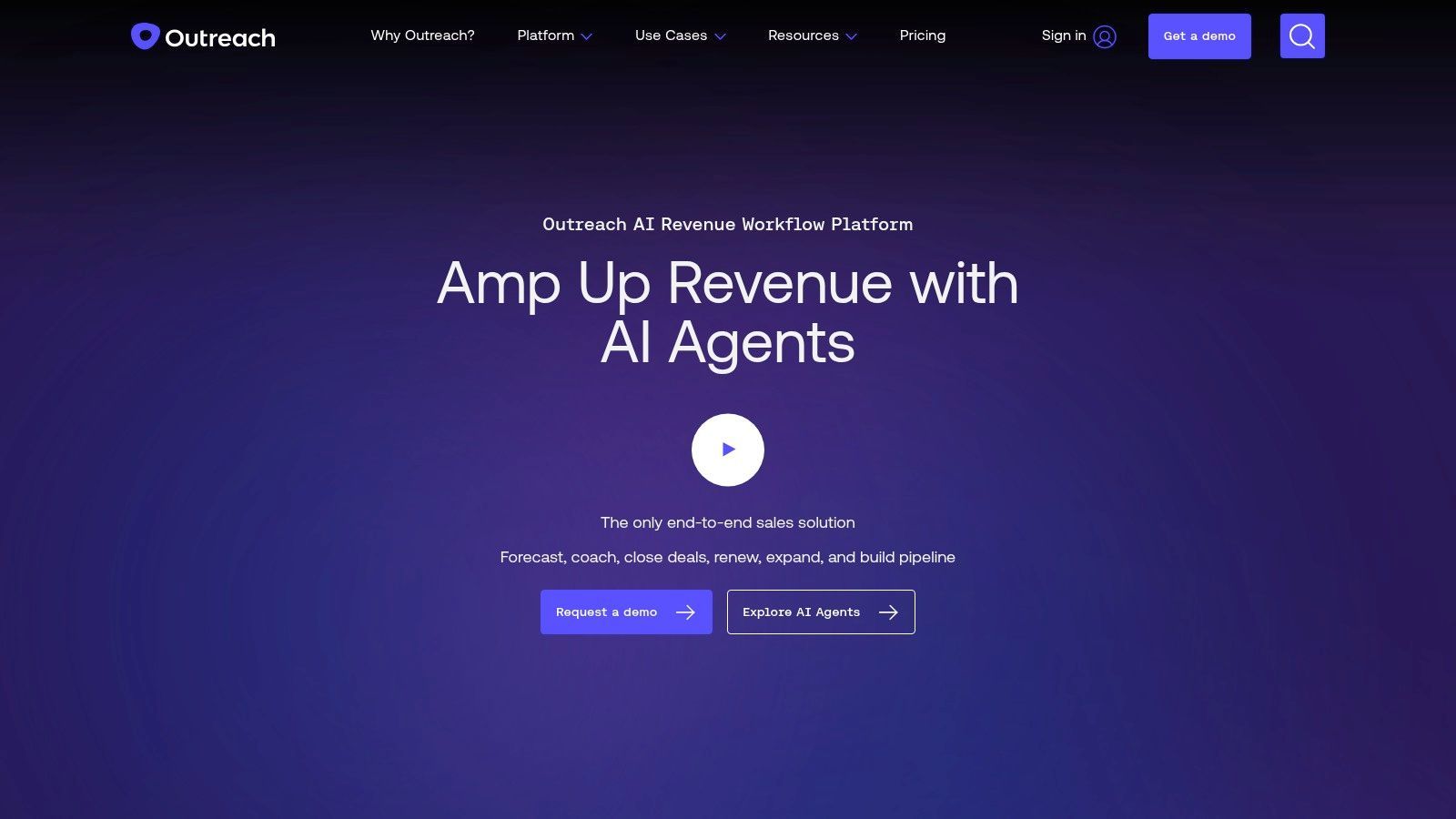
The platform's core strength is its ability to orchestrate complex outbound campaigns at scale while providing managers with unparalleled visibility into rep performance. With integrated conversation intelligence (Kaia), it analyzes sales calls to surface insights for deal management and rep coaching. This focus on governance, analytics, and workflow automation makes it a powerful system for teams that have outgrown simpler tools and need a robust platform to manage and optimize every stage of their outbound process.
Core Features & Use Case
- Ideal Use Case: Best for established sales teams in mid-market or enterprise companies needing a centralized platform for engagement, forecasting, and rep coaching. It provides the governance and control required for managing large teams effectively.
- Multichannel Sequences: Build and A/B test sophisticated outreach cadences that include automated emails, manual tasks, phone calls, and LinkedIn steps.
- Conversation Intelligence: Record, transcribe, and analyze sales calls to identify successful talk tracks, monitor deal health, and provide targeted coaching to reps.
- Governance & Analytics: Enterprise-level admin controls and deep reporting give managers visibility into team activity, sequence performance, and revenue forecasting.
Pricing & Tiers
- Standard: Quote-based - Includes sequencing, dialer, and core engagement features.
- Professional: Quote-based - Adds advanced features like conversation intelligence and deeper analytics.
- Enterprise: Quote-based - For large teams needing advanced security, governance, and custom implementation. Pricing typically requires an annual contract and is customized based on team size and features.
| Pros | Cons |
|---|---|
| Mature, all-in-one platform for enterprise workflows | Pricing is quote-based and often requires annual contracts |
| Powerful conversation intelligence and coaching tools | Can be overly complex or cost-prohibitive for smaller teams |
| Deep integration with Salesforce and other core systems | Implementation can be resource-intensive and require training |

One Chrome extension for all your CRM enrichment
Find verified emails, phone numbers, and job titles on LinkedIn®. Add contacts to any of 29+ supported CRMs in one click.
Start Free Trial


 Trusted by 2,500+ users4.7
7. Salesloft
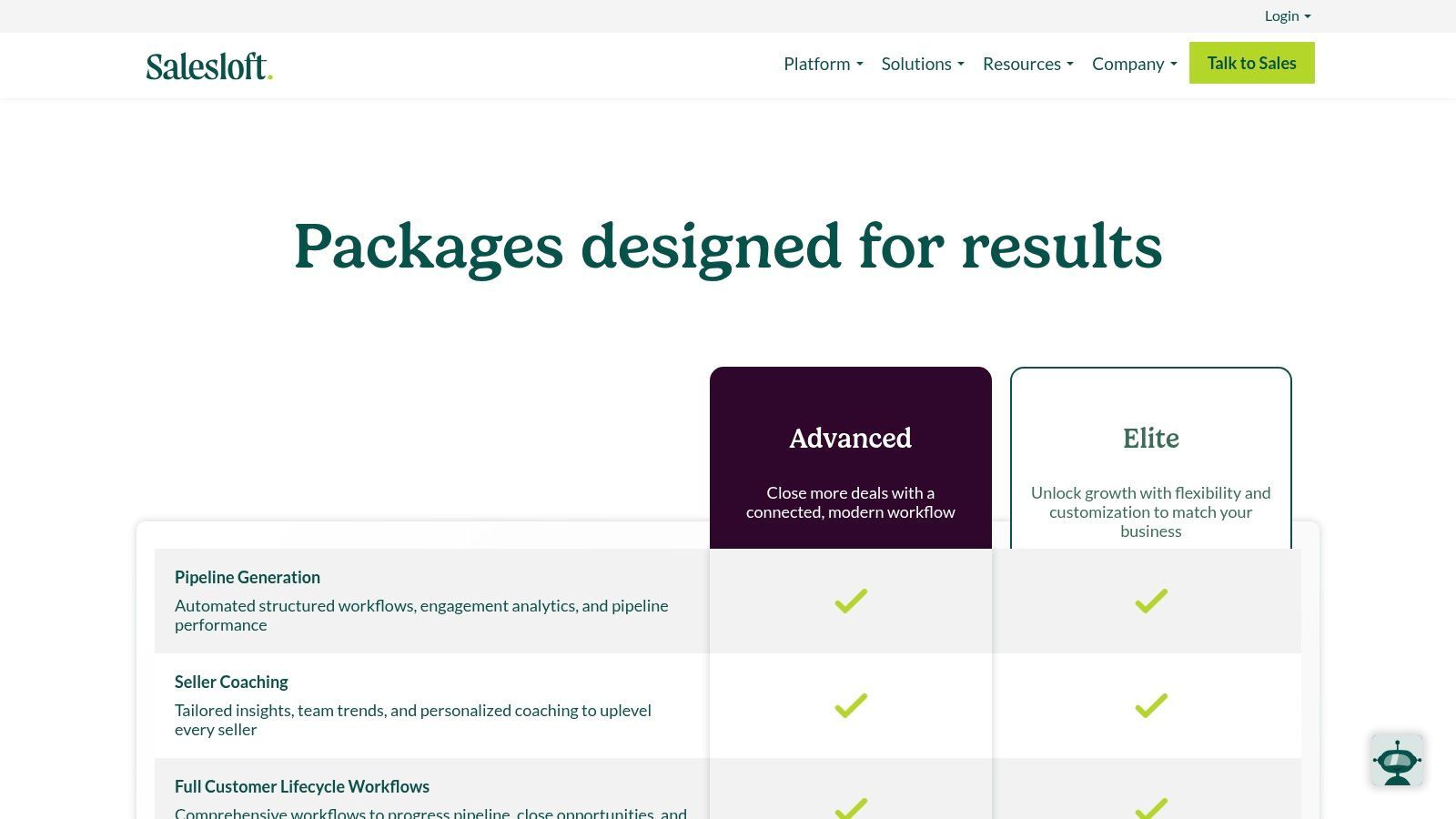
Salesloft is a comprehensive sales engagement platform designed to help revenue teams execute structured outreach and gain deep insights into buyer interactions. It combines multi-channel sequencing, a built-in dialer, and conversation intelligence into a single, cohesive workflow. This unification makes it a powerful tool for organizations looking to standardize their sales process, from initial prospecting to deal closure, while ensuring deep CRM integration and data governance.
The platform's strength is its ability to manage the entire sales cycle within one system. Cadences, its sales sequencing feature, allows reps to execute a prescribed series of emails, calls, and social touches efficiently. When combined with its Conversation Intelligence and deal analytics, managers can coach reps effectively and forecast with greater accuracy, making it a go-to choice for established sales teams needing structure and visibility.
Core Features & Use Case
- Ideal Use Case: Best for mid-market and enterprise sales teams that require a unified platform for multi-channel outreach, rep coaching, and deal management. It excels in environments where process adherence and analytics are critical.
- Cadences & Automation: Build and execute structured outreach sequences that combine email, calls, and other tasks to ensure consistent follow-up.
- Conversation Intelligence: Record, transcribe, and analyze sales calls to identify coachable moments and replicate winning behaviors across the team.
- Deep CRM Sync: Offers robust, bi-directional synchronization with Salesforce and other major CRMs, including advanced governance controls for administrators.
Pricing & Tiers
- Essentials: Custom quote - Core sales engagement features for smaller teams.
- Advanced: Custom quote - Adds deal and conversation intelligence for coaching.
- Premier: Custom quote - Includes advanced forecasting and analytics.
- Note: Salesloft primarily works on annual agreements and does not list public pricing. You can learn more at their pricing page.
| Pros | Cons |
|---|---|
| Market-proven at scale with a strong user experience | Pricing is not publicly listed and involves annual agreements |
| Powerful analytics and coaching workflows | Requires admin enablement and setup to realize its full value |
| Mature integrations with major CRMs and other tools | Can be feature-heavy for small teams or individual prospectors |
8. Lusha
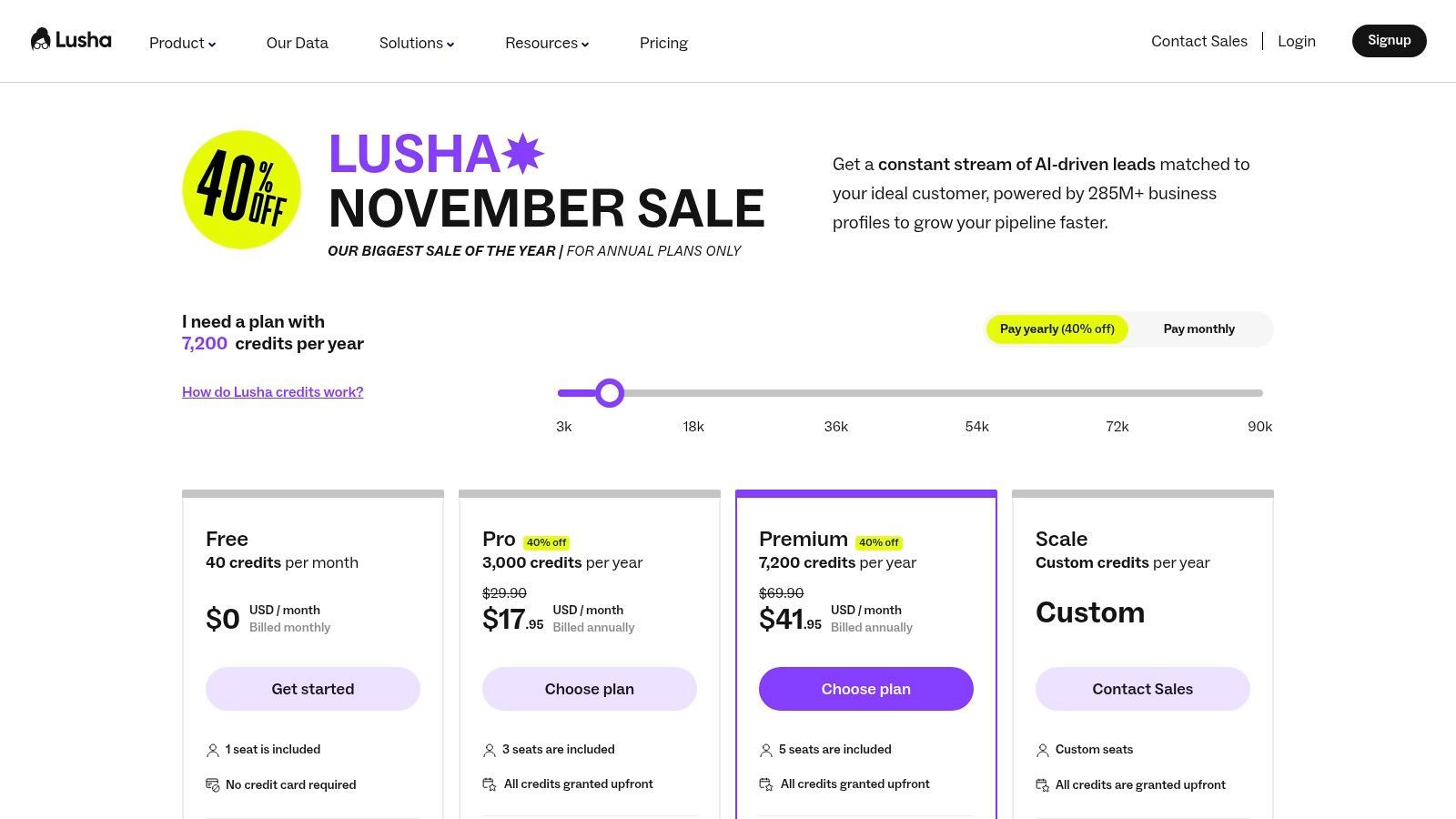
Lusha is a B2B contact data provider known for its user-friendly Chrome extension and transparent, credit-based model. It excels at providing direct dial phone numbers and verified email addresses with a single click, making it a popular choice for sales teams that need to quickly enrich prospect data directly from LinkedIn profiles or company websites. Its simplicity and accessible free plan make it a low-friction entry point into data enrichment.
The platform's core value is its immediacy. The browser extension overlays contact information directly onto social profiles, allowing reps to find and verify data without disrupting their workflow. This makes Lusha one of the most efficient sales prospecting tools for high-volume outreach where speed is critical. While it may not have the expansive data features of enterprise-grade brokers, its straightforward approach to contact acquisition is highly effective for SMBs and individual SDRs.
Core Features & Use Case
- Ideal Use Case: Best for SDRs and small business teams who need a fast, simple way to find direct contact information for outbound campaigns. The free plan is excellent for teams testing data enrichment tools before committing.
- Browser Extension: Instantly reveals emails and phone numbers on LinkedIn, Salesforce, and company websites.
- Credit-Based System: A clear, pay-for-what-you-need model where credits are used to reveal contact details.
- Team Management: Higher-tier plans offer centralized administration for managing user seats and credit pools.
- API Access: Allows for programmatic data enrichment within your own applications or custom workflows.
Pricing & Tiers
- Free: 5 credits/month for one user.
- Pro: Starts at $36/user/month (billed annually) - Includes 480 credits per user annually.
- Premium: Starts at $59/user/month (billed annually) - Offers 960 credits per user annually and bulk enrichment.
- Scale: Custom pricing - For large teams needing API access, advanced integrations, and higher credit volumes.
| Pros | Cons |
|---|---|
| Generous free tier provides immediate, tangible value | Phone number reveals consume more credits and can become costly |
| Simple, intuitive browser extension for rapid data capture | Data depth and coverage are more limited than premium data brokers |
| Transparent, easy-to-understand credit-based pricing | Basic plan lacks key features like CRM integration and bulk export |
9. Seamless.AI
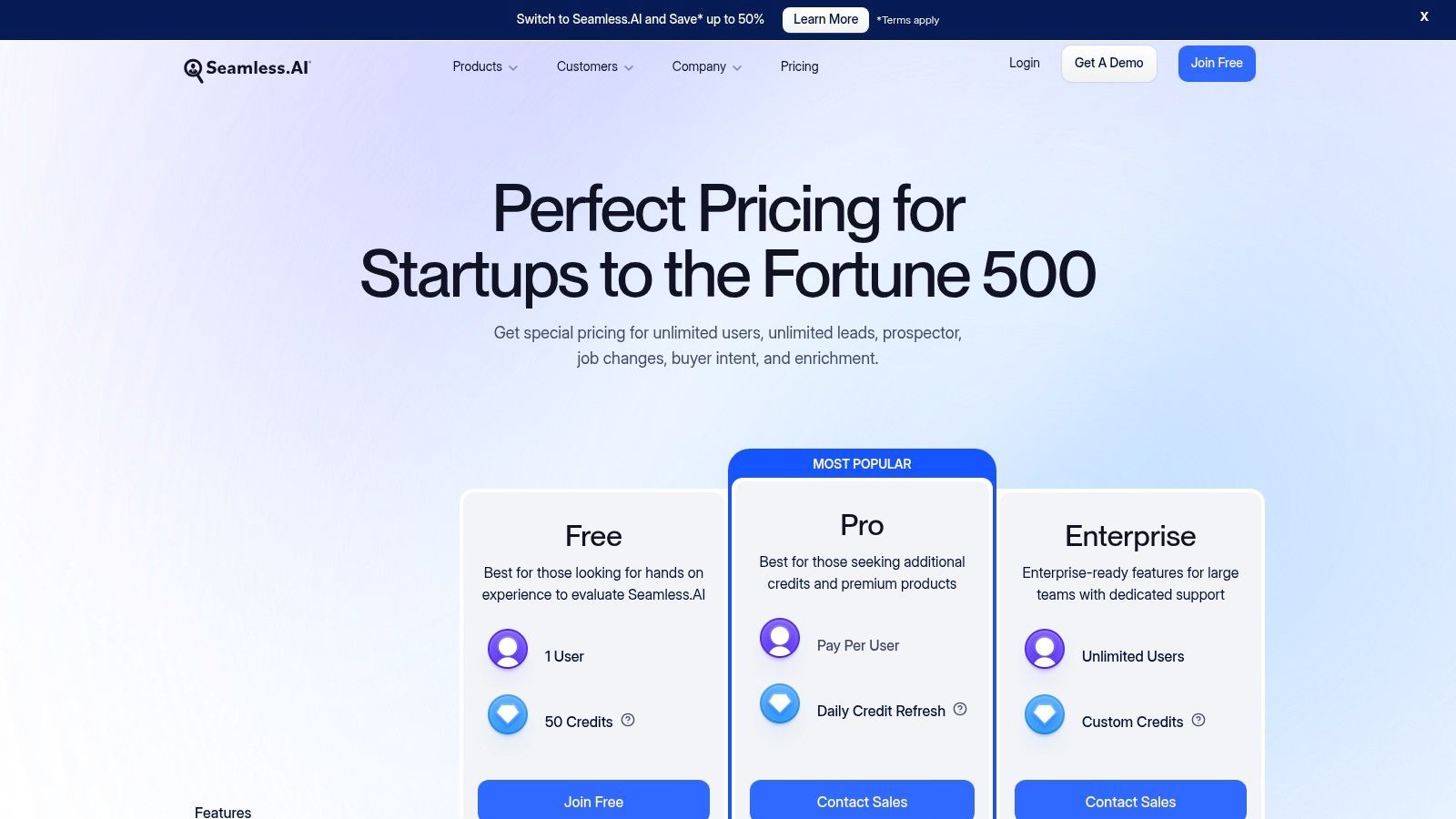
Seamless.AI positions itself as a real-time B2B search engine, designed to quickly deliver verified cell phone numbers and emails for contacts. It is one of the most popular sales prospecting tools for reps who need direct-dial and email data fast, especially when prospecting on LinkedIn, thanks to its widely used Chrome extension.
The platform's strength is its directness and speed. Its search engine runs in real-time, aiming to minimize stale data by verifying contact information on demand. This approach helps sales teams build high-quality lists for cold calling and email outreach. With add-ons like Buyer Intent and Job Changes, teams can layer on intelligence to prioritize accounts that are actively looking for solutions or undergoing strategic shifts, making it a versatile tool for outbound sales motions.
Core Features & Use Case
- Ideal Use Case: Best for SDRs and outbound sales teams that need a high volume of direct phone numbers and emails for cold outreach campaigns. Its free tier is excellent for individuals or small teams wanting to validate data quality before committing.
- Real-Time Search: Finds and verifies contact data on the fly, reducing bounce rates and disconnected numbers.
- LinkedIn Prospecting: The Chrome extension allows users to find contact details for prospects directly from their LinkedIn profiles.
- Data Enrichment & Intent: Optional add-ons enrich CRM records with fresh data and provide signals on which accounts are in-market.
Pricing & Tiers
- Free: Includes 50 credits to find emails and phone numbers, allowing users to test the platform's core functionality.
- Basic, Pro, & Enterprise: Custom pricing. These paid tiers offer unlimited credits, more CRM integrations, and access to advanced features like Job Changes and Buyer Intent data. Teams must contact sales for a quote.
| Pros | Cons |
|---|---|
| Generous free tier with 50 credits for phone and email | Paid pricing is not public, requiring a sales conversation |
| Customizable add-ons let teams tailor their spending | User feedback suggests pricing clarity and contract terms should be vetted |
| Strong focus on delivering direct-dial phone numbers | Credit system can be confusing for some use cases |
10. Crunchbase Pro
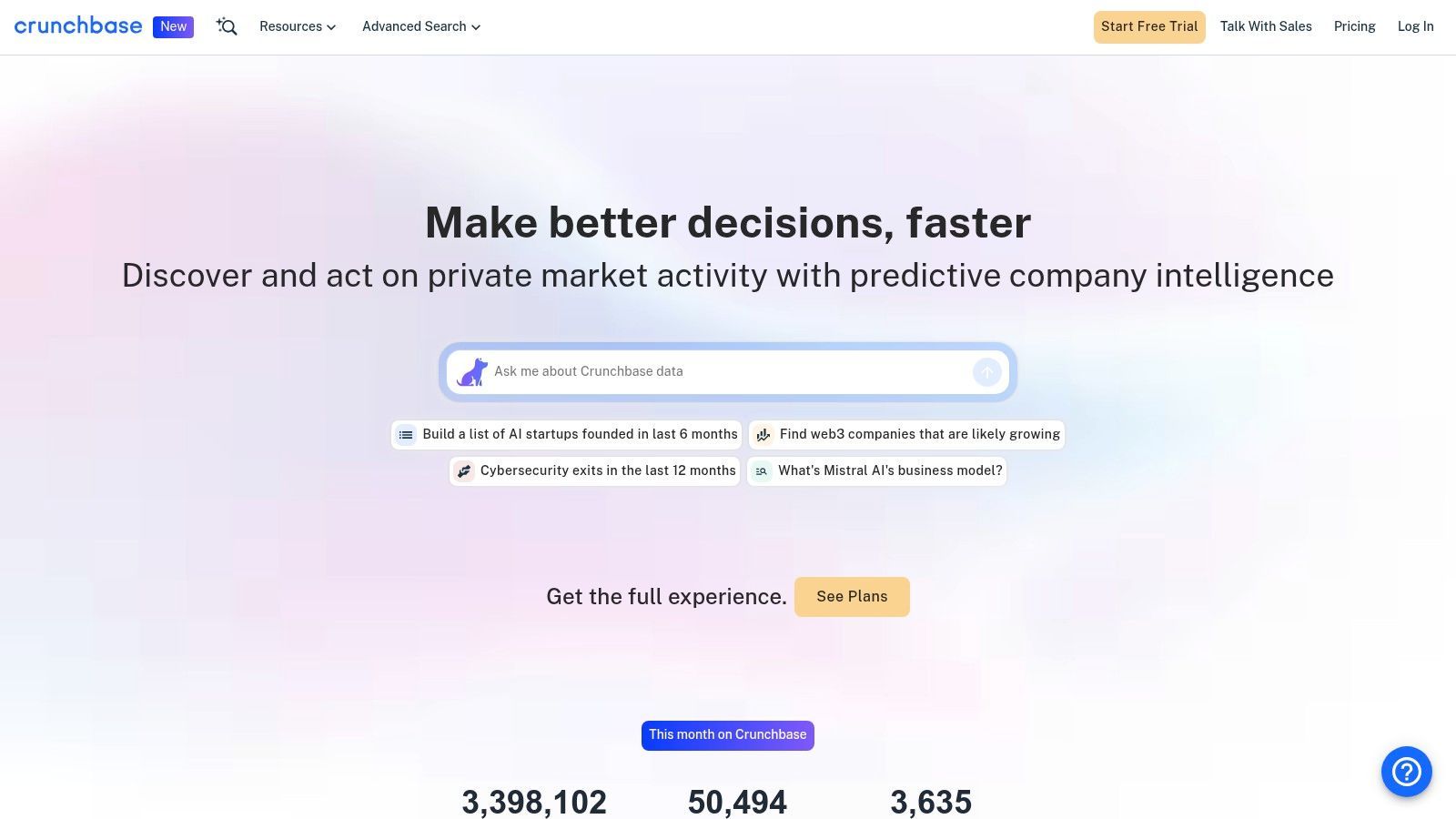
Crunchbase Pro is a company-centric prospecting tool that excels at account discovery based on funding, growth signals, and market activity. While other sales prospecting tools focus on finding individual contacts, Crunchbase’s strength is in identifying in-market accounts, making it ideal for timing outreach and building targeted lists based on business milestones.
The platform’s power comes from its Advanced Search capabilities, combined with AI-powered recommendations and proprietary “Heat” signals that flag companies showing positive growth indicators. This allows reps to move beyond static firmographic data and focus on dynamic buying signals like recent funding rounds, M&A activity, or leadership hires. These timely triggers provide a compelling reason to initiate a conversation, transforming a cold call into a relevant, well-informed touchpoint.
Core Features & Use Case
- Ideal Use Case: Sales teams selling into startups, tech, and high-growth companies. It’s perfect for building an account-based strategy by identifying companies that have just received funding and are likely to invest in new solutions.
- Company Search & Signals: Use advanced filters, AI Scout, and growth signals to discover companies that fit your ideal customer profile and are actively expanding.
- Alerts and Lists: Create dynamic lists of target accounts and receive real-time email alerts on key events like funding announcements, news mentions, and leadership changes.
- CRM Integration: A native Salesforce integration allows you to push account lists directly to your CRM, and a Data Boost add-on provides technographic and partner data for deeper enrichment.
Pricing & Tiers
- Pro: ~$49/user/month (billed annually) - For individuals needing advanced search, alerts, and data exports.
- Business: Custom pricing - For teams needing higher export limits, CRM sync, and collaboration features.
- Enterprise: Custom pricing - For large organizations requiring API access, custom data, and dedicated support.
| Pros | Cons |
|---|---|
| Best-in-class for account discovery based on funding and growth signals | Contact data is less comprehensive than dedicated B2B databases |
| Clear, self-serve monthly pricing for the Pro tier is highly accessible | Export limits on the Pro plan can be restrictive for power users |
| Perfectly complements contact-centric tools for a powerful combined strategy | The most valuable features (CRM sync) are gated in higher tiers |
11. Salesforce AppExchange
Salesforce AppExchange isn't a single tool but rather the essential marketplace for any team operating within the Salesforce ecosystem. It provides a vetted, centralized hub for discovering and deploying thousands of third-party sales prospecting tools that integrate directly with your CRM. This eliminates compatibility guesswork and streamlines the process of extending your Salesforce instance with powerful prospecting capabilities.
For go-to-market teams, the AppExchange is the most reliable source for finding apps that handle everything from data enrichment and lead routing to sales intelligence and engagement. Because every app undergoes a Salesforce security review, you can trust the solutions you install, ensuring your data and workflows remain secure and stable.
Core Features & Use Case
- Ideal Use Case: Best for RevOps leaders and sales managers who need to find, evaluate, and deploy prospecting solutions that are guaranteed to work seamlessly with their existing Salesforce CRM.
- Curated Collections: Discover vetted apps organized by function, such as Sales Intelligence, Data Management, and Sales Engagement, making it easy to find solutions for specific needs.
- Direct Installation: Many apps can be installed directly into your Salesforce org with just a few clicks, often including free trials to test functionality before committing.
- Customer Reviews & Ratings: Leverage community feedback, detailed ratings, and curated lists to evaluate and compare different sales prospecting tools from real-world users.
Pricing & Tiers
- Varies by App: Pricing is determined by the individual application vendors. Many listings provide starting prices or are free, while more complex enterprise solutions are typically quote-based.
| Pros | Cons |
|---|---|
| Trustworthy source with Salesforce-vetted security and compatibility | Overwhelming number of options can make evaluation difficult |
| Streamlines procurement and installation for Salesforce customers | Primarily valuable only for organizations using Salesforce as their CRM |
| Customer reviews and ratings provide valuable social proof | Pricing and value vary widely between listings; many are quote-based |
Start your 7-day free trial of Standard
Find verified emails, phone numbers, and job titles on LinkedIn®. Add contacts to any of 29+ supported CRMs in one click.
Start Free TrialTrusted by 2,500+ users4.712. G2 (Sales Intelligence Software category)
While not a prospecting tool itself, G2’s Sales Intelligence category is an essential research hub for evaluating and shortlisting the right sales prospecting tools for your team. It acts as a meta-resource, aggregating peer reviews, feature comparisons, and satisfaction scores to help you navigate a crowded market. It’s the starting point for building a vendor slate before committing to demos.
The platform's primary value comes from its Grid® Reports, which visually map out vendors based on market presence and user satisfaction, distinguishing "Leaders" from "High Performers" and "Niche" players. You can filter these results by company size, user ratings, and specific features, allowing you to quickly see which tools are most popular among businesses similar to yours. This peer-validated data provides crucial social proof and helps uncover potential drawbacks that vendor websites might not mention.
Core Features & Use Case
- Ideal Use Case: Best for sales leaders, founders, and RevOps managers in the procurement phase. It helps validate vendor claims with real-world user feedback and build a business case for a new tool.
- Aggregated User Reviews: Read detailed reviews from verified users to understand the practical pros and cons of different platforms.
- Vendor Comparison: Compare up to four tools side-by-side on features, ratings, and pricing information.
- Grid® Reports: Use the iconic quadrant charts to quickly identify top-rated and trending sales intelligence software.
Pricing & Tiers
- Free: Access to all reviews, comparisons, and reports is free for users. Vendors pay for enhanced profiles and marketing features.
| Pros | Cons |
|---|---|
| Fast way to shortlist and compare real-world user experiences | "Leader" status can be influenced by review volume and vendor campaigns |
| Broad coverage of both established and emerging sales tools | Not a direct sales tool-it's a research platform |
| Helps build a vendor slate and plan for procurement and demos | Data accuracy relies entirely on user-contributed reviews |
Top 12 Sales Prospecting Tools Comparison
| Tool | Core features | Data quality & UX | Price / Value proposition | Best for / Target audience | Unique selling points |
|---|---|---|---|---|---|
| Add to CRM | Chrome extension; one‑click enrichment from LinkedIn/Gmail/Outlook; connects to 29+ CRMs; duplicate checks; custom field mapping | Verified dataset (220M+); real‑time email verification (95%+); saves ~4+ hrs/wk; GDPR compliant | 7-day free trial; Standard 250/mo ($29/mo); Pro 1,000/mo ($99/mo); credit‑based with onboarding & priority support | Founders, SDRs/BDRs, AEs, RevOps, growth teams needing fast CRM capture | One‑click CRM record creation across profiles; 20+ data points; transparent credit tiers and team mapping |
| LinkedIn Sales Navigator | Advanced lead & account search; buyer activity alerts; TeamLink; CRM write‑back | First‑party, up‑to‑date job signals and activity; strong rep UX | Per‑seat monthly/annual tiers (Core/Advanced); clear per‑user pricing | Account‑based reps and teams relying on LinkedIn signals | Access to LinkedIn graph and warm introduction paths (TeamLink) |
| ZoomInfo SalesOS | Large B2B db with direct dials; intent signals; org charts; enrichment & Chrome extension | High U.S. coverage; enterprise data quality and admin controls | Quote‑based; annual contracts; can be costly for SMBs | Mid‑market & enterprise sales and revenue ops | Intent signals, deep CRM/marketing integrations and enterprise add‑ons |
| Apollo.io | Contact database + sequencing + dialer; Chrome extension; enrichment & API | Good SMB UX; active product dev; data accuracy varies by segment | Transparent per‑user pricing; free tier and trials; affordable entry | SMBs and mid‑market SDR teams wanting combined data + engagement | All‑in‑one data + engagement stack with easy trialability |
| HubSpot Sales Hub | CRM‑native sequences, inbox, meeting links, calling, playbooks, reporting | Tight in‑CRM UX; strong training and ecosystem | Free CRM; paid Sales tiers with some features gated; per‑seat pricing | Teams standardized on HubSpot CRM seeking built‑in prospecting | Single‑vendor CRM + engagement for quick rollout and integrated analytics |
| Outreach | Multichannel sequences; dialer/voice; conversation intelligence; forecasting & coaching | Mature enterprise UX; deep analytics and governance | Quote‑based; annual contracts; enterprise pricing | Mid‑market & enterprise teams needing advanced workflows & coaching | Enterprise coaching, forecasting, and scalable governance controls |
| Salesloft | Cadences, dialer, calendaring, conversation intelligence, deal analytics | Market‑proven at scale; strong coaching and analytics UX | Quote‑based; annual agreements; requires admin setup | Teams wanting cohesive cadences + voice + CRM sync | Powerful cadence workflows with bi‑directional CRM sync and coaching |
| Lusha | Credit model for email/phone reveals; Chrome extension; team controls | Easy start; transparent pricing; limited depth vs premium brokers | Free plan; paid credit bundles (monthly/annual) | SMBs needing quick email/phone enrichment and list building | Simple credit model and free tier for fast enrichment |
| Seamless.AI | Real‑time contact search; Chrome extension; LinkedIn workflows; add‑ons (intent, enrichment) | Fast lookups including phones; free starter credits; pricing via sales | Free starter (50 credits); configurable add‑ons; contact sales for pricing | Teams needing phone + email lookups and customizable add‑ons | Real‑time phone+email lookups with modular add‑ons (Buyer Intent, Job Changes) |
| Crunchbase Pro | Company discovery; funding & growth signals; alerts, lists and exports | Best for account discovery and market signals; lighter contact coverage | Self‑serve monthly pricing for Pro; no long commitment | Account‑based sellers and researchers focused on funding/growth | Funding, news and growth signals for timing outreach and account prioritization |
| Salesforce AppExchange | Curated marketplace of Salesforce‑ready prospecting, enrichment and CTI apps | Vetted listings with reviews; streamlined install for Salesforce orgs | Pricing varies by app; many listings offer trials or quoted pricing | Organizations running GTM on Salesforce seeking compatible add‑ins | Marketplace with security review, compatibility and procurement ease |
| G2 (Sales Intelligence category) | Aggregated user reviews, leader grids, vendor filters and comparisons | Peer feedback and ranking; useful for shortlists and validation | Free to browse; vendor‑specific pricing links | Procurement teams and buyers shortlisting vendors | Wide peer reviews and leaderboards to validate vendor fit and reputation |
Stop Prospecting Harder, Start Prospecting Smarter
The landscape of B2B sales has fundamentally shifted. The days of brute-force, high-volume, low-quality outreach are numbered. Today's most successful revenue teams understand that efficiency and intelligence are the true drivers of a healthy pipeline. As we've explored, the market is filled with powerful sales prospecting tools, each designed to solve specific challenges, from data enrichment and contact discovery to engagement sequencing and market intelligence.
Navigating this complex ecosystem can feel overwhelming, but the core objective remains simple: empower your sales reps to spend more time on revenue-generating activities. This means less time on manual data entry, less time toggling between tabs, and less time hunting for accurate contact information. The right technology stack acts as a force multiplier, automating the mundane tasks that create friction and bog down your team. Whether it's a comprehensive platform like ZoomInfo or Apollo.io, a specialized data provider like Lusha, or an engagement powerhouse like Outreach, the goal is to build a seamless, integrated workflow.
Key Takeaways for Building Your Prospecting Stack
Reflecting on the tools we've covered, several core principles emerge for building an effective prospecting engine:
- Integration is Non-Negotiable: A tool's true power is unlocked when it talks to your other systems, especially your CRM. A disconnected tool creates data silos and forces manual work, defeating the purpose of the investment. Prioritize solutions that offer deep, native integrations with your existing stack.
- Workflow is King: The best tool is the one your team actually uses. Consider the daily habits of your SDRs and AEs. Tools that embed themselves directly into their existing workflows, like those that operate within LinkedIn or their email client, see the highest adoption rates and deliver the most significant ROI.
- Data Quality Over Quantity: A database of 10,000 unverified contacts is far less valuable than a list of 100 highly-qualified, accurate prospects. Focus on tools that prioritize data accuracy and provide robust verification processes. Bad data wastes time, hurts your sender reputation, and leads to frustrated reps.
Your Action Plan: Choosing the Right Sales Prospecting Tools
Making a decision requires a clear, strategic approach. Don't get distracted by shiny features; focus on solving your most pressing problems. Use this simple framework to guide your evaluation process:
- Audit Your Current Process: Where are the biggest bottlenecks? Are reps spending too much time on manual data entry from LinkedIn? Is finding accurate mobile numbers a constant struggle? Is your CRM data stale and unreliable? Pinpoint your top 2-3 pain points.
- Define Your Must-Have Features: Based on your audit, create a checklist of essential features. If CRM data integrity is your main concern, a tool that automates contact creation and prevents duplicates is paramount. If breaking into new accounts is the goal, intent data and company intelligence features should top your list.
- Run a Pilot Program: Before committing to a company-wide rollout, select a small group of power users to test your top 2-3 tool choices. Give them clear objectives and gather structured feedback. Real-world usage will reveal insights you can't get from a sales demo.
Ultimately, investing in the right sales prospecting tools is an investment in your team's most valuable asset: their time. By automating low-value tasks and providing high-quality data, you empower them to focus on what humans do best: building relationships, understanding customer needs, and closing deals. The goal isn't just to fill the top of the funnel; it's to build a smarter, more efficient, and more predictable revenue engine for the future.
Ready to eliminate the biggest time-waster in your sales process? Add to CRM is the essential tool that bridges the gap between LinkedIn and your CRM, allowing your team to capture and sync prospect data in one click. Stop the copy-paste madness and start building a cleaner, more actionable pipeline today with Add to CRM.
Start saving time and closing more deals.
Find verified contact info for your prospects on LinkedIn®, Gmail and Outlook — and add them to your CRM with 1-click.

 Loading...Trusted by 2,500+ founders, SDRs & more