How to Use Airtable as a CRM in 2026: Setup Guide
Set up Airtable as your CRM and supercharge it with LinkAir. Add prospects from LinkedIn instantly, eliminate data entry, and close deals faster.
Sync leads from professional networks to Airtable.
Save 4hrs per week on CRM data entry.
Learn more...Free Airtable integration
As CRM experts, we've seen countless sales teams struggle with tools that are either too rigid or too complex. Airtable stands out for its incredible flexibility, but that same power can sometimes feel daunting. That's why we created this guide. We'll walk you through setting up Airtable as a powerful, custom sales CRM tailored to your team's exact needs. We'll cover everything from the basics to advanced strategies and even show you how to supercharge your prospecting with modern tools that eliminate manual data entry.
Getting Started with Airtable
Initial Setup and Configuration
Getting your Airtable CRM off the ground is straightforward. Here’s how we recommend you start:
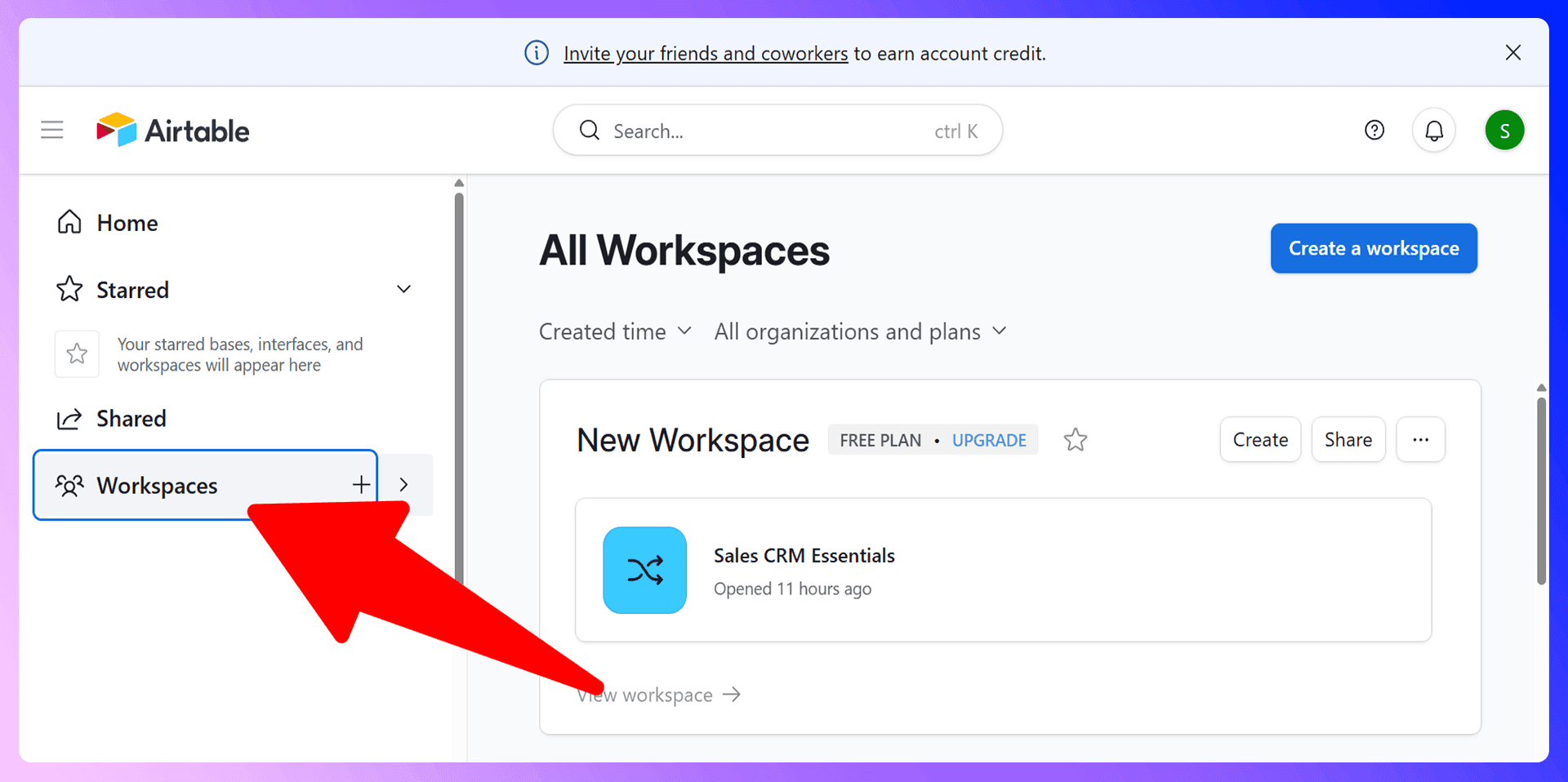
- Create a Workspace: This is the top-level folder for your projects. You can name it something like "Sales Team."
- Create a Base: Think of a base as your CRM database. You can start from scratch or use one of Airtable's pre-built templates, like their "Sales CRM" template, as a starting point.
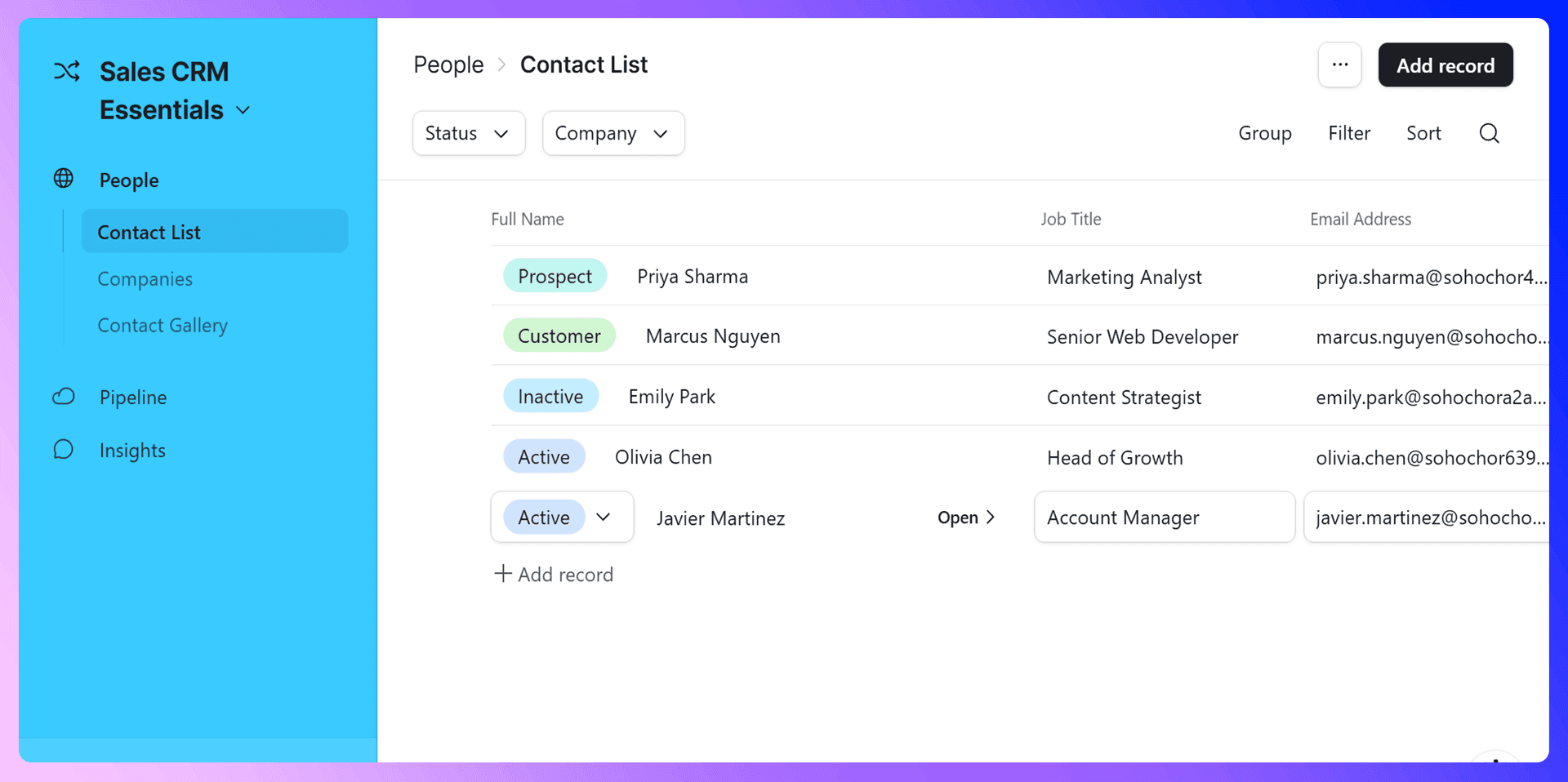
- Set Up Your Tables: A base is made of tables. For a sales CRM, you'll want at least three core tables:
- Contacts: For individual people you're selling to.
- Companies: For the organizations they work for.
- Opportunities/Deals: To track each potential sale.
Within each table, rows are called "records" and columns are called "fields." This structure is the foundation of your entire sales process.
Customizing Your Dashboard
Airtable's "Interfaces" feature lets you build custom dashboards for your team. Instead of looking at a spreadsheet, you can create a visual hub that shows exactly what each team member needs to see. You can design an interface that includes:
- Charts showing your sales pipeline.
- A list of your most recent leads.
- Key performance indicators (KPIs) like "Deals Closed this Month."
- A calendar of upcoming meetings and follow-ups.
This turns your data into an actionable, easy-to-understand dashboard that helps your team stay focused.
Managing Contacts and Leads
Adding Contacts Manually
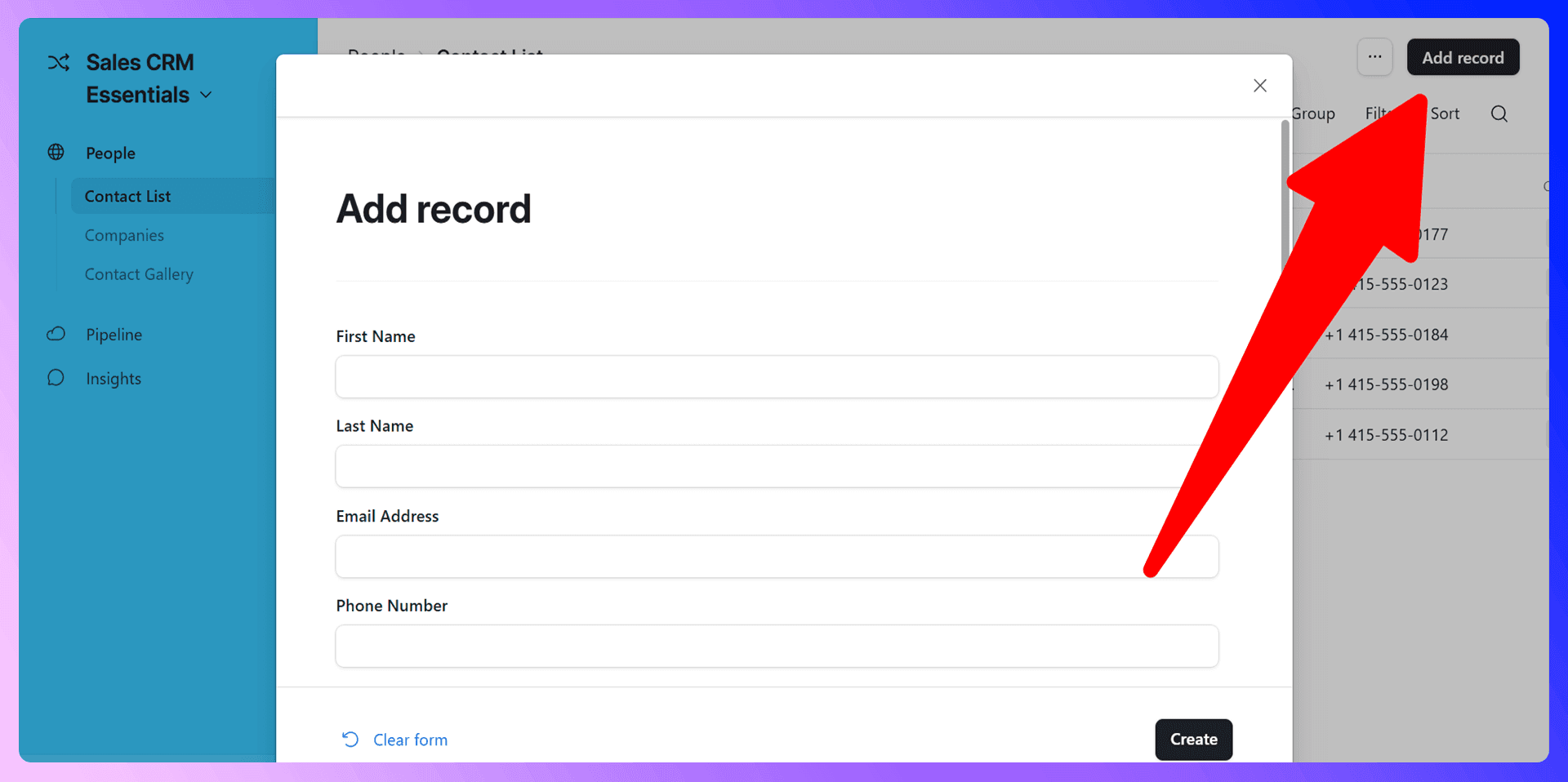
To add a contact manually in Airtable, you navigate to your "Contacts" table and create a new record. You then have to type in the person's name, email, company, title, and any other relevant information. While simple, this process is slow, repetitive, and prone to typos, especially when you have dozens of new prospects to add each day.
Importing Contacts Efficiently with LinkAir
Manual data entry is a major time sink for sales teams. This is where a dedicated tool becomes essential. Instead of copying and pasting from LinkedIn, you can use our Chrome extension, LinkAir. It's the superior way to build your contact list.
LinkAir integrates directly with LinkedIn. When you're on a prospect's profile, it finds their verified email address and other contact details. With a single click, you can add them as a new, complete record in your Airtable base. This eliminates manual entry, prevents errors, and saves your team hours every week.

Organizing and Segmenting Contacts
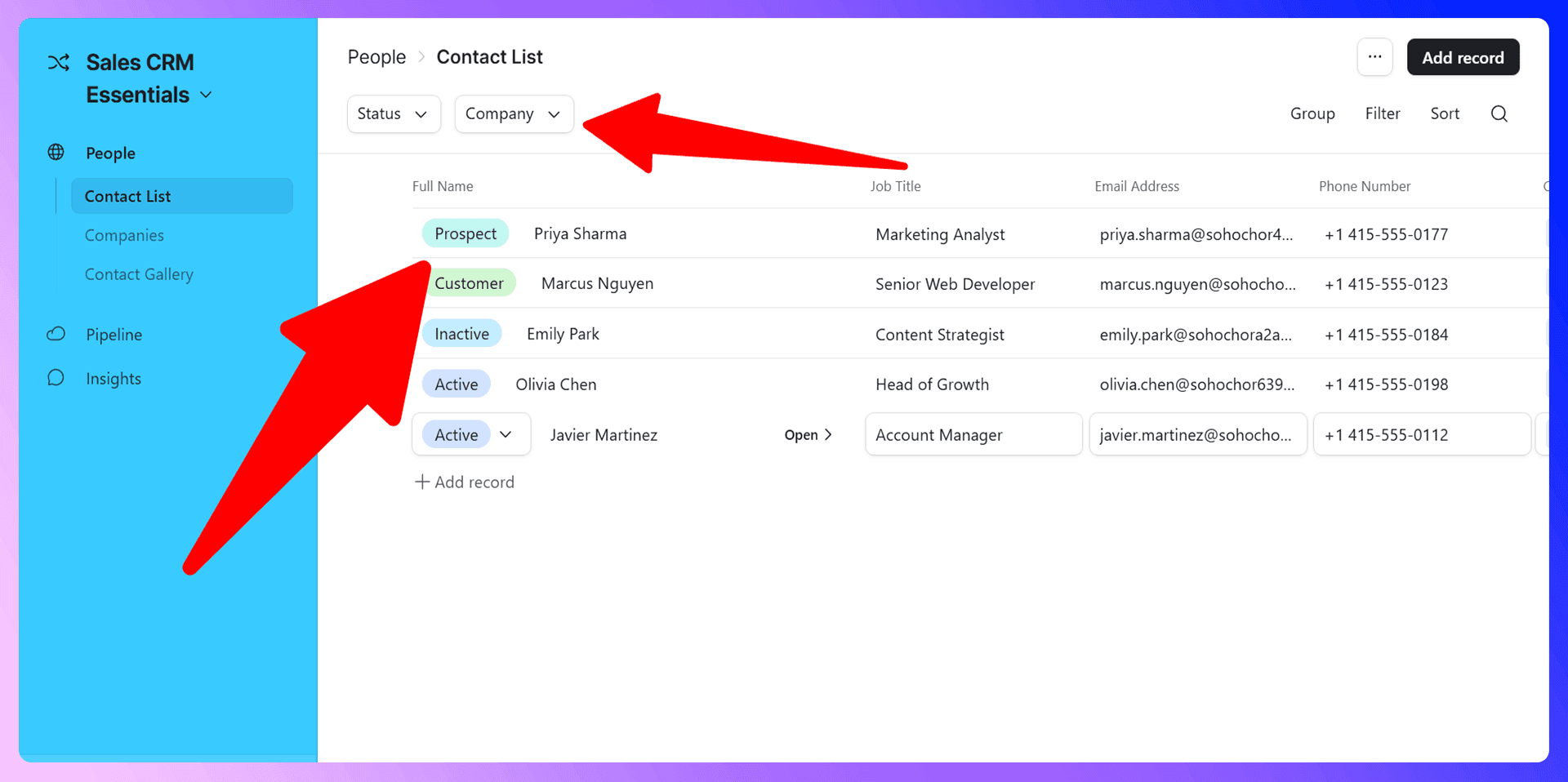
Once your contacts are in Airtable, organization is key. Use custom fields to segment your list:
- Single-Select Fields: Use these for lead status (e.g., New, Contacted, Qualified).
- Linked Records: Link a contact to their record in the "Companies" table.
- Date Fields: Track when a contact was last contacted or when a follow-up is due.
Create different "Views" to see specific segments of your data. For example, you can create a view called "Hot Leads in Q3" that filters for contacts with a "Hot" status and an interaction date within the last quarter. This keeps your team focused and organized.
Airtable CRM LinkedIn Integration
LinkAir is a Chrome extension that revolutionizes how sales teams add prospects to Airtable. It bridges the gap between prospecting on LinkedIn and managing relationships in your CRM, turning a slow, manual process into a seamless, one-click workflow. It's the missing piece that makes Airtable an unbeatable sales tool.
Getting Started with LinkAir
Getting set up takes less than two minutes:
- Install the LinkAir extension from the Chrome Web Store.
- Connect it to your Airtable account.
- Navigate to any LinkedIn profile.
- Click the button to find verified contact info and add the prospect directly to your Airtable base.

LinkAir vs Traditional Prospecting
The difference is night and day:
- Time: What used to take 5-10 minutes of manual research and data entry per prospect now takes seconds.
- Accuracy: Manual entry leads to typos and errors. LinkAir provides verified, consistently formatted data every time.
- Efficiency: Your team stays focused on selling instead of switching between tabs and copying and pasting data.
Sales Pipeline Management
Setting Up Your Sales Pipeline
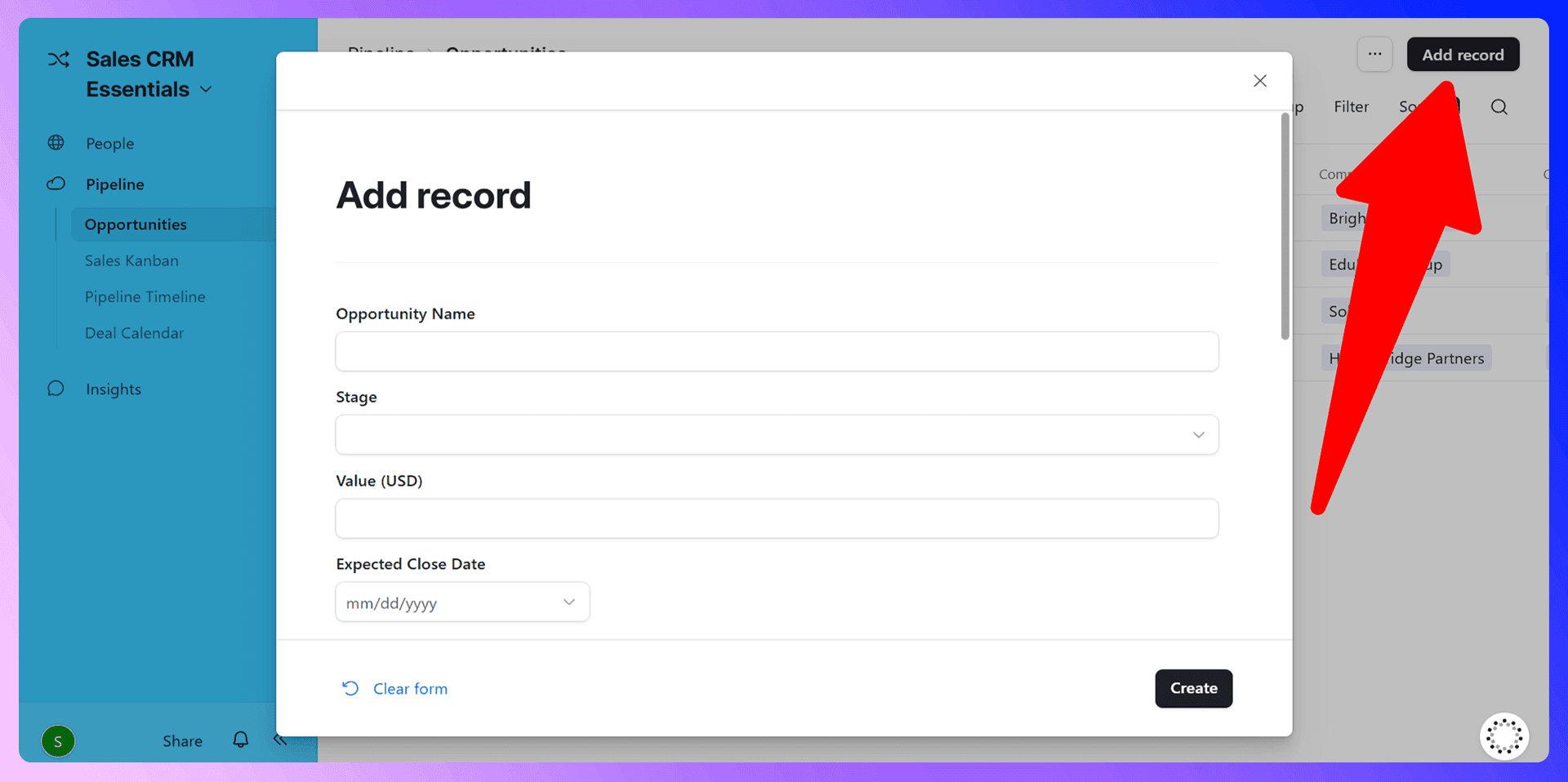
Your "Opportunities" table is where you'll manage your sales pipeline. The most effective way to do this in Airtable is with a Kanban view.
- Create a new single-select field in your Opportunities table called "Stage."
- Add your sales stages as options: "Qualification," "Meeting Scheduled," "Proposal Sent," "Negotiation," "Closed-Won," and "Closed-Lost."
- Create a new "Kanban" view and select the "Stage" field to group your records.
This gives you a visual, drag-and-drop pipeline that clearly shows where every deal stands.
Moving Deals Through Your Pipeline
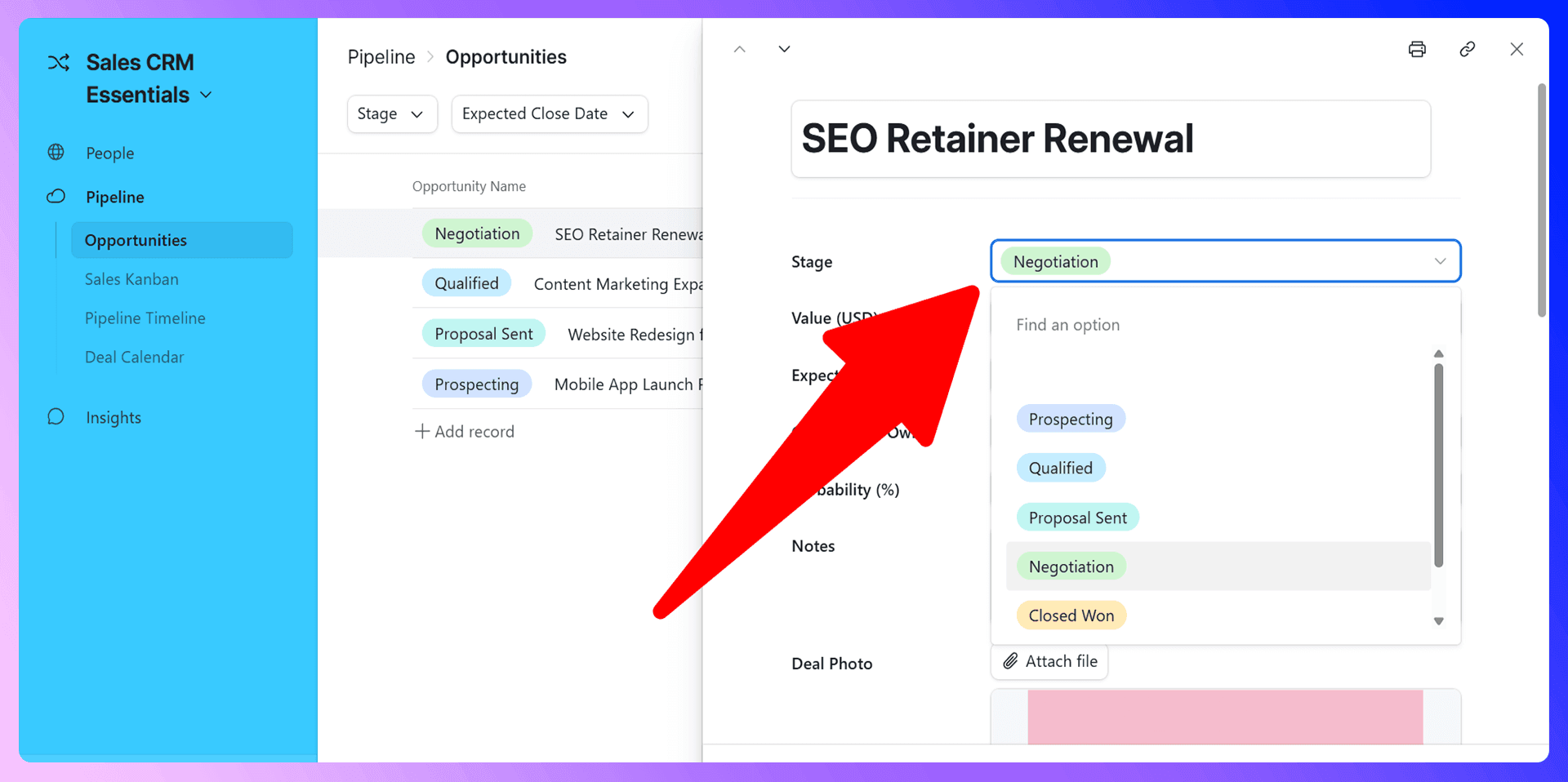
As a deal progresses, you simply drag its card from one column to the next in your Kanban view. This instantly updates the deal's record and ensures your pipeline is always up-to-date. You can also link deals to records in your "Contacts" and "Companies" tables to keep all related information connected.
Pipeline Reporting and Analysis
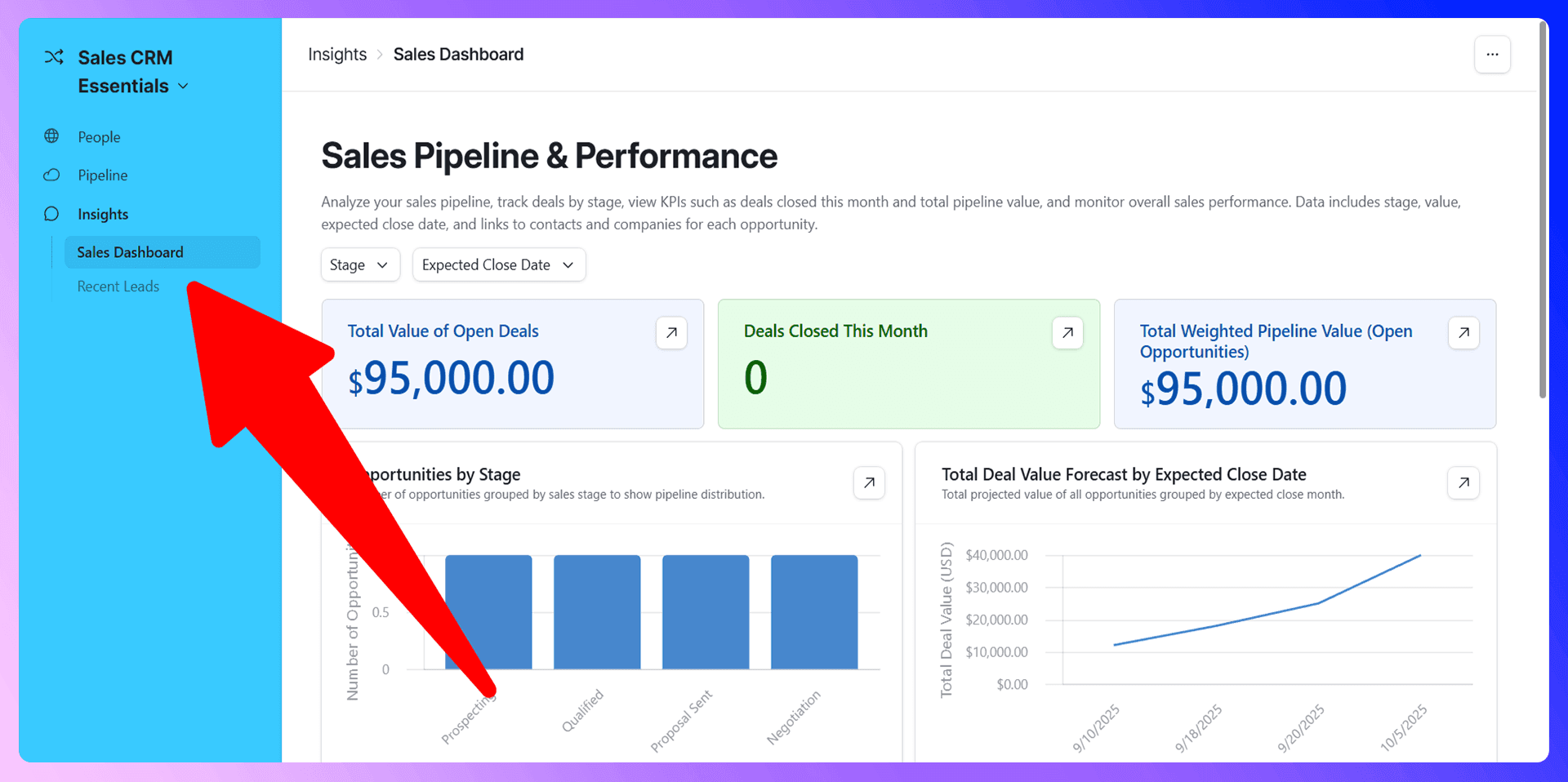
Airtable makes it easy to analyze your pipeline's health. At the bottom of each Kanban column, you can see a summary, such as the total value of deals in that stage. For more advanced insights, use the Interfaces feature to build charts that visualize your sales funnel, win rates, and average deal size.

Find verified emails and enrich Airtable contacts
Add to CRM finds verified emails, phone numbers, and job titles on LinkedIn® — then adds them to Airtable in one click.
Start Free Trial


 Trusted by 2,500+ users4.5
Prospecting and Lead Generation
Traditional Prospecting Methods
The old way of prospecting is painful. You find an interesting prospect on LinkedIn, open a new tab to search for their email address, copy their name, title, and company, and then paste everything into your CRM. This multi-step process is inefficient and a major source of frustration for sales reps.
Modern Prospecting with LinkAir
LinkAir transforms this outdated workflow. Our tool lives right inside your browser. When you're viewing a LinkedIn profile, LinkAir automatically finds verified contact information for that prospect. With one click, all of that data is sent directly to your Airtable base as a new contact.
This isn't just faster—it's smarter. You get accurate, verified data without ever leaving LinkedIn. It's the most efficient way to fill your pipeline with high-quality leads.
Communication and Follow-up
Email Integration and Management
Airtable can connect with your email client, such as Gmail. You can set up automations to send emails directly from Airtable, or use third-party tools to log your email conversations automatically. This keeps all communication history tied to the correct contact record.
Task Management and Reminders
Never miss a follow-up again. Create a "Tasks" table and link it to your contacts and opportunities. Set due dates for each task, assign them to team members, and create a Calendar view to see all upcoming activities at a glance. You can even automate task creation, such as a reminder to follow up three days after sending a proposal.
Call Logging and Communication History
Use a long-text field in your Contacts or Opportunities table to log notes from calls and meetings. By keeping all communication history in one place, anyone on the team can quickly get up to speed on a deal's status, creating a true single source of truth.
Reporting and Analytics
Key Metrics to Track
Your Airtable CRM should be your source for key sales metrics. Track things like:
- New leads generated per week/month
- Lead-to-opportunity conversion rate
- Sales cycle length
- Win/loss rate
- Average deal value
Creating Custom Reports
Use Airtable Interfaces to build a live sales dashboard. Create bar charts for monthly revenue, pie charts for lead sources, and number blocks for your most important KPIs. These dashboards update in real-time, giving you an accurate pulse on your team's performance.
Using Data for Sales Optimization
Don't just track data—use it. Analyze your reports to identify bottlenecks in your sales process. Are deals getting stuck in the negotiation stage? Is one lead source outperforming all others? Use these insights to refine your strategy and optimize your team's performance.
Team Collaboration Features
User Permissions and Access Control
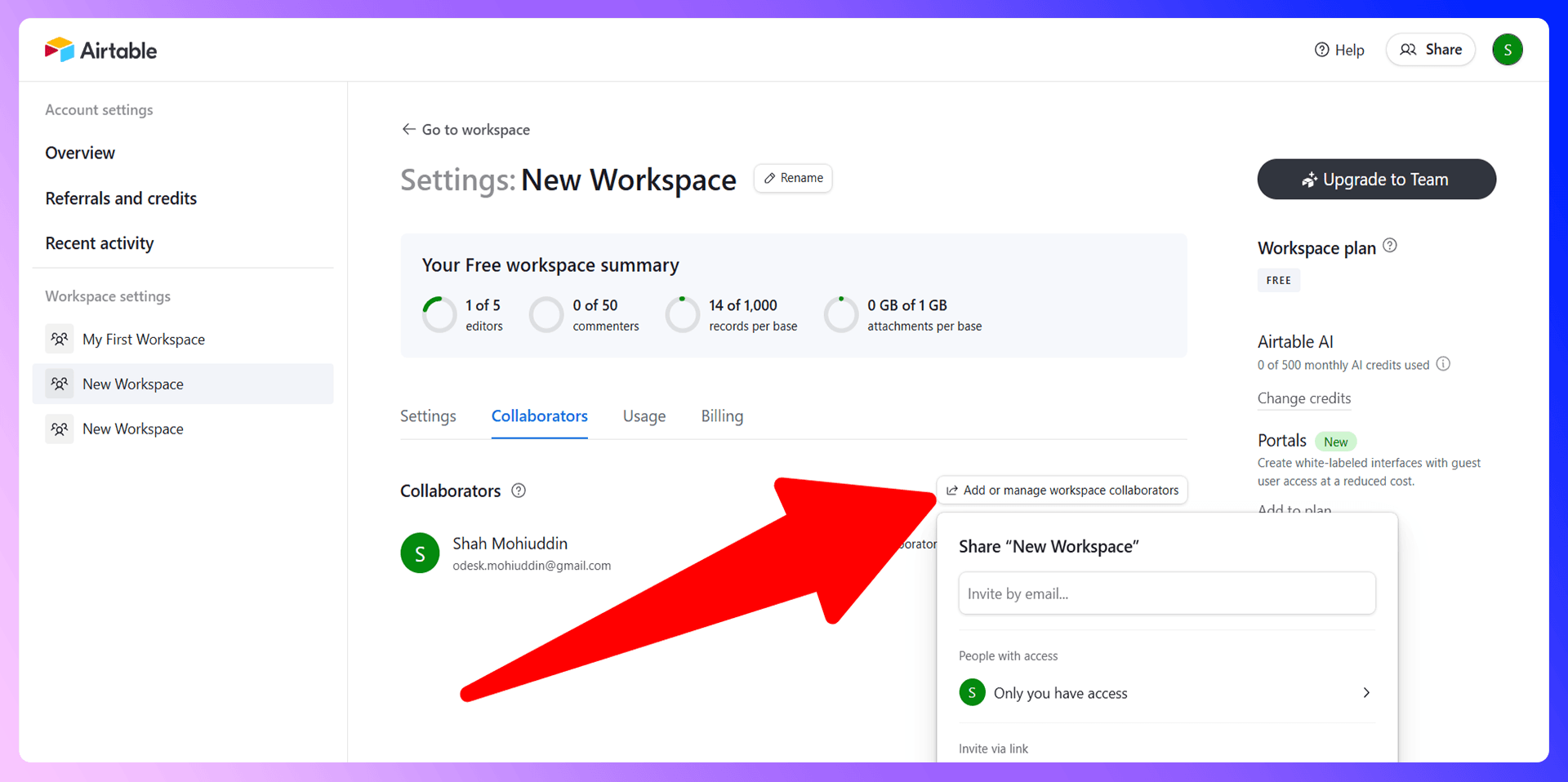
Airtable allows you to set granular permissions for your team. You can give full access to sales managers, editor access to sales reps, and read-only access to stakeholders in other departments. This ensures everyone can see what they need without accidentally altering important data.
Sharing and Collaboration Tools
Collaboration is built into Airtable. You can @mention teammates in comments on a specific deal to ask questions or provide updates. You can also share specific views of your data (like a report on closed deals) with leadership without giving them access to the entire base.
Save hours on Airtable data entry
Add to CRM finds verified emails, phone numbers, and job titles on LinkedIn® — then adds them to Airtable in one click.
Start Free TrialTrusted by 2,500+ users4.5Advanced Features and Integrations
Automation and Workflows
Airtable's automations are a game-changer. You can set up triggers and actions to handle repetitive tasks automatically. For example, you can create an automation that:
- Trigger: When a deal's stage is changed to "Closed-Won."
- Action: Send a notification to your team's Slack channel to celebrate the win.
Third-Party Integrations
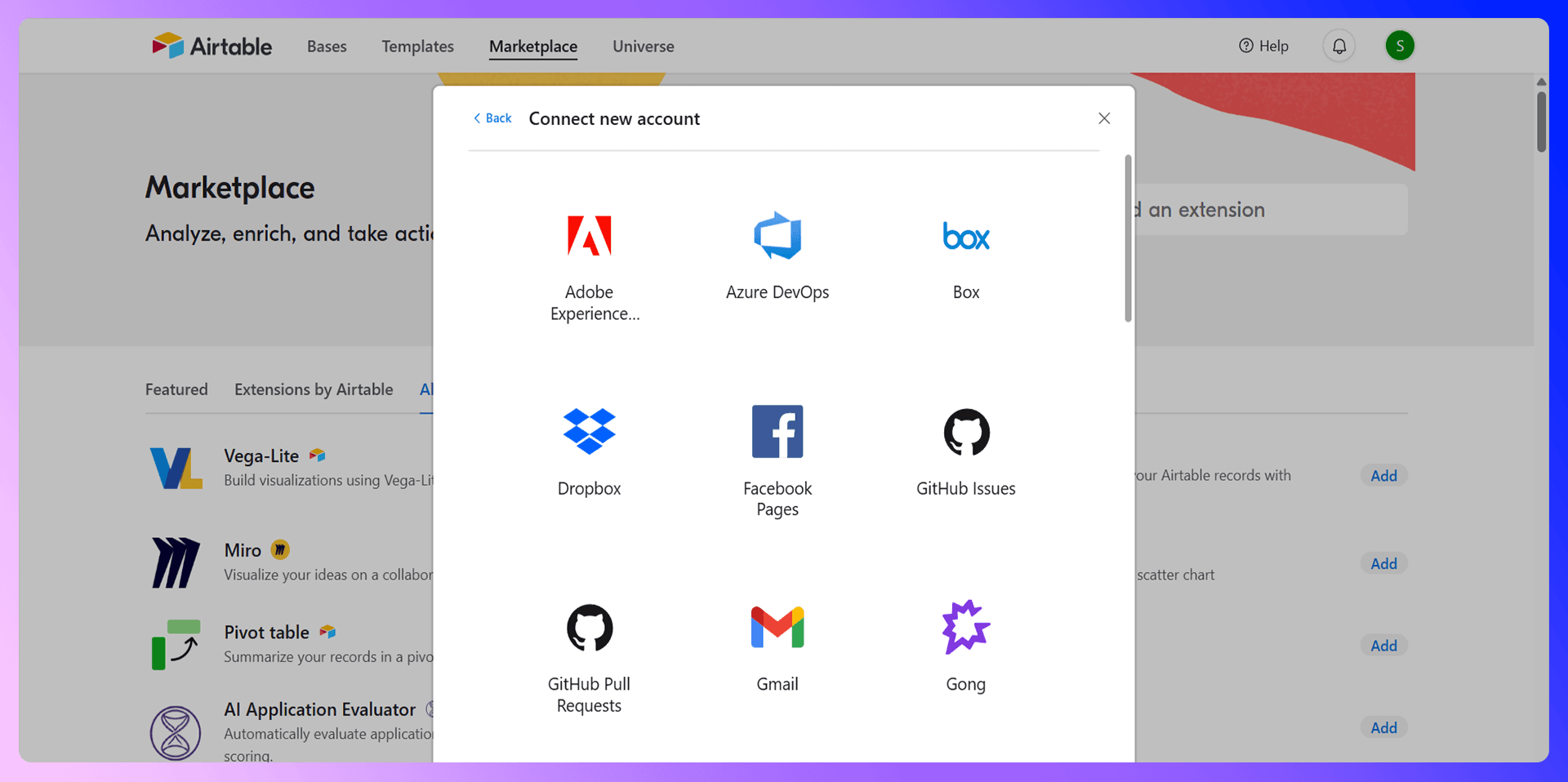
Airtable connects with thousands of other apps through tools like Zapier and Make. This allows you to link your CRM to your marketing platform, accounting software, and more, creating a fully connected tech stack.
Mobile App Usage
The Airtable mobile app lets you access and update your CRM from anywhere. You can look up a contact's details before a meeting or update a deal's status right after a call, ensuring your data is always current.
Best Practices and Common Mistakes
Data Quality Best Practices
Your CRM is only as good as the data inside it. Maintaining clean, accurate data is crucial. The best way to ensure high-quality data is to get it right from the start. Using a tool like LinkAir ensures that contact information is verified and formatted correctly from the moment it enters your system.
Common Mistakes to Avoid
We see teams make a few common mistakes when using Airtable as a CRM:
- Over-complicating it: Start simple and add complexity only when needed.
- Not using linked records: Failing to link contacts, companies, and deals creates data silos.
- Ignoring data hygiene: Letting duplicate or outdated records pile up reduces the CRM's value.
Optimization Tips
To get the most out of Airtable, we recommend you:
- Regularly review and refine your sales stages.
- Create focused views for each sales rep showing only their leads and deals.
- Use forms to standardize how new information is entered into your base.
Conclusion: Maximize Your Sales Success
Airtable offers incredible power and flexibility for building a custom sales CRM. By following this guide, you can create a system that perfectly matches your sales process. But to truly unlock its potential for modern sales teams, you need to solve the prospecting bottleneck.
That's where LinkAir comes in. It makes adding high-quality, verified leads from LinkedIn to Airtable effortless. Ready to stop wasting time on data entry and start closing more deals? Install LinkAir today and transform your Airtable CRM into the ultimate sales machine.
This app will save you hours using Airtable

 Airtable Integration
Add contacts to Airtable from LinkedIn®
Enrich profiles with verified emails and phone numbers. Sync to Airtable in one click.
Try Airtable Extension7-day free trial · Cancel anytime
Save 4+ hrs / week on Airtable data entry.
Find verified contact info for your prospects on LinkedIn®, Gmail, Outlook & company websites. Add them to your Airtable with 1-click.
 Loading...Trusted by 2,500+ founders, SDRs & more