How to Improve Sales Productivity: Practical Tips to Convert
Discover actionable strategies to prioritize tasks, automate workflows, and leverage smart tools to boost sales results.
Improving sales productivity isn’t about working harder—it’s about working smarter. The goal is to get your team laser-focused on revenue-generating activities while cutting down the administrative drag. It's the classic shift from being merely busy to being genuinely productive, where every action pushes a deal closer to the finish line.
Why Your Sales Team Is Busy But Not Productive
Ever look at your team's packed calendars and wonder why the revenue numbers aren’t telling the same story? It’s a painfully common problem. Reps are swamped, but all that activity doesn't translate into closed deals.
This usually happens when salespeople are buried under a mountain of non-selling tasks. We're talking about manual CRM updates, endless internal meetings, and hunting for information. The core of the problem is how they spend their time.
Research consistently shows that sales reps spend only 30% of their day actually selling. The other 70%? It’s eaten up by administrative work that, while maybe necessary, doesn't directly bring in cash. This isn't just inefficient; it's incredibly expensive. Poorly managed leads and lost productivity cost companies at least $1 trillion every single year.
The True Cost of Inefficiency
That lost time creates a nasty ripple effect that washes over the entire sales organization. It’s not just about missed opportunities.
- Missed Quotas: When reps are bogged down, they have less time for what matters—prospecting, following up, and nurturing leads. Naturally, hitting their targets becomes a whole lot harder.
- Poor Data Quality: Manual data entry is a double-edged sword. It's slow, and it's a breeding ground for errors. Bad CRM data leads to flawed forecasts and misguided sales strategies. You can find more details on improving sales team efficiency in our guide.
- Sales Rep Burnout: Feeling constantly busy without seeing results is a recipe for demoralization. It tanks motivation and leads to higher employee turnover, a massive hidden cost for any business.
This guide is a practical playbook for reclaiming that lost time. We’ll walk through how to transform your sales operations by focusing on what actually moves the needle—from prioritizing high-impact activities to using smart tools that finally give your team the freedom to sell.
Prioritize Tasks That Actually Drive Revenue
We’ve all seen it: the rep with a back-to-back calendar who still misses their number. That gap between being busy and being productive is a classic sign that their effort is pointed in the wrong direction. The real key to boosting sales productivity isn't about logging more hours; it's about making sure the hours you do work are spent on activities that directly bring in revenue.
To get there, your team needs to graduate from generic time management tips and build a real framework for separating high-impact work from low-impact busywork. The first step? Getting an honest look at where everyone’s time is really going.
Conduct a Simple Activity Audit
Before you can fix anything, you need a baseline. An activity audit is just a simple process where each rep tracks their daily tasks for one full week. This isn't about micromanagement—it's about gathering cold, hard data to uncover the hidden time sinks that are quietly killing productivity.
Have your reps categorize their time into three simple buckets:
- Revenue-Generating Activities (RGAs): This is anything that involves direct interaction with prospects and customers. Think prospecting calls, running product demos, sending follow-up emails, and negotiating contracts.
- Essential Non-Revenue Activities: These are the necessary tasks that support the sales process but don't close deals themselves. This includes internal team meetings, CRM updates, and prepping for calls.
- Distractions & Low-Value Work: All the stuff that offers little to no return. This could be endless internal chats, scrolling social media, or getting pulled into tasks that have nothing to do with sales.
The diagram below shows the costly domino effect that happens when a rep's day gets clogged with non-revenue tasks. It’s a direct path to wasted time and lost deals.
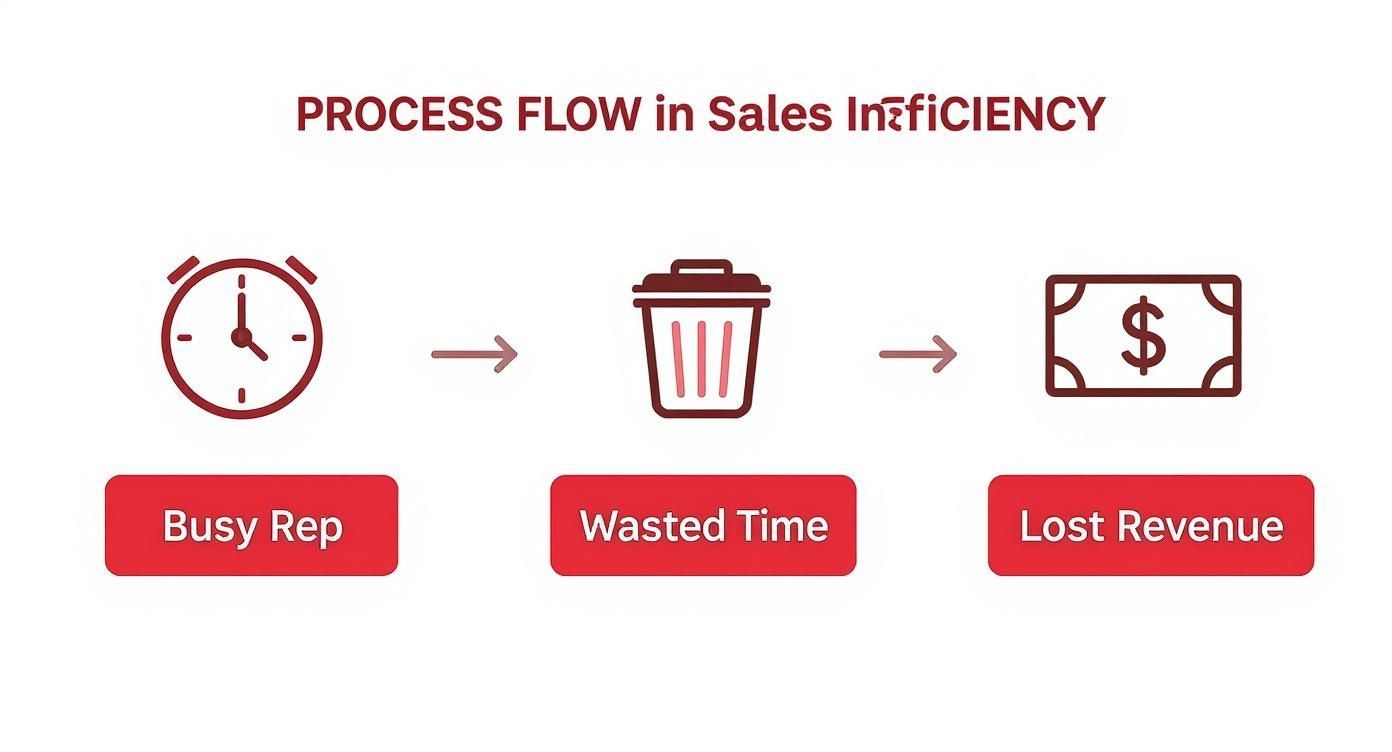
This process makes it painfully clear how a day filled with low-impact tasks funnels valuable time away from actual selling, hitting the bottom line directly.
The High-Impact vs. Low-Impact Sales Activity Matrix
To make this even clearer for your reps, use this matrix to help them quickly spot the difference between tasks that drive revenue and tasks that just fill the day.
| Activity Category | High-Impact Examples (Revenue-Driving) | Low-Impact Examples (Time Sinks) |
|---|---|---|
| Prospecting | Making 50 targeted cold calls to a qualified list | Mindlessly scrolling a professional network for 2 hours |
| Meetings | Running a scheduled product demo for a decision-maker | Attending an internal meeting with no clear agenda |
| Communication | Sending a personalized follow-up video after a demo | Replying to a company-wide email chain |
| Administration | Prepping a custom proposal for a late-stage deal | Manually updating an internal sales spreadsheet |
| Planning | Researching a key account's C-suite before an outreach | Organizing your personal email inbox |
This simple chart isn't about creating rigid rules. It's about building a new mindset. When a rep has two competing tasks, they can use this mental model to quickly decide which one will have a bigger impact on their quota.
By consistently focusing on high-impact activities, reps naturally align their daily efforts with revenue goals. This simple shift ensures the most productive hours of the day are dedicated to work that actually moves deals forward.
Restructure the Week for Maximum Impact
Once your team has a clear sense of what high-value work looks like, you can help them strategically block out their workweek. The goal here is to protect prime selling hours—those golden windows when prospects are most likely to be available and receptive—and reserve them exclusively for revenue-generating activities.
Here’s a practical example of how a rep could structure their week:
- Monday Morning: Instead of getting sucked into a cluttered inbox, this time is for weekly planning and strategic account research.
- Tuesday to Thursday (9 AM - 4 PM): These core hours are blocked off exclusively for RGAs like prospecting calls, demos, and follow-ups. Treat this time as sacred and untouchable.
- Friday Afternoon: This lower-energy time slot is perfect for administrative tasks like CRM cleanup, expense reports, and internal syncs.
This kind of structured approach prevents "admin creep" from taking over the day. It creates a repeatable rhythm where the team’s energy and focus are consistently pointed at what matters most: closing business and hitting quota.

Find verified contact data on LinkedIn®
Add to CRM finds verified emails, phone numbers, and job titles on LinkedIn® — then adds them to your CRM in one click.
Start Free Trial


 Trusted by 2,500+ users4.7
Build a Smarter Prospecting Workflow
Prospecting is the engine of your sales pipeline. When it’s running well, it’s a smooth, consistent source of qualified leads. But when it’s broken? It becomes a manual, soul-crushing grind that burns through time and kills morale. For too many teams, it’s the biggest bottleneck they face.
Building a smarter prospecting workflow isn't about working harder or making more calls. It's about designing a repeatable system that gets your reps in front of the right people, with the right message, at the right time—all while cutting out the wasted motion. It’s a shift from brute force to smart execution.
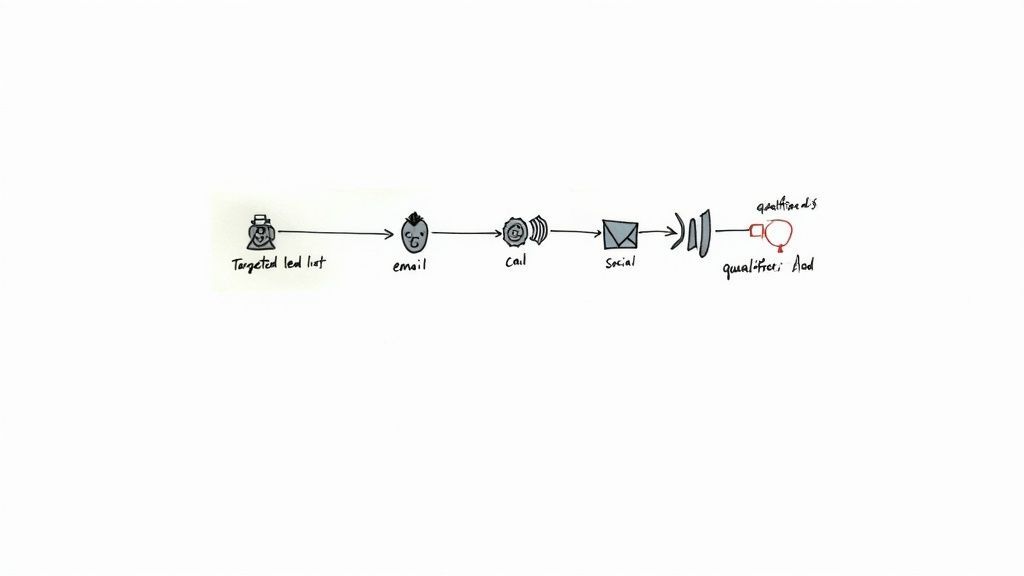
Use Sales Intelligence for Hyper-Targeted Lists
The foundation of any great prospecting motion is the quality of your list. A generic, untargeted list forces reps to waste precious hours on prospects who were never going to buy in the first place. This is where sales intelligence tools completely change the game, giving you the data to build laser-focused lists based on your Ideal Customer Profile (ICP).
Instead of guessing, you can filter prospects by specific criteria that scream "good fit." This ensures your team spends their time engaging people who are actually likely to convert.
Here are a few examples of filters I’ve seen work wonders:
- Firmographic Data: Zero in on companies that match your ideal size, industry, revenue, and location.
- Technographic Data: Target companies using specific tech that’s either complementary or competitive to your own.
- Buying Signals: Look for companies that are hiring for certain roles, just got a round of funding, or are expanding into new markets. These are signs of momentum and budget.
When you start with a highly qualified list, the efficiency of every single email, call, and social touchpoint that follows goes through the roof.
A well-researched prospect list is the ultimate productivity hack. It ensures that every minute spent on outreach is a minute invested in a potential deal, not wasted on a dead end.
Create Multi-Touch Outreach Sequences
In today's crowded market, a single email or cold call just doesn't cut it. It’s naive to think it will. A multi-touch outreach sequence is a planned series of touches across different channels, designed to persistently—but professionally—engage a prospect over time.
This approach acknowledges a simple truth: buyers are busy. A good sequence increases your odds of cutting through the noise by reaching them where they actually hang out, whether that's their inbox, their phone, or a professional social network. In fact, research shows that reps who embrace social selling are 51% more likely to hit their quota. You can dig into more of those sales productivity statistics on flowlu.com.
A balanced sequence blends automation with genuine personalization. The timing and channel can be automated, but the message itself should always feel like it was written just for them.
A Sample 10-Day Outreach Sequence
Think of this as a starting point, not a rigid script. The real magic happens when you adapt the channels and messaging to fit your buyer personas.
| Day | Action | Channel | Pro Tip |
|---|---|---|---|
| Day 1 | Personalized Connection Request & Email | Social + Email | Reference a shared connection, recent company news, or a piece of content they engaged with. Anything but a generic pitch. |
| Day 3 | Follow-Up Email | Don't just "check in." Offer a piece of value, like a relevant case study or a short video explaining a key benefit. | |
| Day 5 | Cold Call & Voicemail | Phone | Keep the call brief and focused on one problem you solve. Leave a clear, concise voicemail that sparks curiosity. |
| Day 7 | Social Media Engagement | Social | Like or comment on a recent post they shared. It’s a low-effort way to stay on their radar without being intrusive. |
| Day 10 | "Breakup" Email | Send a final, friendly email to close the loop gracefully. This often gets a surprising number of replies. |
This kind of structured approach means no lead falls through the cracks. It gives reps a clear playbook, removing the guesswork from their daily grind.
Customize Templates for Speed and Personalization
Templates are a must for scaling outreach, but everyone can spot a generic, copy-paste message from a mile away. Those get deleted instantly. The trick is to create customizable templates that provide a solid framework but leave specific spots for personalization. This gives reps the speed of a template without sacrificing the human touch that actually builds rapport.
Build a library of templates for your different buyer personas and use cases. Your outreach to a VP of Marketing should sound completely different from your message to a Director of Operations.
Here’s how to build templates that actually work:
- Start with a Strong Framework: Create a template for each stage of your sequence (the initial outreach, the value-add follow-up, the final breakup email).
- Use Custom Fields: Insert placeholders like
[First Name],[Company Name], and[Job Title]that your sales engagement platform can fill in automatically. - Include Personalization Prompts: This is key. Add bracketed reminders like
[Reference Recent Achievement]or[Mention Shared Connection]to force reps to add that unique, human touch.
By combining sharp sales intelligence, multi-touch sequences, and smart templates, you can build a true prospecting machine. This system empowers your team to connect with more of the right people in less time, directly fueling your pipeline and driving serious productivity gains.
Automate CRM Data Entry and Administrative Tasks
Want to hear a sales team let out a collective sigh? Just mention "CRM data entry."
It's the one administrative chore that everyone dreads, and for good reason. It’s repetitive, mind-numbing work that pulls reps away from the very activities that drive revenue.
This manual grind isn't just an annoyance; it's a direct tax on sales productivity. Every minute a rep spends copying and pasting details from a prospect's social profile into the CRM is a minute they aren't on a discovery call or running a demo. Over a week, that lost time really adds up, costing reps hours of potential selling time.
The answer isn't to demand more discipline or better compliance. The real solution is to get rid of the task entirely through smart automation. Modern sales tools can finally bridge the gap between where you find prospects and where you manage them, turning a clunky, error-prone process into a single click.
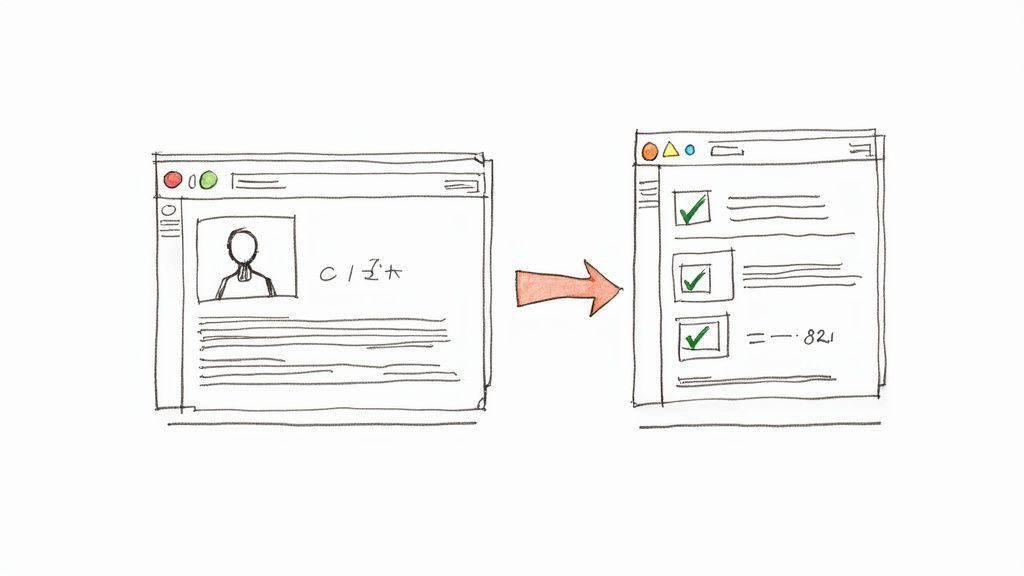
From Prospecting to CRM in a Single Click
Picture this: your top SDR is prospecting online and finds the perfect decision-maker at a target account—say, the Head of Operations at a fast-growing tech company.
The old, painful workflow probably looks something like this:
- Open the CRM in another tab.
- Search to see if the contact already exists.
- Click "Create New Contact."
- Copy and paste the name, title, and company.
- Hunt down their email and phone number, then paste those in, too.
- Finally, create a new deal and link it all together.
That whole song and dance takes anywhere from five to ten minutes per prospect. Worse, it’s a breeding ground for typos and missing details, which leads to junk CRM data that makes accurate forecasting a nightmare.
Now, let's look at the automated workflow. Your SDR finds that same Head of Operations. With a simple browser extension, they click one button. Instantly, the tool grabs the prospect’s full name, verified email, title, company, and more. It checks for duplicates, creates a new contact and deal, and logs the activity—all in about five seconds.
This isn't a small tweak; it's a fundamental shift. Automating data capture hands hours of selling time back to your team each week. It also ensures your CRM becomes a reliable source of truth, not just a messy database of outdated info.
The Dual Benefits of Automated Data Capture
Eliminating manual CRM entry does more than just save time. It kicks off a positive feedback loop that lifts your whole sales operation, boosting both individual performance and strategic oversight.
1. More Productive and Motivated Reps
When you free reps from the drudgery of admin work, they can pour their energy into what they do best: selling.
- More Selling Time: A rep who saves just 30 minutes a day on data entry gets back 2.5 hours of prime selling time every single week.
- Higher Activity Volume: A faster workflow means reps can reach out to more prospects each day, sparking more conversations and building a healthier pipeline.
- Better Morale: Taking a universally hated task off their plate is a huge morale booster and helps prevent burnout.
2. Higher-Quality Data for Better Management
Clean, accurate CRM data is the foundation of any solid sales strategy. Automation guarantees the information flowing into your system is consistent, complete, and correct from the start.
- Accurate Forecasting: With reliable data on new leads and opportunities, sales leaders can build forecasts they can actually trust.
- Meaningful Reporting: Clean data means you can run reports that reveal real insights into your sales process, not just reflect a bunch of data entry mistakes.
- Enhanced Segmentation: Rich, accurate contact and company data allows for much sharper segmentation for targeted marketing campaigns and outreach.
If you're building lists from multiple sources, check out this guide on how to import contacts lists to keep your data clean from the get-go.
By bringing in tools that automate the flow of information, you’re tackling one of the biggest hidden roadblocks to sales productivity. You’re effectively turning administrative dead time back into revenue-generating activity.
4. Measure Productivity with Actionable KPIs
To actually improve sales productivity, you have to move beyond gut feelings. You can’t fix what you can’t see. This means cutting through the noise and focusing on Key Performance Indicators (KPIs) that paint a clear, honest picture of your team's real-world efficiency.
The right data empowers you to make surgical, informed decisions. It's the difference between vaguely telling your team to "work harder" and showing them precisely where a small process change can unlock huge gains.
Moving Beyond Simple Activity Tracking
Counting calls and emails is a starting point, but it's a vanity metric. It doesn't tell the whole story.
Think about it: one rep could make 100 calls and generate zero qualified leads, while another makes 20 highly targeted calls and books five demos. The goal isn't just to measure activity; it’s to measure the impact of that activity. This means shifting from output metrics (like call volume) to outcome-focused KPIs that connect daily actions directly to pipeline health and revenue.
True productivity measurement isn't about watching the clock. It's about tracking the momentum of deals through your pipeline. It reveals the efficiency of your entire sales process, not just the effort of individual reps.
Core KPIs That Actually Drive Productivity
Instead of drowning your team in a dozen different numbers, start with a few powerful KPIs that reveal the most about your sales motion. Most CRMs can track these with basic reporting.
For a deeper dive, our comprehensive guide on how to measure sales productivity offers more advanced strategies.
Essential Sales Productivity KPIs
Track these key metrics for a clear, honest view of your team's efficiency and effectiveness.
| KPI | What It Measures | Why It Matters for Productivity |
|---|---|---|
| Lead Response Time | The average time it takes for a sales rep to follow up with an inbound lead. | A slow response is a notorious deal-killer. This KPI directly reflects your team's urgency and process efficiency. |
| Activities Per Opportunity | How many calls, emails, and meetings it takes to move a deal from one stage to the next. | A high number could indicate an inefficient process or that reps are struggling to communicate value. |
| Pipeline Velocity | How quickly deals move through your entire pipeline, from initial contact to closed-won. | This is arguably the most powerful metric. It combines opportunity count, deal size, and win rate into one number. |
Putting KPIs Into Action: A Real-World Scenario
Let’s see how this works in practice. A sales manager, Sarah, notices her team's overall win rate has dipped despite a high volume of new leads.
She digs into the CRM data and makes a key discovery. The team's average lead response time has crept up to over 24 hours. At the same time, she sees that activities per opportunity in the initial qualification stage have nearly doubled.
The data paints a clear picture: by the time her team follows up, the leads have gone cold. This forces reps into a long, difficult cycle of re-engagement that burns time and loses deals.
Armed with this insight, Sarah implements a simple fix. She sets up an automated alert system that notifies reps of new leads instantly and establishes a team-wide goal of responding within one hour.
The following month, lead response time plummets, qualification rates climb, and the win rate begins to recover. She didn’t tell them to "sell more"; she used data to find and fix the bottleneck.
Works with 29+ CRMs
Add to CRM finds verified emails, phone numbers, and job titles on LinkedIn® — then adds them to your CRM in one click.
Start Free TrialTrusted by 2,500+ users4.7Frequently Asked Questions About Sales Productivity
Even with a solid playbook, you're going to run into questions and roadblocks. It's just part of the process. Tackling these common concerns head-on is what separates a stalled initiative from a real transformation. Here are a few of the big ones I hear from sales leaders all the time.
What Is the First Step to Improve Productivity for a Struggling Team?
Before you buy a single new tool or rewrite a single process, you need to do a time audit. It's the most critical first step because it replaces guesswork with actual data. You have to know where the time is really going before you can fix anything.
Have every rep track their daily activities for one full week. Ask them to categorize everything into simple buckets like "selling" (demos, calls, follow-ups) and "non-selling" (CRM updates, internal meetings, searching for content).
This simple exercise is incredibly revealing. It shines a bright light on the biggest time sinks and gives you a clear, evidence-based starting point.
The results of a time audit are often shocking. It gives you a real baseline for change, making sure you're solving the actual problems, not just the ones you think your team has.
This diagnosis is the foundation for any meaningful plan that will actually help your reps.
How Can I Get My Team to Adopt New Tools Without Resistance?
Adoption comes down to one thing: making their lives easier. Instead of forcing a new tool on them from the top down, you have to show them what's in it for them and get them involved early.
Start with a small pilot program. Grab a few of your more tech-savvy or open-minded reps and let them try it out first. Turn them into your internal champions.
When you roll it out, frame the change as the solution to their biggest headaches. Say something like, "Remember all that CRM data entry you hate? We're bringing in this tool to get rid of it." The entire focus should be on the benefits to them—more time to sell, which means bigger commission checks.
To make it stick, you'll also need:
- Real training, not just a single kickoff call.
- Ongoing support so they don't feel abandoned when they hit a snag.
- Public shout-outs for early wins to build momentum and get everyone else on board.
Which Sales Productivity Metric Is the Most Important to Track?
There are a lot of good metrics out there, but if I had to pick just one, it would be pipeline velocity. It's the single best indicator of your team's overall productivity because it measures how fast deals are moving through your funnel, from the first touch to close.
Think of it as the pulse of your entire sales motion. A high velocity means you have an efficient, healthy process.
This one metric neatly rolls up several other key data points:
- Total number of opportunities
- Average deal size
- Overall win rate
- The length of your sales cycle
When you focus on improving pipeline velocity, you're forced to find and fix bottlenecks at every single stage of the funnel. It makes it a fantastic, all-in-one health check for your team's output. If that number is going up, you know your strategies are working.
Ready to eliminate the biggest time sink for your sales team? Add to CRM is a simple Chrome extension that turns any social media, Gmail, or Outlook profile into a CRM record in a single click. Stop wasting hours on manual data entry and give your team more time to sell. Learn more and get started for free at https://addtocrm.com.
Start saving time and closing more deals.
Find verified contact info for your prospects on LinkedIn®, Gmail and Outlook — and add them to your CRM with 1-click.

 Loading...Trusted by 2,500+ founders, SDRs & more