How to Measure Sales Productivity a Guide
Learn how to measure sales productivity with this practical guide. Move beyond quotas to metrics that drive real revenue and team performance.
Measuring sales productivity isn't just about counting calls and closed deals anymore. It’s a simple framework: define what you want to achieve, pick the right metrics to measure both effort and results, and then build a system that turns that data into actionable coaching insights.
It’s all about getting the absolute most out of the time and resources your team puts in.
What Sales Productivity Really Means Today
The old-school view of sales productivity was painfully simple: bigger numbers meant better performance. More calls, more demos, more deals. While those outputs still matter, of course, relying on them alone gives you a dangerously incomplete picture of your team’s health. It’s like judging a chef only by the number of plates leaving the kitchen, totally ignoring food quality, kitchen efficiency, or if customers are even happy.
True sales productivity today is about how your team achieves its results, not just what they achieve. It’s a blend of efficiency and effectiveness. Are your reps spending their time on the highest-value activities? Is the effort they’re putting in actually translating into a quality pipeline and profitable deals?
Measuring productivity isn't about scorekeeping. It's about creating a feedback loop that helps managers become better coaches and shows reps exactly where they can tweak their process to win more often.
This modern approach moves beyond just tracking activity to answer much smarter, more strategic questions:
- Efficiency: How much effort does it take to get a specific result? (e.g., calls needed to book one meeting)
- Effectiveness: Is that effort focused on the right activities that drive revenue? (e.g., are those meetings with real decision-makers or unqualified leads?)
- Resource Optimization: Are we making the most of our tools, our time, and our budget?
This is the simple, three-part process we use to measure sales performance that actually moves the needle.
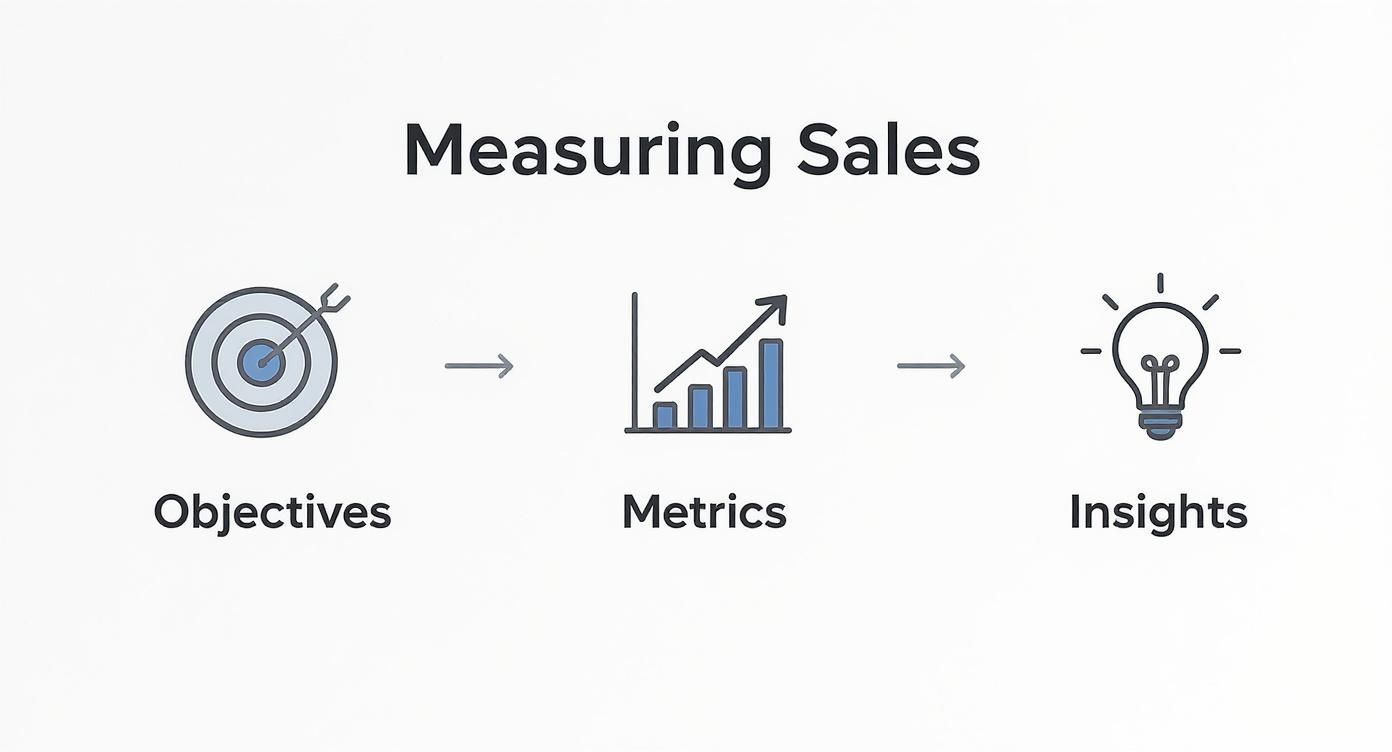
As you can see, a solid measurement system always starts with clear business objectives, flows into choosing the right metrics, and ultimately produces insights that fuel real growth.
Shifting Focus From Volume to Value
Getting this right requires a fundamental shift in thinking. Instead of just pushing for more activity, the goal is to drive more impactful activity.
Think about it this way: a rep who makes 50 highly-targeted calls and books five meetings with qualified buyers is way more productive than a rep who makes 100 random calls and books two meetings with poor-fit prospects. The second rep looks busier, but the first one is delivering far more value to the pipeline.
By learning how to measure sales productivity with a sharp focus on both efficiency and effectiveness, you can spot problems early, figure out what your top performers are doing differently, and build a truly scalable engine for predictable growth. The rest of this guide will walk you through building that exact system, step by step.
Choosing Metrics for a Complete Performance Picture
Measuring sales productivity isn't about tracking every little thing. It's about focusing on the metrics that actually drive results for your business. A manufacturing firm with a nine-month sales cycle needs a completely different dashboard than a SaaS startup chasing high-velocity deals.
The key is building a balanced scorecard. You need to see both the effort going in and the results coming out.
This means tracking a mix of leading indicators (the inputs you can control, like calls or demos booked) and lagging indicators (the outputs, like closed-won revenue). By monitoring both, you get the full story—you can see if today's activities are actually creating tomorrow's revenue.
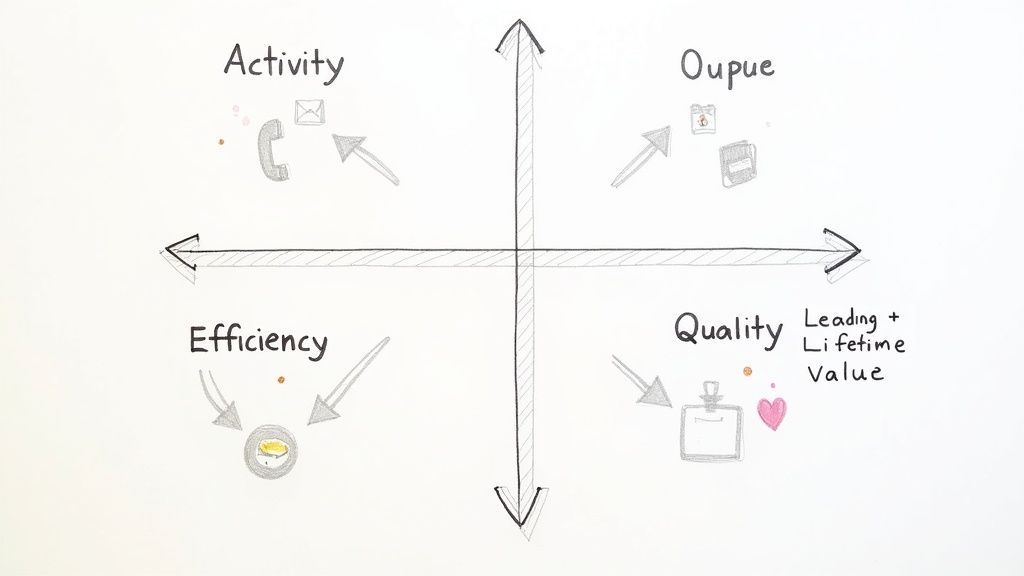
To get this right, we'll break our metrics into four essential categories. Combining them helps you avoid common traps, like rewarding a rep for making hundreds of calls that never turn into qualified meetings.
Activity Metrics: The Daily Grind
Activity metrics track the raw effort your sales team puts in every day. Think of them as the foundational, top-of-funnel actions that get the whole sales process started. While they don't tell the whole story on their own, they're critical for understanding a rep's work ethic and whether they're sticking to the process.
If you aren't tracking activity, it's impossible to diagnose where a pipeline problem begins.
- Calls Made: The total number of dials a rep completes. A simple but effective measure of raw effort.
- Emails Sent: Tracks the volume of outreach, whether it’s a cold sequence or a personal follow-up.
- Meetings Booked: A huge leading indicator. It shows if your initial outreach is actually grabbing people's attention.
- Demos Completed: Measures how many prospects advance to a product demonstration—a vital step in most tech sales cycles.
Just remember, these metrics are easy to track but can be misleading in a vacuum. High activity with low output is a classic sign of a problem with targeting, messaging, or qualification.
Output Metrics: The Bottom Line
These are the classic lagging indicators every sales leader knows and loves. Output metrics measure the ultimate results of all that activity. This is where you see the direct impact on the company's revenue.
While executives care most about these numbers, they happen after all the work is done, which makes them poor tools for real-time coaching.
You can’t manage revenue directly, but you can manage the activities and efficiencies that create it. Output metrics tell you if your management of those inputs is working.
Core output metrics always include:
- Deals Closed/Won: The final count of new customers brought on board.
- Total Revenue: The total dollar amount generated from all those closed-won deals.
- Quota Attainment: The percentage of your team hitting or exceeding their sales targets. A study even found that 75% of companies see quota attainment climb after implementing a formal sales enablement process, proving the link between solid inputs and winning outputs.
Efficiency Metrics: Doing More With Less
This is where the real magic happens. Efficiency metrics connect activity to output, revealing how effectively your team turns effort into actual results. A highly efficient team closes more business with less wasted motion.
Improving efficiency is often the fastest way to scale revenue without just throwing more bodies at the problem. For a hands-on look, you can plug your own numbers into a sales team productivity calculator to see how small tweaks here can have a massive impact on your bottom line.
Key efficiency metrics to keep an eye on:
- Lead Response Time: How long it takes a rep to follow up with a new inbound lead. Speed kills the competition here; faster response times consistently lead to higher conversion rates.
- Conversion Rate by Stage: The percentage of deals that move from one pipeline stage to the next (e.g., Discovery to Demo). This is your best tool for finding exactly where deals are getting stuck.
- Sales Cycle Length: The average time it takes to close a deal, from first touch to signed contract. Shorter cycles mean revenue lands in the bank faster.
Here’s a real-world example: Imagine two reps both book 10 demos (Activity) and close $20,000 in revenue (Output). On paper, they look identical.
But what if you knew Rep A needed just 50 calls to book those demos, while Rep B needed 200 calls? Suddenly, you see that Rep A is four times more efficient at prospecting. Now that's a coachable insight.
Quality Metrics: Driving Sustainable Growth
The final piece of the puzzle is quality. It’s not enough to close a high volume of deals efficiently if those deals aren't profitable or they churn out in three months. Quality metrics make sure your team isn't just chasing any deal, but the right deals.
Ignoring these can lead to high customer churn and a sales team that hits quota but hurts the company's long-term health.
Metrics that define deal quality include:
- Average Deal Size: The average revenue per closed deal. Pushing this number up is a powerful lever for growth.
- Customer Lifetime Value (CLV): A forecast of the total net profit you can expect from a customer over the entire relationship.
- Customer Acquisition Cost (CAC) Ratio: This compares how much you spent to acquire a customer to the value they bring in. A healthy ratio proves your sales engine is actually profitable.
Now, let's pull it all together. Here’s a quick breakdown of essential metrics across these four categories, giving you a holistic view of your sales performance.
Key Sales Productivity Metrics by Category
| Metric Category | Metric Example | What It Measures |
|---|---|---|
| Activity | Calls Made / Emails Sent | The raw volume of prospecting and outreach effort. |
| Output | Deals Closed / Revenue Won | The final results and bottom-line impact of sales activities. |
| Efficiency | Conversion Rate by Stage | How effectively reps turn effort into pipeline progression. |
| Quality | Average Deal Size / CLV | The long-term value and profitability of the deals being closed. |
By building a dashboard that pulls metrics from all four of these buckets, you move beyond simple activity tracking. You create a complete, actionable view of performance that lets you spot trends, coach your team effectively, and build a truly predictable revenue engine.

Find verified contact data on LinkedIn®
Add to CRM finds verified emails, phone numbers, and job titles on LinkedIn® — then adds them to your CRM in one click.
Start Free Trial


 Trusted by 2,500+ users4.7
Building Your Single Source of Sales Truth
Okay, you’ve picked your metrics. Now for the hard part: actually gathering the data.
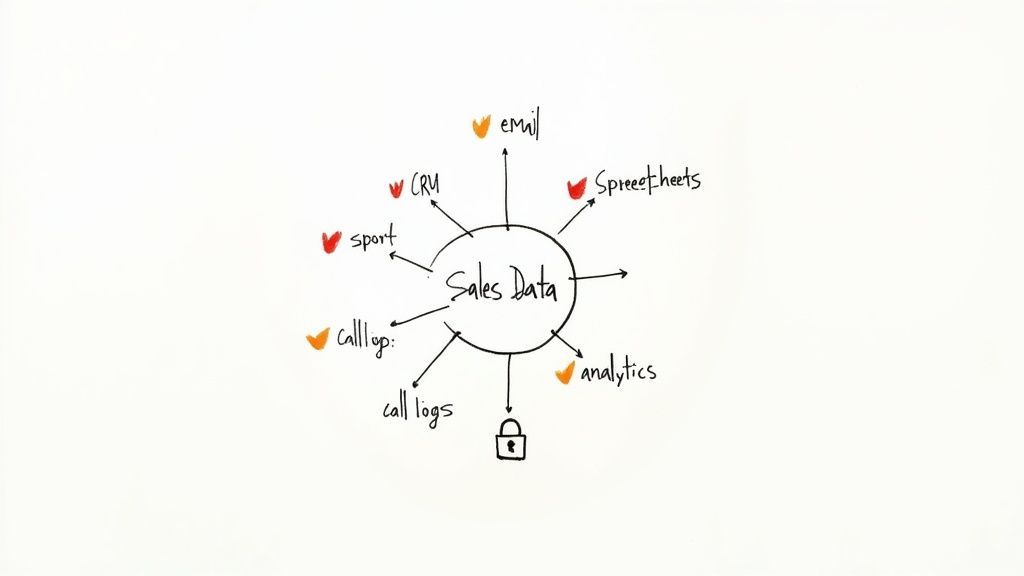
Your sales data is probably scattered everywhere—your CRM, email client, outreach tool, and a dozen forgotten spreadsheets. Trying to measure productivity when your numbers live in different zip codes is a recipe for disaster. To get a real handle on performance, you have to bring it all home to one central, reliable hub.
This isn't just a technical exercise; it's about building trust. When your team and your boss can look at the same dashboard and know the numbers are solid, you kill the pointless debates over whose data is “right” and can finally focus on what matters.
Identifying Your Core Data Sources
So where does all this key sales data actually live? For most modern teams, you’re looking at a handful of critical systems. The goal is to connect these dots so data flows between them automatically, cutting down on the soul-crushing manual entry that leads to so many mistakes.
Your primary sources will almost always include:
- Customer Relationship Management (CRM) System: This is the heart of your sales universe. All your deal info, pipeline stages, contact details, and revenue numbers should live here. Getting your CRM in order is so fundamental that we wrote a whole guide on how to use CRMs to make it your team's most powerful asset.
Overcoming Data Silos and Inconsistencies
Just knowing where the data is doesn't mean you can easily pull it all together. The two biggest roadblocks you'll face are data silos (where info is trapped in one tool) and maddeningly inconsistent formatting.
Ever seen a rep log a company as "Acme Inc." in the CRM but "Acme Corporation" in their outreach tool? Good luck rolling up their activity accurately.
A single source of truth isn't a piece of software; it's a commitment to data hygiene and process. Your dashboard is only as reliable as the data that feeds it.
To fix this, you need to establish some non-negotiable rules for data governance. This means creating a standard operating procedure for data entry that every single person on the team follows, no exceptions.
Here’s a practical way to start standardizing your data:
- Define Required CRM Fields: Make critical fields like “Lead Source” or “Industry” mandatory. No new record gets created without them. This is how you ensure you can slice and dice your data for deeper analysis later.
- Automate Data Entry: Use every tool at your disposal to log activities automatically. Connect email and calendars to your CRM so every sent message and booked meeting is captured without anyone lifting a finger. It saves a massive amount of time and is way more accurate.
- Establish Naming Conventions: Create painfully clear rules for how to name accounts, deals, and contacts. It seems small, but simple rules like this prevent the duplicate records that fragment your data and throw your metrics way off.
- Regularly Clean Your Data: Schedule a quarterly "data cleanup day." Audit your CRM for duplicates, incomplete records, and stale information. A clean database is the foundation of everything.
By centralizing and cleaning up your data, you’re building a rock-solid system. This foundation lets you move from just collecting numbers to actually using them to coach your team, make smarter decisions, and drive real growth.
Designing Dashboards That Drive Action
Getting your data clean and centralized is a huge win, but let's be honest—raw numbers on a spreadsheet don't inspire anyone to change their behavior. Data is just noise until you turn it into a clear, visual story. That's where a well-designed sales dashboard comes in. It transforms complex metrics into at-a-glance insights that actually guide decisions, instead of causing confusion.
The goal isn't just to display data; it's to build a tool your team will actually use. A great dashboard helps managers spot coaching opportunities in seconds and gives reps the power to see how they're tracking in real-time, without waiting for a weekly 1:1.
Tailoring Dashboards for Different Audiences
One of the biggest mistakes I see teams make is creating a single, cluttered dashboard for everyone. An executive, a sales manager, and an individual rep all look at performance through completely different lenses. To be effective, you have to tailor the view to the user.
Your Customer Relationship Management (CRM) system is the engine that makes this possible. The data speaks for itself: 94% of businesses see productivity jump after adopting a CRM, leading to a 29% rise in sales revenue and a 34% boost in sales productivity. You can dig into more of these sales statistics on Spotio.
A good CRM lets you build specific views for each role:
For the Executive (The 50,000-Foot View): Leaders need high-level summaries to see the forest, not the trees. Their dashboard should focus on lagging indicators and major business trends.
- Key Metrics: Total revenue vs. target, pipeline health by stage, average deal size, and customer acquisition cost (CAC).
- Visualization: Think simple bar charts for quota attainment, a funnel visualization for pipeline velocity, and line graphs showing trends over time.
For the Sales Manager (The 10,000-Foot View): Managers need to see team performance to know who needs help and which strategies are paying off. Their view blends team-wide outputs with individual rep metrics.
- Key Metrics: Team quota attainment, lead response time, conversion rates by rep, and activity leaderboards (calls, meetings booked).
- Visualization: Use stacked bar charts to compare rep performance, heat maps to show activity levels, and tables that can be filtered by individual team members.
For the Sales Rep (The On-the-Ground View): Reps need a personal scorecard. It should tell them exactly where they stand and what they need to do today to hit their goals. This dashboard is all about leading indicators and personal progress.
- Key Metrics: Personal activity goals (calls made, emails sent), meetings booked this week, open pipeline value, and conversion rate from demo to proposal.
- Visualization: Gauges showing progress toward a monthly quota are perfect here, along with simple to-do lists and a personal pipeline view they can easily manage.
Best Practices for Visualizations That Work
How you display your data is just as important as the data itself. The right chart can reveal a trend in seconds, while the wrong one can make simple numbers impossible to decipher.
Your dashboard should answer questions, not create them. If someone has to spend more than a few seconds figuring out what a chart means, the design has failed.
Here are a few core principles I stick to for creating clear, actionable visuals:
Choose the Right Chart for the Job: Don't just default to a pie chart for everything (please!).
- Bar Charts are perfect for comparing distinct categories, like revenue per rep.
- Line Charts are the best way to show trends over time, like monthly recurring revenue (MRR) growth.
- Funnel Charts are a no-brainer for visualizing conversion rates through the sales pipeline.
- Gauges and Scorecards give a quick, satisfying snapshot of progress against a specific goal, like a rep's quota.
Keep It Simple and Uncluttered: White space is your friend. Avoid cramming too much information into one screen. Use clear labels, consistent colors, and get rid of any visual noise that doesn't add value. A clean layout makes the important stuff pop.
Make It Interactive with Filters: The most useful dashboards let people dig deeper. Add filters that allow users to slice the data by date range, team, product line, or lead source. This turns a static report into a dynamic tool for analysis.
Real-World Scenario: Spotting a Coaching Opportunity
Imagine a sales manager glances at the team dashboard. A bar chart clearly shows that one rep, Sarah, has the highest activity on the team—more calls and emails than anyone else—but the lowest number of meetings booked.
Without a good dashboard, this might fly under the radar for weeks. But with a clean visualization, the manager sees the disconnect instantly. They can filter the dashboard to Sarah's performance and see that her "discovery call-to-meeting booked" rate is only 5%, while the team average is 20%.
That's a perfect, data-driven coaching moment. The manager can now sit down with Sarah, listen to a few of her call recordings, and help refine her pitch—all because the dashboard made the problem impossible to ignore. This is what measuring sales productivity should be about: driving meaningful action.
Putting Your Productivity Measurement on Autopilot
Manual reporting is the ultimate productivity killer. Seriously. Asking your sales team to stop selling so they can fill out spreadsheets about their selling is a fundamentally broken process.
The goal is to make data collection completely invisible. It should just happen in the background, freeing up your team to focus on what they're paid to do—building relationships and closing deals. Technology, when set up right, is what gets you there.
Automating your measurement process means your tech stack captures performance data without anyone having to lift a finger. This isn't just about saving time; it's about getting accurate, real-time data that isn't skewed by memory lapses or rushed, end-of-the-week data entry. When data flows automatically from your tools to your dashboards, you get a consistently clear picture of what's happening on the ground.
Setting Up Automated Data Capture in Your CRM
Your CRM should be the central nervous system of your sales operation, and its greatest strength is automation. The first step—and it's a big one—is to connect all your communication tools directly to it. By integrating your email, calendar, and calling software, every single interaction gets logged automatically.
This simple move has a massive impact:
- Emails Sent & Received: Every message is automatically attached to the correct contact or deal record. No more BCC'ing a mysterious CRM address.
- Meetings Booked: Calendar invites and scheduled demos show up in the CRM the moment they're created.
- Calls Made: Call logs, recordings, and outcomes are captured without anyone touching a keyboard.
This instantly solves the "I forgot to log it" problem and ensures your activity metrics are 100% accurate. It also gives managers a rich, complete history of every interaction when they're reviewing the pipeline.
The Rise of AI in Modern Sales Productivity
Automation handles the what, but Artificial Intelligence (AI) is starting to answer the why and the what's next. AI tools can analyze mountains of sales data to spot patterns a human manager might miss, making them a powerful ally in the quest for peak productivity.
In fact, AI is set to completely reshape how sales teams operate. Most reps spend only about 25% of their day actively selling; AI can potentially double this by taking over repetitive tasks like data entry and lead qualification. The impact on results is just as significant, with the potential to boost win rates by over 30%. You can dig into more insights on AI’s impact on sales productivity at Bain.com.
AI doesn't replace great salespeople; it gives them superpowers. By highlighting which deals are most likely to close, flagging at-risk accounts, and suggesting the next best action, AI acts as a co-pilot for your entire team.
The right technology doesn't just make reps faster; it makes them smarter, guiding their efforts toward the activities that actually move the needle.
| Impact of Technology on Sales Productivity | | :--- | :--- | :--- | | Technology | Productivity Impact | Key Metric Improved | | CRM Automation | Reduces manual data entry by 3-5 hours per rep per week. | Activity Volume (Calls, Emails) | | AI-Powered Lead Scoring | Focuses effort on high-probability leads, increasing conversion. | Lead-to-Opportunity Rate | | Sales Engagement Platforms | Automates follow-up sequences, ensuring consistent outreach. | Pipeline Velocity | | Conversation Intelligence | Analyzes call recordings to provide targeted coaching insights. | Win Rate / Deal Size | | Data Enrichment Tools | Automatically populates contact and company data, saving research time. | Time Spent on Prospecting |
By integrating these tools, you create a system where technology handles the grunt work, leaving your reps free to focus on high-value, human-centric tasks.
Overcoming Common Adoption Challenges
Implementing new tech is one thing; getting your team to actually use it is another. Resistance often comes from a place of fear—fear of being micromanaged, fear of change, or just plain frustration with a clunky new tool.
To get your team on board, you have to frame automation as a benefit to them.
- Emphasize "Time Back": Position new tools as a way to eliminate their most hated administrative tasks. "This tool will save you three hours a week on data entry" is a much better pitch than "This tool will help me track your calls."
- Ensure Data Governance: Be transparent about what you’re tracking and why. Establish clear rules for how data is used to avoid the perception of a "big brother" watching over their shoulder. The goal is coaching, not catching people making mistakes.
- Provide Top-Notch Training: Don't just throw a new tool at your team and hope for the best. Provide hands-on training and ongoing support. The easier it is for them to use the tech, the more likely they are to embrace it.
Ultimately, a smart, data-driven workflow isn't about surveillance. It's about creating a system where technology handles the tedious work, allowing your talented sales professionals to focus on the human elements of selling that truly drive revenue.
Works with 29+ CRMs
Add to CRM finds verified emails, phone numbers, and job titles on LinkedIn® — then adds them to your CRM in one click.
Start Free TrialTrusted by 2,500+ users4.7How the Right Tech Stack Multiplies Sales Efficiency
Your tech stack is a massive force multiplier. It’s often the biggest difference between a sales team that actually sells all day and one that’s stuck doing busywork. The right tools give you the leverage to get better results from the same amount of effort.
This isn't just a hunch; the data is crystal clear. Salesforce's State of Sales report found that high-performing sales teams use nearly three times more sales technology than their underperforming peers.
That's a direct line between tooling and results. Marketing automation can bump sales productivity by 14.5%, and a well-used CRM can shorten sales cycles by 8-14%. You can see even more stats on how tech boosts sales results at Salesgenie.
Selecting Tools That Solve Real Problems
The goal is to build a tech stack that removes friction, not one that just adds another subscription to the budget. Before you buy another tool, just ask your team: Where’s the drag? Are they drowning in manual data entry? Wasting time hunting for the right follow-up content?
Your tech stack should serve your process, not the other way around. Solve your team's biggest real-world bottlenecks first, and you'll see the fastest return.
A solid, strategic stack usually boils down to a few core pieces:
- A Solid CRM: This is your foundation. It’s the non-negotiable hub for tracking every deal and customer interaction.
- Sales Engagement Platforms: These tools put outreach and follow-ups on autopilot, making sure your communication is consistent without all the manual clicking.
- Prospecting Tools: Finding verified contact info is a huge time-suck. A solution like Add to CRM can slash research time and get reps back to selling. You can learn more about streamlining your process in our guide on achieving efficiency in sales and average deal size don't change overnight. A quarterly review is perfect for checking in on your long-term strategy and overall profitability.
What's the Difference Between Productivity and Effectiveness?
People throw these terms around as if they're the same thing, but they measure two completely different sides of the coin. Getting this right is critical.
Sales productivity is all about efficiency. It’s the "how much." It looks at the volume of work and the resources used to get there. Think calls per day, proposals sent, or deals closed per quarter.
Sales effectiveness, on the other hand, measures the quality and impact of that work. It’s the "how well." This is where you look at outcomes like win rate, average deal size, and whether you're even talking to the right customers in the first place.
A rep can be incredibly productive, making 100 calls a day, but totally ineffective if none of those calls ever convert to a real meeting. You absolutely need to measure both to get the full story.
How Do We Measure a Remote or Hybrid Sales Team?
When your team is spread out, you can't rely on just walking the sales floor. Measuring a remote team means leaning more heavily on the data from your tech stack. Your CRM, calling software, and outreach tools become your source of truth.
The key is to focus on output and efficiency metrics over raw activity. Simple call counts don't tell you much. Instead, zero in on things like:
- Pipeline velocity
- Conversion rates at each stage
- Lead response time
- Quota attainment
It's also crucial to remember that data alone isn't enough. You have to pair this quantitative insight with regular one-on-one coaching sessions. Those qualitative check-ins are where you uncover the "why" behind the numbers and provide the support your team needs to succeed from anywhere.
Stop wasting hours on manual data entry and start selling smarter. Add to CRM eliminates copy-paste by turning any professional profile or email signature into a clean CRM record in one click. Start your 7-day free trial at addtocrm.com.
Start saving time and closing more deals.
Find verified contact info for your prospects on LinkedIn®, Gmail and Outlook — and add them to your CRM with 1-click.

 Loading...Trusted by 2,500+ founders, SDRs & more