Outbound Lead Generation Guide: Build a Proactive Pipeline
Take control with outbound lead generation using targeted emails, smart social outreach, and strategic calls. See how preparation focuses your efforts.
Outbound lead generation is pretty straightforward: instead of waiting for customers to find you, you proactively go out and find them. It's about using targeted emails, smart social media outreach, and strategic calls to build a sales pipeline on your own terms. You’re not just hoping for growth; you’re taking direct control of it by engaging the exact market you want to serve.
Building Your Outbound Foundation
Before you even think about writing an email or dialing a number, the real work begins. The most successful outbound campaigns are won or lost in the preparation phase. Skipping this is like setting sail without a map—you’ll be busy, sure, but you won't end up anywhere you intended.
The entire goal here is to get laser-focused on who you're targeting. This ensures every ounce of effort is spent on prospects who can actually get value from what you're selling. This initial groundwork is what separates the top-performing teams from the ones who are constantly complaining about low reply rates. It’s a shift from "spray and pray" to a surgical, intelligence-driven approach.
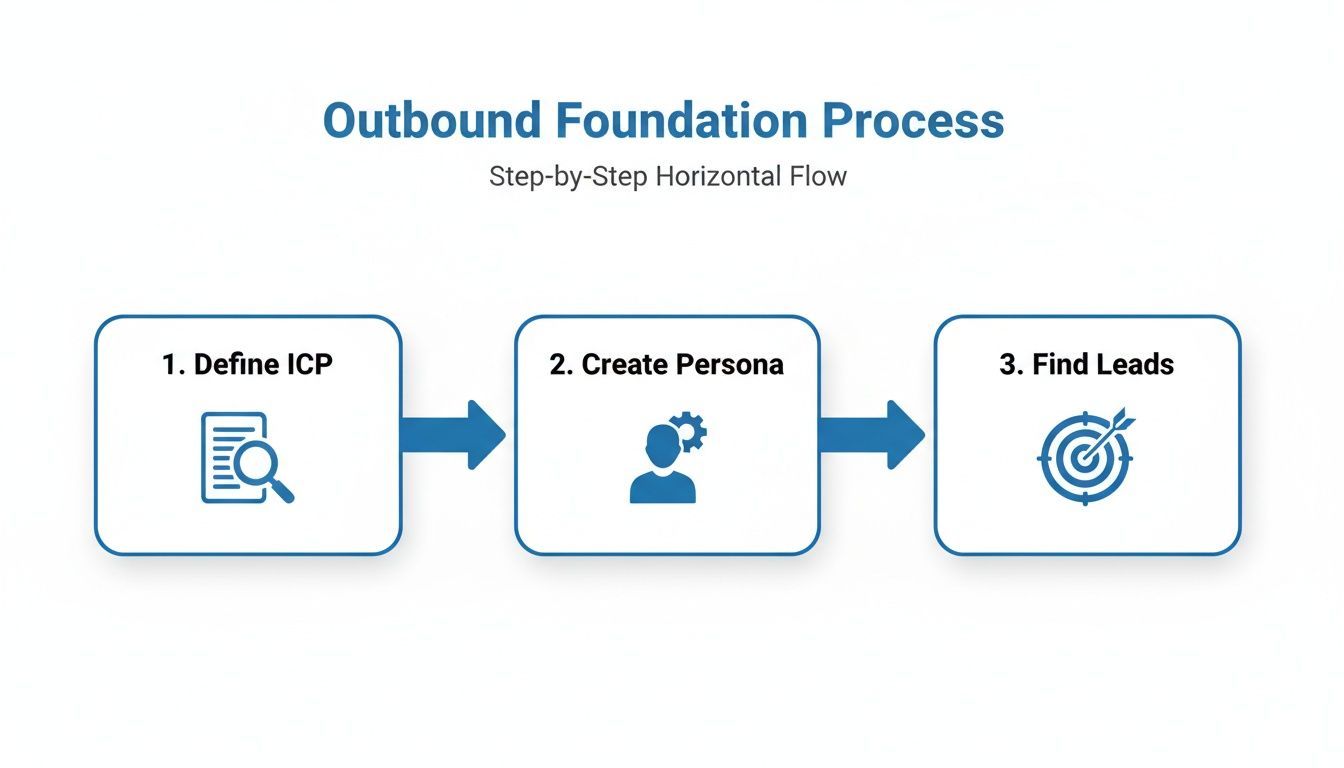
This process ensures that every lead you chase is strategically aligned with your business goals from the start.
Defining Your Ideal Customer Profile
Your Ideal Customer Profile (or ICP) is a hyper-specific description of the perfect company for your product—not an individual person. Think of it as a blueprint for the accounts most likely to buy from you, stick around, and become your biggest fans. To get this right, you have to look at your existing customers first.
Who are your absolute best customers right now? I'm talking about the ones who got value quickly, have the highest lifetime value, and are always willing to give you a glowing testimonial. Find them, and then find the common threads.
Look for patterns across these attributes:
- Firmographics: What industries are they in? What’s their typical company size, annual revenue, or geographic location?
- Technographics: What other tools are they using? Is there a piece of software that makes your solution a no-brainer for them?
- Buying Triggers: What usually happens right before they need a solution like yours? Maybe it's a new funding round, hiring for a specific role, or expanding into a new market.
Once you document these traits, you'll have a clear, data-backed definition of your target accounts. This ICP becomes the ultimate filter for all your prospecting efforts.
Key Takeaway: Your ICP isn't a guess; it's a data-driven hypothesis based on your most successful customers. A sharp ICP ensures your sales team wastes zero time on accounts that will never close.
Crafting Buyer Personas for Real People
Okay, so the ICP defines the company you’re after. Buyer personas, on the other hand, represent the actual people inside those companies you'll be reaching out to. These are semi-fictional profiles of the decision-makers and influencers you need to win over.
A solid persona goes way beyond a job title. It gets into the human stuff:
- Role and Responsibilities: What does their day-to-day actually look like? What are they responsible for getting done?
- Goals and Motivations: What does success look like for them in their role? What are they trying to achieve professionally?
- Pain Points and Challenges: What’s getting in their way? What keeps them up at night or frustrates them at work?
For example, a "Marketing Manager" persona might be pulling their hair out trying to prove campaign ROI, while a "Head of Sales" persona is obsessed with hitting the quarterly revenue target. Understanding these different drivers allows you to craft messaging that truly connects. This is critical because even in 2025, outbound is a B2B powerhouse, driving 60% of all marketing leads. That statistic alone shows why knowing your buyer inside and out is more important than ever.
To clarify how these two concepts work together, here's a quick breakdown.
ICP vs Buyer Persona Key Differences
This table shows how the Ideal Customer Profile and Buyer Persona serve different but complementary roles in your outbound strategy.
| Attribute | Ideal Customer Profile (ICP) | Buyer Persona |
|---|---|---|
| Focus | The perfect company to sell to. | The key people within that company. |
| Level | Account-level (organizational). | Contact-level (individual). |
| Data Points | Firmographics (industry, size, revenue), technographics. | Demographics, goals, pain points, responsibilities. |
| Purpose | To identify and qualify the right target accounts. | To craft personalized and relevant outreach messages. |
| Example | "Mid-market SaaS companies in North America with 50-250 employees using HubSpot." | "Sarah, the 35-year-old Marketing Director struggling to prove ROI." |
Using both an ICP and personas ensures you’re not only targeting the right companies but also speaking the right language to the people who matter.
Finally, don't forget to create a negative persona. This is a profile of who you absolutely don't want as a customer. Maybe it’s companies that are too small, in the wrong industry, or those who always churn after a few months. This helps your team quickly disqualify bad-fit leads and focus their energy where it really counts. For a deeper look at these core concepts, check out our guide on what is outbound sales.
Finding and Enriching High-Quality Prospects
Once you've locked in your Ideal Customer Profile, the hunt begins. The real challenge is finding those exact prospects out in the wild. This is where modern outbound moves beyond tedious manual searches and into a far more efficient, tech-driven approach. Your goal isn't just to find people—it's to find the right people and get accurate data on them without spending your entire day copy-pasting.
This stage is all about building hyper-targeted, high-quality lists from reliable sources. It's also where you dodge the classic "garbage in, garbage out" data problem that kills so many sales campaigns before they even launch. Clean, actionable data is the fuel for your entire outbound engine.
Where to Source Your Ideal Prospects
Forget casting a wide, generic net. Your ICP is your treasure map, pointing you directly to the online watering holes where your best-fit customers hang out. Today’s top prospectors don't scour the entire internet; they focus their energy on a few high-value platforms.
Professional social networks are the undisputed champions here. Their advanced filters let you slice and dice millions of profiles by job title, industry, company size, and even seniority. This makes it incredibly easy to build a preliminary list of individuals who perfectly match your buyer personas at your target accounts.
But don't stop there. Consider these other goldmines:
- Industry-Specific Databases: Niche directories often contain highly-vetted lists of companies and key contacts within a specific vertical. Think of them as pre-qualified pools of prospects.
- Company News & Press Releases: Is a target account hiring for a new role? Announcing an expansion? These are powerful buying signals that scream "potential need."
- Conference Attendee Lists: If you know which events your ideal customers attend, getting access to those lists gives you another pre-qualified pipeline.
Using a multi-source approach like this ensures you build a robust and diverse pipeline, not just a one-dimensional list of names.
In the competitive B2B landscape, only 18% of marketers rate outbound lead generation as a source of high-quality leads, yet it drives massive volume—up to 1,877 leads per month on average for organizations globally. This duality reveals outbound's strength in scale over solo precision. Platforms like professional social networks alone generate 80% of B2B leads, making them the go-to for outbound pros.
Automating Data Capture and Enrichment
Finding a prospect is only half the battle. The other, more soul-crushing half is getting their information accurately into your CRM. This is where manual data entry becomes a massive bottleneck, eating up hours your reps could be spending on actual outreach.
Modern outbound teams solve this with automation. Browser extensions built for sales are a total game-changer, letting you grab a prospect’s profile from a social network or website and add it to your CRM with a single click.
Here’s what that looks like in practice—a one-click tool streamlining the entire process.
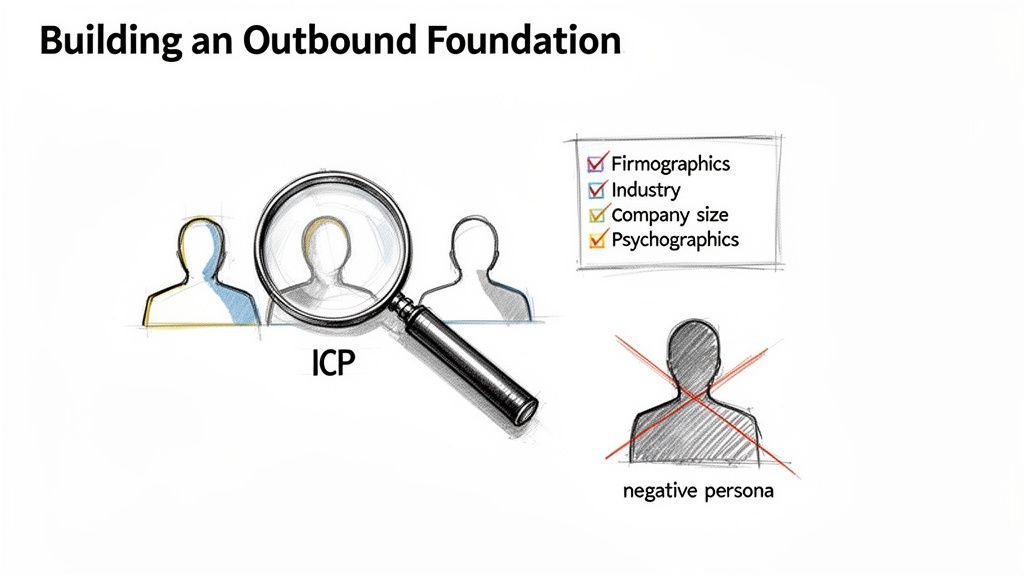
This process instantly pulls key information, slashes manual errors, and saves a staggering amount of time.
But simply capturing data isn’t enough. The real magic is data enrichment.
The Power of Enriched Data
Data enrichment is the process of automatically tacking on additional, valuable information to your prospect records. Instead of just getting a name and company, an enriched profile gives your sales team the full picture.
This is where you graduate from basic contact info to strategic intelligence.
What an enriched profile includes:
- Verified Contact Information: This is the absolute foundation. Enrichment tools hunt down verified business emails and direct-dial phone numbers, which dramatically increases your connect rates.
- Detailed Firmographics: Beyond the company name, you get data points like annual revenue, employee count, industry codes, and location. This confirms the prospect actually fits your ICP.
- Key Personal Details: This can include seniority level, specific job functions, and even links to other social profiles, giving you more context for personalization.
When your reps reach out with enriched data, they’re equipped with accurate, relevant information. They aren't just sending another cold email; they're starting a well-informed conversation. To dive deeper, you can explore some of the best data enrichment tools available and find the right fit for your tech stack.
Ultimately, combining smart sourcing with automated enrichment completely transforms your outbound process. It shifts your team's focus from mind-numbing admin tasks to high-value activities: crafting compelling messages and building relationships with perfectly-qualified prospects.

Find verified contact data on LinkedIn®
Add to CRM finds verified emails, phone numbers, and job titles on LinkedIn® — then adds them to your CRM in one click.
Start Free Trial


 Trusted by 2,500+ users4.7
Crafting Outreach That Actually Gets Replies
So you’ve built the perfect prospect list. That’s a huge first step, but it's just the starting point. Without outreach that connects on a human level, even the most qualified leads will hit delete without a second thought. This is where we move from data collection to starting actual conversations.
The goal is to be persistent without being a pest. You're not just blasting out templates; you're orchestrating a series of thoughtful touchpoints. You want to be seen as a helpful expert, not just another salesperson clogging up their inbox.
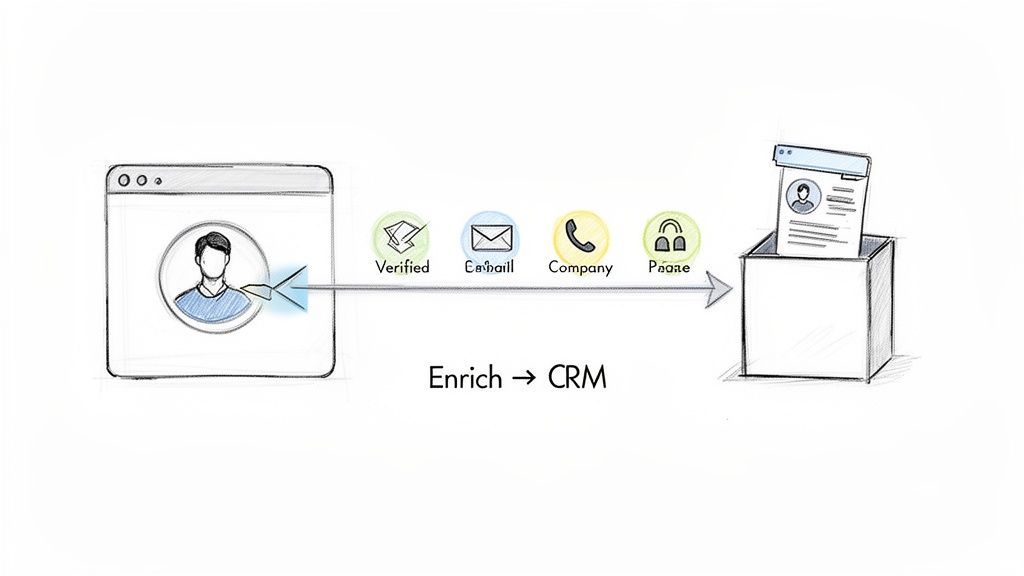
This process isn't about one channel. It’s a smart blend of email, social engagement, and even a well-timed call to finally break through the noise.
The Anatomy of a Modern Outreach Sequence
Forget sending one email and hoping for the best. That just doesn’t work anymore. A modern outbound sequence is a carefully planned series of interactions, spread across multiple channels over several weeks. It's a strategic mix designed to build familiarity and trust long before you ever ask for a 15-minute meeting.
The core components usually look something like this:
- Email: This is your workhorse. It’s for the initial contact, the follow-ups, and for sharing genuinely useful resources.
- Social Selling: This means engaging with a prospect’s content on professional networks, sending a thoughtful connection request, or using DMs for a less formal touch.
- Strategic Calls: Save these for your most qualified prospects. A real conversation is still one of the most powerful ways to cut through the digital clutter.
The magic happens when you combine these. A prospect might ignore your first email but then see your insightful comment on their social media post. Suddenly, your second email feels warmer and much more familiar.
Personalization Beyond "Hi [First Name]"
True personalization is the antidote to the generic, copy-paste outreach that everyone hates. It goes way beyond mail-merging a name and company. It’s about proving you’ve actually done your homework.
Your goal is to make the prospect think, "Okay, this person actually gets it."
Here are a few ways to do that right now:
- Reference a Specific Trigger Event: Did their company just announce a funding round? Hire a new VP? Did they get quoted in a trade publication? Mentioning it shows your interest is timely.
- Speak Their Language: Use the insights from your buyer persona research. If you know "Marketing Mary" is always struggling with ROI attribution, lead with how you help similar managers solve that exact problem.
- Acknowledge Their Content: If they recently published an interesting article or shared a strong opinion on social media, reference it. This shows you see them as an expert, not just a name on a list.
This level of detail is what turns a cold email into a relevant business inquiry.
Key Insight: The difference between an email that gets deleted and one that gets a reply is often a single sentence of genuine, well-researched personalization. It signals that you invested time before asking for theirs.
The Art of the Value-Add Touchpoint
One of the biggest mistakes I see in outbound is asking for the meeting way too early. Before you ask for their time, you have to earn their attention. A "value-add" touchpoint is any interaction where you give them something useful without asking for anything in return.
This is how you build trust and position yourself as a go-to resource.
Here are a few examples of value-add touchpoints:
- Sharing a third-party industry report that’s directly relevant to their role.
- Sending over a case study of how you helped a very similar company solve a challenge they’re likely facing.
- Leaving a thoughtful, non-salesy comment on one of their social media posts to start a professional dialogue.
These interactions warm up the relationship, making your eventual request for a meeting feel natural instead of abrupt. This kind of nurturing is absolutely critical. Just look at the data: cold calling has a staggering 97% ignore rate, signaling a massive shift in how sales works. In contrast, a data-driven, multi-channel approach can deliver 50% more interactions because you're building a real connection over time. You can learn more about how modern trends are reshaping sales by exploring these lead generation statistics.
Cadence and Timing: How to Be Persistent, Not Annoying
The final piece of the puzzle is your cadence—the timing, frequency, and duration of your sequence. There's a fine line between persistence and just being annoying.
A balanced, multi-channel cadence might look something like this:
| Day | Action | Channel | Note |
|---|---|---|---|
| 1 | Personalized Email | Focus on a key pain point and your personalization hook. | |
| 3 | Social Engagement | Social | View their profile and like a recent relevant post. |
| 5 | Follow-up Email | Provide a piece of value, like a relevant blog post. | |
| 8 | Connect Request | Social | Send a personalized connection request (no sales pitch!). |
| 12 | Final Email | The "break-up" email, gently closing the loop for now. |
Of course, this is just a framework. The key is to test relentlessly to see what works for your specific audience. A good rule of thumb is to leave 2-4 business days between touches and spread them across different platforms. This multi-threaded approach keeps you top-of-mind without completely overwhelming any single channel.
Integrating Your Tech for a Seamless Workflow
Let’s be honest, true outbound efficiency isn't just about finding good prospects or writing killer emails. It’s about the machine you build to power those efforts.
A disconnected tech stack, where your team is constantly copy-pasting data from one platform to another, is a massive drag on productivity. It’s not just slow—it’s a recipe for costly mistakes.
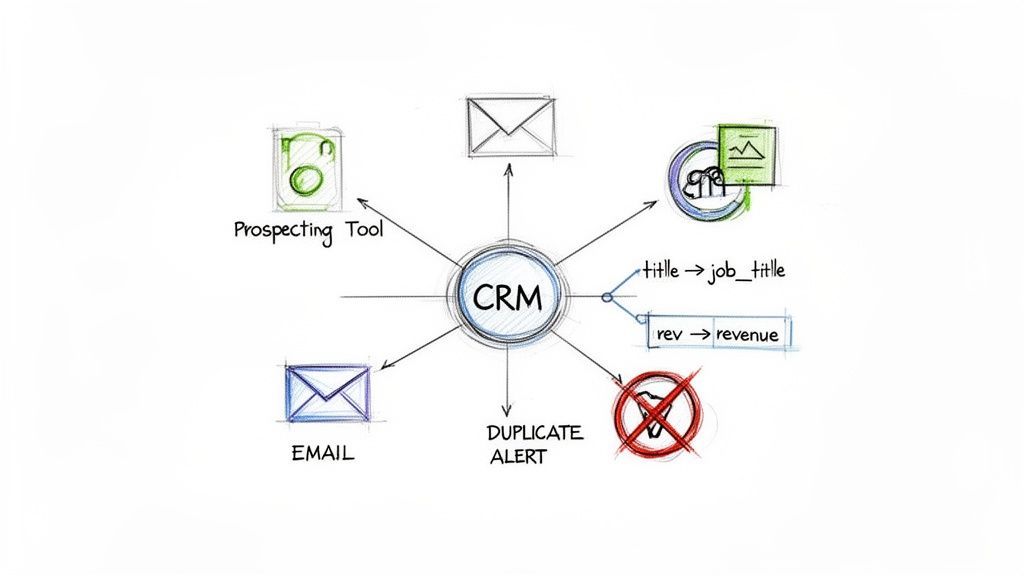
The real goal here is to create a closed-loop system. Information should flow automatically from your prospecting tools straight into your CRM, creating a single source of truth. This frees up your reps from the soul-crushing admin work that keeps them from their real job: selling.
The Foundation: Custom Field Mapping
First thing's first: you need to get your custom field mapping dialed in. Think of it as creating designated parking spots for every piece of data you capture.
When you enrich a prospect’s profile, you get way more than a name and email. You’re uncovering valuable intel like their seniority, direct dial, company size, and annual revenue. Without proper mapping, all that rich data either gets lost or dumped into a generic "notes" field where it’s impossible to use for segmentation or reporting.
For example, you need to explicitly tell your system:
- The "Company Size" field from your enrichment tool maps to the "Employee Count" field in HubSpot.
- The "Annual Revenue" data point should always populate the "Annual Revenue" field in Salesforce.
Getting this setup right ensures every piece of enriched data lands exactly where it belongs. It makes your CRM infinitely more powerful and your outreach razor-sharp.
Pro Tip: Don't just map the basics. Create custom fields in your CRM for strategic data points like "Key Technology Used" or "Recent Buying Signal." This gives your sales team an immediate, actionable snapshot of every new lead.
Preventing the Duplicate Data Nightmare
Nothing kills a sales team's morale faster than a CRM clogged with duplicate records. It leads to embarrassing blunders, like multiple reps hitting up the same person, and it completely torpedoes your performance metrics.
Any seamless workflow has to include a built-in defense against duplicates.
Modern prospecting tools that integrate directly with CRMs solve this problem before it even starts. The tool should automatically scan your CRM to check if a record with the same email address already exists before adding a new contact.
This simple check does two critical things:
- It stops duplicates in their tracks. The system alerts the user that the contact is already in the CRM, preventing a new record from ever being created.
- It enriches existing records. Instead of creating a clone, the tool can update the existing contact with any new information you've found, keeping your data fresh.
This automated gatekeeping is non-negotiable for maintaining a clean and trustworthy database. A pristine CRM is the backbone of any scalable outbound program. For a deeper look at how different systems can work together, you can find valuable insights on the ideal outbound sales CRM setup.
Building a Scalable Sales Motion
When you integrate your tools and automate the data flow, you fundamentally change how your team operates. The time saved by eliminating manual data entry is massive—often 4+ hours per rep per week.
That’s time they can pour back into personalized outreach, strategic follow-ups, and actual conversations with qualified prospects.
An integrated approach also standardizes your entire process. Every team member follows the same workflow, so your data is captured consistently and reliably. This consistency is the key to accurate reporting, allowing sales managers and RevOps leaders to finally understand what’s working and where to optimize.
Ultimately, a seamless tech stack transforms your outbound efforts from a grind of manual tasks into a scalable, data-driven engine for growth.
If you can't measure it, you can't improve it. This old saying is the absolute truth when it comes to outbound lead generation. A winning outbound engine runs on hard data, not just hustle and guesswork.
It's way too easy to get mesmerized by "vanity metrics"—those flashy numbers that look great in a report but don't actually tell you if you're getting closer to hitting your revenue targets.
To really scale your efforts, you need to zero in on the key performance indicators (KPIs) that track the true health of your sales pipeline. These are the numbers that draw a straight line from your team's daily grind to real business results. They tell you a story about what’s landing, what's falling flat, and where a few small tweaks can make a huge difference.
This obsession with data is what turns a simple process into a powerful feedback loop for constant improvement.
The KPIs That Actually Drive Revenue
Every business is a bit different, but there are a handful of core metrics that are non-negotiable for any serious outbound team. You should be tracking these religiously, ideally on a clean, simple dashboard right inside your CRM.
Forget the clutter and focus on these fundamentals first:
- Email Deliverability and Open Rates: Think of this as your first checkpoint. A low deliverability rate is a red flag for your list quality or domain health. Low open rates (anything consistently below 30%) usually mean your subject lines just aren't cutting through the inbox noise.
- Reply Rate: This is arguably the most critical top-of-funnel metric. It’s the ultimate signal that your message is resonating with your audience. A solid reply rate, aiming for 5-10% or higher, confirms your personalization and value prop are on point.
- Positive Reply Rate: Let's be honest, not all replies are good news. You have to separate the "I'm interested" from the "not interested" or "unsubscribe" messages. Tracking positive replies gives you a much cleaner signal of genuine buying intent.
- Meetings Booked: This is where activity becomes a real opportunity. How many of those positive replies are you converting into a scheduled discovery call or demo? This KPI is a direct measure of your SDRs' ability to turn a flicker of interest into a concrete next step in the sales process.
Key Takeaway: Don't get hung up on open rates. The numbers that really matter are your reply rate and the number of meetings booked. Those are the metrics that prove your outreach isn't just getting seen—it's compelling enough to start a real conversation.
Tracking your outbound lead generation metrics is the only way to move from guesswork to a predictable revenue engine. The table below outlines the essential KPIs that every sales team should have on their dashboard. These metrics provide a clear view of campaign performance from initial outreach to pipeline contribution, allowing you to pinpoint weaknesses and double down on what works.
Essential Outbound Lead Generation KPIs
| Metric | What It Measures | Why It Matters |
|---|---|---|
| Deliverability Rate | The percentage of emails that successfully reach the recipient's inbox. | A low rate signals issues with list quality or domain reputation, preventing your message from ever being seen. |
| Open Rate | The percentage of delivered emails that were opened by recipients. | Indicates the effectiveness of your subject lines and sender reputation. Aim for 30% or more. |
| Reply Rate | The percentage of delivered emails that received a response. | The truest measure of whether your core message and value proposition are resonating. Aim for 5-10%. |
| Meetings Booked | The total number of meetings scheduled from an outbound campaign. | This is the ultimate top-of-funnel conversion metric, turning outreach activity into a tangible sales opportunity. |
| Lead-to-Opportunity Rate | The percentage of outbound leads that become qualified sales opportunities. | Shows the quality of your booked meetings and the alignment between your ICP and your outreach. |
| Average Deal Size | The average revenue generated from deals originating from outbound efforts. | Helps prove ROI and ensures your campaigns are attracting high-value customers, not just filling the calendar. |
By focusing on these core numbers, you can get a holistic view of your outbound program's health and make data-driven decisions that directly impact your bottom line.
From Leads to Opportunities
Once a meeting is on the calendar, the focus shifts from pure activity metrics to pipeline metrics. These KPIs measure how effectively your outbound efforts feed the bottom line and help you prove the program's ROI to the rest of the company.
The most important metric here is the Lead-to-Opportunity Conversion Rate. This number tells you exactly how many of your initial outbound leads get qualified and turn into real, active sales opportunities. A low rate can signal a mismatch between your ICP and the people you're actually talking to.
You should also be tracking the Sales Cycle Length for your outbound deals versus deals from other channels. You'll often find that leads who perfectly match your ICP move through the sales process much faster because the need is already well-defined.
Finally, keep a close eye on the Average Deal Size coming from your outbound leads. Are you bringing in the high-value accounts you were hoping for, or are you just booking meetings with smaller, less-than-ideal customers? This data is crucial for refining your targeting and proving the financial impact of your program.
Building Your Optimization Loop
Collecting data is pointless if you don't actually use it to get better. The real magic of tracking these KPIs is that they give you a clear, objective way to A/B test and optimize everything you do. This continuous feedback loop is what separates the good outbound teams from the great ones.
Start with a simple hypothesis. For example: "I bet a subject line focused on a specific pain point will get a higher reply rate than one focused on our product features."
Then, you can run a structured test.
- Isolate One Variable: This is key. Change only one thing at a time—the subject line, the call-to-action, or the first sentence.
- Run the Test: Send version A to one segment of your list and version B to a similar segment.
- Measure the Results: After a set period, track the key metric (like reply rate) for both versions.
- Implement the Winner: Roll out the winning variation to your other campaigns and move on to testing the next thing.
By constantly testing and iterating on your messaging, timing, and sequences, you transform your outbound program from a shot in the dark into a finely tuned engine for predictable growth.
Works with 29+ CRMs
Add to CRM finds verified emails, phone numbers, and job titles on LinkedIn® — then adds them to your CRM in one click.
Start Free TrialTrusted by 2,500+ users4.7Still Have Questions About Outbound?
Even with a killer playbook, you're bound to run into a few tricky spots when you're in the trenches building an outbound machine. Let's tackle some of the most common questions that pop up for sales leaders and reps.
What’s the Real Difference Between Outbound and Inbound?
It all boils down to who starts the conversation.
Inbound lead generation is like setting up a magnetic storefront. You create valuable content—think blog posts, SEO, and webinars—that pulls people in. They find you, they like what they see, and they raise their hand to talk.
Outbound lead generation is the opposite; it's proactive. Your sales team doesn't wait around. You identify prospects who perfectly match your ideal customer profile (ICP) and reach out directly with personalized emails, smart social selling, and well-timed cold calls.
While inbound is a fantastic long game for building brand authority, outbound is all about driving immediate, targeted growth. You get to hand-pick your future customers and start conversations today.
How Many Touchpoints Does a Sequence Actually Need?
There’s no magic number that works for everyone, but one thing is certain: a single email or call is just a whisper in a hurricane. It rarely gets noticed.
Most effective, multi-channel sequences land somewhere between 8-12 touchpoints, spread out over a few weeks. That persistence is what builds familiarity and trust, cutting through the noise.
A winning sequence always does two things:
- It mixes channels. Don't just hammer their inbox. A great cadence weaves in a profile view on a professional network, a thoughtful comment, a connection request, and a phone call.
- It varies the message. Every touch shouldn't be the same "just checking in" ask. Offer real value along the way—share a case study, a relevant article, or a quick insight before you ask for their time.
The goal is to be consistently helpful and visible, not just another automated drone in their inbox. Make sure you test different cadences to find what resonates with your specific audience.
How Do I Keep My Outbound Emails Out of the Spam Folder?
Deliverability is everything. If your emails land in spam, your beautifully crafted sequence is completely worthless. Protecting your sender reputation isn't just a "nice to have"—it's a non-negotiable part of any serious outbound effort.
Key Insight: A clean, verified prospect list is your single greatest defense against the spam folder. High bounce rates are a massive red flag to email providers, so starting with accurate data is absolutely critical.
To stay in the primary inbox where you belong, make these practices your standard operating procedure:
- Warm up your email domain. Don't go from zero to a thousand sends overnight. Gradually ramp up your sending volume over a few weeks to build a positive reputation with services like Google and Microsoft.
- Use verified email addresses. This is huge. Invest in tools that give you real-time email verification. You need to keep your bounce rate under 3%, period.
- Personalize every single email. Spam filters are smart enough to spot generic, mass-blasted templates. Always include the prospect's name, company, and a specific reference to their role or something their company recently did.
- Ditch the spam trigger words. Avoid overly salesy language like "free," "guarantee," or "act now." And go easy on the links and attachments—they can make filters suspicious.
Stop wasting hours on manual data entry and start building your pipeline faster. With Add to CRM, you can capture leads from anywhere on the web and add them to your CRM in a single click, complete with verified contact data. Eliminate copy-paste, prevent duplicates, and give your team more time to sell. Learn more and start your 7-day free trial at https://addtocrm.com.
Start saving time and closing more deals.
Find verified contact info for your prospects on LinkedIn®, Gmail and Outlook — and add them to your CRM with 1-click.

 Loading...Trusted by 2,500+ founders, SDRs & more