12 Best CRMs for Outbound Sales Teams in 2026
Compare 12 top CRMs for outbound sales with features, pricing, and pros/cons. Find the right platform to scale your outreach.
Outbound sales is a relentless numbers game. Every dial, email, and follow-up is a critical action, but raw effort alone doesn't guarantee success. The difference between a high-performing team and a struggling one often comes down to their core technology: the Customer Relationship Management (CRM) system. The best CRM for outbound sales doesn't just store contacts; it acts as an intelligent engine, automating tedious tasks, prioritizing high-value leads, and providing the insights needed to refine your strategy.
This guide moves beyond generic feature lists to dissect the top platforms built to accelerate outbound motions. We'll analyze the specific strengths of each CRM for high-volume prospecting, from built-in power dialers and automated email sequences to native data enrichment and AI-powered coaching tools. You will learn precisely how each platform handles critical outbound workflows, complete with screenshots and direct links to explore them further.
Whether you're a startup founder building your first sales team or a RevOps leader optimizing a complex tech stack, this breakdown will help you choose the right platform. Our goal is to provide a clear, actionable comparison that equips you to select the CRM that will turn your prospecting efforts into predictable revenue. We've done the deep research, so you can make a confident decision and get back to selling. Every price in this guide was checked on the vendor's own website in September 2026.
1. Close
Close is a high-velocity, outbound-centric CRM built from the ground up to maximize sales rep productivity. It's the ideal solution for small to mid-sized teams that live on the phones and in their inboxes, aiming to consolidate their tech stack and eliminate friction in their outreach. The platform's core philosophy is to keep reps within a single interface by integrating all essential communication channels directly into the CRM.
Unlike platforms that require third-party dialers and email tools, Close bundles multi-channel communication tools natively. This unified approach allows reps to call, email, and SMS prospects without ever leaving a contact's record, providing a seamless workflow that's all about speed and efficiency. It’s designed for teams who prioritize activity volume and want to empower their reps to hit the phones hard. That focus is why it tops this list: every Close plan includes calling, SMS, and email, and Growth and above add automated multi-channel workflows, so an outbound team rarely needs a separate phone system or sales engagement tool.
Key Outbound Features & Use Cases
Close stands out as one of the best CRM for outbound sales because its features are laser-focused on action and communication, removing the need for costly add-ons for core sales activities.
- Native Multi-Channel Communication: Calling, SMS, and two-way email sync are built into every plan, and the all-in-one inbox lets reps manage calls, emails, and texts in one place. The Growth plan adds a Power Dialer and one-click voicemail drop to dramatically increase call volume, and Scale adds a Predictive Dialer.
- Automated Workflows: On Growth and above, build multi-step, multi-channel outreach that combines emails, calls, and SMS messages into a single workflow, ensuring consistent follow-up without manual effort.
- AI Sales Agent: Every plan includes access to Chloe, Close's built-in AI sales agent, which can call and qualify leads and book meetings, paid for with AI credits (each plan includes a monthly allowance) and calling usage. Growth and above let Chloe run inside workflows and update records automatically. Calls can be recorded on every plan, and AI call transcripts and summaries come with the Call Assistant add-on ($50 per organization per month plus $0.02 per minute).
Pricing and Implementation
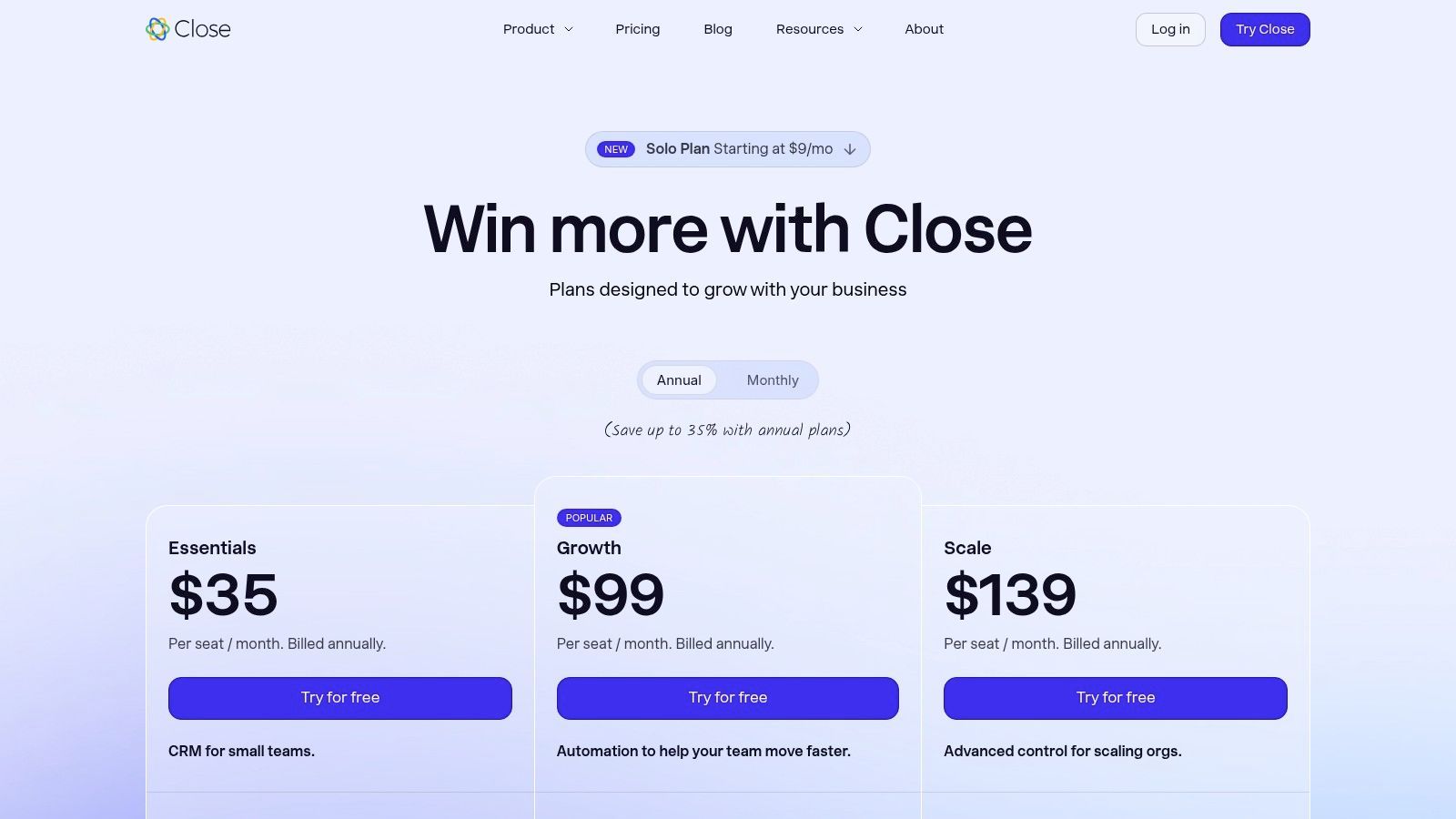
- Solo: $9/user/month billed annually, or $19 billed monthly (1 user, up to 10,000 leads, no workflows)
- Essentials: $35/user/month billed annually, or $49 billed monthly
- Growth: $99/user/month billed annually, or $109 billed monthly (Most popular; adds workflows and the Power Dialer)
- Scale: $139/user/month billed annually, or $149 billed monthly (Adds the Predictive Dialer)
Note: Calling and SMS are billed on usage at cost. Most outbound calls run about $0.02 per minute and phone numbers start at about $1 a month, which adds up for high-volume teams, so factor it into the total cost of ownership. Close offers a 14-day free trial with no credit card required.
| Pros | Cons |
|---|---|
| Excellent for cold calling and high-volume outbound activity. | Per-minute/phone number usage fees can increase the total cost. |
| Reduces tool sprawl by integrating core communication channels. | Fewer enterprise-grade customization options compared to Salesforce. |
| Intuitive, sales-rep-friendly interface that's easy to adopt. | Reporting is less granular than more complex, enterprise-focused CRMs. |
Already running Close? Add to CRM's Close integration adds prospects from Gmail, Outlook, and company websites to Close in one click and finds verified email addresses for them.
2. Salesforce Sales Cloud
Salesforce Sales Cloud is the undisputed heavyweight champion in the CRM world, making it a foundational choice for scaling outbound sales teams that require unparalleled customization and a robust ecosystem. It’s best suited for organizations with complex sales processes, dedicated RevOps or admin support, and the need to integrate a wide array of other sales and marketing tools seamlessly.
At its core, Salesforce provides sophisticated management for leads, accounts, contacts, and opportunities. Outbound teams can build intricate workflows, create detailed forecasting models, and generate granular reports to track every aspect of their pipeline, from initial outreach to a closed deal. This platform truly shines in its ability to adapt to a company's specific needs, rather than forcing the company to adapt to its software.
Key Outbound Features & Use Cases
Salesforce becomes one of the best CRM for outbound sales when you leverage its extensibility. While its native capabilities are strong, its true power comes from AgentExchange (formerly AppExchange) and add-ons like Sales Engagement (formerly High Velocity Sales).
- Sales Engagement Add-On: This feature transforms the core CRM into a powerful outreach engine. SDRs can build and execute multi-step, multi-channel cadences with automated email sends, call tasks, and LinkedIn steps. It includes conversation intelligence to analyze call recordings for key insights.
- Customization & Automation: RevOps teams can use Flow to automate nearly any task. For example, automatically assign leads based on territory, score them based on engagement, and trigger follow-up tasks when a prospect opens an email.
- AgentExchange Ecosystem: Integrate best-in-class prospecting, data enrichment, and dialing tools directly into your CRM. This creates a single source of truth and eliminates the need for reps to switch between multiple applications, boosting productivity.
Pricing and Implementation
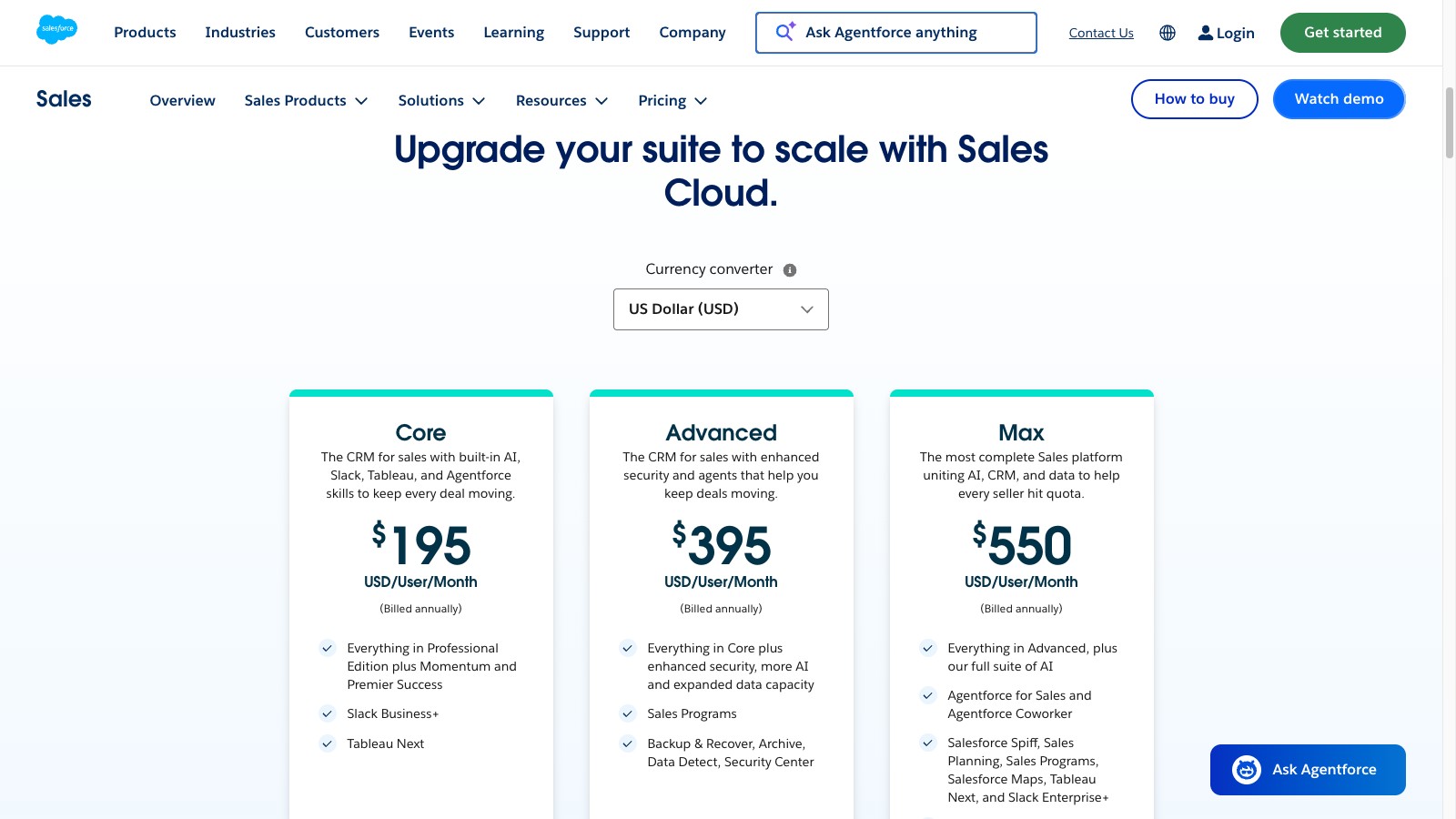
- Starter Suite: $25/user/month, billed monthly or annually
- Pro Suite: $100/user/month billed annually
- Core: $195/user/month billed annually
- Advanced: $395/user/month billed annually
- Max: $550/user/month billed annually (Includes Agentforce for Sales)
Note: Sales Engagement is a $50/user/month add-on (billed annually) for editions that don't already include it, and AI can be added to Core and above (Max already includes Agentforce for Sales). The initial setup and ongoing administration require technical expertise, so factor in the cost of an admin or a consulting partner.
| Pros | Cons |
|---|---|
| Extremely scalable for complex, growing outbound organizations. | Can be expensive once users, add-ons, and data storage needs scale. |
| Unmatched customization and integration capabilities via AgentExchange. | Steep implementation and administrative learning curve. |
| Enterprise-grade security and reliability. | The user interface can feel overwhelming for small, agile teams. |
3. HubSpot Sales Hub
HubSpot Sales Hub is a powerhouse for SMB and mid-market outbound sales teams looking for an all-in-one platform that is powerful yet remarkably easy to use. It excels by combining a user-friendly CRM with built-in sales engagement tools, eliminating the need for extensive integrations right out of the box. It’s best suited for teams that need to deploy quickly, value a clean user interface, and want to empower reps with tools they will actually adopt.
At its core, Sales Hub provides a unified view of every lead and deal, enriched with marketing activity and service history if you're using the full HubSpot platform. For outbound teams, this means less time toggling between systems and more time selling. The platform is designed for rapid onboarding, allowing managers to build pipelines, create sales sequences, and generate reports without needing a dedicated administrator.
Key Outbound Features & Use Cases
HubSpot becomes one of the best CRM for outbound sales due to its natively integrated sales acceleration tools, several of which (calling, email templates, task queues, and meeting scheduling) start on the Starter plan. This makes sophisticated outbound tactics accessible to teams without a massive budget.
- Email Sequences & Task Queues: On Professional and Enterprise, reps can enroll prospects in automated, multi-step email sequences that are personalized with CRM data. The system automatically creates follow-up tasks, ensuring no lead falls through the cracks and keeping reps focused on their highest-priority activities.
- Native Calling & Conversation Intelligence: Every paid tier includes click-to-call directly within the CRM, and Professional and Enterprise add call recording with AI-powered transcription and analysis. This helps managers coach reps and identify winning talk tracks without purchasing a separate tool.
- Meeting Scheduler & Templates: Eliminate back-and-forth emails by sharing a booking link synced with the rep’s calendar. Sales teams can also build a library of high-performing email templates and snippets to ensure consistent messaging and speed up outreach.
Pricing and Implementation
- Free Tools: Limited features for up to two users and 1,000 contacts
- Starter: From $20/user/month, billed monthly or annually (HubSpot currently discounts it for new customers)
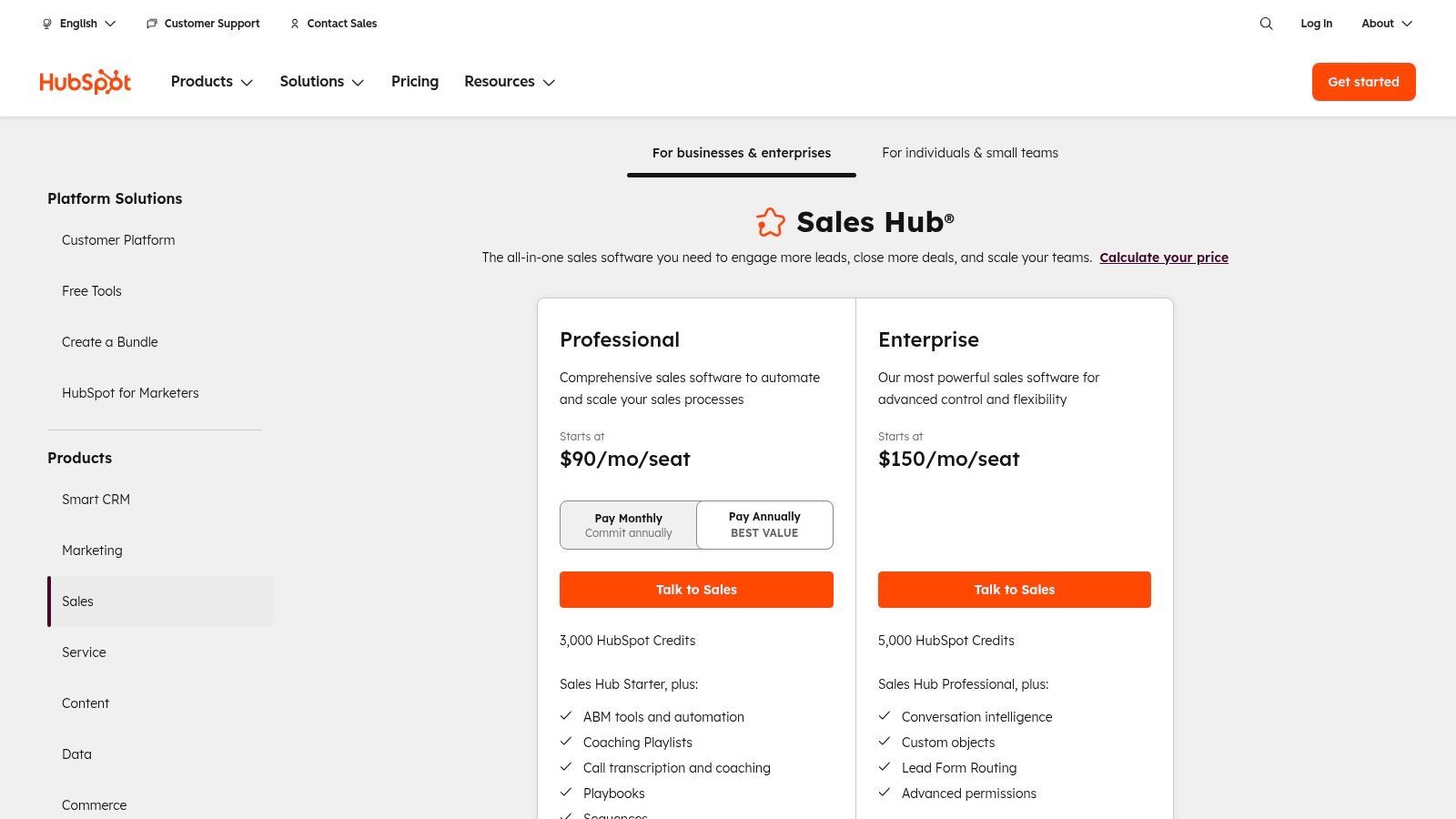
- Professional: From $90/user/month billed annually, or $100 billed monthly (annual commitment required)
- Enterprise: From $150/user/month billed annually
Note: Pricing can be complex, with seat-based and feature-based costs. Onboarding is required for Professional and Enterprise, a one-time fee of $1,500 or $3,500 respectively, which adds to the initial investment.
| Pros | Cons |
|---|---|
| Extremely intuitive UI that drives high user adoption. | Can become expensive as you scale users and move to higher tiers. |
| Powerful, natively integrated sales engagement tools. | Customization and reporting are less flexible than enterprise-level CRMs. |
| Strong free/starter plans and extensive HubSpot Academy resources. | Certain essential features are gated behind the costly Enterprise plan. |
4. Pipedrive
Pipedrive is a sales-first CRM celebrated for its visual pipeline and user-friendly interface, making it a powerful contender for small to mid-market outbound teams that prioritize clarity and action. It’s best suited for organizations that need a tool that sales reps will actually adopt and use consistently, without a steep learning curve or the need for a dedicated administrator.
The platform is built around the concept of a deal pipeline, giving reps a clear, visual way to track opportunities from initial contact to close. This activity-based selling approach encourages proactive outreach and follow-up, ensuring no lead falls through the cracks. It strips away the complexity of enterprise-level systems, focusing on the core activities that drive revenue.
Key Outbound Features & Use Cases
Pipedrive is one of the best CRM for outbound sales for teams that want simplicity without sacrificing power. Its add-ons and core features provide a cohesive environment for managing outreach.
- Visual Deal Pipelines: The drag-and-drop interface allows reps to easily manage their pipeline. Outbound teams can create custom stages that mirror their sales process, like "Initial Outreach," "Meeting Booked," and "Proposal Sent," with automated tasks at each stage.
- Email & Activity Tracking: Sync your email to track opens and clicks directly within the CRM. Schedule and log calls, emails, and meetings to maintain a complete history of every interaction, ensuring timely follow-ups.
- Workflow Automation: Automate administrative tasks like creating follow-up activities when a deal moves to a new stage or sending a templated email after a call is logged. The AI-powered Sales Assistant suggests next actions to keep reps focused. For more advanced tips, you can learn how to use Pipedrive effectively.
Pricing and Implementation
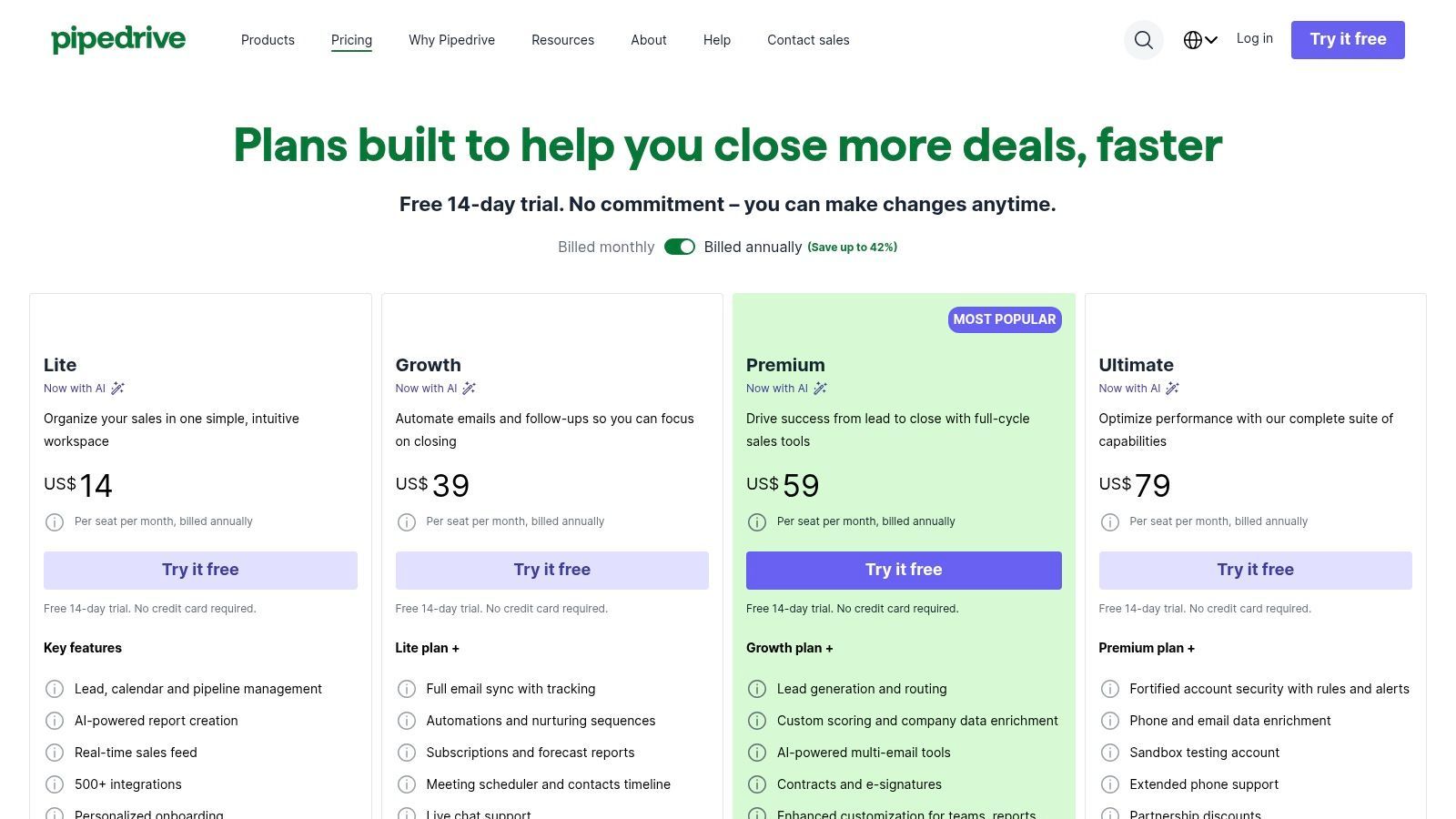
- Lite: $14/user/month billed annually, or $24 billed monthly
- Growth: $39/user/month billed annually, or $49 billed monthly
- Premium: $59/user/month billed annually, or $79 billed monthly (Most popular)
- Ultimate: $79/user/month billed annually, or $99 billed monthly
Note: Campaigns (email marketing) is a paid add-on on every plan, while LeadBooster (web forms, chatbot) is a paid add-on on Lite and Growth and included in Premium and Ultimate.
| Pros | Cons |
|---|---|
| Extremely intuitive and easy to set up with a clean, rep-focused UI. | Native reporting and analytics are less extensive than enterprise CRMs. |
| Transparent pricing and a straightforward, self-serve trial. | Advanced customization and complex workflows may require add-ons. |
| Strong focus on activity-based selling drives rep productivity. | May be outgrown by rapidly scaling organizations with complex needs. |
5. Outreach
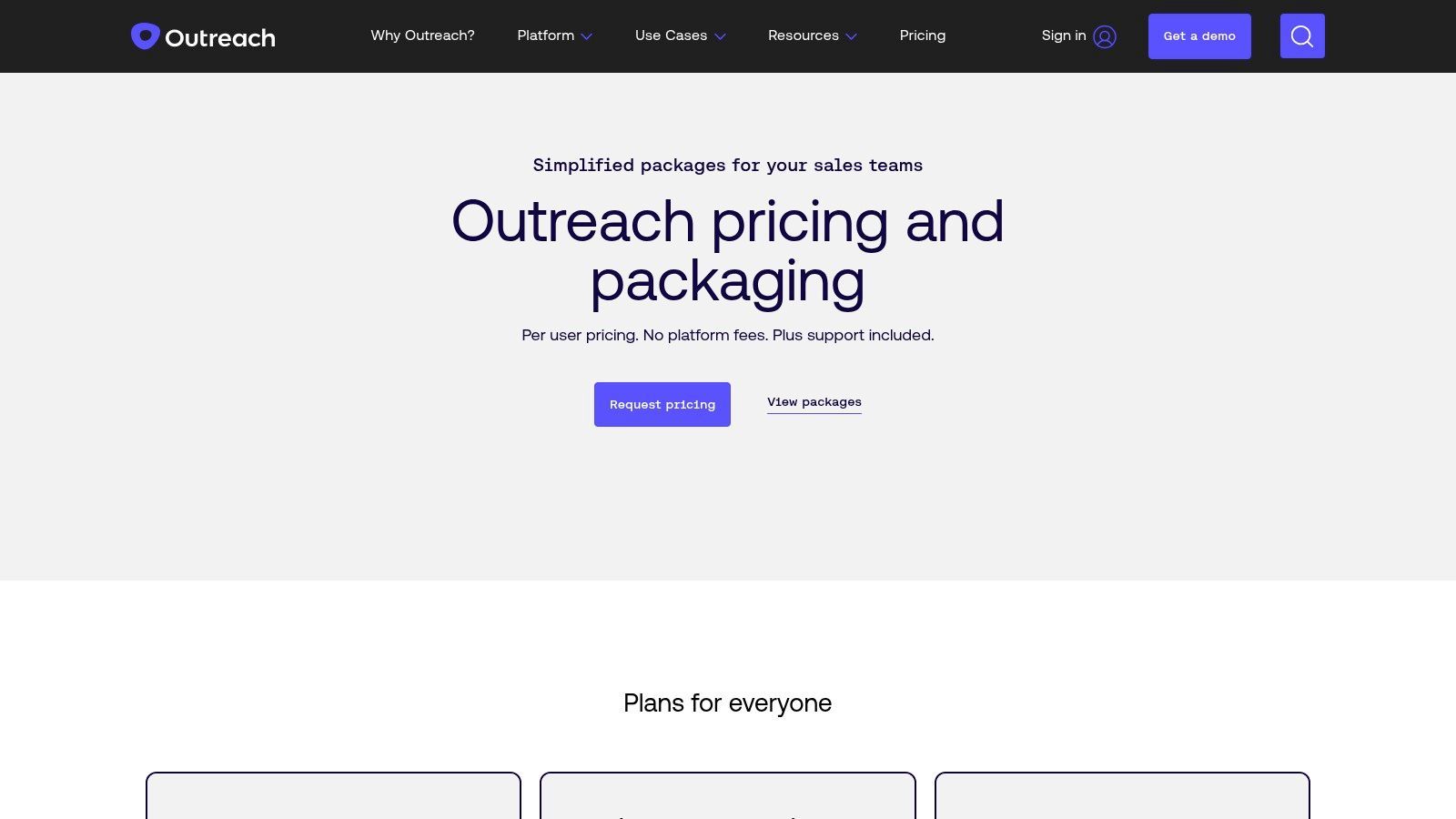
Outreach is a premier sales engagement platform designed to sit on top of a traditional CRM like Salesforce, turning it into a high-powered outbound machine. It’s built for enterprise-level sales development teams that need sophisticated sequencing, deep automation, and actionable intelligence to execute complex outreach strategies at scale. It is not a standalone CRM but an essential layer for organizations prioritizing pipeline generation.
At its core, Outreach streamlines and automates the entire top-of-funnel process. It allows SDRs to engage prospects across multiple channels (email, phone, social) within a single, unified workflow, ensuring consistent follow-up and eliminating manual guesswork. The platform provides managers with unparalleled visibility into what’s working, from individual rep performance to the effectiveness of specific messaging.
Key Outbound Features & Use Cases
While not a CRM itself, Outreach’s deep integration makes it function like the best CRM for outbound sales by supercharging the existing system. Its strength lies in orchestrating and analyzing engagement.
- Sequences & Triggers: Build, test, and optimize multi-step, multi-channel outreach campaigns. Use triggers to automate actions based on prospect behavior, such as automatically creating a call task if a prospect clicks a specific link in an email.
- Integrated Dialer & Conversation Intelligence: The built-in dialer allows reps to click-to-call directly from their workflow. Its AI assistant, Kaia, provides real-time coaching, transcribes calls, and surfaces key moments, helping reps handle objections and managers conduct effective coaching.
- Robust CRM Sync: Outreach offers a best-in-class, bidirectional sync with Salesforce and Microsoft Dynamics, including custom objects and fields, plus a HubSpot integration, managed by HubSpot, that logs Outreach emails to HubSpot. This ensures all engagement data is accurately logged back to the CRM, maintaining it as the single source of truth.
Pricing and Implementation
- Outreach does not list public pricing; it is quote-based and tailored to the organization's size and needs.
- Pricing is custom and combines seat-based licenses with consumption-based AI credits.
Note: Successful implementation and ongoing management often require dedicated sales enablement or RevOps resources to build sequences, manage templates, and ensure data integrity between Outreach and the CRM.
| Pros | Cons |
|---|---|
| Enterprise-grade engagement, automation, and analytics. | Opaque pricing requires engaging with the sales team for a quote. |
| Proven to scale for large SDR teams and complex outbound motions. | Typically requires dedicated enablement or admin resources. |
| Best-in-class conversation intelligence and rep coaching tools. | Can be overkill for small teams with simple outreach needs. |
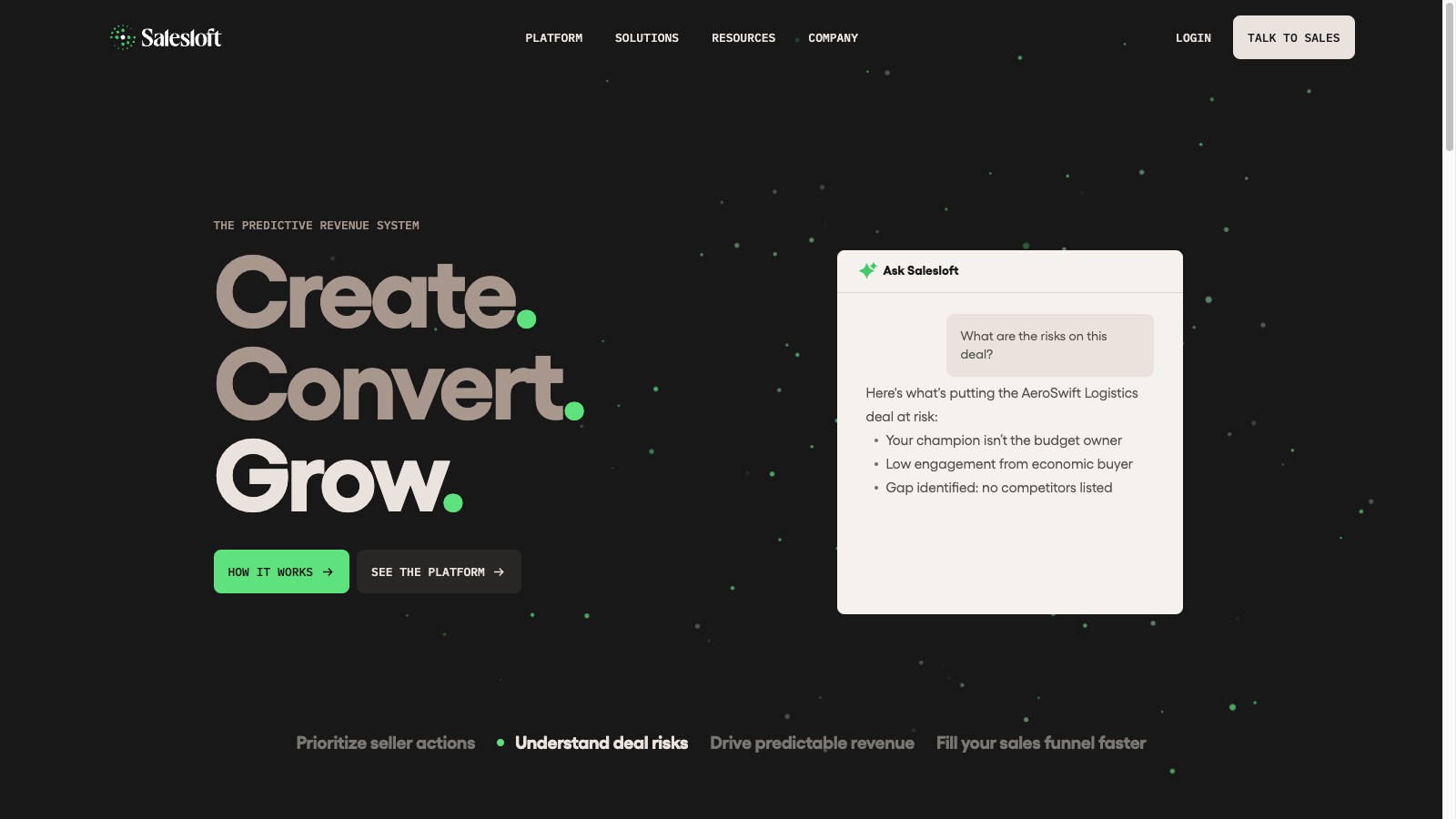
6. Salesloft
Salesloft is a comprehensive sales engagement platform designed to sit on top of a core CRM like Salesforce or HubSpot, providing the engine for high-performance outbound teams. It’s best suited for established sales organizations that need robust tools for executing outreach, coaching reps, and gaining deep visibility into sales activities. Salesloft centralizes cadences, dialing, and conversation intelligence into one unified workflow.
The platform excels at providing governance and analytics for sales leaders. It ensures reps follow a structured process while giving managers the data needed to understand what’s working. By combining outreach execution with deal intelligence and forecasting, Salesloft bridges the gap between top-of-funnel activity and bottom-of-funnel results, making it an essential layer for data-driven sales teams. Salesloft merged with Clari in December 2025; Salesloft is the combined company's brand, and Clari Forecast keeps the Clari name.
Key Outbound Features & Use Cases
While not a standalone CRM itself, Salesloft transforms a traditional CRM into one of the best CRM for outbound sales ecosystems by adding a powerful engagement layer. It focuses on execution, coaching, and insight.
- Cadences & AI-Powered Workflows: Build dynamic, multi-channel sequences with email, call, and social steps. AI prioritizes the most engaged contacts and drafts emails from real buyer data, ensuring reps are engaging prospects effectively and at the right moment.
- Integrated Dialer & Conversation Intelligence: Make calls directly from the platform with local dialing and automated logging. Its "Conversations" feature records, transcribes, and analyzes calls to identify keywords, track objections, and provide actionable coaching insights for managers.
- Deal & Forecast Intelligence: Salesloft provides a clear view of pipeline health by analyzing rep activity and deal engagement. This helps leaders forecast more accurately and identify at-risk opportunities that need attention.
- Bi-Directional CRM Sync: A core strength is its deep, real-time sync with major CRMs. This ensures all activities are logged correctly without manual data entry, maintaining data integrity and providing a single source of truth for reporting.
Pricing and Implementation
Salesloft does not publish prices or plan tiers on its website.
- Pricing: You must request a quote for pricing details.
Note: Implementation often involves integrating with an existing CRM, which requires careful planning to map fields and workflows correctly. It's built for teams that have a defined sales process and are ready to scale it with technology.
| Pros | Cons |
|---|---|
| Deep enterprise capabilities and robust coaching tools. | Exact pricing is not listed publicly; a quote is required. |
| Powerful analytics and forecasting across the entire sales funnel. | Can be more complex than all-in-one CRMs aimed at SMBs. |
| Excellent bi-directional sync with leading CRMs like Salesforce. | Primarily an engagement layer; requires a separate foundational CRM. |

One Chrome extension for all your CRM enrichment
Find verified emails, phone numbers, and job titles on LinkedIn®. Add contacts to any of 29+ supported CRMs in one click.
Start Free Trial


 Trusted by 2,500+ users4.7
7. Apollo
Apollo blurs the line between a prospecting database and a CRM, making it a unique all-in-one solution for outbound-focused teams that prioritize speed and efficiency. It’s best suited for startups and agile sales teams that need to build lists, engage prospects, and manage their initial pipeline within a single, unified platform, eliminating the need for separate data and engagement tools.
At its core, Apollo combines a massive B2B contact and company database with a built-in sales engagement engine. This allows outbound teams to find ideal prospects using advanced filters, add them to multi-step email and call sequences, and track engagement without ever leaving the application. This integrated approach significantly reduces friction in the top-of-funnel workflow.
Key Outbound Features & Use Cases
Apollo stands out as one of the best CRM for outbound sales for teams that want a single tool for prospecting and engagement. Its strength lies in consolidating what are often two or three separate subscriptions into one streamlined workflow.
- Integrated Prospecting Database: Access a database of over 240 million contacts and 30 million companies to build highly targeted lists using filters like job title, company size, location, and technology used. Intent data helps identify companies actively searching for solutions like yours.
- Built-in Sales Engagement: Create and launch automated, multi-channel sequences that include emails, calls, and LinkedIn tasks. The platform’s analytics track open rates, reply rates, and interested rates for each sequence.
- Lightweight CRM & Opportunity Management: While it integrates with larger CRMs, Apollo includes its own basic opportunity management features. This allows a small team to manage their entire sales cycle from initial outreach to a closed deal within the platform.
Pricing and Implementation
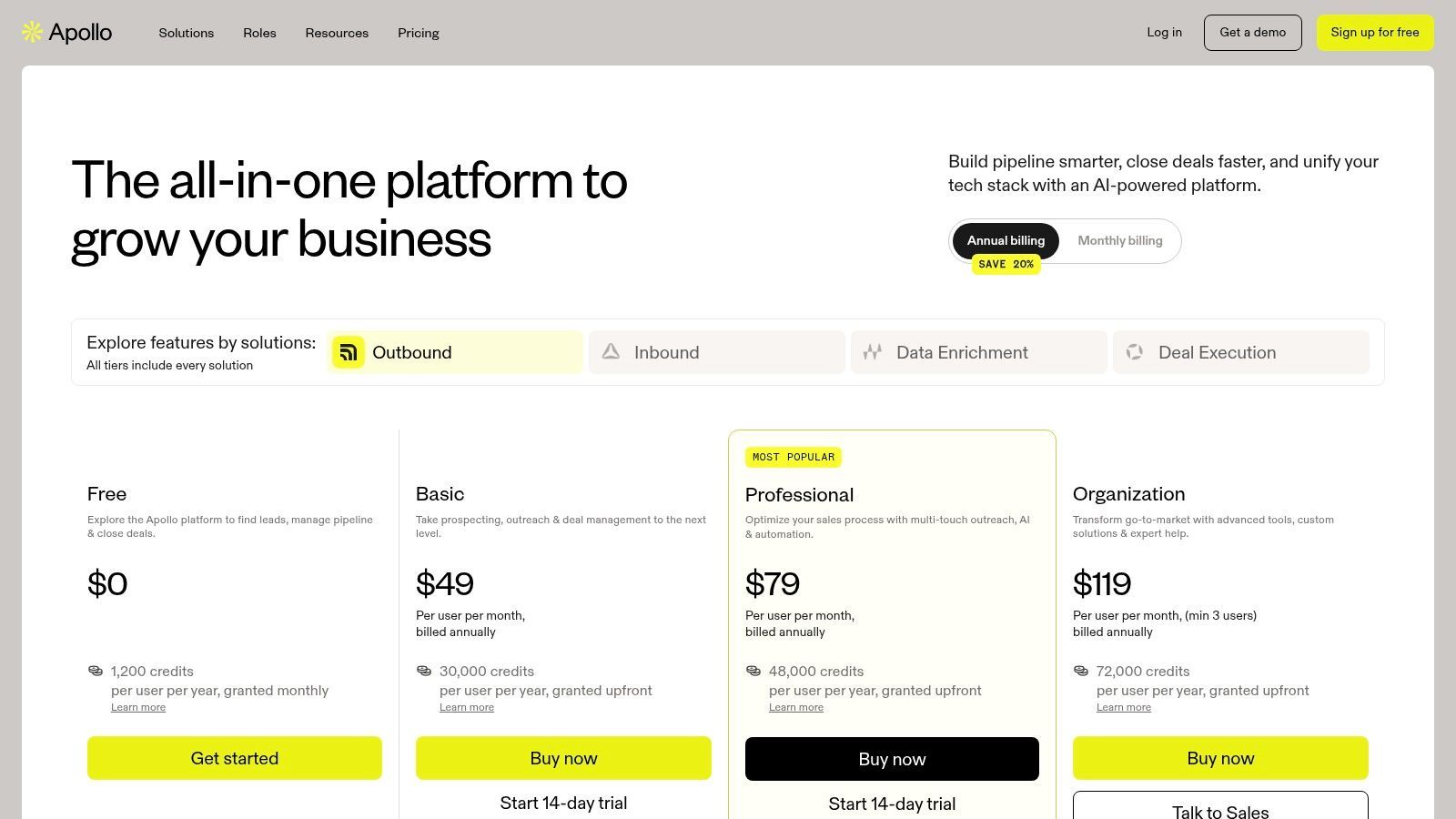
- Free: $0/user/month (Limited credits)
- Basic: $49/user/month billed annually, or $65 billed monthly
- Professional: $79/user/month billed annually, or $99 billed monthly
- Organization: $119/user/month billed annually (annual only, minimum 3 users)
Note: Each paid seat includes a monthly allowance of credits for contact data and dialer minutes (2,500 on Basic, 4,000 on Professional, 6,000 on Organization), and annual plans grant the whole year's credits upfront. A mobile number costs 8 credits, and extra credits are paid for separately, so teams should estimate their usage carefully.
| Pros | Cons |
|---|---|
| All-in-one prospecting and engagement platform reduces tool switching. | CRM features are lightweight compared to dedicated platforms like Salesforce. |
| Generous free tier makes it highly accessible for new teams. | Data accuracy can vary, and contact information sometimes requires verification. |
| Powerful list-building and filtering capabilities with intent data. | Credit-based system can become costly for high-volume outbound teams. |
8. Zoho CRM
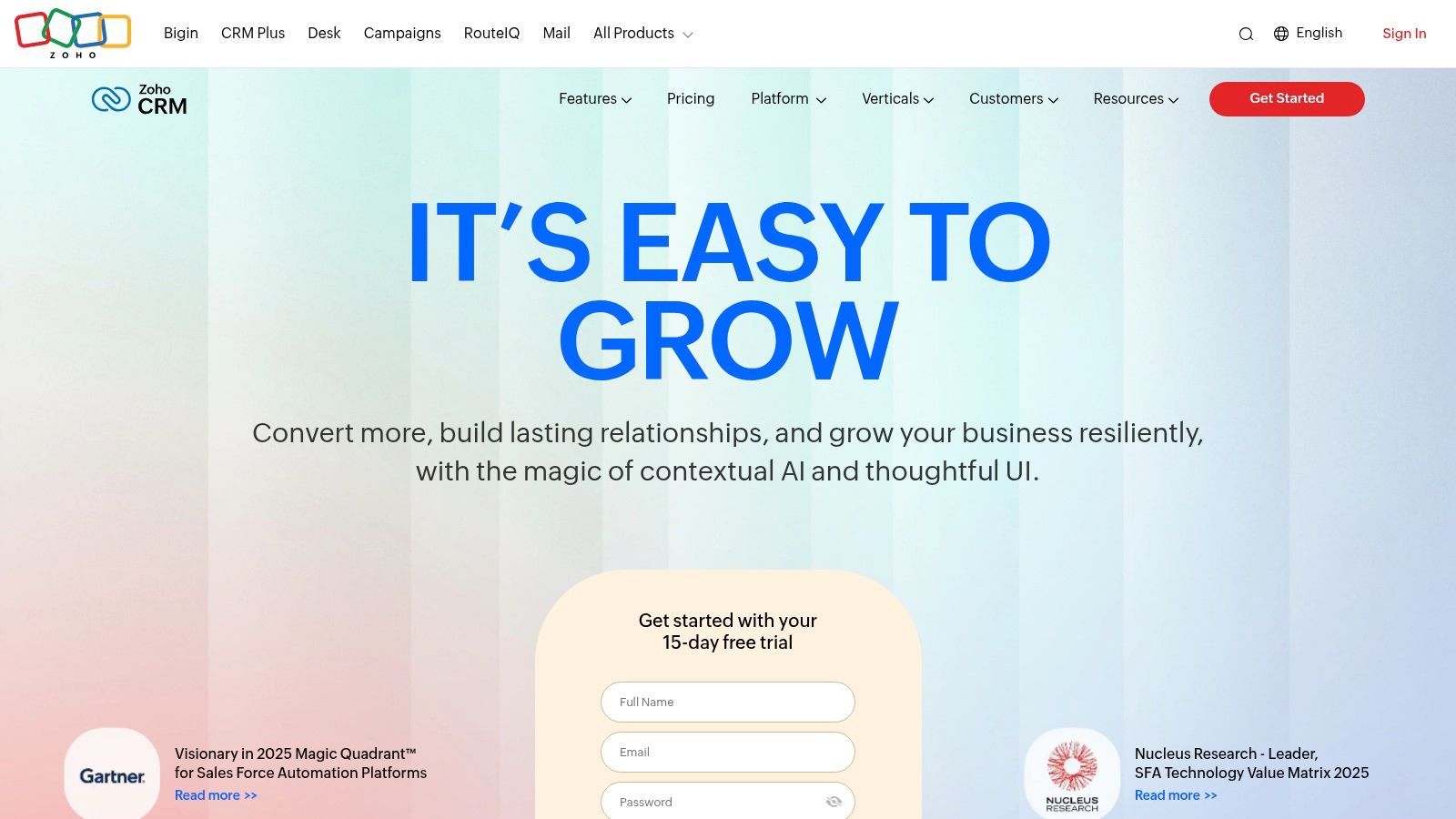
Zoho CRM is a powerful and remarkably cost-effective platform, making it a top contender for SMBs and mid-market companies that need a scalable, all-in-one solution. It stands out by offering a comprehensive suite of tools that supports the entire customer lifecycle, allowing outbound teams to manage their activities within a single, integrated ecosystem without breaking the budget.
At its core, Zoho CRM provides robust management for leads, contacts, deals, and accounts. What makes it particularly effective for outbound sales is its combination of built-in automation, multi-channel communication tools, and the power of its broader software suite. It’s ideal for teams that want enterprise-grade features at a more accessible price point.
Key Outbound Features & Use Cases
Zoho CRM solidifies its place as one of the best CRM for outbound sales by bundling critical outreach functions directly into its platform, reducing the need for multiple third-party tools. For a deeper dive into its capabilities, you can learn more about how to set up Zoho CRM for sales prospecting.
- Multi-Channel Communication: Engage prospects via email, phone, social media, and live chat directly from the CRM. Built-in telephony allows for click-to-call, call logging, and analytics, streamlining an SDR's workflow.
- Workflow Automation & Blueprints: Automate routine tasks like sending follow-up emails, creating tasks, and updating fields. Blueprints allow managers to define and enforce specific sales processes, ensuring reps follow the right steps for every lead.
- Zia AI Assistant: On higher-tier plans, Zoho's AI assistant provides predictive lead scoring, suggests the best time to contact a prospect, and analyzes email sentiment to help reps prioritize their outreach efforts effectively.
- Integrated Zoho Ecosystem: Seamlessly connect with other Zoho apps like Zoho Campaigns for email marketing or Zoho Analytics for advanced reporting, creating a unified operational hub.
Pricing and Implementation
- Standard: $14/user/month billed annually, or $20 billed monthly
- Professional: $23/user/month billed annually, or $35 billed monthly (Most popular)
- Enterprise: $40/user/month billed annually, or $50 billed monthly
- Ultimate: $52/user/month billed annually, or $65 billed monthly
Note: Zoho offers a generous free edition for up to 3 users that includes workflow automation, but key outbound features like mass email are reserved for paid plans.
| Pros | Cons |
|---|---|
| Extremely competitive pricing for a robust set of features. | Advanced AI and customization are locked behind higher-priced tiers. |
| Excellent for businesses already invested in the Zoho software suite. | The UI can feel more complex than minimalist, sales-focused CRMs. |
| Highly scalable, supporting businesses from startups to enterprises. | Initial setup to match a specific sales process can be time-consuming. |
9. Freshsales (Freshworks)
Freshsales, part of the Freshworks ecosystem, is a sales-focused CRM designed for speed and simplicity, making it an excellent choice for small to mid-sized businesses. It’s best suited for outbound sales teams that need an all-in-one solution with built-in communication tools, allowing them to get up and running quickly without a steep learning curve or heavy reliance on third-party integrations for core functions.
At its core, Freshsales combines traditional CRM capabilities with native phone, email, and chat functionalities. This integrated approach allows sales reps to manage their entire outreach process from a single platform, from prospecting and initial contact to deal management in a visual pipeline. Its user-friendly interface and straightforward setup make it a strong contender for teams prioritizing ease of use and immediate value.
Key Outbound Features & Use Cases
Freshsales stands out as one of the best CRM for outbound sales for teams that want built-in tools without the complexity of a larger platform. The Freddy AI assistant adds a layer of intelligence that helps prioritize leads and automate repetitive tasks, boosting rep productivity.
- Built-in Phone and Email: Reps can make calls directly from the CRM with one click, automatically logging all activities. The platform also supports personalized email campaigns and tracks opens and clicks, providing immediate engagement signals.
- AI-Powered Insights: The Freddy AI feature provides deal insights, predictive contact scoring, and identifies contacts who are most likely to engage. This helps teams focus their efforts on the highest-potential leads in their pipeline.
- Visual Sales Pipelines: Manage deals through a drag-and-drop Kanban-style board. Teams can customize stages to match their sales process, making it easy to see where every opportunity stands at a glance.
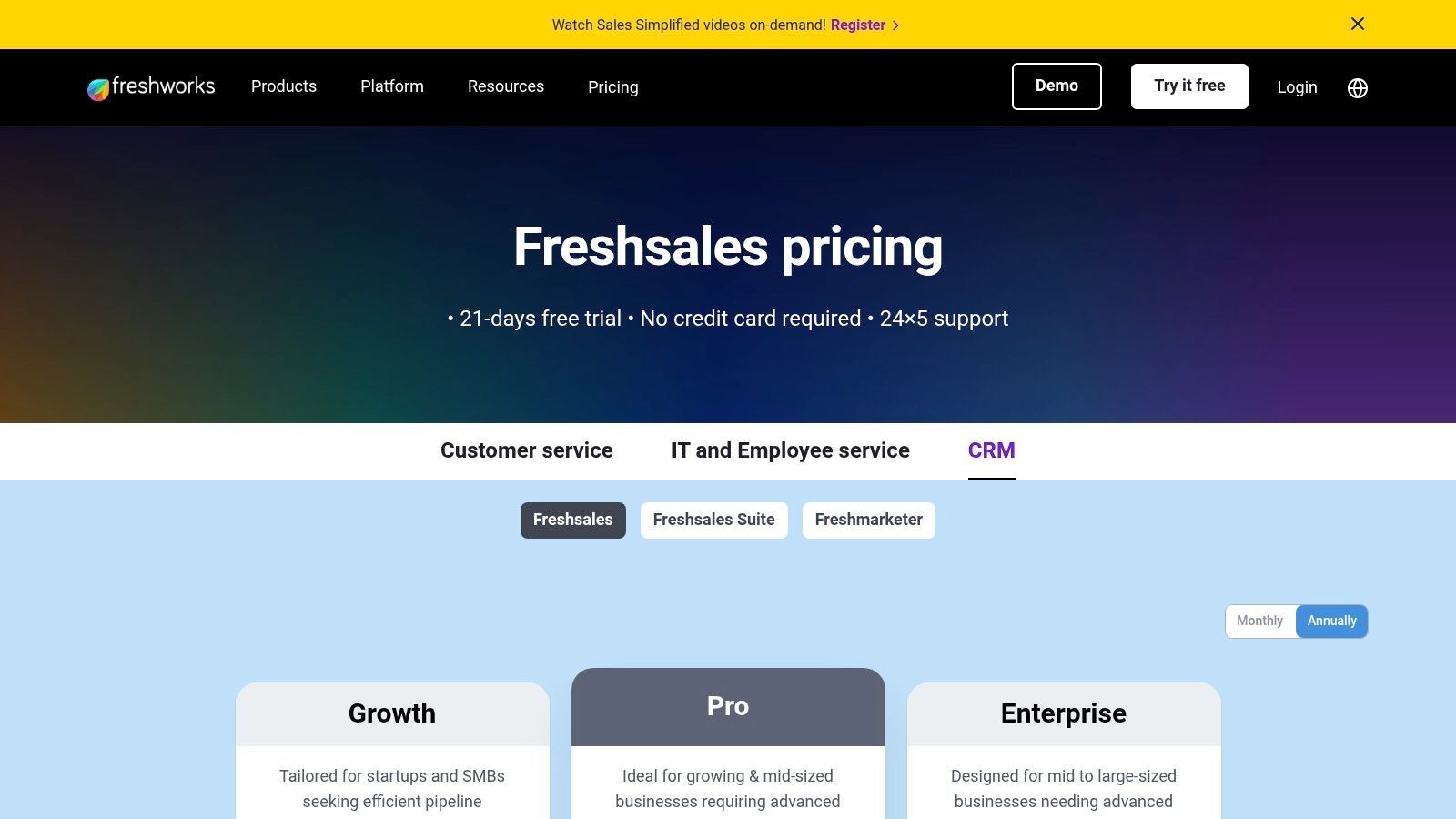
Pricing and Implementation
- Growth: $9/user/month billed annually, or $11 billed monthly
- Pro: $39/user/month billed annually, or $47 billed monthly (Adds sales sequences)
- Enterprise: $59/user/month billed annually, or $71 billed monthly
Note: While Freshsales is known for its quick setup, teams looking to leverage its full automation potential will benefit from understanding its workflow rules. To dive deeper, you can learn more about using Freshworks for your sales process.
| Pros | Cons |
|---|---|
| Excellent value with built-in multichannel communication tools. | Lacks the extensive app marketplace of larger competitors like Salesforce. |
| Intuitive and modern user interface that is easy to adopt. | Advanced customization and AI features are limited to higher-tier plans. |
| Fast implementation gets teams productive in days, not months. | Can be outgrown by enterprise teams with highly complex sales processes. |
10. Microsoft Dynamics 365 Sales
Microsoft Dynamics 365 Sales is an enterprise-grade CRM that presents a compelling option for organizations deeply embedded in the Microsoft ecosystem. It’s ideal for outbound sales teams that rely heavily on tools like Outlook, Teams, and LinkedIn, offering a unified workflow that leverages powerful AI features and extensive customization through the Microsoft Power Platform.
At its core, Dynamics 365 provides robust lead and opportunity management. It stands out by natively integrating with LinkedIn Sales Navigator and embedding Copilot AI directly into the sales process. This creates a highly connected environment where reps can minimize context switching and leverage intelligent automation to guide their next steps, from drafting emails to summarizing client conversations.
Key Outbound Features & Use Cases
Dynamics 365 proves it is one of the best CRM for outbound sales for teams standardized on Microsoft technology, turning familiar tools into a coordinated outreach machine. Its Sales Accelerator and AI functionalities are central to its outbound power.
- Sales Accelerator: This feature provides a prioritized worklist for reps, intelligently organizing leads and opportunities into a sequence. It guides sellers through their day with recommended actions, ensuring they follow a consistent and effective outreach process.
- Copilot AI Integration: Copilot acts as an AI assistant within the CRM, helping reps draft follow-up emails, summarize opportunity records, and catch up on the latest news about their accounts. This significantly reduces administrative work and boosts productivity.
- Power Platform Extensibility: Use Power Automate to build complex, automated workflows without extensive code. For instance, automatically create a task in Dynamics when a reply from a high-value prospect arrives in Outlook or create a custom app with Power Apps for a specific sales process.
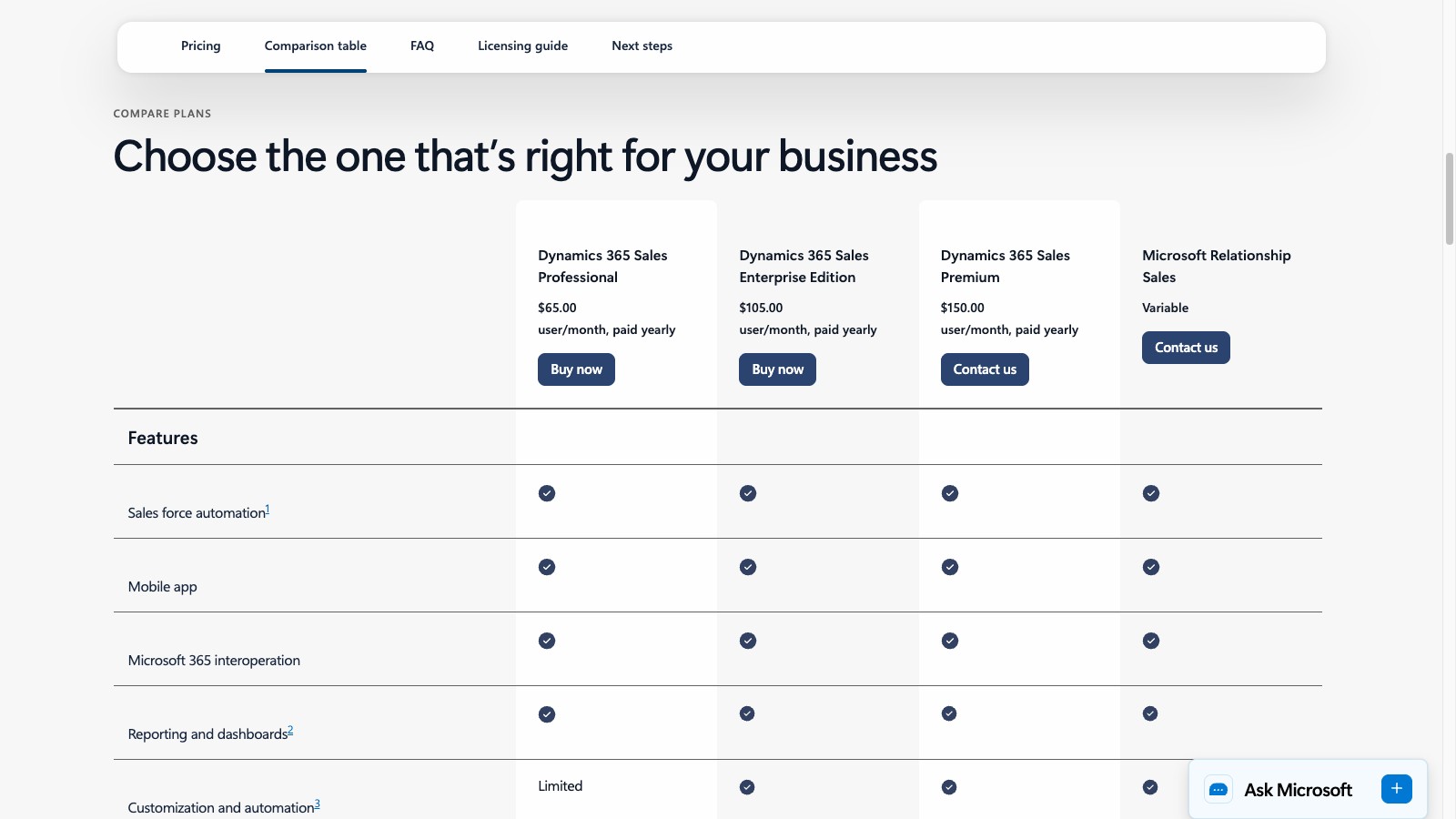
Pricing and Implementation
- Sales Professional: $65/user/month billed annually
- Sales Enterprise: $105/user/month billed annually (Includes more customization and AI)
- Sales Premium: $150/user/month billed annually (Adds Sales Insights and 1,000 Copilot Credits)
- Relationship Sales: Contact Microsoft for pricing (Includes Sales Enterprise and LinkedIn Sales Navigator; 10-seat minimum)
Note: The full potential is unlocked with higher-tier plans and add-ons. Similar to other enterprise systems, implementation often requires specialized expertise or a consulting partner to configure it to your specific outbound needs.
| Pros | Cons |
|---|---|
| Unparalleled integration with the Microsoft 365 and LinkedIn ecosystem. | Can have a significant learning curve and administrative complexity. |
| Powerful AI and automation capabilities via Copilot and Power Platform. | Pricing can become expensive, especially with add-ons and higher tiers. |
| Strong enterprise-grade security and compliance features. | The interface may feel less intuitive for teams not used to Microsoft software. |
Visit Microsoft Dynamics 365 Sales
11. Copper
Copper is the go-to CRM for outbound sales teams that live and breathe inside Google Workspace. Its native integration with Gmail, Google Calendar, and Google Drive removes friction from the sales process, making it an ideal choice for SMBs and startups that prioritize simplicity and user adoption over complex, enterprise-level features.
The platform is designed to work where your team already works: their inbox. Copper automatically syncs contacts, emails, and meeting data, eliminating manual data entry and ensuring the CRM is always up-to-date. This deep integration allows reps to manage their entire sales pipeline directly from Gmail, boosting productivity and workflow efficiency without needing to constantly switch tabs.
Key Outbound Features & Use Cases
Copper's value proposition makes it one of the best CRM for outbound sales for Google-centric teams. Its design philosophy centers on making CRM tasks feel like a natural extension of a rep's daily email and calendar activities.
- Deep Gmail Integration: Manage leads, update opportunities, and view contact history directly from a Gmail sidebar. Log emails automatically and use email templates to standardize outreach.
- Workflow Automation: Create simple, trigger-based automations. For example, automatically create a follow-up task when a deal moves to a new stage or assign new leads to reps based on specific criteria.
- Bulk Email & Basic Enrichment: Send personalized bulk emails to targeted lead lists directly from the CRM. Copper can also automatically find and suggest contact information for your leads, streamlining the initial prospecting phase.
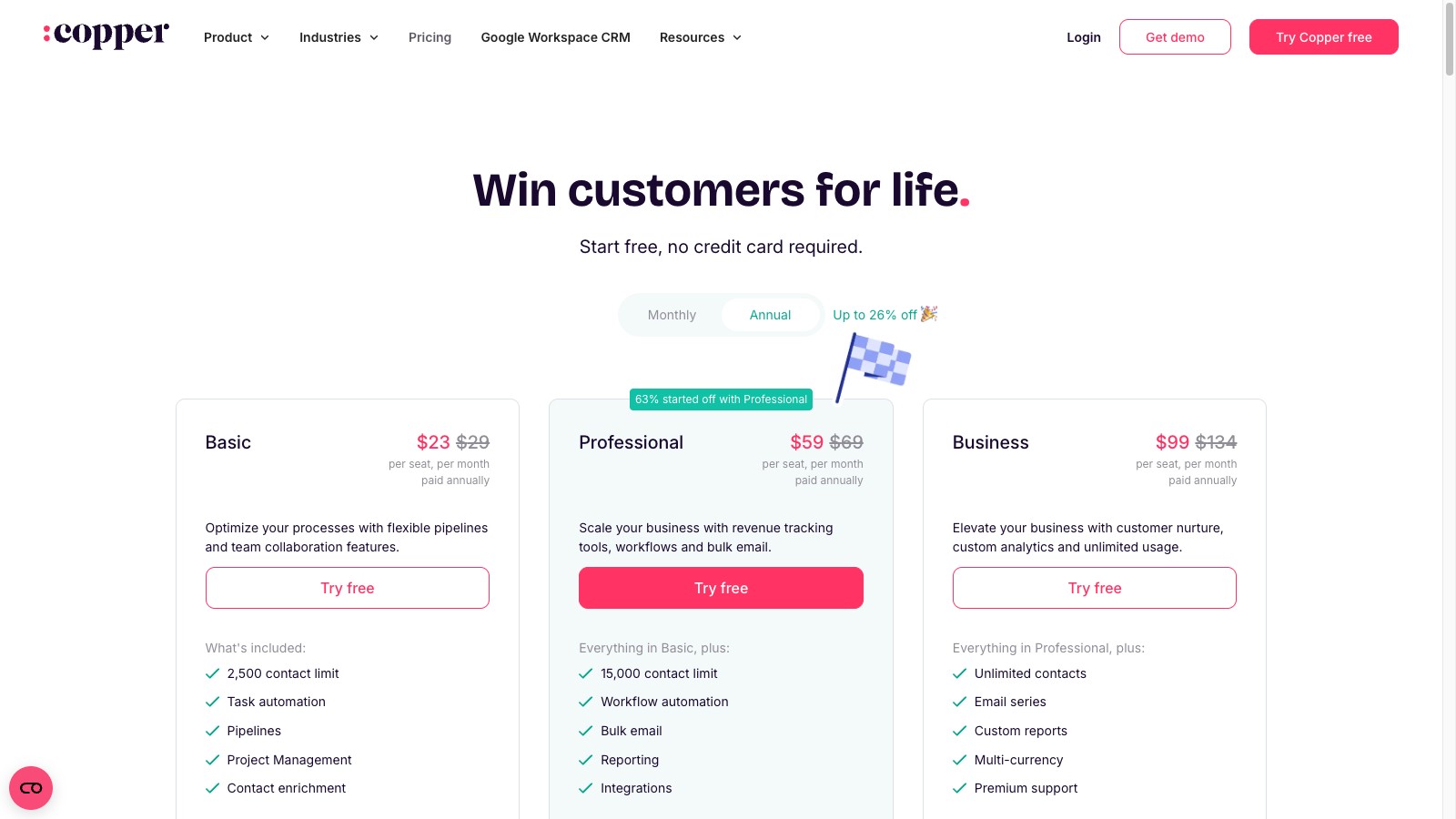
Pricing and Implementation
- Basic: $23/user/month billed annually, or $29 billed monthly (2,500 contact limit)
- Professional: $59/user/month billed annually, or $69 billed monthly (Adds workflow automation and bulk email)
- Business: $99/user/month billed annually, or $134 billed monthly (Adds email series, custom reports, and unlimited contacts)
Note: The Professional and Business tiers are necessary to unlock the most valuable outbound sales features like workflow automation and bulk email capabilities. Implementation is famously straightforward, often taking hours instead of weeks.
| Pros | Cons |
|---|---|
| Best-in-class integration with Google Workspace (Gmail, Calendar, etc.). | Can be limiting for teams that don't primarily use the Google ecosystem. |
| Simple user experience and rapid adoption, especially for SMBs. | Fewer advanced features and less customization than enterprise CRMs. |
| Automates data entry by syncing emails and contacts seamlessly. | Contact limits on lower-tier plans can be restrictive for growing teams. |
Start your 7-day free trial of Standard
Find verified emails, phone numbers, and job titles on LinkedIn®. Add contacts to any of 29+ supported CRMs in one click.
Start Free TrialTrusted by 2,500+ users4.712. Zendesk Sell
Being retired: Zendesk will retire Zendesk Sell on August 31, 2027 (announced September 9, 2025). Existing customers keep full access until then, and Zendesk has partnered with Pipedrive, reviewed above, to migrate them, so new teams should choose another CRM.
Zendesk Sell is a streamlined CRM designed for sales teams that prioritize ease of use and quick implementation. It’s an excellent choice for businesses already embedded in the Zendesk ecosystem for customer support, as it creates a unified view of the entire customer lifecycle. This integration allows outbound reps to have valuable context from support tickets when engaging prospects.
The platform offers a clean, intuitive interface for managing leads, contacts, and deals through customizable sales pipelines. Outbound teams can track their activities, monitor pipeline health with clear reporting dashboards, and leverage email integration to manage communication directly within the CRM. Its focus on a straightforward user experience makes it a solid contender for teams that find more complex systems overwhelming.
Key Outbound Features & Use Cases
Zendesk Sell supports outbound efforts with core functionalities designed for efficiency. Its strength lies in simplicity and the ability to combine sales and support data, which suits customer-centric organizations already using Zendesk Support.
- Integrated Communication: Reps can make calls, send emails, and schedule meetings directly from the platform. Email tracking provides insights into open rates and link clicks, helping prioritize follow-ups with engaged prospects.
- Strong Mobile App: The mobile application is robust, allowing field sales reps and BDRs on the go to update deals, log calls, and access contact information without being tied to a desk.
- Unified Customer View: When integrated with Zendesk Support, sales reps can see a prospect's entire history with the company. This context is invaluable for personalizing outreach and understanding potential pain points before the first call.
Pricing and Implementation
- Sell Team: $19/user/month
- Sell Growth: $55/user/month
- Sell Professional: $115/user/month
- Sell Enterprise: Starts at $169/user/month
Note: Zendesk lists these as monthly prices without stating the billing term, and plans can be paid month to month or on an annual contract. Key features like customizable sales dashboards, forecasting, and advanced call analytics are available in the higher-tier plans.
| Pros | Cons |
|---|---|
| Extremely intuitive user interface allows for rapid team onboarding. | Lacks the deep customization and automation of larger CRM platforms. |
| Seamless integration with Zendesk Support for a 360-degree customer view. | Being retired on August 31, 2027; sequences need Growth or higher. |
| Strong mobile app empowers reps working outside the office. | Advanced analytics and forecasting are reserved for more expensive tiers. |
Top 12 Outbound Sales CRM Comparison
| Product | Core focus / key features | Best for (target audience) | Strengths (unique selling points) | Drawbacks | Pricing |
|---|---|---|---|---|---|
| Close | Outbound CRM with native calling, SMS, dialers, voicemail drop | High-volume cold-calling SDR/AE teams | Built-in multi-channel comms, predictive dialers, reduces tool sprawl | Per-minute/phone-number fees can raise TCO; fewer enterprise customizations | From $9/user/mo billed annually (Solo); calling/SMS billed on usage |
| Salesforce Sales Cloud | Enterprise CRM: leads, accounts, opportunities, automation, APIs | Large, complex outbound orgs / enterprises | Extremely scalable, deep integrations, enterprise security, vast app ecosystem | Expensive with add-ons; steep admin/implementation curve | Enterprise pricing; add-ons often extra |
| HubSpot Sales Hub | Unified CRM + sequencing, email tracking, calling, analytics | SMB → mid-market teams wanting fast deployment | Intuitive UI, strong free tier, HubSpot Academy & resources | Advanced automation/permissions on higher tiers; add-on costs | Free → paid tiers; higher tiers unlock features |
| Pipedrive | Visual deal pipelines, activity scheduling, email tracking | Outbound SMBs and mid-market teams | Fast setup, clean rep-friendly UI, transparent pricing | Limited native reporting; heavy customization needs add-ons | Transparent paid plans; self-serve trials |
| Outreach | Sales engagement: cadences, dialer, AI conversation intelligence | Enterprise outbound teams with complex engagement needs | Enterprise-grade engagement, coaching, deep CRM sync | Opaque pricing; requires dedicated enablement/admin | Quote-based enterprise pricing |
| Salesloft | Sales engagement, cadences, dialer, conversation intelligence | Enterprise teams focused on coaching & governance | Strong coaching tools, analytics, bi-directional CRM sync | Quote required; more complex than SMB tools | Quote-based pricing |
| Apollo | Prospecting database + sequencing, analytics, basic CRM | Startups and outbound teams focused on list-building | Large B2B data, integrated engagement, free tier available | Data accuracy varies; advanced features gated by plan | Free tier + paid credit-based plans |
| Zoho CRM | Full CRM with automation, telephony, Zia AI | Cost-conscious SMBs scaling within Zoho suite | Competitive pricing, broad integrations, AI features on higher tiers | Advanced AI/permissions only on higher plans; UI can be dense | Affordable tiers; higher tiers unlock AI |
| Freshsales (Freshworks) | CRM with built-in chat, email, phone, Freddy AI | SMB outbound teams needing native multichannel tools | Fast implementation, good value, native multichannel | Advanced customization behind higher plans; smaller ecosystem | Affordable Freshworks tiers |
| Microsoft Dynamics 365 Sales | Enterprise CRM integrated with M365, LinkedIn, Copilot AI | Microsoft-centric enterprises | Tight Outlook/Teams/LinkedIn integration, Copilot AI, Power Platform extensibility | Admin complexity; add-ons and LinkedIn bundles increase cost | Enterprise pricing; add-ons extra |
| Copper | Google Workspace-native CRM: Gmail & Calendar sync | Gmail/Calendar-centric SMB teams | Deep Google Workspace sync, simple UX, quick adoption | Contact limits on lower tiers; fewer enterprise features | Paid plans (Basic → Business); contact limits apply |
| Zendesk Sell | Easy CRM with pipelines, forecasting, mobile app | Teams unifying support & sales; field/outbound reps | Quick setup, strong mobile app, Zendesk Support integration | No permanent free plan; advanced analytics on higher tiers | Being retired August 31, 2027; Zendesk points customers to Pipedrive |
Supercharge Your CRM: The Final Step to Outbound Efficiency
We've explored a comprehensive landscape of the top CRMs, from enterprise giants like Salesforce and Microsoft Dynamics 365 to agile, sales-focused platforms like Close and Pipedrive. Each tool offers a unique blend of features designed to structure, manage, and scale your outreach. However, selecting the best CRM for outbound sales is only the first part of the equation. The true competitive advantage lies in how your team uses that platform day-to-day.
The most critical insight is that no single CRM is perfect for every business. Your ideal choice depends heavily on your team's size, technical maturity, sales process complexity, and budget. An early-stage startup might thrive with Apollo's all-in-one prospecting and engagement suite, while a scaling enterprise will need the robust customization and integration capabilities of Salesforce Sales Cloud. The key is to map your specific outbound workflow requirements to the features and limitations we've discussed for each platform.
Key Takeaways and Your Next Steps
Before you make a final decision, distill your needs using these guiding principles:
- For High-Volume Outreach: If your strategy revolves around volume, prioritize CRMs with built-in dialers, email sequencing, and deep automation. Tools like Outreach, Salesloft, and Close are purpose-built for this intensity, ensuring reps can execute hundreds of touchpoints with minimal friction.
- For All-in-One Simplicity: Startups and small teams often need a single platform for prospecting, engagement, and relationship management. Apollo stands out here, combining a massive B2B database with sales engagement tools, eliminating the need for multiple subscriptions. HubSpot Sales Hub also offers a powerful, integrated ecosystem, especially if you're already using its marketing tools.
- For Customization and Scalability: If you have a complex sales process or anticipate rapid growth, you need a platform that can evolve with you. Salesforce remains the undisputed leader in customizability, while Zoho CRM offers a surprisingly deep and adaptable feature set at a more accessible price point.
Beyond the CRM: Optimizing Your Workflow
Choosing the best CRM for outbound sales is foundational, but the biggest bottleneck for any sales team remains manual, repetitive tasks. The time your reps spend copy-pasting contact details from LinkedIn, hunting for verified email addresses, and manually creating new records in your CRM is time they aren't selling. This is where the modern sales stack truly shines: by integrating tools that automate the tedious work between prospecting and your CRM.
This is the final, critical step to achieving peak outbound efficiency. A great CRM organizes your data, but a streamlined workflow ensures that data is captured quickly, accurately, and without draining your team's most valuable resource: their time. By bridging the gap between where your reps find prospects (like LinkedIn or company websites) and your system of record, you create a seamless operational engine.
This small but powerful optimization transforms your CRM from a passive database into an active, pipeline-generating machine. Your data stays cleaner, adoption rates skyrocket because the tool is easier to use, and your sales reps can finally focus 100% of their energy on what they do best: building relationships and closing deals.
Ready to eliminate the manual data entry that slows down your sales team? Add to CRM seamlessly connects your prospecting efforts on LinkedIn and across the web to your CRM, saving your reps hours each week. Capture, enrich, and sync contacts with a single click by trying Add to CRM today.
Start saving time and closing more deals.
Find verified contact info for your prospects on LinkedIn®, Gmail and Outlook — and add them to your CRM with 1-click.

 Loading...Trusted by 2,500+ founders, SDRs & more