Your Guide to Building a High-Performance B2B Email Database
Build a powerful B2B email database that drives results. Learn to acquire, enrich, and maintain high-quality data for sales and marketing success.
Published on February 12, 2026
Think of a B2B email database as the central nervous system for your sales and marketing efforts. It’s far more than just a spreadsheet of names and email addresses. A truly valuable database is a living, breathing asset—a curated collection of business contacts enriched with details that turn raw data into actionable intelligence. This is the foundation for any targeted outreach you do.
Why Your B2B Email Database Is Your Growth Engine
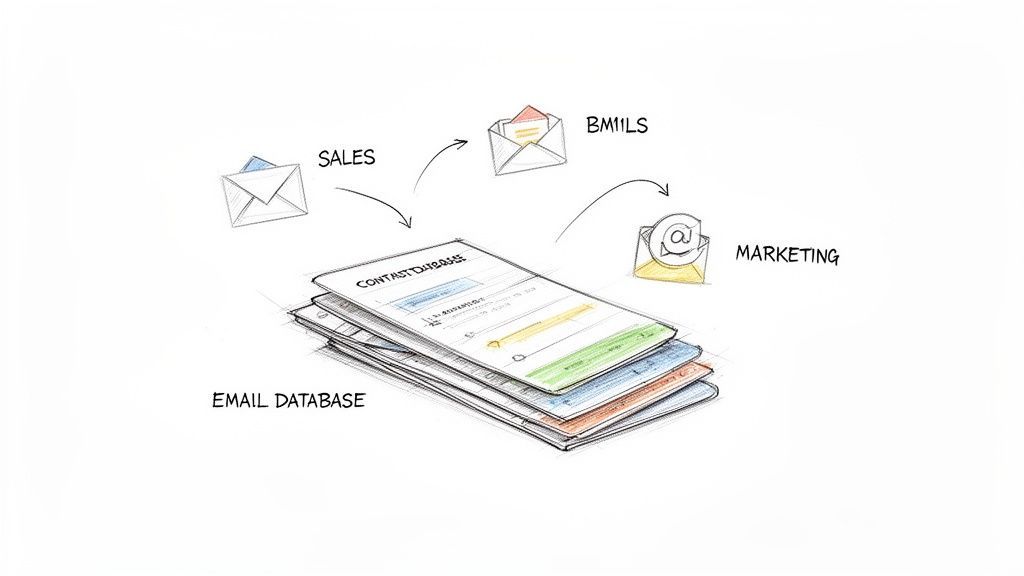
Let's use an analogy. Imagine your sales team is a group of expert archers. A powerful B2B email database isn't just their quiver of arrows; it’s the high-tech targeting system that identifies the most valuable targets, calculates their exact distance, and even predicts their next move. Without it, your team is just shooting blindly into the woods, wasting energy with little hope of hitting anything worthwhile.
A modern database is a strategic playbook, layered with crucial information that fuels a smart go-to-market strategy. It goes way beyond a simple name and email.
- Demographic Data: This tells you who you're talking to—think job titles, seniority levels, and specific roles within a company.
- Firmographic Data: This gives you the company context—their size, industry, annual revenue, and where they're located.
- Technographic Data: This reveals the tools a company uses, like their CRM or marketing automation software, which is a goldmine for targeted messaging.
With this level of detail, you can slice and dice your audience with incredible precision. It’s what lets your team craft personalized messages that actually resonate because they speak directly to a prospect’s specific challenges and responsibilities.
The Foundation of Modern Prospecting
In the fast-paced world of B2B sales, email is still the undisputed king. It’s not just an assumption; the data backs it up. A staggering 73% of B2B buyers prefer sellers to contact them via email over any other method. That preference alone makes a high-quality B2B email database mission-critical for scaling your prospecting efforts. You can find more on buyer preferences from our friends at Verified.Email.
A well-maintained database isn't a cost center; it's a revenue multiplier. It systematically eliminates wasted effort, shortens sales cycles, and directly connects your sales team with decision-makers who are ready to buy.
Moving Beyond Bad Data
On the flip side, a low-quality database is a straight-up liability. It leads to frustratingly high bounce rates that torch your sender reputation, making it harder for any of your emails to land in an inbox. Your sales reps end up wasting countless hours chasing ghosts—contacts who've changed jobs or leads at companies that were never a good fit in the first place.
Ultimately, investing in a clean, accurate, and enriched B2B email database is the first and most important step toward building a predictable sales pipeline. It’s the essential infrastructure that supports every single successful outreach campaign you'll ever run.
The Three Pillars of a Powerful Database
Building a B2B email database that actually drives revenue isn't a one-and-done task. It’s a continuous process that rests on three critical pillars. Think of it like building a skyscraper: you need a solid foundation (Acquisition), a strong internal framework (Enrichment), and regular maintenance to keep it standing (Verification). If you neglect any one of these, the whole structure could come crashing down.
Each pillar handles a different stage of the data lifecycle. Get them right, and your database becomes a reliable engine for growth. Get them wrong, and it’ll be a constant source of frustration.
Pillar 1: Data Acquisition
This is your starting line—how you actually get contacts into your database. The way you acquire contacts sets the tone for the quality and relevance of your entire list. There are really two main paths you can take, and each comes with its own trade-offs.
The first path is organic list building. This is all about earning contacts through valuable content and genuine interactions.
- Content Downloads: Offering up white papers, ebooks, or case studies in return for an email.
- Webinar Sign-ups: Attracting professionals who register for your online events.
- Direct Prospecting: Manually finding and adding ideal customer profiles from professional networking platforms.
This approach gives you high-quality, engaged contacts who’ve already raised their hand and shown interest. The downside? It’s slow. Building a sizable list this way can take months or even years of consistent effort.
The second path is purchasing or sourcing lists from a third-party data provider. This is all about speed and scale, letting you instantly load your database with thousands of potential leads. But the risk here is huge. Purchased lists are notorious for being inaccurate, outdated, and full of people with zero interest in what you do. That leads to high bounce rates and can quickly wreck your sender reputation.
A smarter, hybrid approach usually works best. It combines the speed of sourcing data with the quality control of organic building. You can see how this works in our guide to the best email finder tools.
Pillar 2: Data Enrichment
Getting a name and an email is just the beginning. That’s not enough to build a real connection. Enrichment is how you turn that basic contact info into a rich, three-dimensional profile. It’s like turning a blurry, black-and-white photo into a high-definition color portrait.
This pillar is all about adding extra layers of data that give you context and let you personalize your outreach.
Data enrichment is the bridge between knowing who someone is and understanding what matters to them. It's the key to crafting messages that actually resonate instead of just landing in an inbox.
Essential data points to add during enrichment include:
- Job Title and Seniority: Helps you understand their role and decision-making authority.
- Company Industry and Size: Lets you tailor your pitch to their specific market challenges.
- Location: Great for geographic targeting or relevant event invites.
- Technographic Data: Tells you what software and tools they’re already using.
With this kind of enriched data, you can segment your B2B email database with incredible precision, making sure every single message you send is relevant.
Pillar 3: Data Verification
The final pillar, verification, is probably the most important one for long-term success. B2B data goes stale—fast. People change jobs, companies get acquired, and email addresses get shut down. Industry studies estimate that B2B data decays at a rate of 20-30% every year.
Verification is the ongoing process of cleaning your list to scrub out the invalid, outdated, and risky email addresses. This isn’t a one-time chore; it’s a continuous hygiene practice.
Skip this step, and you’re in for a world of hurt. High bounce rates from bad emails will get your domain blacklisted by email providers, tanking your ability to reach any inbox.
Think of verification as your quality control system. It protects your sender reputation, boosts your campaign performance, and ensures your team is spending their time on real, reachable prospects. A powerful database isn't just about how many contacts you have—it's about the quality of every single one.
Measuring the Health of Your B2B Database
Your B2B email database is either your most powerful asset or a hidden liability draining your budget. What’s the difference? Its health. And you can measure that with cold, hard metrics.
Think of it like a car's dashboard—specific indicators tell you if the engine is running smoothly or if it's about to break down on the side of the road. Ignoring these numbers is like driving with the check engine light on. Sooner or later, you'll find yourself stranded.
Key Performance Indicators for Data Quality
First things first, you need to know if the contact information itself is any good. If these numbers look bad, it’s a clear sign your database is polluted with junk data. This is where you diagnose the root of the problem.
- Bounce Rate: This is the percentage of your emails that never made it to the inbox. A high bounce rate is the most obvious symptom of an unhealthy list.
- Hard Bounces: These are permanent failures, usually because the email address is invalid or just doesn't exist anymore. They’re toxic to your sender reputation and you need to scrub them from your list immediately.
- Soft Bounces: These are temporary hiccups, like a full inbox or a server that’s temporarily down. While less critical, a contact that consistently soft-bounces might have an abandoned account.
A healthy bounce rate should always be low. The moment it starts climbing over a few percent, it’s time for a serious data-cleaning session. You can tackle this head-on with our guide on how to verify email addresses.
The visual below breaks down the three pillars that keep a database strong—from how you get the data to how you keep it clean.
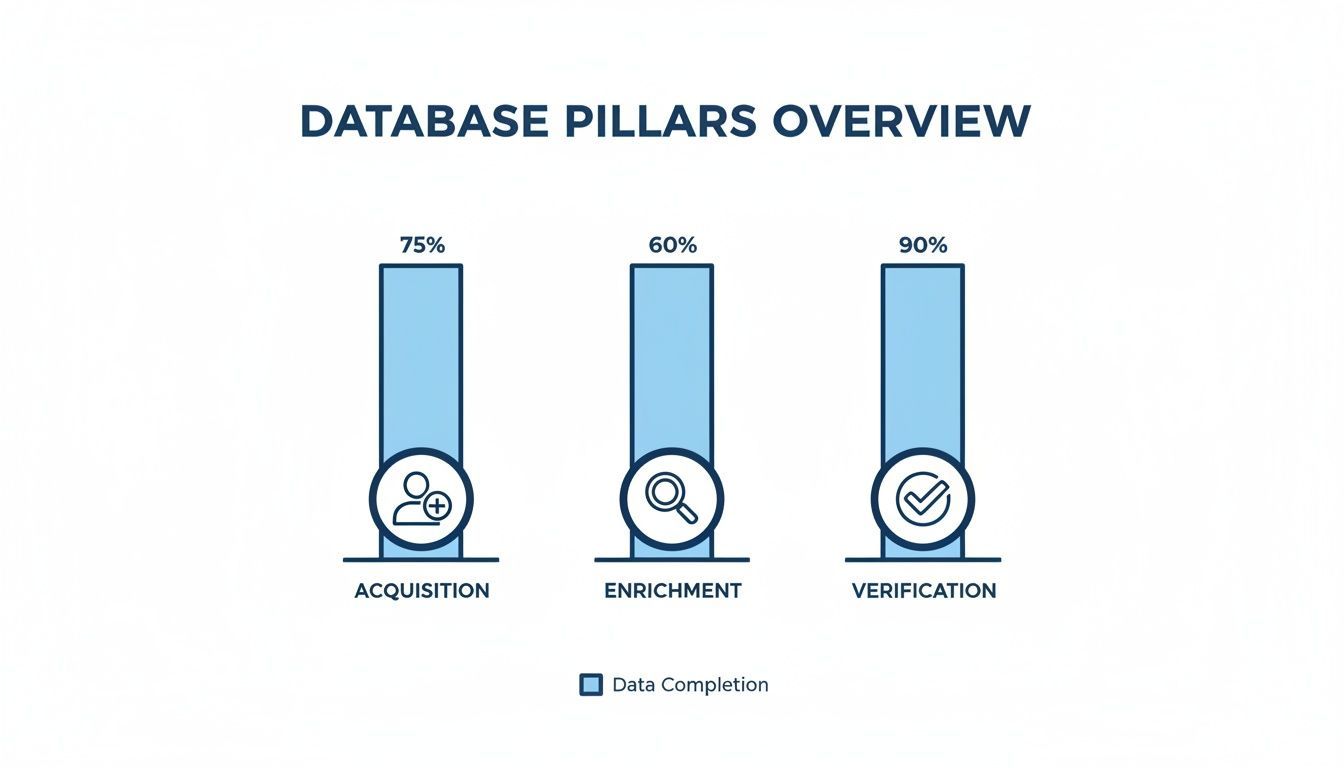
As the chart shows, a database is only as strong as its weakest link. While acquisition and enrichment are key, verification is what ultimately protects your deliverability.
Metrics That Measure Audience Engagement
Once your emails actually land in the inbox, a different set of metrics tells you what your audience thinks. These numbers show whether your targeting is sharp and your message is resonating. Low engagement is almost always a sign of a mismatch between your list and your offer.
Engagement metrics are your direct line of feedback from your audience. They tell you if you're building a relationship or just shouting into the void.
- Open Rate: The percentage of people who actually opened your email. It's the first test of relevance—did your subject line and sender name grab their attention?
- Click-Through Rate (CTR): The percentage of recipients who clicked a link inside your email. This tells you how compelling your offer and call-to-action really are.
- Click-to-Open Rate (CTOR): This metric compares unique clicks to unique opens. It’s a fantastic way to judge your email's content performance, separate from deliverability or open rates.
A Quick-Reference Health Checklist
To make this even easier, think of your database health in terms of a simple checklist. The table below breaks down the most important metrics, what they mean, and what you should be aiming for.
B2B Email Database Health Checklist
| Metric | What It Measures | Healthy Target | Warning Sign |
|---|---|---|---|
| Bounce Rate | The percentage of emails that failed to deliver. | < 2% | > 5% |
| Email Accuracy | The percentage of valid, deliverable email addresses. | > 95% | < 90% |
| Data Freshness | How recently the contact data was verified or updated. | < 6 months | > 1 year |
| Open Rate | How many recipients opened your email campaigns. | > 30% | < 20% |
| Click-to-Open (CTOR) | The relevance of your content to those who opened. | > 6% | < 3% |
| Unsubscribe Rate | How many recipients opt-out of your communications. | < 0.5% | > 1% |
Keeping these numbers in the "Healthy Target" zone is non-negotiable for any team that relies on email for growth.
Setting Realistic Benchmarks
Data decay is the silent killer of B2B campaigns. Lists decay at a staggering rate of 20-30% per year as people change jobs, abandon old inboxes, and move on. This directly tanks performance.
A healthy B2B email list today should have a bounce rate under 2%, open rates floating around 35.7%-43.46%, and a click-to-open rate (CTOR) of at least 6.81%.
If your numbers are falling short, it’s a clear signal to go back to the three pillars—Acquisition, Enrichment, and Verification—to figure out where the leaks are and plug them for good.
Navigating Data Privacy and Compliance
Let’s be honest: managing a B2B email database isn’t just about tech and data. It’s also an ethical and legal tightrope walk. In a world where privacy is everything, understanding the rules isn’t just a good idea—it’s the price of admission. Get it wrong, and you’re looking at hefty fines and a brand reputation that’s tough to repair.
Think of data privacy laws as the rules of the road for digital outreach. Just like traffic lights keep intersections from becoming chaotic, regulations like Europe’s General Data Protection Regulation (GDPR) and the California Consumer Privacy Act (CCPA) create a clear framework for handling data responsibly. They’re not designed to shut down your prospecting; they’re there to make sure you do it with respect.
Understanding GDPR and CCPA in B2B
While these laws can feel dense, their core ideas for B2B are actually pretty straightforward. GDPR, for example, often works on the principle of "legitimate interest" for B2B communication. This means you can generally contact a professional without their explicit consent, as long as your outreach is directly relevant to their job and you have a good reason to think your offer could genuinely help them.
But "legitimate interest" isn't a free pass to spam. You still have to play by the rules:
- Be Specific: Only use the data for the exact, legitimate reason you collected it. No mission creep.
- Be Minimalist: Collect only what you absolutely need. Don't hoard extra data fields "just in case."
- Be Transparent: Always be clear about who you are, why you're reaching out, and how they can easily opt out.
The CCPA gives California residents similar controls, like the right to know what data you’ve collected and the right to have it deleted. At the end of the day, both laws put the individual back in control of their own information.
Practical Steps for Compliance
Staying on the right side of the law is less about being a legal scholar and more about building good habits. Your entire approach should be built on transparency, respect, and accountability. This doesn't just keep you out of legal trouble; it shows prospects you value their privacy—a powerful way to build trust from the very first email.
A compliant B2B email database is built on a foundation of respect. Every contact is a professional, not just a line in a spreadsheet. Treating their data with care is the first step toward building a genuine business relationship.
Here’s a simple checklist to keep your process clean:
Provide a Clear Opt-Out: Every single email must have an unsubscribe link that’s easy to find and works instantly. Hiding it or making it a multi-step nightmare is a huge red flag and a direct violation of most laws.
Maintain a Suppression List: When someone unsubscribes, that's it. Their request needs to be honored immediately and permanently. Keep a dedicated suppression list to make sure you never accidentally email them again, even if their info gets re-uploaded from a different source.
Honor Deletion Requests: You need a process for handling "right to be forgotten" requests. When someone asks to be deleted, you must be able to find and permanently remove all their data from all your systems, no questions asked.
Secure Your Data: Protecting your database from a breach isn't just a good practice; it's a legal requirement. A leak can expose your contacts to phishing and identity theft, making solid security non-negotiable.
Ultimately, good compliance is just good business. When you manage data responsibly, you’re not just dodging legal risks. You’re also improving your email deliverability, boosting engagement, and building a brand people actually trust.
Integrating Your Database with Your CRM
A B2B email database in a silo is like a powerful engine sitting on the garage floor—it's full of potential but completely useless until you connect it to the car. To get any real value out of it, you have to plug that database directly into your Customer Relationship Management (CRM) system. That connection turns two separate tools into one seamless sales machine.
This integration transforms your CRM from a simple digital rolodex into a dynamic hub for sales and marketing intelligence. It’s the difference between your team manually updating spreadsheets and having a single source of truth that everyone can trust. When your database and CRM work together, you kill manual data entry, prevent duplicate records, and give your team clean, actionable data right where they work every day.
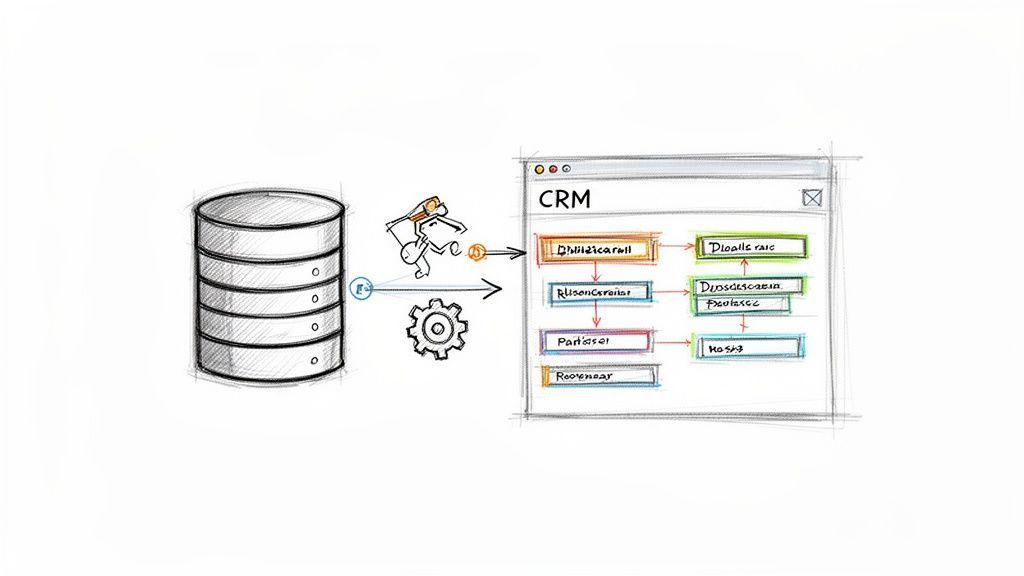
Setting Up a Single Source of Truth
The whole point of integration is to establish one reliable source of customer information. This stops "data forks"—where your sales team sees one version of a contact in the CRM, while your marketing team has a totally different version in their email platform. We've all seen where that leads: embarrassing mix-ups and wasted effort.
Getting started is usually pretty straightforward. Most modern database tools connect to your CRM with a simple, secure API connection that you can set up in just a few minutes. This initial link creates the pipeline for all your valuable contact data to flow through, ensuring everyone is working from the same playbook.
The Art of Custom Field Mapping
Once the tools are connected, the next crucial step is field mapping. This is just the process of telling your database which data points should go into which fields inside your CRM.
Think of it like telling movers where to put your boxes. You don't just dump everything in the living room; you label boxes "kitchen," "bedroom," and "office" so everything ends up in the right place. Without proper field mapping, you risk creating a chaotic mess—like a contact’s job title ending up in the "Company Name" field in your CRM, making the data useless.
Proper field mapping is the bedrock of data hygiene. It ensures that the enriched data you've invested in is not just present in your CRM, but is organized, searchable, and ready to be used for targeted campaigns.
Key fields you’ll want to map include:
- Contact Information: First name, last name, verified email, and direct-dial phone number.
- Company Details: Company name, industry, employee count, and annual revenue.
- Role-Specific Data: Job title, department, and seniority level.
Getting this right from the start saves you from countless hours of cleanup down the road. For more on this, check out our guide on how to import a contacts list correctly.
Automated De-Duplication and Data Hygiene
One of the biggest wins from a direct CRM integration is automated duplicate management. A good B2B data tool will actually check your CRM before adding a new contact. If a record for that person or company already exists, it won’t create a second one.
This is a game-changer for keeping your data clean. Instead of cluttering your CRM with messy duplicates, the system can simply enrich the existing record with any new info it finds.
Here’s how a typical automated workflow looks in action:
- Prospecting: A sales rep finds a promising lead on a professional networking site.
- Duplicate Check: Before adding them, the integrated tool instantly scans the CRM for a matching email or profile URL.
- Action: If a match is found, the tool alerts the rep and offers to update the existing record. If no match is found, it creates a new, clean contact with all fields correctly mapped.
This simple, automated process prevents the data chaos that plagues so many sales teams. It keeps your CRM a pristine, reliable asset, freeing up your team to focus on building relationships and closing deals instead of playing janitor with messy data.
Calculating the ROI of Your Database
So, how do you justify the spend on a premium B2B email database? It almost always boils down to one question: what’s the return? The price tag is obvious, but the value can feel a bit fuzzy. The trick is to stop seeing it as a cost and start treating it like a measurable investment.
Calculating the ROI isn’t just about the new deals you close. A great database pays you back in two distinct ways: by saving you money (cost savings) and by making you money (revenue generation).
Quantifying Cost Savings from Better Data
First off, let's talk about the hidden drain of bad data. Think about how much time your sales team burns chasing leads with bounced emails, wrong job titles, or outdated company info. That lost productivity isn't just frustrating; it's a real, tangible expense.
A high-quality database cuts right through that tedious manual work. Here’s a quick, back-of-the-napkin calculation to see how the savings stack up:
- Time Saved Per Rep: If an SDR saves just 30 minutes per day on manual prospecting, that’s 10 hours a month they get back.
- Monetary Value: Let's say that SDR’s loaded cost (salary, benefits, the works) is $40 per hour. You're suddenly saving $400 per rep, every single month.
- Team-Wide Impact: For a small team of five SDRs, that’s a $2,000 per month savings. Annually, you're looking at $24,000 freed up just from better efficiency.
That simple math often builds a compelling business case on its own. The database stops being an expense line and becomes a productivity tool that more than pays for itself.
Measuring Revenue Generation
The second, and arguably more powerful, side of the ROI coin is pure revenue. Better data doesn't just save time—it directly fuels more closed deals by sharpening every single stage of your sales funnel.
ROI isn't just about saving time; it's about reallocating that time to high-value activities. Every minute a sales rep isn't digging for data is another minute they can spend building relationships and closing deals.
This is where you tap into the legendary power of B2B email. The channel’s ROI is off the charts, delivering an average of $36 for every $1 spent. It’s no wonder 81% of global B2B marketers rely on it, using engagement metrics to predict the health of their pipeline. If you want to dive deeper, check out the eye-opening email marketing statistics from research compiled by GTM8020.
To tie your database investment directly to revenue, start tracking the uplift in these key metrics:
- Higher Deliverability: Clean data means fewer bounces. More of your messages actually land in the inbox where they belong.
- Increased Open and Reply Rates: When you have accurate job titles and company info, you can write hyper-personalized outreach that actually gets a response.
- More Qualified Meetings: Better targeting means your team is talking to prospects who are a genuine fit, not just kicking tires.
- Shorter Sales Cycles: Getting to the right decision-maker on the first try is the fastest way to accelerate a deal.
Once you start tracking the lift in these areas after getting a quality database, you can draw a straight line from your investment to new pipeline and closed-won revenue. Combine those gains with your cost savings, and the financial case becomes impossible to ignore.
Frequently Asked Questions
Digging into B2B data always sparks a few questions. Here are some straightforward answers to the ones we hear most often.
Should I Buy a B2B Email List or Build My Own?
This is the classic debate, but the answer is pretty clear: building a database yourself is almost always the right move for long-term results.
When you generate contacts through things like content downloads or good old-fashioned prospecting, you’re creating a list of people who have already shown some level of interest. The catch? It takes time. A lot of it.
Buying a list gets you volume overnight, but you're rolling the dice on quality. You'll likely face abysmal accuracy, high bounce rates that wreck your sender reputation, and some serious compliance headaches.
The sweet spot is often a hybrid approach. Use a prospecting tool to build your own targeted, verified list from scratch. It gives you the speed of buying a list but with the quality control of building one yourself—truly the best of both worlds.
How Often Should I Clean My B2-B Database?
Think of data cleaning less like a one-time spring cleaning and more like daily hygiene. It has to be an ongoing habit.
B2B data decays at a shocking rate of 20-30% per year as people change jobs, companies get acquired, and email addresses are deactivated. If you aren't constantly verifying your list, it's going stale right under your nose.
A clean database is a profitable database. Regular verification is the single most effective way to protect your sender reputation, maximize deliverability, and ensure your team's efforts are not wasted on dead-end contacts.
Your best bet is to use a tool that offers real-time email verification whenever a new contact hits your CRM. For the data you already have, you should do a full scrub at least once a quarter. And as a final check, always run a verification on any list segment right before launching a big outbound campaign. It's a simple step that saves a ton of bounces.
Besides an Email, What’s the Most Important Piece of Data?
This can shift a bit depending on your industry, but nine times out of ten, "Job Title" or "Role" is the most critical data point you can have.
Why? It’s your shortcut to context. A job title instantly tells you about a person’s responsibilities, their likely decision-making power, and whether your solution is even relevant to them.
This one field is the foundation of all good segmentation and personalization. The way you talk to a "Head of Sales" should be completely different from how you approach a "Marketing Coordinator." Other essentials like company industry, company size, and location are also vital for layering on top to make sure every message hits the mark.
Ready to stop copy-pasting and start connecting with the right prospects? Add to CRM turns any professional profile into a clean, enriched CRM record in one click. Our Chrome extension saves your team hours every week, provides verified contact data with 96% accuracy, and integrates seamlessly with your existing workflow. Get started for free today.
Start saving time and closing more deals.
Find contact info for your prospects on the #1 business social network and add them to your CRM with 1-click.

 Loading...



Trusted by 1000s of founders, SDRs & more
