What Is Contact Management A Guide to Smarter Business Relationships
What is contact management? Learn how it transforms scattered data into a powerful business asset, streamlines sales, and fuels growth for modern teams.
Published on February 10, 2026
- What Exactly Is Contact Management Today?
- Why Smart Contact Management Is Your Competitive Edge
- Essential Features of a Powerful Contact Management System
- Contact Management vs CRM: How They Differ
- Building a Contact Management Strategy That Actually Works
- Common Contact Management Mistakes to Avoid
- Got Questions? We’ve Got Answers.
Contact management is simply the system for organizing, tracking, and actually using the information you have about your contacts. It’s the foundational process that turns a mess of scattered data points—emails, phone calls, random meeting notes—into a clear, actionable history for every single business relationship.
What Exactly Is Contact Management Today?
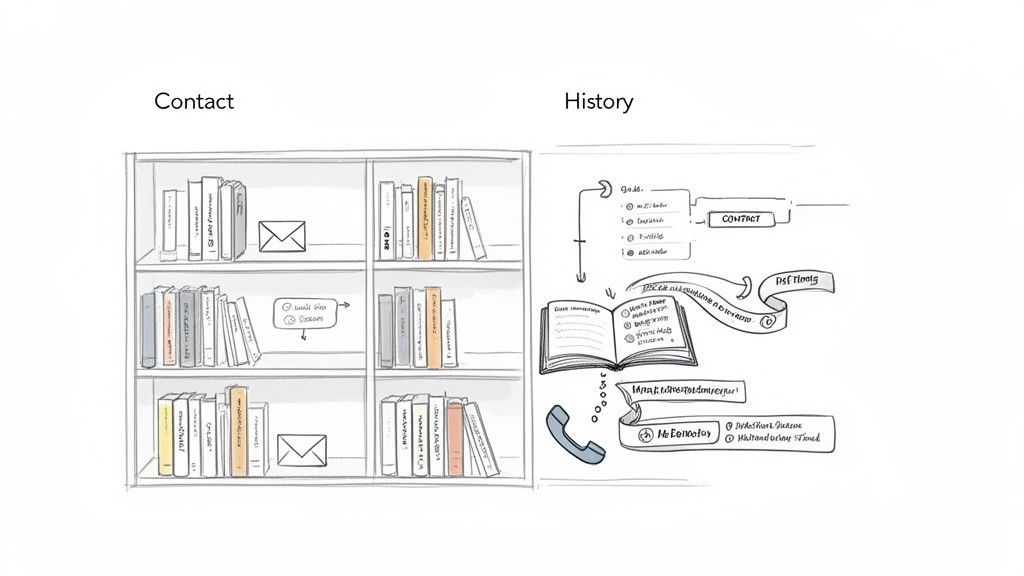
Imagine trying to build a jigsaw puzzle, but the pieces are scattered all over your house. You’ve got names in a spreadsheet, phone numbers in your phone’s address book, email chains buried in your inbox, and crucial notes scribbled on a legal pad somewhere.
Individually, each piece has value. But together, they're just a chaotic mess. That's what running a business feels like without a real contact management system in place.
So, what is contact management at its core? It’s the process that gathers all those scattered puzzle pieces and lays them out neatly on one table. This isn't just a glorified digital address book; it's a living, breathing system that weaves random interactions into a complete story for every person in your network.
Think of it like a smart library. A basic address book is just a list of titles. A true contact management system is the entire library catalog—it tells you the book's title (the contact's name), but also its complete history: who checked it out, when, and even the notes they left in the margins.
To give you a better sense of what these systems track, here’s a quick overview of their core components.
Core Components of Modern Contact Management
A quick overview of what defines a powerful contact management system.
| Component | What It Does | Why It Matters |
|---|---|---|
| Contact Data Hub | Gathers all essential data—names, roles, companies, emails, phone numbers—into one accessible place. | Eliminates data silos and ensures everyone on the team is working from the same playbook. |
| Interaction History | Logs every single touchpoint, from emails and calls to meetings and support tickets, in a chronological timeline. | Provides the full context of a relationship, so every new conversation is relevant and informed. |
| Task Management | Allows team members to add notes, schedule follow-ups, and assign tasks tied directly to a contact record. | Creates accountability and makes sure no opportunity or follow-up ever falls through the cracks. |
| Segmentation & Grouping | Lets you organize contacts into lists or groups based on shared attributes like industry, location, or deal stage. | Enables targeted marketing campaigns, personalized outreach, and more effective communication. |
These pieces work together to transform a simple list of names into a strategic asset for your business.
The Foundation of Modern Relationships
This organized approach is the engine driving nearly every successful business operation today. It establishes a single source of truth for your entire team. When a salesperson, a marketer, and a customer support agent all look at the same contact record, they see the exact same unified history.
This shared context is what stops embarrassing mistakes in their tracks—like two reps accidentally calling the same lead on the same day, or a marketer sending a "nice to meet you" email to a customer you've had for five years. Instead, every interaction builds intelligently on the last one.
A robust contact management system offers a complete view of relationships, tracking interactions like event attendance, sample requests, and past collaborations. This comprehensive approach ensures data stays updated, reduces manual tasks, and enables teams to act on data-driven insights.
Ultimately, contact management is the discipline of turning raw data into relationship intelligence. It sets the stage for building more meaningful and profitable connections by ensuring every team member has the context they need to engage with people in a relevant, personal, and effective way.
Why Smart Contact Management Is Your Competitive Edge
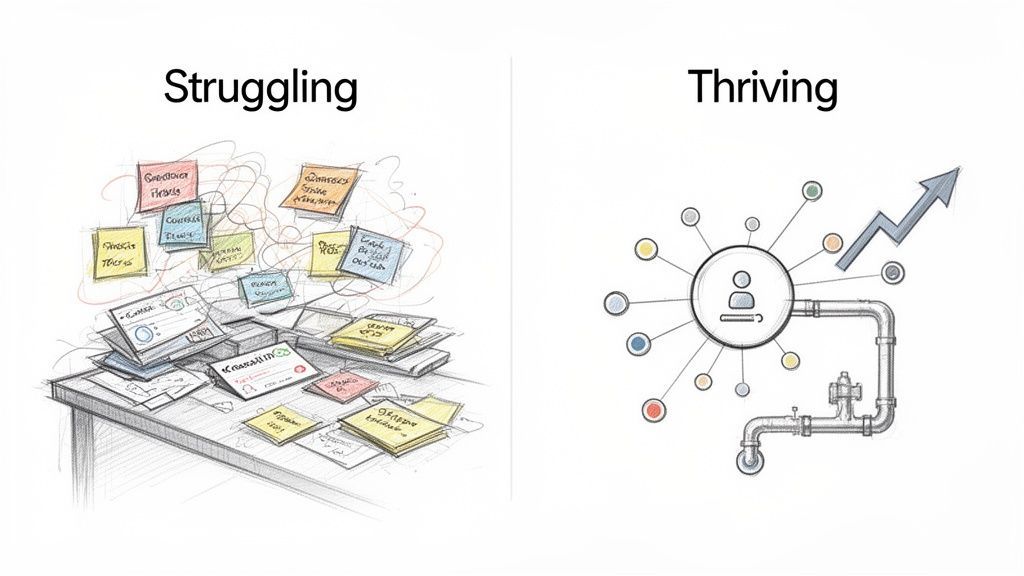
Let's be honest: "contact management" sounds like a glorified address book. But in reality, it's the engine that drives modern business growth. It's the difference between fumbling through scattered notes and having a clear, actionable roadmap for every single relationship.
Good contact management shifts your teams from being reactive to proactive. For sales reps, this is a game-changer. No more embarrassing double-calls or awkward conversations where you have to ask a prospect to repeat their entire history with your company.
A single, unified view of a contact means your team sees every interaction—every email opened, every support ticket filed, every previous conversation. Reps can pick up where the last person left off, building real momentum instead of starting from scratch every time. The result? Shorter sales cycles and more deals closed.
The Contrast Between Chaos and Control
Picture two companies fighting for the same big client.
Company A is a mess of data silos. Sales has its spreadsheet, marketing uses its own platform, and the support team logs tickets in a separate system. Right before a make-or-break demo, the sales rep has no idea the prospect just spent an hour on a frustrating call with their support team. The demo is a disaster. Opportunity lost.
Company B runs on a centralized contact management system. The rep logs in and instantly sees the whole story: marketing emails the prospect engaged with, the recently resolved support ticket, and notes from a previous call six months ago. They start the call with empathy, acknowledging the support issue and turning a potential landmine into a moment of trust.
This isn't some far-fetched scenario; it's the daily reality for thousands of businesses. The winner is almost always the one with the most complete picture of the customer.
By providing a full view of relationships, a robust contact management system tracks every interaction. This comprehensive approach ensures data stays updated, reduces manual tasks, and enables teams to act on data-driven insights.
A Foundation for Smarter Marketing
This organized data is also the secret weapon for marketing teams. When marketers have clean, well-segmented contact information, they can finally ditch the generic email blasts that nobody reads.
Instead, they can build hyper-targeted campaigns that speak directly to a contact’s industry, pain points, or where they are in the buying journey. This kind of precision leads to better lead scoring, more effective nurture sequences, and marketing that actually resonates.
The impact on the bottom line is huge. Businesses that use CRM contact tools can outperform competitors by 29% in sales growth. It's no surprise the global call center industry, which lives and dies by contact management, was valued at $29.44 billion in 2024. You can explore the full report on customer service trends to see just how critical this is. A smart approach doesn't just keep you organized—it directly translates into more revenue, stronger customer loyalty, and a team that works together like a well-oiled machine.
Essential Features of a Powerful Contact Management System
Not all contact management systems are created equal. While a basic tool might feel like a digital address book, a powerful system is more like an intelligent command center for all your business relationships. Knowing the non-negotiable features is the key to choosing a tool that actually helps you grow, instead of just storing names and numbers.
These core capabilities are what separate a simple list from a genuine strategic advantage. Let's break down what truly defines a modern system and why each piece is so critical.
A Centralized Contact Hub
At its very heart, any decent contact management system has to be a centralized contact hub. This is your single source of truth—the one place where every scrap of information about your contacts lives and breathes. It pulls together names, job titles, companies, emails, and phone numbers, finally putting an end to scattered spreadsheets and siloed data.
Think about it: if your sales and marketing teams are trying to cook a meal together but all the ingredients are in separate, locked pantries, you get chaos. A centralized hub gives everyone access to the same high-quality ingredients, so they can actually work together.
Automated Interaction Logging
A great system doesn't just store who your contacts are; it remembers every single conversation you've ever had with them. Automated interaction logging is the magic that records every touchpoint—emails, calls, meetings, even social media DMs—and attaches it directly to a contact's timeline.
This creates a living history of the relationship, giving anyone on your team instant context. Before a sales call, a rep can see the contact just opened a marketing email and recently submitted a support ticket. That insight turns a cold call into a relevant, informed conversation.
Think of automated logging as the institutional memory of your business. It ensures valuable relationship history doesn't just walk out the door when an employee leaves.
Intelligent Data Enrichment
People aren't static. They change jobs, companies get acquired, and phone numbers get updated. Intelligent data enrichment is the process of automatically finding and adding this missing information to your contact records, keeping them fresh and complete without you lifting a finger.
This feature can turn a simple name and email into a rich profile with over 30 data points, like seniority, company size, and industry. It saves countless hours of manual Googling and ensures your outreach is always based on the most current information you can get.
Duplicate Prevention and Merging
Data decay is a constant battle, and duplicate entries are one of its ugliest symptoms. A top-tier system includes duplicate prevention and merging tools that act as the guardians of your data quality.
This is more than just a cleanup button. It actively stops bad data from ever entering your system. For instance, it can prevent two reps from unknowingly adding the same lead from different sources, avoiding that embarrassing moment when they both reach out to the same person. This feature is fundamental to maintaining a clean, reliable database you can actually trust.
For anyone evaluating different platforms, our guide on the best contact management software offers a deeper comparison of tools that nail these essential features.
Customization and Integration
Finally, any system worth its salt has to work for you, not the other way around. Customization and integration are what allow you to tailor the software to your specific workflow and connect it with the other tools you already rely on, like your email client or project management software. This ensures data flows freely across your entire tech stack, making every tool you use smarter and more effective.
Contact Management vs CRM: How They Differ
People throw the terms "contact management" and "Customer Relationship Management" (CRM) around like they're the same thing. They’re not. This common mix-up often leads businesses to invest in the wrong tools for their needs, so let's clear the air. Getting this right is key to picking a platform that actually fits where your business is today.
Think of it like this: a great contact management system is a perfectly tuned engine. It's the core component that stores, organizes, and keeps all the critical information that makes your business run. It’s absolutely essential.
A CRM, on the other hand, is the entire car. It’s got the engine (contact management) but also adds the chassis, the navigation system, the comfy seats, and all the performance analytics. It’s a complete vehicle for managing the entire customer journey, not just the raw data.
The Foundational Component vs. The Complete System
At its heart, contact management focuses on the "who"—organizing names, histories, and interactions into a clean, accessible database. It makes sure every person on your team has the right context before jumping on a call or sending an email.
A CRM expands this to cover the "what," "when," and "how" of your entire sales and marketing process. It's a much broader platform that uses that contact data to run complex workflows, from finding a lead to closing a deal and beyond.
A CRM without solid contact management is like a fancy car with a broken engine—it looks impressive, but it’s not going anywhere. The quality of your contact data directly determines how effective your entire CRM strategy will be.
The diagram below breaks down the core features that make up that "engine" for any great system.
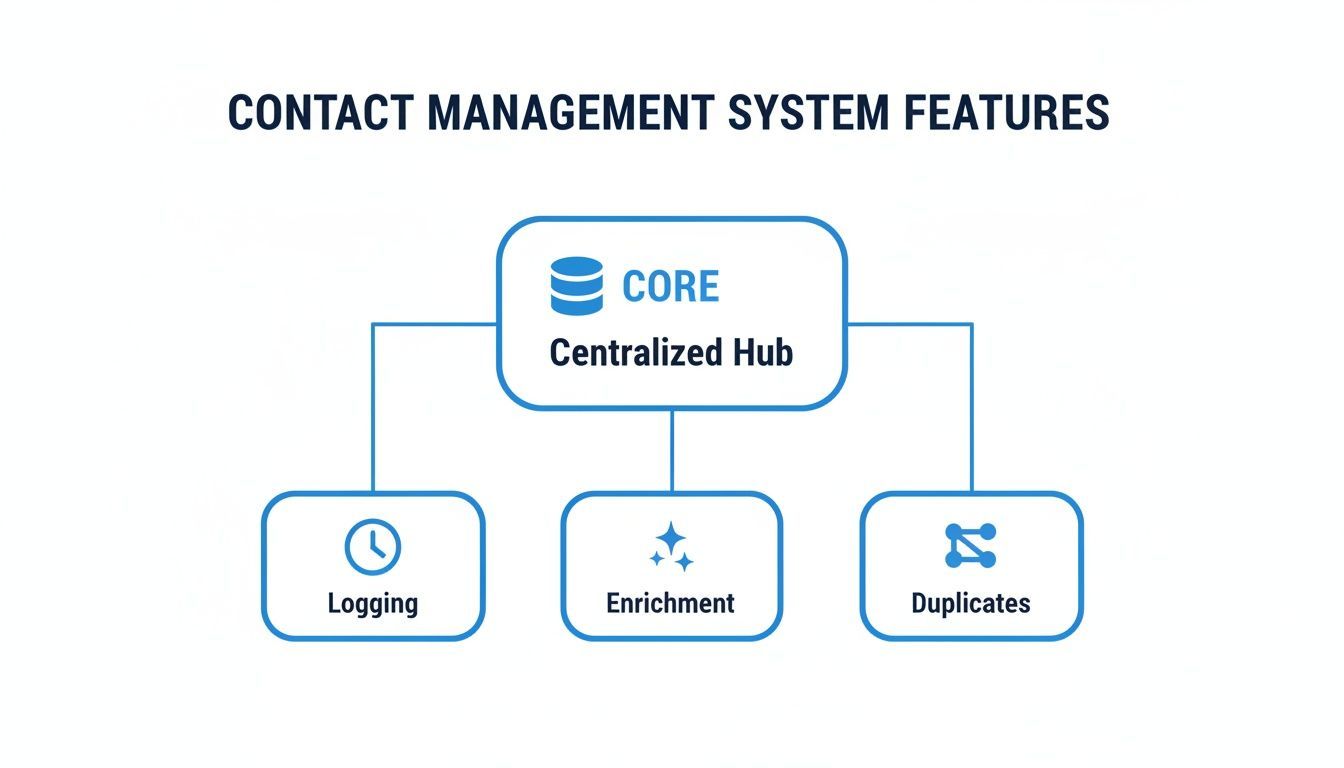
This shows how a central database is the foundation, with essential functions branching off to keep your data high-quality and full of context.
Key Functional Differences
The real distinction comes down to scope. While both platforms handle contact information, a CRM adds several powerful layers of functionality on top of that data foundation. This table breaks down the key differences at a glance.
Comparing Contact Management and CRM Systems
| Capability | Contact Management | CRM (Customer Relationship Management) |
|---|---|---|
| Primary Focus | Storing and organizing contact information (the "who"). | Managing the entire customer lifecycle and relationship. |
| Core Use Case | Centralized address book with interaction history. | Sales, marketing, and service process automation. |
| Sales Pipeline | Not typically included. Focus is on data, not deals. | A core feature for tracking deals from lead to close. |
| Marketing Tools | Minimal to none. | Includes email campaigns, automation, and lead scoring. |
| Forecasting | No capability. | Uses pipeline data to project future revenue. |
| Analytics | Basic reporting on contacts and activities. | In-depth dashboards on sales performance and ROI. |
As you can see, a CRM isn't just a bigger contact book; it's a completely different class of tool designed for a broader purpose. Here are some of the main capabilities a CRM brings to the table that a standalone contact management tool just doesn't have:
- Sales Pipeline Management: CRMs let you build and track visual deal pipelines, moving opportunities through stages from the first touch to the final signature.
- Sales Forecasting: They use historical data and current pipeline status to project future revenue, which is a game-changer for strategic planning.
- Marketing Automation: Many CRMs include tools for building email campaigns, creating landing pages, and running automated sequences to nurture leads.
- Advanced Reporting and Analytics: They provide deep-dive dashboards that measure everything from individual sales performance to overall marketing ROI.
Knowing these differences empowers you to make smarter decisions. For a deeper look into making these platforms work for you, check out our guide on how to use CRMs effectively. Don't buy a whole fleet when all you really need is a reliable engine to get started.
Building a Contact Management Strategy That Actually Works
Having a powerful system is one thing; getting your team to use it effectively is another. A great tool without a smart strategy is just an expensive, glorified address book. The real bridge between owning the software and getting results is a contact management plan your team will actually follow.
The whole process starts by moving from vague goals to concrete, actionable steps. This framework is designed to create a system that’s not only powerful but practical for your day-to-day grind.
Establish Your Data Rules
Before you do anything else, you have to define what “clean data” actually means for your business. This is your foundation. Sit down and create a simple, clear set of rules for data entry that everyone on the team understands and agrees to follow.
These rules create consistency, which is the bedrock of reliable data. For instance, are you going to use "Senior Vice President," "SVP," or "Sr. VP"? Deciding this upfront prevents the kind of messy data that makes segmentation and reporting a nightmare down the road.
Your contact management strategy is only as strong as its weakest link. Success begins at the point of entry, where establishing clear data standards prevents future chaos and ensures every new contact adds value, not noise.
The goal here is to build a playbook that eliminates guesswork. You want to ensure every piece of information that goes into your system is uniform and accurate from day one.
Choose the Right Tools for Your Stack
Your contact management system doesn't live on an island. It needs to fit seamlessly into your existing workflow. When you're evaluating tools, don't just look at their feature lists—consider how well they integrate with the platforms your team already lives in, like their email client or project management software.
The best tools are the ones that reduce friction, not add another layer of complexity. This intense focus on integration and usability has fueled massive growth in the industry. Contact management, the backbone of any effective CRM, has exploded in recent years as businesses scramble to get their customer data organized. The global CRM industry, which leans heavily on robust contact management, is expected to hit a staggering $57 billion market size by 2025, driven by digital transformation and the rise of remote sales teams. To learn more, discover more insights about contact center statistics.
Empower Your Team with Training and Automation
True adoption comes from empowerment, not enforcement. Your training should focus less on clicking buttons and more on the "why"—how this system will make their jobs easier and more successful. Show them how a clean contact record helps them close deals faster, or how proper segmentation leads to marketing campaigns that actually convert.
Better yet, lean heavily on automation to handle the tedious work. Modern tools can take care of so much of the heavy lifting. You can learn more about this in our guide on how to automate data entry and lift the manual burdens from your team. This frees them up to focus on what humans do best: building relationships.
Finally, set up a routine for data health. Just like a car needs regular maintenance, so does your database. Schedule brief, regular check-ups to clean out duplicates, update old information, and make sure the rules you established are being followed. A simple quarterly review can prevent small data issues from snowballing into massive, costly problems.
Common Contact Management Mistakes to Avoid
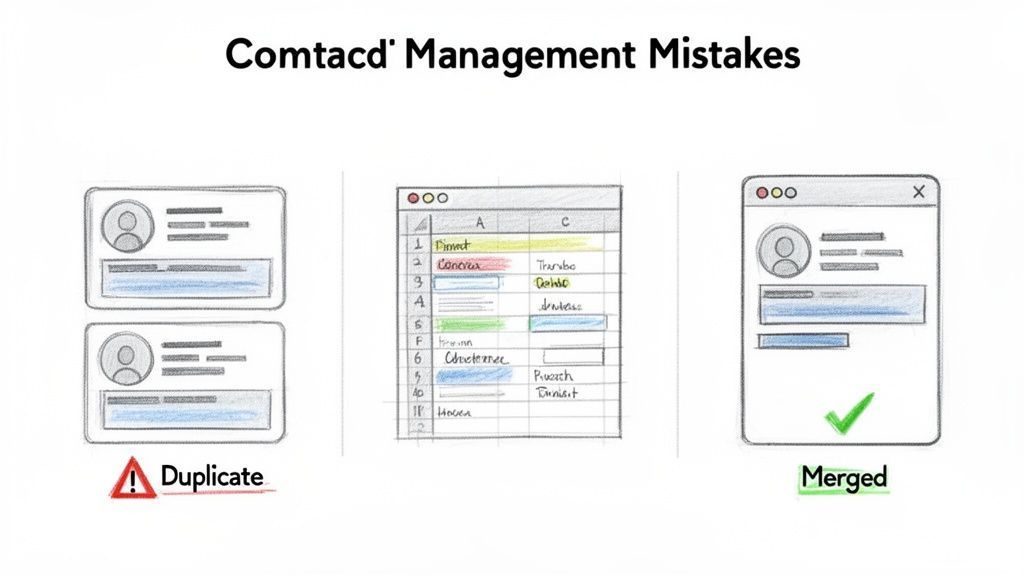
Knowing what to do is important, but knowing what not to do is often what separates a well-oiled sales machine from a data dumpster fire. Even the best contact management software is useless if it’s undermined by a few common—and costly—pitfalls.
One of the most damaging habits is simply inconsistent data entry. When one person on your team enters a job title as "SVP" and another types out "Senior Vice President," you’ve just created a data fracture. It seems small, but multiply that by thousands of contacts and your reporting becomes a complete mess.
Another classic mistake is having no process for handling duplicates. Just imagine your top salesperson celebrating a "hot new lead," only to find out it's actually a high-value customer your account management team has been nurturing for years. That’s not just embarrassing; it erodes trust and makes the whole company look disorganized.
Treating Maintenance as a One-Time Project
But perhaps the biggest mistake of all is viewing data cleanup as a one-and-done task. You can’t just tidy up your database in January and expect it to stay clean all year. People change jobs, companies get acquired, and phone numbers get disconnected. Your contact data is anything but static.
A contact database is a living system. Neglecting it is like planting a beautiful garden and then never watering it again. All that initial effort goes to waste, and you’re left with a mess of weeds.
To keep things from getting out of hand, you need a routine. This isn’t a massive, once-a-year project; it’s a series of small, consistent actions:
- Merge duplicates regularly: Use automated tools or set aside time each week to identify and consolidate redundant records.
- Validate old information: Schedule periodic checks to confirm that key contact details are still accurate.
- Enforce data standards: This isn’t just about initial training. It’s about ongoing reinforcement of your data entry rules.
Got Questions? We’ve Got Answers.
As teams start digging into contact management, a few questions always pop up. Here are some quick, no-nonsense answers to clear up the common sticking points and get you moving forward.
How Often Should We Actually Clean Our Contact Data?
Data hygiene isn't a one-and-done project—it's a constant discipline. People change jobs, update their details, and move on, so contact information naturally decays over time. The best way to handle this is with a one-two punch: continuous, automated checks combined with periodic manual audits.
This approach keeps your data quality high all the time, instead of forcing a massive, painful cleanup every quarter. Think of it like brushing your teeth daily versus only seeing the dentist once a year.
Can't We Just Use a Spreadsheet to Manage Contacts?
A spreadsheet is a fine place to start, but it becomes a serious bottleneck as soon as you start to grow. Spreadsheets just don't have the collaboration features, automation power, or data integrity of a real contact management system.
Once your team expands, that simple spreadsheet turns into a mess of data silos, making it almost impossible to maintain a single source of truth. This is how embarrassing mistakes happen, like two different reps calling the same lead without a clue.
Shifting from a spreadsheet to a dedicated system is a rite of passage for scaling your operations. It’s the difference between a simple list and an intelligent, collaborative database that actually works for you.
What’s the First Step to Fixing Our Contact Management Mess?
Start at the front door. The easiest way to solve data problems is to stop bad data from getting into your system in the first place.
Your first move should be to standardize how new contacts are added. By prioritizing streamlined, automated data capture, you ensure every new record is clean, complete, and correctly formatted from day one. This simple, proactive step will save you countless hours of cleanup down the line.
Stop wasting hours on manual data entry and start building smarter relationships. Add to CRM turns any online profile, email, or contact page into a clean CRM record in one click. Get started for free and see how much time you can save.
Start saving time and closing more deals.
Find contact info for your prospects on the #1 business social network and add them to your CRM with 1-click.

 Loading...



Trusted by 1000s of founders, SDRs & more
