What Is a CRM Database and How It Centralizes Customer Data
Discover what is a crm database and how centralizing customer data boosts sales, marketing, and support; learn practical benefits.
Published on January 16, 2026
- The Foundation of Customer Relationships
- Understanding the Core Components of a CRM Database
- Why a CRM Database Is Your Greatest Business Asset
- How Every Department Wins with a Centralized Database
- Unlocking Your CRM's Full Potential with Automation
- Best Practices for Managing Your CRM Database
- Common Questions About CRM Databases
A CRM database is the beating heart of your business—it’s the central memory bank for every single customer relationship you build. Think of it as a powerful, organized system that captures every interaction, from the first sales call to the most recent support ticket, giving your entire team one single source of truth.
The Foundation of Customer Relationships
Forget static spreadsheets. A CRM database is more like a dynamic, digital Rolodex that does way more than just store names and numbers. It remembers every conversation, tracks every purchase, and logs every customer service request. This is what moves your business beyond scattered notes and siloed inboxes.
Instead of your team digging through old emails or tapping a coworker on the shoulder for an update, they get instant access to a complete customer history. This unified view is the key to truly understanding what your customers need and how they behave.
Beyond Simple Data Storage
At its core, a CRM database is the engine that powers your entire customer relationship management (CRM) strategy. It’s a centralized hub that holds vital customer data—contact details, interaction histories, purchase records, and behavioral insights—all in one secure place. This structure gives your sales, marketing, and support teams a 360-degree view of every customer, instantly.
This isn’t just about storage; it’s about turning disconnected data points into a clear, actionable picture. It lays the groundwork for smarter sales conversations, more effective marketing campaigns, and faster customer support. According to recent CRM statistics on cyntexa.com, businesses using these systems see significant growth by leveraging this unified data.
A business without a CRM database is like a person with no memory. It can’t recall past conversations, recognize loyal customers, or learn from its mistakes, making it impossible to build meaningful, long-term relationships.
Ultimately, this system gets everyone in your organization on the same page. When your sales team knows about an open support ticket or marketing can see a customer's purchase history, they can deliver a seamless, personalized experience that builds loyalty and drives growth. It creates one cohesive journey for the customer, not a fragmented one.
CRM Database vs Traditional Spreadsheets
Many businesses start out managing contacts in a spreadsheet, but they quickly hit a wall. A dedicated CRM database is built for the dynamic, collaborative nature of modern business, while spreadsheets are fundamentally static.
Here’s a look at how they stack up:
| Feature | CRM Database | Spreadsheet (e.g., Excel, Google Sheets) |
|---|---|---|
| Data Centralization | A single, real-time source of truth for all teams. | Multiple versions, prone to sync errors and outdated info. |
| Automation | Automates tasks, follow-ups, and data entry. | Entirely manual; requires constant hands-on updates. |
| Collaboration | Multiple users can work simultaneously with clear logs. | "Version control" is a nightmare; easy to overwrite work. |
| Scalability | Handles millions of records and complex relationships. | Becomes slow and unwieldy with large datasets. |
| Integrations | Connects to email, calendars, marketing tools, etc. | Limited, often requiring complex third-party connectors. |
| Reporting | Built-in dashboards for sales forecasts & performance. | Requires manual formulas and pivot tables to analyze data. |
While a spreadsheet might feel "free," the hidden costs in lost productivity, missed opportunities, and messy data add up fast. A CRM database is an investment in efficiency and growth.
Understanding the Core Components of a CRM Database
To really get what a CRM database does, you need to look under the hood at its fundamental building blocks. These core components, often called "objects," are the containers that organize every scrap of customer information into a clear, connected story. Think of them as individual files in a digital cabinet that are all linked together.
At the heart of any CRM are four primary objects. Each one captures a different, yet related, piece of the customer journey, making sure no detail falls through the cracks.
- Contacts: These are the actual people you talk to. A contact record holds the essentials like their name, email address, phone number, and job title. It's the "who" in your database.
- Companies (or Accounts): This object represents the organizations your contacts work for. It stores company-level information—industry, size, location, revenue—giving you crucial business context.
- Opportunities (or Deals): This is where you track potential sales. An opportunity record holds everything about a specific deal, including its value, expected close date, and current stage in your sales pipeline.
- Activities: These are records of any interaction you have with a customer. Every email, phone call, meeting, or demo gets logged as an activity, creating a complete timeline of your relationship.
Following a Lead Through the Database
Instead of dry definitions, let’s see how these pieces work together by following a new lead. Imagine a potential customer named Jane Smith from a company called "Innovate Inc." fills out a form on your website.
First, a new Contact record is created for Jane Smith. If you're adding a bunch of people at once, you'll want a solid process for how to import a contacts list to keep your data clean from day one. At the same time, a Company record is made for Innovate Inc. and automatically linked to Jane’s profile.
Your salesperson then follows up. That first call is logged as an Activity under Jane's contact record. During the call, Jane shows interest in a specific product. This is the trigger to create a sales Opportunity, detailing the potential deal value and assigning it a stage like "Qualification."
By linking these four objects—Contact, Company, Opportunity, and Activity—the CRM database builds a 360-degree view. It transforms scattered data points into a cohesive narrative that anyone on your team can understand and act on instantly.
This diagram shows how a central CRM database acts as the operational brain for your entire go-to-market team.
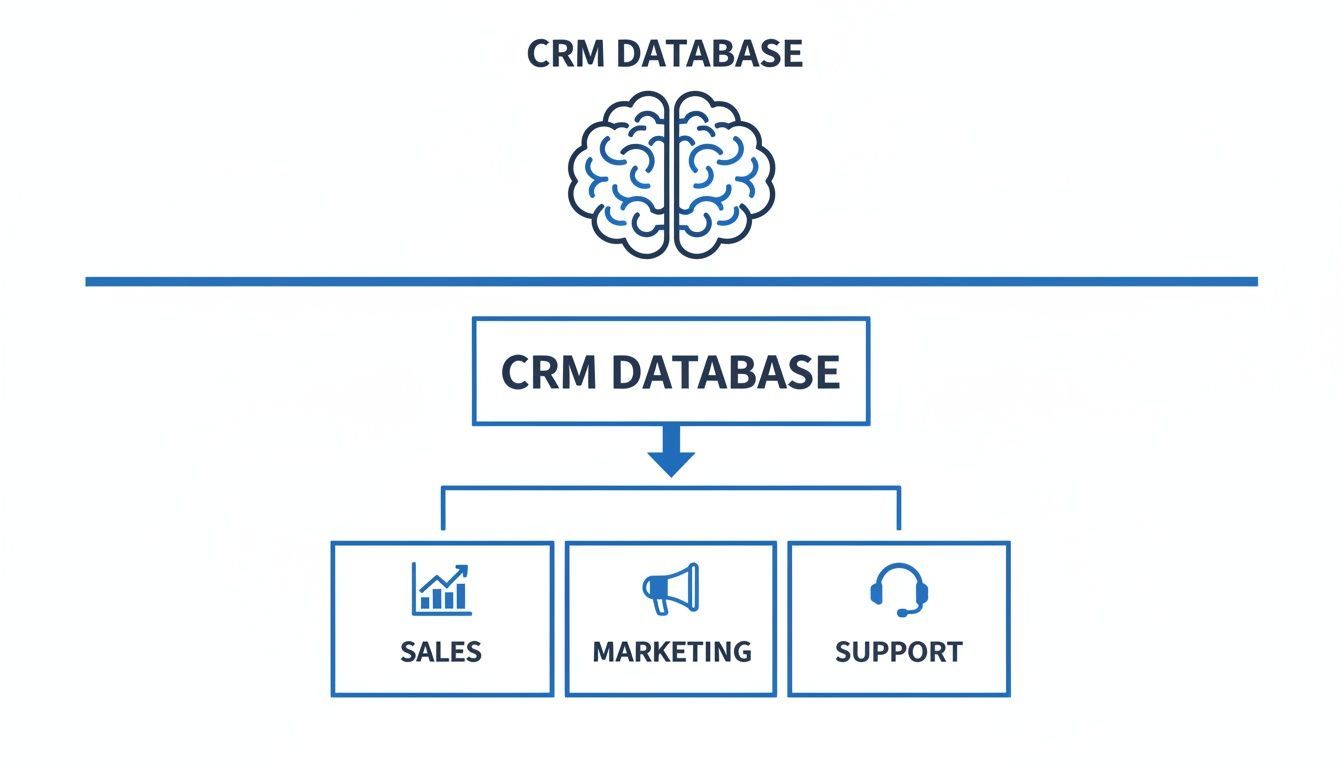
By connecting these core components, the database gives sales, marketing, and support a unified source of truth, finally breaking down the information silos that slow everyone down.
Why a CRM Database Is Your Greatest Business Asset
It’s one thing to know what a CRM database is, but it’s another to see what it can actually do for your bottom line. Let's move past the technical jargon. The real magic happens when a well-managed CRM stops being just another software subscription and starts acting like a revenue-generating engine for your entire company.
The whole point is to bring all your customer data into one place, creating a single source of truth. This simple act eliminates guesswork, gets rid of data silos, and empowers your teams to stop scrambling for information and start making strategic moves.
Boost Sales Productivity and Performance
Picture this: your top sales rep is about to jump on a critical follow-up call. Instead of wasting time digging through old email threads or piecing together context from scattered notes, they just pull up the contact’s record. Instantly, they see every single interaction—every purchase, every support ticket, every past conversation.
This isn't just a small tweak to their workflow; it’s a complete game-changer. They can now tailor the conversation, hit on specific pain points, and move the deal forward with confidence. When your team spends less time hunting for information and more time actually selling, productivity doesn't just inch up, it skyrockets.
A CRM database acts as your company's collective memory, ensuring that every customer interaction is informed by the full history of your relationship. This continuity builds trust and turns one-time buyers into loyal advocates.
The return on investment here is crystal clear. Research shows that businesses using a CRM see a 47% boost in sales productivity and a 34% uplift in team performance. You can dig into more numbers in this analysis of key CRM statistics. Those figures aren't just fluff; they prove that a central system directly translates to a more powerful, effective sales force.
Drive Smarter Marketing and Better Retention
For marketers, a CRM database is the ultimate toolkit. Armed with rich, detailed customer data, they can finally ditch generic, one-size-fits-all campaigns. Instead, they can get incredibly specific.
Imagine building a segment of customers who bought a certain product six months ago but haven’t opened an email since. With a few clicks, you can send them a personalized re-engagement offer that speaks directly to their history with your brand.
This kind of precision leads to much higher conversion rates and a better return on every marketing dollar spent. It also helps you keep the customers you already have. By understanding their behavior, you can spot problems before they escalate and find opportunities to make their experience better. It's no surprise that 91% of companies with a CRM report better customer retention. Know your customers, serve them better, and they’ll stick around.
Enable Data-Driven Leadership Decisions
Finally, a CRM database hands leaders the clear, high-level view they need to steer the ship. Gone are the days of relying on gut feelings or outdated spreadsheets. Executives can now pull up real-time dashboards showing sales forecasts, pipeline health, and individual team performance.
This data-driven perspective allows them to spot emerging trends, identify bottlenecks in the sales process, and make big strategic calls with total confidence. The CRM evolves from a simple digital Rolodex into a core business intelligence tool, ensuring every major decision is grounded in accurate, up-to-the-minute reality.
How Every Department Wins with a Centralized Database
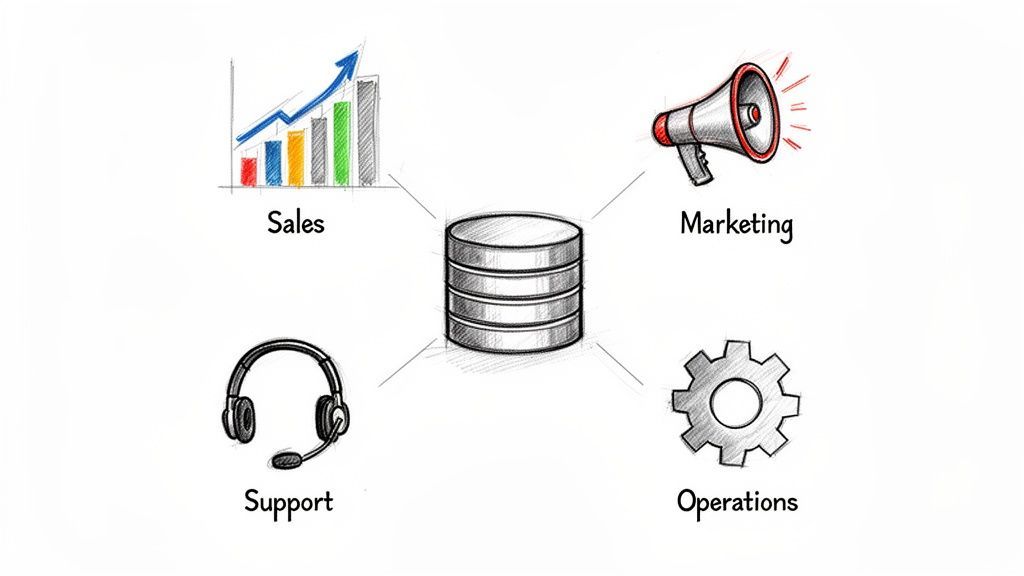
It's a common myth that the CRM is just a playground for the sales team. While salespeople are definitely power users, thinking of a CRM database that way misses the bigger picture. A centralized customer database is a force multiplier for your entire company.
When every department works from the same playbook, the customer feels it. They experience a seamless, consistent journey instead of being passed around between teams who don't know what the other is doing. This shared view breaks down the silos, turning a simple database into the engine for your company's growth.
Fueling the Sales Pipeline
For any sales team, the CRM database is mission control. It gives them a crystal-clear view of the entire pipeline, from brand-new leads all the way to closed deals. Reps can see exactly where every opportunity stands, what the next step is, and which deals need a nudge.
This completely eliminates the guesswork. Forget sticky notes and random calendar reminders for follow-ups. Automated workflows can trigger tasks based on a deal's stage or how long it's been since the last interaction. No more leads falling through the cracks. It frees up reps to do what they do best: build relationships and close business.
Empowering Precision Marketing
Marketing teams run on data, and a good CRM database is the richest well they can draw from. It provides a direct feedback loop, showing which campaigns are actually driving revenue, not just vanity metrics like clicks and impressions. By tracking a lead from their first website visit to a signed contract, marketers can finally measure campaign ROI with confidence and double down on what works.
Beyond that, the detailed data allows for incredibly sharp segmentation. Marketers can build audiences based on criteria that go way beyond basic demographics.
- Behavioral Data: Target contacts who have visited the pricing page three times but still haven't booked a demo.
- Purchase History: Create an upsell campaign for customers who bought Product A over a year ago.
- Engagement Levels: Build a re-engagement campaign for anyone who hasn't opened an email in the last 90 days.
This level of detail is the difference between shouting into the void with generic marketing blasts and having personalized conversations that actually convert.
When sales, marketing, and support all draw from the same well of information, the customer feels understood, not handed off. This unified approach is the foundation of exceptional customer experience and long-term loyalty.
Elevating Customer Support
When a customer reaches out for help, the last thing they want is to re-explain their entire life story to a new person. A CRM database gives support agents instant context. In a single click, they can see everything: purchase history, previous support tickets, and even recent conversations with the sales team.
This 360-degree view helps them solve problems faster and more effectively. They can spot recurring issues, anticipate needs, and provide proactive solutions instead of just reactive fixes. The result is a much less frustrating support experience, which is key to customer retention. Happy customers stick around, and a well-informed support team is your frontline for building that loyalty.
Unlocking Your CRM's Full Potential with Automation
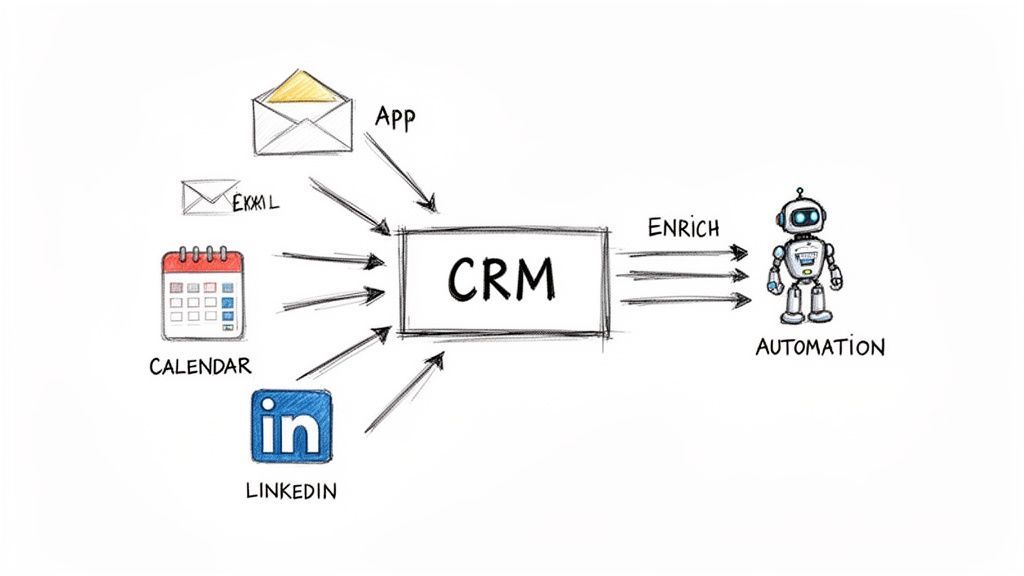
A CRM database is powerful on its own, but an automated one is a different beast entirely. While having a central database gives you that single source of truth, the real magic happens when you connect it to all the other tools your team lives in every day. This is how you turn your CRM from a passive library of information into an active, intelligent partner in your company’s growth.
Think about the daily grind of manual data entry. We’ve all been there. Every time a salesperson has to copy a contact from their inbox or a networking profile and paste it into the CRM, they lose valuable minutes. Worse, they risk making small but costly errors. Automation is all about getting rid of this repetitive, low-value work that drains your team’s energy and focus.
From Manual Entry to Intelligent Automation
The core idea is simple: let technology handle the tedious tasks so your people can focus on what they do best—building relationships. Instead of treating your CRM as a system that needs constant manual feeding, you can transform it into a hub that automatically captures and organizes data from all over the place.
This is where specialized tools come into play. For instance, a browser extension like Add to CRM is built to solve the universal pain of manual record creation. With just one click, it can instantly create accurate, clean records from networking profiles and email signatures. This direct pipeline completely eliminates copy-paste mistakes and ensures your data is right from the start.
The Power of Enrichment and Duplicate Prevention
Great automation goes beyond just creating a record. It’s also about data quality. An effective system doesn’t just add a name and an email; it enriches that record with valuable context that your team can actually use.
This enrichment process automatically pulls in key information to build a complete profile:
- Company Data: Adds critical details like industry, employee count, and annual revenue.
- Contact Information: Provides verified phone numbers and accurate job titles.
- Duplicate Checking: Scans your existing database before creating a new record to stop duplicates in their tracks.
Automation turns your CRM from a simple database into a self-maintaining system of intelligence. By automatically enriching data and preventing duplicates, it ensures your team is always working with the most accurate, reliable information possible.
This level of automation isn't just a "nice-to-have." It’s a must-have for any business looking to scale efficiently. In fact, 45% of companies demand automation features for tasks like duplicate checks and field mapping, while 36% prioritize powerful integrations. For B2B teams, these automated databases can deliver 31 unique data points per contact, helping them achieve 34% higher performance.
You can dig into more CRM user preferences at Emailvendorselection.com. By embracing these tools, you can ensure your team knows how to automate data entry and spend far more time selling.
Best Practices for Managing Your CRM Database
A CRM database is only as valuable as the information you put into it. Let that sink in. If the data is garbage, you’ll get garbage results—missed opportunities, frustrated teams, and decisions based on flawed intel.
To make sure your CRM remains a genuine business asset, you have to commit to consistent maintenance and clear rules from day one.
It all starts with establishing firm data entry standards. This doesn’t need to be a 100-page manual. Just a simple guide that dictates how information should be formatted, like using a consistent style for job titles or phone numbers. When everyone on your team inputs data the same way, you prevent the slow decay that turns a clean database into a messy, unreliable swamp.
Conduct Regular Data Audits
Even with perfect standards, data gets old. Fast. People change jobs, companies get acquired, and contact information goes stale. This is why scheduling regular audits isn't just a "nice-to-have"—it's essential for the health of your CRM.
Set a quarterly or biannual rhythm to review your records for accuracy and completeness. The goal is simple: spot and fix common issues before they spiral into major problems.
- Hunt Down and Merge Duplicates: Duplicate records are the number one cause of confusion. They split a customer's history across multiple entries, making it impossible to see the full picture.
- Purge Outdated Information: Get rid of contacts who have left their roles or companies that are no longer in business. Dead data just creates noise.
- Standardize Inconsistent Data: This is your chance to correct typos, reformat entries to match your standards, and fill in those frustratingly empty fields.
This regular cleanup keeps your data sharp and ready for action. If your team is drowning in redundant entries, it's worth learning how to merge duplicates in a list to get back to a single, accurate view of each customer.
Champion Data Stewardship and Compliance
Beyond just keeping things tidy, managing a modern CRM database requires a serious sense of responsibility. Data stewardship means treating customer information with respect and sticking to privacy regulations. This isn't just about avoiding fines; it’s fundamental to building trust.
Your CRM database is a record of the trust customers have placed in you. Protecting their data through strong compliance practices isn't just a legal obligation—it's a core part of maintaining that relationship.
Make sure your processes for managing consent are crystal clear, especially for regulations like GDPR. You need to be able to document when and how a contact gave you permission to store and use their data. Making compliance a cornerstone of your database strategy protects both your business and your customers, solidifying your reputation as a partner people can count on.
Common Questions About CRM Databases
To wrap things up, let's run through a few of the most common questions that pop up when people start digging into CRM databases. These quick answers should clear up any lingering confusion and help you figure out what to do next.
What Is the Difference Between CRM Software and a CRM Database?
Think of your CRM software as the car's dashboard, steering wheel, and pedals. It's the interface you interact with every day—the reports you pull, the pipelines you manage, the emails you send.
The CRM database, on the other hand, is the engine under the hood. It’s the powerful, underlying system that actually stores, organizes, and protects all of that precious customer data. You can't have one without the other, but the database is the foundational powerhouse that makes everything else work.
Can a Small Business Use a Spreadsheet Instead of a CRM?
Starting with a spreadsheet is tempting, but it's a classic trap. Sure, it works for your first ten contacts. But as your business grows, that spreadsheet quickly becomes a massive liability. It creates messy data silos, makes real-time collaboration impossible, and offers zero automation.
A real CRM database is built for scale. It gives your entire team a single source of truth to work from, letting you grow without the chaos of VLOOKUPs and outdated CSV files.
A spreadsheet tracks data; a CRM database builds relationships. One is a static list, while the other is a dynamic system designed for proactive engagement and long-term growth.
How Can I Ensure the Data in My CRM Is Accurate?
Keeping your data clean requires a simple, two-part strategy. First, you need clear data entry standards for your team—basic rules everyone agrees to follow.
But the real secret is automation. Human error is inevitable. Typos, copy-paste mistakes, and outdated information will always creep in. Tools that pull data directly from verified sources (like a networking profile) and enrich it automatically are your best defense against a corrupted database.
Ready to stop manual data entry and keep your database clean from day one? Add to CRM lets you create accurate, enriched contacts from professional networks or your inbox in a single click. Start for free on addtocrm.com.
Start saving time and closing more deals.
Find contact info for your prospects on the #1 business social network and add them to your CRM with 1-click.

 Loading...



Trusted by 1000s of founders, SDRs & more
