The 7 Best Email Finder Chrome Extensions (Tested for 2026)
Seven email finder Chrome extensions compared for 2026 — what each does on the page you're viewing, verified pricing snapshots, and which fits your job.
The seven email finder Chrome extensions worth installing in 2026 are Add to CRM, Apollo, Hunter, RocketReach, Kaspr, Lusha, and Surfe. All do the same headline job — surface a verified work email for the person you're looking at — but they behave very differently once the address is found: some push the contact into your CRM, some pull you into their own database and sequences. This roundup compares what each one actually does on the page, with every price checked on the vendor's own site in July 2026.
TL;DR: There is no single winner — the right extension depends on the job. Add to CRM enriches the contact you're viewing and lands it in your CRM in one click (29+ CRMs, plus Gmail and Outlook) — though it's not a searchable database and has no free plan. Apollo is the giant database with sequences; Hunter the pick for domain-first discovery; RocketReach for high-volume email lookups; Kaspr for EU mobiles; Lusha for US/UK/Canada phones; Surfe for a deep overlay on HubSpot, Salesforce, or Pipedrive.
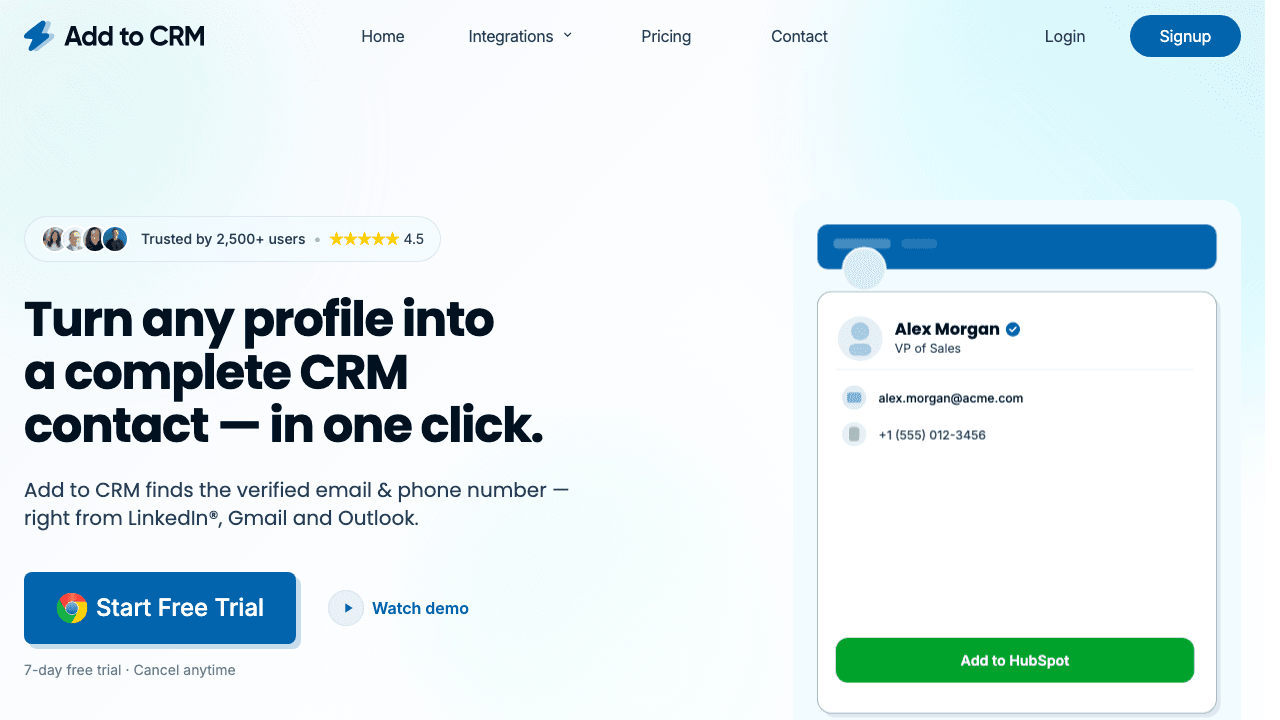
A note on scope: this is a roundup of Chrome extensions — a finder in a separate tab makes you do the stitching; an extension does the lookup where the context already is. Each tool is judged on what it shows on the page, what a found contact costs, and where the data goes next. For the wider landscape, see our roundup of Chrome extensions for LinkedIn; for how these tools source and verify data, see the complete guide to email finders for business networks.
Comparison at a glance
July 2026 snapshot. Prices are per user on monthly billing, printed in the currency each vendor's pricing page displayed to us (annual billing is cheaper everywhere) — check each site for current figures.
| Extension | On-page job | Free plan | Paid from (per user, monthly billing) | Phone reveals | Where the data goes |
|---|---|---|---|---|---|
| Add to CRM | Enrich profile/sender, one-click add to CRM | No — 7-day trial | ~$29 / £23 / €25 (250 credits/mo) | Same credit pool | 29+ CRMs incl. Notion, Airtable, Sheets |
| Apollo | Database record + lists, sequences, dialer | Yes | $65 (Basic) | 8 credits | Apollo platform + major-CRM sync |
| Hunter | Domain-wide discovery + verification | Yes — 50 credits/mo | £41 (Starter, 2,000 credits/mo) | — (email-focused) | Hunter campaigns + integrations |
| RocketReach | Database lookup for the profile | 5 lookups | £42 (Essentials, 100 lookups/mo) | Pro tier and up | Exports + integrations |
| Kaspr | Email + phone reveal; EU phone strength | Yes — 15 emails + 5 phones/mo | $65 (Starter, unlimited B2B email) | Separate bucket, 100/mo | Salesforce, HubSpot, Pipedrive, Zoho |
| Lusha | Contact reveal on profile + web app | Yes — 40 credits/mo | $49.90 (Starter, 400 credits/mo) | 5 credits | Salesforce, HubSpot, Pipedrive, Zoho, Dynamics |
| Surfe | Deep CRM overlay: sync, mapping, logging | Yes — 20 emails + 5 mobiles/mo | €39 (Essential, 150 email + 50 mobile/mo) | Separate bucket, 50/mo | HubSpot, Salesforce, Pipedrive (deep) |
1. Add to CRM — capture into any of 29+ CRMs
Full disclosure: this is our product — read it as an honest self-assessment.
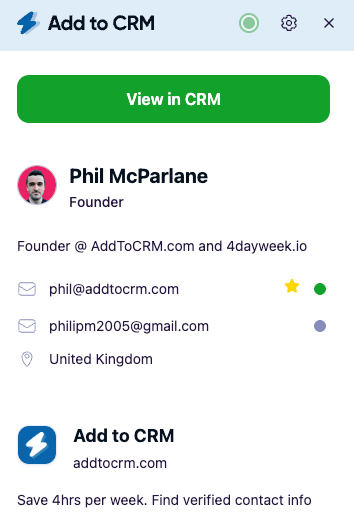
On the page: open a business-network profile, or an email in Gmail or Outlook, and Add to CRM enriches the person you're viewing — a real-time-verified work email (95%+ verification accuracy), phone where available, and 20+ data points from licensed B2B sources. One click adds the contact to your CRM, fields mapped, duplicates detected. The distinctive part is the destination list: 29+ CRMs, including HubSpot, Pipedrive, Zoho, Capsule, Close, Monday, Attio, Copper, Nutshell, and Salesflare — plus Notion, Airtable, and Google Sheets. If your CRM isn't Salesforce or HubSpot, few extensions treat it as a first-class citizen; this one does.
What it isn't: a searchable database. You can't filter "VPs of Sales in Berlin" and export a list — it starts from a person you've already found. And there's no free plan: a 7-day free trial, then paid.
Pricing snapshot: Standard is about $29 / £23 / €25 per user per month with 250 credits refreshing monthly (July 2026 — check our pricing page); Pro raises that to 1,000 and adds Sales Navigator support. Phone reveals draw from the same credit pool — no separate phone currency.
Best for: anyone who prospects one profile or inbox at a time and wants the contact in the CRM — especially a CRM the big-name finders ignore.
2. Apollo — the database-and-sequences platform in a popup
On the page: Apollo's extension surfaces its database record for the profile you're viewing — reveal the email or phone, add the person to a list or sequence, even dial. It's less "finder" than a porthole into the full Apollo platform: 200M+-scale contact data, sequencing, and AI features. That's a genuine strength, and a free tier exists.
Trade-offs: phone numbers cost 8 credits against 1 for an email, credits ladder by tier, and the platform's breadth brings real complexity — Apollo rewards teams that adopt it as their system, not just an extension. Worth saying plainly: Apollo and Add to CRM do different jobs — database and engagement platform versus capture-into-CRM workflow layer. Add to CRM taps sources like Apollo behind the scenes, and plenty of teams sensibly use both.
Pricing snapshot: Free $0; Basic $65 per user per month on monthly billing, or $49/mo on annual (30,000 credits/year upfront versus 2,500/month); Professional $99 monthly / $79 annual — as of July 2026, check their site.
Best for: teams that want database, sequences, and dialer in one platform. More in our Apollo email finder review and Apollo alternatives page.
3. Hunter — domain-first discovery
On the page: Hunter approaches the problem from the company side. Its extension shows the addresses associated with the domain you're browsing, the company's common address pattern, and the public sources each address was found in — that transparency remains one of Hunter's most likeable traits. It's the strongest tool here for "who can I reach at this company?" rather than "what's this person's email?".
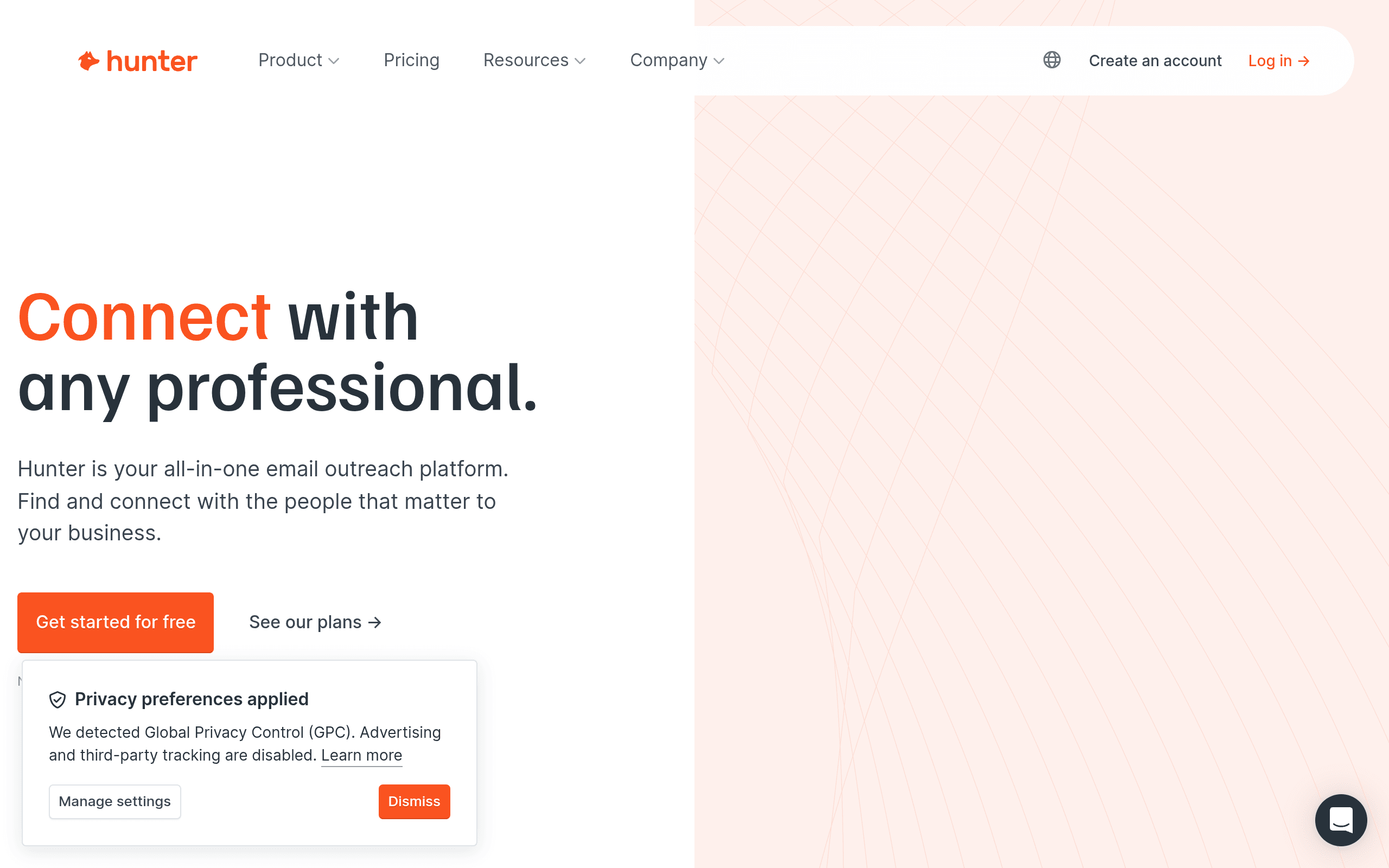
Trade-offs: it's built around domains, campaigns, and its web app more than business-network profiles, and it doesn't do phones. The credit system is refreshingly simple: one pool, 1 credit per found email, 0.5 per verification, no charge when nothing is found.
Pricing snapshot: Free plan with 50 credits/month; Starter £41/month on monthly billing (£28/mo yearly) for 2,000 credits/month — GBP as quoted to us; July 2026, check their site.
Best for: company-wide discovery plus cold-email campaigns. Full detail in our Hunter email finder review.

Turn LinkedIn® profiles into CRM contacts
Add to CRM finds verified emails, phone numbers, and job titles on LinkedIn® — then adds them to your CRM in one click.
Start Free Trial


 Trusted by 2,500+ users4.7
4. RocketReach — breadth on a budget (with a pricing quirk)
On the page: RocketReach's extension looks up the person you're viewing against one of the largest contact databases in the category, with impressive coverage breadth. Lookups return emails on every tier; phones require Pro and up.
Trade-offs: monthly and annual billing buy different things. On annual, Essentials is £20/mo (billed £245/yr) with unlimited email lookups but capped exports (1,200/year); on monthly you pay £42 for a 100-lookup cap instead — pick the wrong shape and you'll misjudge the cost badly. Free accounts get 5 lookups. Like Apollo, RocketReach is one of the sources Add to CRM draws on behind the scenes — a database and a workflow tool do different jobs, and they stack.
Pricing snapshot: Essentials £42/mo monthly billing (100 lookups/mo) or £20/mo annual (unlimited emails, 1,200 exports/yr); Pro £52/mo annual adds unlimited phones — GBP as displayed, July 2026, check their site.
Best for: high-volume email lookups at a low annual price. See our RocketReach email finder review.
5. Kaspr — the EU phone-number specialist
On the page: Kaspr (owned by Cognism) reveals emails and — its real party trick — mobile numbers directly on the profile. The Cognism lineage shows: for European mobile data, Kaspr is best-in-class, and for EU calling teams that strength alone can justify the seat. Paid plans also include genuinely generous unlimited B2B email credits.
Trade-offs: everything apart from B2B email is metered in separate buckets (phone, direct-email, exports), and on annual billing the phone credits arrive as annual pools (Starter: 1,200/year) rather than a monthly refresh. CRM sync covers Salesforce, HubSpot, Pipedrive, and Zoho; the extension works on business-network profiles only, with no inbox capture.
Pricing snapshot: Free plan (15 B2B emails + 5 phones + 5 direct emails/month); Starter $65 per user per month on monthly billing or $49/mo annual — USD as quoted; July 2026, check their site.
Best for: SDR teams that cold-call Europe. Detail in our Kaspr pricing breakdown and Kaspr alternatives page.
6. Lusha — North American phone coverage in a familiar package
On the page: Lusha's extension reveals emails and direct dials for the profile you're viewing, backed by a searchable web-app database. It's a mature, widely recognised product with a serious compliance program, and its US, UK, and Canada phone coverage is where it earns its reputation.
Trade-offs: the credit math matters. An email costs 1 credit but a phone reveal costs 5, so a full contact runs 6 credits — on Starter's 400 monthly credits, roughly 66 complete contacts. CRM sync covers Salesforce, HubSpot, Pipedrive, Zoho, and Microsoft Dynamics. Lusha, too, is a data source Add to CRM taps behind the scenes: the two stack rather than clash.
Pricing snapshot: Free plan with 40 credits/month; Starter $49.90 per user per month on monthly billing, or $32.45/mo annual under a limited-time 35% summer sale — as of July 2026, check their site. The mid-tier is now named Pro ($69.90 monthly / $45.45 annual on the same sale).
Best for: teams that phone US/UK/Canada prospects. More in our Lusha pricing guide and Lusha alternatives page.
7. Surfe — the deep overlay for HubSpot, Salesforce, and Pipedrive
On the page: Surfe is the most CRM-native experience here — for the CRMs it supports. Open a profile and it shows whether the person exists in your CRM, creates or edits the record with mature field mapping, logs messages, and enriches via a waterfall of 15+ sources. For teams standardised on HubSpot, Salesforce, or Pipedrive (Copper and Salesloft are also listed), that polished two-way overlay is a real productivity win.
Trade-offs: the CRM list is short and Surfe is built around the business network, not your inbox. Credits come in separate email and mobile buckets: Essential includes 150 email + 50 mobile, and — note, older reviews (including ours) said otherwise — these now refill monthly, on annual billing too. Paid plans carry a 14-day free trial.
Pricing snapshot: Free €0 (20 email + 5 mobile/mo); Essential €39 per user per month on monthly billing, €29/mo yearly; Pro €79/€69 — EUR as displayed, July 2026, check their site.
Best for: revenue teams living in HubSpot, Salesforce, or Pipedrive who want sync depth over CRM breadth. Full verdict in our Surfe review and Surfe alternatives page.
29+ CRMs supported. Try free for 7 days
Add to CRM finds verified emails, phone numbers, and job titles on LinkedIn® — then adds them to your CRM in one click.
Start Free TrialTrusted by 2,500+ users4.7How to choose
Three questions settle it. Where do your prospects come from? Finding people on profiles and in your inbox favours a capture tool (Add to CRM, Surfe); building lists from filters needs a database extension (Apollo, RocketReach, Lusha). Do you need phones, and where? EU calling points to Kaspr, North America to Lusha; if phones are occasional, a single-pool credit model avoids surprises. Where must the data end up? HubSpot/Salesforce/Pipedrive teams have every option; anyone on the other two dozen CRMs should shortlist by integration first. Whichever you pick, use it to enrich the person you're viewing, not to bulk-extract profiles.
Frequently asked questions
Which email finder Chrome extension is best?
Honestly: it depends on the job, which is why this isn't a ranked list. Database-plus-sequences work points to Apollo; domain-first discovery to Hunter; EU phones to Kaspr; US phones to Lusha; deep HubSpot/Salesforce/Pipedrive sync to Surfe; high-volume email lookups to RocketReach; one-click capture into 29+ CRMs to Add to CRM. Match the extension to your workflow, not a leaderboard.
Do email finder extensions work on Gmail and Outlook?
Mostly not — the extensions here are built around business-network profiles. Add to CRM is the exception: it enriches the sender of the email you're reading in Gmail or Outlook and adds them to your CRM the same way.
Are any of these extensions free?
Apollo, Hunter, Kaspr, Lusha, and Surfe offer free plans with small monthly allowances; RocketReach gives 5 free lookups; Add to CRM has no free plan, just a 7-day free trial. Free tiers suit testing coverage on real prospects; they're rarely enough to run pipeline on.
Is it allowed to use an email finder on a business-network profile?
Compliant extensions don't scrape the page — they look up the one person you're viewing in licensed third-party datasets, a very different thing from the bulk extraction platform terms prohibit. For the full picture, including GDPR basics for B2B outreach, see our guide to what's allowed.
How accurate are the emails these extensions find?
What matters is whether the tool checks the mailbox at lookup time. Add to CRM verifies in real time and holds 95%+ verification accuracy; Hunter charges half a credit per verification; others vary. Never send to an unverified address — bounces above roughly 2% start harming sender reputation.
Ready to try capture? Add to CRM enriches the person you're viewing — on a business network, in Gmail, or in Outlook — and adds them to any of 29+ CRMs in one click. The 7-day free trial is enough to test it on real prospects.
Start saving time and closing more deals.
Find verified contact info for your prospects on LinkedIn®, Gmail and Outlook — and add them to your CRM with 1-click.

 Loading...Trusted by 2,500+ founders, SDRs & more