Skrapp Email Finder: Review, Pricing & Alternatives
An honest 2026 Skrapp email finder review: claimed vs real accuracy, pricing and credits, its limits, and a verified-contact-into-CRM alternative.
Skrapp.io is a budget B2B email finder, launched in 2016, that pulls business email addresses from a database of 200 million-plus contacts, with a Chrome extension, bulk domain search, and a built-in verifier. It's cheap and simple, but independent 2026 tests put its real accuracy well below its marketing claims, and it finds email only — no phone numbers.
TL;DR: Skrapp is a low-cost, no-frills email finder that's genuinely useful for budget list-building — it has rollover credits, a free tier, and a simple interface. Just go in clear-eyed: independent tests report far more misses and invalid addresses than its headline 97% claim suggests, there are no phone numbers, and getting contacts into your CRM is a manual export. If you want a verified email, phone, and 20+ data points landing in your CRM in one click, that's a different kind of tool.
Skrapp has quietly been one of the cheaper ways to find B2B email addresses for the best part of a decade. It doesn't try to be a full sales platform — it finds emails, verifies them, and does it in bulk for less than most rivals charge. This review covers what Skrapp is, how accurate it really is versus what it claims, what it costs in 2026, where its limits bite, and who it genuinely suits — plus where a purpose-built capture tool fits better.
What is Skrapp (email finder)?
Skrapp is a B2B email finder built around one job: turning a name and a company (or just a company domain) into a work email address. Founded in 2016, it runs on a database the company puts at 200 million-plus contacts across 40 million-plus companies, and it exposes that data three ways:
- A Chrome extension that surfaces a likely email while you view a professional profile — Skrapp's browser add-on works on LinkedIn profiles, showing a best-guess address as you browse.
- Bulk domain search, where you feed in a list of companies or domains and Skrapp returns the email addresses and patterns it holds for each.
- An email verifier that checks whether an address looks deliverable before you send.
That's the whole product. Skrapp doesn't do phone numbers, buyer-intent signals, org charts, or firmographic enrichment beyond the basics. Its pitch is narrow and honest: cheap email discovery at volume. Whether that narrowness is a virtue or a ceiling depends entirely on what you need — which is the theme of this review.
How Skrapp's email finder works
In practice, a Skrapp workflow looks like this. You start from one of three entry points — the browser extension while viewing a profile, a single name-and-company lookup in the web app, or a bulk upload of domains or contacts. Skrapp then constructs the most probable address using the company's dominant email pattern (for example, {first}.{last}@company.com), checks it against its database, runs it through the verifier, and returns a result with a confidence label.
Each returned lookup spends a credit. That model is simple and predictable, which is part of Skrapp's appeal — you always know roughly what a batch will cost before you run it. Bulk search is where Skrapp earns its keep: dropping in a few hundred domains and getting back a list of pattern-matched, verified-ish addresses is genuinely faster than doing it by hand.
The catch is baked into the model. A pattern-matched, database-checked address is a guess with evidence behind it — not a guaranteed-live inbox. How often that guess is right is the question that matters most, and it's where Skrapp's marketing and reality diverge.
How accurate is Skrapp's email finder?
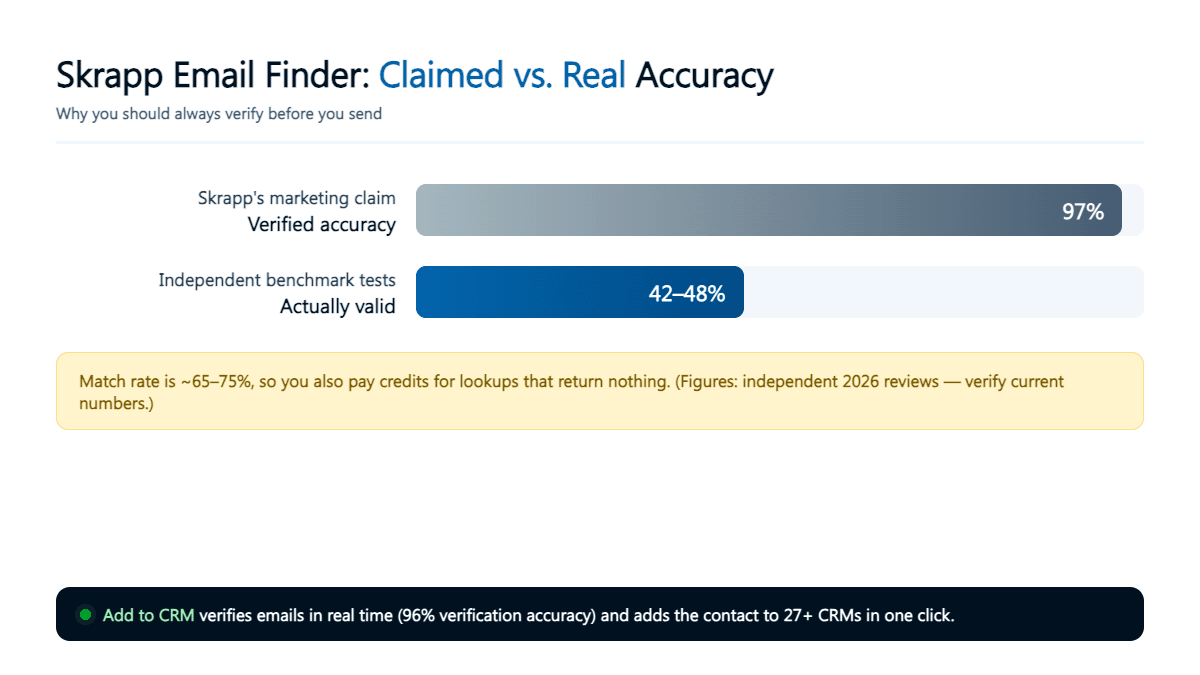
Here's the part to read slowly, because it's the single most important thing about the tool. Skrapp advertises verification accuracy as high as 97%. That number is front and centre in its marketing. But independent 2026 benchmarks paint a very different picture: reviewers report only around 42–48% of the emails Skrapp returns are actually valid, on top of a match rate of roughly 65–75%.
Those two figures compound, so it's worth separating them:
- Match rate (65–75%) is how often a lookup returns any address at all. So for a list of 100 target contacts, Skrapp finds something for roughly 65 to 75 of them — and returns nothing for the other 25 to 35.
- Valid rate (42–48%) is how many of the addresses it does return are genuinely deliverable. Independent tests put this well under half.
Multiply them out and the reality lands far from 97%: from 100 lookups you might get roughly 30 genuinely valid, sendable emails. And because reviewers report that a lookup returning nothing can still burn a credit, your effective cost per usable email climbs well above the sticker price — often to two or three times what the per-credit maths suggests.
None of this makes Skrapp useless. It makes it a tool you have to test on your own market before you trust it. Spend a handful of free credits on people whose real email addresses you already know, and compare. That five-minute exercise tells you more than any vendor accuracy claim — and it's the same discipline you should apply to every finder, because a bad list punishes your sender reputation fast. Our guide to finding a professional email address explains why verification and deliverability matter so much.
The honest summary: treat Skrapp's 97% as a marketing ceiling, not a working expectation, and budget for the misses.
Skrapp pricing and credits (2026)
Skrapp's pricing is where it looks most attractive, and to be fair, it is genuinely cheap. There's a free tier of around 50 credits a month (some sources list 100 — free allowances change, so check Skrapp's site), and four paid plans:
| Plan | Price (monthly) | Credits per month |
|---|---|---|
| Free | $0 | ~50 (some sources say 100) |
| Starter | $49 | 1,000 |
| Seeker | $99 | 5,000 |
| Enterprise | $199 | 20,000 |
| Global | $299 | 50,000 |
Two things genuinely count in Skrapp's favour here. First, unused credits roll over — a rarity in this category, where most vendors reset your allowance to zero every month and quietly pocket what you didn't use. If your prospecting is lumpy (a busy week, then a quiet fortnight), rollover means you don't lose what you paid for. Second, the per-credit cost drops sharply at the top: the Global plan works out at roughly $0.006 per credit, which is about as cheap as list-building gets.
Now the asterisk. Those per-credit numbers only hold if the credits produce valid emails. Run the accuracy figures back through the pricing and Starter's headline 4.9 cents per lookup becomes something closer to 15 cents per genuinely valid, sendable address once you account for misses and invalid results. Cheap credits and cheap outcomes aren't the same thing, and the gap between them is exactly the gap between Skrapp's 97% claim and the independent 42–48%.
Pricing and credit allowances are as of mid-2026 and change often — check Skrapp's site for current pricing.

Turn LinkedIn® profiles into CRM contacts
Add to CRM finds verified emails, phone numbers, and job titles on LinkedIn® — then adds them to your CRM in one click.
Start Free Trial


 Trusted by 2,500+ users4.7
Skrapp's real limitations
Beyond accuracy, three structural limits shape who Skrapp is right for.
It's email-only. This is the big one. Skrapp finds and verifies email addresses — full stop. No phone numbers, no mobile direct dials, no buyer intent, no waterfall enrichment across multiple data sources to fill gaps. If your outbound is multi-channel — email and calls — Skrapp only covers half of it, and you'll be running (and paying for) a second tool for the rest.
CRM integration is thin. Native CRM connectivity is limited: in practice you're looking at Salesforce, and only on the higher-priced plans. For the other CRMs the world actually runs on — Pipedrive, HubSpot, Zoho, Copper, Close, Monday, and dozens more — getting Skrapp's data into your system means exporting a CSV and importing it, mapping columns by hand, and cleaning up duplicates yourself. That manual hop is easy to underestimate until you're doing it twice a week.
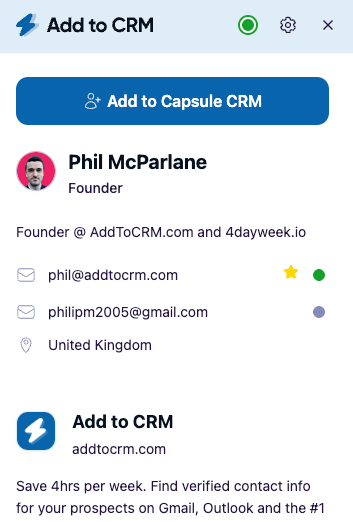
You get an email, not a contact. Even when Skrapp nails the address, what you have is a string in a spreadsheet. Turning it into a usable CRM record — name, company, role, location, links, and the rest — is work you still have to do. For a lot of teams, that assembly step is the actual bottleneck, not the email lookup itself.
When Skrapp is the right choice
Skrapp is a reasonable pick, and I'd genuinely recommend it, when:
- Budget is the hard constraint. If you need to build email lists cheaply and can absorb the accuracy trade-off, Skrapp is one of the lower-cost options going, and rollover credits soften lumpy usage.
- Email is your whole channel. You send cold email, you don't cold-call, and you don't need phone numbers — so email-only isn't a gap, it's just the shape of your work.
- You work in bulk by domain. Feeding lists of companies and getting pattern-matched addresses back is a workflow Skrapp handles briskly.
- You're willing to verify. You already run results through a verification step and re-check before big sends, so a lower valid rate is something you manage rather than something that surprises you.
If your real constraint is database breadth and you want firmographics and intent data alongside emails, a heavier platform is a different class of tool — our Apollo alternatives breakdown compares how those larger databases stack up on coverage and price.
When Add to CRM fits better
Skrapp answers "what's this person's email?" A lot of sales and founder workflows are actually asking a bigger question: "how do I get this person into my CRM as a complete, contactable record — right now, without a spreadsheet round-trip?" That's a different job, and it's the one Add to CRM is built for.
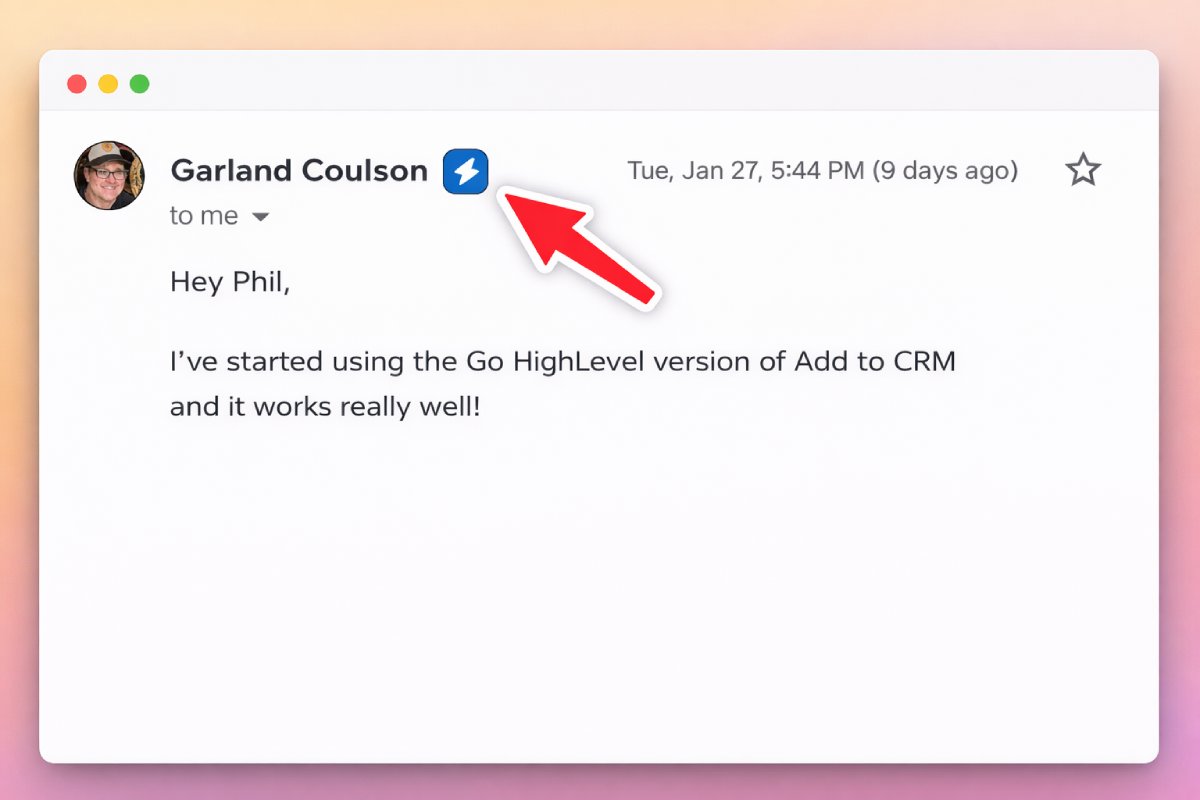
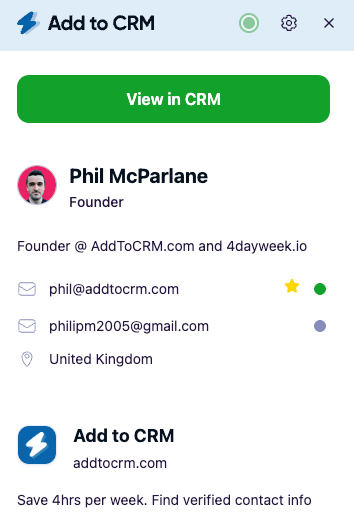
Add to CRM is a Chrome extension that enriches the person you're already looking at — on a professional network, in Gmail, or in Outlook — and returns a verified email (a 96% email verification accuracy rate), a phone number, and 20+ data points in one pass. Then it adds them to your CRM in a single click, with duplicates caught and fields mapped to the right places. It supports 29+ CRMs, not just Salesforce, so Pipedrive, HubSpot, Zoho, Copper, Close, Monday and the rest are all one click away.
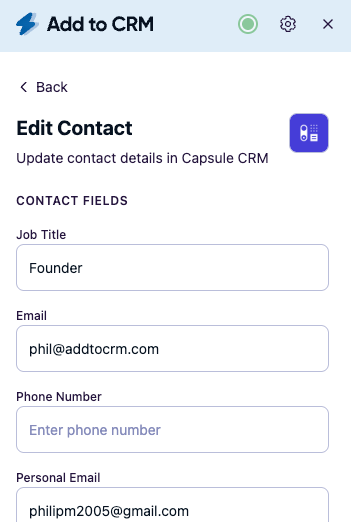
The accuracy difference is architectural, not just a bigger number. Skrapp serves a pattern-matched guess from a static database, where records go stale and coverage is patchy — that's why the valid rate sits where independent tests put it. Add to CRM verifies at the moment of capture and combines multiple data points into one record, so what lands in your pipeline is a checked, complete contact rather than an unconfirmed string. Where Skrapp hands you an email to paste somewhere, Add to CRM hands you a finished contact already in your system.
29+ CRMs supported. Try free for 7 days
Add to CRM finds verified emails, phone numbers, and job titles on LinkedIn® — then adds them to your CRM in one click.
Start Free TrialTrusted by 2,500+ users4.7Skrapp vs Add to CRM at a glance
| Skrapp | Add to CRM | |
|---|---|---|
| Core job | Find + verify B2B emails | Enrich a contact and add it to your CRM |
| Data returned | Email only | Verified email, phone, 20+ data points |
| Accuracy | 97% claimed; ~42–48% valid in independent tests | Real-time capture, 96% email verification accuracy |
| Phone numbers | No | Yes (where available) |
| Where you work | Domain search, bulk lists, profile extension | Professional profiles + Gmail + Outlook |
| Into your CRM | Manual export/import (native = Salesforce, higher plans) | One click, 29+ CRMs |
| Free option | Free tier (~50 credits/mo) | 7-day free trial |
| Best for | Budget email-only list building | Verified contacts in the CRM, fast |
Competitor details are as of mid-2026 and change often — check Skrapp's site for current pricing.
The two tools aren't strictly either/or. Some teams use Skrapp for cheap, domain-level list building and a capture tool like Add to CRM for turning individual, high-value prospects into complete CRM contacts on the spot. But if you only want one tool and your goal is pipeline rather than a spreadsheet, the second job is the one worth optimising for.
Frequently asked questions
Is Skrapp's email finder accurate? Skrapp claims verification accuracy up to 97%, but independent 2026 tests report a very different reality: roughly 42–48% of returned emails are valid, on a 65–75% match rate. In practice, expect to test it on your own market and verify before sending, rather than trusting the headline figure.
How much does Skrapp cost? Skrapp pricing in 2026 runs from a free tier (around 50 credits a month) to Starter at $49/mo for 1,000 credits, Seeker at $99 for 5,000, Enterprise at $199 for 20,000, and Global at $299 for 50,000. Unused credits roll over. Check Skrapp's site for current pricing, as allowances change.
Does Skrapp find phone numbers? No. Skrapp is email-only — no phone numbers, no direct dials, no intent data. If you need phone numbers alongside email, you'll need a second tool, or a contact-enrichment extension like Add to CRM that returns verified email and phone together.
Does Skrapp integrate with my CRM? Only partly. Native CRM integration is limited to Salesforce, and only on higher plans. For most other CRMs you export a CSV and import it manually. If one-click adding to your CRM matters, a tool built for it — Add to CRM supports 29+ CRMs — will be a cleaner fit.
Is Skrapp worth it? For budget, email-only list-building where you're prepared to verify results, Skrapp is a fair-value option with the nice touch of rollover credits. If you need phone numbers, higher real accuracy, or contacts that land in your CRM without a spreadsheet round-trip, weigh the alternatives first.
What's the best Skrapp alternative? It depends on the job. For verified contacts (email and phone, 20+ data points) added straight to your CRM in one click, Add to CRM is a purpose-built switch; for a bigger all-in-one database, compare the options on our Apollo alternatives page.
Turn found emails into pipeline. Add to CRM finds verified emails and phone numbers on professional profiles, Gmail, and Outlook — with 20+ data points — and adds each contact to any of 29+ CRMs in one click, duplicates caught and fields mapped. Start a 7-day free trial and add your first contact in under two minutes.
Start saving time and closing more deals.
Find verified contact info for your prospects on LinkedIn®, Gmail and Outlook — and add them to your CRM with 1-click.

 Loading...Trusted by 2,500+ founders, SDRs & more