Surfe Review (2026): Pricing, Credit Caps & the Multi-CRM Alternative
Surfe review: 2026 pricing, the separate email and mobile credit caps that catch teams out, and how Add to CRM compares with 29+ CRMs and one monthly pool.
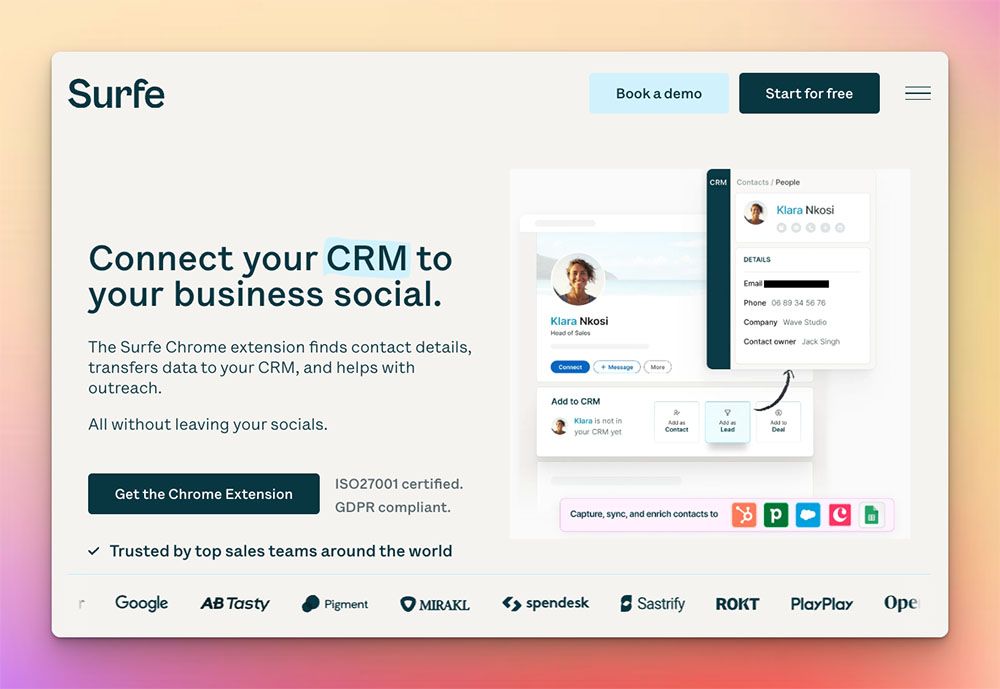
Surfe (formerly Leadjet) is a Chrome extension that turns a business-network profile into a CRM contact. It syncs profiles and messages, finds a work email and phone number from a waterfall of 15+ data sources, and writes the result straight into HubSpot, Salesforce, or Pipedrive without you leaving the tab. It's built for revenue teams who live inside one of those CRMs and want capture, enrichment, and message logging in a single overlay. The single sharpest thing to know before you buy: Surfe meters email and mobile lookups as two separate monthly pools — on the Essential plan that's 150 email but only 50 mobile a month, so phone-led prospecting hits the mobile ceiling long before it touches the email one.
Pricing is a July 2026 snapshot — check Surfe's site for current numbers.
TL;DR: Pick Surfe if your team is standardized on HubSpot, Salesforce, or Pipedrive and you want a polished in-overlay experience with message logging and mature field mapping. Pick Add to CRM if you want the same one-click capture across 29+ CRMs instead of a handful, on business networks plus Gmail and Outlook, with one monthly credit pool rather than separate email and mobile allowances.
What is Surfe?
Surfe started life as Leadjet before rebranding, and the core idea has stayed the same: a Chrome extension that sits over a business-network profile and connects it to your CRM. Open someone's profile and Surfe shows you whether they already exist in your CRM, lets you create or update the record, logs the conversation, and enriches the contact with a work email and phone number pulled from 15+ data sources.
Where Surfe is genuinely strong is the depth of that CRM integration. For HubSpot, Salesforce, and Pipedrive in particular, the field mapping is mature — you can edit CRM fields, create deals, and sync your message history straight from the overlay, and it mostly just works. (Its site also lists Copper and Salesloft.) If your whole team lives inside one of those CRMs, that polished, native-feeling overlay is a real productivity win, and it's the main reason Surfe has a loyal user base. This isn't a thin wrapper; the sync is well-built and well-supported.
Surfe pricing & credits
Surfe runs three tiers (as of July 2026 — check their site for current pricing):
- Free — $0, with 20 email and 5 mobile credits per month.
- Essential — $39 per user per month, or about $29.25 effective on annual billing.
- Pro — $79 per user per month, or about $59.25 effective on annual billing.
Annual billing knocks roughly 25% off the monthly rate. On the surface those look like ordinary SaaS numbers. The detail that catches teams out sits in the credits — and it's the single most important thing to understand about Surfe's pricing.
Surfe meters email and mobile credits separately, and the mobile pool is much smaller. On Essential you get 150 email lookups and 50 mobile lookups a month. Pro lifts the ceiling substantially — 1,000 email and 100 mobile a month — but that's a big jump in price to reach, and the free plan's 20 email credits a month is really just a taste (all figures as of 2026-07-21 — check their site; Surfe's pricing page labels these "Credits / month").
Why does this matter? Because the two pools don't move together. If you call as well as email, the 50 mobile credits on Essential are the real constraint — you can still have 100+ email credits sitting unused when the mobile allowance runs dry, and the only way to raise it is a tier upgrade you may not otherwise need. For comparison, Add to CRM's Standard plan gives 250 credits every month from a single pool that phone reveals draw on too, for a little less than Surfe Essential (about $29 / £23 / €25 a month as of July 2026; check our pricing page). More total headroom, slightly cheaper, and no second ceiling to plan around. It's a difference of degree rather than kind — if your prospecting is email-led and steady, Surfe Essential's 150 a month may be all you need.
Where Surfe is strong — and where it's limited
On the strengths, reviewers consistently praise Surfe's overlay and the quality of its CRM sync. Message and conversation logging into HubSpot and Salesforce is a recurring highlight, and the enrichment waterfall — drawing on 15+ sources — tends to return solid work emails. For a team standardized on one supported CRM, it's a mature, well-supported product, and the ex-Leadjet pedigree shows in how settled the integration feels.
Where users report friction, two themes come up. The first is the split credit model covered above — teams describe being caught out when the mobile allowance runs dry while email credits go unused. The second is CRM breadth. Surfe concentrates on a short list of CRMs (HubSpot, Salesforce, and Pipedrive, with Copper and Salesloft also listed on its site). If your team runs Zoho, Close, Capsule, Attio, Monday, Nutshell, Salesflare, or any of the dozens of other CRMs on the market, Surfe generally isn't built to sync to it, and reviewers on those stacks tend to look elsewhere. Surface coverage is the other edge: Surfe is designed around the business network, so capturing a contact from your Gmail or Outlook inbox isn't part of its focus. None of these are dealbreakers for the teams Surfe targets — they're simply the boundaries of who it's for.

Turn LinkedIn® profiles into CRM contacts
Add to CRM finds verified emails, phone numbers, and job titles on LinkedIn® — then adds them to your CRM in one click.
Start Free Trial


 Trusted by 2,500+ users4.7
The alternative: Add to CRM
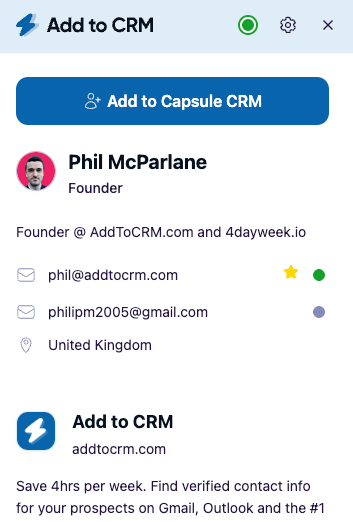
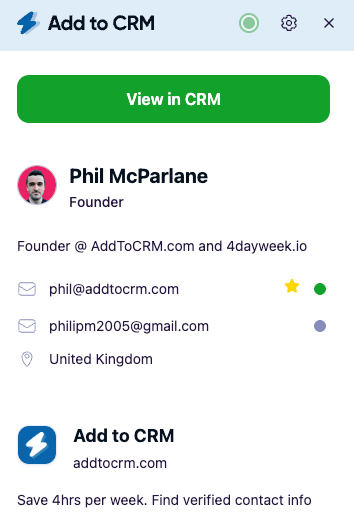
If Surfe's one-click capture appeals but the annual caps or the short CRM list don't, Add to CRM covers the same last-mile job across far more of your stack. It's a Chrome extension that enriches the contact you're viewing — a verified email, a phone number, and 20+ data points, with emails verified in real time to cut bounces (96% email verification accuracy) — then adds them to any of 29+ CRMs in one click, fields mapped and duplicates handled.
The differences that matter against Surfe:
- 29+ CRMs, one subscription. Capsule, Zoho, Pipedrive, Close, HubSpot, Salesforce, Monday, Attio, Nutshell, Salesflare, Copper, and many more — including the long tail Surfe doesn't cover — from a single plan.
- Three surfaces, not one. It works on business networks, Gmail, and Outlook, so an inbound email is one click from your CRM too.
- One credit pool. 250 a month on Standard, 1,000 a month on Pro — and phone reveals draw on the same pool rather than a separate, much smaller mobile allowance.
- Compliance built in. It's GDPR-compliant, and the Pro tier's Sales Navigator support and automatic message sync run through your own connected account — the compliant route, not scraping.
One important honesty note: Add to CRM is not a contact database. We don't sell you a searchable pool of a few hundred million records to mine — we're the capture-and-enrich-into-CRM workflow that takes the person you're already looking at and gets them into your CRM cleanly. So this isn't "replace your database"; it's the last-mile alternative to Surfe's capture overlay, across many more CRMs. You can see how Add to CRM compares to Surfe in more detail, or browse the supported CRM Chrome extensions to find yours.
Surfe vs Add to CRM at a glance
Prices are a July 2026 snapshot and change often — check each vendor's site for current numbers.
| Dimension | Surfe | Add to CRM |
|---|---|---|
| What it is | Business-network-to-CRM overlay + enrichment (ex-Leadjet) | Capture-and-enrich-into-CRM Chrome extension |
| CRMs supported | A handful — HubSpot, Salesforce, Pipedrive (Copper and Salesloft also listed) | 29+ CRMs from one subscription |
| Credit model | Two separate monthly pools (email and mobile) | One monthly pool covering both |
| Typical monthly cost | Free; Essential $39/user; Pro $79/user (≈25% less annual) | Standard about $29 / £23 / €25; Pro higher |
| Surfaces | Business network (LinkedIn) | Business networks, Gmail, and Outlook |
| Phone credits | Essential 50/month; Pro 100/month (separate pool) | Included in the same monthly pool |
| Free trial / plan | Free plan (20 email / 5 mobile per month) plus paid tiers | 7-day free trial, then paid — no free plan |
The row that explains the rest is the credit model. A split email/mobile allowance and a single shared pool can carry near-identical sticker prices while behaving quite differently once phone numbers matter to you.
Who should choose which
Choose Surfe if your team is standardized on HubSpot, Salesforce, or Pipedrive and you want the deepest possible in-overlay experience — mature field mapping, deal creation, and message logging inside that one CRM. If you only use HubSpot and want that native depth, Surfe (or a HubSpot-specialist tool) may fit better than a general capture tool, especially if your enrichment volume is low enough that an annual credit quota is plenty. That's a real, valid profile, and Surfe serves it well. For a full walkthrough of the options, see our LinkedIn HubSpot integration guide.
Choose Add to CRM if any of these are true: you use a CRM outside Surfe's short list; you run more than one CRM and want a single subscription to cover them; you call as well as email and want one credit pool that phone reveals draw on too; or you want to capture contacts from Gmail and Outlook as well as the business network. It's the broader option for teams whose stack — or whose calling volume — has outgrown a handful of CRMs and a separate mobile allowance.
29+ CRMs supported. Try free for 7 days
Add to CRM finds verified emails, phone numbers, and job titles on LinkedIn® — then adds them to your CRM in one click.
Start Free TrialTrusted by 2,500+ users4.7FAQ
How much does Surfe cost in 2026? Surfe has a free plan plus two paid tiers: Essential at $39 per user per month and Pro at $79 per user per month, with roughly 25% off on annual billing (about $29.25 and $59.25 effective). Those are July 2026 figures — check Surfe's site for current pricing.
What's the catch with Surfe's credits? Surfe meters email and mobile lookups as two separate monthly pools. Essential includes 150 email and 50 mobile lookups a month, so a phone-led team can exhaust the mobile allowance while email credits sit unused — the only way to lift it is a tier upgrade. By contrast, Add to CRM gives one shared pool that phone reveals draw on too (250 a month on Standard) for slightly less.
Which CRMs does Surfe support? Surfe focuses on a short list — primarily HubSpot, Salesforce, and Pipedrive, with Copper and Salesloft also listed on its site. If your CRM isn't one of those, Surfe generally won't sync to it. Add to CRM supports 29+ CRMs from one subscription, including the long tail Surfe doesn't cover, such as Capsule, Zoho, Close, Attio, Monday, Nutshell, and Salesflare.
Is Add to CRM a good Surfe alternative? It is if you want the same one-click capture across many more CRMs, on Gmail and Outlook as well as the business network, with monthly rather than annual credits. It's not a contact database, though — it's the workflow that gets a verified, enriched contact into your CRM. If you're committed to HubSpot, Salesforce, or Pipedrive and your volume is low, Surfe's native overlay may still be the more comfortable fit.
Does Add to CRM have a free plan like Surfe? No. Add to CRM offers a 7-day free trial and then paid plans — there's no permanent free tier. Surfe does offer a free plan, but it's capped at 20 email and 5 mobile credits per month (as of July 2026 — check their site), which is enough to evaluate the product rather than run on.
Start with a 7-day free trial
Surfe is a polished overlay for a handful of CRMs, and if you live inside HubSpot, Salesforce, or Pipedrive it earns its place. But if your stack is broader — or your prospecting outpaces an annual credit cap — Add to CRM does the same last-mile job across 29+ CRMs, on business networks, Gmail, and Outlook, with a verified email, phone, and 20+ data points added in one click and credits that refresh every month. Start with a 7-day free trial (no free plan, but no contract either), see the pricing, and install from the supported CRM Chrome extensions to add your first contact in a couple of minutes.
Start saving time and closing more deals.
Find verified contact info for your prospects on LinkedIn®, Gmail and Outlook — and add them to your CRM with 1-click.

 Loading...Trusted by 2,500+ founders, SDRs & more