Can You Get Emails From a Business Network? What's Allowed in 2026
Short answer: yes, if you do it the right way. What platform rules prohibit, what compliant enrichment looks like, and the GDPR basics for B2B outreach.
Yes — you can get a work email address for someone you've found on a business network, and you can do it without breaking platform rules or data-protection law. The line that matters is how you get it. Bulk-scraping profiles with bots violates the terms of service of every major professional network, and it creates data-protection problems on top. Looking up a verified work email for the one person you're already viewing — using data licensed from third-party providers, not copied from the platform — is a different activity, and it's how compliant sales teams work in 2026. This article explains the distinction, what the rules actually say, and what data-protection law expects before you hit send.
TL;DR: Getting a work email for someone you found on a business network is generally fine when you use one-profile-at-a-time enrichment (third-party licensed data), export of your own connections, or email-format inference — and it's generally not fine when you use bots or automation to copy member data in bulk, which platform terms prohibit. Under GDPR, a work email that identifies a person is personal data: B2B is not exempt, legitimate interest can cover relevant B2B outreach if you do the balancing work, every message needs an easy opt-out, and bought lists are the riskiest option of all.
One note before we start: this article is general information, not legal advice. Rules differ by country and change over time — if you're building an outreach program at scale, talk to a privacy professional about your specific situation.
What business-network terms actually prohibit
You don't need to read every clause of a platform's user agreement to understand the theme. Paraphrased, the major professional networks prohibit broadly the same things:
- Automated access. Using bots, crawlers, scrapers, browser automation, or similar tools to visit pages and copy data at machine speed.
- Bulk copying of member data. Extracting profile information at scale to build or resell a database, whether the profiles are public or not.
- Misusing information about other members. Collecting members' data for purposes they wouldn't reasonably expect, or in ways the platform hasn't permitted.
- Circumventing technical controls. Working around rate limits, access restrictions, or other measures the platform uses to protect member data.
Enforcement is real: platforms use technical countermeasures and can restrict or suspend accounts that automate against member data. High-profile litigation over scraping publicly visible profiles has produced mixed, fact-specific outcomes — nothing that amounts to a general green light, and nothing that changes a platform's terms or data-protection law.
The key point is simpler than the legal detail: the terms govern how you use the platform. A tool that automates against the platform to copy member data is squarely inside the prohibition. A tool that doesn't take data from the platform at all — one that looks the person up in independently licensed B2B databases — is doing something categorically different.
Scraping vs enrichment: the distinction that matters
These two words get used interchangeably in marketing copy, and they shouldn't be. They describe different activities with different rule books.
Scraping means using automation to visit profiles and copy what's on the page — names, titles, employers, and anything else visible — usually at a scale no human could browse. The data source is the platform itself. That's what the terms of service prohibit, and it's also shaky ground under data-protection law: people put information on a professional network to be found and contacted individually, not to be harvested into a stranger's database.
Enrichment means taking a person you've already identified — say, a profile you're viewing right now — and looking up contact details in third-party databases compiled and licensed independently of the platform. The platform is where you found the person; it is not where the data comes from. Reputable enrichment providers maintain their own B2B datasets, document their lawful basis for holding that data, and process opt-outs.
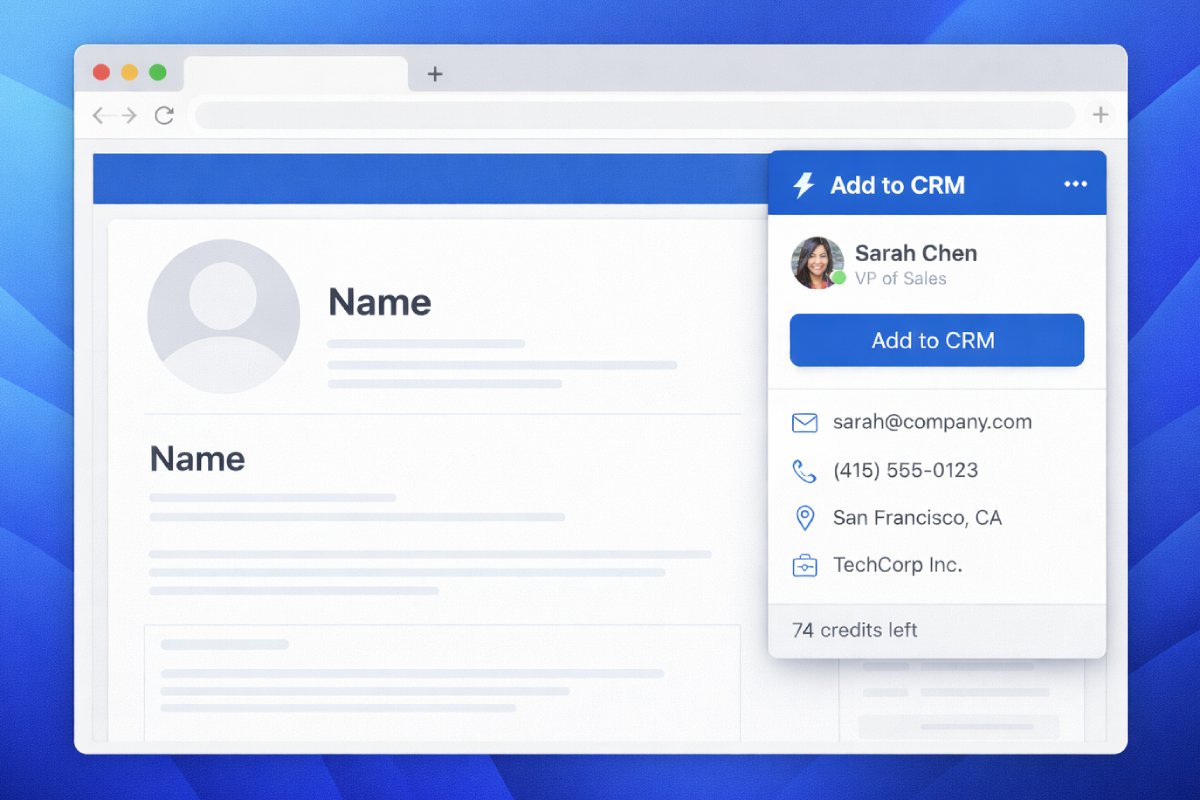
This is the model Add to CRM uses. The extension works on the single contact you have open — on a business-network profile or an email in Gmail or Outlook — and enriches that one person with a verified work email, phone where available, and 20+ data points drawn from licensed data providers. It then adds them to your CRM in one click, with fields mapped and duplicates detected. There's no bulk mode against the platform, no bot browsing profiles on your behalf, and no database being copied. One person — the one you're already looking at — because that's the compliant shape of the job. For a deeper look at how these tools compare, see our guide to email finders for business networks.

Turn LinkedIn® profiles into CRM contacts
Add to CRM finds verified emails, phone numbers, and job titles on LinkedIn® — then adds them to your CRM in one click.
Start Free Trial


 Trusted by 2,500+ users4.7
Three compliant ways to get an email from a profile
If you want the full step-by-step, our how-to on getting email addresses from a business-network profile walks through each method. Here's the short version.
1. One-profile-at-a-time enrichment
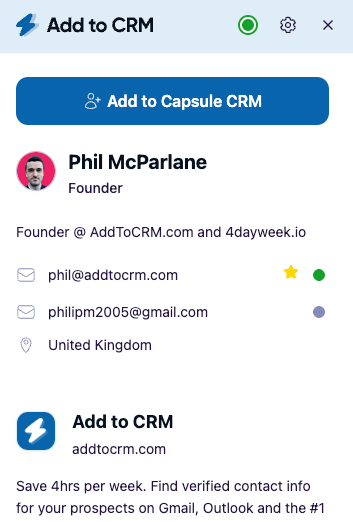
Open the profile, and let an enrichment extension look the person up in licensed third-party data. With Add to CRM, the email is verified in real time before it reaches your CRM — 95%+ verification accuracy — so you're not guessing whether the address bounces. It's the fastest compliant route, and it fits naturally into a rep's day.
2. Export your own connections
Most networks let you download data about your own first-degree connections using their built-in export — a feature the platform provides, so using it is within the rules. The export typically includes limited fields (email only where a connection has chosen to share it), so most teams enrich the file afterwards. We cover the process in our guide to exporting your connections.
3. Email-format inference
Most companies use one email pattern for everyone — first.last@company.com, say. Know the person's name and the company's format and you can construct the likely address, then verify it before sending. Our free email format lookup covers thousands of companies — slower than enrichment, but it costs nothing and takes nothing from any platform.
What all three have in common: no automation against the platform, no bulk copying of member data, and a human deciding to contact one specific, relevant person.
What data-protection law expects before you hit send
Getting the address compliantly is half the job. Using it lawfully is the other half — and this is where teams most often get it wrong, usually because of one persistent myth.
The myth: "GDPR doesn't apply to B2B." It does. GDPR protects personal data about people, and jane.doe@company.com identifies a person — the work context doesn't remove the protection. (A truly generic address like info@company.com is a different story, since it doesn't identify anyone.) If your recipients are in the UK or EU, assume data-protection law applies to your outreach list.
The well-established basics, briefly:
- You need a lawful basis. For B2B cold outreach, the usual candidate is legitimate interest — a genuine, recognised basis, not a loophole. It comes with homework: weigh your business interest against the person's rights (a balancing exercise worth documenting), and target only people whose professional role makes the message genuinely relevant. A pitch to a head of sales about a sales tool sits very differently from an untargeted blast.
- Every message needs an easy opt-out. And when someone opts out or objects, you stop — permanently, not until the next list import.
- Be transparent about the source. When you collect someone's data from somewhere other than the person themselves, they're entitled to know where it came from. In practice: a plain sentence in your first email plus a link to your privacy notice.
- Electronic-marketing rules layer on top. In the UK, PECR treats email to corporate addresses more permissively than email to individuals — but GDPR still applies to the personal data involved. Across the EU, national ePrivacy rules vary, and some countries expect opt-in even for B2B email. Check the rules where your recipients are, not just where you are.
- Minimise and maintain. Collect what you'll actually use, keep it accurate, and don't hoard contacts you'll never message. This is one reason enriching contacts one at a time beats stockpiling a database — your CRM only ever contains people someone deliberately chose to add.
None of this makes B2B outreach impractical — only lazy outreach, which didn't convert anyway.
A quick self-check before outreach
Five questions, answerable in a minute:
- Did the email come from a compliant source (enrichment, your own export, format inference) rather than scraping or an unverifiable purchased list?
- Is this person's role genuinely relevant to what you're offering?
- Does your message say who you are and make opting out one click?
- Can you tell them where you got their details if asked?
- Do you have a working process for honouring objections and deletion requests?
If you can answer yes to all five, you're doing better than most of the market.
29+ CRMs supported. Try free for 7 days
Add to CRM finds verified emails, phone numbers, and job titles on LinkedIn® — then adds them to your CRM in one click.
Start Free TrialTrusted by 2,500+ users4.7FAQ
Is buying an email list legal?
Rarely outright illegal, but it's the riskiest way to build a list and, under GDPR, hard to do well: you can't verify how the data was collected, a seller's claimed consent doesn't transfer to you, and meeting transparency duties for thousands of strangers is difficult. Bought lists also bounce and get flagged, damaging sender reputation. One relevant contact at a time is slower — and better on every axis.
Does GDPR apply to B2B email addresses?
Yes, when the address identifies a person. B2B is not an exemption category under GDPR — the law protects personal data regardless of whether the context is commercial. Legitimate interest gives B2B outreach a workable lawful basis, but it has to be earned with relevance, transparency, and an easy opt-out.
Can I export my own connections?
Generally yes — major networks provide a built-in data export for your own account, and using a feature the platform offers is within its rules. The export includes emails only where a connection chose to share one, which is why most teams enrich the exported file afterwards. The list still has to meet the data-protection basics above.
Are email finder extensions against platform rules?
It depends on how the extension works. Tools that automate profile browsing or copy member data in bulk are exactly what the terms prohibit. Tools that enrich the single contact you're viewing from independently licensed third-party data aren't taking data from the platform at all. If a tool offers to "extract" hundreds of profiles while you sleep, that's your answer.
Do I need consent to send a B2B cold email?
Not necessarily — in many jurisdictions, including the UK, legitimate interest can support relevant B2B email without prior consent, provided you've done the balancing work, you're transparent, and every message carries an easy opt-out. But some EU countries expect opt-in even for B2B, so check the rules that apply where your recipients are. When in doubt, get advice — this article isn't legal advice.
If your outreach already starts from a profile or an inbox, the compliant path is also the convenient one. Add to CRM enriches the contact you're viewing with a verified email and 20+ data points, then adds them to any of 29+ CRMs in one click — no scraping, no bulk anything. There's a 7-day free trial, and setup takes about two minutes via the Chrome extension.
Start saving time and closing more deals.
Find verified contact info for your prospects on LinkedIn®, Gmail and Outlook — and add them to your CRM with 1-click.

 Loading...Trusted by 2,500+ founders, SDRs & more