Discover the best way to find email addresses with 8 proven methods for sales and outreach.
Published on January 20, 2026
In today's competitive landscape, connecting with the right person at the right time is everything. A single, accurate email address can unlock a game-changing partnership, a major sale, or an invaluable investor. But navigating the sea of outdated data and manual guesswork often makes this a monumental challenge. Many professionals still spend hours copying and pasting profile information, only to face high bounce rates and missed opportunities. This guide cuts through the noise and provides a clear, actionable playbook.
We will explore the 10 best ways to find email addresses, moving beyond basic tactics to reveal the most efficient and reliable methods available today. This comprehensive roundup covers everything from powerful browser extensions that integrate with professional networking sites to sophisticated enrichment services that validate contacts in bulk. You'll learn how to leverage company domain patterns, utilize advanced search operators, and even integrate data directly into your CRM for seamless workflows.
This isn't just a list of tools; it's a strategic framework for building a high-quality pipeline. We will break down specific techniques with step-by-step examples tailored for different roles, including SDRs, founders, and RevOps leaders. Whether your goal is to accelerate prospecting, improve data hygiene, or automate your outreach process, mastering these methods will transform your approach. Forget a shot-in-the-dark strategy. Let's dive into the proven methods that will fill your pipeline with verified, high-value contacts and drive meaningful results.
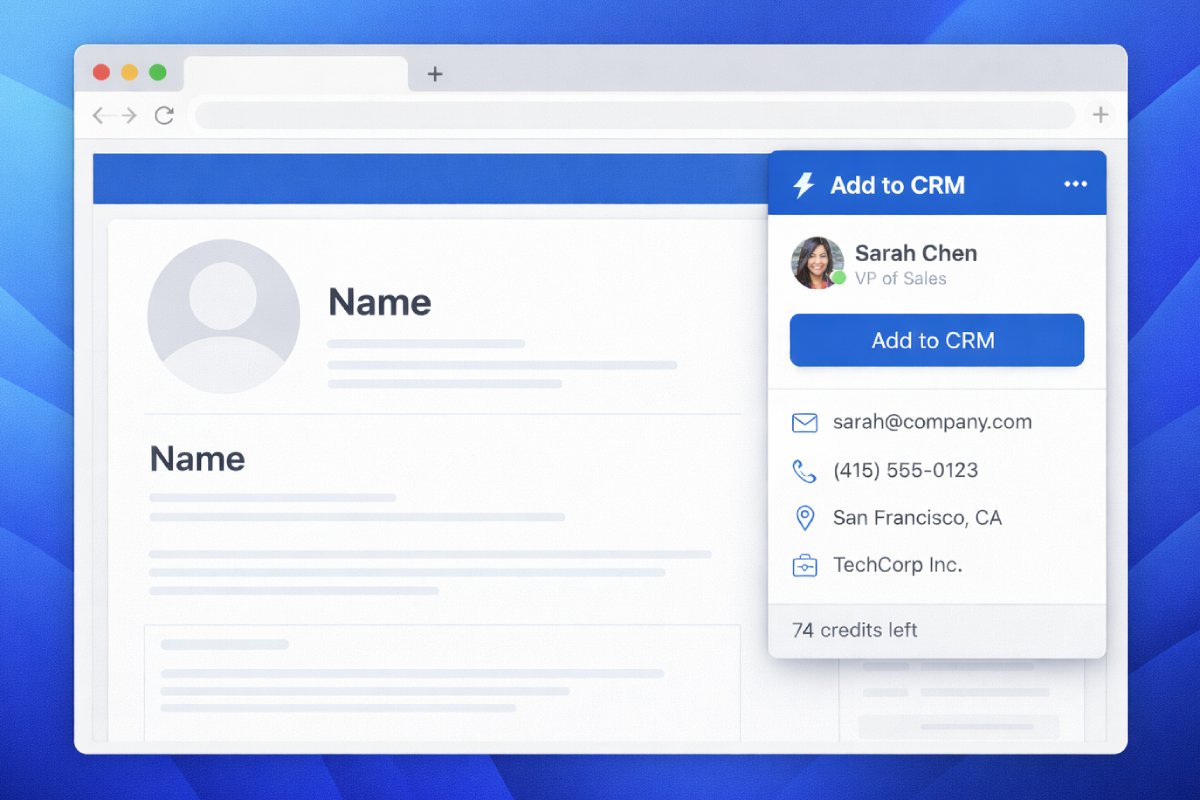
For sales teams that operate at high velocity, speed and data accuracy are paramount. Browser extensions that capture professional data directly from social profiles, especially from professional networking sites, represent the fastest route from prospect discovery to CRM entry. This method leverages tools like Add to CRM or the HubSpot Sales Extension to read profile information in real-time and create a structured CRM record with a single click.
This one-click workflow eliminates manual data entry, a process notoriously prone to copy-paste errors and inconsistencies. Instead of toggling between tabs, the extension automatically parses the contact's name, title, company, and other key details, then populates the corresponding fields in your CRM. This makes it one of the best ways to find email addresses and associated professional data without leaving your prospecting environment.

This approach is highly effective because it integrates directly into the natural workflow of modern sales professionals. SDRs and account executives spend a significant amount of time on professional networking sites identifying and qualifying prospects. By embedding the data capture function directly into the browser, teams can act on a lead the moment they identify it, ensuring no opportunity is lost due to administrative friction. The extension not only captures visible data but often enriches it with a verified email address and additional company information.
To maximize efficiency and maintain data integrity, follow these implementation steps:
For teams that need to find email addresses at scale, dedicated email finder and verification platforms like Hunter, RocketReach, and Clearbit are indispensable. These services leverage vast, proprietary databases and sophisticated algorithms to uncover and validate professional contact information. They offer a powerful way to enrich lead lists, find specific decision-makers, and ensure outbound campaigns reach their intended recipients.
This method goes beyond one-off searches by enabling bulk operations and API integrations. A RevOps team, for example, can upload an entire list of prospects and receive verified email addresses in minutes, drastically cleaning the database. This makes it one of the best ways to find email addresses when data volume and accuracy are critical priorities.

The core strength of email finders lies in their massive, aggregated datasets. These tools compile information from public sources, data partnerships, and algorithmic predictions to build a comprehensive contact graph. When you search for a contact, the platform cross-references its database to find the most likely email address and often provides a confidence score. This centralized approach saves countless hours of manual searching and guesswork. For more details on this process, you can explore guides on how to verify email addresses.
To get the most out of these powerful services, follow these best practices:
For teams that need hyper-targeted prospect lists, premium subscriptions on professional networks are non-negotiable tools. These services transform the standard network into a powerful search engine, allowing you to filter prospects by dozens of specific criteria, including company size, industry, job function, seniority level, and even recent job changes. It's the best way to find email addresses for individuals who perfectly match your ideal customer profile.
The real power of this method is unlocked when you combine the platform's advanced filtering with a data capture tool. After building a highly specific lead list, you can use a browser extension to instantly extract that contact's information, including a verified email address, and send it directly to your CRM. This creates a seamless workflow from precision targeting to actionable outreach.
This strategy is highly effective because it moves beyond broad-stroke prospecting. Instead of sifting through thousands of general profiles, sales teams can pinpoint the exact decision-makers they need to engage with. For example, an SDR can find all "VPs of Marketing" at SaaS companies with 51-200 employees in a specific region who have been in their role for less than a year. This level of precision ensures that outreach efforts are relevant and have a much higher probability of success.
To turn advanced search into a high-performance prospecting machine, follow these implementation steps:
("VP of Sales" OR "Sales Director") NOT "Assistant" will help you zero in on senior leadership.For professionals who live in their inbox, the best way to find email addresses is often to look at the data they already have. Mailbox parsing leverages integrations that connect directly to Gmail or Outlook, automatically extracting contact information from existing email conversations. This method converts the rich data found in email headers, signatures, and message history into structured, actionable CRM records.
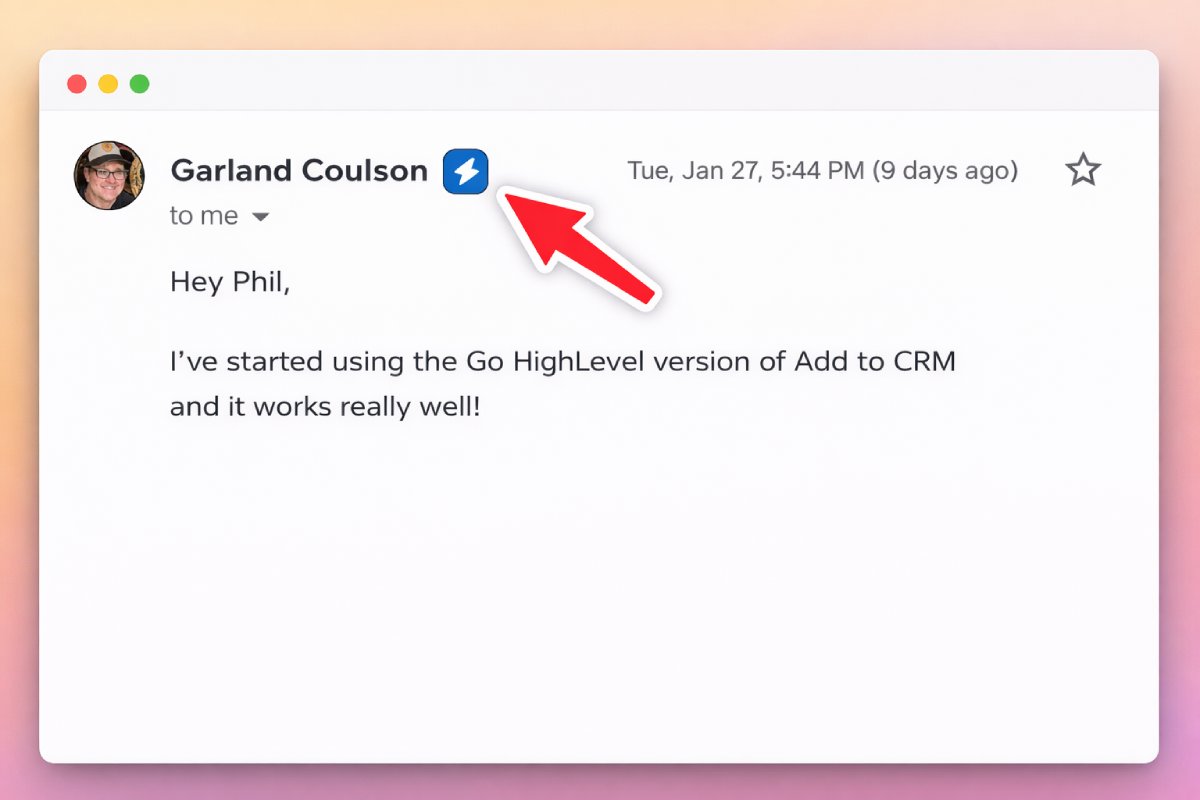
Instead of manually copying information from an inbound lead or a prospect's reply, tools like the Add to CRM integration for Gmail or the HubSpot Sales Extension scan conversations for you. They intelligently identify names, job titles, companies, and phone numbers, then allow you to create or update a contact record with a single click, all without leaving your email client. This transforms your inbox from a simple communication tool into a powerful, passive prospecting engine.
This strategy is exceptionally efficient because it captures leads at their highest point of intent: when they are actively communicating with you. By integrating directly into the email environment where sales, support, and leadership teams spend their day, it eliminates the friction of switching between applications. It ensures that valuable contacts from inbound inquiries, partner discussions, or even support tickets are never lost and can be systematically added to your CRM for follow-up.
To turn your inbox into a reliable source of contact data, follow these implementation steps:
For targeted account-based strategies, sometimes the most reliable source of information is the company itself. This method involves manually or automatically reviewing a company's website, specifically pages like "About Us," "Our Team," or "Leadership," to identify key decision-makers. This direct approach is often the first step in building a highly curated list of contacts for strategic outreach.
This tactic is foundational for anyone building a prospect list from scratch, such as founders mapping out their first enterprise accounts or marketers creating hyper-personalized campaigns. By starting at the source, you can confirm titles and roles directly, ensuring you are targeting the right individual within the organization. This makes it one of the best ways to find email addresses with high initial accuracy.

This approach is effective because it leverages publicly available, company-sanctioned information. Organizations often feature their leadership and key personnel to build credibility, inadvertently creating a valuable directory for prospectors. When you identify a contact this way, you gain more than just a name; you gain context about their role and seniority directly from their employer. This information is invaluable for crafting a relevant and impactful opening message.
To turn a company website into a reliable source of leads, follow these steps:
robots.txt file and terms of service to ensure you are complying with their data collection policies.For revenue operations and marketing teams aiming for scale, enriching data in bulk is a force multiplier. This method involves taking existing lists of prospects, such as webinar attendees or trade show leads, and using a data enrichment service to automatically find and append missing information, including verified email addresses. Platforms like ZoomInfo, Clearbit, and Apollo.io integrate directly with your CRM to handle this process.
Instead of hunting for contacts one by one, you import a list and let the enrichment tool do the heavy lifting. The system matches known data points, like a person’s name and company, against its vast database to fill in the gaps. This turns a partial list of leads into a fully actionable database, making it one of the best ways to find email addresses at scale and prepare for large-scale outbound campaigns.
This strategy is built for efficiency and scalability. It decouples the act of list-building from data acquisition, allowing teams to focus on generating initial interest (e.g., through content marketing) and then systematically enriching those leads for sales outreach. It transforms incomplete data, which is often a byproduct of marketing activities, into a valuable asset by adding accurate contact details, firmographics, and technographics. This ensures that every lead generated can be properly nurtured and pursued.
To ensure data quality and maximize the return on your enrichment efforts, follow these implementation steps:
While technology offers speed, the most valuable professional email addresses are often acquired through genuine human connection. Professional networking through industry conferences, webinars, and niche online communities builds relationships that naturally surface contact information. This is a high-effort, high-reward approach focused on creating authentic rapport before making a request.
This manual outreach method prioritizes trust over volume. Instead of a cold, automated ask, you are engaging in a value-first exchange. By participating in a discussion or helping a connection solve a problem, you earn the right to request their contact details for a follow-up. This makes it one of the best ways to find email addresses that come with a warm introduction, dramatically increasing reply rates.
This approach is effective because it leverages the principle of reciprocity. When you provide genuine value upfront, whether by sharing an insight in a Slack community or offering help at an event, people are far more likely to share their contact information. It bypasses gatekeepers and lands you directly in the inbox of a decision-maker who already recognizes your name and associates it with a positive interaction. This method is particularly powerful for high-value, enterprise-level deals where relationships are paramount.
To turn networking into a reliable source for contact information, follow these implementation steps:
Instead of searching for prospects cold, intent data platforms allow you to find individuals who are already actively searching for solutions like yours. These systems, such as 6sense or Demandbase, monitor online "buying signals" like competitor website visits, content downloads, and product review searches. When a company shows high intent, the platform can surface key contacts and their email addresses, turning a cold search into a timely, relevant conversation.
This proactive approach flips the traditional prospecting model on its head. Rather than casting a wide net, you focus your efforts exclusively on accounts demonstrating a clear need. This makes intent data one of the best ways to find email addresses that belong to genuinely interested prospects, dramatically increasing the likelihood of engagement and reducing time wasted on unqualified leads.
This strategy is powerful because it prioritizes timing and relevance above all else. By identifying prospects at the peak of their research phase, you can tailor your outreach to address their specific pain points and solution criteria. Account executives can engage prospects who are actively evaluating competitors, while marketing teams can use the data to select the most promising accounts for their ABM campaigns, ensuring resources are deployed with maximum impact.
To effectively leverage intent data and translate buying signals into conversations, follow these key steps:
For organizations scaling their outbound and inbound operations, manual data entry becomes an insurmountable bottleneck. API integration with email finder and data enrichment services offers a powerful, automated solution. This method connects your core business systems, such as your CRM or marketing automation platform, directly to a data provider’s database, allowing for real-time contact enrichment without human intervention.
When a new lead enters your system, whether from a form submission or a manual entry, an API call is triggered automatically. This call sends the known information (like name and company) to a service such as Clearbit or Apollo.io, which then returns a wealth of verified data, including a professional email address, job title, company size, and technographics. This makes it one of the best ways to find email addresses at scale, ensuring every lead is complete and actionable the moment it's created.
This approach is highly effective for maintaining data integrity and operational efficiency across the entire revenue organization. It eliminates the need for manual lookups, which frees up sales and marketing teams to focus on high-value activities like engaging prospects and closing deals. By automating enrichment, you ensure that lead scoring, routing, and personalization are always based on accurate, up-to-date information, dramatically improving the speed and relevance of your follow-up.
To build a robust and cost-effective enrichment workflow, follow these implementation steps:
For account-based marketing (ABM) and sales teams targeting entire buying committees, finding a single email is often just the starting point. Reverse email lookup, combined with company domain pattern recognition, is an advanced technique that uses one known email address to predict the email formats for other employees at the same company. This method involves analyzing the structure of a verified email, like [email protected], to infer the addresses of other decision-makers.
This intelligence-driven approach transforms a single point of contact into a map of the entire organization. Instead of searching for each contact individually, you can apply the discovered pattern (e.g., [email protected] or [email protected]) to a list of target names. This makes it one of the best ways to find email addresses at scale within a specific account, saving significant research time.
This strategy is effective because most companies enforce a standardized email format for all employees to maintain consistency. Once you decode this pattern from a single, easily found email (perhaps from a marketing newsletter signup or a low-level contact), you hold the key to reaching anyone else in that company. Tools like Hunter.io and RocketReach have built their platforms around this logic, analyzing billions of public data points to identify and confirm these domain-specific patterns.
To use domain patterns effectively without harming your sender reputation, follow this structured approach:
firstname.lastname@, firstinitial.lastname@, or another variation? This is your hypothesis.| Method | Implementation complexity | Resource requirements | Expected outcomes | Ideal use cases | Key advantages |
|---|---|---|---|---|---|
| Browser Extensions & Professional Profile Data Extraction | Low — install extension and configure field mapping | Browser extension, supported CRM, team training | Rapid one‑click capture, high email accuracy, fewer manual errors | SDRs/BDRs prospecting on social networks; quick lead capture | Real‑time mapping, instant enrichment, duplicate detection |
| Email Finder Tools & Verification Services | Low–Medium — signup; optional API/integration | Subscription/credits, API access for automation | High verification accuracy, bulk lookups, richer contact data | RevOps, B2B marketers, growth teams needing scale verification | Large verified databases, bulk and API capabilities |
| Advanced Search on Professional Networks | Low–Medium — subscription and learning filters | Per‑user subscription, professional network presence | Highly targeted prospect lists and lead recommendations | Strategic prospecting by SDRs/AEs; combining with CRM tools | Advanced filters, official platform, AI lead suggestions |
| Gmail & Outlook Mailbox Parsing | Low — enable mailbox integration | Access to mailboxes, email client integration | Captures real, active addresses from conversations | Sales teams managing inbound leads and account execs | No lookup fees, high accuracy from real correspondence |
| Company Website & Employee Directory Scraping | Medium — manual research or scraper setup | Time, possible scraping tools, legal/ToS review | Very accurate company‑provided contacts but time‑consuming | Startups, ABM teams targeting specific companies | High accuracy, identifies decision‑makers, often free manually |
| Bulk Database Imports & CRM Enrichment | Medium — data cleaning and mapping required | Enrichment subscriptions, clean lists, CRM access | Rapid scaling of contact databases and consistent enrichment | RevOps and marketing scaling outbound campaigns | Efficient at volume, deduplication, native CRM integrations |
| Professional Networking & Manual Outreach | Low — relationship building activities | Time, event costs, team engagement | High‑trust, warm contacts; slower and less scalable | Founders, AEs, BDRs prioritizing relationship‑driven outreach | Warm introductions, high trust, low compliance concerns |
| Intent Data & Buying Signal Monitoring | Medium–High — integration and signal tuning | Higher subscription costs, integration effort | Identifies high‑intent prospects and optimal outreach timing | ABM, account execs for high‑value deals, targeted campaigns | Timing insights, prioritization, higher conversion likelihood |
| API Integration & Automated Enrichment | High — technical implementation and maintenance | Engineering resources, API costs, monitoring | Real‑time, automated enrichment and verification at scale | RevOps and technical teams automating lead workflows | Zero manual steps, real‑time verification, highly scalable |
| Reverse Email Lookup & Company Domain Pattern Recognition | Medium — require at least one verified email and tooling | Verified seed email, pattern tools or services | High accuracy for inferred emails when pattern confirmed | ABM, AEs/BDRs finding multiple stakeholders at target accounts | Cost‑effective for known domains, finds multiple contacts |
The journey to finding a prospect's email address has evolved far beyond a simple Google search. As we've explored, the landscape is rich with a diverse array of tools and techniques, each with its unique strengths and ideal use cases. From the surgical precision of browser extensions on social profiles to the large-scale power of bulk database enrichment, the methods are plentiful. Yet, the core lesson is not about finding a single "best" tool, but about architecting a strategic, multi-layered workflow.
The best way to find email addresses is to create a system that is efficient, accurate, and perfectly aligned with your specific role and objectives. A successful email-finding engine is not a monolithic application; it's an intelligent stack of processes and technologies working in harmony. It’s about moving from sporadic, manual searches to a predictable, repeatable system that consistently fuels your outreach and engagement efforts.
The true power lies in combination. An SDR, for instance, might initiate their process using advanced filters on a professional network to build a hyper-targeted list. They could then use a browser extension to capture those contacts, an email finder tool to enrich them with verified contact data, and finally, an email verification service to ensure deliverability before launching a sequence.
Conversely, a RevOps professional might focus on API integrations to automatically enrich inbound leads in real-time. Their workflow would also include periodic bulk enrichment jobs to cleanse and update the entire CRM database, ensuring data hygiene and maximizing the value of the company's existing contacts. This strategic combination transforms a simple task into a powerful operational advantage.
Key Takeaway: Stop searching for a single "magic bullet" tool. The most successful teams build a "prospecting stack" that combines the strengths of multiple methods to cover different scenarios, from one-off lookups to large-scale data cleansing.
To transition from theory to practice, you need a clear plan. Mastering this process is not just about collecting data; it's about building a foundational asset for your business that drives revenue and relationships. Here is how you can start building your ultimate email-finding workflow today:
Identify Prospect on Professional Network -> Capture to CRM -> Enrich with Verified Email -> Verify Email -> Enroll in Sequence.Ultimately, the best way to find email addresses is the one that empowers you to connect with the right people, at the right time, with the right message. By thoughtfully constructing your workflow, you’re not just finding emails; you’re building a more robust, reliable, and effective engine for growth.
Ready to eliminate the biggest bottleneck in your prospecting workflow? Add to CRM streamlines the entire process by allowing you to capture contacts from professional networks with a single click and instantly enrich them with verified email addresses and phone numbers, all without leaving the page. Start building your ultimate email-finding system today by visiting Add to CRM and discover a faster, more accurate way to fuel your pipeline.
Find contact info for your prospects on the #1 business social network and add them to your CRM with 1-click.

Trusted by 1000s of founders, SDRs & more