LinkMatch Review (2026): Per-CRM Pricing & a Broader Alternative
An honest LinkMatch review: per-CRM pricing, Xing and business-network sync, recruiter CRM support, and why Add to CRM covers 29+ CRMs on one plan.
LinkMatch is a Chrome extension that does one thing very neatly: it sits on a profile and tells you, at a glance, whether that person is already in your CRM — then lets you create or update the record without leaving the tab. It syncs both LinkedIn and Xing profiles, it supports a long list of CRMs including several built for recruiters, and for a team that lives inside a single CRM it is a genuinely tidy tool. It is aimed at solo salespeople, recruiters, and small teams who want in-profile matching and sync into one system they already use.
The single sharpest fact to know before you buy: LinkMatch is priced per CRM. Each CRM you connect is its own subscription. Connect two, and you pay two bills.
Pricing below is a July 2026 snapshot — check LinkMatch's site for current numbers.
TL;DR: Pick LinkMatch if you work in one CRM (especially a recruiting system like Greenhouse, CATS, or PCRecruiter) and want clean in-profile match-and-sync that also covers Xing. Pick Add to CRM if you want one subscription that captures enriched, verified contacts into 29+ CRMs — plus Gmail and Outlook — without paying separately for each CRM you connect.
What is LinkMatch?
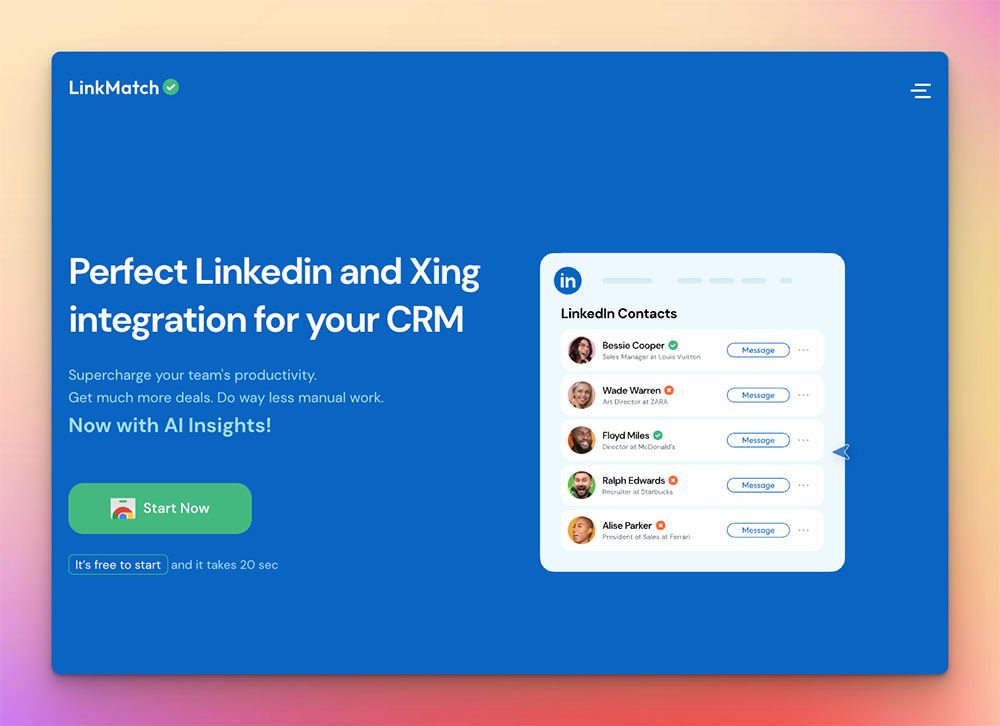
LinkMatch is a browser extension whose core trick is right there in the name: it matches the profile you are viewing against your CRM and shows whether the contact already exists. Open a profile and a small panel appears — is this person already a record? If not, you can create one; if so, you can open or update it in place. It works on both LinkedIn and Xing, the professional network that is still widely used across the German-speaking DACH region, and it pushes profile data into your CRM without the usual copy-paste shuffle.
Where LinkMatch genuinely stands out is the breadth of CRM types it plugs into — particularly for recruiters. Alongside sales CRMs like Zoho, Bigin, Copper, Pipedrive, Close, HubSpot, and Insightly, it supports applicant-tracking and recruiting systems such as Greenhouse, CATS, and PCRecruiter. That recruiter coverage, together with native Xing support, is a real strength that most profile-to-CRM tools — Add to CRM included — simply do not match. If you are an agency recruiter sourcing on Xing and filing candidates into PCRecruiter, LinkMatch is built squarely for you, and it deserves to be taken seriously.
LinkMatch pricing & credits
This is the section to read slowly. (All figures as of July 2026 — check LinkMatch's site for current pricing.)
LinkMatch gives you a 14-day free trial, and there is no free plan once it ends. The paid tiers run roughly:
- Standard ≈ €15.99–21.99 per user, per month
- Pro ≈ $28.99–35.99 per user, per month
There is also a pay-per-profile CSV option at around $10 per 100 profiles for occasional one-off exports.
Taken on their own, those per-user numbers look fair. The catch is the licensing model underneath them: LinkMatch is priced per CRM. One subscription connects you to one CRM. If your business runs two CRMs — say a sales CRM plus a separate recruiting system — you buy two LinkMatch subscriptions, one for each. Three CRMs, three subscriptions. The headline per-user price is really a per-user, per-CRM price.
Why does that matter? Because plenty of teams touch more than one CRM without ever thinking of themselves as "multi-CRM." A founder-led company might run HubSpot on the sales side while recruiting works out of Greenhouse. A consultancy might keep Pipedrive for new business and Copper for client delivery. Under LinkMatch's model, each of those connections is a separate line item that multiplies with every CRM and every seat. A tool that looked like €16 a month can quietly become €32 or €48 as your stack grows — and stacks tend to grow, not shrink.
One more thing to weigh: LinkMatch's Standard tier is comparatively light on automation. The richer sync and automation features tend to sit on Pro, so the price you see at entry and the price you actually need once you are running may not be the same number.
Where LinkMatch is strong — and where it is limited
Reviewers report that the match indicator is the standout — knowing instantly whether a profile is already in the CRM is a real time-saver and helps a team avoid duplicate records, which is exactly the kind of small friction that quietly erodes CRM hygiene. The Xing support comes up repeatedly as a differentiator for DACH-region teams, and the recruiting-CRM integrations are well regarded by the agencies that rely on them.
Where users report friction, it tends to cluster in two places. The first is the per-CRM cost, which adds up for anyone running more than one system. The second is scope: LinkMatch is focused on the profile-to-CRM sync itself rather than on deep, verified contact enrichment. If your priority is a verified email and mobile number plus a broad data profile on every contact you save, you may find the enrichment layer lighter than a dedicated capture-and-enrich tool provides. (Capabilities change — check their site for what is current.)
None of that makes LinkMatch a weak product. For a single-CRM team that wants dependable in-profile matching and sync — especially with Xing or a recruiting CRM in the mix — it does its job well, and does it cleanly.

Turn LinkedIn® profiles into CRM contacts
Add to CRM finds verified emails, phone numbers, and job titles on LinkedIn® — then adds them to your CRM in one click.
Start Free Trial


 Trusted by 2,500+ users4.7
The alternative: Add to CRM
Add to CRM comes at the same moment — a profile in front of you, a CRM you want it in — from a different direction. Instead of one subscription per CRM, you get one subscription that covers 29+ CRMs. Connect as many as you actually use; the price does not multiply as your stack does.
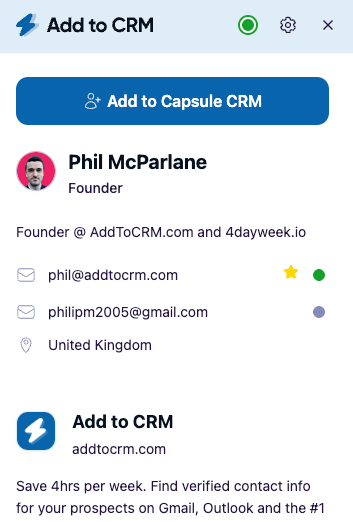
Here is the honest framing, because it matters: Add to CRM is not a database. We do not sell you a list of contacts to search through. We are the last-mile workflow. You are on a profile in a business network, in Gmail, or in Outlook, and in one click we enrich that person — a verified email, a phone number, and 20+ data points, with emails verified in real time at 96% accuracy to cut bounces — then push the finished contact straight into your CRM. Behind the scenes we draw on established enrichment providers to get you that verified contact, so you never have to buy or manage a separate database subscription yourself.
A few things that differ from LinkMatch specifically:
- One plan, 29+ CRMs. Capsule, Less Annoying CRM, Nutshell, Attio, Monday, Salesflare, folk, and Streak among many others — plus the ones LinkMatch also covers, like Zoho, Bigin, Copper, Pipedrive, Close, and HubSpot.
- The inbox, too. Add to CRM works in Gmail and Outlook, not only on the profile page, so a contact who emails you can be enriched and filed just as easily as one you find while browsing.
- Monthly credits, no phone penalty. Standard is 250 credits every month (around £23/€25/$29); Pro is 1,000 a month. Phone reveals are not charged at a 10× multiplier the way some data tools charge them.
- Compliant by design. Add to CRM is GDPR-compliant, and Pro adds Sales Navigator support plus automatic LinkedIn DM sync through your own connected account — the compliant route, not scraping.
What we do not do, in fairness: we do not offer native Xing support, and we do not specialise in recruiting ATSs like Greenhouse, CATS, or PCRecruiter. If those sit at the centre of your workflow, LinkMatch has the edge — and you can read the fuller side-by-side on our LinkMatch alternative page.
LinkMatch vs Add to CRM at a glance
Figures below are a July 2026 snapshot — check LinkMatch's site for current pricing.
| LinkMatch | Add to CRM | |
|---|---|---|
| What it is | In-profile match-and-sync extension (LinkedIn + Xing) | One-click capture, enrich, and add-to-CRM extension |
| CRMs supported | Multiple, including recruiting ATSs (Zoho, Copper, Pipedrive, Close, HubSpot, Greenhouse, CATS, PCRecruiter…) | 29+ CRMs on a single subscription |
| Credit model | Per user, per CRM — a separate subscription for each CRM; pay-per-profile CSV option | One monthly credit pool: 250 (Standard) or 1,000 (Pro) per month |
| Typical monthly cost | Standard ≈ €15.99–21.99/user; Pro ≈ $28.99–35.99/user — per CRM | ~£23/€25/$29 (Standard, 250 credits); Pro higher (1,000) |
| Surfaces | LinkedIn + Xing profiles | Business networks + Gmail + Outlook |
| Phone credits | Not its focus (lighter enrichment) | Included; not charged at a 10× multiplier |
| Free trial / plan | 14-day trial; no free plan | 7-day free trial; no free plan |
The single most important row is the credit model. That per-CRM line is what separates a tool that stays cheap for one system from a bill that scales with every CRM you add.
Who should choose which
Choose LinkMatch if you work primarily in one CRM and do not want to pay for CRMs you do not use; if you source on Xing; or if you are a recruiter living in Greenhouse, CATS, or PCRecruiter, where LinkMatch's coverage is a genuine advantage. If your main need is a reliable in-profile match indicator and clean sync rather than deep enrichment, it fits.
Choose Add to CRM if you use — or might add — more than one CRM and do not want the bill to multiply per CRM; if you want a verified email, phone, and 20+ data points on every contact rather than a profile sync alone; if you capture people from Gmail and Outlook as well as business networks; or if you simply want one predictable monthly plan across 29+ CRMs with no 10× phone-credit penalty.
Put plainly: if you are a single-CRM recruiter working on Xing, LinkMatch may genuinely fit you better, and that is an honest recommendation. If your stack is broader, or growing, one subscription across 29+ CRMs is the more economical shape — and it is the gap Add to CRM was built for.
29+ CRMs supported. Try free for 7 days
Add to CRM finds verified emails, phone numbers, and job titles on LinkedIn® — then adds them to your CRM in one click.
Start Free TrialTrusted by 2,500+ users4.7FAQ
Is LinkMatch really priced per CRM? Yes. As of July 2026, each LinkMatch subscription connects to one CRM. If you want to sync profiles into two different CRMs, you buy two subscriptions, and the per-user price (Standard ≈ €15.99–21.99/user/mo; Pro ≈ $28.99–35.99/user/mo) applies to each CRM connection. Check LinkMatch's site for current pricing, since plans change.
Does LinkMatch have a free plan? LinkMatch offers a 14-day free trial, but there is no free plan once it ends. There is a pay-per-profile CSV option (around $10 per 100 profiles) for occasional exports. Add to CRM likewise has no free plan; it runs a 7-day free trial, then paid.
Does LinkMatch support Xing and recruiting CRMs? Yes, and this is one of its real strengths. LinkMatch works on both LinkedIn and Xing and integrates with recruiting systems such as Greenhouse, CATS, and PCRecruiter alongside sales CRMs like Zoho, Copper, Pipedrive, Close, and HubSpot. Add to CRM does not natively cover Xing or those recruiting ATSs, so if they are central to your work, LinkMatch has the edge there.
How is Add to CRM different from LinkMatch? Add to CRM is one subscription covering 29+ CRMs, versus LinkMatch's separate subscription per CRM. It also enriches each contact with a verified email, phone, and 20+ data points (emails verified in real time at 96% accuracy), and it works in Gmail and Outlook as well as on business networks. Importantly, Add to CRM is a capture-and-enrich workflow, not a database you buy and manage.
Which is cheaper if I use more than one CRM? Usually Add to CRM, because a single subscription covers 29+ CRMs at no extra per-CRM cost. With LinkMatch, each additional CRM is another subscription, so the total scales with the number of CRMs (and seats) you connect. For a single-CRM user, LinkMatch's entry price can be lower — so do the math for your specific stack, and check both sites for current pricing.
Try Add to CRM
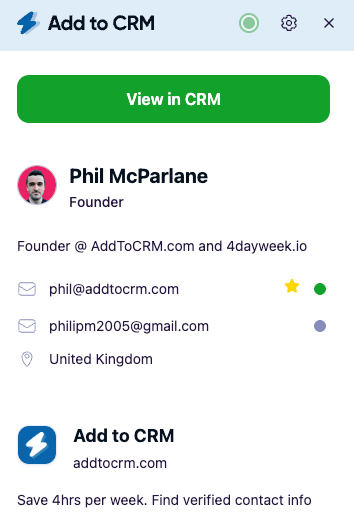
Ready to stop paying per CRM? Add to CRM captures an enriched, verified contact — email, phone, and 20+ data points — and adds it to any of 29+ CRMs in one click, whether you find that person on a business network, in Gmail, or in Outlook, all on a single subscription. Start with a 7-day free trial, then see the plans on our pricing page. One subscription, 29+ CRMs, no per-CRM math.
Start saving time and closing more deals.
Find verified contact info for your prospects on LinkedIn®, Gmail and Outlook — and add them to your CRM with 1-click.

 Loading...Trusted by 2,500+ founders, SDRs & more