How to Use Copper CRM in 2026: Setup, Pipeline & Gmail Integration Guide
Step-by-step guide to setting up Copper CRM, building sales pipelines, and using the Chrome extension with Gmail. Includes tips to add LinkedIn leads instantly.
Sync leads from professional networks to Copper CRM.
Save 4hrs per week on CRM data entry.
Learn more...Free Copper CRM integration
At Add to CRM, we're obsessed with sales efficiency. We know that the right CRM can make or break a sales team's success. Copper CRM is a powerful platform, especially for teams living in the Google Workspace ecosystem. It’s designed to eliminate data entry and help you build stronger relationships.
We created this guide to walk you through everything you need to know to master Copper CRM. From initial setup to advanced reporting, we'll cover it all. We'll also show you how to supercharge your prospecting efforts and fill your pipeline faster than ever before.
Getting Started with Copper CRM
Initial Setup and Configuration
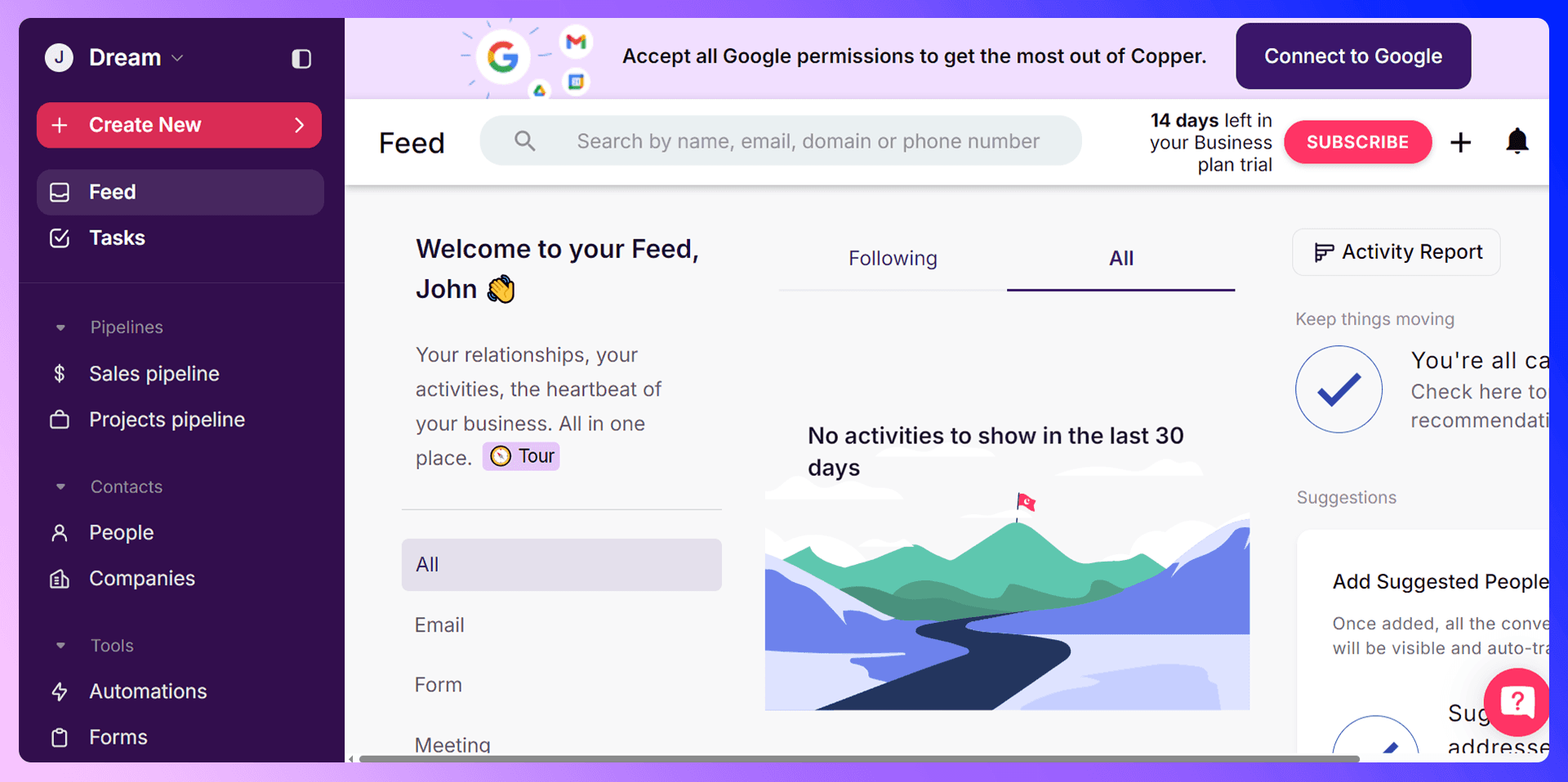
Getting started with Copper CRM is straightforward, thanks to its native integration with Google Workspace.
- Sign Up: Head to the Copper CRM website and start a free 14-day trial. We recommend signing up with your Google account for the most seamless experience.
- Connect Your Gmail: Authorize Copper to access your Google account. This allows it to sync emails, contacts, and calendar events automatically.
- Install the Chrome Extension: Copper has its own Chrome extension that brings the CRM directly into your Gmail inbox. This is a must-have for tracking conversations without switching tabs.
- Add Your Team: Invite your sales team members and assign them roles and permissions. This ensures everyone has access to the information they need.
Customizing Your Dashboard
Your dashboard is your command center. It provides a high-level overview of your sales activities, active leads, and pipeline health. You can customize this view to prioritize the information that matters most to you, whether it's your task list for the day or your team's overall performance.
Managing Contacts and Leads
Adding Contacts Manually
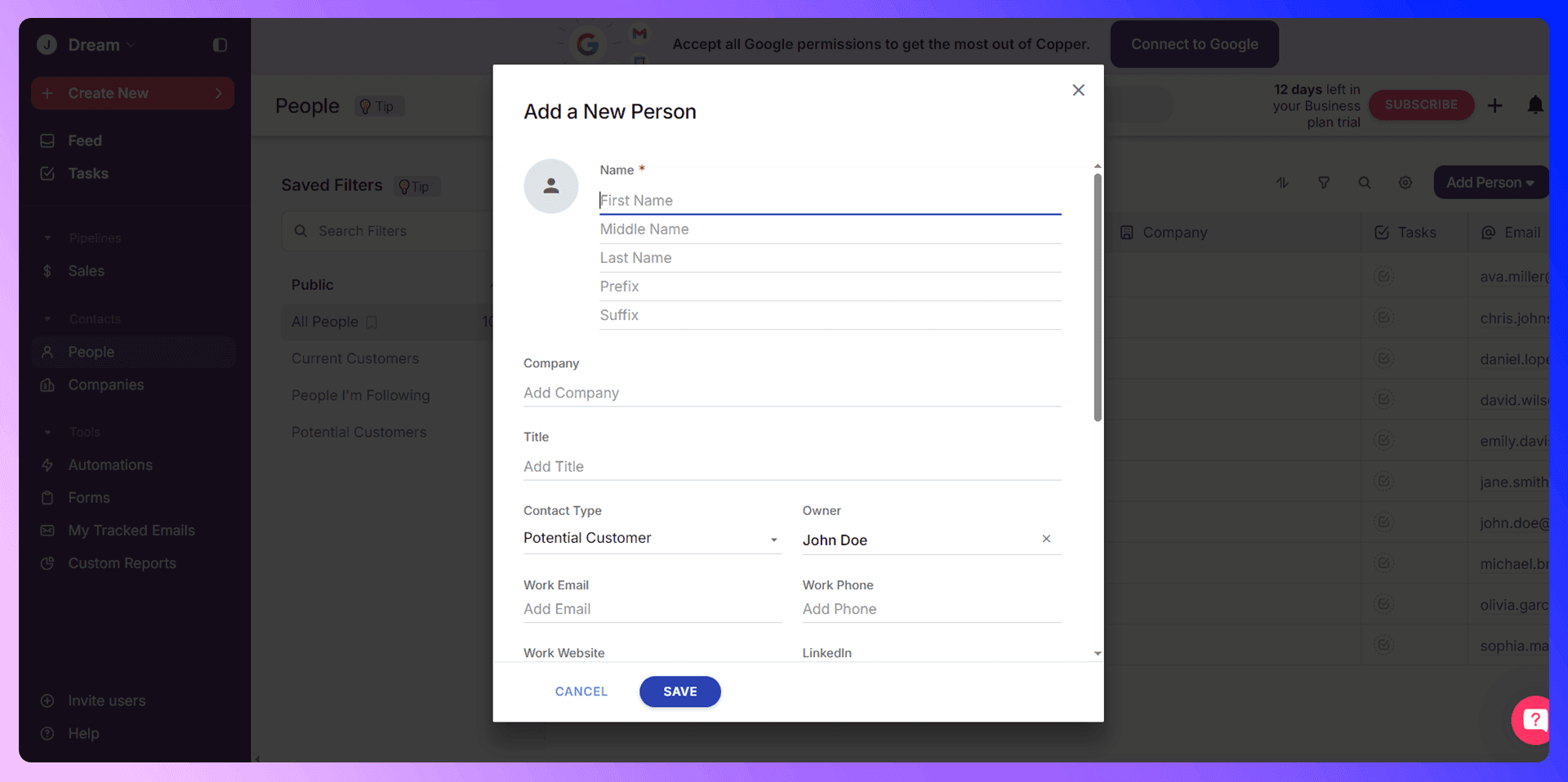
You can always add contacts to Copper CRM manually. Simply click the "Add New" button and select "Person" or "Company." You'll then need to fill in their details like name, email, phone number, and title. While this works for one-off additions, it's slow and prone to typos when you're dealing with a high volume of prospects.
Importing Contacts Efficiently with Add to CRM
Manual data entry is a major time sink. A much better way to add prospects is with Add to CRM. Our Chrome extension is built to solve this exact problem. When you're on a prospect's LinkedIn profile, Add to CRM finds their verified contact information, including email addresses and phone numbers. With one more click, you can add them as a new lead or contact directly into Copper CRM, completely eliminating manual entry and saving hours each week.

Organizing and Segmenting Contacts
Once contacts are in your CRM, organization is key. Use Copper's features to keep your data clean and actionable:
- Tags: Use tags to segment your contacts. For example, you could use tags like hot-lead, webinar-attendee, or q4-target to filter and prioritize your outreach.
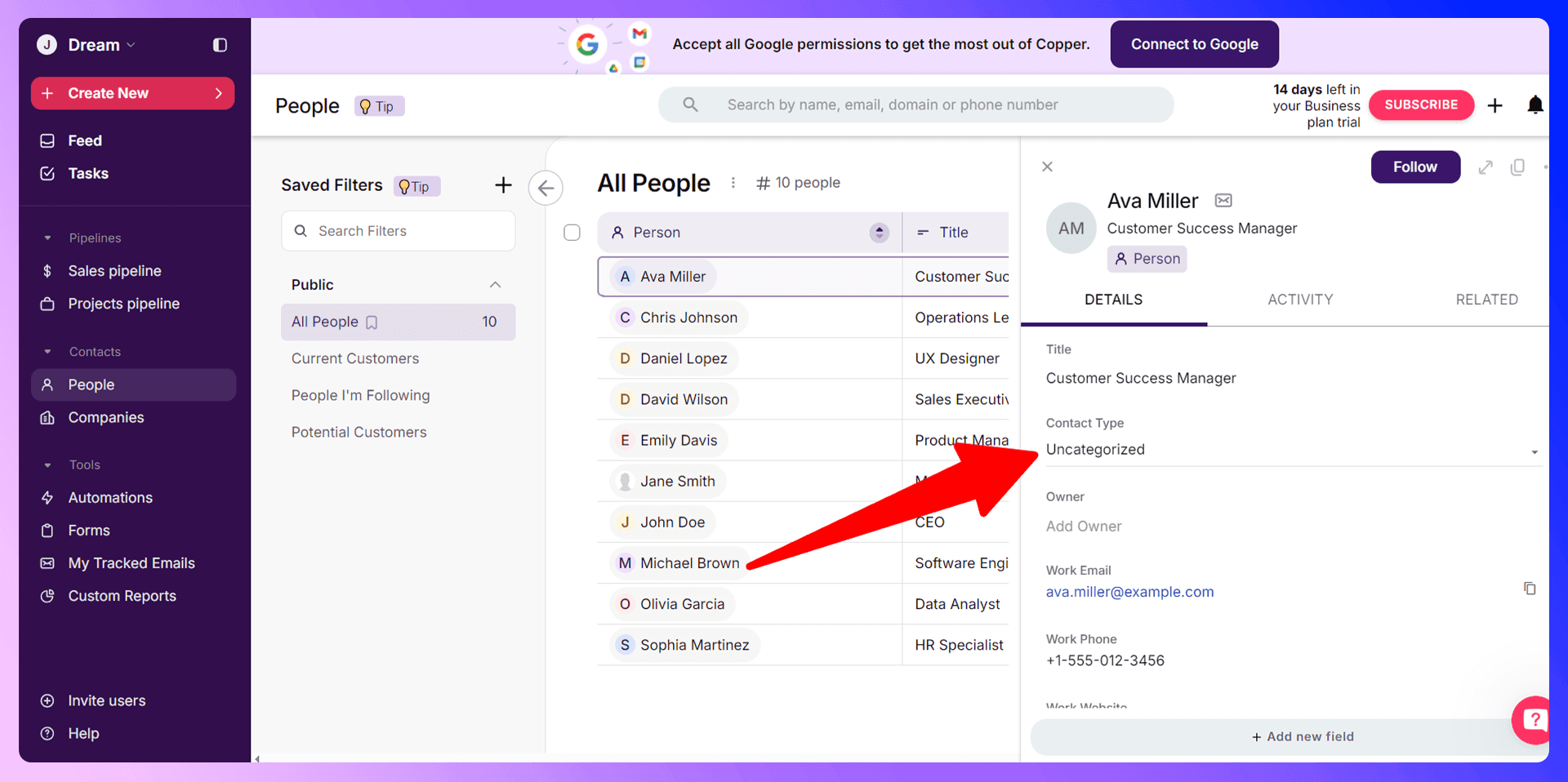
- Contact Types: Differentiate between Potential Customer and Current Customer to tailor your communication.
- Custom Fields: Create custom fields to store unique information that's relevant to your business.
Copper CRM LinkedIn Integration
Add to CRM is a Chrome extension that revolutionizes how sales teams add prospects to Copper CRM. It bridges the gap between prospecting on LinkedIn and managing relationships in your CRM, turning a tedious, manual process into an efficient, automated workflow.
Getting Started with Add to CRM
Getting set up takes less than two minutes:
- Install the Add to CRM extension from the Chrome Web Store.
- Navigate to any prospect's profile on LinkedIn.
- Click the Add to CRM icon to instantly find their verified email address and phone number.
- Click the "Add to CRM" button to save the prospect and their information directly into Copper CRM.

Add to CRM vs Traditional Prospecting
The difference is night and day.
- Without Add to CRM: You spend minutes on each prospect, juggling tabs, copying and pasting information, and risking data entry errors.
- With Add to CRM: You spend seconds. The entire process is reduced to two clicks, all without leaving LinkedIn. Sales reps at companies like ours save over 4 hours per week on prospecting.
Sales Pipeline Management
Setting Up Your Sales Pipeline
Your sales pipeline is a visual representation of your sales process. Copper CRM makes it easy to set up and customize.
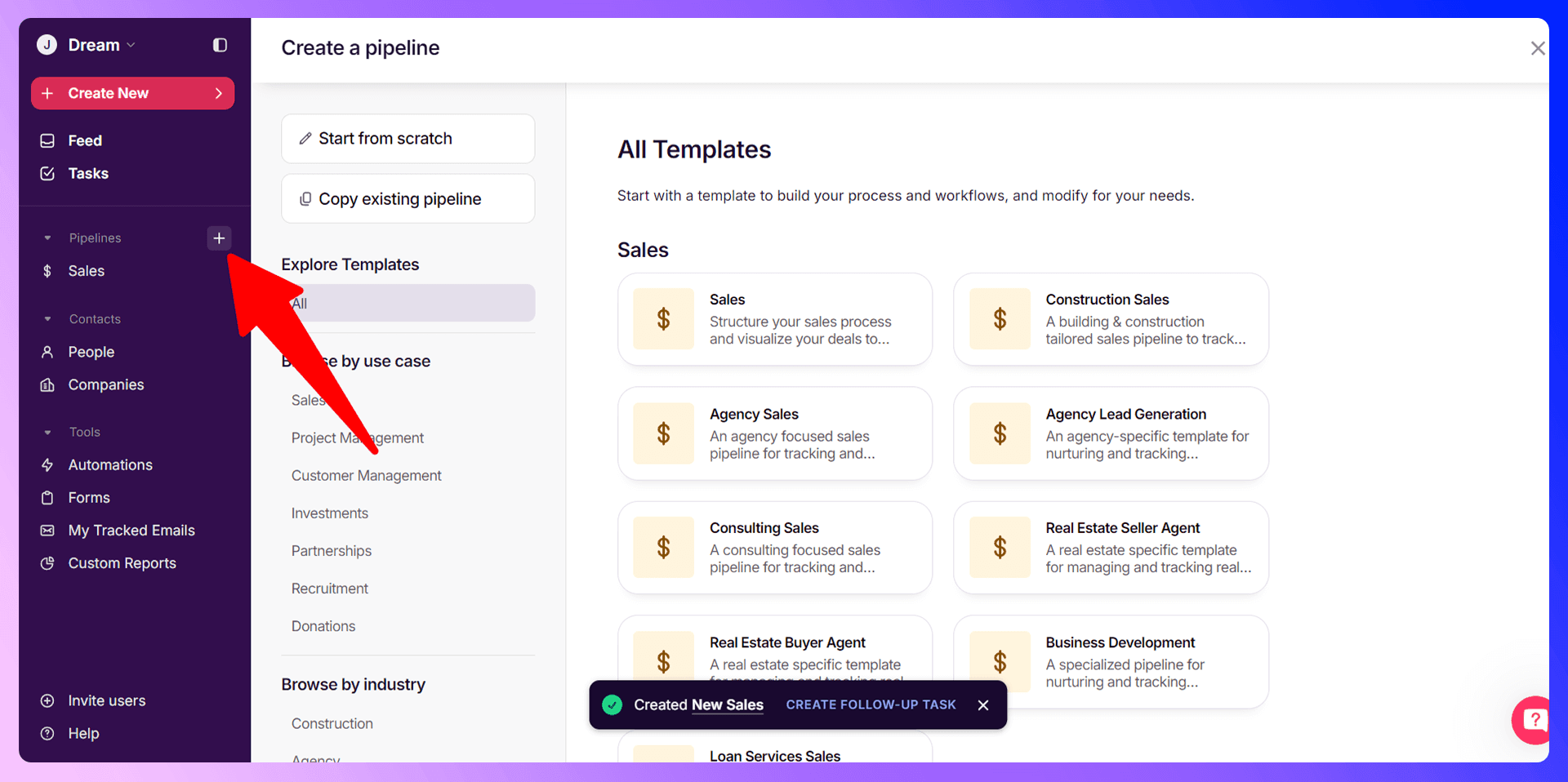
- Navigate to Settings > Pipelines.
- Click "Create a Pipeline" or edit the default one.
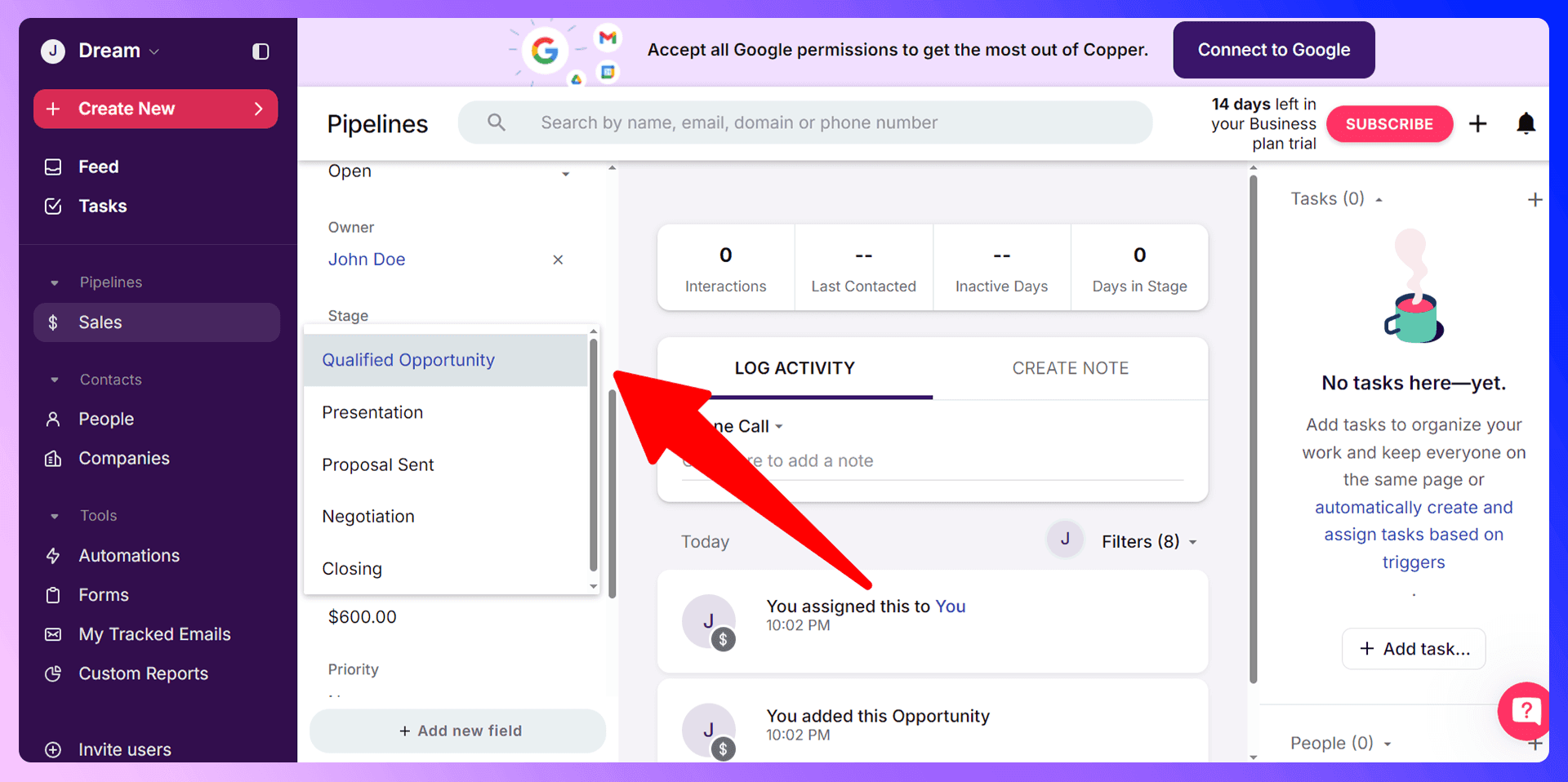
- Define your sales stages. A typical pipeline might look like: Lead > Qualified > Presentation > Proposal Sent > Negotiation.
- Customize the stages to match your team's specific workflow.
Moving Deals Through Your Pipeline
Copper features a user-friendly, drag-and-drop interface for managing your pipeline. As a deal progresses, you simply drag the opportunity card from one stage to the next. You can update the deal value, close probability, and expected close date directly on the card.
Pipeline Reporting and Analysis
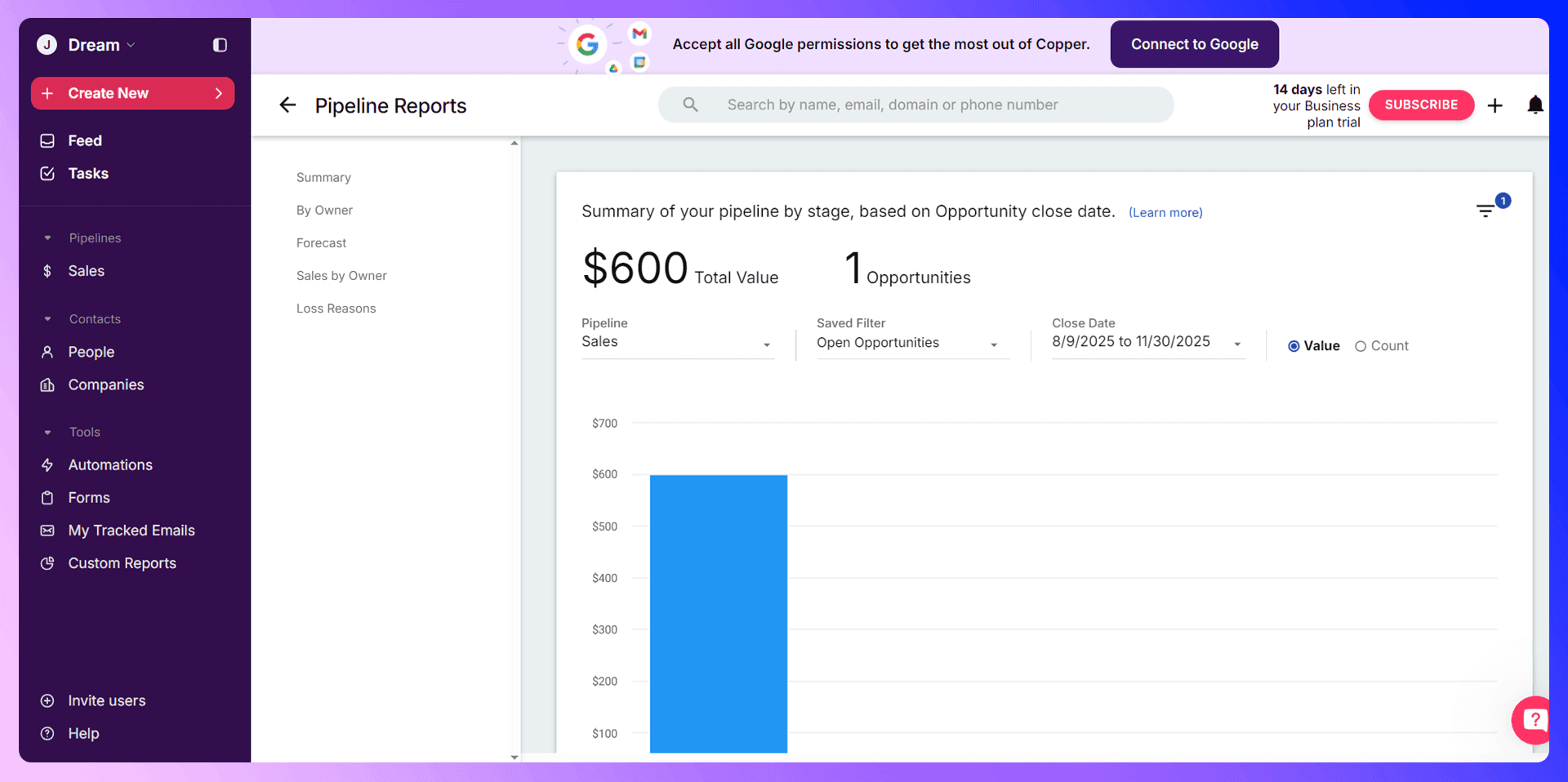
Copper's reporting tools give you a clear view of your pipeline's health. You can track metrics like the number of deals in each stage, your average deal size, and your win rate. This data is crucial for forecasting revenue and identifying bottlenecks in your sales process.

Find verified emails and enrich Copper CRM contacts
Add to CRM finds verified emails, phone numbers, and job titles on LinkedIn® — then adds them to Copper CRM in one click.
Start Free Trial


 Trusted by 2,500+ users4.7
Prospecting and Lead Generation
Traditional Prospecting Methods
The old way of prospecting involves finding someone on LinkedIn, searching for their email address with another tool, and then manually copying and pasting all that information into your CRM. This process is slow, inefficient, and often results in outdated or incorrect data.
Modern Prospecting with Add to CRM
Add to CRM transforms this outdated workflow. Our tool integrates directly into LinkedIn. When you find a promising prospect, simply click the Add to CRM icon. We find their verified contact information for you. Then, click "Add to CRM," and the prospect is instantly created in Copper CRM with all their details. It turns a multi-step, five-minute task into a two-click, ten-second action.
Communication and Follow-up
Email Integration and Management
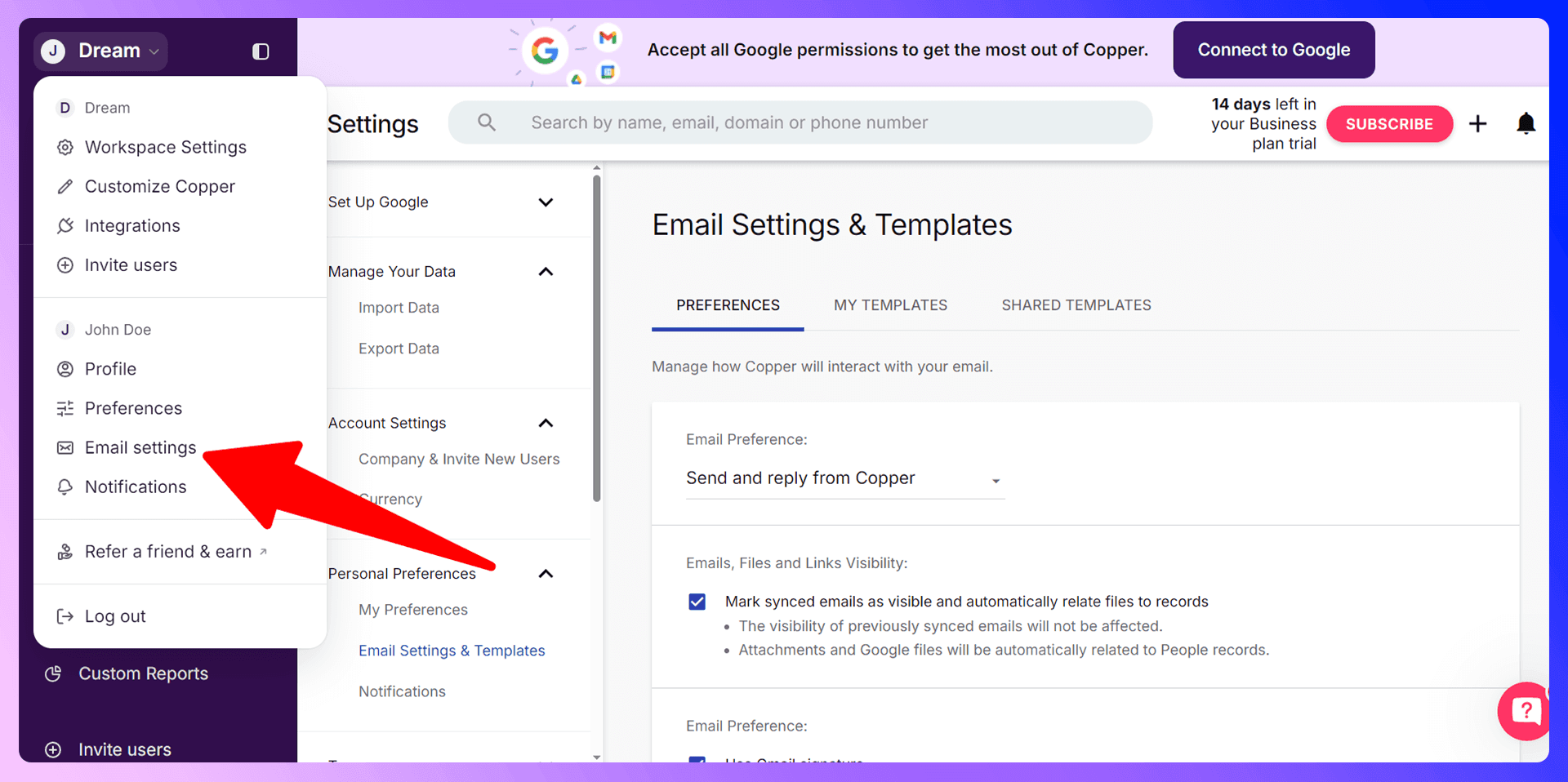
Copper's integration with Gmail is one of its standout features. You can track email opens, use pre-built email templates for consistent messaging, and see all communication history with a contact without ever leaving your inbox. This context is vital for personalized and timely follow-ups.
Task Management and Reminders
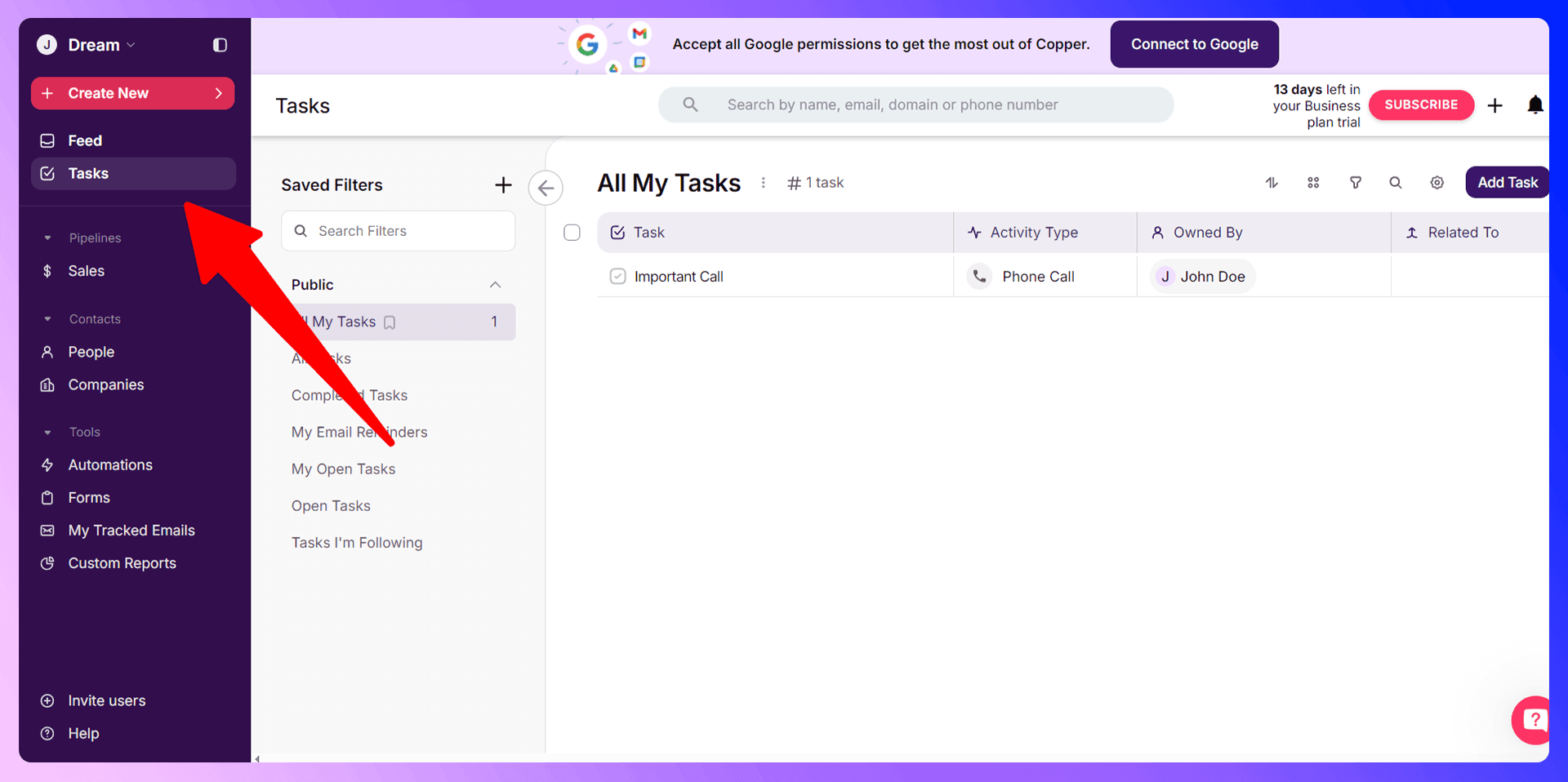
Never miss a follow-up again. Within any contact or opportunity, you can create tasks for yourself or a team member. Set due dates for calls, emails, or proposals, and Copper will remind you when it's time to act.
Call Logging and Communication History
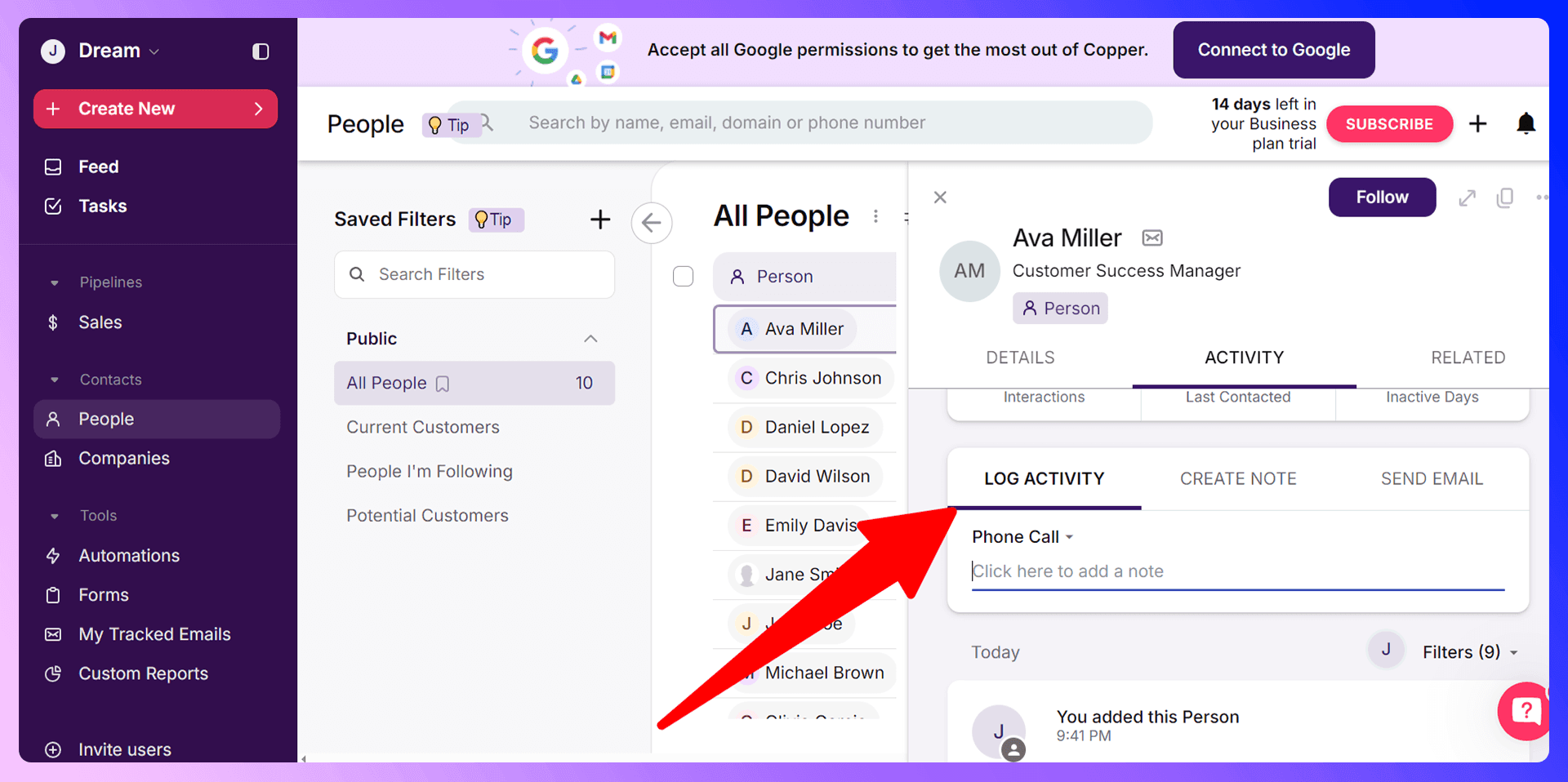
Log every interaction—calls, meetings, and notes—in the contact's activity feed. This creates a comprehensive history that any team member can access, ensuring everyone is on the same page and providing a seamless customer experience.
Reporting and Analytics
Key Metrics to Track
To optimize your sales process, you need to track the right metrics. In Copper CRM, focus on:
- Lead Conversion Rate: How many leads turn into opportunities?
- Sales Cycle Length: How long does it take to close a deal?
- Win/Loss Rate: What percentage of opportunities are you winning?
- Revenue Forecast: Predict future sales based on your current pipeline.
Creating Custom Reports
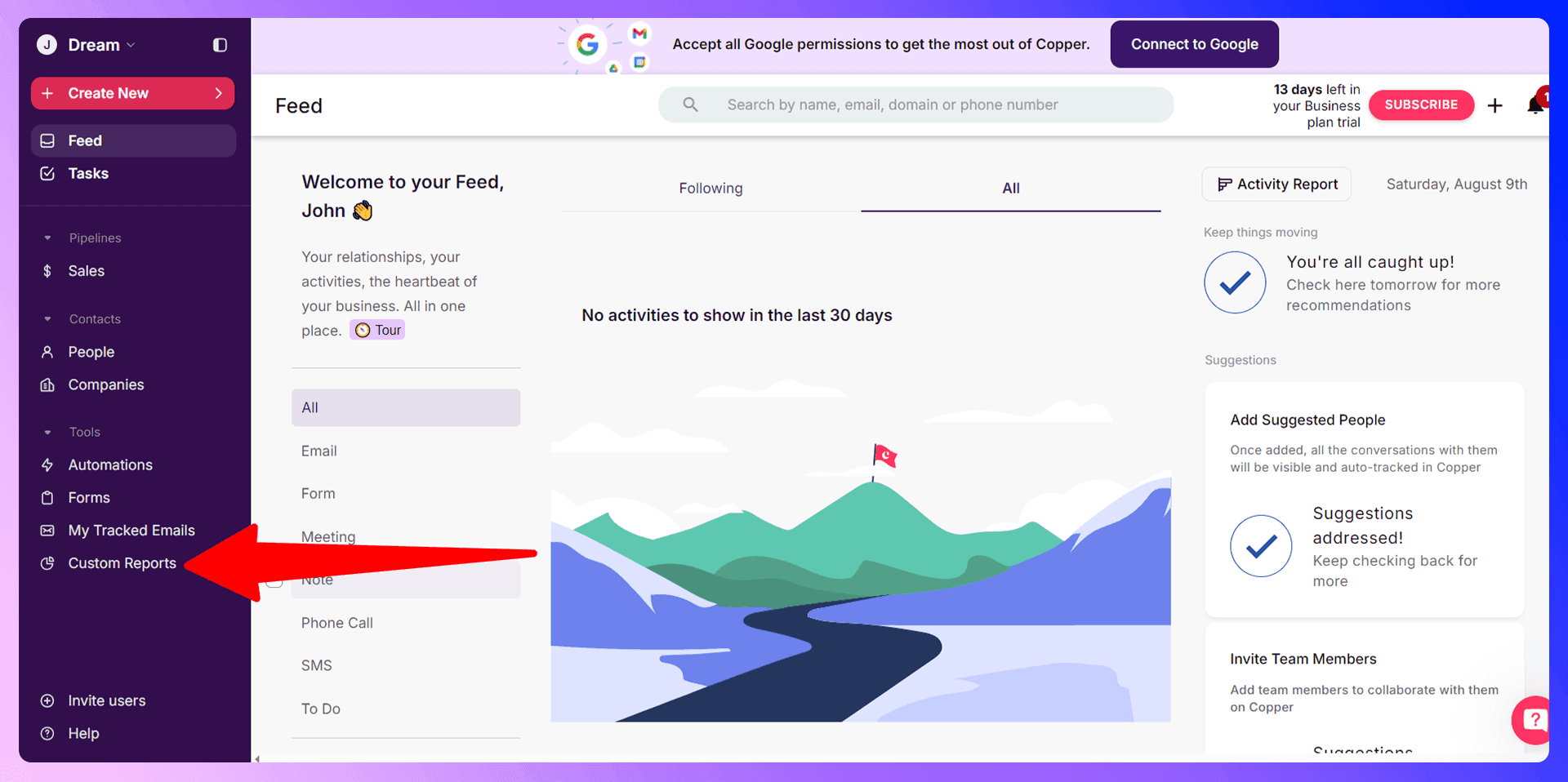
On the Business plan and above, Copper allows you to build custom reports. This lets you dive deeper into your data to analyze team performance, identify your most valuable lead sources, and uncover trends that can inform your sales strategy.
Using Data for Sales Optimization
Don't let your data sit idle. Use your reports to refine your strategies. If your sales cycle is too long, maybe a pipeline stage can be optimized. If one lead source is outperforming others, double down on it. Data-driven decisions are the key to scalable growth.
Team Collaboration Features
User Permissions and Access Control
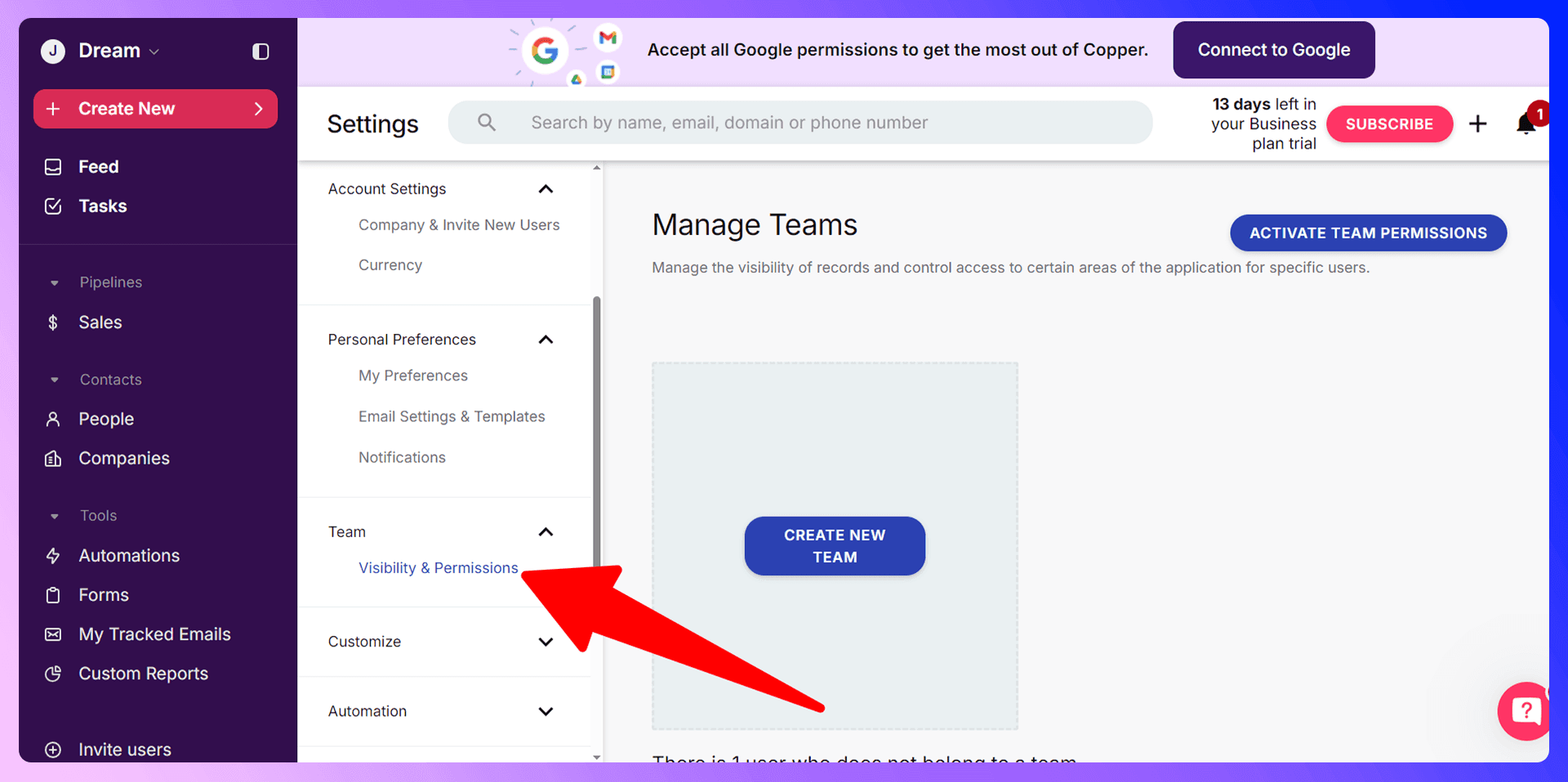
As your team grows, you can manage who sees what. Set permissions to ensure team members only have access to the records and features relevant to their roles, keeping your data secure and organized.
Sharing and Collaboration Tools
Copper is built for teamwork. You can @mention colleagues in notes on a contact or deal to ask questions or share updates. All activity is tracked in a central feed, so everyone stays in the loop.
Save hours on Copper CRM data entry
Add to CRM finds verified emails, phone numbers, and job titles on LinkedIn® — then adds them to Copper CRM in one click.
Start Free TrialTrusted by 2,500+ users4.7Advanced Features and Integrations
Automation and Workflows
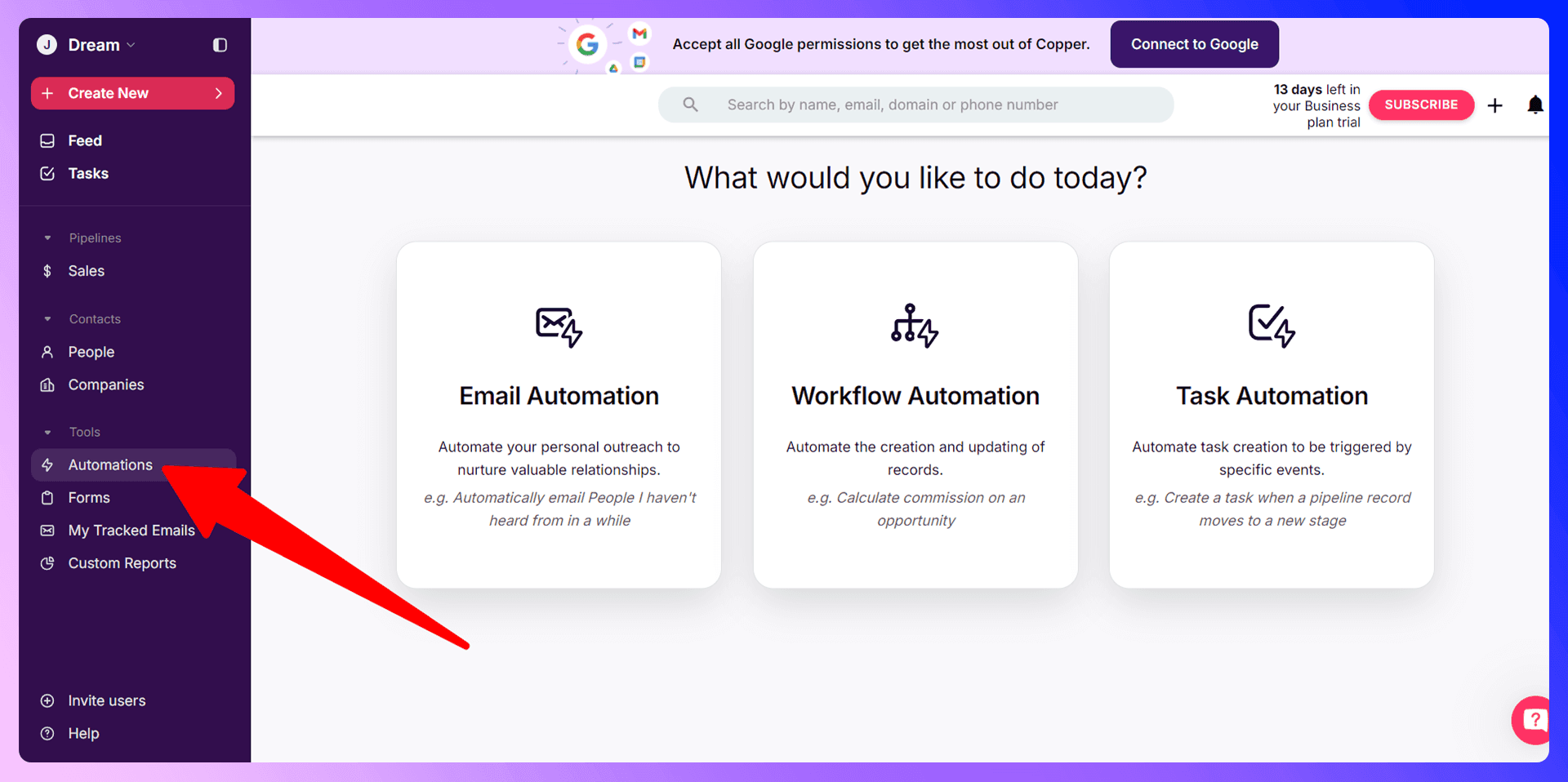
Automate repetitive tasks with workflow automation. For example, you can set a rule to automatically create a follow-up task for a team member as soon as a deal is moved into the "Proposal Sent" stage. This saves time and ensures no steps are missed.
Third-Party Integrations
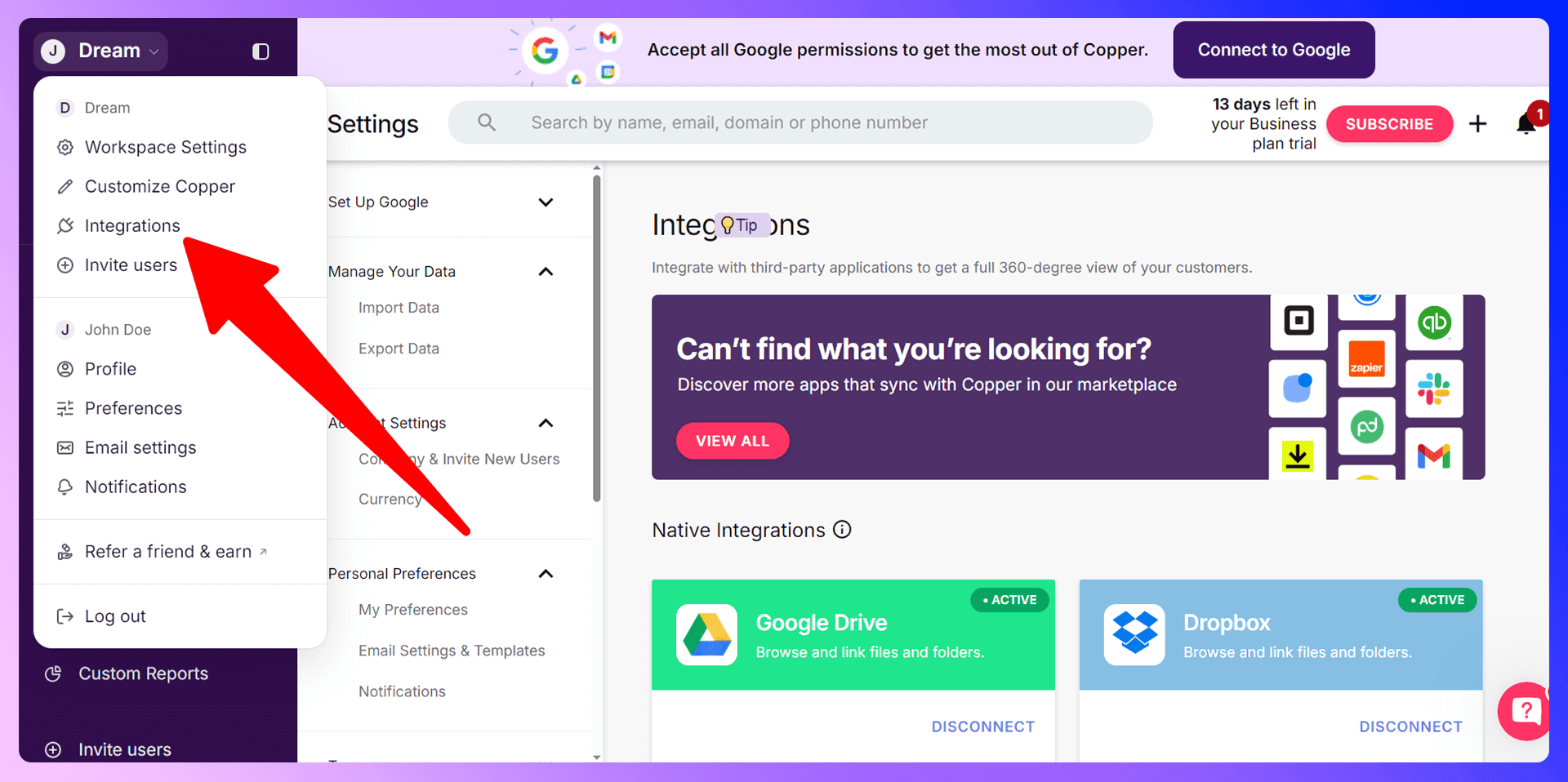
Beyond Google Workspace, Copper integrates with hundreds of other tools through Zapier, including Slack, Mailchimp, and QuickBooks. This allows you to connect your entire tech stack and create a single source of truth.
Mobile App Usage
Manage your sales from anywhere with the Copper CRM mobile app for iOS and Android. Update deals, access contact information, and log activities while you're on the go, ensuring your pipeline is always up to date.
Best Practices and Common Mistakes
Data Quality Best Practices
Your CRM is only as good as the data inside it. Make data quality a priority. The best way to do this is to ensure accurate data is entering your CRM from the very beginning. Using a tool like Add to CRM helps guarantee that contact information is verified and correctly formatted from the start.
Common Mistakes to Avoid
We see teams make the same mistakes over and over. Avoid these pitfalls:
- Inconsistent Data Entry: If half the team logs calls and the other half doesn't, the data is unreliable.
- Not Customizing Your Pipeline: A generic pipeline won't work. Tailor it to your actual sales process.
- Ignoring Reports: Don't fly blind. Use Copper's analytics to guide your strategy.
Optimization Tips
- Regularly clean your contact database to remove duplicates and outdated information.
- Use email templates to save time and standardize your most common communications.
- Schedule a weekly pipeline review with your team to discuss deal progress and strategy.
Conclusion: Maximize Your Sales Success
Copper CRM is an exceptional tool for managing customer relationships, especially for teams that rely on Google Workspace. It provides the structure and features you need to build a scalable sales process.
But to truly unlock its potential in today's fast-paced sales environment, you need to pair it with modern prospecting tools. By eliminating manual data entry and providing verified contact data, Add to CRM is the missing piece that makes Copper CRM a complete sales machine. Stop wasting time on administrative tasks and start focusing on what you do best: building relationships and closing deals.
This app will save you hours using Copper CRM

 Copper CRM Integration
Add contacts to Copper CRM from LinkedIn®
Enrich profiles with verified emails and phone numbers. Sync to Copper CRM in one click.
Try Copper CRM Extension7-day free trial · Cancel anytime
Save 4+ hrs / week on Copper CRM data entry.
Find verified contact info for your prospects on LinkedIn®, Gmail, Outlook & company websites. Add them to your Copper CRM with 1-click.
 Loading...Trusted by 2,500+ founders, SDRs & more