How to Import Contacts into Freshworks
Discover the easiest way to import contacts into Freshworks. Follow our comprehensive guide to enhance your CRM experience and improve your sales strategy.
Sync leads from professional networks to Freshworks.
Save 4hrs per week on CRM data entry.
Learn more...Free Freshworks integration
Managing and nurturing your contacts effectively is a critical part of any sales strategy. Freshsales, part of the Freshworks CRM suite, offers robust features to help you streamline your sales operations. Whether you’re migrating contacts from another platform, adding contacts from spreadsheets, or capturing leads directly from LinkedIn, this guide will show you how to import contacts into Freshsales CRM.
Preparing Contacts for Import
Before importing, it’s essential to prepare your contact data to avoid errors and ensure a smooth process:
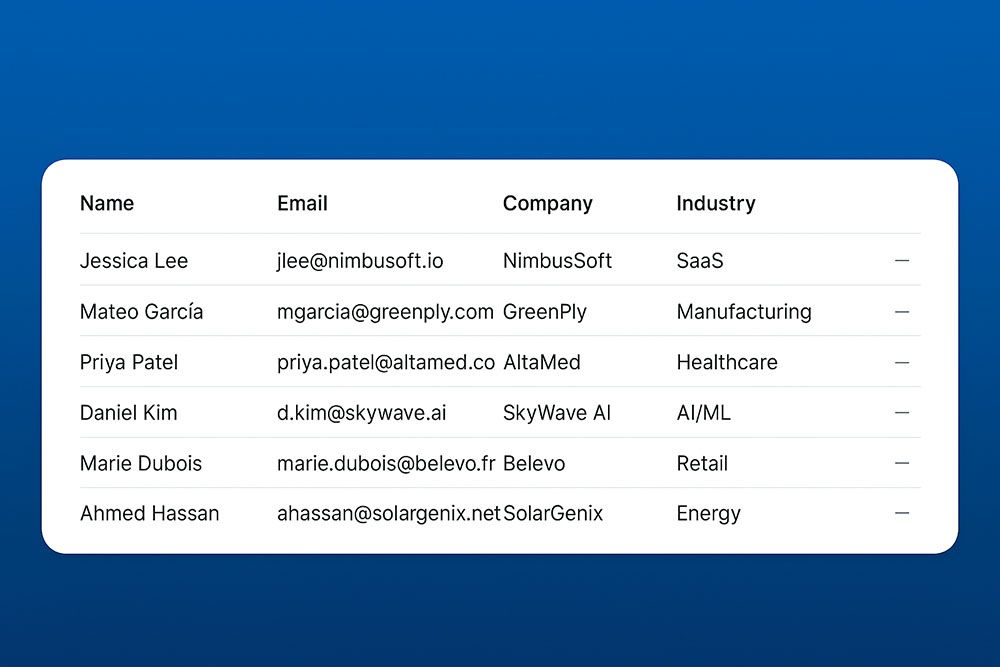
- Ensure data accuracy: Remove duplicates and correct any inaccuracies in your contact list.
- Use appropriate headers: Your spreadsheet should have clear headers such as “First Name,” “Last Name,” “Email,” and “Phone Number.”
- Check mandatory fields: Freshsales requires some mandatory fields, like “Name” and “Email,” to be filled for each contact.
- Custom fields: If you have specific data that doesn’t fit into Freshsales’ default fields, create custom fields in the CRM before starting the import.
Import Contacts from a CSV or Spreadsheet
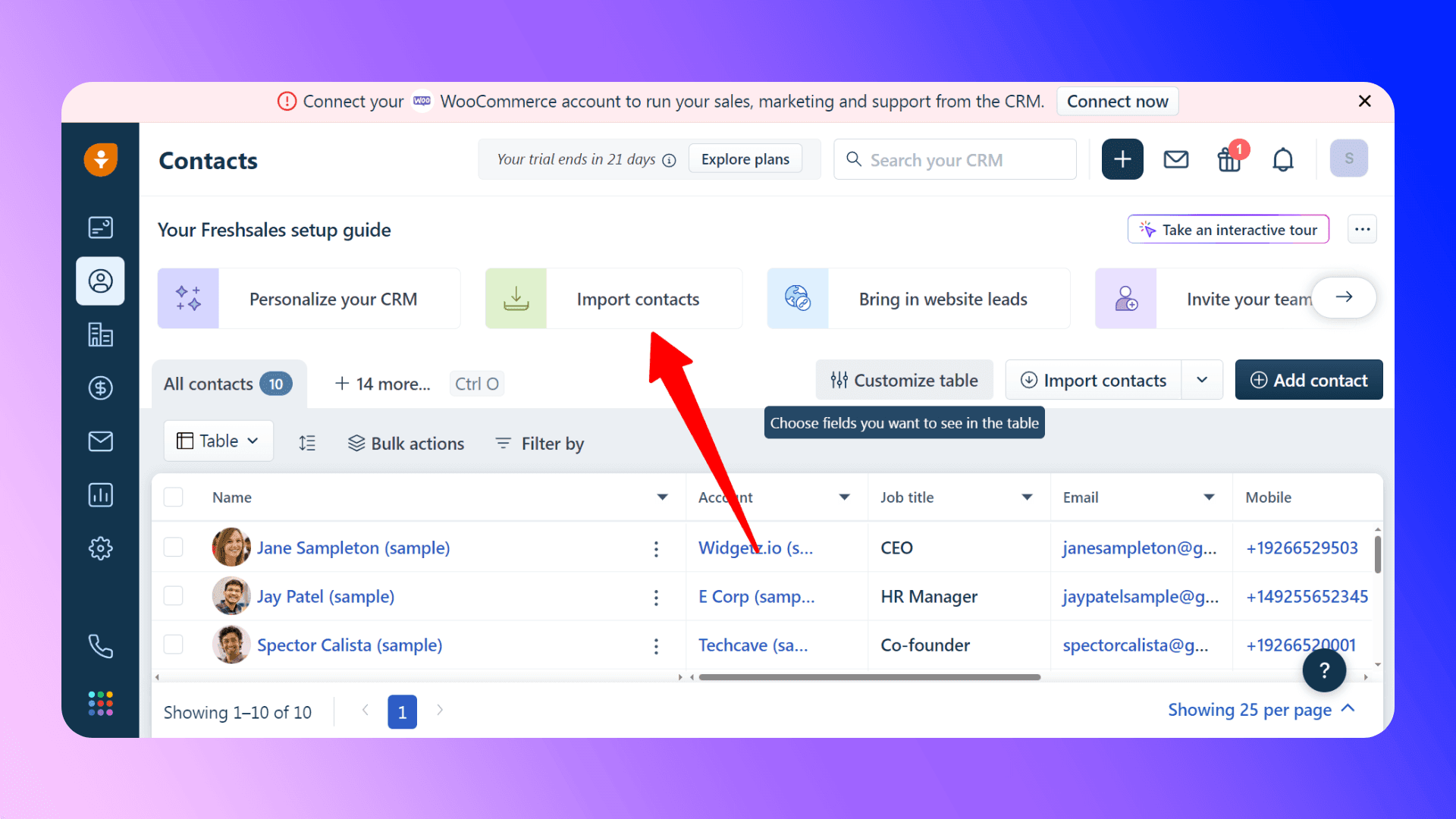
Freshsales supports contact imports from CSV files. Follow these steps to import your contact list:
- Navigate to the Contacts module:
- In your Freshsales dashboard, click on the Contacts tab.
- Click on Import Contacts:
- Select the option to import from a CSV file.
- Upload your file:
- Choose the prepared CSV file from your computer.
- Map fields:
- Freshsales will attempt to auto-map your CSV columns to its fields. Ensure that each column is correctly mapped.
- Handle duplicates:
- Decide how Freshsales should handle duplicate contacts (merge or skip duplicates).
- Start the import:
- Review the summary and confirm to start the import process. You’ll receive a notification once the import is complete.
Import Contacts from Other CRMs / Tools
If you are switching to Freshsales from another CRM like Zoho, HubSpot, or Salesforce, you can directly import contacts:
- Use the Data Import feature:
- Freshsales provides a dedicated import tool for migrating data from other CRMs.
- Follow the on-screen instructions:
- Export your data from the previous CRM as a CSV file and upload it using the Freshsales import tool.
- Verify and complete the import:
- Map the fields properly and check for duplicates during the import process.

Skip the CSV. Import contacts to Freshworks from LinkedIn®
Add to CRM enriches LinkedIn® profiles with verified emails and phone numbers, then syncs them to Freshworks instantly.
Start Free Trial


 Trusted by 2,500+ users4.7
Importing from LinkedIn
Another option is to use a third-party tool or extension to import contacts directly from LinkedIn. One such tool is our Add to CRM Chrome extension for Freshsales. With Add to CRM, you can:
- Get verified email addresses from LinkedIn profiles.
- Add contacts to Freshsales in one click:
- When you visit a LinkedIn profile, an “Add to CRM” button will appear.
- Click the button to open a pop-up with the contact’s details (name, email, company, etc.).
- Confirm the action, and the contact is instantly added to Freshsales.
- Save time and boost productivity by eliminating manual data entry.

Learn more about Add to CRM and how it can simplify your LinkedIn lead generation process.
Adding Contacts Manually
For individual or small batches of contacts, manual addition might be the quickest option:
- Go to the Contacts tab in Freshsales.
- Click Add Contact.
- Enter the contact’s details, such as name, email, phone number, and company.
- Save the contact.
Manual addition works well when dealing with a small number of new contacts.
Verified emails, straight into Freshworks
Add to CRM enriches LinkedIn® profiles with verified emails and phone numbers, then syncs them to Freshworks instantly.
Start Free TrialTrusted by 2,500+ users4.7BoldTroubleshooting Import Issues
If you encounter issues during the import process, here are some tips:
- Check for duplicates: Use Freshsales’ built-in duplicate detection feature to avoid creating multiple records for the same contact.
- Ensure mandatory fields are filled: Verify that all required fields are present and properly mapped.
- Correct file format: Ensure your file is in CSV format and doesn’t exceed Freshsales’ size limits.
- Custom fields mapping: If using custom fields, ensure they are correctly set up in Freshsales before the import.
If problems persist, Freshsales offers support to help resolve more complex issues.
Conclusion and Next Steps
Importing contacts into Freshsales CRM is a straightforward process if you follow the correct steps. Whether you are importing from a spreadsheet, migrating from another CRM, or manually adding individual contacts, Freshsales provides flexible options to get your data in quickly and efficiently.
If you frequently use LinkedIn to find leads, consider using our Add to CRM Chrome Extension to streamline your contact import process. With real-time email verification and one-click contact syncing, it’s an excellent tool for boosting your productivity.
You can learn more about Add to CRM and start your 7-day free trial here. Happy selling!
How to import contacts into Freshworks directly from LinkedIn®, Gmail and Outlook

 Freshworks Integration
Add contacts to Freshworks from LinkedIn®
Enrich profiles with verified emails and phone numbers. Sync to Freshworks in one click.
Try Freshworks Extension7-day free trial · Cancel anytime
Save 4+ hrs / week on Freshworks data entry.
Find verified contact info for your prospects on LinkedIn®, Gmail, Outlook & company websites. Add them to your Freshworks with 1-click.
 Loading...Trusted by 2,500+ founders, SDRs & more