Sales Navigator Pricing and Cost: Is It Worth It in 2026?
Sales Navigator pricing in 2026: Core, Advanced, and Advanced Plus costs per seat, the hidden costs, and whether it's worth it for your team.
LinkedIn Sales Navigator costs between roughly $90 and $160 per seat per month as of mid-2026, depending on tier and billing. The three plans are Core ($119.99/mo, or about $89.99/mo billed annually), Advanced ($159.99/mo), and Advanced Plus (custom quote, roughly $1,600+ per seat per year). Every plan includes a 30-day free trial and 50 InMail credits a month.
TL;DR: Sales Navigator is worth it when a professional network is your main prospecting channel and you'll use its advanced search and lead alerts every week. The per-seat price compounds quickly for teams, and no tier gives you a bulk export of contact emails or phones — so budget separately for getting those leads into your CRM.
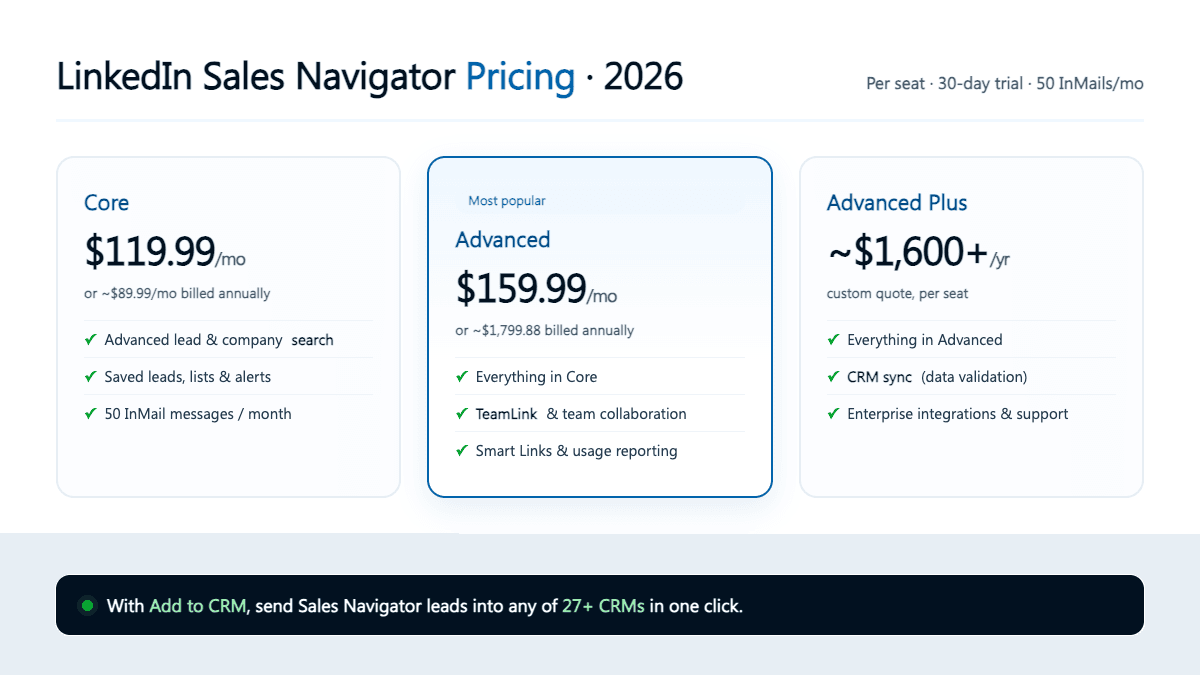
You're probably weighing a Sales Navigator subscription and want a straight answer on cost before committing a seat — or ten. This guide covers the three tiers, what changes as you move up, the free trial, the hidden costs, and an honest verdict. Every figure is a mid-2026 snapshot — check LinkedIn's pricing page for current numbers.
How much does Sales Navigator cost?
Sales Navigator is sold per seat, per month, across three tiers. Billing annually lowers the effective monthly rate; month-to-month costs more but stays flexible. Here's the full picture as of mid-2026:
| Core | Advanced | Advanced Plus | |
|---|---|---|---|
| Monthly price (billed monthly) | $119.99 | $159.99 | Custom quote |
| Approx. annual cost per seat | $1,079.88 ($89.99/mo) | ~$1,799.88 | ~$1,600+ (quoted) |
| Free 30-day trial | Yes | Yes | Yes |
| InMail credits / month | 50 | 50 | 50 |
| Advanced lead & company search | Yes | Yes | Yes |
| Saved lists, lead & account alerts | Yes | Yes | Yes |
| TeamLink (tap your team's network) | No | Yes | Yes |
| Smart Links (share & track content) | No | Yes | Yes |
| Team collaboration & usage reporting | No | Yes | Yes |
| CRM sync / auto-save to CRM | No | No | Yes |
| Data validation (contact hygiene) | No | No | Yes |
| Enterprise integrations | No | No | Yes |
Figures are as of mid-2026 and change often — check LinkedIn's pricing page for current pricing.
A few things jump out. The step from Core to Advanced is $40 a month, and everything extra is a team feature — TeamLink, collaboration, reporting, Smart Links. Advanced Plus is sold only by custom quote, so its "annual price" is a starting reference, not a rate card. And the part that surprises most first-time buyers: the core prospecting engine — advanced search, filters, lead recommendations, 50 InMail credits — is identical across all three tiers.
That reframes the decision. You're not paying more for better prospecting; you're paying for team management and CRM plumbing.
What's the difference between the Sales Navigator tiers?
If the core search is the same everywhere, what are you actually buying as you climb?
Core is the individual seller's plan: the full advanced search (20+ filters across role, seniority, headcount, geography, and buying signals), unlimited saved leads and accounts, real-time alerts when a lead changes jobs or their company hits the news, and 50 InMail credits a month. For a solo founder or individual rep, Core is usually all you need.
Advanced adds the team layer. TeamLink shows which colleagues already have a first-degree connection to a prospect, so you can ask for a warm intro instead of cold-messaging. Smart Links package content into a trackable link so you see who opened what. You also get shared lists, usage reporting, and admin controls. It's why a 10-rep Advanced team lands around $18,000 a year.
Advanced Plus is the enterprise tier, sold on a custom quote. Its headline additions are CRM sync (write Sales Navigator activity and saved leads back to Salesforce or Microsoft Dynamics), data validation (flag CRM contacts whose details have gone stale), and enterprise integrations — mainly for large orgs wiring Sales Navigator into their CRM of record.
The pattern is clear: the more you pay, the more it's about managing a team and syncing data, not finding better leads. For more on the platform itself, see our explainer on what Sales Navigator is.
Is there a Sales Navigator free trial?
Yes. Every tier — Core, Advanced, and Advanced Plus — comes with a 30-day free trial, which is genuinely useful for testing whether the advanced search fits your prospecting before you pay. There's no permanently free version of Sales Navigator (the free option is standard LinkedIn, which caps search and hides most of the useful filters), but the trial gives you the full paid experience for a month.
Two notes. Trials generally convert to a paid plan automatically at day 30, so set a reminder if you're only testing, and confirm current terms on LinkedIn's page. You also typically get one trial per account — start it when you have time to prospect.
The hidden costs of Sales Navigator
The sticker price is only part of the cost. Here's what catches teams out.
It's per seat, and it compounds. At Advanced's ~$1,799.88 a year, a five-person team is ~$9,000 and ten reps ~$18,000. Unlike a flat SaaS fee, every hire adds a full seat, and Sales Navigator often becomes one of a growth-stage team's larger per-head costs.
You can't bulk-export contact data. This is the big one. Sales Navigator is deliberately built so you cannot download a list of leads with their emails and phone numbers. You can save leads to lists and message them via InMail, but there's no native "export to CSV" button — and no tier, including Advanced Plus, changes that. Bulk-scraping the platform to get around this violates LinkedIn's Terms of Service and risks your account being restricted or banned, so it isn't a real option. We cover the compliant paths in our guide to exporting a Sales Navigator list.
InMail is capped at 50 a month. That sounds like plenty until you're running real outbound. Credits roll over up to a cap, but if your motion depends on volume you'll hit the ceiling and need another channel — usually email, which brings you back to the export problem.
The annual discount is a lock-in. The attractive ~$89.99/mo Core rate requires paying twelve months upfront. Month-to-month, you're at $119.99. The "cheap" price assumes you're confident enough to commit for a year.
The CRM-sync tax. If you're eyeing Sales Navigator because you want leads to flow into your CRM automatically, native sync lives only on Advanced Plus — the custom-quote enterprise tier. That's a steep jump from Core to solve a data-movement problem, and even then it covers a short list of enterprise CRMs, not the 29+ systems smaller teams actually run.
Add these up and the real cost runs higher than the headline — in dollars (more seats, higher tiers) or in hours (reps retyping leads because there's no clean export).
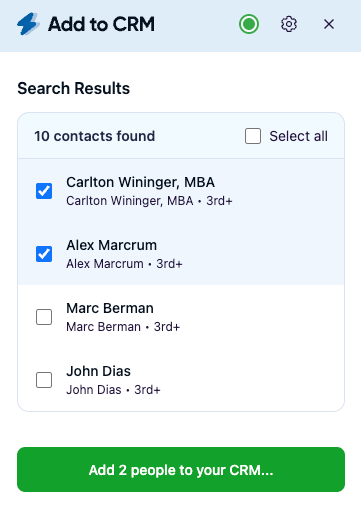

Turn LinkedIn® profiles into CRM contacts
Add to CRM finds verified emails, phone numbers, and job titles on LinkedIn® — then adds them to your CRM in one click.
Start Free Trial


 Trusted by 2,500+ users4.7
Is Sales Navigator worth it?
Honestly, it depends on how you prospect. Sales Navigator is a strong tool for finding the right people — deep search, useful intent signals, and job-change alerts that alone can justify the seat for a relationship-led seller. But it's not a data-export tool, and it's priced like a premium per-seat platform.
It's worth it if:
- A professional network is your primary prospecting channel and you're in it every week.
- You'll actually use the advanced search filters and real-time alerts, not let the seat sit idle.
- You do warm, relationship-based selling where TeamLink intros and InMail matter.
It's probably not worth it — or not worth the higher tiers — if:
- You mainly want exportable contact data for cold email. Sales Navigator won't give you that, and scraping it breaks LinkedIn's rules.
- You're a solo founder doing occasional prospecting, where standard LinkedIn plus a focused capture tool may cover you for far less.
- Your only reason to reach Advanced Plus is CRM sync — there are cheaper ways to get leads into your CRM.
That last point is where most buyer's remorse comes from — worth its own section.
The part pricing pages don't mention: getting leads into your CRM
Here's the workflow gap. Sales Navigator helps you find a great-fit lead, but the moment you want it in your pipeline you hit a wall — no bulk export, and native CRM sync locked behind the enterprise tier. So most reps do the slowest thing possible: read the profile, retype the name, title, and company into the CRM by hand, guess at an email, and move on. Across a day, that's easily the biggest time sink in the motion.
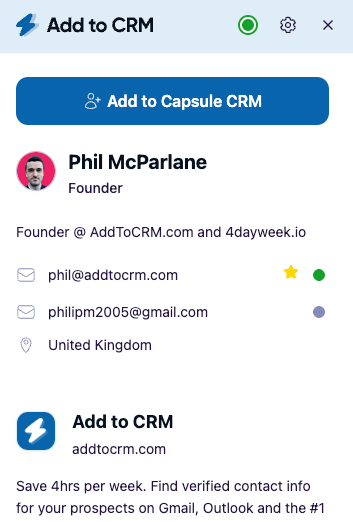
This is exactly the step Add to CRM is built to remove. It's a Chrome extension that, on the profile you're already viewing, enriches the person with a verified email (a 96% email verification accuracy rate), a phone number, and 20+ data points, then adds them to your CRM in one click — fields mapped, duplicates caught. Its Pro tier connects your own professional-network account to resolve Sales Navigator profiles and searches, so you send those leads to your CRM the compliant way: through your account, not by scraping the platform at scale.
That distinction matters. The two legitimate ways to get Sales Navigator leads into a CRM are native sync (which means paying for Advanced Plus) or working through your own connected account. Add to CRM is the second path, and it reaches any of 29+ CRMs — including long-tail systems like Capsule, Close, Pipedrive, Nutshell, and Copper that Advanced Plus's enterprise sync doesn't touch. If you were eyeing Advanced Plus purely to move data into the CRM, a one-click capture tool on the cheaper Core tier can remove that reason — often a smaller line item than upgrading every seat.
Sales Navigator vs. a one-click capture tool
These aren't really competitors — they solve different halves of the same job:
| Sales Navigator | Add to CRM | |
|---|---|---|
| Core job | Find and research the right leads | Enrich a lead and add it to your CRM |
| Contact data export | Not available (no bulk export) | Verified email + phone + 20+ data points |
| CRM sync | Enterprise tier only (Advanced Plus) | 29+ CRMs, one click, on any tier |
| Pricing | $119.99–$159.99+/seat/mo | 7-day free trial, then credit plans |
| Compliance for Sales Nav leads | Native, within LinkedIn | Works through your own connected account |
| Ideal for | LinkedIn-native prospecting | Getting found leads into the pipeline fast |
Sales Navigator figures are as of mid-2026 and change often — check LinkedIn's site for current pricing.
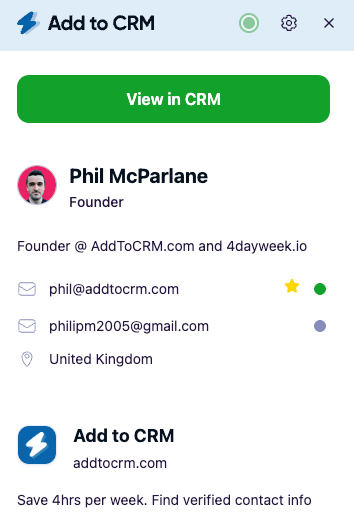
29+ CRMs supported. Try free for 7 days
Add to CRM finds verified emails, phone numbers, and job titles on LinkedIn® — then adds them to your CRM in one click.
Start Free TrialTrusted by 2,500+ users4.7Frequently asked questions
How much is Sales Navigator per month? As of mid-2026, Core is $119.99/month (about $89.99/month billed annually), Advanced is $159.99/month, and Advanced Plus is a custom quote of roughly $1,600+ per seat per year. All three are per seat and include a 30-day free trial. Check LinkedIn's pricing page for current pricing.
What's the difference between Sales Navigator Core and Advanced? The core features — advanced search, lead recommendations, alerts, and 50 InMail credits a month — are identical. Advanced adds team features: TeamLink warm intros, Smart Links, shared lists, and usage reporting. For an individual seller, Core is usually enough; Advanced is for teams.
Is there a free version of Sales Navigator? There's no permanently free version, but every tier includes a 30-day free trial with the full paid feature set. Standard (free) LinkedIn has search but caps results and hides most filters. Trials usually auto-convert to paid, so set a reminder if you're only testing.
Can I export leads from Sales Navigator? Not in bulk. Sales Navigator has no native way to download leads with emails and phone numbers, and bulk-scraping it violates LinkedIn's Terms of Service. The compliant options are Advanced Plus's CRM sync, manual entry, or a tool like Add to CRM that works through your own connected account. See our guide to exporting a Sales Navigator list.
Is Sales Navigator worth it for a small team? It can be, if a professional network is your main channel and reps use the search and alerts weekly. Watch the per-seat math — a 10-rep Advanced team runs about $18,000 a year — and don't buy Advanced Plus just for CRM sync when a cheaper capture tool can move the data.
The bottom line
Sales Navigator earns its price for teams that live in a professional network and use its search and signals weekly — but you're paying to find leads, not to move them. The price climbs fast per seat, no tier lets you bulk-export contacts, and CRM sync sits behind the enterprise plan.

That last mile — getting a found lead into your pipeline — is where Add to CRM does one job well: its Pro tier resolves Sales Navigator profiles and searches through your own connected account and adds each lead to any of 29+ CRMs in one click, complete with a verified email, phone, and 20+ data points. It's a compliant alternative to buying more seats just to manage data. Start a 7-day free trial and add your first Sales Navigator lead to your CRM in under two minutes.
Start saving time and closing more deals.
Find verified contact info for your prospects on LinkedIn®, Gmail and Outlook — and add them to your CRM with 1-click.

 Loading...Trusted by 2,500+ founders, SDRs & more