How to Use Add to CRM with HubSpot
Add LinkedIn, Gmail, and Outlook contacts to HubSpot in one click.
Get started with HubSpot in 2 minutes

Sync leads from professional networks to HubSpot.
Save 4hrs per week on CRM data entry.
Learn more...Free HubSpot integration
HubSpot is a leading CRM platform offering free and premium tools for sales, marketing, customer service, and content management.
Add to CRM is a Chrome extension that lets you add contacts and companies to HubSpot directly from LinkedIn, Gmail, and Outlook — with one click. It enriches profiles with verified emails, phone numbers, job titles, and company data before saving them to your CRM, so you spend less time on manual data entry and more time selling.
This guide walks you through setting up Add to CRM and using it with HubSpot.
Step 1: Install the Chrome Extension
- Visit the Add to CRM for HubSpot listing on the Chrome Web Store.
- Click Add to Chrome and confirm the installation.
- Once installed, you'll see the Add to CRM icon in your Chrome toolbar. Click the puzzle piece icon in your toolbar to pin it for easy access.
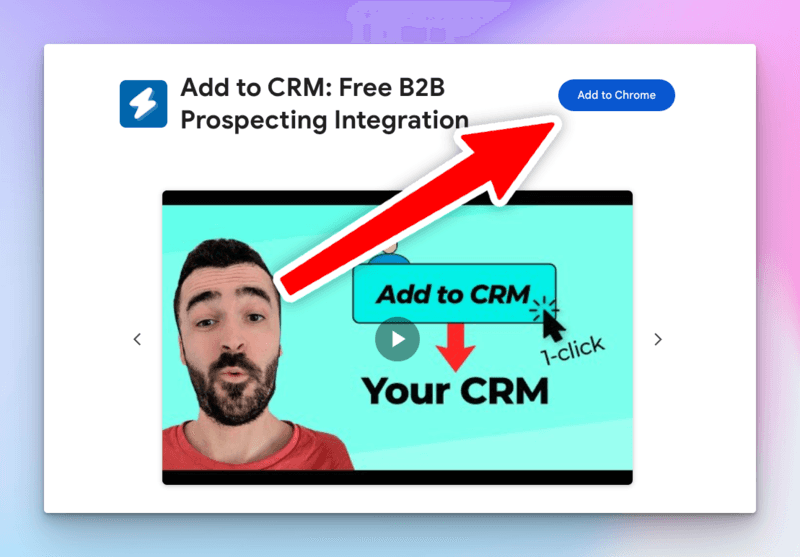
Step 2: Create Your Account
- After installing, click the extension icon or go to addtocrm.com/signup?software=hubspot.
- Sign up with Google (recommended for fastest setup) or create an account with your email and password.
- HubSpot will be pre-selected as your CRM during signup.
Step 3: Connect Your HubSpot Account
Connecting your HubSpot account is quick and secure using OAuth:
- In the Add to CRM connection settings, click Connect to HubSpot.
- You'll be redirected to HubSpot's official login page.
- Sign in and approve the connection.
- You'll be redirected back to Add to CRM, and your HubSpot account will be connected.
Your credentials are handled securely through OAuth — Add to CRM never sees your password.

Find verified contact data for HubSpot
Add to CRM finds verified emails, phone numbers, and job titles on LinkedIn® — then adds them to HubSpot in one click.
Start Free Trial


 Trusted by 2,500+ users4.5
Step 4: Using Add to CRM on LinkedIn
Once connected, you can start adding contacts from LinkedIn:
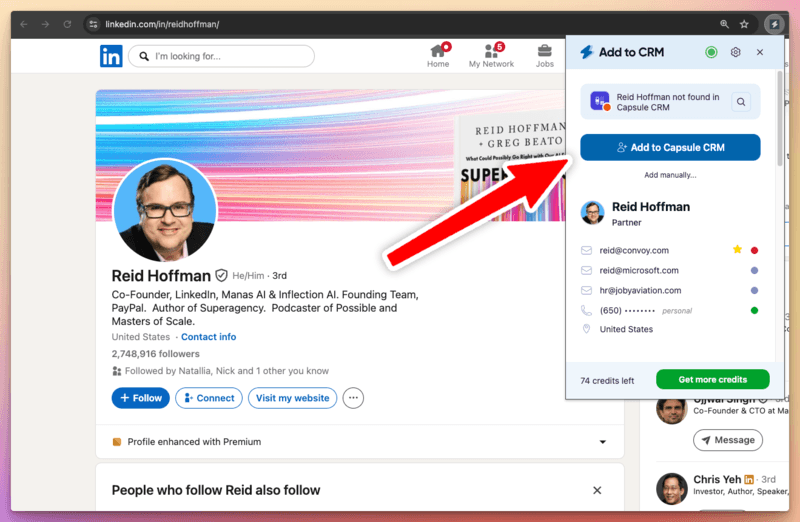
- Navigate to any LinkedIn profile.
- You'll see a floating Add to CRM button on the right side of the page.
- Click the button to open the side panel, which displays the person's enriched profile — including verified email addresses, phone numbers, job title, company info, and more.
- Click Add to HubSpot to save the contact and company to your CRM.
- A green checkmark confirms the contact was added successfully.
You can also click View in HubSpot to jump directly to the newly created record in your CRM.
If the contact already exists in your CRM, Add to CRM will detect the duplicate and let you update the existing record instead.
Step 5: Using Add to CRM in Gmail and Outlook
Add to CRM also works inside Gmail and Outlook:
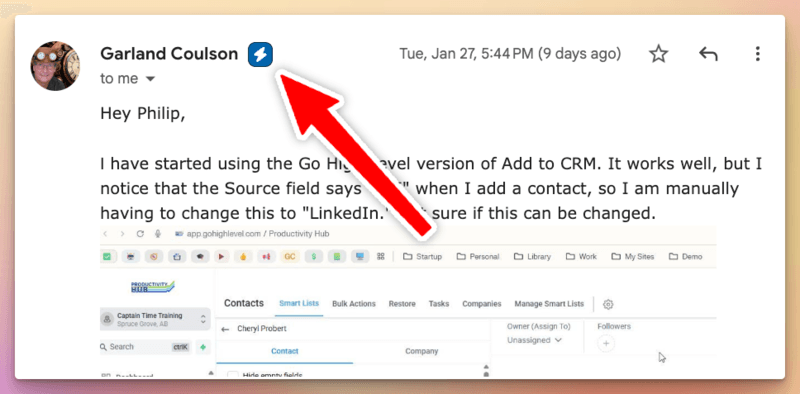
- Open any email in Gmail or Outlook.
- You'll see an Add to CRM button next to the sender's name and email recipients.
- Click the button to open the side panel with the contact's enriched data.
- Click Add to HubSpot to save the contact — the same flow as LinkedIn.
This works for both incoming and outgoing emails, so you can capture contacts from any conversation.
Supercharge your HubSpot workflow
Add to CRM finds verified emails, phone numbers, and job titles on LinkedIn® — then adds them to HubSpot in one click.
Start Free TrialTrusted by 2,500+ users4.5Key Features
Data Enrichment
Every time you view a contact, Add to CRM automatically enriches their profile with data from multiple providers. You get verified email addresses, phone numbers, job titles, company details, social profiles, and more — all without leaving LinkedIn, Gmail, or Outlook.
One-Click CRM Entry
Add contacts and companies to HubSpot with a single click. Add to CRM handles the formatting and field mapping so the data arrives in your CRM exactly how you need it.
Duplicate Detection
Before adding a contact, Add to CRM checks if they already exist in HubSpot. If a match is found, you can update the existing record instead of creating a duplicate.
Custom Field Mapping
Map enrichment data to any field in HubSpot — including custom fields. Go to the Field Mapping page in your Add to CRM dashboard to configure which data points map to which CRM fields.
CRM Activities
Log notes, calls, and meetings directly to HubSpot from the extension's Activity tab. Keep a record of every interaction without switching between apps.
Text Expander with Dynamic Variables
Create reusable text snippets with dynamic variables like {first_name}, {company}, and {job_title}. Type a shortcut to instantly expand personalized messages in any text field on any website.
AI Message Generation
Generate personalized outreach messages with AI. Based on the contact's profile data, Add to CRM can draft connection requests, follow-up emails, and other messages tailored to each person.
Get Started
Ready to streamline your HubSpot workflow? Sign up for Add to CRM and start adding contacts from LinkedIn, Gmail, and Outlook in minutes.
For more information, visit the Add to CRM for HubSpot page.
 HubSpot Integration
Add contacts to HubSpot from LinkedIn®
Enrich profiles with verified emails and phone numbers. Sync to HubSpot in one click.
Try HubSpot Extension7-day free trial · Cancel anytime
Save 4+ hrs / week on HubSpot data entry.
Find verified contact info for your prospects on LinkedIn®, Gmail, Outlook & company websites. Add them to your HubSpot with 1-click.
 Loading...Trusted by 2,500+ founders, SDRs & more