Add to CRM vs Surfe (2026): Credits, CRMs & Real Cost
Surfe or Add to CRM in 2026? Monthly credits, CRM coverage (29+ vs a handful), capture surfaces, phone costs, and real prices compared honestly.
Surfe and Add to CRM solve the same moment: you're looking at someone's business-network profile and you want them in your CRM — enriched, verified, and correctly mapped — without retyping a thing. Choose Surfe if your team is standardised on HubSpot, Salesforce, or Pipedrive and you want the deepest possible native overlay for that one CRM, including message logging and mature field mapping. Choose Add to CRM if you want the same one-click capture across 29+ CRMs, on Gmail and Outlook as well as business networks, with a single monthly credit pool that covers phone numbers too.
TL;DR: Surfe is polished, deep, and narrow: Essential costs €39 per user per month on monthly billing and includes 150 email plus 50 mobile credits a month, focused on a short CRM list and one capture surface. Add to CRM is broad and simple: about $29 / £23 / €25 a month for 250 credits in one pool — emails and phone reveals alike — across 29+ CRMs and three surfaces. All figures are a July 2026 snapshot; check both pricing pages before you buy.
What Surfe is
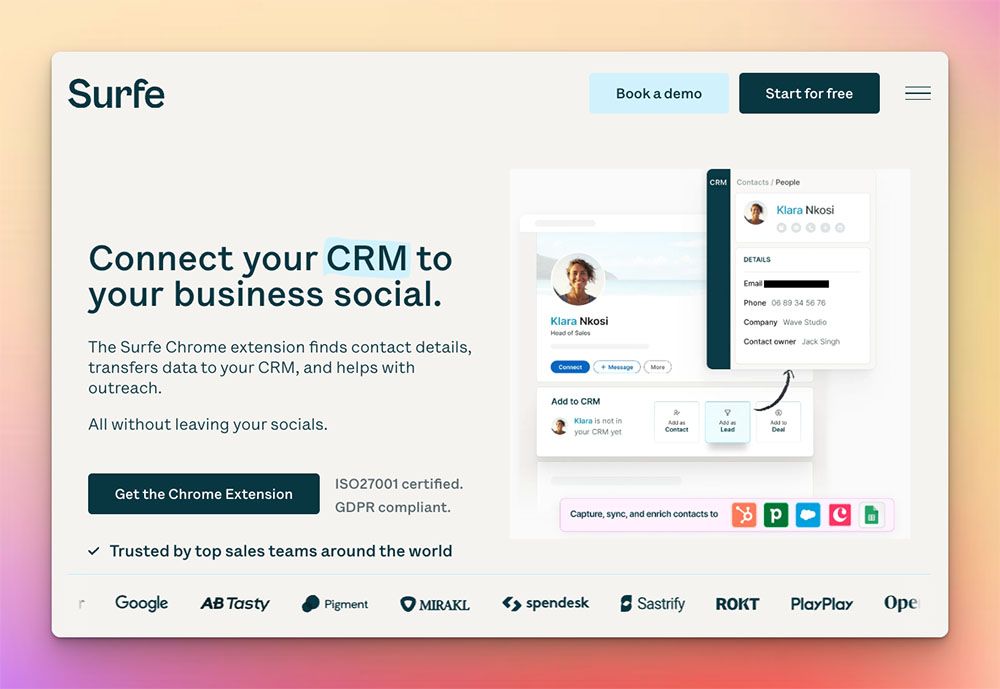
Surfe (formerly Leadjet) is a Chrome extension that overlays a business-network profile and connects it to your CRM. Open a profile and Surfe shows whether the person already exists in your CRM, lets you create or update the record without leaving the tab, logs your conversations, and enriches the contact with a work email and phone number drawn from a waterfall of 15+ data sources.
Its genuine strength is depth, not breadth. For HubSpot, Salesforce, and Pipedrive in particular, the integration is mature: field mapping is well built, you can create deals from the overlay, and message and conversation logging into HubSpot and Salesforce is a recurring highlight in reviews. Copper and Salesloft are also listed on its site. Every plan — including the free one — gets unlimited email validation, and paid plans come with a 14-day free trial (as of July 2026 — check their site).
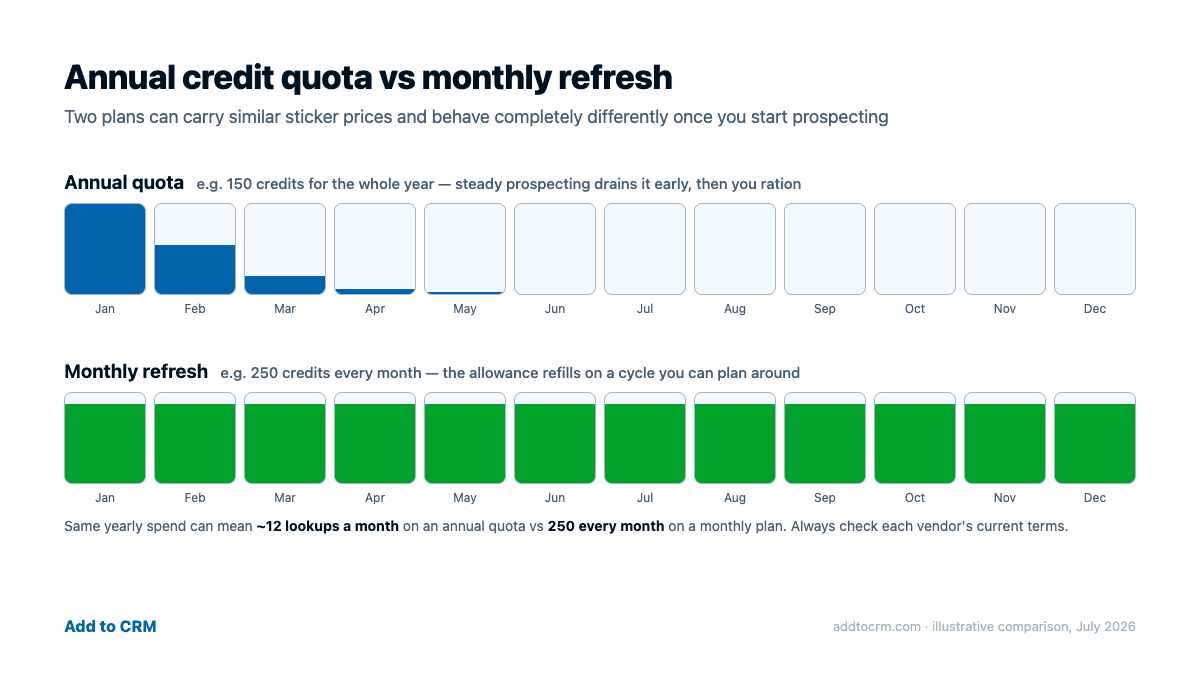
One thing worth flagging: Surfe's credit model has changed. Older reviews around the web — including earlier coverage of ours — describe annual credit quotas, but Surfe's current pricing page shows credits that refill every month. We compare the current model below. For the fuller product walkthrough, see our Surfe review.
What Add to CRM is
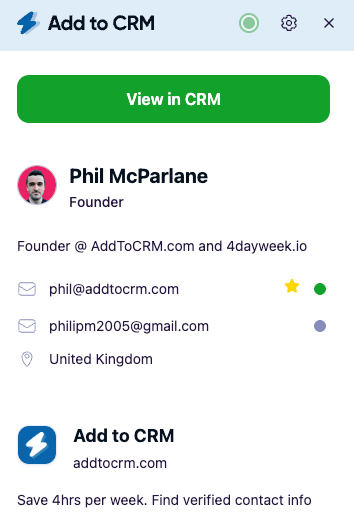
Add to CRM is a Chrome extension built for the last mile: it enriches the person you're already viewing — on a business-network profile, or in an email thread in Gmail or Outlook — with a verified work email, a phone number where available, and 20+ data points sourced from providers including Apollo, Lusha, RocketReach, Prospeo, ContactOut, and SalesQL. One click then adds the contact to your CRM with fields mapped and duplicates detected.
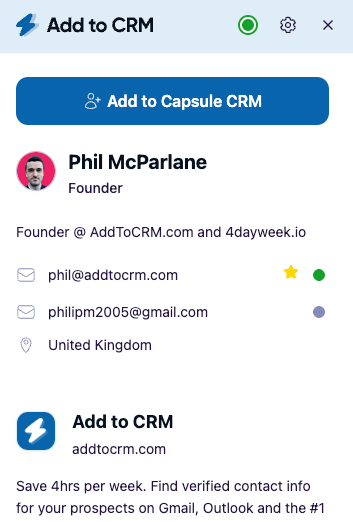
It supports 29+ CRMs from a single subscription: HubSpot, Pipedrive, Zoho, Capsule, Close, Monday, Attio, Copper, Nutshell, Salesflare, Notion, Airtable, Google Sheets, and many more. Emails are verified in real time (95%+ verification accuracy), coverage spans 220M+ profiles, and phone reveals come out of the same credit pool as emails — there's no separate phone bucket and no per-phone multiplier. The Pro tier adds Sales Navigator support and Automatic DM Import, both running through your own connected account — the compliant route.
To be clear about what it is not: Add to CRM is not a searchable contact database. It's the capture workflow that takes the person in front of you and gets them into your CRM cleanly, and it's honest to say Surfe plays in that same lane — which is exactly why the differences below matter.
Head-to-head: the seven rows that decide it
July 2026 snapshot — prices and credit rules change; check each vendor's site. Surfe prices shown in EUR as displayed on its pricing page.
| Dimension | Surfe | Add to CRM |
|---|---|---|
| What it is | CRM overlay for business-network profiles with enrichment (ex-Leadjet) | Capture-and-enrich extension: one click from a profile or inbox into your CRM |
| CRMs | Deep for HubSpot, Salesforce, Pipedrive; Copper and Salesloft also listed | 29+ CRMs from one plan — HubSpot, Pipedrive, Zoho, Capsule, Close, Monday, Attio, Notion, Airtable, Google Sheets, and more |
| Credit model | Two buckets that refill monthly: Essential 150 email + 50 mobile per month (monthly billing) | One pool: 250/month Standard, 1,000/month Pro, per seat, refreshes monthly |
| Price snapshot | Free €0 · Essential €39/user/month · Pro €79/user/month (monthly billing; yearly billing €29/€69) | Standard about $29 / £23 / €25 a month (monthly billing); Pro — see pricing |
| Surfaces | Business-network profiles | Business networks + Gmail + Outlook |
| Phone cost | Separate mobile bucket: 50/month (Essential), 100/month (Pro) on monthly billing | Same pool as emails — no separate phone bucket, no multiplier |
| Trial / free plan | Free plan (20 email + 5 mobile credits/month); 14-day trial on paid plans | 7-day free trial; no free plan |
One reading note on credits, because it trips people up across this whole category. On yearly billing, Surfe's page labels credits per year — Essential shows 1,800 email and 600 mobile — but its own tooltip clarifies that credits refill every month, which works out to the same 150 email and 50 mobile per month. Other tools in the market genuinely grant annual pools upfront. Two plans with the same sticker price can behave completely differently depending on when the credits arrive, so always check the refill cadence, not just the number.

Turn LinkedIn® profiles into CRM contacts
Add to CRM finds verified emails, phone numbers, and job titles on LinkedIn® — then adds them to your CRM in one click.
Start Free Trial


 Trusted by 2,500+ users4.7
Where Surfe wins
Honest column first. If your whole team lives inside HubSpot, Salesforce, or Pipedrive, Surfe's overlay is the more deeply integrated of the two products — and that depth is real, not cosmetic:
- Message and conversation logging. Surfe syncs your business-network conversations into HubSpot and Salesforce. Add to CRM's Automatic DM Import is a Pro feature and works differently; if in-thread logging into those two CRMs is the core of your workflow, Surfe built its product around it.
- Mature field mapping and deal creation inside the big-three overlays. You can edit CRM fields and create deals without leaving the profile, and reviewers consistently describe it as native-feeling.
- Unlimited email validation on every plan, free included — useful if you validate far more addresses than you look up.
- A permanent free plan (20 email + 5 mobile credits a month as of July 2026) and a 14-day trial on paid plans, against our 7-day trial and no free tier. If you want a long, zero-cost evaluation, Surfe is more generous.
None of that is faint praise. For its target profile — a revenue team standardised on one of three CRMs — Surfe is a well-built product with a loyal user base.
Where Add to CRM wins
- CRM breadth: 29+ versus a handful. If your CRM is Capsule, Close, Monday, Attio, Nutshell, Salesflare, Zoho, Copper, Notion, Airtable, or Google Sheets — or you're an agency juggling several — Surfe generally isn't built to sync to it. Add to CRM covers the long tail from one subscription.
- Three capture surfaces, not one. Surfe is designed around business-network profiles. Add to CRM also works inside Gmail and Outlook, so an inbound enquiry is one click from your CRM too — for many teams, that's where the warmest contacts actually show up.
- One credit pool, phones included. Surfe splits email and mobile into separate buckets; you can exhaust your 50 mobile credits while email credits sit unused, or vice versa. Add to CRM has a single pool — a phone reveal draws from the same 250 monthly credits as an email, with no separate allowance to ration.
- More headroom for less on monthly billing. Surfe Essential is €39 per user per month for 150 email credits a month; Add to CRM Standard is about $29 / £23 / €25 a month for 250 credits that cover emails and phones alike (both July 2026, monthly billing — check both sites).
- Verification you can act on. Every email is verified in real time before it lands in your CRM, at 95%+ verification accuracy, which is what keeps bounce rates down once you start sending.
Who should choose which
Choose Surfe if you're standardised on HubSpot, Salesforce, or Pipedrive, you value conversation logging into your CRM as much as enrichment, and your lookup volume fits comfortably inside 150 email credits a month. A team that runs its whole pipeline through one of those CRMs, prospects at moderate volume, and wants a native-feeling overlay is squarely who Surfe is for — and the free plan makes it easy to confirm the fit.
Choose Add to CRM if any of these describe you: your CRM sits outside Surfe's short list; you run more than one CRM and want one subscription to cover them; you capture contacts from your inbox as often as from profiles; you reveal phone numbers regularly and don't want a separate mobile bucket to manage; or you want more monthly credits at a lower monthly-billing price. That's the broad-stack, simple-metering profile we built for.
Weighing other tools in the category? We've run the same honest comparison against Kaspr, Apollo, and Lusha.
29+ CRMs supported. Try free for 7 days
Add to CRM finds verified emails, phone numbers, and job titles on LinkedIn® — then adds them to your CRM in one click.
Start Free TrialTrusted by 2,500+ users4.7FAQ
Is Surfe worth it in 2026?
For its intended user, yes. If your team is standardised on HubSpot, Salesforce, or Pipedrive and you want profile capture, enrichment from a 15+ source waterfall, and message logging in one polished overlay, Surfe earns its seat. It's a weaker fit if your CRM isn't on its short list, if you capture from Gmail or Outlook, or if 150 email credits a month (Essential, monthly billing, July 2026) is below your prospecting volume.
Can I use both Surfe and Add to CRM?
You can, but for most teams it's redundant — both tools do the same capture-and-enrich job at the same moment, so you'd be paying twice for overlapping credits. The one split that makes sense: a pod that needs Surfe's message logging into HubSpot or Salesforce, alongside colleagues on other CRMs using Add to CRM. A single rep on a single CRM should pick one.
Does Add to CRM replace Surfe?
For one-click capture, enrichment, and duplicate-checked CRM entry, yes — across more CRMs (29+) and more surfaces (business networks, Gmail, Outlook). It does not replicate Surfe's conversation logging into HubSpot and Salesforce or its in-overlay deal creation for those CRMs. If those two features are central to your workflow, that's the honest reason to stay with Surfe.
How do Surfe's credits work on yearly billing?
Surfe's yearly-billing view labels credits per year — Essential shows 1,800 email and 600 mobile — but Surfe's own tooltip states that credits refill every month, equivalent to 150 email and 50 mobile monthly. So yearly billing lowers the price (€29 instead of €39 per user per month for Essential, July 2026) without changing the monthly credit rhythm. Older reviews describing Surfe credits as a once-a-year quota are out of date.
The bottom line
Surfe is the depth play: a handful of CRMs, integrated beautifully. Add to CRM is the breadth-and-simplicity play: 29+ CRMs, three capture surfaces, and one monthly credit pool that treats a phone number like any other lookup. If the second profile sounds like your team, start a 7-day free trial — install the extension, connect your CRM, and add your first enriched contact in a couple of minutes; plans are on the pricing page. And if you're still mapping the field, our Surfe review and the wider Surfe alternatives round-up go deeper on where each tool fits.
Start saving time and closing more deals.
Find verified contact info for your prospects on LinkedIn®, Gmail and Outlook — and add them to your CRM with 1-click.

 Loading...Trusted by 2,500+ founders, SDRs & more