LinkPort Review (2026): The Free CRM Import Tool vs Add to CRM
LinkPort is Klenty's free Chrome extension that enriches and imports contacts into 4 CRMs. A fair LinkPort review, and how Add to CRM compares across 29+ CRMs.
LinkPort is a free Chrome extension from Klenty that imports LinkedIn and Sales Navigator contacts into your CRM, enriches them with email, phone, and technographic data, then auto-syncs and de-duplicates them. The single sharpest fact about it is the price: it costs nothing. That makes LinkPort one of the easiest recommendations on this whole list for a solo user whose CRM is Pipedrive, Zoho, HubSpot, or Salesforce. This review covers what LinkPort does well, where its free model runs out of room, and how Add to CRM compares when you need more breadth, more surfaces, or more depth.
Pricing is a July 2026 snapshot — check LinkPort's site for current numbers.
TL;DR: Pick LinkPort if your CRM is Pipedrive, Zoho, HubSpot, or Salesforce, your volume is modest, and free is enough — it enriches and syncs contacts at no cost, which is genuinely hard to beat. Pick Add to CRM if you need more than four CRMs (we support 29+), you also capture contacts in Gmail and Outlook, or you want deeper data — a verified email plus phone and 20+ data points, with real-time email verification — on a simple monthly credit plan.
What is LinkPort?
LinkPort is a free Chrome extension built by Klenty, a sales-engagement platform. It sits on a LinkedIn or Sales Navigator profile and lets you push that person into your CRM in a click, with the record already enriched. LinkPort finds a work email and phone number, adds technographic details about the company, then keeps things tidy on the CRM side by auto-syncing updates and de-duplicating contacts you have already saved.
The honest strength here is the price-to-value ratio. Plenty of capture-and-enrich extensions charge a monthly fee for roughly this workflow; LinkPort gives you the core of it for free. For a founder or a solo rep who lives in one of its supported CRMs and adds a handful of contacts a week, that is a legitimately good deal — you get enrichment, one-click import, auto-sync, and dedupe without opening your wallet. Technographic enrichment in particular is a nice touch that not every free tool bothers with.
The context worth knowing is that LinkPort is part of the Klenty ecosystem. Klenty is an outreach and sales-engagement suite, and LinkPort is designed in part to feed contacts into it alongside the four CRMs it supports. If you already use Klenty, that alignment is a plus. If you don't, it's worth understanding that you're adopting a free tool whose roadmap naturally centers on a suite you may never touch. That isn't a criticism — it's a sensible free on-ramp into a paid product — but it's the frame to keep in mind.
LinkPort pricing
There isn't much to tabulate here, and that's rather the point: LinkPort is free (as of July 2026 — check LinkPort's site, since free tools do change their terms). There's no paid tier to upgrade to, no per-seat cost, and no annual contract. You install the extension, connect one of the four supported CRMs, and start importing.
What "free" doesn't tell you is where the ceiling sits. Free enrichment tools fund themselves somehow, and the usual trade-off is depth and volume: the number of enrichments you can run, and how complete each record is, tend to be more limited than on a paid plan. LinkPort doesn't publish a detailed credit schedule the way a paid tool does, so the practical limits are something to test against your own workflow before you rely on it for a whole team.
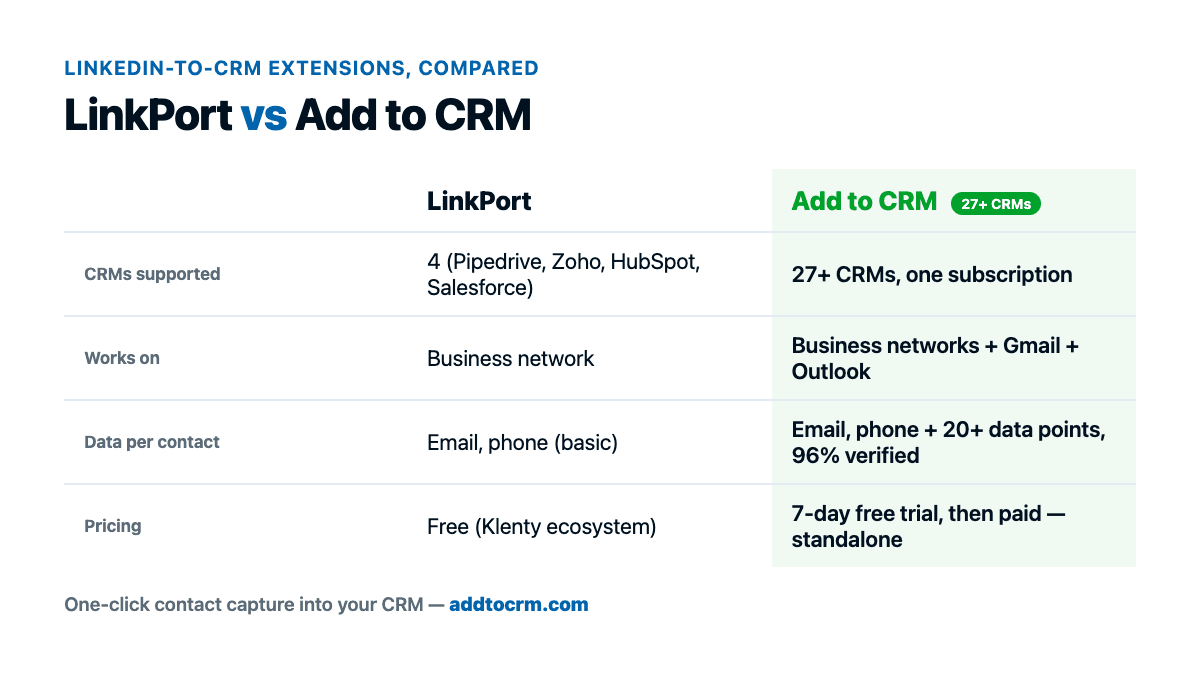
The wedge that matters for most buyers, though, isn't price — it's coverage. LinkPort connects to four CRMs: Pipedrive, Zoho, HubSpot, and Salesforce, plus Klenty itself. If your CRM is on that short list, you're set. If it's anything else — Capsule, Close, Nutshell, Attio, Monday, Salesflare, Copper, ActiveCampaign, Bigin, folk, and the long tail beyond them — LinkPort simply can't reach it. And because it works on business-network profiles, it doesn't help when the contact you want to save is sitting in your Gmail or Outlook inbox. Free is only free if the tool covers the CRM and the surfaces you actually use.
Where LinkPort is strong — and where it's limited
On the strength side, the appeal is easy to summarize. LinkPort is free, it genuinely enriches (email, phone, and technographic data rather than just copying across a name), and it handles the unglamorous parts — auto-sync and deduplication — that keep a CRM pleasant to live in instead of a pile of duplicates. Reviewers who like it tend to point to exactly those things: no cost, a clean one-click import, and tidy records on the CRM side. For its four CRMs, that's a solid core, and for a lot of individual users it will be all they ever need.
The limits are mostly structural rather than bugs. The four-CRM ceiling is the big one: if your stack sits outside Pipedrive, Zoho, HubSpot, and Salesforce, the tool isn't for you, full stop. The Klenty orientation is the second — LinkPort is a free front door to a broader paid ecosystem, which is a perfectly fair business model, but it means the tool's priorities follow Klenty's, not necessarily yours. And free enrichment usually comes with quieter limits on volume and completeness than a paid plan, so it's worth pressure-testing before you build a repeatable process around it. None of these are knocks on LinkPort doing what it promises; they're just the edges of a free, deliberately focused tool.
If your CRM happens to be HubSpot, Salesforce, or Pipedrive, it's also worth seeing how the paid capture extensions in that space stack up — our Surfe review walks through one of the closest paid alternatives for those exact CRMs.

Turn LinkedIn® profiles into CRM contacts
Add to CRM finds verified emails, phone numbers, and job titles on LinkedIn® — then adds them to your CRM in one click.
Start Free Trial


 Trusted by 2,500+ users4.7
The alternative: Add to CRM
Add to CRM is a Chrome extension that does the same core job — capture a contact, enrich it, and drop it into your CRM — but widens every dimension where LinkPort is deliberately narrow. It works on business networks (LinkedIn) and in Gmail and Outlook, so the inbox is covered as well as the profile. It enriches with a verified email, a phone number, and 20+ data points, with the email verified in real time to cut bounces (96% verification accuracy). And it adds that contact to any of 29+ CRMs in one click, not four.
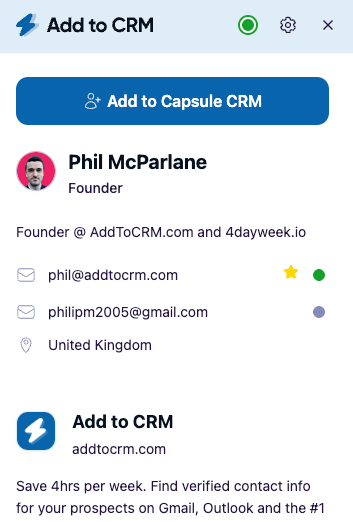
To be clear about what Add to CRM is not: it isn't a contact database you rent, and it isn't a replacement for one. It's the last-mile workflow that gets a verified, enriched contact out of the profile or inbox you're already looking at and into your CRM cleanly. You don't buy and manage a standing data subscription; you enrich the person in front of you and file them where your team already works.
The pricing model is a simple monthly credit pool rather than free-with-hidden-ceilings. Standard is around $29/month (roughly £23 or €25) for 250 credits every month; Pro raises that to 1,000 credits a month and adds Sales Navigator support plus automatic DM sync through your own connected account — the compliant route, not scraping. Phone reveals draw from the same pool and aren't charged at the 10× multiplier some data tools apply. There's a 7-day free trial to test it against your own workflow; there's no free plan, which is the honest trade for the breadth and depth on offer.
LinkPort vs Add to CRM at a glance
Prices and limits move, so treat this as a July 2026 snapshot and check each site for current details.
| Dimension | LinkPort | Add to CRM |
|---|---|---|
| What it is | Free Chrome extension (by Klenty) to enrich and import contacts into a CRM | Chrome extension to capture, enrich, and add a contact into your CRM |
| CRMs supported | 4 — Pipedrive, Zoho, HubSpot, Salesforce (plus Klenty) | 29+ |
| Credit model | Free; enrichment depth and volume limits not publicly detailed | Monthly credit pool — 250/mo (Standard) or 1,000/mo (Pro) |
| Typical monthly cost | $0 | ~$29 / £23 / €25 (Standard); Pro for higher volume |
| Surfaces | Business networks (LinkedIn, Sales Navigator) | Business networks (LinkedIn), Gmail, and Outlook |
| Phone credits | Included in free enrichment; limits not detailed | Included in monthly credits; not charged at a 10× multiplier |
| Free trial / plan | Free forever (no paid plan) | 7-day free trial, then paid (no free plan) |
The rows that decide it for most people are CRMs supported and surfaces. If your CRM and your capture surface both fit inside LinkPort's four-CRM, profile-only world, its price is unbeatable. The moment either one falls outside that box, the comparison stops being about money.
Who should choose which
Choose LinkPort if your CRM is Pipedrive, Zoho, HubSpot, or Salesforce, your volume is modest, and you want enrichment and CRM import without paying for it. For a solo founder or a single rep, that combination is genuinely hard to argue with, and it's the fair recommendation. If you're also a Klenty customer, the fit is tighter still.
Choose Add to CRM if any of the following is true: your CRM isn't one of LinkPort's four (we cover 29+, including the long tail LinkPort doesn't — Capsule, LACRM, Nutshell, Attio, Monday, Salesflare, Bigin, folk, Streak, and more); you capture contacts in Gmail or Outlook and not just on a profile; you want deeper records (20+ data points and real-time verified email) than a free tool typically returns; or you'd rather your capture tool stay independent of any single outreach suite.
Teams weighing both usually land on a simple test: count your CRMs and your surfaces. One supported CRM and profile-only capture makes LinkPort's free plan the pragmatic pick, and there's no shame in taking the free option when it fits. Multiple CRMs, inbox capture, or a need for depth and predictable monthly credits point to Add to CRM. It isn't free, and that's the honest cost of covering 29+ CRMs and three surfaces instead of four CRMs and one.
29+ CRMs supported. Try free for 7 days
Add to CRM finds verified emails, phone numbers, and job titles on LinkedIn® — then adds them to your CRM in one click.
Start Free TrialTrusted by 2,500+ users4.7FAQ
Is LinkPort really free? Yes. As of July 2026, LinkPort is a free Chrome extension from Klenty, with no paid tier, per-seat fee, or contract — check LinkPort's site for current terms, since free tools do adjust them. The trade-offs are coverage and depth: it connects to four CRMs, and free enrichment generally carries quieter limits on volume and completeness than a paid plan.
Which CRMs does LinkPort support? Four: Pipedrive, Zoho, HubSpot, and Salesforce, plus Klenty's own platform. If your CRM is one of those, LinkPort covers it well. If it's something else — Capsule, Close, Nutshell, Attio, Monday, Copper, ActiveCampaign, and the rest — you'd need a broader tool; Add to CRM supports 29+ CRMs in one subscription.
Does LinkPort enrich contacts, or just import them? It does both. LinkPort enriches a contact with a work email, phone number, and technographic data, then imports and auto-syncs the record into your CRM and de-duplicates against what's already there. For deeper records — 20+ data points, with the email verified in real time at 96% accuracy — Add to CRM goes further, at a monthly cost.
Does LinkPort work in Gmail or Outlook? LinkPort is built around business-network profiles (LinkedIn and Sales Navigator), so it isn't an inbox tool. If you want to capture and enrich a contact straight from an email in Gmail or Outlook, that's where Add to CRM's inbox support comes in, alongside the same one-click add to your CRM.
LinkPort vs Add to CRM — which should I choose? If your CRM is one of LinkPort's four, your volume is low, and free covers it, LinkPort is a strong, honest choice. If you need more CRMs (29+), inbox capture in Gmail and Outlook, deeper verified data, or independence from a single outreach ecosystem, Add to CRM is built for that — with a 7-day free trial so you can compare on your own contacts.
Turn any profile or inbox contact into a CRM record
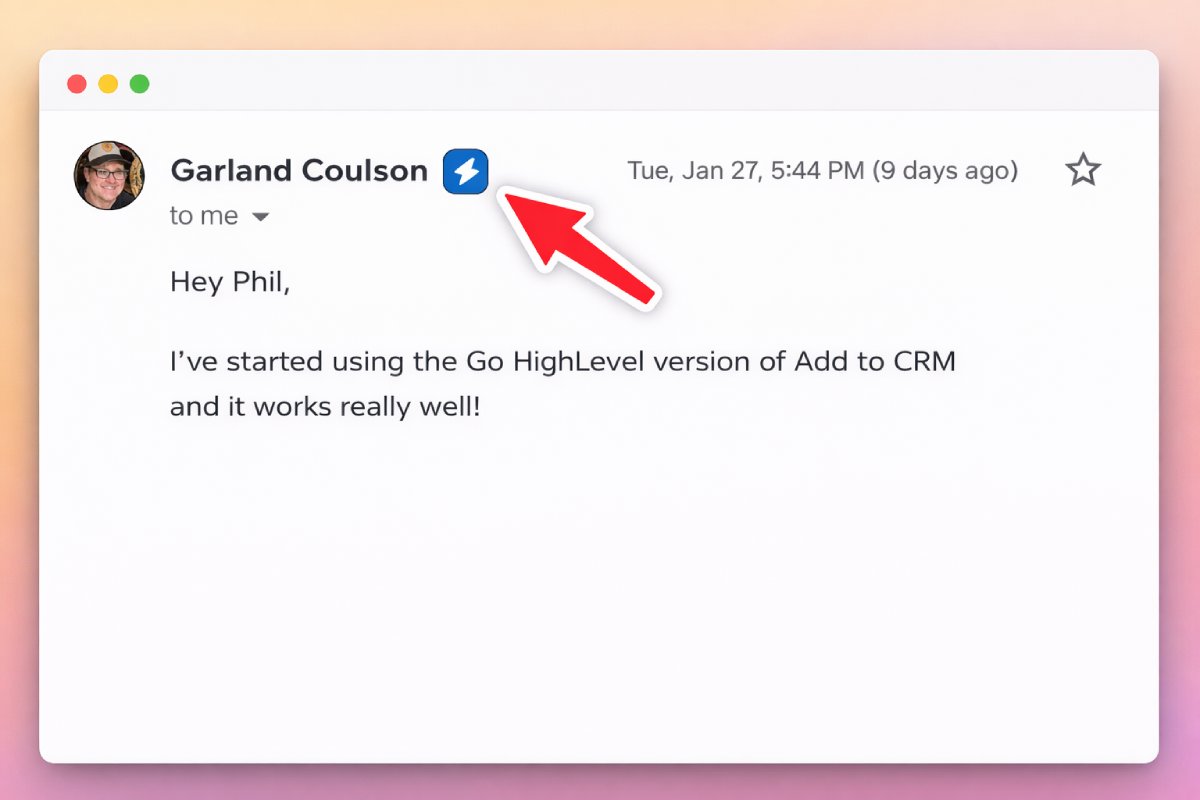
LinkPort proves how useful a free, one-click CRM import can be for its four CRMs, and for a solo user in that world it's a fair pick. When your world is bigger than that — more CRMs, the inbox as well as the profile, or deeper verified data — Add to CRM is the last-mile workflow that enriches a contact with a verified email, phone, and 20+ data points and adds them to any of 29+ CRMs in one click. Start with a 7-day free trial, browse the supported CRM Chrome extensions to find yours, and see the pricing for the simple monthly credit plans.
Start saving time and closing more deals.
Find verified contact info for your prospects on LinkedIn®, Gmail and Outlook — and add them to your CRM with 1-click.

 Loading...Trusted by 2,500+ founders, SDRs & more