Add to CRM vs Apollo (2026): Two Different Jobs Compared
Apollo is an all-in-one sales platform; Add to CRM is a one-click capture workflow for 29+ CRMs. An honest July 2026 comparison — and why many teams use both.
If you're weighing Add to CRM against Apollo, here's the short answer. Apollo is an all-in-one sales platform — a contact database at the 200-million-plus scale, with sequences, a dialer, and AI research built in — for teams that want to run their whole outbound motion inside one product. Add to CRM is a Chrome extension that does one job well: it enriches the person you're already viewing on a business network, in Gmail, or in Outlook, and adds them to any of 29+ CRMs in one click. They solve different problems, and of every comparison in this series, this is the least head-to-head — plenty of teams get the most out of running both.
TL;DR: Choose Apollo when you need a searchable database and an outreach engine — list building, sequences, calls — and your CRM is one of the big platforms it syncs with. Choose Add to CRM when your bottleneck is the last mile: turning the person in front of you into a clean, verified CRM record, whichever of 29+ CRMs you run. Apollo's credits come in tiered ladders that change with your plan, and phone numbers cost 8 credits each; Add to CRM has one simple pool per plan that covers phones too. And because Apollo is one of the data sources Add to CRM taps behind the scenes, "use both" is often the honest answer.
What Apollo is — and what it's genuinely good at
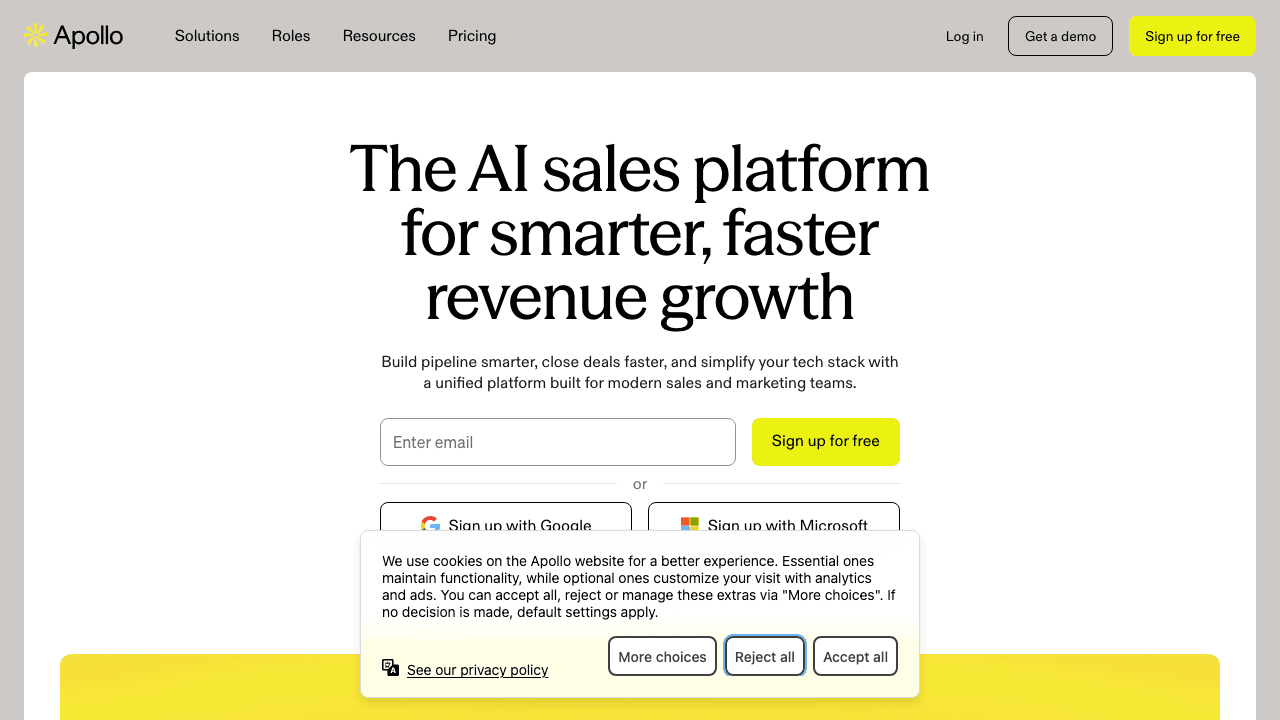
Apollo.io is one of the most complete sales platforms on the market. At its centre sits a contact database at the 200-million-plus scale, wrapped in deep search filters. Around it, Apollo has built almost everything an outbound team touches in a day: email sequences, a dialer, AI research, and a browser extension. That bundling is the whole pitch — find a contact, enrich them, sequence them, call them, and report on it all without leaving one product.
Credit where it's due:
- The database is the draw. If your week starts with "build me a list of 500 people who match this profile," Apollo is built for exactly that. Add to CRM has no equivalent — deliberately.
- The outreach layer is genuinely integrated. Going from a filtered search to a running sequence in one tool is a real workflow advantage for outbound-led teams.
- A free tier exists. Apollo has a $0 plan — modest in credits, but a real way to try the platform before paying.
One note on data quality, which applies to every large vendor: Apollo claims very high email accuracy, while reviewers report real-world deliverability meaningfully lower. That doesn't make the data bad — it means you should verify before you send, whatever the source. We dig into this in our Apollo email finder review.
What Add to CRM is — and what it isn't
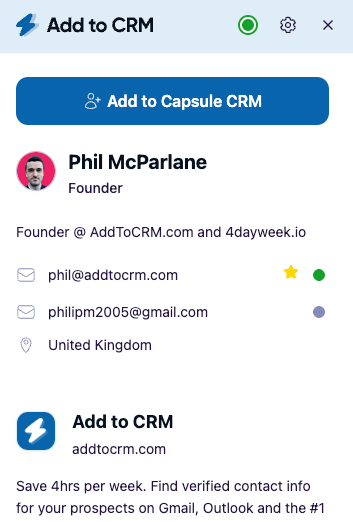
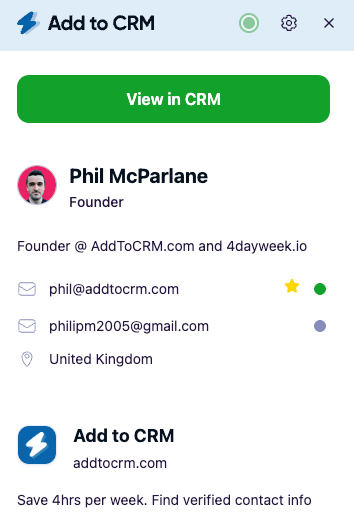
Add to CRM is a Chrome extension with a deliberately narrow job description. When you're looking at a person — a business-network profile, or an email thread in Gmail or Outlook — it enriches that one contact with a verified work email, a phone number where available, and 20+ data points, then adds them to your CRM in one click, fields mapped and duplicates detected. It supports 29+ CRMs, including HubSpot, Pipedrive, Zoho, Capsule, Close, Monday, Attio, Copper, Nutshell, Salesflare, Notion, Airtable, and Google Sheets.
What it isn't: a searchable database. You can't open Add to CRM and filter ten thousand contacts by title and industry — that's Apollo's job, not ours. Add to CRM is the capture layer: the last mile between "I've found this person" and "they're a clean record in my pipeline."
Under the hood, the extension runs a waterfall across multiple data providers — Add to CRM taps sources like Apollo behind the scenes; we're the workflow, not the database — with coverage spanning 220M+ profiles, and every email is verified in real time (95%+ email verification accuracy). Phone reveals draw on the same credit pool as everything else; there is no separate phone bucket.
Head-to-head: the July 2026 snapshot
All Apollo figures below are a July 2026 snapshot taken from Apollo's pricing page — check their site for current numbers, and our pricing page for ours. Billing basis is stated for every price.
| Apollo | Add to CRM | |
|---|---|---|
| What it is | All-in-one sales platform: 200M+-scale database, sequences, dialer, AI | Chrome extension that enriches the contact you're viewing and adds them to your CRM |
| CRMs | Native sync focused on the big platforms | 29+ CRMs, from HubSpot and Pipedrive to Capsule, Attio, Notion, and Google Sheets |
| Credit model | Tiered ladder: Free 75/seat/mo (annual view: 900/seat/yr, granted monthly) · Basic 2,500/mo, or 30,000/yr upfront on annual · Professional 4,000/mo or 48,000/yr · Organization 6,000/mo or 72,000/yr | One pool: Standard 250 credits/mo, Pro 1,000/mo — per seat, refreshed monthly |
| Price snapshot | Free $0 · Basic $49/seat/mo billed annually ($65 billed monthly) · Professional $79 annually ($99 monthly) · Organization $119 annually, min 3 seats | Standard about $29 / £23 / €25 a month; Pro on our pricing page |
| Surfaces | Apollo's own web app, plus an extension on profiles | Business-network profiles + Gmail + Outlook |
| Phone cost | 8 credits per phone number (emails are 1 credit) | Same single credit pool — no separate phone bucket or multiplier |
| Trial / free plan | Free tier exists; paid plans unlock volume | 7-day free trial; no free plan |

Turn LinkedIn® profiles into CRM contacts
Add to CRM finds verified emails, phone numbers, and job titles on LinkedIn® — then adds them to your CRM in one click.
Start Free Trial


 Trusted by 2,500+ users4.7
Where Apollo wins
- Building lists from nothing. A searchable 200M+-scale database with rich filters is Apollo's core, and nothing in Add to CRM competes with it. If prospecting starts with a query rather than a person, Apollo is the right shape.
- The all-in-one motion. Sequences, a dialer, and AI research in the same product as the data. Teams that genuinely use the whole stack save real integration effort.
- Starting at $0. Apollo's free tier is modest — 75 credits per seat per month on the monthly view (as of July 2026 — check their site) — but it exists. Add to CRM offers a 7-day free trial and has no free plan.
- Depth on the big CRMs. Apollo's native sync targets the major platforms, and if you run one of them and live inside Apollo all day, that pairing works well.
Where Add to CRM wins
- CRM breadth. Apollo's sync focuses on the big platforms; Add to CRM supports 29+ CRMs, including the ones enrichment platforms rarely reach — Capsule, Close, Attio, Nutshell, Salesflare, Copper, Less Annoying CRM, Notion, Airtable, Google Sheets. If your CRM isn't one of the majors, this is usually the deciding line.
- One credit pool, two plans. Apollo's allowance changes with every rung of the ladder — 75, 2,500, 4,000, or 6,000 a month depending on tier, with annual billing granting some allowances upfront and others monthly — and each action has its own price: 1 credit per email, 8 per phone number, 2 per US dialer minute, 1 per AI research run (July 2026 snapshot — check their site). None of that is unreasonable for a platform; it's just arithmetic you have to manage. Add to CRM has one pool: Standard is 250 credits a month at about $29 / £23 / €25 (July 2026 — check our pricing page), Pro is 1,000, per seat, refreshed monthly.
- Phones without the multiplier. In Apollo, a phone number costs 8 credits. In Add to CRM, phone reveals come out of the same single pool as everything else — no separate bucket to budget for.
- The inbox is a surface. Add to CRM captures from Gmail and Outlook as well as business-network profiles, which matters when your best leads arrive as replies and intros, not search results.
- Nothing to administer. No lists, no ladders, no platform to configure — the extension lives where you already work and does its one job.
29+ CRMs supported. Try free for 7 days
Add to CRM finds verified emails, phone numbers, and job titles on LinkedIn® — then adds them to your CRM in one click.
Start Free TrialTrusted by 2,500+ users4.7Who should choose which
Choose Apollo if outbound is your engine: you build cold lists every week, run sequences at volume, call through a dialer, and your CRM is one of the big platforms. You're buying a database and an outreach factory, and Apollo is one of the strongest versions of that product.
Choose Add to CRM if your pipeline starts with people you find in the wild — profiles you're already viewing, inbound email, event follow-ups, warm intros — and the annoying part is getting each one into your CRM accurately. That's doubly true if your CRM isn't one of the majors: supporting 29+ CRMs, including the long tail, is precisely the gap Add to CRM exists to fill.
Use both if you're a database-led team with a capture gap. Run Apollo for list-building and sequencing, and use Add to CRM to catch everyone Apollo's workflow doesn't — the profile a founder sends you, the prospect who replies from a different address, the person you meet outside a list — and land them in your CRM in one click. The tools don't overlap; they hand off.
Frequently asked questions
Is Apollo worth it in 2026?
For teams that will actually use the platform — database search, sequences, the dialer — yes, it's one of the strongest all-in-one offers, and the free tier makes trying it low-risk. The buyers who end up disappointed are usually paying platform prices for what turned out to be a capture problem: they didn't need a database, they needed clean records in their CRM.
Can I use Apollo and Add to CRM together?
Yes — and it's common. Apollo handles top-of-funnel list building and outreach; Add to CRM handles one-click capture into your CRM from profiles and your inbox. Since Apollo is among the data sources Add to CRM taps behind the scenes, the two are complementary by design, not rivals.
Does Add to CRM replace Apollo?
No. Add to CRM replaces the copy-paste-and-tab-switching between finding a person and having them in your CRM. It doesn't offer a searchable database, sequences, or a dialer — if those are load-bearing in your process, keep them. What it replaces is the last mile, across 29+ CRMs.
How much do phone numbers cost in Apollo?
8 credits per phone number, versus 1 credit per email (July 2026 snapshot — check Apollo's site). In Add to CRM, phone reveals draw on the same single monthly credit pool as everything else, with no separate phone bucket.
The honest close: if you need a database and an outreach engine, Apollo is a strong one — pressure-test the fit with our Apollo email finder review and the wider Apollo alternatives roundup. If what you need is verified contacts landing cleanly in your CRM, Add to CRM does exactly that — one click, 29+ CRMs, from business networks, Gmail, and Outlook. Join 2,500+ users with a 7-day free trial and see whether the last-mile problem simply disappears.
More in this series: Add to CRM vs Surfe, Add to CRM vs Kaspr, and Add to CRM vs Lusha.
Start saving time and closing more deals.
Find verified contact info for your prospects on LinkedIn®, Gmail and Outlook — and add them to your CRM with 1-click.

 Loading...Trusted by 2,500+ founders, SDRs & more