Scraping Emails From LinkedIn The Smart Way
Discover how to approach scraping emails from LinkedIn ethically and effectively. Learn to build high-quality lead lists without putting your account at risk.
Finding emails on LinkedIn isn't about brute-force scraping anymore. The old-school methods are a fast track to getting your account suspended and ending up with a list of useless, outdated contacts.
The smart approach today is entirely different. It’s about using specialized browser extensions to ethically find verified contact info for the right prospects, working within LinkedIn’s rules, not against them.
The Reality Of LinkedIn Email Scraping Today
Let's be blunt: the game has changed. For years, sales teams ran aggressive scraping tools that just vacuumed up any email they could find. That "spray and pray" tactic caused more headaches than it solved—think sky-high bounce rates, a torched sender reputation, and the dreaded account suspension notice from LinkedIn.
Today, top-performing teams have flipped the script from mass collection to precision targeting. Instead of scraping thousands of random profiles, the focus is on surgically extracting accurate, verified contact details for a tightly defined Ideal Customer Profile (ICP). This is where modern, tool-assisted prospecting makes all the difference.
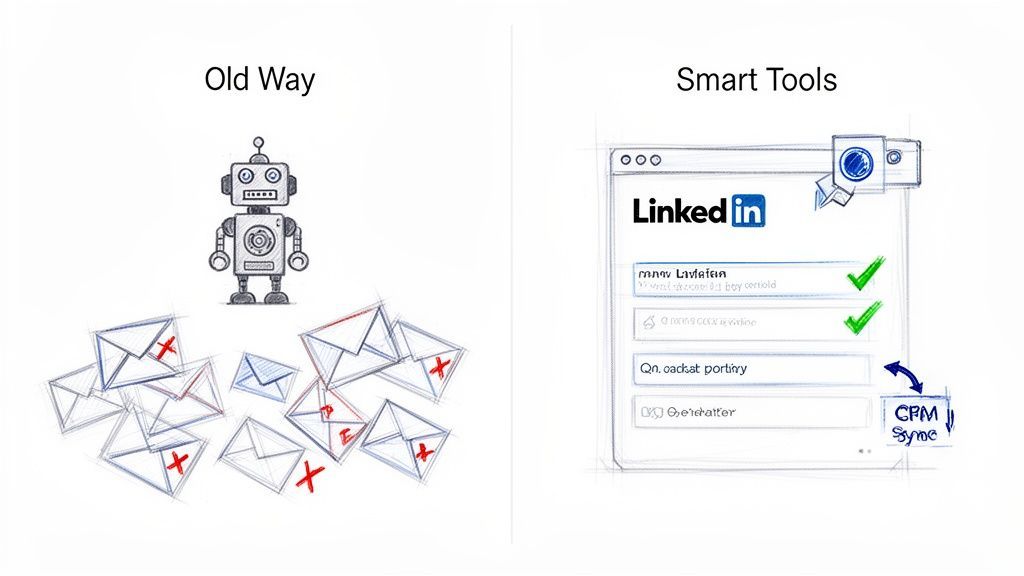
Why Smart Tools Outperform Old Methods
The real difference is working smarter, not harder. An intelligent browser extension acts as a seamless layer over your workflow. These tools don't just guess email patterns; they cross-reference multiple data sources in real time to find the correct corporate email address and then verify its deliverability on the spot.
This process gives you a few massive advantages:
- Drastically Reduced Bounce Rates: Real-time verification means you aren’t shouting into the void. This protects your domain’s sending reputation, which is absolutely critical for long-term outreach.
- Improved Data Accuracy: You get more than just an email. Good tools enrich contacts with key data like job titles, company size, and industry—all fuel for genuine personalization.
- Enhanced Efficiency: Manually copy-pasting contact info is a soul-crushing time sink. A one-click tool that saves an enriched contact straight to your CRM can easily give a team back 4+ hours per week.
- Account Safety: Reputable tools are built to mimic natural human behavior, which helps you fly under the radar of LinkedIn's automated security flags.
The goal is no longer to build the biggest list, but the most accurate one. Quality prospecting with verified data will always beat high-volume outreach with junk contacts.
Modern Prospecting vs Manual Data Entry
Here’s a quick look at why intelligent CRM extensions are the clear winner over old-school copy-pasting for building prospect lists.
| Method | Time To Acquire 100 Contacts | Average Data Accuracy | Likelihood Of Human Error | Seamless CRM Integration |
|---|---|---|---|---|
| Smart Extension | ~20-30 Minutes | 95-98% (Verified) | Very Low | Yes (One-click) |
| Manual Copy/Paste | 3-5+ Hours | ~70-80% (Unverified) | High (Typos, wrong fields) | No (Requires CSV imports) |
The numbers don't lie. Automation not only saves an incredible amount of time but also delivers far more reliable data directly into the system where you need it most.
Building A Sustainable Prospecting Engine
This modern approach is about more than just finding an email; it's about building a scalable system for lead generation.
When you integrate a smart extension directly with your CRM, every prospect you identify is automatically organized, enriched, and ready for a targeted outreach sequence. There’s no messy data import or manual cleanup needed.
Of course, to build an effective targeting strategy, you first need a solid method for identifying the right people. You can learn more about how to find someone on LinkedIn in our detailed guide.
This method transforms "scraping emails from LinkedIn" from a risky chore into a streamlined, strategic part of your sales process. It’s the only sustainable way to build a high-quality pipeline that fuels real conversations and drives growth.
Laying the Groundwork for Ethical Prospecting
Before you even think about grabbing emails from LinkedIn, the real work begins. And it has nothing to do with LinkedIn itself.
See, just scraping every email you can find is a fast track to disaster. You end up with messy data, junk leads, and a prospecting engine that stalls out before it ever leaves the garage. Building a solid foundation isn't just a nice-to-have; it's what separates targeted success from chaotic failure.
It all boils down to one simple idea: knowing exactly who you're trying to reach. Without that clarity, even the best tools just help you collect the wrong contacts faster.
First Things First: Define Your Ideal Customer Profile
Your Ideal Customer Profile (ICP) is a ridiculously detailed picture of the perfect company for your product or service. This isn't just about what industry they're in; it's a granular look at the signals that scream "great fit." A sharp ICP is your north star for prospecting, keeping every single action focused and efficient.
Think through these points to nail down your ICP:
- Company Size: Are you after scrappy startups with 10-50 employees or hunting enterprises with over 1,000?
- Industry/Vertical: Get specific. Don't just say "tech." Drill down to something like "B2B SaaS companies in the cybersecurity space."
- Geography: Are your clients local, national, or global?
- Revenue: What's the typical annual revenue of your best customers?
- Tech Stack: Do they already use specific software (like Salesforce or HubSpot) that plays nicely with your own?
Answering these questions changes the game. You stop asking, "Who can I find?" and start asking, "Which companies perfectly match my profile?" That shift is everything.
Get Your Browser Extension Set Up
Once your ICP is locked in, it's time to pick your tool. A good browser extension acts as the bridge between your strategy on paper and your execution online. For this guide, we'll use a tool like Add to CRM, which is built to work safely right inside your browser.
Installing it from the Chrome Web Store is the easy part. The real magic happens during setup when you connect the extension to your CRM, whether that's HubSpot, Salesforce, Pipedrive, or something else.
This initial sync is a one-time task that pays off forever. It means every contact you find on LinkedIn flows directly into your CRM—your central source of truth—instead of getting lost in a random spreadsheet.
Connect Your CRM and Map Your Fields
Hooking up the extension to your CRM is more than a technical step; it’s about building a clean data pipeline from day one. After you authorize the connection, the most critical part is field mapping. This is where you tell the extension exactly where to put each piece of data it finds.
For instance, you can map the "Job Title" field from a professional network profile straight to the "Position" field in your CRM. This simple mapping prevents data from getting dumped into the wrong places, which is how CRMs become messy, unusable graveyards of old information.
Here’s what that looks like in practice:
| Data Point | Maps to CRM Field | Why It Matters |
|---|---|---|
| First Name | Contact First Name | The bare minimum for a personalized greeting. |
| Last Name | Contact Last Name | Completes the basic contact info. |
| Verified Email | Contact Email | This is the golden ticket for your outreach. |
| Company Name | Account/Company Name | Links the person to the right organization. |
| Job Title | Position/Title | Crucial for segmenting lists by role or seniority. |
But don't stop at the basics. You can create custom fields for even smarter segmentation. Imagine creating a custom field in your CRM called "Profile URL" and mapping it. Now, every contact you save automatically includes a direct link back to their profile. That one tweak saves your sales team countless clicks when they need quick context for an email or call.
This prep work—defining your ICP, installing the right tool, and mapping your CRM fields—is the bedrock of an organized, scalable, and effective prospecting system. It ensures that when you do start finding emails, you're not just collecting data; you're building a clean, actionable pipeline from the very first contact.

Turn LinkedIn® profiles into CRM contacts
Add to CRM finds verified emails, phone numbers, and job titles on LinkedIn® — then adds them to your CRM in one click.
Start Free Trial


 Trusted by 2,500+ users4.7
How To Find And Verify Emails You Can Actually Use
Okay, with your prospecting foundation in place, it’s time for the main event: finding and validating contact information that actually works. This is where modern, ethical tools for finding emails on LinkedIn really shine, leaving old guesswork behind for reliable, actionable data.
The old-school approach of manually hunting for emails or using basic scrapers was a mess. It usually involved guessing patterns—like combining a name with a domain (john.doe@company.com). This method is notoriously unreliable and leads to sky-high bounce rates that can get your domain blacklisted.
Modern browser extensions, on the other hand, play a completely different game. They tap into and cross-reference multiple verified data sources in real time to uncover the correct corporate email address.
This flow chart nails the foundational steps that make this whole process work. Success starts long before you ever click "find email."
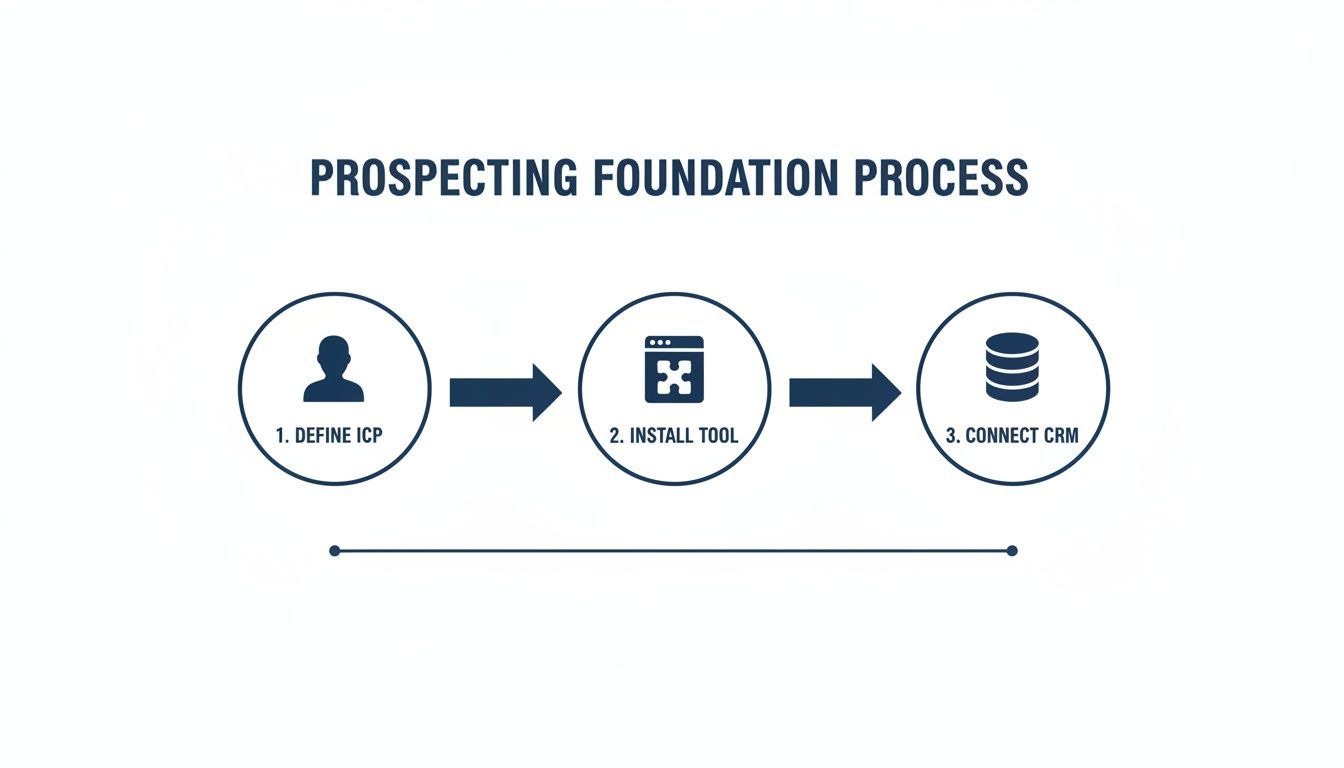
As you can see, it all begins with a crystal-clear customer profile and the right tech setup.
The Power of Real-Time Verification
Finding an email is only half the battle. Making sure it’s deliverable is what truly matters. This is why real-time email verification is a non-negotiable feature in any prospecting tool worth its salt.
When you use a good extension to find an email, it instantly runs a check to confirm the address is active and can receive mail. This one step has a massive impact on your outreach.
- It protects your sender reputation. High bounce rates are a huge red flag for providers like Gmail and Outlook, signaling that you might be a spammer. This can land your future emails in the spam folder, making your campaigns worthless.
- It maximizes your outreach. Every verified email is a real shot at connecting with a prospect. By weeding out the bad addresses, you give your carefully crafted messages a chance to actually be seen.
- It saves you time and resources. Instead of wasting energy on dead-end contacts, your team can focus entirely on engaging with qualified, reachable leads.
Verification isn't just a feature—it's your insurance policy against wasted effort and a damaged domain. A low bounce rate is one of the most critical metrics for a healthy and sustainable outbound strategy.
The difference this makes is staggering. The best tools on the market now hit verified email discovery rates between 73% and 95%. This level of precision has pushed bounce rates for validated contacts to record lows—some tools now boast less than 3% bounces thanks to their robust, automated verification systems.
Want to go deeper on the technical side of how this works? We’ve got you covered in our complete guide on how to verify email addresses.
From Simple Contact to Enriched Lead
A verified email gets you in the door, but it’s the data around that email that lets you have a real conversation. This is where data enrichment comes in.
Modern tools don’t just spit out an email address; they deliver a comprehensive snapshot of the person and their company. With a single click, you can pull in over 30 unique data points, turning a name on a page into a rich, actionable profile right inside your CRM.
Key Data Points You Can Expect
Here’s a look at the kind of intel that transforms a basic contact into a well-rounded lead you can actually sell to:
| Category | Example Data Points | Strategic Value |
|---|---|---|
| Personal Info | Full Name, Job Title, Seniority Level | Lets you segment by role and personalize your message. |
| Company Info | Company Name, Industry, Employee Count, HQ Location | Gives you the context to tailor your pitch to their specific needs. |
| Contact Info | Verified Business Email, Direct Dial Phone Number | Opens up multiple channels for you to make contact. |
| Financial Info | Estimated Annual Revenue | Helps you qualify leads and prioritize high-value accounts. |
This is the fuel for hyper-relevant outreach. Instead of sending another generic "Hi [First Name]" email, you can reference their industry, company size, or specific role to craft a message that immediately shows you’ve done your homework. That’s how you cut through the noise and start real conversations.
Staying Compliant And Protecting Your Account
Having the right tools is only half the battle. If you ignore LinkedIn's rules of engagement, you're on the fast track to getting your account restricted or, even worse, permanently banned. That puts a dead stop to your outreach.
The key is to operate safely and ethically. Think of it this way: LinkedIn is always on the lookout for unnatural, bot-like behavior. Your best defense is simply to act like a human, not a machine. It's about being mindful and measured in how you browse profiles and collect information.
Navigating LinkedIn’s Activity Limits
LinkedIn keeps its exact activity limits under wraps, but the community has figured out some reliable guidelines to stay off their radar. The single biggest thing they watch? Daily profile views. Going overboard here is the #1 reason accounts get flagged.
It's all about velocity and volume. Visiting hundreds of profiles in an hour is a massive red flag. A much safer approach is to spread your activity throughout the day, just like a regular user would.
Your goal is to fly under the radar. Aggressive, high-volume actions scream "automation" to LinkedIn's systems. A slow, steady, and consistent pace is always the safer bet for long-term success.
While a basic LinkedIn account can technically handle around 80 profile views per day, experienced users will tell you to stay at about 50% of that—think 40 profiles daily—to keep your account in good standing. If you've got a premium account like Sales Navigator, your limits are higher, but the principle is the same: don't push it.
To keep your account safe, it's smart to follow some daily guidelines. These aren't official numbers from LinkedIn, but they're based on extensive community testing and are widely considered best practices.
LinkedIn Daily Activity Safety Guidelines
A practical guide to recommended daily actions on a professional network to keep your account safe, based on your account type.
| Account Type | Max Daily Profile Views | Recommended Safe Daily Views | Recommended Daily Connection Requests |
|---|---|---|---|
| Free | ~80 | 40 | 10-15 |
| Premium | ~150 | 75-80 | 20-25 |
| Sales Navigator | ~300 | 150 | 30-40 |
Sticking to the "Recommended Safe" numbers gives you a buffer and significantly reduces the risk of triggering the platform's automated security flags.
Behaviors That Put Your Account At Risk
Beyond raw numbers, certain actions are dead giveaways that you're using automation. Avoiding these patterns is critical.
Here’s what to watch out for:
- Excessive Connection Requests: Blasting out hundreds of generic connection requests is a classic spam signal. Keep them targeted, personalized, and relevant.
- Rapid Profile Hopping: Clicking through profiles faster than any human could possibly read them is an instant red flag. Linger for a few seconds on each one before moving on.
- Using Sketchy Tools: Not all browser extensions are built the same. Many cheap or free tools couldn't care less about the platform's rules and will put your account in jeopardy. Stick with reputable solutions. We've vetted some of the best in our guide to Chrome extensions for LinkedIn.
- Going Anonymous: It might be tempting, but constantly viewing profiles in private mode can look suspicious to the platform's algorithms.
Understanding The Legal Landscape
Staying out of trouble isn't just about platform rules; you also have to follow data privacy laws. While B2B outreach operates differently from B2C marketing, you absolutely need to know the basics of major regulations like GDPR and the CAN-SPAM Act.
General Data Protection Regulation (GDPR) This EU law is all about data privacy for citizens in the European Union. If you're sourcing contacts for people based in the EU, GDPR applies to you. The key concept here is "legitimate interest." For B2B outreach, you can usually claim this if your product or service is genuinely relevant to the person's professional role.
CAN-SPAM Act This is the U.S. law governing commercial email. It's a bit more relaxed than GDPR, but it has firm rules you must follow.
Here’s a quick rundown of what that means in practice:
- Accurate Header Info: Your "From," "To," and "Reply-To" fields have to be truthful and identify you or your business.
- Honest Subject Lines: No trickery. The subject line needs to reflect what's actually in the email.
- Identify it as an Ad: You have to clearly state that your message is an advertisement.
- Include Your Location: Your email must include a valid physical postal address.
- Provide an Opt-Out: You have to give people a clear and easy way to unsubscribe, and you must honor those requests immediately.
By respecting both platform rules and data privacy laws, you can build your prospect lists with confidence. It's this disciplined approach that makes sure your efforts are not only effective but sustainable for the long haul.
Turning Your Verified List Into Real Conversations
A perfectly verified and enriched list of emails is an incredible asset, but it’s just the starting block. The real value isn't in the data itself, but in what you do with it. The whole point of finding emails on LinkedIn is to spark genuine conversations that eventually lead to revenue.
This is where you connect the dots between smart prospecting and measurable growth. It requires a mental shift—from data collection to relationship building. Each verified email represents a person, not just a line in a spreadsheet. Your outreach needs to prove you’ve done your homework.

Crafting Outreach That Actually Resonates
Generic, copy-pasted emails are the fastest way to get ignored or marked as spam. The enriched data you’ve gathered—like a prospect's industry, seniority, or company size—is the fuel for creating messages that feel personal and relevant.
Instead of a generic opener, use a data point to show you understand their world. This small effort immediately separates you from the 90% of outreach that feels automated and impersonal. It shows respect for their time and proves you’re not just blasting out another template.
Here’s how to use that enriched data for smarter personalization:
- Reference Their Industry: Mention a specific challenge or trend in their vertical. For example, "Noticed you're in the B2B SaaS space, where customer retention is everything right now..."
- Acknowledge Their Role: Frame your value proposition around their responsibilities. A message to a Head of Sales should focus on revenue growth, while one to a CTO should highlight technical efficiency.
- Leverage Company Size: A startup with 20 employees has vastly different problems than a corporation with 2,000. Adjust your language and solution accordingly.
The best outreach emails don't feel like outreach at all. They feel like the start of a helpful, relevant conversation between two professionals who understand each other's context.
A Practical Template for Personalized Cold Email
Think of this less as a rigid script and more as a flexible framework. The key is to fill in the blanks with the specific, enriched data you've collected.
- The Hyper-Relevant Subject Line: Make it specific and intriguing, not clickbait. Something like "Idea for [Their Company]'s sales process" or "Question about your [Their Industry] initiative" works well.
- The Contextual Opener: Start by showing you know who they are. "Hi [First Name], I saw on your profile you lead the sales team at [Company Name]. Your team's recent expansion in the [Industry] sector caught my eye."
- The Clear Problem Statement: Briefly touch on a common pain point relevant to their role and industry. "Many sales leaders I speak with in the [Industry] space are finding it tough to keep their CRM data clean and actionable without hours of manual work."
- The Gentle Solution Pitch: Introduce your solution without being pushy. "We built a tool that plugs into professional networks and adds verified contacts directly to your CRM in one click, saving teams hours each week."
- The Low-Friction Call to Action: Don't ask for a 30-minute demo. Just ask for interest. "Would learning more about how we do this be helpful?"
This structure demonstrates research, addresses a relevant problem, and makes it easy for them to say yes.
Measuring What Truly Matters
Success in outreach isn't just about open rates. While it's a useful health metric for your subject lines and deliverability, it doesn't tell you if your message is actually working. You need to track the key performance indicators (KPIs) that signal real engagement.
The true business value emerges in conversion metrics. It’s crucial to track how many of these emails become qualified opportunities, because that’s what accelerates your prospecting cycle. If you want to dig deeper, platforms like Snov.io have great resources on tracking outreach effectiveness.
Focus your attention on these three core KPIs:
| Metric | What It Measures | Why It's Important |
|---|---|---|
| Reply Rate | The percentage of recipients who respond to your email. | This is the single best indicator of whether your message resonates. A good reply rate—positive or negative—means you were engaging enough to warrant a response. |
| Meeting Booked Rate | The percentage of prospects who agree to a meeting. | This metric directly measures your ability to turn a cold contact into a warm conversation. It's a clear signal of pipeline creation. |
| Lead-to-Opportunity Rate | The percentage of booked meetings that become qualified sales opportunities. | This is the ultimate ROI metric. It tells you if you're not just booking meetings, but booking meetings with the right people who have a real need for your solution. |
By tracking these KPIs, you move beyond vanity metrics and gain an honest picture of how your prospecting efforts contribute to the bottom line. This data-driven approach allows you to continuously refine your messaging and targeting, turning your list of verified emails into a powerful engine for business growth.
29+ CRMs supported. Try free for 7 days
Add to CRM finds verified emails, phone numbers, and job titles on LinkedIn® — then adds them to your CRM in one click.
Start Free TrialTrusted by 2,500+ users4.7Got Questions About Finding Emails on LinkedIn?
Even with a solid game plan, stepping into the world of LinkedIn email finding can feel a bit murky. It's totally normal to have questions about the rules, what actually works, and how to do it all without getting your account flagged.
Let’s cut through the noise. Here are some straight-up answers to the questions we hear all the time, designed to give you the confidence to build your prospect lists the right way.
Is This Even Legal?
This is, without a doubt, the first and most important question on everyone's mind. The short answer? Yes, it can be, but it all comes down to how you do it.
The whole legal question hangs on respecting data privacy laws like GDPR and CAN-SPAM. For B2B outreach, you're generally in the clear if you're operating under "legitimate interest." That's a legal way of saying your product or service is genuinely relevant to the person's professional role.
Here’s where people get it wrong:
- Spamming: Scraping emails in bulk to blast out unrelated, mass-market offers is a big no-no and illegal under laws like the CAN-SPAM Act.
- Ignoring GDPR: If you’re reaching out to folks in the EU, you absolutely must have a lawful basis for using their data. "Legitimate interest" is one, but you need to be sure it applies.
- Violating Terms of Service: While this isn't a legal issue per se, aggressive scraping is a direct violation of LinkedIn's User Agreement. Break the rules, and you risk getting your account suspended.
The key is responsible use. Focus on targeted, one-to-one B2B outreach that’s actually relevant to the person you're emailing. Ethical sourcing is about precision, not just piling up a massive list.
How Do Platforms Like LinkedIn Catch Scrapers?
LinkedIn has gotten incredibly good at spotting and blocking automated tools. They’re basically looking for any behavior that a normal human wouldn't do.
A few things that set off their alarm bells:
- Going Too Fast: Firing off a huge number of requests—like viewing hundreds of profiles in a few minutes from one IP address—is a massive red flag.
- Acting Like a Bot: Clicking through profiles faster than anyone could possibly read them or performing the exact same action on repeat looks suspicious. A human just doesn't move that way.
- Using Headless Browsers: Running scripts that don't perfectly mimic a real web browser's digital fingerprint is an easy way to get caught.
This is why reputable browser extensions are built to fly under the radar. They're designed to mimic human browsing speeds and patterns, which keeps your account safe while you work.
Do I Really Need a Paid Tool for This?
You could try to find contact info manually, profile by profile. But honestly, it’s a painfully slow process that often leads to dead ends or bad data. If you're serious about building a sales pipeline that actually works, a dedicated tool is a must.
Sure, free tools are out there, but they usually come with some serious baggage—think low-quality data, a higher risk of getting your account flagged, and bare-bones features.
A quality, paid tool is an investment in efficiency and accuracy. It gives you verified, enriched contact info and is built from the ground up with compliance and account safety in mind. The hours you save and the boost in connection rates will pay for the modest cost many times over.
Ready to stop wasting time on manual data entry and start building a high-quality pipeline? Add to CRM is the smart browser extension that finds verified emails on LinkedIn and saves them directly to your CRM in one click. Save 4+ hours a week and start prospecting smarter.
Start saving time and closing more deals.
Find verified contact info for your prospects on LinkedIn®, Gmail and Outlook — and add them to your CRM with 1-click.

 Loading...Trusted by 2,500+ founders, SDRs & more