How do i find email addresses for companies: Quick ways to reach right contacts
Discover how do i find email addresses for companies with practical steps, smart searches, and tools to reach the right contacts.
Published on February 19, 2026
Finding the right email address for someone at a company comes down to a few solid strategies: digging through public sources like their website, making an educated guess based on common patterns, or just using an email finder tool to do the heavy lifting for you. Honestly, the best approach is usually a mix of clever detective work and the right tech.
Why Finding the Right Email Is Still a Game Changer
In a world overflowing with social media DMs and automated chatbots, a direct email feels like a VIP pass. It’s your ticket to slide past the gatekeepers and land your message right in the inbox of the person who can actually make a decision. This isn't just about blasting out another cold pitch; it's the very first step in building a real business relationship.
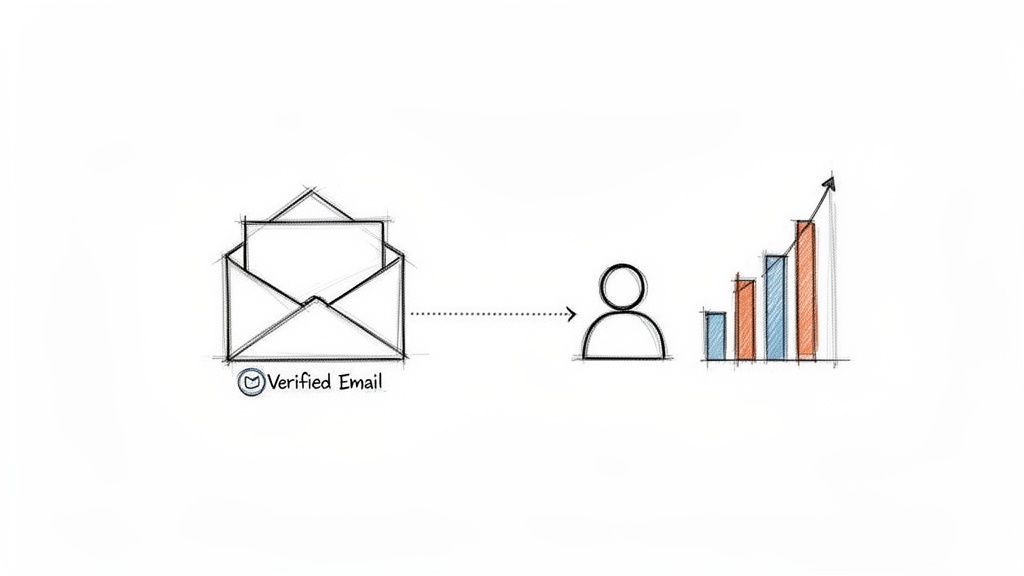
When you have a verified email, your outreach goes from a shot in the dark to a calculated move. It’s the difference between your carefully crafted message getting read or ending up in a generic info@company.com black hole, never to be seen again. This direct line is more than just convenient—it's a massive competitive advantage.
The Power of a Direct Connection
Think about the last time you got a truly personalized email. It stood out, right? It was relevant to you and showed the sender actually did their homework. Finding the right email is what makes that kind of personalization possible.
- It makes your message personal. A specific address means you can tailor your email to that person's role, their challenges, and their responsibilities. That alone will dramatically increase your chances of getting a reply.
- It guarantees delivery. Verified emails don't bounce. Fewer bounces means less wasted time and a healthier sender reputation, making it easier for your future emails to land in the inbox.
- It drives a higher ROI. When you reach decision-makers directly, you shorten the sales cycle and have more meaningful conversations. That delivers a much better return than broad, untargeted campaigns.
Email isn't going anywhere. The global email user base is expected to hit 4.73 billion by 2026—that’s roughly 56% of the world's population. That massive number confirms email is still a critical channel for any business that’s serious about growth.
A verified email address isn't just a piece of data; it's an invitation to a conversation. It separates serious professionals from anonymous spammers and is the starting point for every successful outreach campaign.
Laying the Groundwork for Success
Before we get into the nitty-gritty, it’s important to appreciate the value of what you're looking for. Every correct email you find is a potential partnership, a sale, or a valuable professional connection. Mastering this skill isn't about data collection; it's about building a pipeline of real opportunities.
This guide will walk you through everything from clever manual search tricks to the best ways to use modern prospecting tools. If you want to jump ahead to some advanced strategies, check out our detailed guide on finding business emails. By understanding the "why" first, you'll be much better prepared to master the "how."
Mastering the Manual Search: The Prospecting Ground Game
Before you ever spend a dime on a fancy tool, you need to get your hands dirty. Learning how to find a company email address with nothing but a web browser and a bit of creativity is a foundational skill. Seriously, it makes every other method you'll learn ten times more effective.
This isn't about aimless scrolling; it's about a systematic hunt for clues people leave all over the web. Think of it as your prospecting ground game—the fundamental techniques that actually win deals.
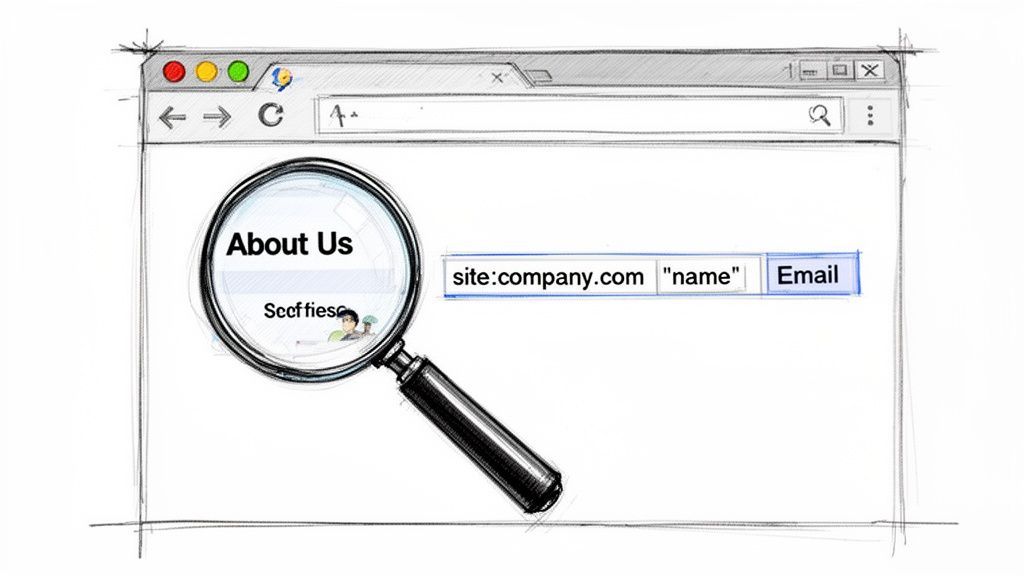
Let's walk through a real-world scenario. Say you want to contact a Marketing Director named "Jane Miller" at a company called "Innovate Corp." Your mission, should you choose to accept it, is to find her direct email without any special software.
Digging for Gold on the Company Website
Your first stop should always be the company’s official website. It's an overlooked goldmine of contact info, but you have to know where to look. You'd be surprised how many companies publish this data, especially for certain departments.
Start by poking around these key pages:
- About Us or Team Page: The most obvious spot, and for good reason. Look for Jane Miller's profile. Sometimes, companies list emails right there. Even if they don't, you might find a lower-level employee's email, which instantly reveals the company's address pattern.
- Press Releases or Newsroom: Scan a few press releases for media contacts. A PR manager’s email (like
firstname.lastname@innovatecorp.com) is the perfect clue for decoding the format used across the entire organization. - Blog or Articles: Check if Jane has authored any blog posts. Her author bio might have a direct email or a link to a personal site with more contact details.
This initial sweep gives you context and often the first breadcrumb you need to piece the puzzle together. It's a low-effort, high-reward first step.
Unleashing Advanced Google Search Operators
If the company website is a dead end, it's time to let Google do the heavy lifting. A standard search won't get you far, but advanced search operators can uncover addresses hiding in plain sight. These commands tell Google exactly what to look for and where.
For our mission to find Jane, you’d use a combination of these operators to slice through the noise. This method is incredibly good at finding emails mentioned in online documents or publications.
Try plugging these specific strings into Google:
site:innovatecorp.com "Jane Miller" emailThis tells Google to only look within the Innovate Corp website for pages that mention "Jane Miller" and the word "email.""Jane Miller" Innovate Corp email OR contactThis is a broader search that looks for her name and company alongside contact-related keywords anywhere on the internet.filetype:pdf "Innovate Corp" emailThis one is powerful. It searches only for PDF documents containing the company name and "email." Think conference attendee lists, marketing slicks, and technical papers—they're often PDFs and frequently contain direct contact info.
The real magic of manual searching is in combining these techniques. Use the company site to find names and roles, then use Google operators to see if their contact details have ever been published somewhere else.
Strategic Use of Professional Networks
Professional networking platforms are obviously essential for identifying the right people, but they also offer subtle clues about email structures. While these sites do a good job of hiding direct email addresses, the intelligence you can gather is invaluable.
First, confirm Jane Miller's exact title at Innovate Corp. Is she the "Director of Marketing" or "VP of Digital Marketing"? Getting this right is critical.
Next, look for her colleagues. Finding a more junior team member who might be more active online can be a huge help. For instance, a "Marketing Coordinator" at Innovate Corp might have their email listed on a personal portfolio or a guest post they wrote. Once you find just one valid email, you can often deduce the pattern for everyone else—a powerful technique we'll dive into next.





Turn LinkedIn® profiles into CRM contacts
AddToCRM finds verified emails, phone numbers, and job titles on LinkedIn® — then adds them to your CRM in one click.
Get 5 Free LookupsCrack the Code to Find Any Email Address
Finding one person's email is good. Figuring out the pattern a company uses for all its emails? That’s a game-changer. This is how you go from tedious one-off searches to building entire lead lists at scale.
Think of it like finding a Rosetta Stone for prospecting. Once you crack the formula for a single employee, you can usually figure out the email for just about anyone else at that company. Most businesses don't get creative here; they stick to a predictable structure. All you need is one verified email to reverse-engineer the whole system.
The Most Common Business Email Formats
In my experience, the vast majority of companies stick to just a handful of email patterns. Sure, you'll find some weird outliers, but most use some simple combination of an employee's first and last name. This predictability is your secret weapon.
The goal isn't to guess randomly. It's to make a few educated assumptions based on what's most common out in the wild.
Here are the patterns I see constantly:
- First Name Initial + Last Name:
jmiller@company.com(Super common, especially at bigger companies trying to keep addresses short.) - First Name . Last Name:
jane.miller@company.com(An absolute classic. You see this format everywhere.) - First Name Only:
jane@company.com(A favorite at startups and smaller businesses where everyone's on a first-name basis.) - First Name + Last Name Initial:
janem@company.com(A little less common, but it definitely pops up.) - Full Name:
janemiller@company.com(Simple, clean, and another very popular choice.)
Start with these high-probability formats. You'd be amazed how often one of them hits. Once you have a name and a company domain, you can quickly build a short list of potential emails to test.
Before you start testing, it helps to know which patterns are most likely to work. Companies tend to follow trends, and this table breaks down what I see most often.
Common Business Email Patterns and Their Likelihood
| Email Pattern Example | Format | Common Usage | Success Probability |
|---|---|---|---|
jane.doe@company.com | firstname.lastname@ | The default for many traditional and tech companies. | Very High |
jdoe@company.com | firstinitiallastname@ | Common in larger firms to avoid long addresses. | Very High |
janedoe@company.com | firstnamelastname@ | Simple and popular, especially in mid-sized businesses. | High |
jane@company.com | firstname@ | Frequently used by startups and smaller, tight-knit teams. | Medium |
janed@company.com | firstname_lastinitial@ | Less common but still a valid pattern you'll encounter. | Low |
While this isn't a hard-and-fast rule, starting with the "Very High" probability patterns will save you a ton of time.
The most powerful prospecting technique isn't just finding an email; it's identifying the underlying pattern. This transforms your search from a one-off task into a scalable system for generating hundreds of accurate leads from a single clue.
How to Test Your Guesses (Without Sending a Single Email)
So you have a handful of guesses for Jane Miller at Innovate Corp. Now what?
You could just fire off an email to each one and see which ones bounce, but that’s a messy strategy. It clogs up your outbox and, worse, can damage your sender reputation with email providers. There's a much smarter way.
Use a free email verification tool. These services don't actually send a message. Instead, they ping the company's mail server to see if that specific mailbox exists. It’s a clean, instant check that tells you if your guess is right without anyone knowing you were looking.
Here’s the simple workflow I use:
- List Your Best Guesses: Write down the top 5-10 most likely email addresses for your contact (e.g.,
jane.miller@,jmiller@,jane@). - Grab a Free Verifier: There are dozens of free online tools that will give you a few free checks per day. A quick search for "free email verifier" will do the trick.
- Test Them One by One: Just copy and paste each of your guesses into the tool.
- Look for the "Valid" Result: The verifier will tell you which address is "valid" or "deliverable." The first one that comes back positive is your winner—you've just confirmed the company's email pattern.
For instance, if the tool flags jane.miller@innovatecorp.com as valid, you can now be 99% sure the CEO, John Smith, is john.smith@innovatecorp.com. You just unlocked the key to finding anyone in that company. This whole process is fast, free, and keeps your outreach professional by ensuring you never send a bounced email again.
Using Email Finders to Accelerate Your Workflow
Mastering manual searches and decoding email patterns are fantastic skills. They give you a solid foundation for prospecting. But let's be honest—they take a ton of time.
When you need to find email addresses for companies at scale, doing everything by hand becomes a major bottleneck. It slows down your entire sales motion.
This is where automation becomes your best friend. Email finder tools are built to do the heavy lifting, transforming prospecting from a time-consuming grind into a fast, efficient process. Instead of spending hours hunting for clues, you can find verified contacts in seconds.
Turning Clicks Into Contacts Instantly
Picture this: you’re browsing a company's website or a professional network and find the perfect prospect—let's say it's the Head of Engineering at a fast-growing tech firm. The old way involved opening new tabs, running a bunch of Google searches, guessing email patterns, and just hoping for the best.
With a modern email finder, usually in the form of a browser extension, the workflow is completely different. You just click a button right on their profile. The tool instantly gets to work, finding and verifying their professional email address in real-time. But it doesn't stop there.
The best tools enrich this data on the spot, pulling in other key details like their direct phone number, company size, and revenue. Even better, all of this information can be synced straight to your CRM with another click. You've just created a clean, complete contact record without ever leaving the page.
The Tangible Benefits of Automation
Switching from manual searching to an email finder isn't just about moving faster; it's about fundamentally changing how your team operates. You're freeing up your most valuable resource—time—and letting your sales reps focus on what they do best: building relationships and closing deals.
The advantages are clear and immediate:
- Massive Time Savings: Reps can spend up to 40% of their time just looking for someone to prospect. Automation slashes that down, giving them hours back each week to focus on actual selling.
- Superior Data Accuracy: Top-tier email finders don’t just guess. They use multiple sources and perform real-time verification checks, which means fewer bounced emails, a better sender reputation, and more of your messages actually landing in the right inbox.
- Building Quality Lists at Scale: Manually building a list of 100 targeted, verified prospects could take days. With the right tool, it can be done in an afternoon, empowering you to launch larger, more effective outreach campaigns.
This infographic shows a simplified version of the manual decoding process that these tools automate for you.
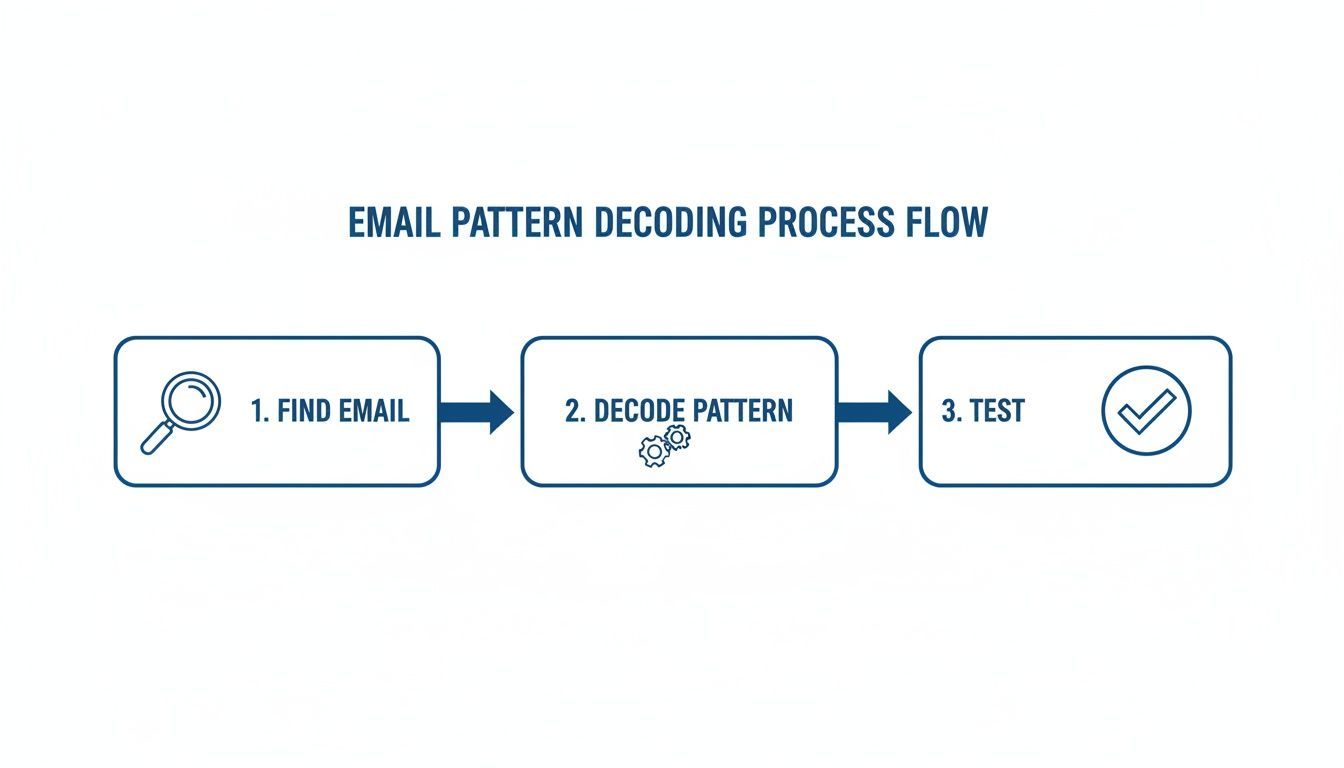
The visualization breaks down the find, decode, and test workflow—which is exactly what email finder tools do automatically in a matter of seconds.
Choosing the Right Email Finder Tool
Not all email finders are created equal. The market is flooded with options, so it’s important to know what you’re looking for. A cheap tool that provides junk data is worse than no tool at all because it leads to bounced emails that can wreck your domain's sending reputation.
When you're evaluating options, prioritize these key features:
- High Accuracy and Verification: Look for a provider that guarantees a high accuracy rate (ideally 95% or higher) and includes real-time email verification with every search.
- Seamless CRM Integration: The tool should plug into your existing CRM without a headache. A one-click "Add to CRM" function is a must-have for eliminating manual data entry.
- Comprehensive Data Enrichment: Finding an email is great, but getting extra data points like job title, seniority, company industry, and funding info gives your outreach crucial context.
- Workflow Integration: The best tools work where you work. A Chrome extension that functions on professional networks and company websites is essential for efficient prospecting.
The goal of an email finder isn't just to find an email. It's to give your sales team a reliable, high-speed engine for pipeline generation, ensuring they always have a fresh list of qualified prospects to engage.
Ultimately, integrating an email finder into your workflow is about shifting your team’s focus from low-value data-digging to high-value relationship-building. By automating the most tedious part of prospecting, you empower your reps to have more meaningful conversations, book more meetings, and drive more revenue.
For a deeper look at the top options available, check out our guide on the best email finder tools on the market.
Keeping Your Data Clean and Your Outreach Compliant
Finding an email is a great first step, but it’s only half the battle. How you use that address is what actually builds trust, protects your reputation, and ultimately decides if your outreach succeeds or fails.
This final part of the process is all about two things: data quality and responsible communication.
Think of it like this: a found email is just a lead, but a verified email is an asset. There’s a huge difference between the two, and it directly impacts your ability to actually connect with anyone.
Why You Absolutely Must Verify Emails
An unverified email list is a minefield. When you send messages to bad addresses, you get hard bounces, which is a massive red flag for email providers like Google and Microsoft.
If your bounce rate creeps up (anything over 2% is risky), they'll start thinking you're a spammer. That’s how you get your entire domain blacklisted.
Email verification is your insurance policy. Before you hit send, verification tools run a quick technical check to confirm a few key things:
- Syntax Check: Is the email formatted correctly (like
name@domain.com)? - Domain Check: Does the company’s domain actually exist and accept mail?
- Mailbox Check: Does this specific inbox (
name@) really exist on their server?
This simple step ensures your emails have a place to land, which protects your sender score and keeps your deliverability high. For a complete walkthrough, you can learn more about how to verify email addresses in our detailed guide.
An unverified email is a liability. A verified email is an opportunity. Protecting your sender reputation is non-negotiable for any sustainable outreach strategy.
Navigating Outreach Rules Like GDPR and CAN-SPAM
Once your list is clean and verified, you have to be mindful of the rules of the road. Regulations like GDPR in Europe and the CAN-SPAM Act in the U.S. are in place to protect people from unwanted commercial messages.
While the acronyms might sound intimidating, following them for legitimate B2B outreach is pretty straightforward.
And the good news is that email is still a powerhouse for growth. It's often cited as being 40 times more effective than social media for finding new customers. People who arrive from an email are far more likely to buy than those coming from search or social. Dig into more stats on email marketing's powerful ROI to see just how much is at stake.
Key Principles for Compliant B2B Outreach
You don’t need a law degree to get this right. Just stick to a few core principles rooted in transparency and respect.
- Legitimate Interest: For B2B outreach under GDPR, you can generally contact someone if your product or service is genuinely relevant to their professional role. The key is that your message should be something they might reasonably expect and find valuable.
- Be Transparent: Clearly state who you are and why you’re reaching out. Don't use deceptive subject lines or hide your identity—that's a fast track to the spam folder and potential legal trouble.
- Provide a Clear Opt-Out: Every single marketing or cold outreach email you send must include a simple, obvious way for the recipient to unsubscribe. This is non-negotiable under both CAN-SPAM and GDPR. Hiding the unsubscribe link is a clear violation.
- Honor Opt-Outs Immediately: When someone clicks unsubscribe, you have to remove them from your list right away. No excuses. Maintaining a suppression list is essential for staying compliant.
By pairing a high-quality, verified list with a compliant outreach process, you’re not just finding email addresses. You’re building a foundation for trustworthy communication that actually gets results.
23 CRMs supported. Free to start
AddToCRM finds verified emails, phone numbers, and job titles on LinkedIn® — then adds them to your CRM in one click.
Get 5 Free LookupsA Few Lingering Questions
Even with the best tools, some questions always pop up when you're digging for contact info. Let's tackle the most common ones—getting these details right is what separates a professional outreach campaign from a spam folder disaster.
Is It Actually Legal to Email Someone If I Find Their Address Online?
This is the big one, and the answer is: it depends, but for B2B, you're often in the clear.
In most places, business-to-business outreach is allowed under a legal concept called 'legitimate interest' (this is a cornerstone of GDPR). Basically, it means you can contact a professional if your service is genuinely relevant to their job.
For instance, pitching a new CRM integration to a VP of Sales? That almost certainly qualifies. Pitching them a personal loan? Not so much.
But this isn't a free pass. You have a few non-negotiable responsibilities:
- Be upfront about who you are and why you're emailing them. No sneaky business.
- Keep it relevant. The message has to relate directly to their professional role.
- Give them an easy out. A clear, one-click unsubscribe link is mandatory.
It all boils down to targeted, respectful communication instead of just blasting a generic message to everyone. When in doubt, it's always smart to check in with a legal pro to make sure you're compliant with local laws like CAN-SPAM in the U.S. or GDPR in Europe.
What's the Best Free Way to Find an Email Address?
If you're on a budget, the most reliable free method is good old-fashioned detective work. It takes a bit more elbow grease, but it can be surprisingly effective.
Start with the company's website. Scour the 'About Us,' 'Team,' or 'Press Release' pages. All you need is one person's email address to crack the code. Once you find one—say, jane.doe@company.com—you can pretty confidently guess the format for everyone else.
From there, you can turn to Google. Use advanced searches like site:company.com "John Smith" email to see if their address is mentioned in a blog post or public document. While some free finder tools exist, they usually come with tiny search limits or shaky accuracy, making a bit of manual digging the better bet.
How Do I Keep My Outreach Emails from Going to Spam?
This is mission-critical. A one-way ticket to the spam folder is the fastest way to kill your outreach efforts and tank your sender reputation, which is a real pain to fix.
Here’s what you absolutely have to do:
- Verify every single email. A bounce rate over 2-3% is a massive red flag for email providers like Google and Microsoft. Verification is your best defense.
- Warm up your email account. If you’re using a new email address, don't just start firing off hundreds of emails. Start slow, sending a few dozen a day, and gradually ramp up over a few weeks. This builds trust.
- Personalize, personalize, personalize. Spam filters are smart enough to spot generic, copy-pasted templates. Mention the person's name, company, and something specific that shows you've done your homework.
- Ditch the spam trigger words. Avoid words like "free," "guarantee," "act now," or a ton of exclamation points, especially in the subject line.
- Always include an unsubscribe link. This isn't just polite; it's a legal requirement in most countries.
A good rule of thumb: write emails that you'd actually want to open. If your message is valuable and hyper-relevant, you're already most of the way there.
What's the Difference Between an Email Finder and a Verifier?
People mix these up all the time, but they do two very different things.
An email finder is a tool that hunts down or predicts an email address. You give it a name and a company, and it gives you back a probable email. It's the discovery part of the process.
An email verifier, on the other hand, checks if an email address is real and can receive mail. It performs a quick, technical handshake with the email server to confirm the inbox exists, all without actually sending an email.
Modern prospecting tools like Add to CRM do both at once. They find the most likely email and immediately run a verification check on it. This means you only work with clean, deliverable data, which saves you a ton of time and protects your sender reputation.
Ready to stop wasting time on manual data entry and start building your pipeline faster? With Add to CRM, you can find verified contact information for over 220 million professionals and add them to your favorite CRM in a single click, right from your browser. Start for free on addtocrm.com and save hours every week.
Start saving time and closing more deals.
Find contact info for your prospects on the #1 business social network and add them to your CRM with 1-click.

 Loading...
Trusted by 1000s of founders, SDRs & more
