How to Find Your API Key in Less Annoying CRM
Learn the quick and easy steps to find your API key in Less Annoying CRM. Enhance your CRM experience and streamline your workflow now!
Watch this 45 sec video on how to Find Your Less Annoying CRM API Key

To integrate Less Annoying CRM with third-party tools like the Add to CRM Chrome extension, you’ll need to create and use an API key. This guide walks you through finding and setting up your Less Annoying CRM API key.
Steps to Access Your API Key in Less Annoying CRM
Log into Your Less Annoying CRM Account
Go to Less Annoying CRM and log in using your credentials.- Navigate to Your Settings
In the top-right corner, click on your profile picture or name, and then select Settings.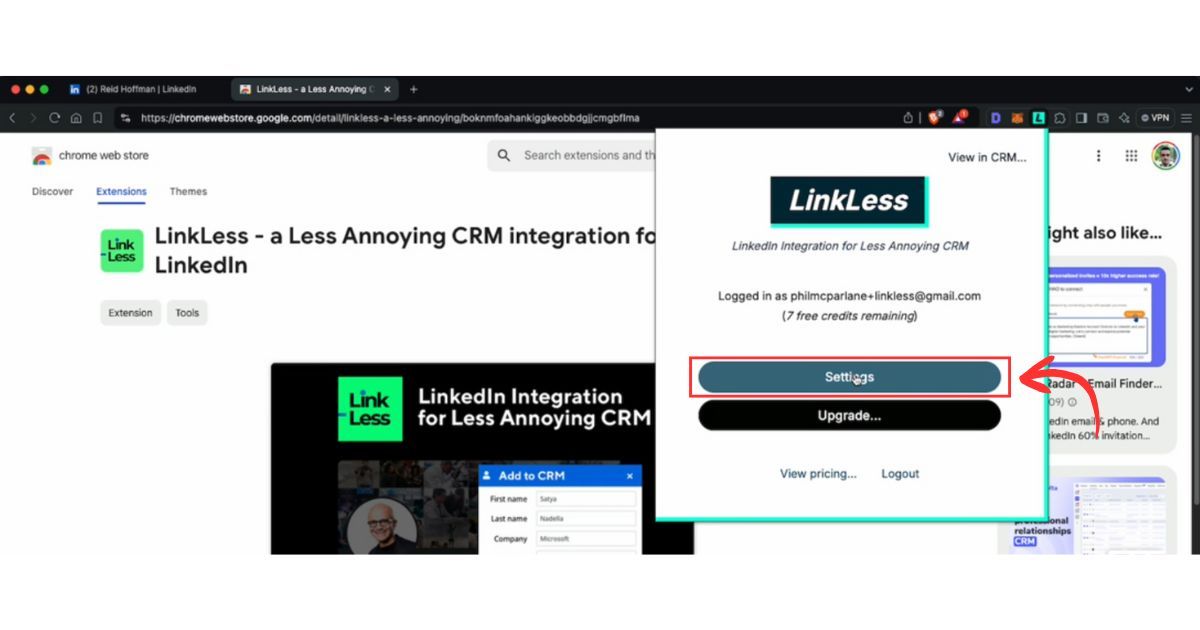
- Go to API Key Section
In the Settings page, scroll down to the API section. Here, you’ll find the options to create and manage API keys.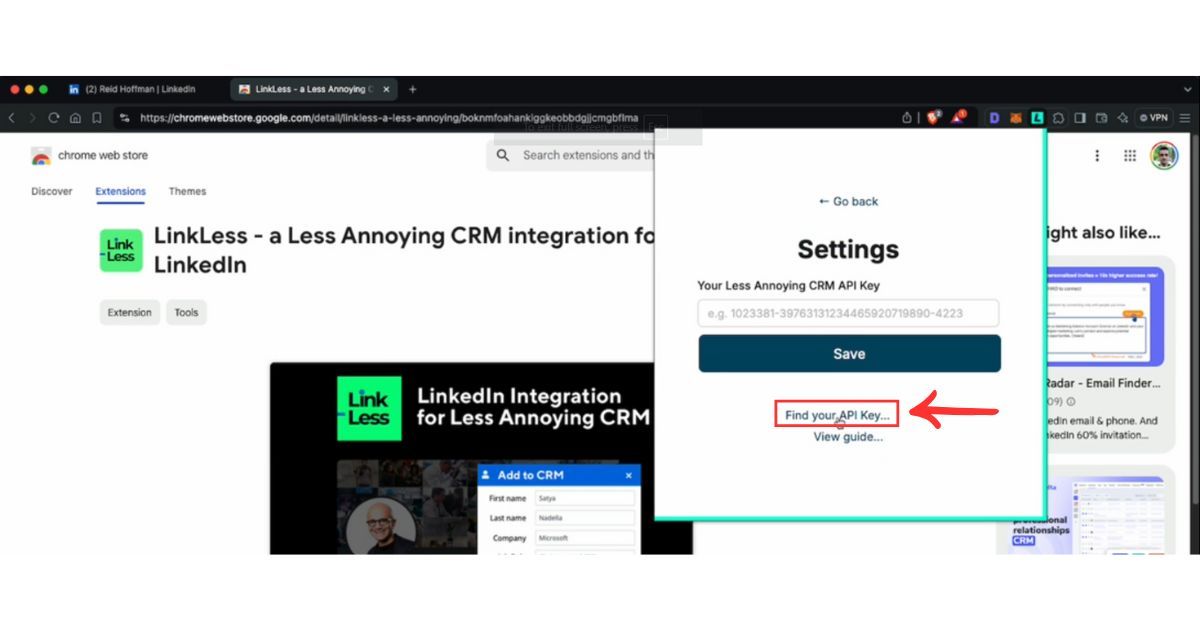
- Create a New API Key
In the API section, click Create New API Key. Name the key (e.g., “Add to CRM Integration”) and select Read access. You do not need to enable editing or deleting permissions if your integration only requires adding contacts.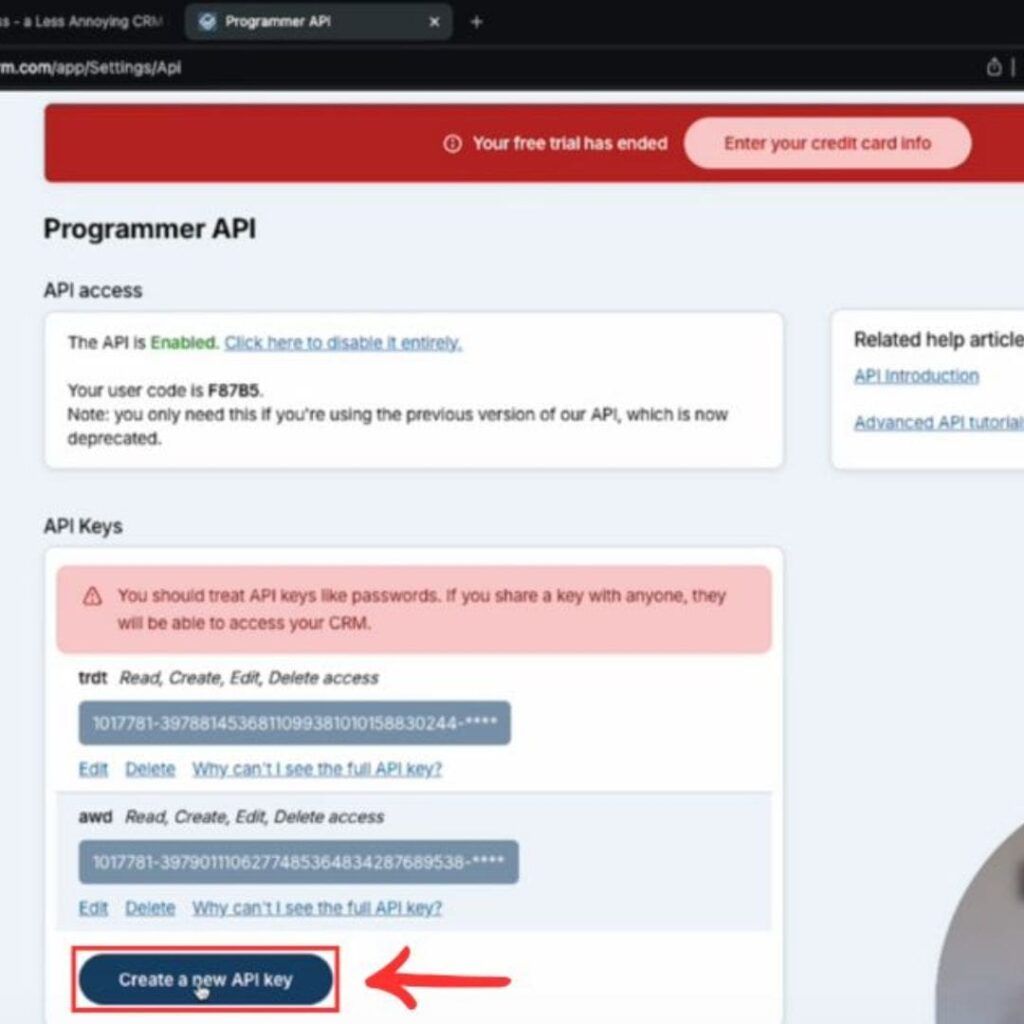
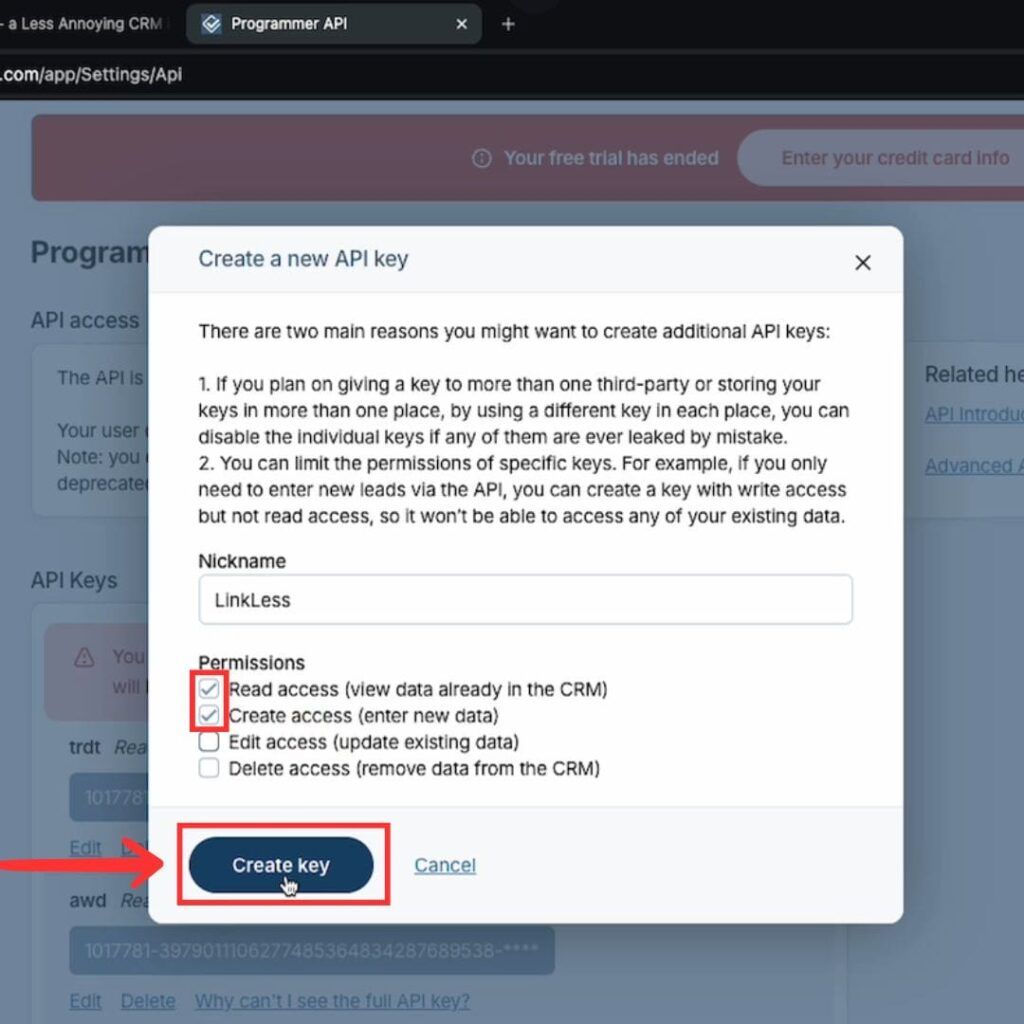
- Copy the API Key
Once the API key is generated, click Copy to copy the key to your clipboard.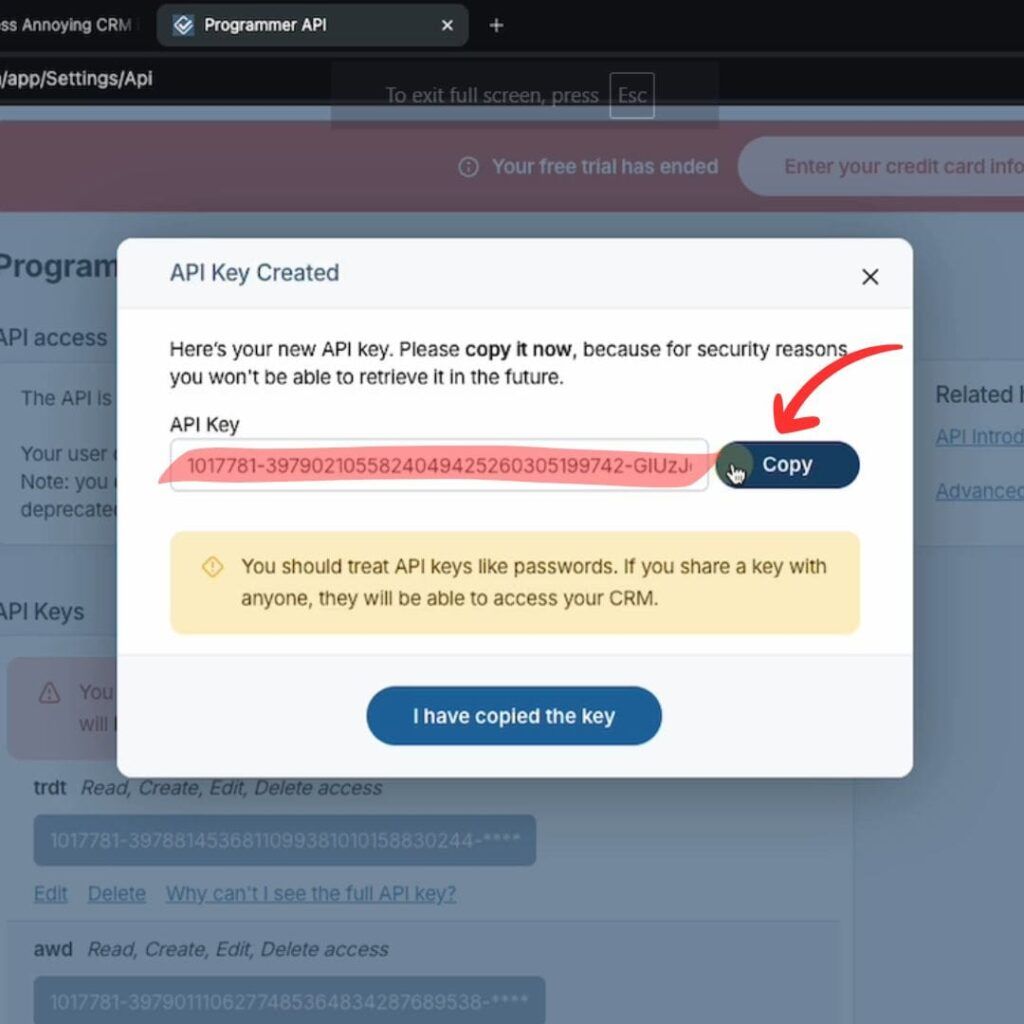
Enter the API Key in Add to CRM Extension
Open the Add to CRM Chrome extension settings and paste the copied API key into the required field. Save the settings to enable integration with your Less Annoying CRM.Verify the Setup
Now, when viewing a LinkedIn profile, you’ll see an Add to Less Annoying CRM button to add contacts directly to your CRM.
That’s it! You’re now set up to seamlessly add contacts from LinkedIn to Less Annoying CRM.
For direct access to the API settings, go to: https://www.lessannoyingcrm.com/settings/api.
 Less Annoying CRM Integration
Add contacts to Less Annoying CRM from LinkedIn®
Enrich profiles with verified emails and phone numbers. Sync to Less Annoying CRM in one click.
Try Less Annoying CRM Extension7-day free trial · Cancel anytime
Save 4+ hrs / week on Less Annoying CRM data entry.
Find verified contact info for your prospects on LinkedIn®, Gmail, Outlook & company websites. Add them to your Less Annoying CRM with 1-click.
 Loading...


 Trusted by 2,500+ founders, SDRs & more