Top 10 High-Performing Follow Up Email Subjects to Try in 2026
Discover 10 proven follow up email subjects that get opens. Our guide covers templates, tips, and best practices to boost your response rates this year.
In the world of B2B communication, the difference between a reply and the delete button often comes down to just a few words: your subject line. A generic "Following up" or "Checking in" is a one-way ticket to the archive folder, blending in with the dozens of other low-effort messages your prospect receives daily. This is where most outreach efforts fail. The initial email might have been strong, but a weak follow-up effectively erases that first impression and halts momentum.
Effective follow up email subjects are not just about getting opened; they are about strategically re-engaging prospects, demonstrating persistent value, and restarting conversations that have gone cold. They act as a powerful hook, leveraging psychological triggers like curiosity, urgency, and personalization to break through the noise. A well-crafted subject line acknowledges the prospect's busy schedule while providing a compelling reason to dedicate a moment of their attention to your message. It’s the critical first step in turning a silent lead into an active opportunity.
This guide moves beyond generic advice, offering a strategic roundup of 10 high-performing follow-up subject line templates designed for specific scenarios. We'll break down the psychology behind why each approach works, provide actionable examples you can adapt immediately, and offer tips for implementation. You will learn how to transform your follow-up game from a passive afterthought into an active, strategic advantage that builds relationships and drives real pipeline growth. We will cover everything from simple, question-based hooks to data-driven insights that command attention and earn a response.
1. The Question Mark Strategy
The Question Mark Strategy is one of the most effective techniques for writing compelling follow up email subjects. It leverages natural human curiosity by posing a direct question that prompts the recipient to open the email to find the answer or provide one. This simple yet powerful method shifts the dynamic from a one-way statement to the beginning of a two-way conversation.
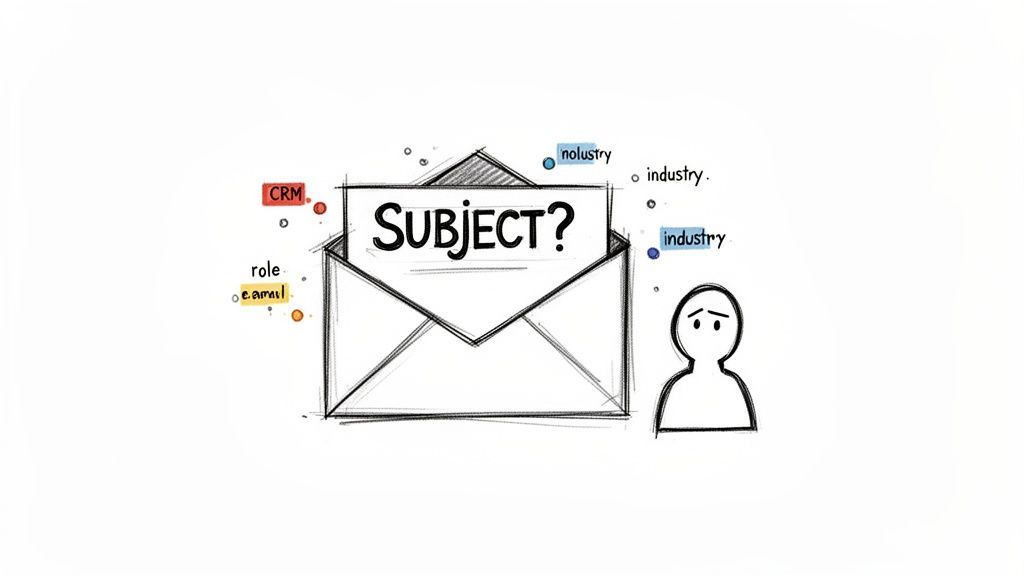
This approach works exceptionally well when following up on initial outreach that received no response. It re-engages the prospect by making the subject line feel personal and relevant, rather than like another automated blast. The key is to ask a question that is specific, relevant to the recipient's potential challenges, and easy to understand at a glance.
When to Use This Strategy
This technique is ideal for the second or third touchpoint in a sales cadence after an initial, value-driven email has been sent. It’s perfect for Sales Development Representatives (SDRs) and Account Executives aiming to break through the noise and get a response from a cold or lukewarm prospect.
Actionable Tips for Implementation
- Personalize with CRM Data: Use prospect data (like their role, industry, or company size) to craft highly specific questions. For example, a generic "Quick question?" becomes "Question about [Company]'s Q4 hiring goals?".
- Keep it Genuine: Ask questions you actually want an answer to, not rhetorical ones. This authenticity helps build rapport and shows you've done your research.
- Optimize for Mobile: Keep your question concise, ideally under 10 words, to ensure it’s fully visible on mobile devices where most emails are first read.
- Connect to Pain Points: Frame your question around a specific challenge or goal you can help with. This immediately positions you as a potential solution provider.
Pro-Tip: Test different question angles across your audience segments. A question that resonates with VPs of Sales might differ from one that works for Marketing Directors.
Examples of Effective Question-Based Subjects
Did you see the [Industry] report I shared?Quick question about your [Company] expansion plans?Are you still looking to improve [specific pain point]?[First Name], thoughts on this?
2. The Time-Sensitive/Urgency Template
The Time-Sensitive/Urgency Template is a classic yet highly effective strategy for crafting compelling follow up email subjects. This method leverages the psychological principle of loss aversion by signaling that a valuable opportunity has an expiration date. Creating a sense of urgency prompts recipients to prioritize your email, significantly increasing the likelihood of an immediate open and response.
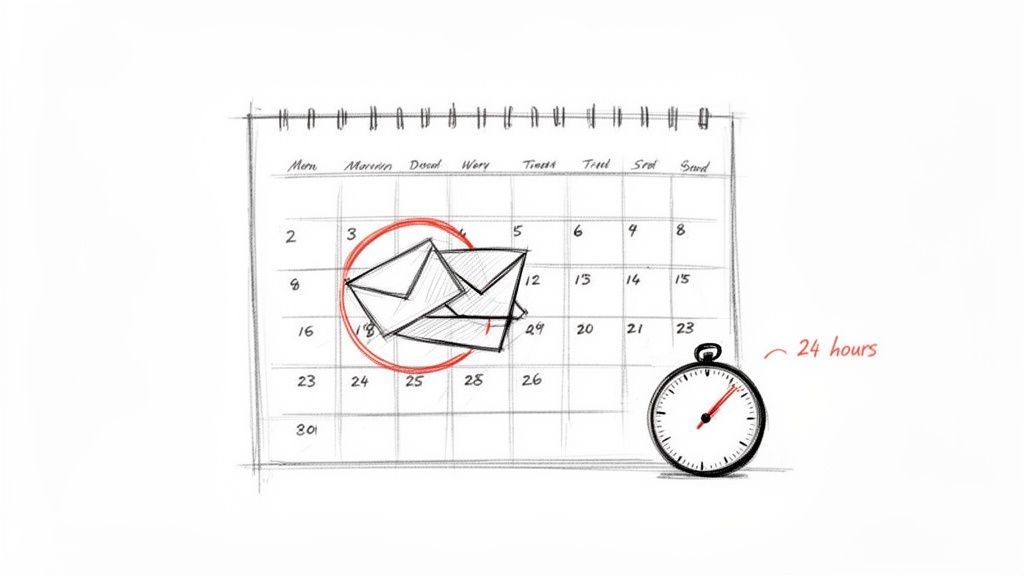
This approach is particularly powerful for follow-ups where initial interest may be fading or for situations involving time-bound offers like a limited-time discount, a webinar with fixed seats, or a calendar slot that will soon be filled. The key is to present the urgency as genuine and directly tied to a specific benefit for the recipient, making it feel helpful rather than manipulative.
When to Use This Strategy
This template is best used later in a sequence, such as the third or fourth touchpoint, after you've established value but haven't received a response. It is also ideal for re-engaging prospects who have shown previous interest (e.g., opened previous emails or clicked a link) and just need a final nudge to take action. It works well for sales teams closing out a quarter or marketers promoting a limited-enrollment event.
Actionable Tips for Implementation
- Be Authentic: Only create urgency when it's real. Fabricated deadlines erode trust. In the email body, briefly explain why the deadline exists (e.g., "My calendar for next week is nearly full").
- Specify the Deadline: Vague urgency is ineffective. Use concrete dates and times like "expires Friday" or "ends at 5 PM EST" to create a clear call to action.
- Segment Your Audience: Target this strategy at your highest-intent leads first. Use CRM engagement data, like tracking opens and clicks, to identify warm prospects who are most likely to respond to a time-sensitive nudge.
- Pair with a Clear CTA: The email body must contain a simple, direct next step, such as a calendar booking link or a direct question about their availability.
Pro-Tip: Test different timeframes to see what resonates. A "24-hour response" might work for a quick decision, while a "last chance this week" is better for scheduling a meeting.
Examples of Effective Urgency-Based Subjects
Last chance: [Benefit] expires FridayOnly 2 spots left for [Service/Webinar]Quick 15-min call this week?Your calendar window closes [Date]
3. The Reference/Social Proof Template
The Reference/Social Proof Template is a highly effective method for writing follow up email subjects that build instant credibility. It leverages the power of social proof by mentioning a mutual connection, a respected peer company, or a compelling case study directly in the subject line. This approach immediately signals that your message is relevant and trustworthy, reducing the recipient's natural skepticism towards unsolicited outreach.
This strategy works because it taps into a fundamental psychological principle: people are more likely to trust something if others they know and respect also trust it. By referencing a known entity, you transform a cold follow-up into a warm introduction. This makes your email stand out in a crowded inbox and significantly increases the likelihood of it being opened.
When to Use This Strategy
This template is perfect for follow-ups when you have a legitimate, verifiable connection or a strong, relevant case study. It's especially powerful for SDRs and Account Executives looking to engage high-value prospects or break into new accounts where trust is paramount. Use it in the first or second follow-up to make a strong impression early on.
Actionable Tips for Implementation
- Verify Your Connections: Before name-dropping, ensure the mutual connection is genuine and recognizable to the prospect. A weak or mistaken reference can backfire and damage your credibility.
- Keep References Relevant: The company or person you reference should be relevant to the prospect's industry, role, or known challenges. Citing a competitor's success story is often a powerful motivator.
- Explain the Connection Immediately: In the first line of your email body, briefly and clearly explain the connection mentioned in the subject line to provide immediate context.
- Combine with Data: Enhance the impact by pairing the social proof with a specific data point. For example, mention a percentage increase or a specific positive outcome achieved by the referenced company.
Pro-Tip: Use your CRM to track relationships and successful customer stories by industry. This allows you to quickly pull the most relevant piece of social proof for each prospect you're following up with.
Examples of Effective Reference-Based Subjects
[Mutual Connection] recommended I reach outLike [Competitor Company], you might benefit from this[Company in Same Industry] just achieved [Result]Following up per [Referrer's] suggestion
4. The Value Proposition/Benefit-Driven Template
The Value Proposition/Benefit-Driven Template is a direct and powerful approach for creating high-impact follow up email subjects. Instead of focusing on getting a meeting, this strategy immediately communicates the core benefit or value your prospect will receive. It cuts through the noise by answering the recipient's unspoken question: "What's in it for me?" before they even open the email.
This method works because it frames your outreach around a tangible outcome, such as saving time, increasing revenue, or reducing costs. It positions you as a problem-solver and makes your email feel less like a sales pitch and more like a crucial business insight. This is particularly effective for prospects who are aware of your company but need a compelling reason to re-engage.
When to Use This Strategy
This template is ideal for a follow-up after an initial connection or a first meeting where the value was discussed but a decision wasn't made. It’s perfect for Account Executives trying to re-energize a stalled deal or for SDRs following up with a prospect who showed initial interest. It helps remind them of the specific, measurable results you can deliver.
Actionable Tips for Implementation
- Lead with Measurable Outcomes: Use specific numbers, percentages, or timeframes to make the benefit more concrete and believable. A subject like "Cut CRM data entry time in half" is much stronger than "Improve CRM efficiency."
- Tailor Benefits to Their Role: Customize the value proposition based on the recipient's job title. For a CRO, focus on revenue ("Increase pipeline velocity by 40%"), while for an Operations Manager, focus on efficiency ("Save your team 4+ hours per week").
- Leverage Customer Data: Use anonymized data from your existing customers, especially those in the prospect's industry, to add a layer of social proof and credibility to your claims.
- Focus on Benefits, Not Features: The subject line should highlight the result, not the tool that achieves it. For example, instead of "Our AI-powered platform," use "Reduce your sales cycle by 30%." Improving sales productivity is about achieving better outcomes, a concept you can explore further.
Pro-Tip: Use data from your CRM to segment prospects by industry or company size. A/B test different benefit-driven subjects for each segment to discover which outcomes resonate most with specific audiences.
Examples of Effective Benefit-Driven Subjects
Save your team 4+ hours per week on data entry[Industry] leaders increased pipeline velocity by 40%A 30% reduction in your sales cycle?[First Name], improve lead quality by 50%
5. The Pattern Interruption/Curiosity Loop Template
The Pattern Interruption/Curiosity Loop Template is a bold technique for creating compelling follow up email subjects. It works by intentionally breaking the pattern of predictable sales emails, using unexpected language to create an "information gap." This psychological trigger, known as a curiosity loop, compels the recipient to open the email simply to close the loop and satisfy their curiosity.
This strategy is highly effective for re-engaging prospects who have ignored previous, more conventional outreach. By disrupting their inbox scanning habits, you make your email stand out and feel less like an automated part of a sequence. The key is to create intrigue without resorting to misleading or deceptive clickbait, ensuring the email body delivers on the promise of the subject line.
When to Use This Strategy
This advanced technique is best reserved for a third or fourth touchpoint after initial, value-driven emails have been sent with no response. It's particularly useful for high-performing SDRs and growth teams trying to re-capture the attention of cold or unresponsive prospects in crowded inboxes. Use it sparingly and with careful monitoring.
Actionable Tips for Implementation
- Deliver on the Promise: Your email body must immediately address the curiosity you created. If the subject is "I think we made a mistake," the first line should explain the perceived mistake (e.g., "I think I made a mistake in my last email by not highlighting how this directly impacts your team's Q4 goals.").
- Relate to Genuine Value: Ensure the "pattern interrupt" connects directly to a legitimate business insight or value proposition. The goal is to be clever, not deceptive.
- Monitor Performance Closely: Pay close attention to spam complaints and unsubscribe rates. This tactic can be powerful, but if executed poorly, it can backfire.
- Personalize the Intrigue: Use CRM data to make the curiosity gap more personal. For example, "Turns out [Industry] companies are doing this differently" is stronger than a generic version.
Pro-Tip: Test these subject lines on a small, controlled segment of your list before rolling them out to your entire audience. Analyze open rates and reply rates to gauge effectiveness and ensure you're not damaging your sender reputation.
Examples of Effective Curiosity-Based Subjects
You were supposed to see this last weekOne thing we missed in our first email...Turns out [Industry] companies are doing this differently[First Name], I think we made a mistake

Turn LinkedIn® profiles into CRM contacts
Add to CRM finds verified emails, phone numbers, and job titles on LinkedIn® — then adds them to your CRM in one click.
Start Free Trial


 Trusted by 2,500+ users4.7
6. The Free Resource/Help-First Template
The Free Resource/Help-First Template is a powerful strategy for crafting follow up email subjects that lead with pure value. Instead of asking for a meeting or a response, this approach offers a genuinely useful resource-a checklist, template, industry report, or data-driven insight-with no strings attached. This method shifts the dynamic from a sales pitch to a helpful consultation, building trust and positioning you as an industry expert.
This tactic is particularly effective when a prospect has shown interest but isn't ready to commit. By providing a high-quality, relevant resource, you stay top-of-mind and nurture the relationship without applying pressure. The key is to offer something that directly addresses their challenges, demonstrating that you understand their world and are invested in their success, not just in making a sale.
When to Use This Strategy
This strategy is ideal for a mid-funnel follow-up after initial contact has been made but the conversation has stalled. It’s perfect for B2B marketers, account executives, and anyone in a consultative sales role looking to re-engage prospects by demonstrating expertise and building long-term rapport. It also works well to re-warm cold leads who have gone silent.
Actionable Tips for Implementation
- Create Role-Specific Resources: Develop assets tailored to your specific audience. Use CRM data to segment your contacts and create checklists for VPs of Sales or benchmark reports for Marketing Directors.
- Lead with the Benefit: Structure your subject line to highlight the resource type and its value. For example, use "Free benchmark:" or "Template:" at the beginning. Avoid leading with your company name.
- Ensure Genuine Value: The resource should be truly helpful, not just a thinly veiled advertisement. Use unique data, such as insights from your own platform, to create something they can't find elsewhere.
- Minimize Friction: If the resource is gated, keep the form incredibly short (name and email only) to maximize engagement. The goal is to deliver value, not just capture leads.
Pro-Tip: After sending the resource, schedule a follow-up 3-5 days later. Your next email can reference the resource and ask for their thoughts, creating a natural transition to a more sales-focused conversation.
Examples of Effective Resource-Based Subjects
[Role]-specific checklist: The 7-step CRM setup processFree benchmark: How [Industry] leaders manage [Process]I compiled data on what's working for [Industry] in 2024Template: The follow-up email sequence that gets replies
7. The Breakup/Permission-Based Template
The Breakup/Permission-Based Template is a powerful, counterintuitive strategy for creating effective follow up email subjects. This approach politely asks for permission to close the loop or acknowledges the prospect might not be interested. By seemingly "giving up," it breaks the typical sales pattern, reduces the recipient's natural defensiveness, and often triggers a response out of courtesy or a last-minute sense of urgency.
This method works because it leverages psychological principles like reciprocity and the fear of missing out (FOMO). By offering to stop contact, you give the prospect control, which can prompt them to re-engage. It’s a final, respectful attempt to get a "yes" or "no" and helps clean your pipeline of unresponsive leads, making it a favorite tactic for high-performing sales teams.
When to Use This Strategy
This technique is best reserved for the end of a sequence, typically after 3-4 unanswered follow-up attempts. It’s the final touchpoint before you mark a lead as cold and move on. It’s highly effective for Sales Development Representatives (SDRs) and Account Executives who need a definitive answer to either pursue a lead or disqualify it.
Actionable Tips for Implementation
- Time it Right: Deploy this only after you have provided value in previous emails and received no engagement. Using it too early can seem passive-aggressive.
- Pair with High Value: The body of your email should contain one final, high-impact piece of value, like an exclusive case study or a compelling insight you haven't shared before.
- Be Genuine: Your tone should be authentic and respectful, not manipulative. Genuinely acknowledge that your timing might be off or their priorities lie elsewhere.
- Prepare for Any Response: Be ready to graciously accept a "no" or re-engage if they respond positively. Even a negative reply provides closure and cleans your pipeline.
Pro-Tip: Use this as a trigger to update your CRM. If you receive no reply, automatically change the lead status to "Closed-Lost" or "Nurture" to maintain a clean and actionable database.
Examples of Effective Breakup/Permission-Based Subjects
Permission to close your file?Should I stop reaching out?One last thing before I go[First Name], is it time to let this go?
8. The Specific Data/Insight Template
The Specific Data/Insight Template transforms your outreach from a generic pitch into a highly relevant, consultative conversation. It uses a precise data point or a compelling insight about the prospect's company, industry, or role to craft follow up email subjects that demand attention. This method proves you have done your homework and are not just sending another mass email.
This strategy immediately establishes credibility and relevance by leading with a fact directly related to the recipient's world. By referencing recent funding, company expansion, or industry trends, you frame your follow-up as a timely and strategic opportunity, not just another sales attempt. It’s a powerful way to show you understand their context and have something valuable to offer.
When to Use This Strategy
This template is exceptionally powerful for B2B sales professionals targeting mid-market or enterprise accounts where research is a prerequisite for engagement. It is ideal for follow-ups in a strategic sales cadence, especially when trying to connect with high-level decision-makers who appreciate data-driven approaches. RevOps and sales teams using CRM enrichment tools will find this strategy particularly effective.
Actionable Tips for Implementation
- Leverage Enriched Data: Use CRM data like company revenue, employee growth, or recent funding rounds to find compelling triggers for your outreach. Sourcing this information is much simpler with the best data enrichment tools available today.
- Cite Recent News: Monitor company press releases, industry reports, or even key personnel changes on professional networks to find timely data points.
- Verify Your Data: Always double-check your facts before hitting send. Using outdated or incorrect data will immediately undermine your credibility.
- Connect Data to Value: In the email body, explicitly connect the data point to a challenge or opportunity your solution can address. Explain why that data point matters to them.
Pro-Tip: Combine a data point with a personalization token like
[Company]or[Industry]to create a hyper-targeted subject line that is nearly impossible to ignore.
Examples of Effective Data-Based Subjects
[Company] raised $[Amount]. Here's how to maximize hiring efficiency.Your [Industry] space is growing 40% YoY. Here's what leaders are doing.Saw [Company] just expanded to [New Market]—thought you might need this.RevOps roles at [Company] are growing 3x faster than average
9. The Multi-Touch/Channel Acknowledgment Template
The Multi-Touch/Channel Acknowledgment is a sophisticated strategy for writing follow up email subjects that transparently reference your previous outreach attempts across different platforms. This technique shows persistent and organized effort, demonstrating that your interest is genuine and not just another automated, single-channel blast. By acknowledging your past messages, you create a narrative of your outreach that can cut through the noise.
This approach is powerful because it’s honest about your communication pattern while adding new value. It shows respect for the recipient's time by consolidating the context of your previous interactions. Instead of ignoring the lack of response, you address it respectfully and provide a compelling, new reason for them to engage this time, turning your persistence into a sign of dedication.
When to Use This Strategy
This template is best used later in a sales cadence, typically on the third or fourth touchpoint, after you have attempted to connect via at least two different channels (e.g., email, social media, or phone). It is highly effective when you have an engagement signal, like a profile view or a connection acceptance, but no direct reply.
Actionable Tips for Implementation
- Track Every Touch: Use your CRM to meticulously log every outreach attempt, including channel, date, and content. This data is crucial for referencing past interactions accurately.
- Always Add New Value: Never use this subject line just to say "checking in." Your email body must contain a new insight, resource, or offer that wasn't in previous messages.
- Maintain a Respectful Tone: Frame the subject line respectfully, not accusingly. The goal is to show diligence, not to guilt the recipient into responding.
- Be Honest and Direct: Acknowledging your outreach pattern builds credibility. A subject like "You've heard from me 3 ways" can be surprisingly effective if the email provides a clear, valuable "off-ramp."
Pro-Tip: Reference the most recent and relevant interactions. Mentioning a six-month-old email is less effective than referencing a social media message from last week. Keep the context fresh.
Examples of Effective Multi-Touch Subjects
Following up on my message + email[First Name], quick note re: my social messageNew info on [Topic] (from our previous emails)Final attempt, I promise (plus a new resource)
29+ CRMs supported. Try free for 7 days
Add to CRM finds verified emails, phone numbers, and job titles on LinkedIn® — then adds them to your CRM in one click.
Start Free TrialTrusted by 2,500+ users4.710. The Personalized Engagement Trigger Template
The Personalized Engagement Trigger Template is a data-driven strategy for crafting follow up email subjects that are timely, relevant, and highly contextual. Instead of sending generic follow-ups on a fixed schedule, this approach uses specific prospect actions (like opening a previous email, visiting your website, or changing jobs) as a trigger to re-engage. This method makes your outreach feel like a natural continuation of a conversation rather than an automated interruption.
This technique stands out because it proves you're paying attention to the recipient's digital body language. By referencing a recent action, you immediately establish relevance and show that your message isn't just another mass email. This is particularly effective for warming up cold leads or re-engaging prospects who have gone quiet, turning a simple signal of interest into a direct sales opportunity.
When to Use This Strategy
This strategy is ideal for sales teams using marketing automation, CRMs, or sales engagement platforms that track user activity. It works exceptionally well for the second or third touchpoint after a prospect has shown some level of interest. It is also a powerful tool for account-based marketing (ABM) teams looking to capitalize on buying signals within target accounts.
Actionable Tips for Implementation
- Integrate Your Tools: Use integrations like Add to CRM to automatically track email opens, social media actions, and website visits, and then use that data to trigger pre-built templates.
- Act Quickly: Follow up within 24-48 hours of the engagement trigger to ensure the context is still fresh in the recipient's mind.
- Be Specific: Reference the trigger action directly in your subject line or opening sentence. For example, "Saw you viewed my profile..." is more effective than a generic "Checking in."
- Align Content to the Trigger: Ensure your follow-up email's content relates directly to the trigger. If they viewed a pricing page, follow up with a case study or ROI calculator.
Pro-Tip: Monitor social media for job change announcements within your target accounts. A new role often creates an urgent need for new solutions, opening a perfect window for a timely, trigger-based follow-up.
Examples of Effective Trigger-Based Subjects
Noticed you viewed my [Social Media] profileFollowing up after you opened my last email[First Name] just joined [New Company] - quick thought?Saw your company's recent [News/Funding] announcement
10 Follow-Up Email Subject Strategies Compared
| Template | Implementation complexity | Resource requirements | Expected outcomes | Ideal use cases | Key advantages |
|---|---|---|---|---|---|
| The Question Mark Strategy | Low — simple copy change | Low — basic CRM personalization | Higher opens (≈15–25%); better replies | Follow-ups to unresponsive prospects; SDR outreach | Encourages engagement; conversational; easy to personalize |
| Time-Sensitive / Urgency Template | Low–Medium — must validate deadlines | Medium — genuine time-bound offers, calendar links | Increases opens (≈22–35%); faster decisions but trust risk if abused | Warm leads; time-bound offers; meeting scheduling | Creates FOMO; prompts quick action |
| Reference / Social Proof Template | Medium — requires verified references | Medium–High — case studies, mutual connections | Higher opens (≈20–30%); reduces skepticism | Warm follow-ups; professional network outreach; referrals | Builds credibility; lowers perceived risk |
| Value Proposition / Benefit-Driven Template | Low–Medium — clear benefit framing | Medium — metrics and role/industry data | Improves relevance and response from decision-makers | Known prospects; executive outreach; efficiency messaging | Direct, outcome-focused; easy to A/B test |
| Pattern Interruption / Curiosity Loop Template | Medium — craft novelty without being misleading | Low–Medium — creative copy, some personalization | High opens (≈25–40%); risk of reduced trust if mismatched | Follow-ups to non-responders; crowded inboxes | Stands out; memorable; increases brand recall |
| Free Resource / Help-First Template | Low — offer-driven subject lines | Medium–High — quality resources or reports | Higher opens and goodwill; longer nurture cycles | Lukewarm leads; nurture and advisory selling | Builds trust; positions as helpful advisor |
| Breakup / Permission-Based Template | Low — timing and tone sensitive | Low — final value offer content | Very high response on non-responders (≈30–50%); risk of ending thread | Final follow-up to non-responders; re-engagement | Disarms prospects; prompts honest replies |
| Specific Data / Insight Template | High — research and verification required | High — enriched company/prospect data | High personalization opens (≈25–35%); strong credibility | Executive outreach; account-based selling; researched follow-ups | Demonstrates expertise; highly relevant and credible |
| Multi-Touch / Channel Acknowledgment Template | Medium — must track prior touches | Medium — multi-channel tracking and notes | Improves opens by adding context; builds trust when accurate | Multi-channel campaigns; persistence with warm leads | Transparent; shows persistence with respect |
| Personalized Engagement Trigger Template | High — automation and integrations needed | High — trigger tracking, templates per signal | Dramatically higher response (≈40–60%) when timely | Automated follow-ups; engagement-based, high-velocity prospecting | Perfect timing; feels highly personalized; scalable with automation |
Turn Great Subject Lines into Consistent Pipeline
Throughout this guide, we've explored ten distinct, powerful strategies for crafting compelling follow up email subjects. From the directness of the Question Mark Strategy to the finality of the Breakup Template, each approach serves a unique purpose in your outreach cadence. We didn't just list examples; we dissected the psychology behind why they work and how to adapt them for maximum impact in your specific sales scenarios.
The core lesson is clear: a successful follow-up is never just about reminding someone you exist. It's about providing new value, demonstrating relevance, and respecting your prospect's time with every interaction. An effective subject line is your first, and often only, chance to communicate that value proposition in a crowded inbox. It’s the handshake before the conversation, the headline before the story.
Key Takeaways: From Theory to Action
Mastering these templates isn't about memorizing lines; it's about internalizing the principles behind them. To truly elevate your outreach and turn these concepts into a predictable pipeline, focus on these critical takeaways:
- Context is Everything: The best follow up email subjects are never generic. A subject line that works wonders after a product demo will fall flat after a networking event. Always tailor your approach to the specific context of your last interaction and the prospect's current stage in the buying journey.
- Personalization Trumps Everything: Moving beyond
{{first_name}}is no longer optional. The most effective follow-ups reference specific data points, shared connections, recent company news, or acknowledged engagement triggers. This demonstrates genuine research and transforms a cold outreach into a warm, relevant conversation. - Testing is Not Optional: Your audience is unique. What resonates with VPs of Engineering at Series B startups might not work for CMOs at Fortune 500 companies. You must commit to a continuous cycle of A/B testing. Pit a curiosity-driven subject line against a benefit-driven one and let the data, not your assumptions, guide your strategy.
Your Next Steps: Building a Scalable Follow-Up System
Armed with these templates and principles, it's time to build a repeatable system. Don't let this knowledge remain theoretical. Here are your immediate, actionable next steps to implement what you've learned:
- Audit Your Current Sequences: Review your existing follow-up cadences. Where are you using generic subject lines like "Following up" or "Checking in"? Identify at least three touchpoints where you can immediately swap in one of the more strategic templates from this article.
- Define Your Personalization Triggers: What data points are most impactful for your ideal customer profile? Is it a recent funding announcement, a new executive hire, a relevant post they shared, or their company's hiring trends? Create a checklist of 3-5 key personalization triggers your team can look for.
- Integrate Data Capture into Your Workflow: The biggest barrier to personalization at scale is inefficient data gathering. The time spent manually searching for contact details, job titles, and company information is time not spent selling. You need to automate the process of enriching your CRM with the exact data needed to power your new, highly-personalized follow up email subjects.
Ultimately, the goal is to transform your follow-up process from an art into a science. A great subject line opens the door, but a well-informed, data-driven, and personalized approach is what builds the relationship and, ultimately, closes the deal. Stop guessing and start strategizing.
Ready to stop wasting time on manual data entry and start crafting hyper-personalized follow-ups? The Add to CRM browser extension instantly captures verified contact information and over 31 crucial data points from online profiles directly into your CRM. Build a richer, more accurate database in seconds, giving you the fuel you need to implement the advanced follow-up strategies discussed in this article. Add to CRM
Start saving time and closing more deals.
Find verified contact info for your prospects on LinkedIn®, Gmail and Outlook — and add them to your CRM with 1-click.

 Loading...Trusted by 2,500+ founders, SDRs & more